

A Rust CAD application with an MCP server for creating, inspecting and rendering drawings, either headlessly or through a connection to the desktop app.
8K
Media & Design
An open-source home design, floor plan and interior design editor written in Rust that ships with a Model Context Protocol server so AI clients can draw, furnish and render projects.
3D New Era AI is cataloged as an MCP server attributed to leandrodaf. An open-source home design, floor plan and interior design editor written in Rust that ships with a Model Context Protocol server so AI clients can draw, furnish and render projects. It is categorized under media design. See the capability inspector for recorded interfaces and their independent review status; consult upstream documentation for the current interface.
Installation configuration is not reviewed. No executable setup is offered for this entry; inspect the source repository before proceeding.
Catalog license label: Not specified. Check the source repository's current license and terms before using, modifying or distributing this software.
Capability definitions are not reviewed. Unreviewed imports are not exposed as trusted interfaces.
No reviewed records to display. This does not establish that upstream lacks this capability.
No reviewed records to display. This does not establish that upstream lacks this capability.
No reviewed records to display. This does not establish that upstream lacks this capability.
Email delivery is not connected. This page does not collect email addresses or create subscriptions.
Browse the registry for current listings instead.
Reviews for 3D New Era AI are not available yet
Review publishing and storage are not connected. This page does not collect or publish ratings or comments, including after sign-in.
No. The desktop app, browser editor and hosted connector are described as free with no account needed for the local options, and the hosted connector is free too.
Yes, a headless command serves HTTP and MCP without a window.
No; the hosted connector adds a projects tool and omits feedback, plugin tools and library tools, and the browser tab also omits the library tools.
README.md · 81711b4dde95 · Fetched 2026-11-13 09:56:24 UTC
Original upstream text, without AI rewriting. Scripts, forms and unsafe links are filtered for safety.
Showing the last retrieved documentation snapshot; check the source for current changes.
English · Português (Brasil) · Website · Try it in the browser


An open-source home design, floor plan and interior design editor written in Rust, built so that your AI can design with you. It ships with a Model Context Protocol server: Claude, ChatGPT, Codex, Gemini, Cursor or any other MCP client draws the walls, furnishes the rooms, builds the joinery, checks lighting and ergonomics against real standards and renders the photos, while every change shows up live on screen and is one Ctrl+Z away.
A Sweet Home 3D alternative for Windows, macOS, Linux and the browser, in English, Portuguese, Spanish and French.
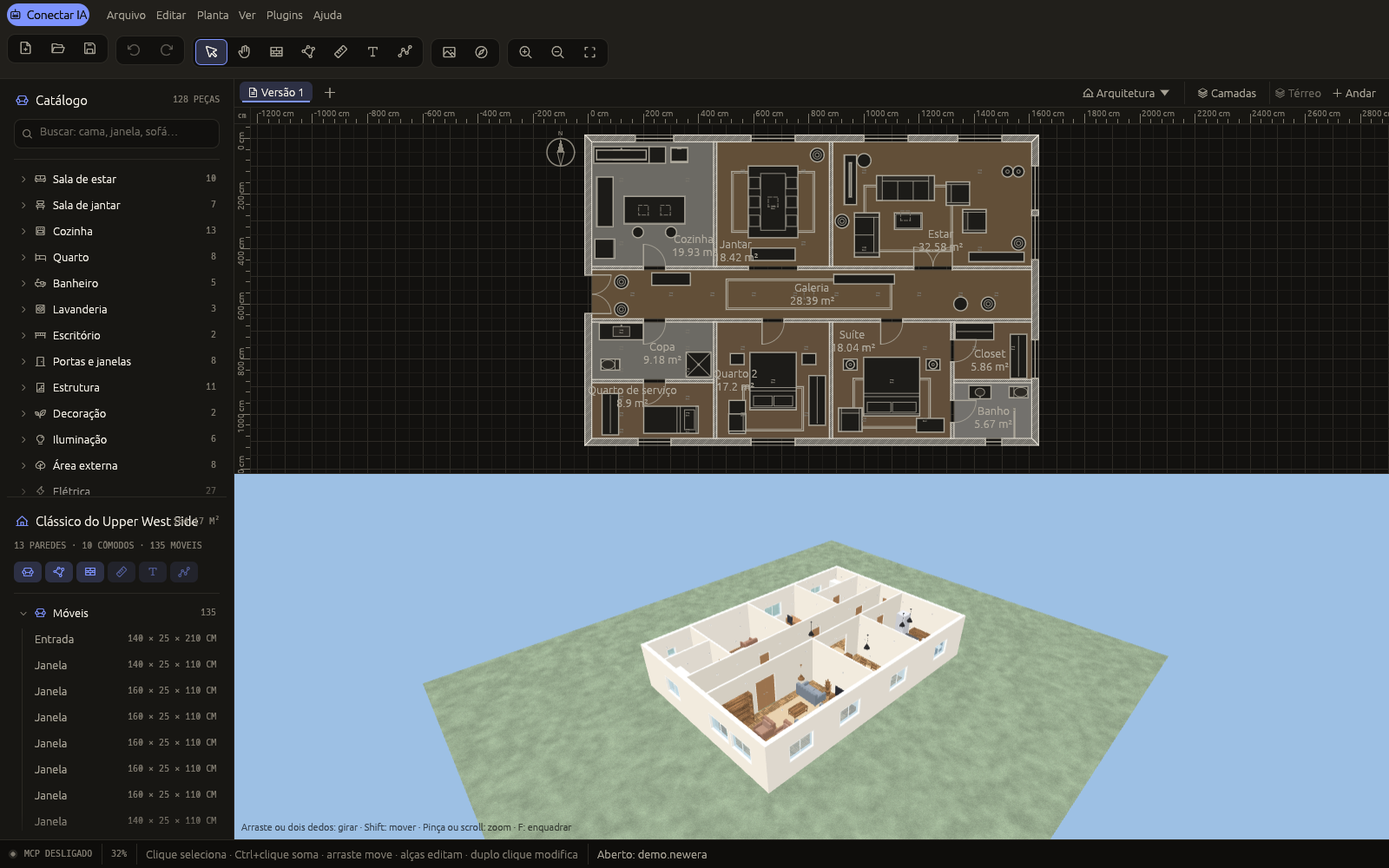
| What you get | Account | |
|---|---|---|
| Desktop app | The full editor on your machine, with a local MCP server at 127.0.0.1:7878. Nothing leaves your computer. | none |
| Browser editor | The same editor in a tab (WebGPU or WebGL). Switch on its MCP and your AI edits the tab's project. | none |
| Hosted connector | Add https://mcp.3dneweraai.com/mcp to Claude or ChatGPT and design from the chat, with projects kept in your account. | email sign-in |
The desktop app and the browser editor are free, open source and need no account. The hosted connector is free too, with no limits.
Windows — in PowerShell:
irm https://raw.githubusercontent.com/leandrodaf/3d-new-era-ai/main/scripts/install-windows.ps1 | iex
macOS (Apple Silicon and Intel) — in Terminal:
curl -fsSL https://raw.githubusercontent.com/leandrodaf/3d-new-era-ai/main/scripts/install-macos.sh | bash
or with Homebrew: brew install --cask leandrodaf/tap/3d-new-era-ai.
The installers work for your user only, with no administrator password: the app appears
in the Start menu or Launchpad, newera goes on your PATH, the MCP server is registered
in Claude Code and Codex if you have them, and running the same command again updates it.
Uninstall with install-macos.sh --uninstall, or from Settings → Apps on Windows.
On Windows, it is also in the Microsoft Store:

Prefer a plain download?
The builds are not signed with a paid Apple or Microsoft certificate, so the system asks once:
newera-gui.exe; if SmartScreen appears, click
More info → Run anyway.xattr -dr com.apple.quarantine "/Applications/3D New Era AI.app".tar xzf newera-linux-x64.tar.gz && ./newera/newera. Run
./newera/install-desktop.sh to add the menu entry, the icon and the .newera file
type (--uninstall undoes it). It needs glibc 2.35 or newer: Ubuntu 22.04, Debian 12,
Fedora 36 or any later release.The one-line installers skip these prompts.
Hosted, nothing to install. In Claude or ChatGPT, add a custom connector with the
address https://mcp.3dneweraai.com/mcp and sign in with your email. Step by step:
https://3dneweraai.com/connector/.
With the desktop app. The editor serves MCP at http://127.0.0.1:7878/mcp while it is
open (or run newera serve for no window). The AI menu, or the MCP chip in the status
bar, shows the snippet for your client, can register it for you, and lists the tools the
agent calls as it calls them.
From a browser tab. Open https://3dneweraai.com/app/ and switch the MCP on in the AI panel (Ctrl+Shift+M). The tab gets an address your AI can reach through a small relay, because a tab cannot listen on a port. The relay passes messages and stores nothing; the project stays in the tab, and the address stops answering when you switch it off or close the tab. Treat that address like a password. Video rendering is not offered there, since it would hold the tab for minutes.
Then just ask, for example: "Draw a 4 × 5 m bedroom with a door and a window, furnish it and render a photo."
One click, with the app installed:


Claude Desktop: download newera-mcp.mcpb from the
latest release and open it.
Plugins with skills:
| Client | Command |
|---|---|
| Claude Code | /plugin marketplace add leandrodaf/3d-new-era-ai, then /plugin install 3d-new-era-ai-desktop@3d-new-era-ai (the app on your screen) or /plugin install 3d-new-era-ai@3d-new-era-ai (hosted) |
| Codex | codex plugin marketplace add leandrodaf/3d-new-era-ai |
| Gemini CLI | gemini extensions install https://github.com/leandrodaf/3d-new-era-ai |
Claude Code (already set up inside a clone of this repository by .mcp.json)
claude mcp add --transport http newera http://127.0.0.1:7878/mcp
Codex CLI
codex mcp add newera --url http://127.0.0.1:7878/mcp
Gemini CLI
gemini mcp add --transport http newera http://127.0.0.1:7878/mcp
VS Code (Copilot agent mode)
code --add-mcp '{"name":"newera","type":"http","url":"http://127.0.0.1:7878/mcp"}'
Cursor — ~/.cursor/mcp.json
{ "mcpServers": { "newera": { "url": "http://127.0.0.1:7878/mcp" } } }
Windsurf — ~/.codeium/windsurf/mcp_config.json
{ "mcpServers": { "newera": { "serverUrl": "http://127.0.0.1:7878/mcp" } } }
Claude Desktop without the bundle — Settings → Developer → Edit Config (needs
Node.js for the mcp-remote bridge)
{ "mcpServers": { "newera": { "command": "npx", "args": ["-y", "mcp-remote", "http://127.0.0.1:7878/mcp"] } } }
DeepSeek, Qwen, Llama and other models — the model does not matter, the app you chat
in does. Use one that speaks MCP: Cline or
Roo Code in VS Code, Cherry Studio,
LM Studio or opencode (opencode.json):
{ "mcp": { "newera": { "type": "remote", "url": "http://127.0.0.1:7878/mcp" } } }
Any other client — Streamable HTTP at http://127.0.0.1:7878/mcp, or stdio for
clients that start a process:
{ "mcpServers": { "newera": { "command": "newera", "args": ["mcp"] } } }
Over stdio, with the editor open the agent edits the plan in that window; with no window
(or newera mcp --standalone) it works on a project of its own.
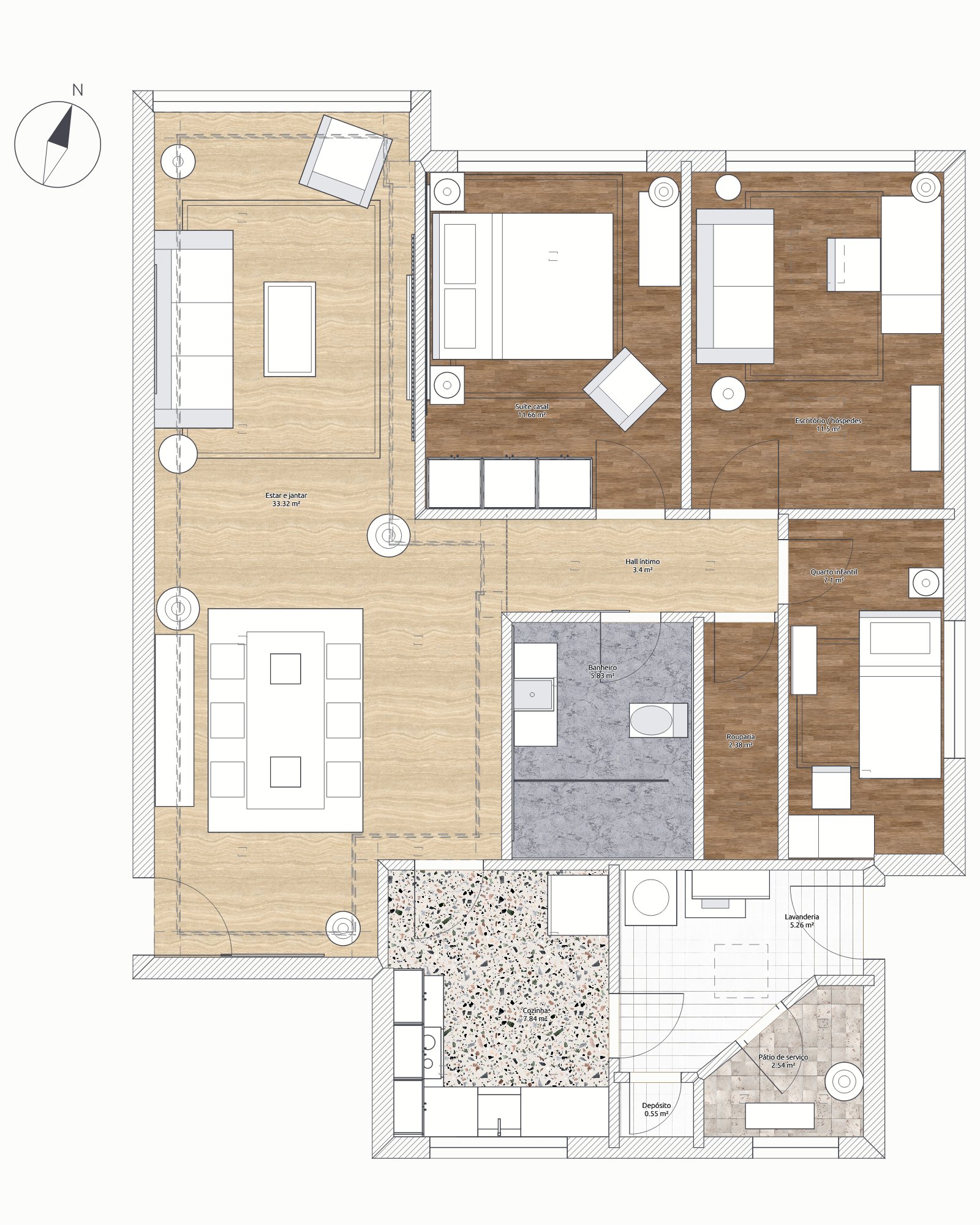
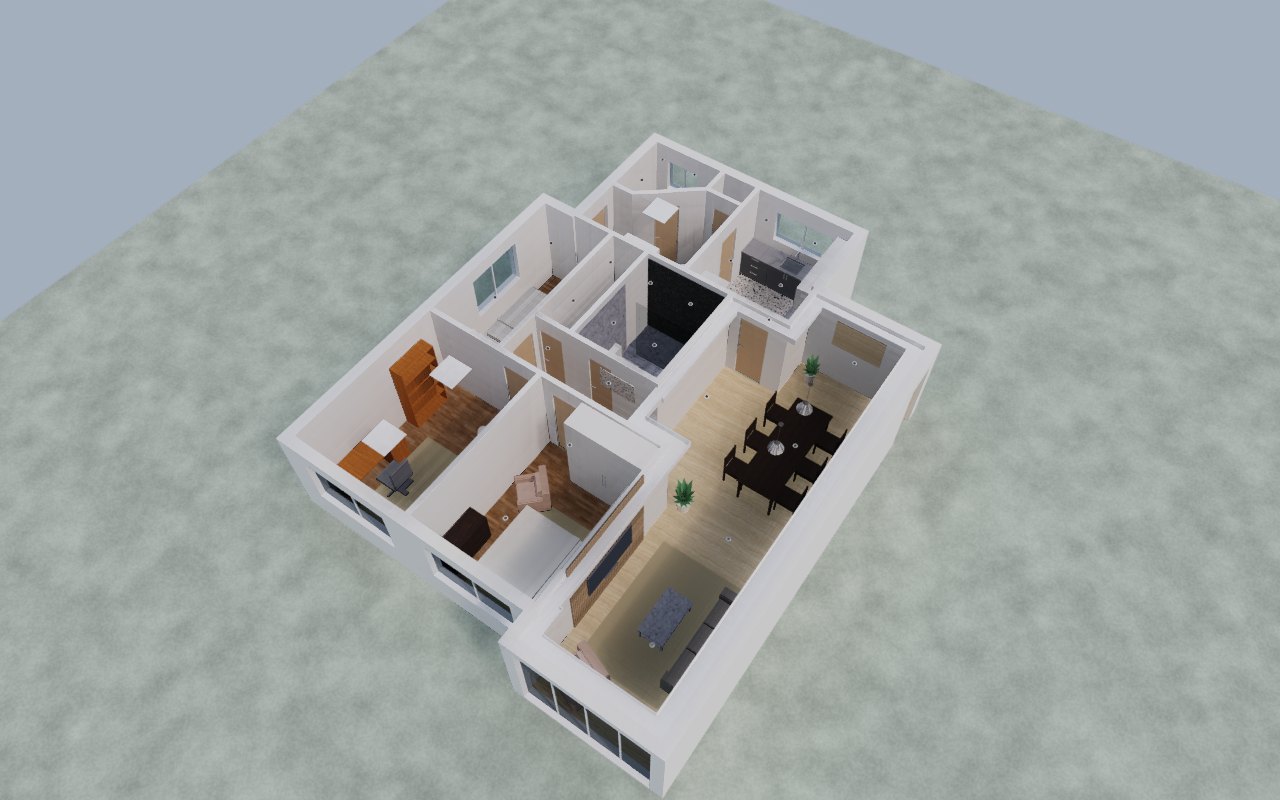
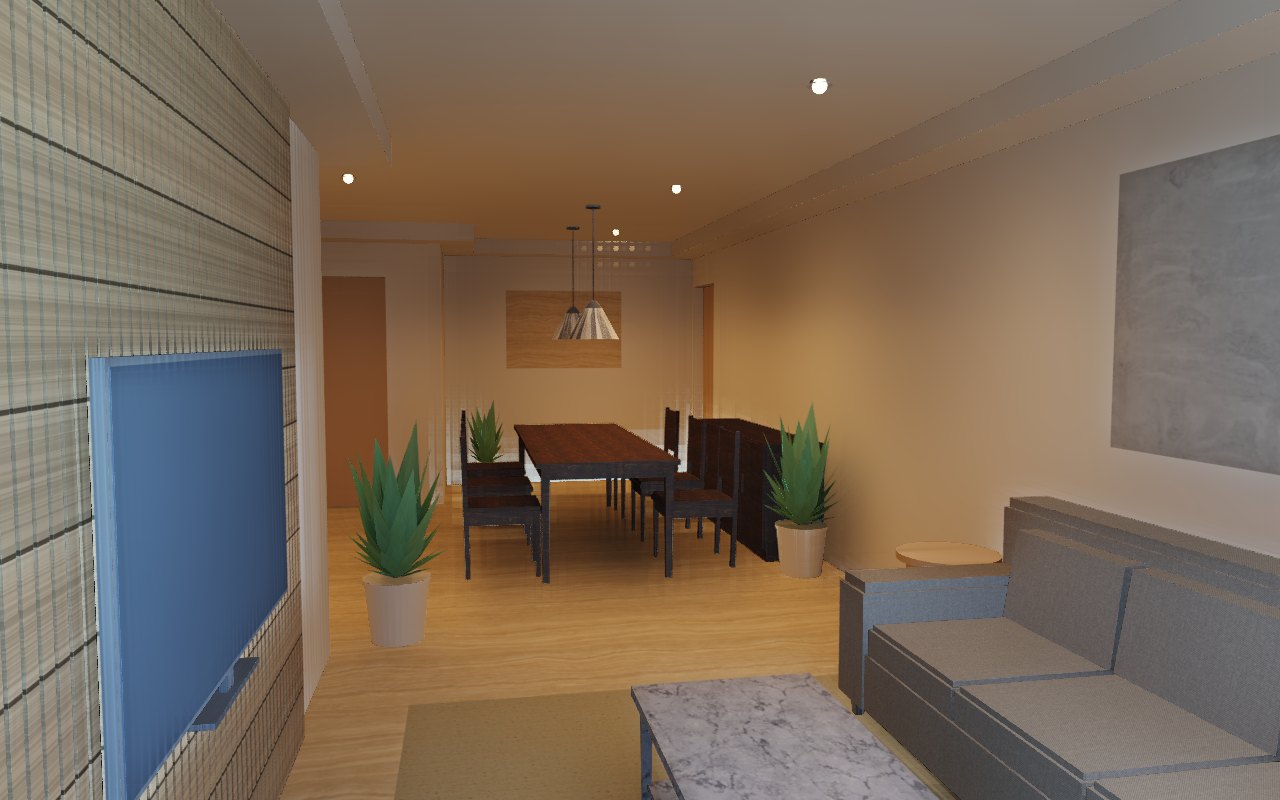
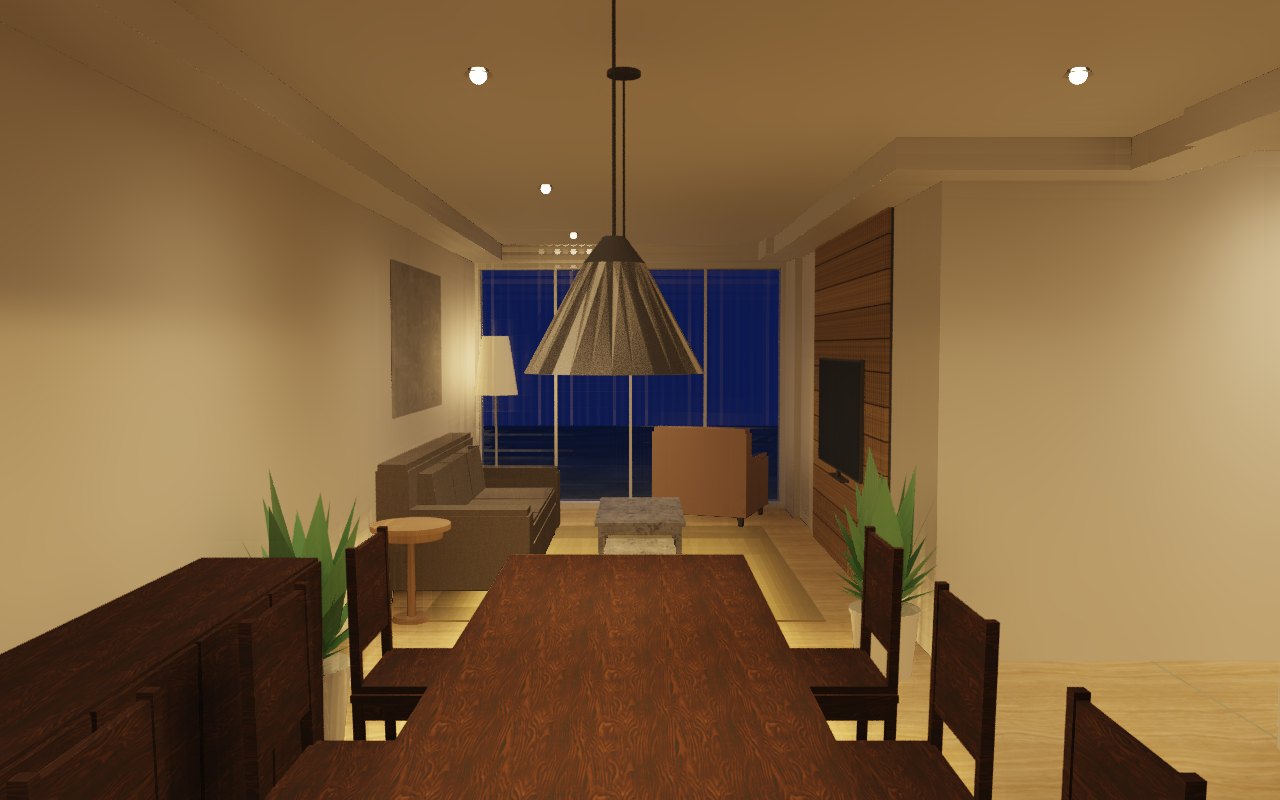
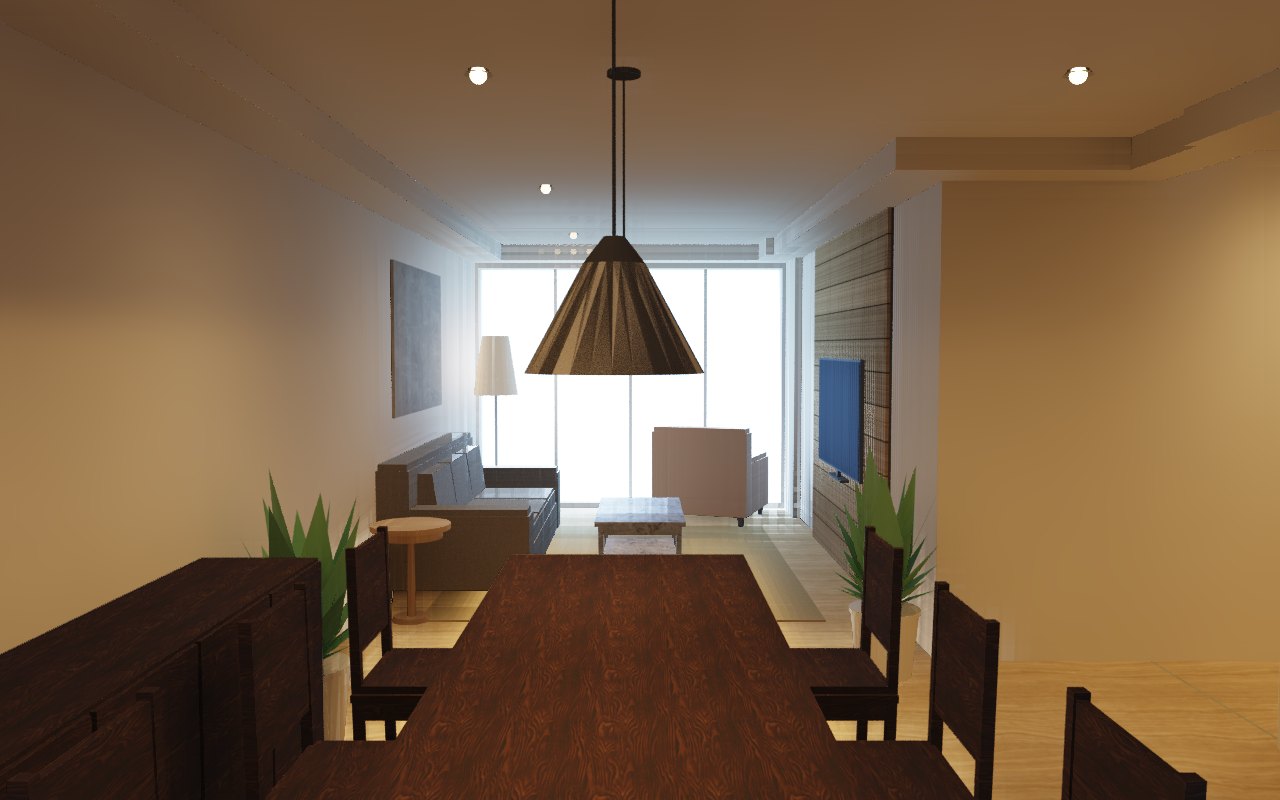
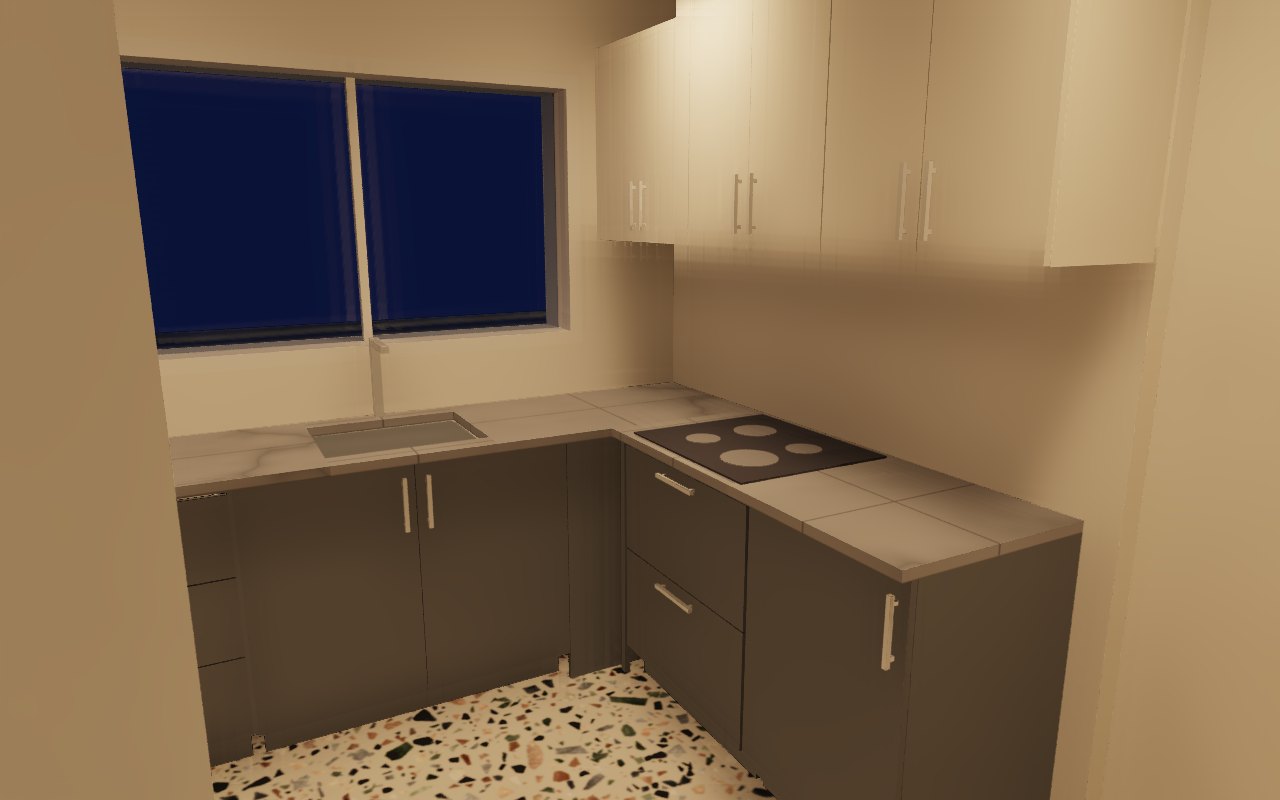
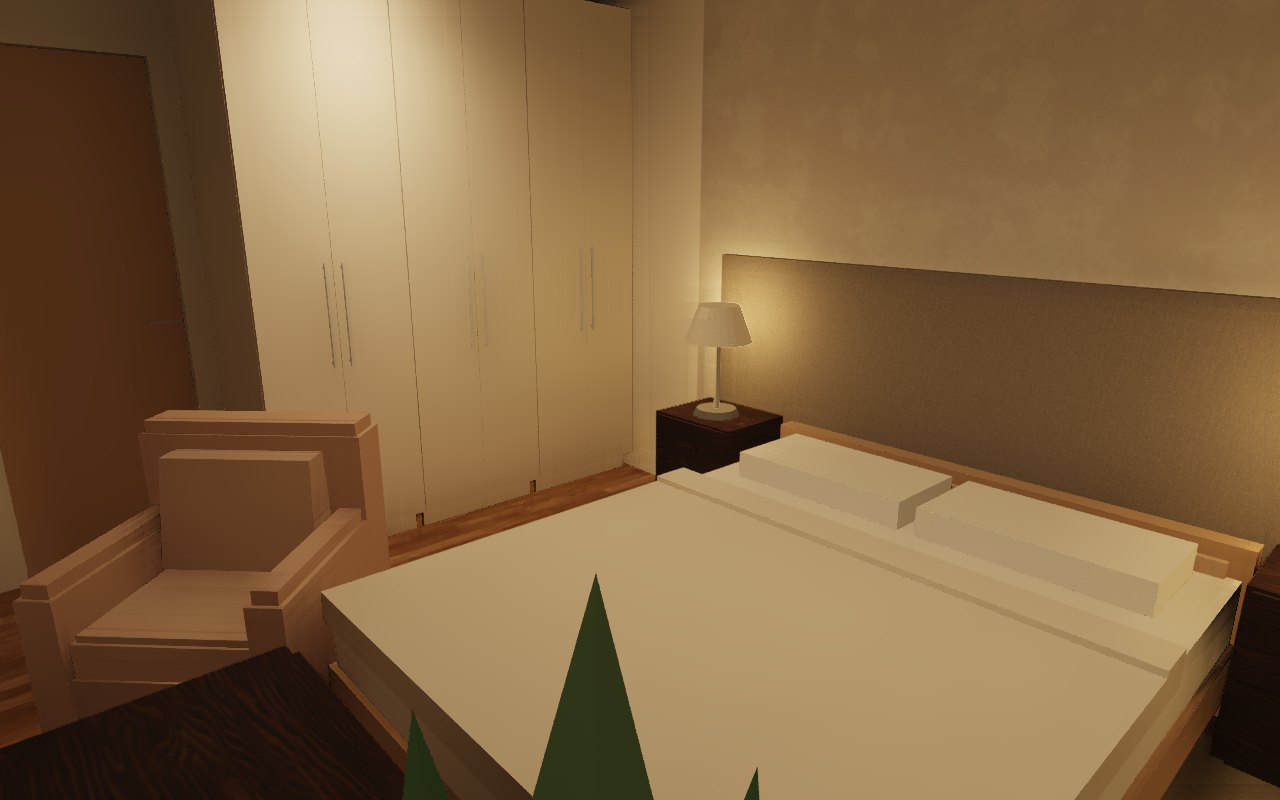
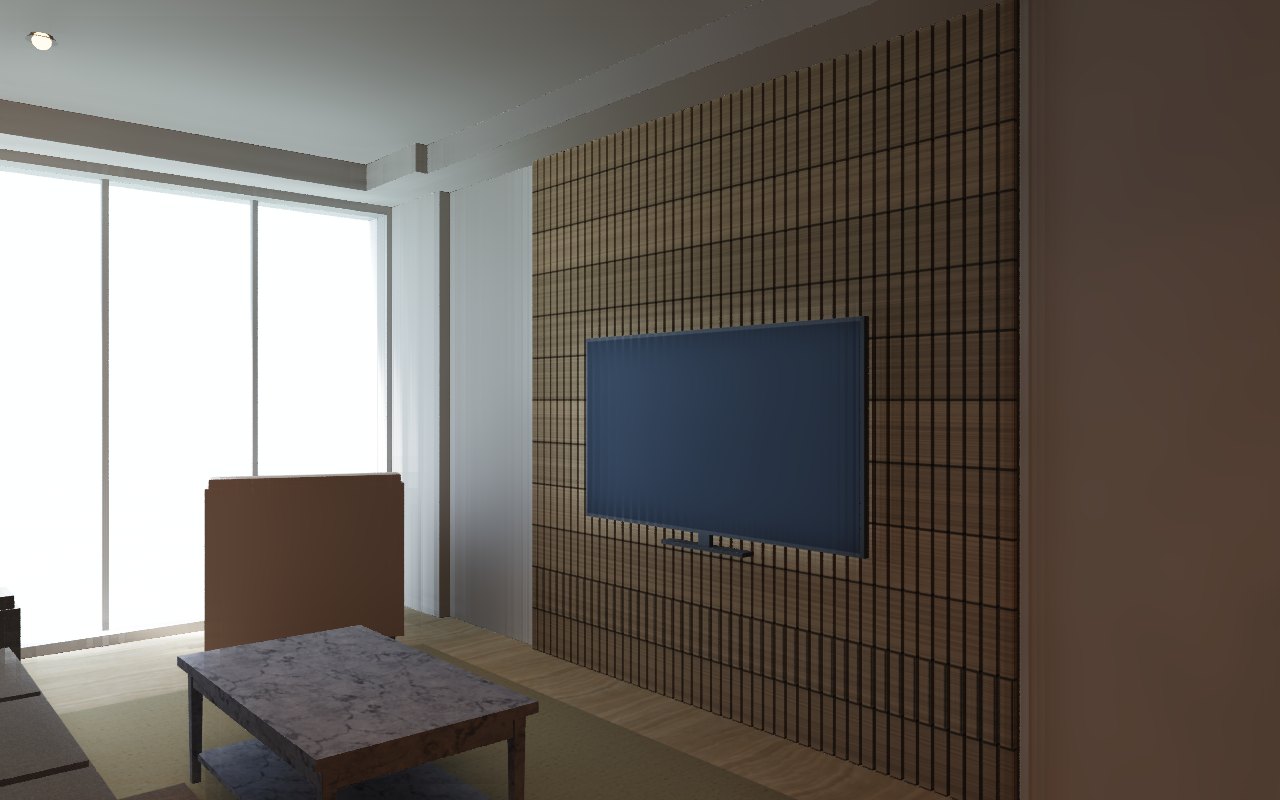
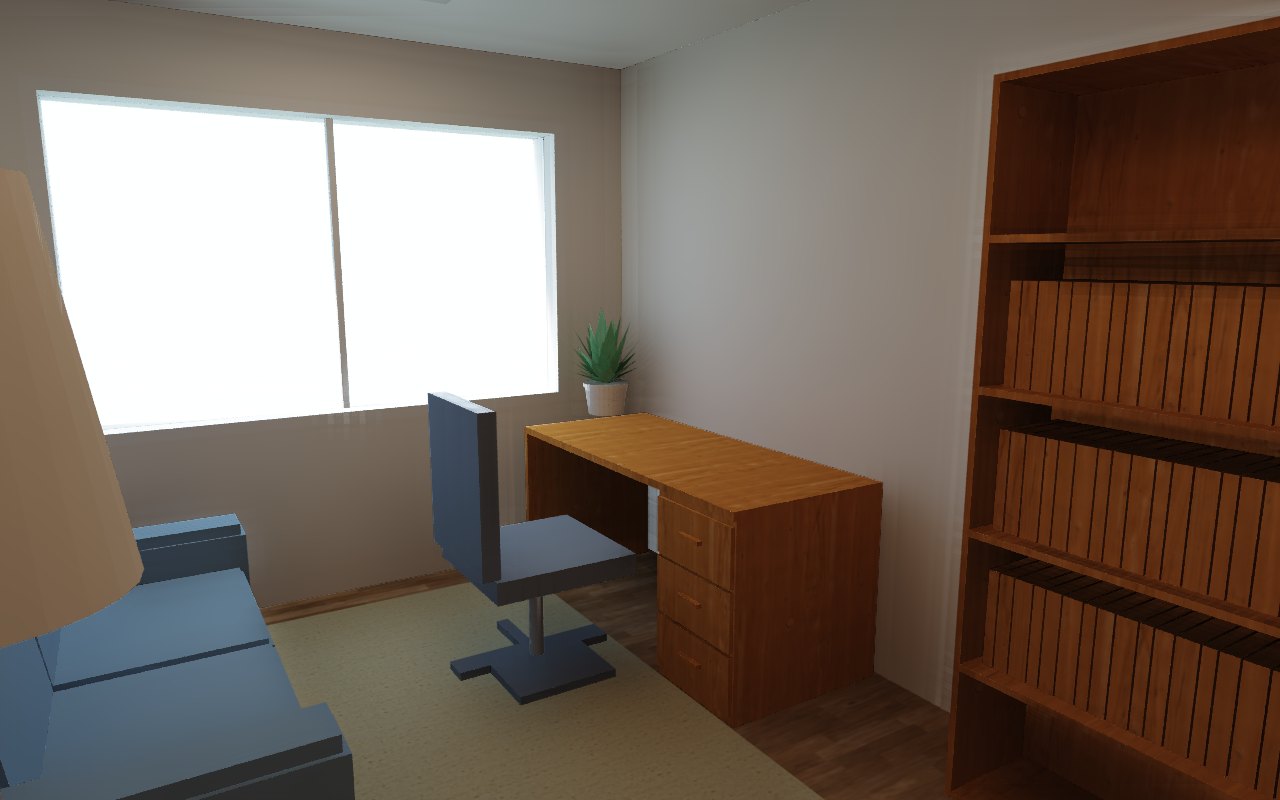
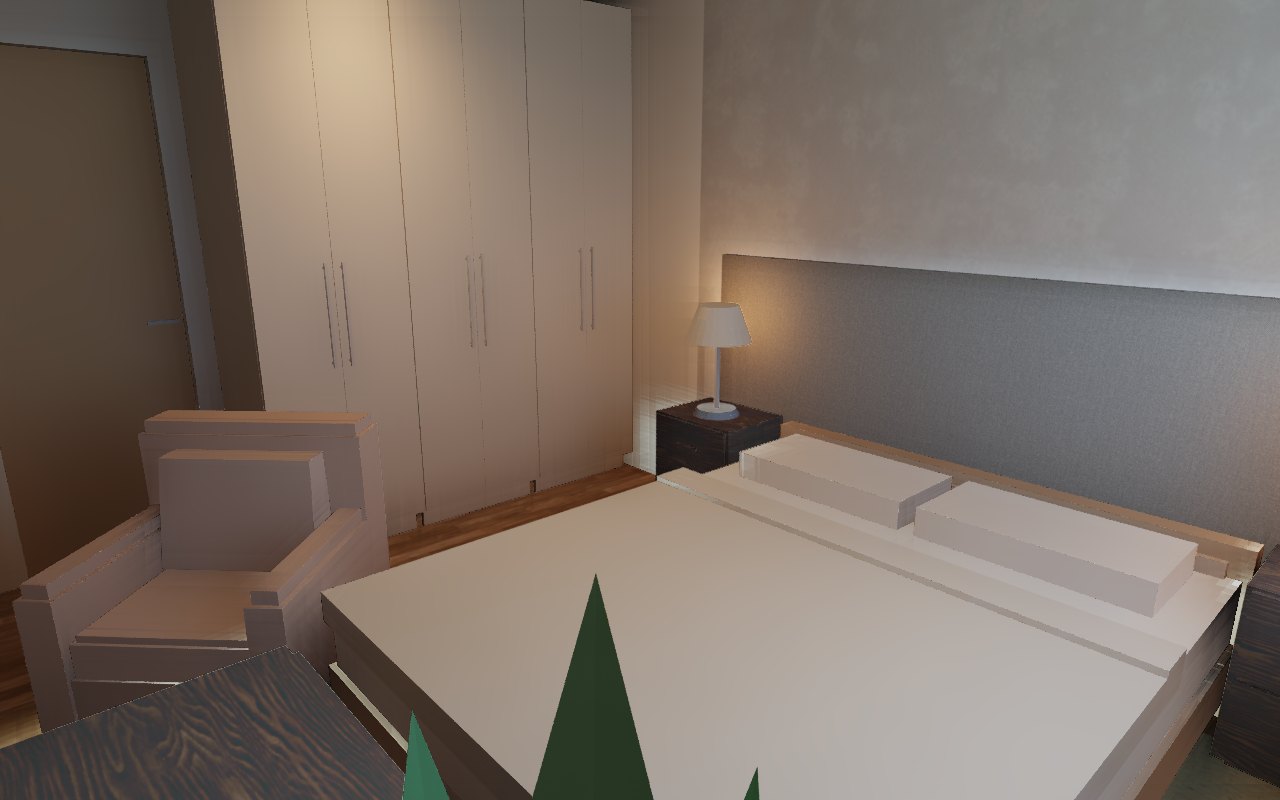
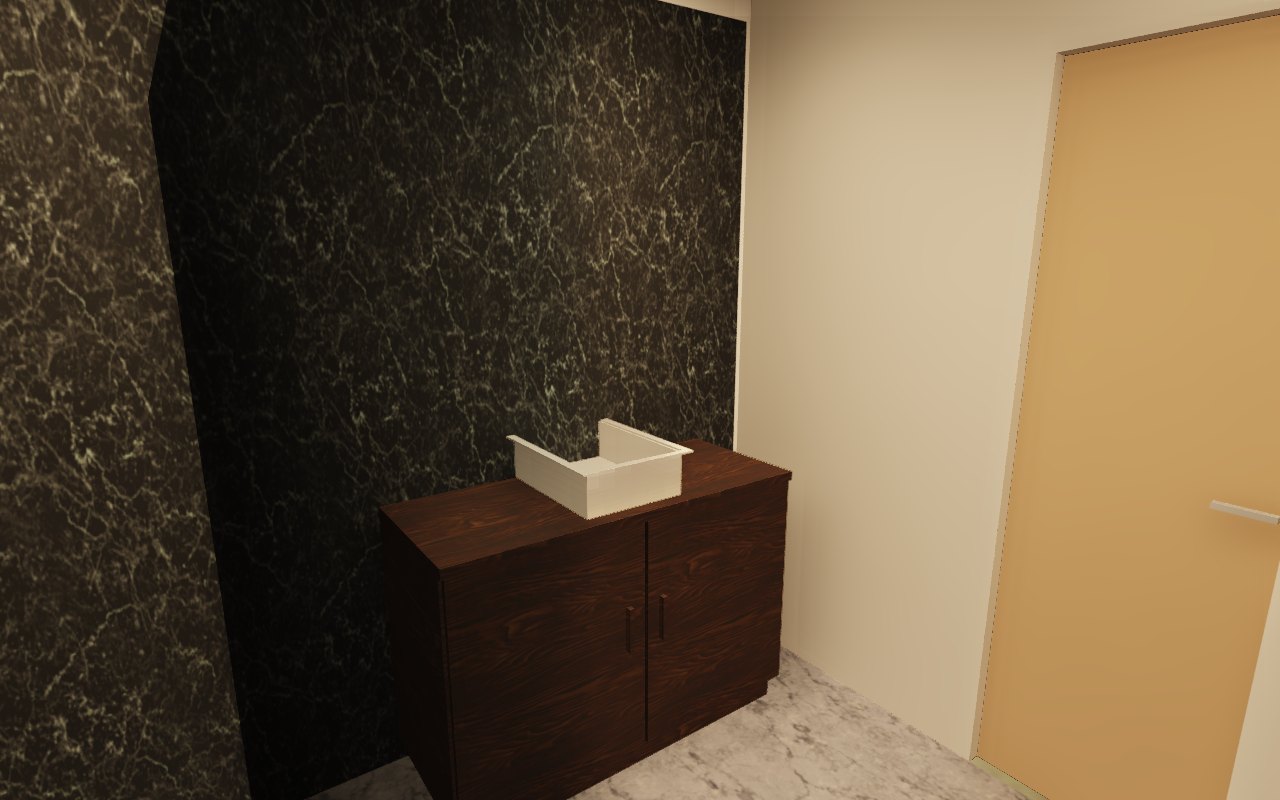
A real 105 m² apartment, traced from an openly licensed floor plan and furnished, lit
and photographed by an AI agent through MCP alone: walls from the scan, doors that swing
the right way, a slatted TV wall, an L kitchen and wardrobes from cabinet_run,
downlights sized by photometry against NBR ISO/CIE 8995-1, and path-traced photos. Every
image below came out of the editor. See how it was built →
| Floor plan with real finishes | Aerial cutaway |
|---|---|
 |  |
| Daylight | At dusk, lamps on |
|---|---|
 |  |
 |  |
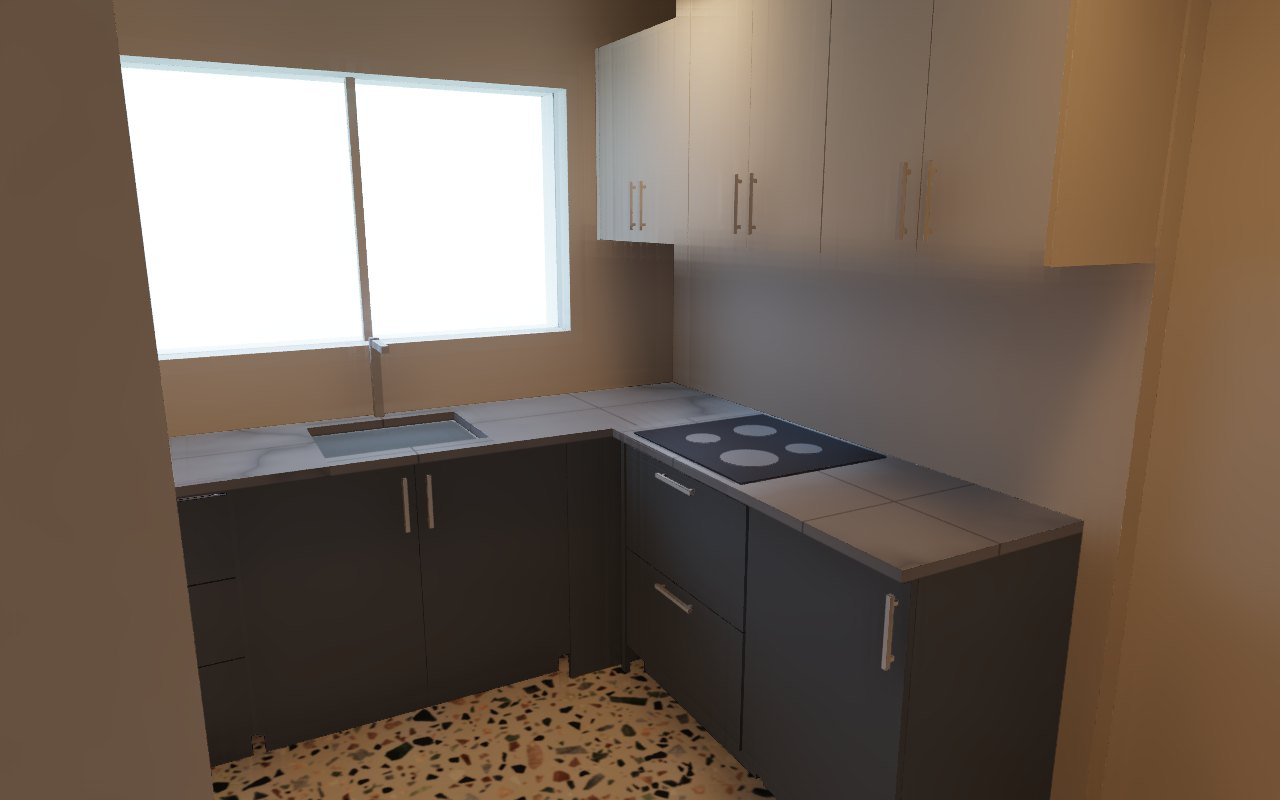 |  |
| Joinery and rooms | |
|---|---|
 |  |
 |  |
background find the walls. Opens Sweet Home 3D (.sh3d)
projects as they are.cabinet_run fills a wall with even modules around doors, windows and corners;
cut_list exports the boards as CSV or DXF/SVG sheets.w12), [x, y] points in centimeters, compact reads and one-line write replies
keep token use low.Reads and changes are separate tools: a read never changes the plan, so an AI client can run it without asking, and asks before each change.
| Tool | What it does |
|---|---|
home | Compact state (detail=summary for counts, bounds and room areas) |
create | Walls (polylines, arcs, sloping), rooms (polygon or detected from walls), dimensions, labels, roofs with skylights and solids, in one atomic call |
update / move / delete | Edit any element by id |
arrange | Copies in a row, rotate, mirror, group/ungroup, drawing order |
edit_walls | Split a wall in two, or join walls on one line |
edit_home | Project name, compass (north), the city whose building code applies and who lives there |
background / edit_background | Scanned plan at real scale (calibration, X/Y scale, rotation); find the walls in it, and create them |
catalog / place | Search the parametric catalog; place furniture, doors and windows (snapped into walls), beams, finishes and glass |
joinery | Parametric cabinets, slatted panels, countertops with cutouts, plaster coves, shadow gaps and modular sofas |
cabinet_run | Fill a wall with cabinets sized for it: even modules around corners, doors, windows, fridge and stove |
embed | Set a sink or cooktop into a countertop (exact cutout) or an oven into a cabinet niche |
fit_roof | Walls, glass and panels take the shape of the roof above and keep following it |
cut_list | Boards, edge banding and hardware of the joinery, as CSV or DXF/SVG sheets |
layout | Overlaps, pieces in walls, blocked doors, pieces outside rooms, areas against references |
ergonomics | Review for the people living there: circulation, occupancy, kitchen, doors, ceiling heights, windows, wheelchair use |
lighting / edit_lighting | Lux per room by photometry against NBR ISO/CIE 8995-1; place the fixtures a room needs |
electrical / plumbing | Electrical and plumbing projects over the plan, changed through edit_electrical / edit_plumbing |
measure | Free floor around a piece, the gap between two, what a straight probe runs into, how far a piece can grow |
model | What an imported OBJ/glTF/GLB became: unit taken, size, triangles, materials, named parts, and what is not drawn; check=clashes finds parts passing through one another |
edit_model | Swap the file of placed pieces in one undo step (keeping ids, size, finishes and links), change a material or a part by name, or give a lighter file for distant views |
library / edit_library | A library of approved model versions, with their photos, measurements and source, placed in any project as library:<name>@<v> and listed in the desktop catalog to place by hand |
accept | Mark findings of any review as seen, with the reason |
rules | What a review checks against: the standards' tables, what each layout problem means, how ergonomics scores |
materials / disciplines / annotations | Finishes, visible projects and layers, dimension chains and schedules; stale finds notes that no longer match the drawing |
levels / cameras / variants / video | Storeys, points of view, plan versions and camera-path videos, each changed through its edit_* tool |
render_plan / show_plan | PNG of the plan as the user sees it; the plan inside the chat as an interactive viewer (MCP Apps) |
render_3d / render_photo | Software 3D views (aerial, visitor, cameras, elevations, sections); path-traced photos with sun and lamps |
export | PDF, SVG or PNG plan; GLB or OBJ model; the cut list as CSV or DXF/SVG sheets |
file | New, open and save: projects (.newera) and Sweet Home 3D import (.sh3d) |
edit_history / history | Undo and redo, shared with the user, and named checkpoints to come back to |
plugins / run_plugin / sessions | External plugins and the people working on the project |
feedback | A note to the developers about what a tool could do better (desktop only) |
The hosted connector adds projects, to list and switch between the projects in your
account, and leaves out feedback, the plugin tools and library / edit_library (the
library is a folder on your machine), which only make sense on your own machine; the
browser tab leaves out the library tools too.
newera [FILE]           # desktop editor with the embedded HTTP + MCP server
newera --demo           # start with a sample house
newera gui --no-server  # editor only
newera serve [FILE]     # headless HTTP + MCP server
newera mcp              # MCP over stdio (attaches to the open window, if any)
Options: --addr 127.0.0.1:7878 (or NEWERA_ADDR); --token (or NEWERA_TOKEN),
required to listen beyond loopback; NEWERA_LOG for the log filter;
NEWERA_RENDER_THREADS for photo renders (half the cores by default). The server binds to
loopback by default and validates the Host header. On Windows, newera-gui.exe opens
the editor without a console window.
You need Rust 1.95 or newer (rustup). On Linux, also
libxkbcommon-dev libwayland-dev libx11-dev libxcursor-dev libxrandr-dev libxi-dev.
git clone https://github.com/leandrodaf/3d-new-era-ai
cd 3d-new-era-ai
make run          # editor + HTTP + MCP, with a sample house
make release      # optimized binary in target/release/newera
make web-serve    # browser editor and viewer at http://127.0.0.1:8790
Run make to list every command. To host the browser editor yourself, serve web/ as
static files, with .wasm sent as application/wasm and compressed (about 15 MB raw,
a quarter of that gzipped). No backend or special headers are needed. The public site is
built by scripts/site-build.sh and deployed on every push to main.
Browsers: Chrome, Edge and Safari 26 use WebGPU. Where it is missing (Firefox today) the editor falls back to WebGL 2 and still draws everything; a browser with neither gets a message pointing at the download.
crates/
  newera-core        domain model, commands, undo/redo, geometry, standards — no UI, no I/O
  newera-catalog     parametric furniture and fixtures at exact sizes; OBJ/glTF import
  newera-joinery     parametric joinery and interiors, workshop rules, cut lists
  newera-ergonomics  habitability review: clearances, occupancy, kitchens, accessibility
  newera-draw        plan scene shared by the editor, PNG renders and SVG/PDF export
  newera-render      3D meshes, software renderer, path-traced photos, videos
  newera-sh3d        Sweet Home 3D (.sh3d) import
  newera-mcp         the MCP tools, over stdio and Streamable HTTP
  newera-server      REST API + MCP endpoint, sessions (axum)
  newera-plugins     external programs that edit the home over the HTTP API
  newera-app         desktop editor (egui + wgpu)
  newera-editor-web  the editor in the browser (WebGPU or WebGL)
  newera-web         lightweight WebAssembly viewer
  newera-relay       lets an AI reach the editor in a browser tab
  newera-cloud       the hosted service: accounts, OAuth, cloud projects
  newera-telemetry   crash reports and usage notes
  newera             the binary that wires everything together
The app sends crash reports through Sentry, along with the notes agents leave with the MCP
feedback tool. It is on by default and off with one click in
Help → Send error reports, or newera telemetry off; NEWERA_TELEMETRY=0 turns it off
for a single run. Nothing of the project is sent, nor the IP address or the machine's name,
and the MCP token is removed from every report. Notes are always kept locally in the config
folder (notes.jsonl).
Under the same switch, opening the app counts one app_open — a random installation id, the
version, the operating system, the architecture and the mode — the request for support counts a
support_prompt when it shows and which button closed it, and the installers count one
install and one uninstall, saying which system and whether the app came from a release or was
compiled on the machine. Both go to 3dneweraai.com/ping, an endpoint of the site that holds
the Google Analytics secret and forwards the count without passing the IP address on: the
country Cloudflare already knows goes instead. A build made without the project's keys reports
through the same endpoint, so installing from source counts like any other install;
cargo build on a clone and CI count nothing. The hosted service keeps only what it needs:
your email, your projects and usage, never the conversation. See the
privacy policy.
Apart from that switch, the desktop app asks GitHub's public API for the latest release when it opens, sending nothing about the installation, and says in its status bar when a newer one is out.
Everything above is free, with no limits, and stays free. There is no paid plan. If it saves you time, a donation on Buy Me a Coffee helps pay for the server; it unlocks nothing extra. See support.
Contributions are welcome. See CONTRIBUTING.md; make check runs the
same checks as CI.
Licensed under either of Apache License 2.0 or MIT license, at your option.
Claim this server with your GitHub account to request manual ownership verification.
Link to the catalog listing for 3D New Era AI from your README. This badge does not certify ownership, compatibility or security.
[](https://awesome-mcp.com/servers/3d-new-era-ai)Public repository statistics could not be verified. Check the configured source address; unavailable counts are not zero.
Separate sources, scopes and periods. Never combined or treated as installations, active users or security reviews.
No reviewed package or image identity; download statistics are not listed yet.
Alternative and complementary servers in the same category
A Rust CAD application with an MCP server for creating, inspecting and rendering drawings, either headlessly or through a connection to the desktop app.

Liquid Composer is a browser-based Liquid Glass icon design tool that offers a local MCP server for agent-driven icon workflows.

agent-media makes short drama series and other short vertical videos from Claude, ChatGPT or Codex through one MCP connection, with OAuth sign-in and no API keys.