
A Rust CAD application with an MCP server for creating, inspecting and rendering drawings, either headlessly or through a connection to the desktop app.
8K
Media & Design
A project offering an MCP server with tools for analyzing audio, applying style-based mix corrections, rendering mastered previews, and checking releases, alongside a desktop mixing app.
MCP server for AI-powered audio mixing and mastering is cataloged as an MCP server attributed to highvoltsound. A project offering an MCP server with tools for analyzing audio, applying style-based mix corrections, rendering mastered previews, and checking releases, alongside a desktop mixing app. It is categorized under media design. See the capability inspector for recorded interfaces and their independent review status; consult upstream documentation for the current interface.
Installation configuration is not reviewed. No executable setup is offered for this entry; inspect the source repository before proceeding.
Catalog license label: MIT. Check the source repository's current license and terms before using, modifying or distributing this software.
Capability definitions are not reviewed. Unreviewed imports are not exposed as trusted interfaces.
No reviewed records to display. This does not establish that upstream lacks this capability.
No reviewed records to display. This does not establish that upstream lacks this capability.
No reviewed records to display. This does not establish that upstream lacks this capability.
Email delivery is not connected. This page does not collect email addresses or create subscriptions.
Browse the registry for current listings instead.
Reviews for MCP server for AI-powered audio mixing and mastering are not available yet
Review publishing and storage are not connected. This page does not collect or publish ratings or comments, including after sign-in.
The MCP server provides 13 tools for AI agents such as opencode and Claude Code.
Each style profile sets target LUFS/LRA, a six-band spectral curve, per-role levels, HPF, sidechain, compression, and FX recommendations.
Yes, an Apply to Live export mode pushes corrections directly via AbletonOSC.
README.md · 5937cecc1256 · Fetched 2026-11-13 14:11:42 UTC
Original upstream text, without AI rewriting. Scripts, forms and unsafe links are filtered for safety.
Showing the last retrieved documentation snapshot; check the source for current changes.


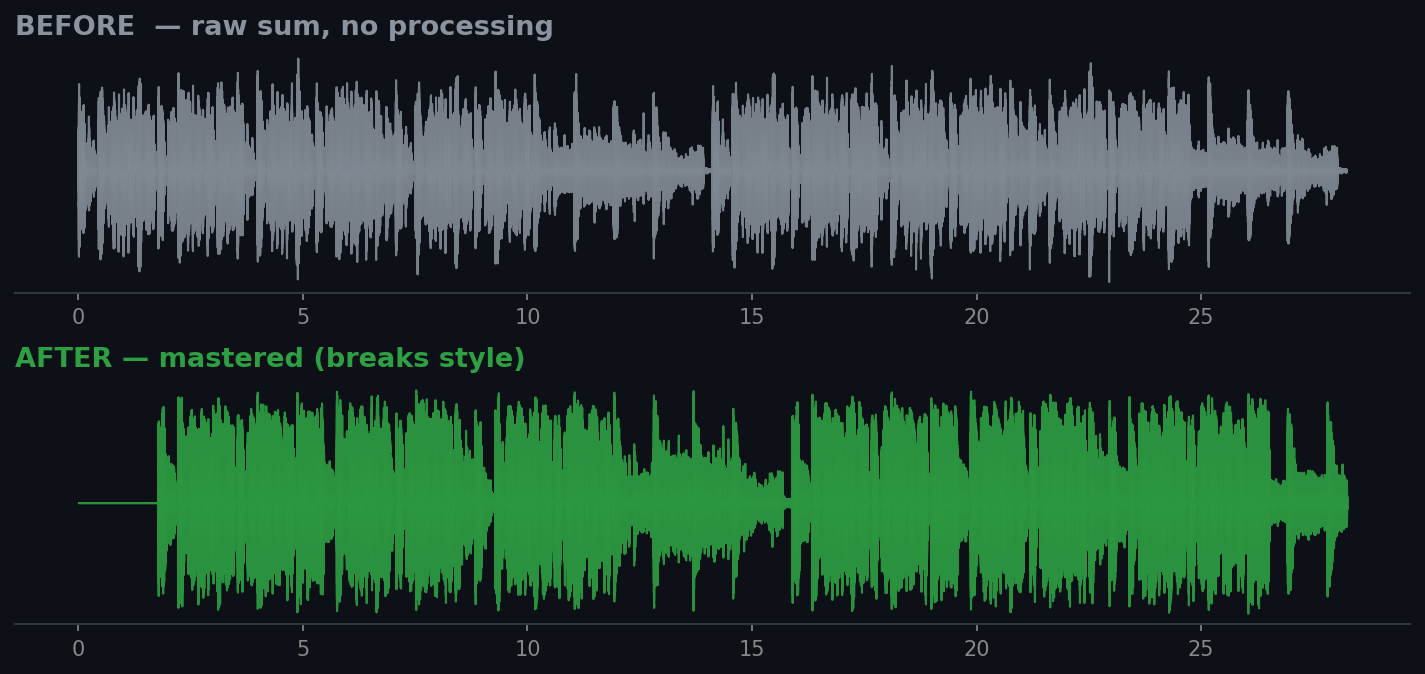
AI-powered mixing and mastering — both as an MCP server for AI agents and a standalone desktop app.
| Layer | Stack | What it does |
|---|---|---|
| Desktop App | Tauri 2 + React + TypeScript | Visual mixing interface with waveform, EQ, 3D spatializer |
| Backend API | FastAPI (Python 3.10+) | REST API for analysis, preview render, export |
| MCP Server | stdio/OSC | 13 tools for AI agents (opencode, Claude Code) |
| DSP Engine | numpy + scipy | Full mastering chain: EQ, compression, sidechain, limiting |
# Windows
cd desktop
npm install
npm run tauri dev    # development
npm run tauri build  # release build → src-tauri/target/release/bundle/

# macOS (requires Xcode CLI tools)
cd desktop
npm install
npm run tauri dev
npm run tauri build  # → DMG
pip install -e ".[dev]"
python -m ableton_auto_mix          # MCP server
python -m uvicorn ableton_auto_mix.api_app:app --port 8787  # REST API
desktop/src-tauri/
  ├── src/main.rs          # Tauri entry point
  └── tauri.conf.json      # App config, bundling, auto-update

desktop/src/
  ├── components/
  │   ├── WaveformEditor.tsx     # Track waveform + per-track controls
  │   ├── MixPanel.tsx           # Main mixing interface
  │   ├── LiveSpectrum.tsx       # Real-time FFT via WebAudio
  │   ├── Spatializer3D.tsx      # Binaural positioning
  │   ├── EqCurveChart.tsx       # Interactive EQ editor
  │   ├── ReferencePlayer.tsx    # A/B reference playback
  │   ├── ExportDialog.tsx       # Export to Ableton/JSON/Audio
  │   └── ui/                    # Glassmorphism UI primitives
  ├── lib/api.ts           # FastAPI client
  └── i18n/                # en.json, ru.json

src/ableton_auto_mix/
  ├── analyzer.py          # LUFS/LRA, spectrum, stereo width
  ├── mixer.py             # Style-based corrections engine
  ├── preview.py           # Mastering chain render
  ├── reference_store.py   # RAG reference database
  ├── ai_recommender.py    # AI mixing recommendations
  ├── ableton_export.py    # .als + JSON export
  ├── logging_utils.py     # Structured logging
  ├── ableton_client.py    # AbletonOSC bridge
  ├── dsp/                 # Biquad filters, EQ, compression, spatial
  └── styles/              # 18 genre profiles (JSON)
Electronic: techno, trance, breaks, dubstep, drum_n_bass, trap, lo_fi
Pop/Hip-Hop: pop, hip_hop, rnb
Rock/Metal: rock, metal
Jazz/Soul: jazz, funk, country, classical
Ambient/Cinematic: ambient
General: balanced
Each defines: target LUFS/LRA, spectral curve (6 bands), per-role levels, HPF, sidechain, compression, FX recommendations.
| Tool | Description |
|---|---|
list_styles | List all available style profiles |
get_style(name) | Full profile details |
get_ableton_status | Check Ableton Live connection |
analyze_audio(path) | Metrics for one WAV |
analyze_render_dir(dir) | Metrics for all renders |
auto_mix(style, dir, dry_run) | Corrections (dry-run or apply) |
suggest_style(dir) | Best-fitting style for material |
preview_mix(style, dir) | Render mastered preview WAV |
analyze_conflicts(dir) | Frequency clashes between tracks |
release_check(style, dir) | LUFS/TP/LRA vs label targets |
| Mode | Description |
|---|---|
| Ableton (.als) | Full session with audio tracks, gain, pan, EQ Eight |
| JSON | Universal format for any DAW via scripting |
| Apply to Live | Push corrections directly via AbletonOSC |
| Audio | WAV (16/24/32-bit), FLAC, MP3 (128–320kbps) |
python -m pytest tests/test_core_units.py -q    # 16 unit tests
python -m pytest tests/test_rag.py -q           # 13 RAG tests
python -m pytest tests/test_preview_harness.py -q  # 9 e2e tests
.github/workflows/ci.yml) — Python 3.10–3.12, ruff, mypy, frontend build.github/workflows/release.yml) — Windows NSIS + macOS DMG (Intel + ARM)To trigger a release build:
git tag v0.1.0
git push origin v0.1.0
# → GitHub Actions builds Windows .exe + macOS .dmg
# → Creates draft release with artifacts
MIT © 2026 MusicMixCode / HighVoltSound
Claim this server with your GitHub account to request manual ownership verification.
Link to the catalog listing for MCP server for AI-powered audio mixing and mastering from your README. This badge does not certify ownership, compatibility or security.
[](https://awesome-mcp.com/servers/ableton-auto-mix-mcp)Public repository statistics could not be verified. Check the configured source address; unavailable counts are not zero.
Separate sources, scopes and periods. Never combined or treated as installations, active users or security reviews.
No reviewed package or image identity; download statistics are not listed yet.
Alternative and complementary servers in the same category
A Rust CAD application with an MCP server for creating, inspecting and rendering drawings, either headlessly or through a connection to the desktop app.

Liquid Composer is a browser-based Liquid Glass icon design tool that offers a local MCP server for agent-driven icon workflows.

agent-media makes short drama series and other short vertical videos from Claude, ChatGPT or Codex through one MCP connection, with OAuth sign-in and no API keys.