
Store and retrieve entities, relations and observations in a persistent local knowledge graph.
create_entitiescreate_relationsadd_observations+6 more
92K
AI & Multi-Agent
A Model Context Protocol server that relays chat questions to a configured OpenAI SDK compatible chat completions provider.
Any Chat Completions MCP Server is cataloged as an MCP server attributed to pyroprompts. A Model Context Protocol server that relays chat questions to a configured OpenAI SDK compatible chat completions provider. It is categorized under ai agents-models. See the capability inspector for recorded interfaces and their independent review status; consult upstream documentation for the current interface.
Installation configuration is not reviewed. No executable setup is offered for this entry; inspect the source repository before proceeding.
Catalog license label: Not specified. Check the source repository's current license and terms before using, modifying or distributing this software.
Capability definitions are not reviewed. Unreviewed imports are not exposed as trusted interfaces.
No reviewed records to display. This does not establish that upstream lacks this capability.
No reviewed records to display. This does not establish that upstream lacks this capability.
No reviewed records to display. This does not establish that upstream lacks this capability.
Email delivery is not connected. This page does not collect email addresses or create subscriptions.
Browse the registry for current listings instead.
Reviews for Any Chat Completions MCP Server are not available yet
Review publishing and storage are not connected. This page does not collect or publish ratings or comments, including after sign-in.
It supports any OpenAI SDK compatible chat completions API, with the README naming OpenAI, Perplexity, Groq, xAI, and PyroPrompts.
It exposes one tool, chat, which relays a question to the configured AI chat provider.
README.md · 20f715e85fe1 · Fetched 2026-11-13 09:32:34 UTC
Original upstream text, without AI rewriting. Scripts, forms and unsafe links are filtered for safety.
Showing the last retrieved documentation snapshot; check the source for current changes.
Integrate Claude with Any OpenAI SDK Compatible Chat Completion API - OpenAI, Perplexity, Groq, xAI, PyroPrompts and more.
This implements the Model Context Protocol Server. Learn more: https://modelcontextprotocol.io
This is a TypeScript-based MCP server that implements an implementation into any OpenAI SDK Compatible Chat Completions API.
It has one tool, chat which relays a question to a configured AI Chat Provider.
Install dependencies:
npm install
Build the server:
npm run build
For development with auto-rebuild:
npm run watch
To add OpenAI to Claude Desktop, add the server config:
On MacOS: ~/Library/Application Support/Claude/claude_desktop_config.json
On Windows: %APPDATA%/Claude/claude_desktop_config.json
You can use it via npx in your Claude Desktop configuration like this:
{
  "mcpServers": {
    "chat-openai": {
      "command": "npx",
      "args": [
        "@pyroprompts/any-chat-completions-mcp"
      ],
      "env": {
        "AI_CHAT_KEY": "OPENAI_KEY",
        "AI_CHAT_NAME": "OpenAI",
        "AI_CHAT_MODEL": "gpt-4o",
        "AI_CHAT_BASE_URL": "https://api.openai.com/v1"
      }
    }
  }
}
Or, if you clone the repo, you can build and use in your Claude Desktop configuration like this:
{
  "mcpServers": {
    "chat-openai": {
      "command": "node",
      "args": [
        "/path/to/any-chat-completions-mcp/build/index.js"
      ],
      "env": {
        "AI_CHAT_KEY": "OPENAI_KEY",
        "AI_CHAT_NAME": "OpenAI",
        "AI_CHAT_MODEL": "gpt-4o",
        "AI_CHAT_BASE_URL": "https://api.openai.com/v1"
      }
    }
  }
}
You can add multiple providers by referencing the same MCP server multiple times, but with different env arguments:
{
  "mcpServers": {
    "chat-pyroprompts": {
      "command": "node",
      "args": [
        "/path/to/any-chat-completions-mcp/build/index.js"
      ],
      "env": {
        "AI_CHAT_KEY": "PYROPROMPTS_KEY",
        "AI_CHAT_NAME": "PyroPrompts",
        "AI_CHAT_MODEL": "ash",
        "AI_CHAT_BASE_URL": "https://api.pyroprompts.com/openaiv1"
      }
    },
    "chat-perplexity": {
      "command": "node",
      "args": [
        "/path/to/any-chat-completions-mcp/build/index.js"
      ],
      "env": {
        "AI_CHAT_KEY": "PERPLEXITY_KEY",
        "AI_CHAT_NAME": "Perplexity",
        "AI_CHAT_MODEL": "sonar",
        "AI_CHAT_BASE_URL": "https://api.perplexity.ai"
      }
    },
    "chat-openai": {
      "command": "node",
      "args": [
        "/path/to/any-chat-completions-mcp/build/index.js"
      ],
      "env": {
        "AI_CHAT_KEY": "OPENAI_KEY",
        "AI_CHAT_NAME": "OpenAI",
        "AI_CHAT_MODEL": "gpt-4o",
        "AI_CHAT_BASE_URL": "https://api.openai.com/v1"
      }
    }
  }
}
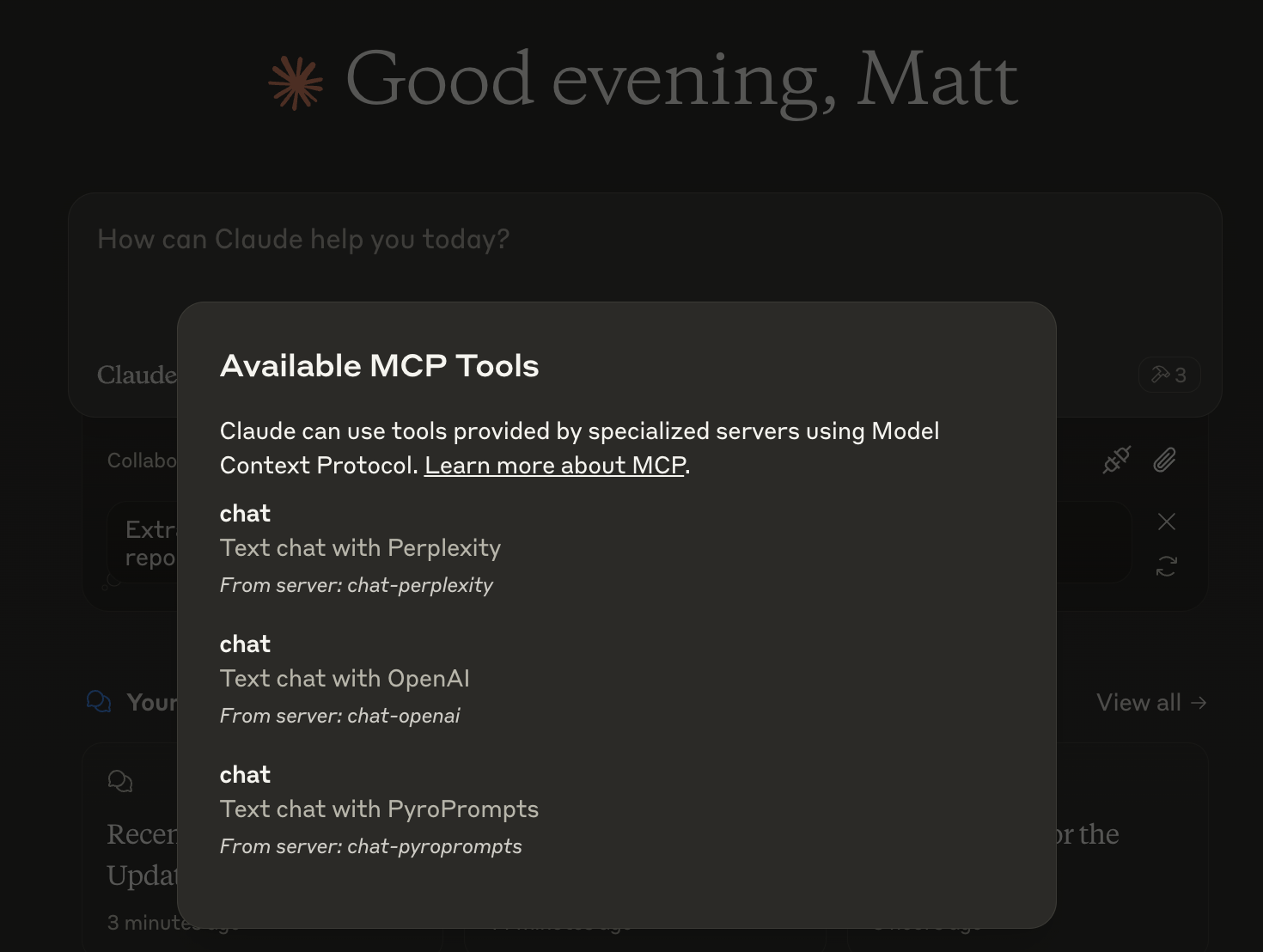
With these three, you'll see a tool for each in the Claude Desktop Home:
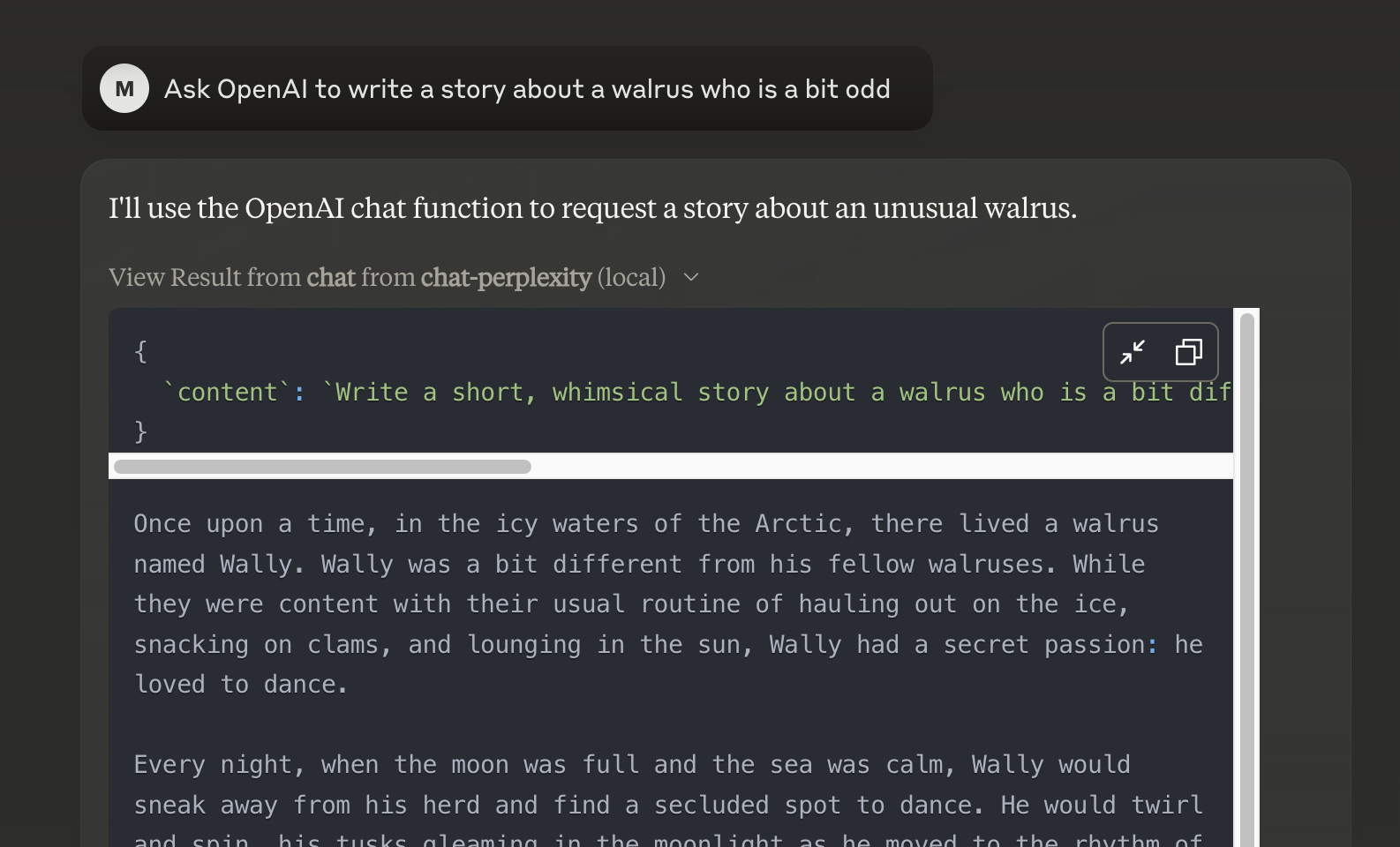
And then you can chat with other LLMs and it shows in chat like this:
Or, configure in LibreChat like:
  chat-perplexity:
    type: stdio
    command: npx
    args:
      - -y
      - @pyroprompts/any-chat-completions-mcp
    env:
      AI_CHAT_KEY: "pplx-012345679"
      AI_CHAT_NAME: Perplexity
      AI_CHAT_MODEL: sonar
      AI_CHAT_BASE_URL: "https://api.perplexity.ai"
      PATH: '/usr/local/bin:/usr/bin:/bin'
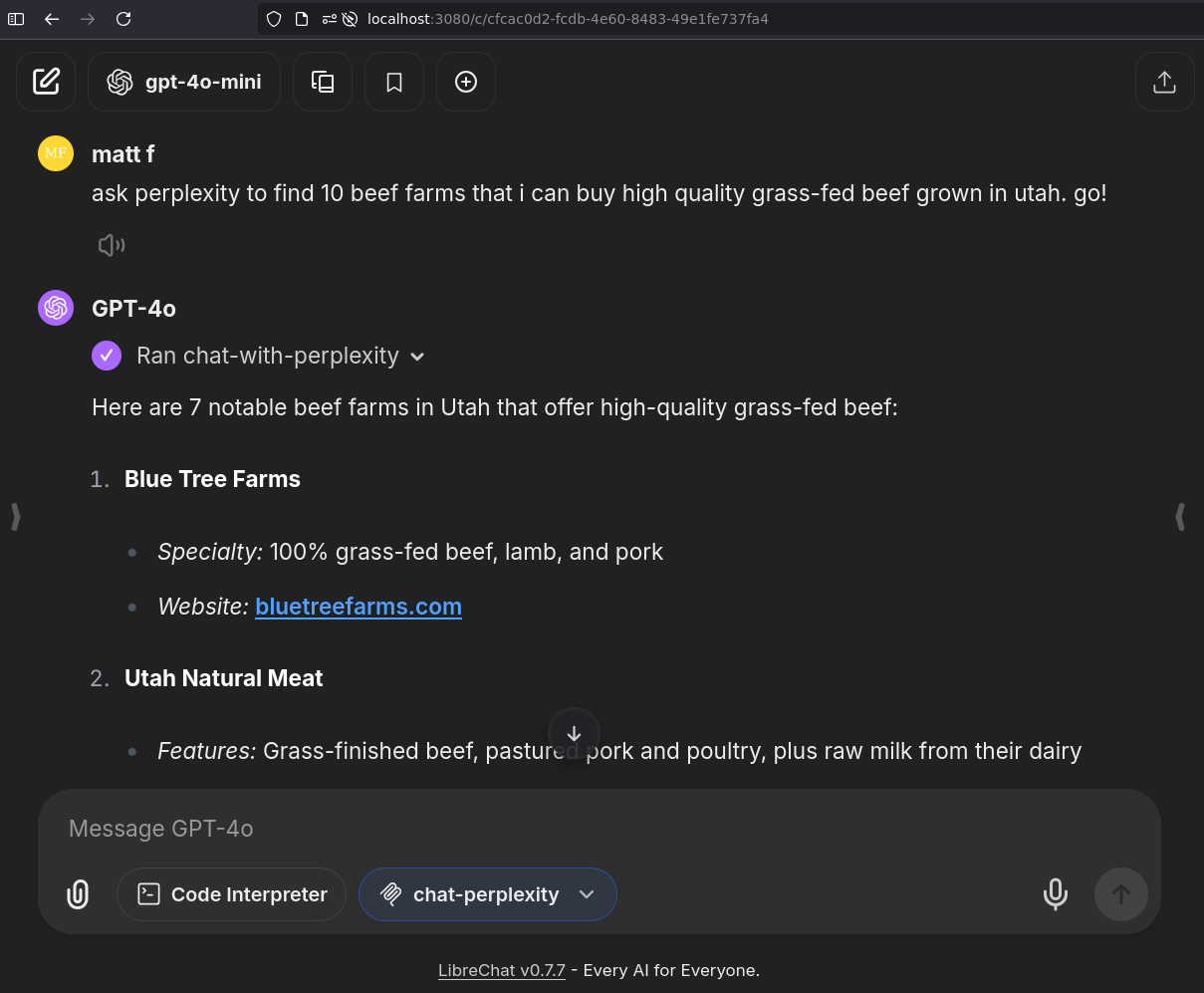
And it shows in LibreChat:
To install Any OpenAI Compatible API Integrations for Claude Desktop automatically via Smithery:
npx -y @smithery/cli install any-chat-completions-mcp-server --client claude
Since MCP servers communicate over stdio, debugging can be challenging. We recommend using the MCP Inspector, which is available as a package script:
npm run inspector
The Inspector will provide a URL to access debugging tools in your browser.
CLAUDEANYCHAT for 20 free automation credits on Pyroprompts.Claim this server with your GitHub account to request manual ownership verification.
Link to the catalog listing for Any Chat Completions MCP Server from your README. This badge does not certify ownership, compatibility or security.
[](https://awesome-mcp.com/servers/any-chat-completions-mcp)Public repository statistics could not be verified. Check the configured source address; unavailable counts are not zero.
Separate sources, scopes and periods. Never combined or treated as installations, active users or security reviews.
No reviewed package or image identity; download statistics are not listed yet.
Alternative and complementary servers in the same category
Store and retrieve entities, relations and observations in a persistent local knowledge graph.
Organize problem solving into revisable, branching thought steps through an MCP tool.

Query-aware context compression with an MCP plugin for coding agents, plus Python and HTTP interfaces for reducing the context sent to a language model.