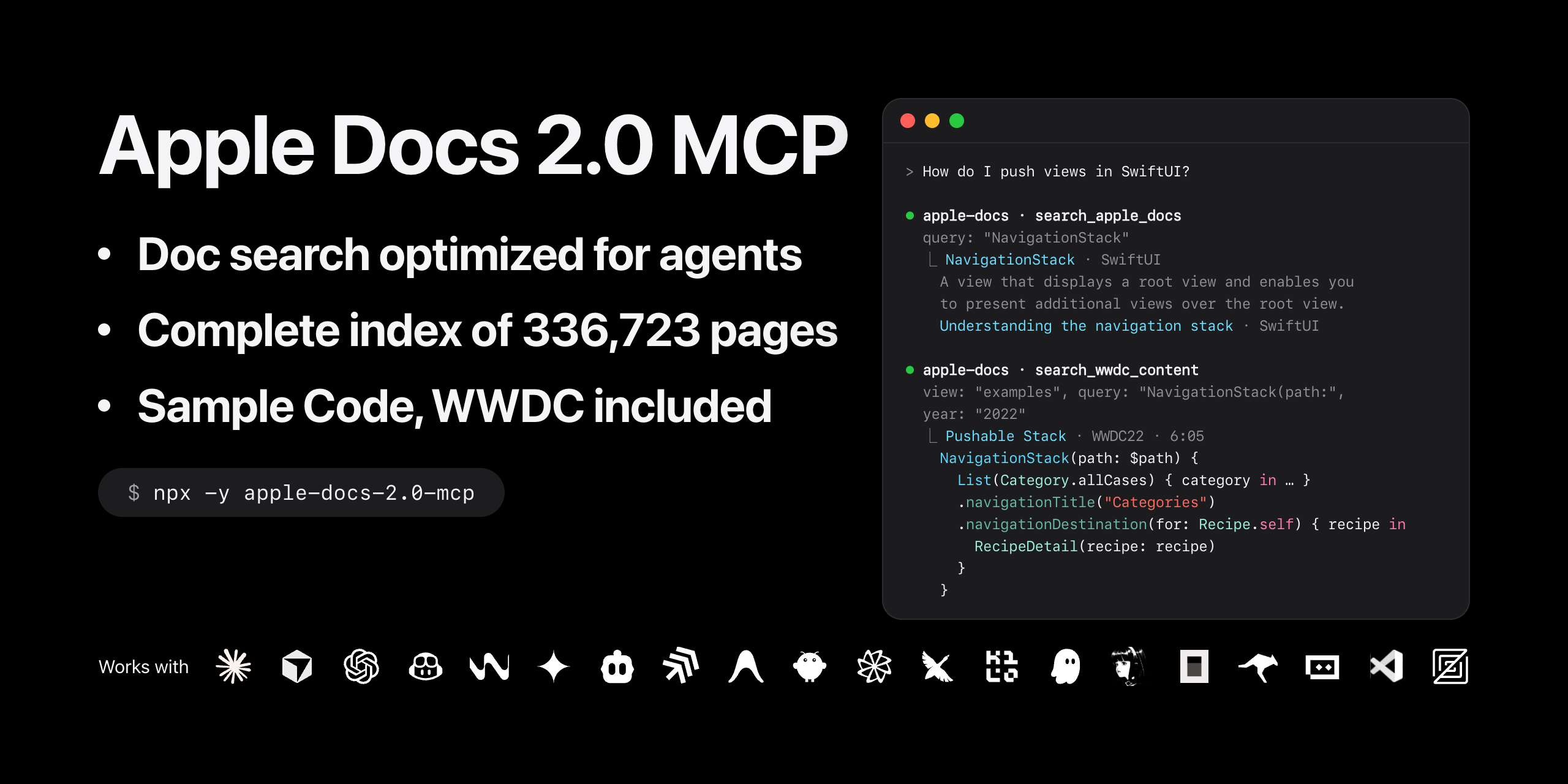
Apple Developer Documentation for AI assistants, through the Model Context Protocol: API reference, articles, sample
code, tutorials, the Human Interface Guidelines, App Store Connect Help, the web-service APIs (App Store Connect API, App
Store Server API and others) and 1,700 WWDC sessions with their transcripts and code, in Claude, Cursor, VS Code or any
MCP client.
Apple Docs 2.0 MCP is a fork of Apple Docs MCP by
kimsungwhee, improved with additions, fixes and a new tool.
🚀 Quick Start
Claude Desktop (Recommended)
Add this to your Claude Desktop configuration:
macOS: ~/Library/Application Support/Claude/claude_desktop_config.json
Windows: %APPDATA%\Claude\claude_desktop_config.json
{
  "mcpServers": {
    "apple-docs": {
      "command": "npx",
      "args": ["-y", "apple-docs-2.0-mcp"]
    }
  }
}
Note: If you encounter issues with an old version being used, add @latest to force the latest version:
"args": ["-y", "apple-docs-2.0-mcp@latest"]
Restart Claude Desktop and start asking about Apple APIs!
Claude Code
claude mcp add apple-docs -- npx -y apple-docs-2.0-mcp
Ask your agent
Look up NavigationStack in Apple's docs, then show me the WWDC code that uses it.
🆕 What's New in 2.0
Apple Docs 2.0 MCP keeps everything Apple Docs MCP 1.0.26 does and fixes what stopped working or came back incomplete,
so your assistant answers from Apple's own documentation instead of guessing.
🔍 Search that returns results
search_apple_docs is fixed: it now uses the same search service Apple's website uses, so your assistant gets the
results you would see on developer.apple.com: API reference, articles, sample code, design guidelines, App Store Connect
Help and WWDC videos. In the original, searches come back empty since Apple changed its search page.
Ask about an API, a design guideline or an App Store process, and the assistant searches first, then reads the pages
it finds.
🗺️ Look up any page by name
A new tool, search_docs_map, finds any of 336,723 pages by name, or part of one, offline:
- API symbols: types, methods, properties, enum cases, macros
- articles and sample code
- Info.plist and entitlement keys
- web-service endpoints, such as the App Store Connect API's
- Human Interface Guidelines and App Store Connect Help pages
Use it when you already know a name, from code or an error message, to open its page directly.
📄 Complete documentation pages
Pages come through whole, as on Apple's site: every method and property with its full signature
(var view: UIView!, not just view), what a type inherits from and conforms to, related APIs, and the OS versions
that support it. 2.0 also reads the Human Interface Guidelines, tutorials, App Store Connect Help, and App Store
Connect API endpoints with their parameters and responses.
Ask about any API, guideline or App Store Connect topic, and the assistant reads the full page before it answers or
writes code.
🎥 WWDC 2014–2026, with code
1,700 sessions are built in, WWDC26 included, and work offline: transcripts for 1,416 of them, each paragraph with the
time it starts, chapters for 480, and code samples for 715, each sample with the time it appears in the video. Sessions are filed under the same topics as on Apple's
website.
Ask how a new API works, and the assistant can quote the WWDC session that introduced it, with its code.
📋 Complete framework lists
The original's technology list stopped after 200 entries, so whole categories (Graphics and Games, Media, System, Web)
never appeared, and its symbol search mixed in headings with broken links. 2.0 lists everything, marks frameworks in
beta, and finds frameworks by subject: "Machine learning" returns Core ML, Create ML, Foundation Models, Vision and
more.
Ask which frameworks fit a task, such as machine learning or audio, and the assistant compares the full list.
🛠️ Built to keep working
Up-to-date dependencies, requests that look like a normal browser's and wait their turn (Apple returns empty searches
when they come too fast), automatic retries when a request fails, and 207 automated tests. All 63 usage examples in
the original's README run without errors.
Nothing to set up: no API key or account.
✨ Features
- 🔍 Search: Apple's documentation, design guidelines, sample code, App Store Connect Help and WWDC sessions in one
search, or one of them alone
- 🗺️ Docs map: find any page by its title, even a method or property name, without a network request
- 📚 Documentation pages: Swift and Objective-C APIs, articles, tutorials and web-service references as Markdown
- 🎨 Human Interface Guidelines: every HIG page, searchable and readable
- 🏪 App Store Connect Help: product page fields, review, TestFlight, pricing
- 🔧 Framework symbols: browse a framework's classes, structs, protocols and members by wildcard
- 🔗 API relationships: related, similar and referenced APIs, and replacements for deprecated ones
- 📊 Platform compatibility: the version that introduced and deprecated an API on each platform
- 📋 Technology catalog: every Apple framework and technology by category, beta ones marked
- 📰 Documentation updates: release notes, framework updates and WWDC "What's new" pages
- 🎯 Technology overviews: Apple's guides to app design, games, AI and machine learning, data and more
- 💻 Sample code: every sample project, ranked by Apple's search, and the Sample Code Library by framework or
section, with summaries and Download links
- 🎥 WWDC library: 1,700 sessions from 2014 to 2026 with transcripts, timed code examples, resources and related
sessions, offline
📦 Installation
📱 Claude Code
claude mcp add apple-docs -- npx -y apple-docs-2.0-mcp
📖 Claude Code MCP docs
🖱️ Cursor
Add to ~/.cursor/mcp.json:
{
  "mcpServers": {
    "apple-docs": {
      "command": "npx",
      "args": ["-y", "apple-docs-2.0-mcp"]
    }
  }
}
📖 Cursor MCP docs
🔷 VS Code
Add to .mcp.json at the root of your workspace, VS Code's portable format:
{
  "mcpServers": {
    "apple-docs": {
      "command": "npx",
      "args": ["-y", "apple-docs-2.0-mcp"]
    }
  }
}
📖 VS Code MCP docs
⚡ Zed
Add to your Zed settings.json:
{
  "context_servers": {
    "apple-docs": {
      "command": "npx",
      "args": ["-y", "apple-docs-2.0-mcp"],
      "env": {}
    }
  }
}
📖 Zed MCP docs
💬 Usage Examples
🔍 Search
"Search for SwiftUI animations"
"Find withAnimation API documentation"
"Search the Human Interface Guidelines for tab bars"
"Search App Store Connect Help for TestFlight external testers"
"Find sample code for Core Data"
🗺️ Docs Map
"Find the page for accessibilityInputLabels"
"Which SwiftUI pages have gauge in their title?"
"Find the App Store Connect API endpoint to create an auto-renewable subscription"
📚 Documentation Access
"Get detailed information about the SwiftUI framework"
"Show me withAnimation API with related APIs"
"Show me NSManagedObjectContext documentation"
"Read the Human Interface Guidelines page on tab bars"
"Show the steps of the SwiftUI tutorial"
🔧 Framework Exploration
"Show me SwiftUI views"
"List all UIKit delegate protocols"
"Get WeatherKit API hierarchy"
"Explore Core ML model loading APIs"
🔗 API Discovery
"Find APIs related to UIViewController"
"Discover alternatives to UIAlertView"
"Get all references from SwiftData documentation"
"Get platform compatibility for SwiftData"
📋 Technologies, Updates and Overviews
"What machine learning frameworks are available?"
"Which technologies are in beta?"
"What's new in SwiftUI?"
"Show me release notes for Xcode"
"Get data management technology overviews"
💻 Sample Code
"Show SwiftUI sample code projects"
"Find sample code for machine learning"
"Get the Food Truck sample"
🎥 WWDC
"Search WWDC videos about SwiftUI"
"Find WWDC sessions on machine learning"
"Show me WWDC 2026 videos"
"Search WWDC transcripts for async/await"
"Show me the transcript for WWDC23 Meet SwiftData"
"Get code examples from WWDC sessions that use SwiftData"
"Find sessions related to WWDC23 Meet SwiftData"
"List all WWDC topics"
The documentation tools fetch developer.apple.com; the WWDC tools read the bundled data and search_docs_map reads the
docs map, both without a network request.
🏗️ Architecture
Apple-Docs-2.0-MCP/
├── src/
│   ├── index.ts                    # MCP server and its search guide
│   ├── tools/
│   │   ├── handlers.ts             # Tool registration
│   │   ├── search-api.ts           # Apple's search API
│   │   ├── search-docs-map.ts      # Docs map search
│   │   ├── doc-fetcher.ts          # Pages from Swift-DocC JSON
│   │   ├── doc-formatter.ts        # Markdown rendering
│   │   ├── help-pages.ts           # App Store Connect Help (jsdom, turndown)
│   │   ├── list-technologies.ts    # Technology catalog
│   │   ├── search-framework-symbols.ts
│   │   ├── get-related-apis.ts, find-similar-apis.ts, resolve-references-batch.ts, get-platform-compatibility.ts
│   │   ├── get-documentation-updates.ts, get-technology-overviews.ts, get-sample-code.ts
│   │   └── wwdc/                   # WWDC tools and the session, topic and year extractors
│   ├── types/                      # Generated from Swift-DocC's specs and captured responses
│   └── utils/                      # HTTP client, caches, constants, URL conversion
├── scripts/
│   ├── add-wwdc-year.ts            # Adds or refreshes a WWDC year in data/wwdc
│   ├── build-docs-map.ts           # Builds api-map/apple-docs-map.tsv
│   └── capture-responses.ts        # Captures responses to type them
├── data/wwdc/                      # The bundled WWDC sessions
├── api-map/                        # The docs map, Apple's search API (OpenAPI) and captured responses
└── tests/                          # Vitest
🌐 Requests and Caching
Every request goes through one HTTP client: fetch with a Safari's headers, at most 100 requests a minute, and
searches one at a time, 15 seconds apart, as Apple answers quicker ones with no results. Each attempt has a 2-minute
timeout, with up to 3 retries and backoff on network errors, timeouts and 5xx answers.
Apple's JSON is cached as Apple sends it, by URL, and shared by every tool: a page another tool just read isn't
downloaded again, and requests for one URL at the same moment share one download.
📦 WWDC Data
The WWDC sessions are bundled in data/wwdc/, so the WWDC tools work offline and without rate limits:
- 📹 1,700 sessions from 2014 to 2026, 1,416 with transcripts, each paragraph timed (all but 6 Apple no longer
lists), 715 with code examples, 480 with chapters
- 🏷️ 19 topics, taken from Apple's topic pages
- 💾 48 MB of JSON
npx tsx scripts/add-wwdc-year.ts <year> adds a year, or refreshes it, from Apple's pages; a session Apple no longer
lists keeps its stored data.
🗺️ Docs Map
api-map/apple-docs-map.tsv lists 336,723 pages (URL, title, kind, technology, group, tree, the technology's ID, Beta
or Deprecated marks, and the other technologies whose sidebars list the page) from Apple's navigator indexes, the Human
Interface Guidelines and App Store Connect Help's navigation. search_docs_map keeps it in memory while in use.
npx tsx scripts/build-docs-map.ts api-map/apple-docs-map.tsv rebuilds it in about 10 minutes.
🧪 Development
git clone https://github.com/mishafyi/Apple-Docs-2.0-MCP.git
cd Apple-Docs-2.0-MCP
npx pnpm@10 install
npx pnpm@10 run build          # tsc into dist/

# Run your build in Claude Code in place of the npm package
claude mcp add apple-docs -- node "$PWD/dist/index.js"

# Checks: types (server and scripts), lint and tests
npx tsc --noEmit && npx tsc -p scripts && npx eslint src scripts && npx vitest run

# Call the built server without an MCP client
npx -y @modelcontextprotocol/inspector --cli node dist/index.js --method tools/call \
  --tool-name search_apple_docs --tool-args-json '{"query":"tab bars","type":"design"}'

# Regenerate the types of Apple's JSON
npm run types:docc             # from Swift-DocC's RenderNode and RenderIndex specs
npm run types:captured         # from captured responses (quicktype)
After a build, restart or reconnect the server in your MCP client.
🙏 Credits
Apple Docs 2.0 MCP builds on Apple Docs MCP by
kimsungwhee, whose tools, WWDC data and structure it started from.
🤝 Contributing
Contributions are welcome:
- Fork the repository
- Create a feature branch:
git checkout -b feature/amazing-feature
- Commit your changes:
git commit -m 'Add amazing feature'
- Push to the branch:
git push origin feature/amazing-feature
- Open a Pull Request
📄 License
MIT License, as the original project: see LICENSE.
⚠️ Disclaimer
This project is not affiliated with or endorsed by Apple Inc. It reads Apple's publicly available developer
documentation for educational and development purposes.