
A directory listing describing a cancellation-letter and mailing-address service. The configured public GitHub repository returned 404 during source verification.
Repository stats unavailable
Developer Tools
A dedicated MCP server integration that lets MCP clients spawn and manage Arrakis MicroVM sandboxes for code execution and computer use.
Arrakis MCP server for managing secure code-execution sandboxes is cataloged as an MCP server attributed to abshkbh. A dedicated MCP server integration that lets MCP clients spawn and manage Arrakis MicroVM sandboxes for code execution and computer use. It is categorized under developer tools. See the capability inspector for recorded interfaces and their independent review status; consult upstream documentation for the current interface.
Installation configuration is not reviewed. No executable setup is offered for this entry; inspect the source repository before proceeding.
Catalog license label: GNU Affero General Public License v3.0. Check the source repository's current license and terms before using, modifying or distributing this software.
Capability definitions are not reviewed. Unreviewed imports are not exposed as trusted interfaces.
No reviewed records to display. This does not establish that upstream lacks this capability.
No reviewed records to display. This does not establish that upstream lacks this capability.
No reviewed records to display. This does not establish that upstream lacks this capability.
Email delivery is not connected. This page does not collect email addresses or create subscriptions.
Browse the registry for current listings instead.
Reviews for Arrakis MCP server for managing secure code-execution sandboxes are not available yet
Review publishing and storage are not connected. This page does not collect or publish ratings or comments, including after sign-in.
Each sandbox runs in a MicroVM using cloud-hypervisor, isolating untrusted code from the host and other agents.
Yes; Arrakis supports snapshot-and-restore so a sandbox can be backtracked to its exact previous state.
README.md · 877231496acb · Fetched 2026-11-13 10:14:35 UTC
Original upstream text, without AI rewriting. Scripts, forms and unsafe links are filtered for safety.
Showing the last retrieved documentation snapshot; check the source for current changes.


AI agents can generate malicious or buggy code that can attack the host system its run on.
Many agents have elaborate multi-step plans to achieve their goals and benefit from the ability to backtrack to intermediate states.
Arrakis provides a secure, fully customizable, and self-hosted solution to spawn and manage Sandboxes for code execution and computer use. It has out-of-the box support for backtracking via snapshot-and-restore.
Secure by design, each sandbox runs in a MicroVM.
Each sandbox runs Ubuntu inside with a code execution service and a VNC server running at boot.
A REST API, Python SDK py-arrakis, and a MCP server let clients (both humans and AI Agents) programatically spawn sandboxes, upload files, and execute code inside each sandbox.
Automatically sets up and manages port forwarding from the self-hosted public server to the sanboxes running on it i.e. clients can easily access the sandbox GUI (including Chrome for computer use) without extra setup.
Supports snapshot-and-restore out of the box i.e. AI Agents can do some work, snapshot a sandbox, and later backtrack to the exact previous state by restoring the snapshot. This means any processes spawned, files modified etc. will be restored as is inside the sandbox.Useful for Monte Carlo Tree Search based agents or explainability of elaborate agent execution flows.
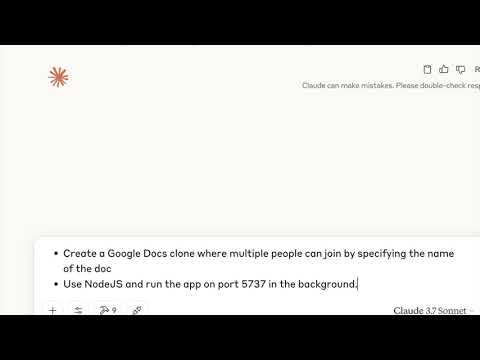
Watch Claude code a live Google docs clone using Arrakis via MCP. It even snapshots the sandbox to checkpoint progress.
cloud-hypervisor only works with /dev/kvm for virtualization on Linux machines. Hence, we only support Linux machines.
Check if virtualization is enabled on the host by running.
stat /dev/kvm
curl -sSL https://raw.githubusercontent.com/abshkbh/arrakis/main/setup/setup.sh | bash
ls arrakis-prebuilt
arrakis-restserver first.
cd arrakis-prebuilt
sudo ./arrakis-restserver
cd arrakis-prebuilt
./arrakis-client start -n agent-sandbox
Arrakis comes with a Python SDK py-arrakis that lets you spawn, manage, and interact with VMs seamlessly.
Install the SDK
pip install py-arrakis
Follow the instructions in Usage to run the arrakis-restserver on a Linux machine, or download pre-built binaries from the official releases page.
Use py-arrakis to interact with arrakis-restserver.
Run untrusted code
# Replace this with the ip:port where `arrakis-restserver` is running.
sandbox_manager = SandboxManager('http://127.0.0.1:7000')

# Start a new sandbox.
with sb as sandbox_manager.start_sandbox('agent-sandbox'):
  sb.run_cmd('echo hello world')

# Sandbox `sb` automatically destroyed when the context is exited.
Snapshot and restore a sandbox
# Start a sandbox and write some data to a file.
sandbox_name = 'agent-sandbox'
sandbox = sandbox_manager.start_sandbox(sandbox_name)
sandbox.run_cmd("echo 'test data before snapshot' > /tmp/testfile")
snapshot_id = sandbox.snapshot("initial-state")
sandbox.run_cmd("echo 'test data after snapshot' > /tmp/testfile")

# Destroy the sandbox.
sandbox.destroy()

# Restore the sandbox from the snapshot and verify we have the same data at the time of the
# snapshot.
sandbox = sandbox_manager.restore(sandbox_name, snapshot_id)
result = sandbox.run_cmd("cat /tmp/testfile")
# result["output"] should be "test data before snapshot".
Arrakis also comes with a MCP server that lets MCP clients like Claude Desktop App, Windsurf, Cursor etc.. spawn and manage sandboxes.
Here is a sample claude_desktop_config.json
{
    "mcpServers": {
      "arrakis": {
          "command": "/Users/username/.local/bin/uv",
          "args": [
              "--directory",
              "/Users/username/Documents/projects/arrakis-mcp-server",
              "run",
              "arrakis_mcp_server.py"
          ]
      }
    }
}
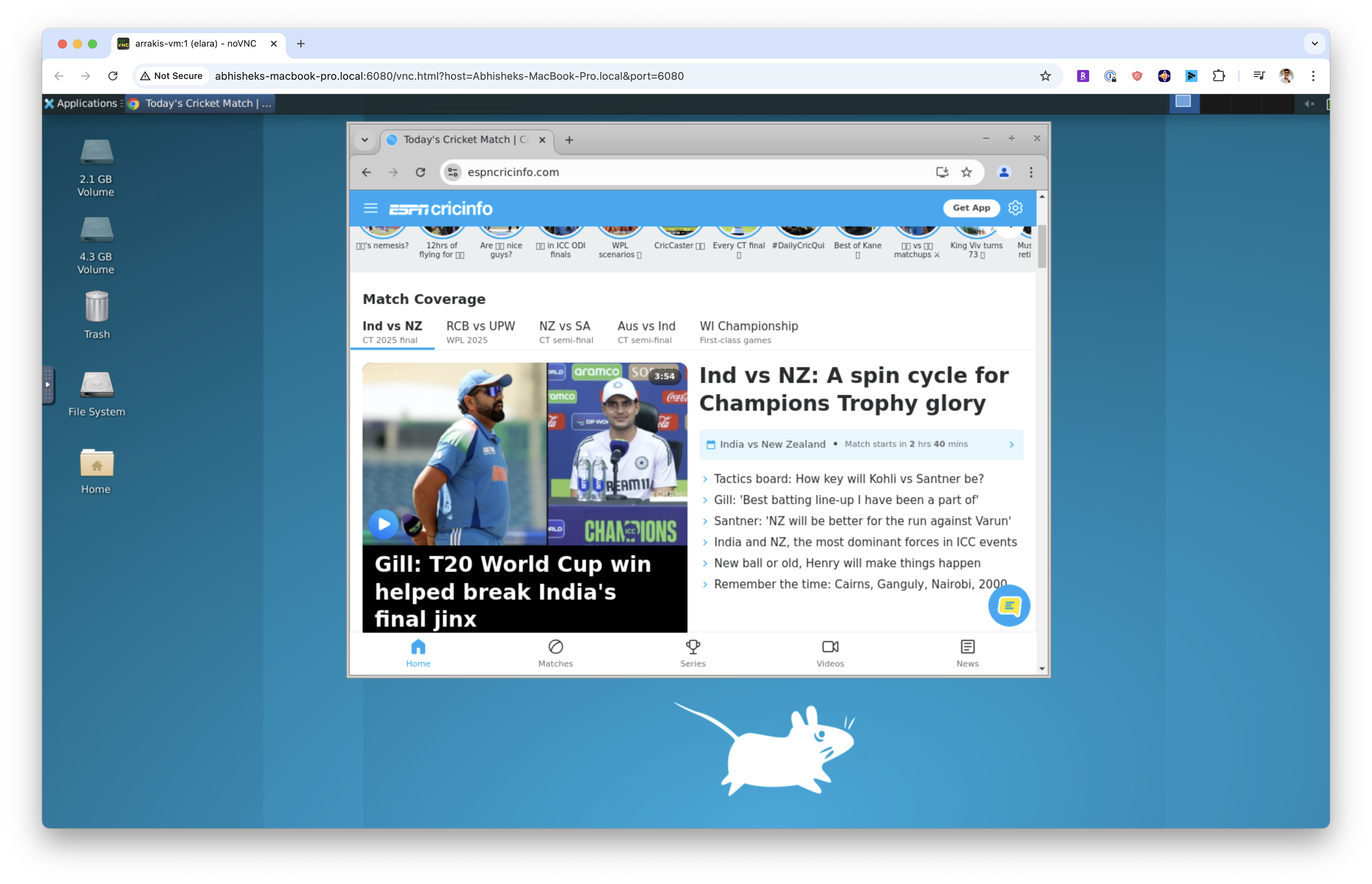
Every sandbox comes with a VNC server running at boot. It also comes with Chrome pre-installed.
Arrakis also handles port forwarding to expose the VNC server via a port on the dev server running arrakis-restserver.
Start a sandbox and get metadata about the sandbox including the VNC connection details.
# Replace this with the ip:port where `arrakis-restserver` is running.
sandbox_manager = SandboxManager('http://127.0.0.1:7000')
sb = sandbox_manager.start_sandbox('agent-sandbox')
print(sb.info())
We can get the VNC connection details from the port_forwards field in the response. The VNC server is represented by the description gui in a port forward entry. We will use the host_port field to connect to the VNC server.
{
  'name': 'agent-sandbox',
  'status': 'RUNNING',
  'ip': '10.20.1.2/24',
  'tap_device_name': 'tap0',
  'port_forwards': [{'host_port': '3000', 'guest_port': '5901', 'description': 'gui'}]
}
Use any VNC client to connect to the VNC server to access the GUI.
# We see port 3000 is the host port forwarded to the VNC server running inside the sandbox.
./utils/novnc_proxy --vnc <dev-server-ip>:3000
Arrakis comes with an out-of-the-box CLI client that you can use to spawn and manage VMs.
Start arrakis-restserver as detailed in the Setup section.
In a separate shell we will use the CLI client to create and manage VMs.
Start a VM named foo. It returns metadata about the VM which could be used to interacting with the VM.
./out/arrakis-client start -n foo
started VM: {"codeServerPort":"","ip":"10.20.1.2/24","status":"RUNNING","tapDeviceName":"tap-foo","vmName":"foo"}
SSH into the VM.
# Use the IP returned. Password is "elara0000"
ssh elara@10.20.1.2
Inspecting a VM named foo.
./out/arrakis-client list -n foo
VM: {"ip":"10.20.1.2/24","status":"RUNNING","tapDeviceName":"tap-foo","vmName":"foo"}
List all the VMs.
./out/arrakis-client list-all
VMs: {"vms":[{"ip":"10.20.1.2/24","status":"RUNNING","tapDeviceName":"tap-foo","vmName":"foo"}]}
Stop the VM.
./out/arrakis-client stop -n foo
Destroy the VM.
./out/arrakis-client destroy -n foo
Snapshotting and Restoring the VM.
./out/arrakis-client snapshot -n foo-original -o foo-snapshot
./out/arrakis-client destroy -n foo-original -o foo-snapshot
./out/arrakis-client restore -n foo-original --snapshot foo-snapshot
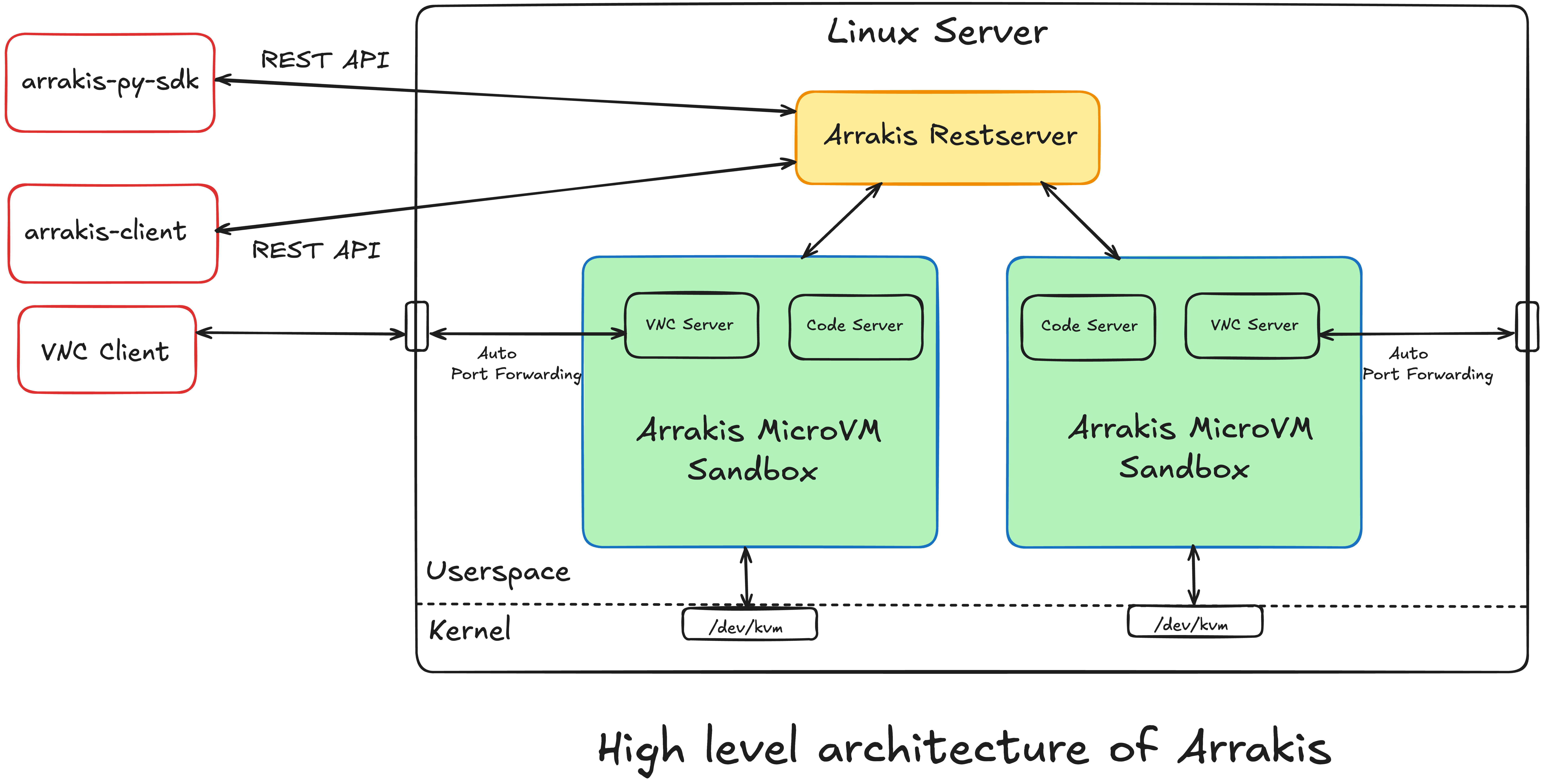
arrakis includes the following services and features
REST API
Python SDK
Security
Customization
Thank you for considering contributing to arrakis! 🎉
Feel free to open a PR. A detailed contribution guide is going to be available soon.
In order for us to accept patches and other contributions from you, you need to adopt our Arrakis Contributor License Agreement (the "CLA"). Please drop a line at abshkbh@gmail.com to start this process.
Arrakis uses a tool called CLA Assistant to help us keep track of the CLA status of contributors. CLA Assistant will post a comment to your pull request indicating whether you have signed the CLA or not. If you have not signed the CLA, you will need to do so before we can accept your contribution. Signing the CLA would be one-time process, is valid for all future contributions to Arrakis, and can be done in under a minute by signing in with your GitHub account.
By contributing to Arrakis, you agree that your contributions will be licensed under the GNU Affero General Public License v3.0 and as commercial software.
This project is licensed under the GNU Affero General Public License v3.0. For commercial licensing, please drop a line at abshkbh@gmail.com.
Claim this server with your GitHub account to request manual ownership verification.
Link to the catalog listing for Arrakis MCP server for managing secure code-execution sandboxes from your README. This badge does not certify ownership, compatibility or security.
[](https://awesome-mcp.com/servers/arrakis-mcp-server)Public repository statistics could not be verified. Check the configured source address; unavailable counts are not zero.
Separate sources, scopes and periods. Never combined or treated as installations, active users or security reviews.
No reviewed package or image identity; download statistics are not listed yet.
Alternative and complementary servers in the same category
A directory listing describing a cancellation-letter and mailing-address service. The configured public GitHub repository returned 404 during source verification.

A hosted MCP service for browsing and searching through Singapore mobile-network proxies.

A directory listing describing a Markdown-to-PDF service. The configured public GitHub repository returned 404 during source verification.