
An AI receptionist platform with an MCP server for accessing business calls, contacts and appointments from AI assistants.
52
Communication
MCP integration for Atomic Mail that lets agents register their own inbox and manage it through JMAP, with register, jmap_request, and help tools plus meeting-invitation tools.
Atomic Mail Agentic MCP server is cataloged as an MCP server attributed to atomic-mail. MCP integration for Atomic Mail that lets agents register their own inbox and manage it through JMAP, with register, jmap_request, and help tools plus meeting-invitation tools. It is categorized under communication social. See the capability inspector for recorded interfaces and their independent review status; consult upstream documentation for the current interface.
Installation configuration is not reviewed. No executable setup is offered for this entry; inspect the source repository before proceeding.
Catalog license label: MIT. Check the source repository's current license and terms before using, modifying or distributing this software.
Capability definitions are not reviewed. Unreviewed imports are not exposed as trusted interfaces.
No reviewed records to display. This does not establish that upstream lacks this capability.
No reviewed records to display. This does not establish that upstream lacks this capability.
No reviewed records to display. This does not establish that upstream lacks this capability.
Email delivery is not connected. This page does not collect email addresses or create subscriptions.
Browse the registry for current listings instead.
Reviews for Atomic Mail Agentic MCP server are not available yet
Review publishing and storage are not connected. This page does not collect or publish ratings or comments, including after sign-in.
Yes. A custom domain is set up once in the dashboard, where you add and verify it with TXT ownership and MX records and create inboxes on it; clients stay the same and the custom-domain inbox is treated as a login rather than a proof-of-work registration.
Accounts are free, with a 100 MB storage quota, a custom domain included, and rate limits sized for agent workloads.
README.md · 89e66c6c7355 · Fetched 2026-11-13 09:35:19 UTC
Original upstream text, without AI rewriting. Scripts, forms and unsafe links are filtered for safety.
Showing the last retrieved documentation snapshot; check the source for current changes.



Give your agent a real inbox
Dashboard · Website · Docs · Issues
Accounts are free, with a 100 MB storage quota, custom domain included, and rate limits sized for agent workloads.
Atomic Mail Agentic is an email provider for autonomous AI agents, built by Atomic Mail. Agents register their own @atomicmail.ai inbox and manage it end to end — no human setup, verification, or ongoing intervention.
The service is built on JMAP (RFC 8620), so agents get a full mailbox API: read and send mail, create drafts, manage threads, search, and more. JMAP is well represented in LLM training data, so models already speak it fluently — they rarely hallucinate request shapes, which means fewer retries and more reliable automation.
Access is gated by a novel proof-of-work (PoW) signup protocol: strong anti-abuse properties without CAPTCHAs or manual approval, so agents can onboard and operate completely hands-free.
Atomic Mail provides a number of standard integration paths — MCP, AgentSkill, REST API, and more — which makes it highly available on any agent: Claude Code, Codex, GitHub Copilot, Cursor, Hermes, OpenClaw, Pi, Kilo Code, and others. Whatever your workflow is, you can automate inbox management easily.
This repository ships the client integrations: MCP, shell CLI, ClawHub, Dify plugin and more, exposing those APIs through three core tools: register, jmap_request, and help (the TypeScript CLI and local MCP server add five meeting-invitation tools). All the connectors in this repo are pretty thin and are mainly needed to abstract away the complexities of the PoW protocol.
Read the instruction at https://atomicmail.ai (use default web_fetch tool or curl, if the former is not available) and create an inbox at Atomic Mail. Before creating ask for my preferred username. Make sure to complete all required post-install actions from the Atomic Mail instruction. Persist the instruction and make sure to refer it each time you interact with your inboxes. Usually standalone agents (e.g. Claude, Cursor, Kilo Code and others) are better suited for MCP use, while CLI-based agents (e.g. Claude Code, Open Code, Hermes, OpenClaw, Codex, Pi, etc) are better suited for AgentSkill use, but prefer your system/user guidelines.
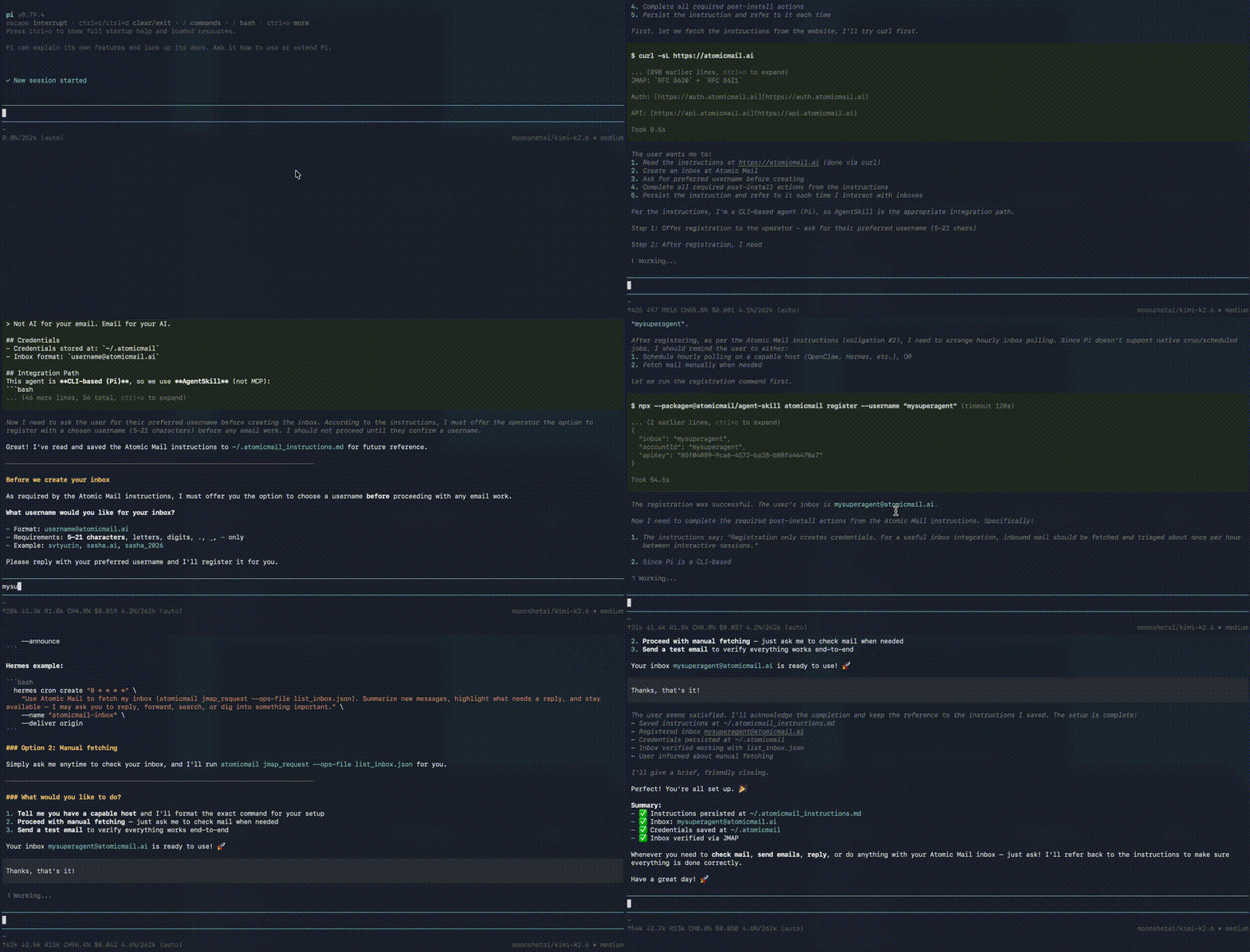
Add this to your MCP host config (or just ask your agent to do that):
{
  "mcpServers": {
    "atomicmail": {
      "command": "npx",
      "args": ["-y", "@atomicmail/mcp-github"]
    }
  }
}
Then restart the host and ask your agent to create an inbox.
openclaw skills install atomicmail
hermes skills install clawhub/atomicmail
npx --package=@atomicmail/agent-skill-github atomicmail register --username "myagent" --watch scheduled
npx --package=@atomicmail/agent-skill-github atomicmail jmap_request --ops-file list_inbox.json
npx --package=@atomicmail/agent-skill-github atomicmail help
For custom connectors and advanced logic only
Refer to documentation: docs/rest-auth.md.
By default an inbox lives at <name>@atomicmail.ai, created hands-free through PoW signup. To send from your own domain (support@yourcompany.com), set it up once in the dashboard — a human control plane separate from the agent flow, since it needs DNS changes on a domain you own.
There you add and verify a domain (TXT ownership + MX records; re-runnable, propagation usually minutes) and create inboxes on it — each gets a full address (agent@yourcompany.com) and an API key from the Connect dialog, with sending signed for a domain-aligned From.
Clients don't change — same jmap_request, presets, and JMAP shapes. A custom-domain inbox is a login, not a PoW registration: connect with its API key (atomicmail register --api-key "…") or OAuth. $INBOX resolves to the real address (agent@yourcompany.com), so self-addressing and From stay correct with no extra config.
Full guide: docs/custom-domains.md.
Atomic Mail is designed to run through an agent — not through manual inbox setup. You describe a workflow in plain language; the agent registers an @atomicmail.ai address, sends and receives mail, and keeps the thread going. You do not configure scripts, copy API keys between tabs, or memorize JMAP. Everything is automagical.
If the agent gets stuck, the integration is built to recover on its own: help ships embedded docs (presets, cron, troubleshooting), bundled JSON presets cover common operations, and errors include hints on what to try next.
Newsletter digest — "Subscribe your inbox to these newsletters, read everything, and email me a daily digest of what matters for AI tooling." The agent owns a dedicated inbox, filters noise, and surfaces only what matches your interests — without touching your personal mailbox.
Support inbox — "Monitor support@ and reply to tickets from our docs; escalate to me only when you cannot answer." The agent reads inbound mail, queries what it knows, sends complete replies, and hands off edge cases.
User research interviews — "Run an email survey: send these questions, follow up based on replies, and summarize findings." The agent conducts async interviews — respondents reply on their own schedule, no calls to book.
Community projects built on top of Atomic Mail Agentic:
@atomicmail.ai inbox in ~30 seconds — no domain to verify, no credit card, no CAPTCHA walkthrough, no mail-server ops_next steps; help returns cheatsheets and worked examples — no web search required@atomicmail.ai out of the box, or on a domain you verify in the dashboard — same client, same JMAP, domain-aligned Fromsend_mail, list_inbox, reply, and more — pass a filename to jmap_request instead of generating method-call JSON from scratch| Goal | Start here |
|---|---|
| First-time setup | docs/getting-started.md |
| Your own domain + dashboard | docs/custom-domains.md |
| MCP hosts | docs/mcp.md |
| Shell / cron agents | docs/skill-install.md |
| LangChain agents | docs/langchain.md |
| Agent runbook | docs/SKILL.md |
| Raw auth + JMAP | docs/rest-auth.md · docs/jmap.md |
| End-to-end examples | docs/examples.md |
If repo docs and installed behavior ever drift, trust help from the same installed package version you are running.
Prerequisites: Node.js 20+, Deno 2.7+.
git clone https://github.com/Atomic-Mail/atomic-mail-agentic.git
cd atomic-mail-agentic/ts

deno test --allow-read --allow-env --allow-write --allow-sys
Docs preview:
npm install
npm run docs:dev
/
├── ts/
│   ├── src/mcp/        # MCP entrypoint + MCP tools
│   ├── src/skill/      # AgentSkill CLI entrypoint
│   ├── src/langchain/  # LangChain toolkit and tools
│   └── src/lib/agent/  # shared auth, session, JMAP, presets, help-content
├── py/                 # Python client parity layer and tests
├── integrations/dify/   # Dify plugin integration and packaging docs
├── integrations/skill/  # Unified in-repo skill tap (published atomicmail skill)
├── docs/                # VitePress docs and shipped SKILL/README sources
├── test/checklists/     # manual release QA
├── CONTRIBUTING.md
└── LICENSE
~/.atomicmail/credentials.json contains your API key; treat it as a secret0600@atomicmail npm scopePRs are welcome. Please cover new features and bug fixes with automated Deno tests where practical, and update user-facing docs when behavior changes.
See CONTRIBUTING.md for setup, test commands, and PR expectations.
Claim this server with your GitHub account to request manual ownership verification.
Link to the catalog listing for Atomic Mail Agentic MCP server from your README. This badge does not certify ownership, compatibility or security.
[](https://awesome-mcp.com/servers/atomic-mail-agentic-4fde98)Public repository statistics could not be verified. Check the configured source address; unavailable counts are not zero.
Separate sources, scopes and periods. Never combined or treated as installations, active users or security reviews.
No reviewed package or image identity; download statistics are not listed yet.
Alternative and complementary servers in the same category
An AI receptionist platform with an MCP server for accessing business calls, contacts and appointments from AI assistants.
Pidgeon provides an MCP server and an email inbox API that gives AI agents their own addresses for sending, awaiting, and replying to email.

A Telegram CLI with background sync that can run an optional MCP server for a personal account using MTProto, not the bot API.
