

A Rust CAD application with an MCP server for creating, inspecting and rendering drawings, either headlessly or through a connection to the desktop app.
8K
Media & Design
An MCP server that converts local photos into LEGO-style brick mosaic previews using the same engine as bmbrick.com.
BMBrick Photo-to-LEGO-Mosaic MCP server is cataloged as an MCP server attributed to able-rip. An MCP server that converts local photos into LEGO-style brick mosaic previews using the same engine as bmbrick.com. It is categorized under media design. See the capability inspector for recorded interfaces and their independent review status; consult upstream documentation for the current interface.
Installation configuration is not reviewed. No executable setup is offered for this entry; inspect the source repository before proceeding.
Catalog license label: Not specified. Check the source repository's current license and terms before using, modifying or distributing this software.
Capability definitions are not reviewed. Unreviewed imports are not exposed as trusted interfaces.
No reviewed records to display. This does not establish that upstream lacks this capability.
No reviewed records to display. This does not establish that upstream lacks this capability.
No reviewed records to display. This does not establish that upstream lacks this capability.
Email delivery is not connected. This page does not collect email addresses or create subscriptions.
Browse the registry for current listings instead.
Reviews for BMBrick Photo-to-LEGO-Mosaic MCP server are not available yet
Review publishing and storage are not connected. This page does not collect or publish ratings or comments, including after sign-in.
Columns and rows default to 48 studs each and can be set up to a maximum of 64.
The full project obtainable through bmbrick.com includes an HD unwatermarked mosaic, brick-by-brick PDF instructions, a parts list, and CSV/XML placement matrices.
README.md · 43e0b59d9565 · Fetched 2026-11-13 10:56:08 UTC
Original upstream text, without AI rewriting. Scripts, forms and unsafe links are filtered for safety.
Showing the last retrieved documentation snapshot; check the source for current changes.

Convert any local photo into a LEGO-style brick mosaic preview — directly from your AI agent.
@bmbrick/photo-to-lego-mosaic-skill is an MCP server that lets Claude, Cursor, Windsurf, and other AI agents transform local images into high-fidelity 3D brick mosaics using the same canonical engine as bmbrick.com.
Renamed from
@bmbrick/agent-mosaic-skill(the old name still works but is deprecated — please migrate to the new name for future updates).
Generated with the generate_lego_mosaic tool (3D render mode):
Square Tiles (square_1x1)
| Original Photo | 48x48 Preview | 64x64 Preview |
|---|---|---|
 | 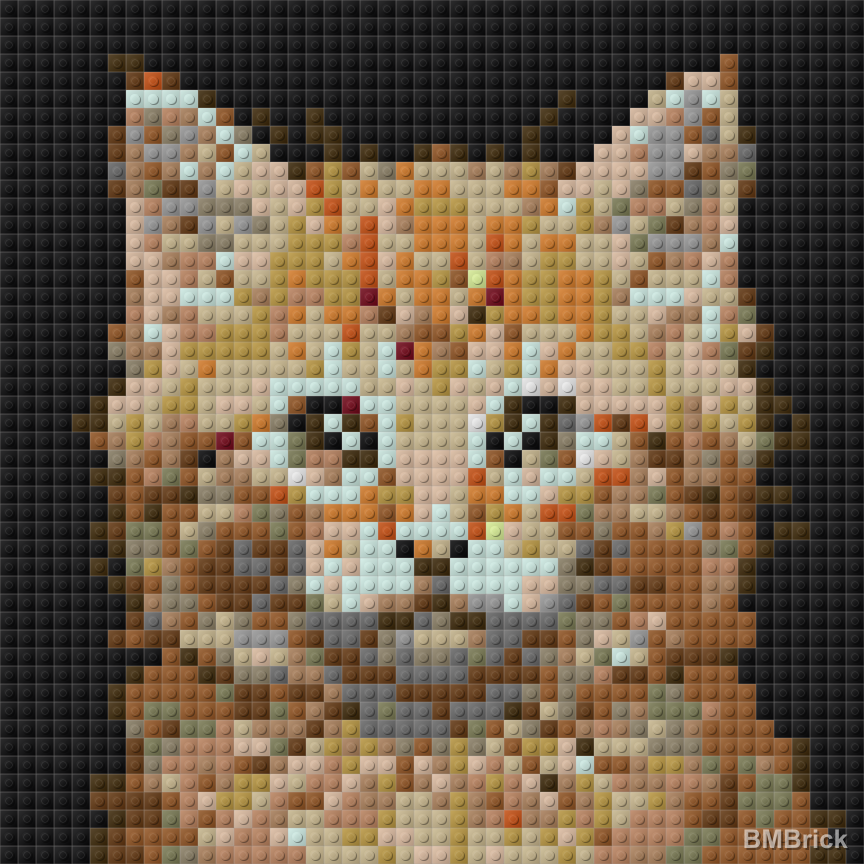 |  |
Round Tiles (round_1x1)
| Original Photo | 48x48 Preview | 64x64 Preview |
|---|---|---|
| 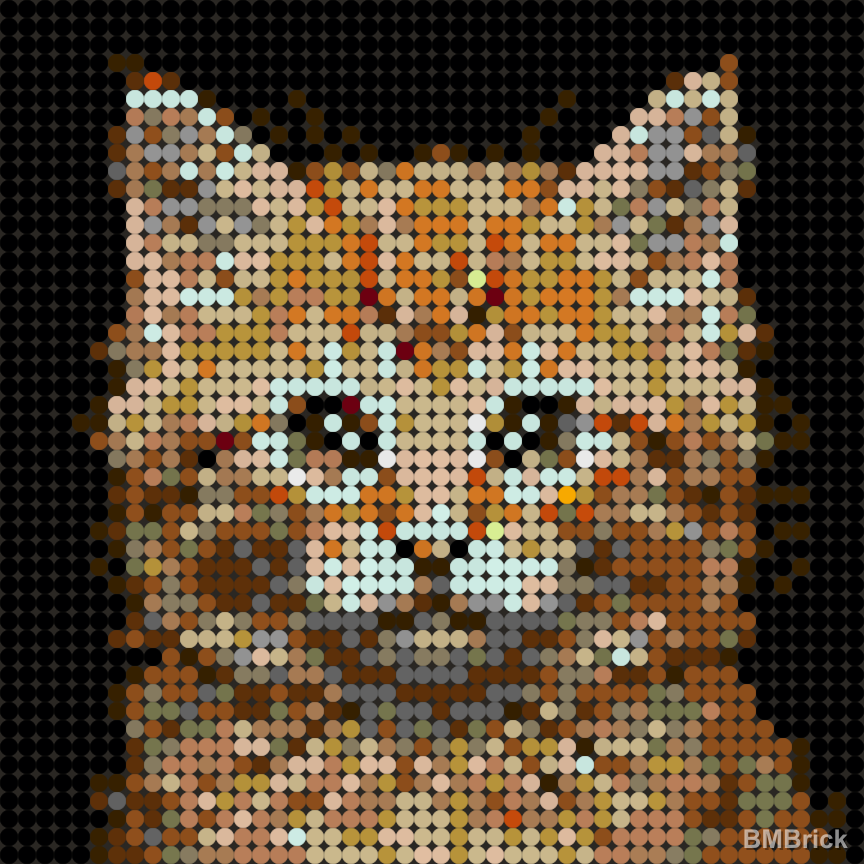 | 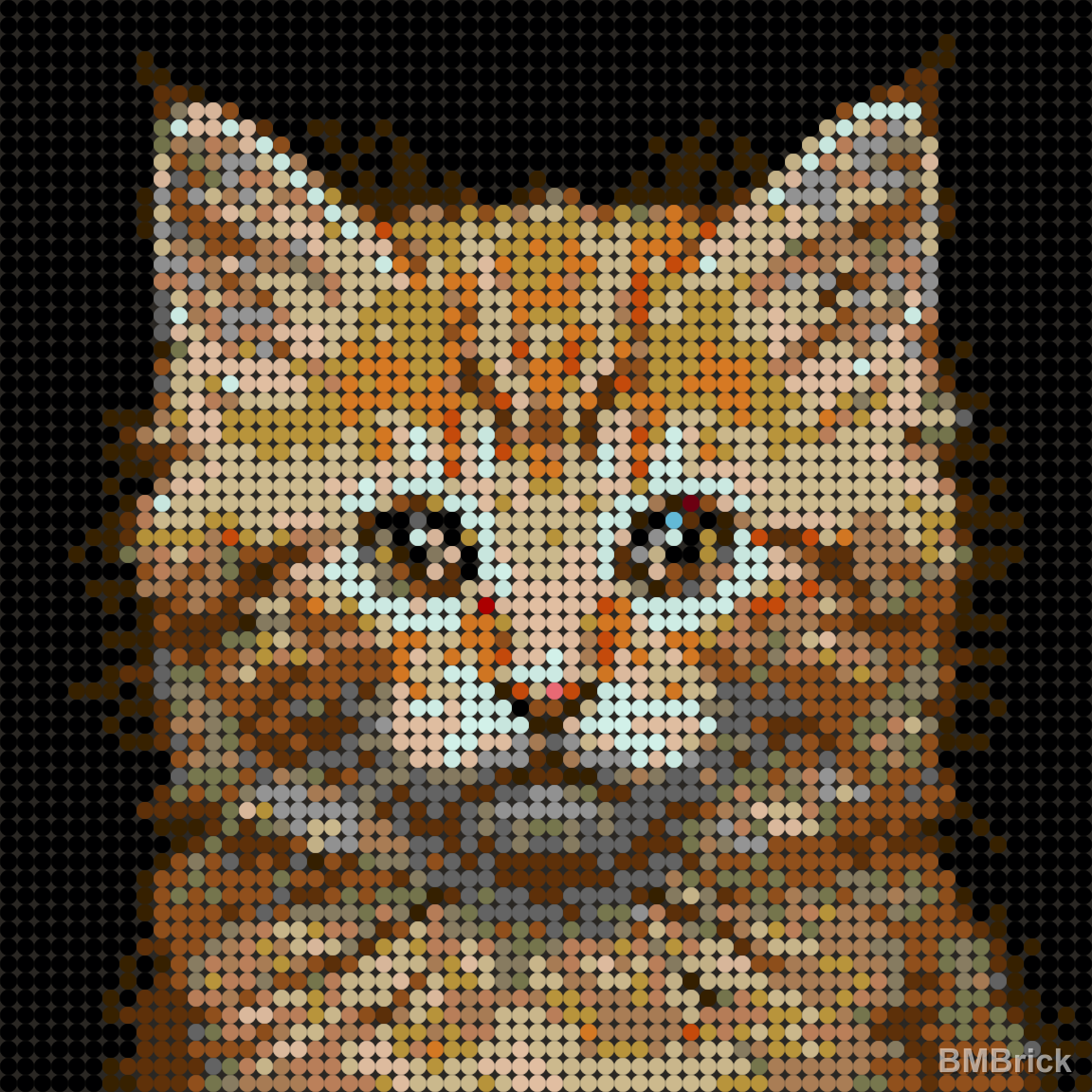 |
For more case studies and mosaic examples, check out our Pinterest Showcase.
npx -y @bmbrick/photo-to-lego-mosaic-skill
Claude Desktop (claude_desktop_config.json):
{
  "mcpServers": {
    "lego-mosaic": {
      "command": "npx",
      "args": ["-y", "@bmbrick/photo-to-lego-mosaic-skill"]
    }
  }
}
Cursor (.cursor/mcp.json):
{
  "mcpServers": {
    "lego-mosaic": {
      "command": "npx",
      "args": ["-y", "@bmbrick/photo-to-lego-mosaic-skill"]
    }
  }
}
generate_lego_mosaic| Parameter | Type | Required | Default | Description |
|---|---|---|---|---|
imagePath | string | Yes | — | Absolute path to a local image |
columns | number | No | 48 | Preview width in studs (max 64) |
rows | number | No | 48 | Preview height in studs (max 64) |
materialMode | string | No | square_1x1 | square_1x1 or round_1x1 |
renderMode | string | No | 3D | Render style |
removeBackground | boolean | No | false | Clean up white/transparent backgrounds |
Returns: a local watermarked PNG preview + a link to unlock the full project at bmbrick.com.
The preview is watermarked and intended for creative exploration. To get the complete deliverables — HD unwatermarked mosaic, brick-by-brick PDF instructions, parts list with ordering links, and CSV/XML placement matrices — visit bmbrick.com.
SKILL.md for seamless agent workflow integrationDeep technical reference for the color quantization pipeline that powers this skill and bmbrick.com:
@bmbrick/agent-mosaic-skillIf you were using the old name, the migration is one search/replace:
@bmbrick/agent-mosaic-skill → @bmbrick/photo-to-lego-mosaic-skillgenerate_bmbrick_mosaic → generate_lego_mosaicagent-mosaic-skill → photo-to-lego-mosaic-skillThe tool parameters (imagePath, columns, rows, etc.) and return shape are unchanged.
Dual-licensed:
skill/ directory, agent integration surfacedist/ engine files: free to use and distribute as-is, but no de-obfuscation, reverse engineering, or redistribution of modified versionsSee LICENSE for full terms.
Claim this server with your GitHub account to request manual ownership verification.
Link to the catalog listing for BMBrick Photo-to-LEGO-Mosaic MCP server from your README. This badge does not certify ownership, compatibility or security.
[](https://awesome-mcp.com/servers/bmbrick-photo-to-lego-mosaic-skill)Public repository statistics could not be verified. Check the configured source address; unavailable counts are not zero.
Separate sources, scopes and periods. Never combined or treated as installations, active users or security reviews.
No reviewed package or image identity; download statistics are not listed yet.
Alternative and complementary servers in the same category
A Rust CAD application with an MCP server for creating, inspecting and rendering drawings, either headlessly or through a connection to the desktop app.

Liquid Composer is a browser-based Liquid Glass icon design tool that offers a local MCP server for agent-driven icon workflows.

agent-media makes short drama series and other short vertical videos from Claude, ChatGPT or Codex through one MCP connection, with OAuth sign-in and no API keys.