
A modular FastMCP server for interacting with Microsoft Graph API, supporting advanced queries for users, sign-in logs, MFA status, and privileged users.
Repository stats unavailable
Security & Secrets
A hosted MCP server that analyzes packages introduced by AI agents, flags unsafe dependencies, and recommends safer alternatives.
BoostSecurity MCP is cataloged as an MCP server attributed to boost-community. A hosted MCP server that analyzes packages introduced by AI agents, flags unsafe dependencies, and recommends safer alternatives. It is categorized under auth security. See the capability inspector for recorded interfaces and their independent review status; consult upstream documentation for the current interface.
Installation configuration is not reviewed. No executable setup is offered for this entry; inspect the source repository before proceeding.
Catalog license label: Not specified. Check the source repository's current license and terms before using, modifying or distributing this software.
Capability definitions are not reviewed. Unreviewed imports are not exposed as trusted interfaces.
No reviewed records to display. This does not establish that upstream lacks this capability.
No reviewed records to display. This does not establish that upstream lacks this capability.
No reviewed records to display. This does not establish that upstream lacks this capability.
Email delivery is not connected. This page does not collect email addresses or create subscriptions.
Browse the registry for current listings instead.
Reviews for BoostSecurity MCP are not available yet
Review publishing and storage are not connected. This page does not collect or publish ratings or comments, including after sign-in.
The server provides instructions and descriptions during connection initialization that encourage agents to validate packages before adding them to a project.
README.md · 09ce456b97a0 · Fetched 2026-11-13 11:51:38 UTC
Original upstream text, without AI rewriting. Scripts, forms and unsafe links are filtered for safety.
Showing the last retrieved documentation snapshot; check the source for current changes.
Powered by BoostSecurity
Agentic AI systems can accelerate software delivery by autonomously suggesting or adding code and dependencies. However, without the right safeguards, they can also introduce significant supply chain risks by pulling in third-party packages that:
Don’t actually exist (hallucinations)
Contain known vulnerabilities, including high or critical severity issues
Are end-of-life and no longer supported
Are associated with malware or malicious activity
Mimic legitimate libraries through typosquatting
BoostSecurity MCP acts as a safeguard for agentic workflows. It analyzes every package an AI agent introduces, flags unsafe dependencies, and recommends secure, maintained alternatives to keep projects protected.
With BoostSecurity MCP, teams can:
Block unsafe or malicious packages before they are introduced
Verify that dependencies are maintained and supported
Receive recommendations for safer alternatives when risks are detected
Reduce package-related risks and strengthen the software supply chain
Confidently adopt agentic AI—supporting innovation and speed without compromising on security
The following languages and package ecosystems are supported in this release:
Python – PyPI
Go – Go Modules
JavaScript/TypeScript – npm
Java – Maven
C# – NuGet
Go to: Settings -> Cursor Settings -> MCP -> Add new global MCP server
See Cursor MCP docs for more info.
{
  "mcpServers": {
    "boost-security": {
      "url": "https://mcp.boostsecurity.io/mcp",
      "transport": "http"
    }
  }
}
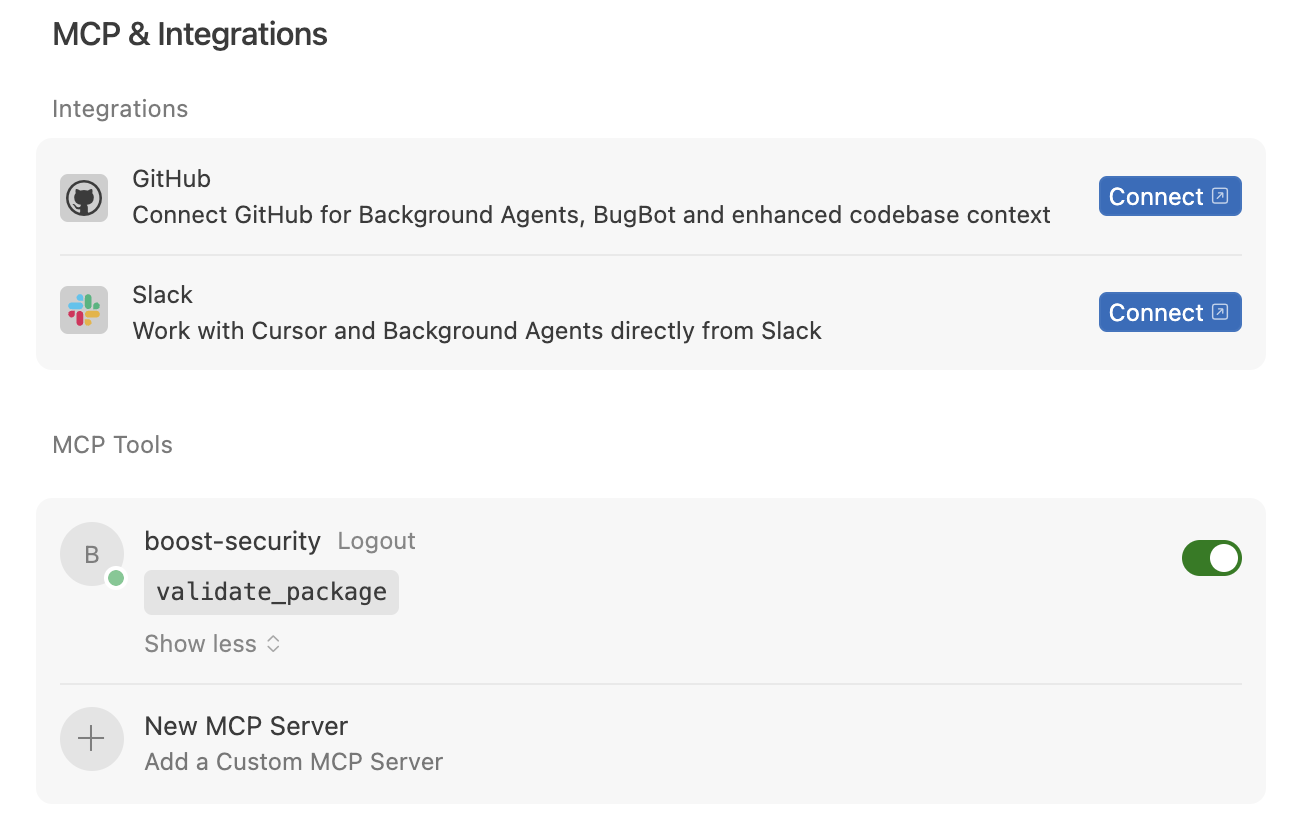
Once configured, under Cursor Settings -> MCP & Integrations, the BoostSecurity MCP tool is enabled for validate_package
Run this command. See Claude Code MCP docs for more info.
claude mcp add --scope user --transport http boost-security https://mcp.boostsecurity.io/mcp
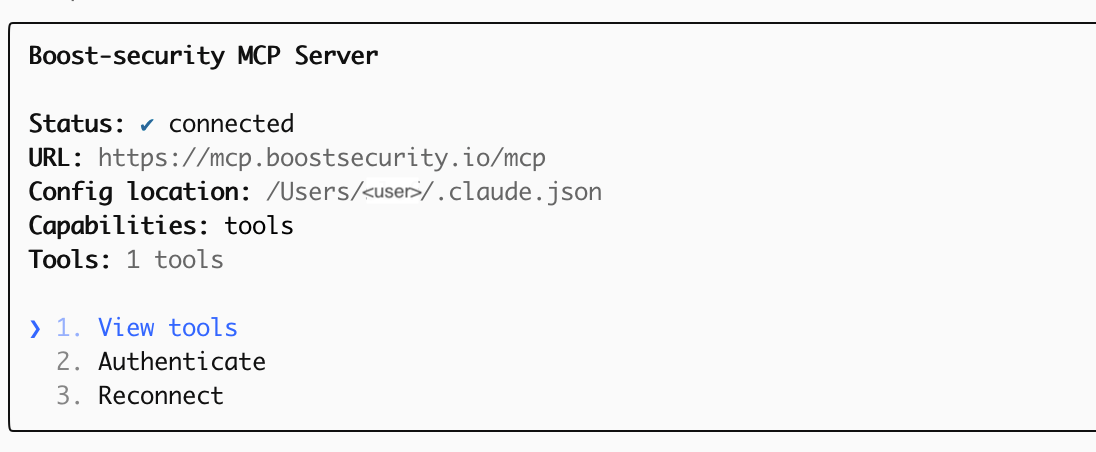
To confirm the BoostSecurity MCP server is properly configured, type /mcp within Claude. The BoostSecurity MCP should appear as enabled.
Navigate to Windsurf Settings -> Cascade MCP Servers
Add the BoostSecurity MCP server configuration:
See Windsurf MCP docs for more info.
{
  "mcpServers": {
        "boost-security": {
            "serverUrl": "https://mcp.boostsecurity.io/mcp"
        }
    }
}
Alternatively, add the configuration to your Windsurf MCP config file (e.g. ~/.codeium/windsurf/mcp_config.json).
You may need to relaunch Windsurf for the new MCP server configuration to take effect.
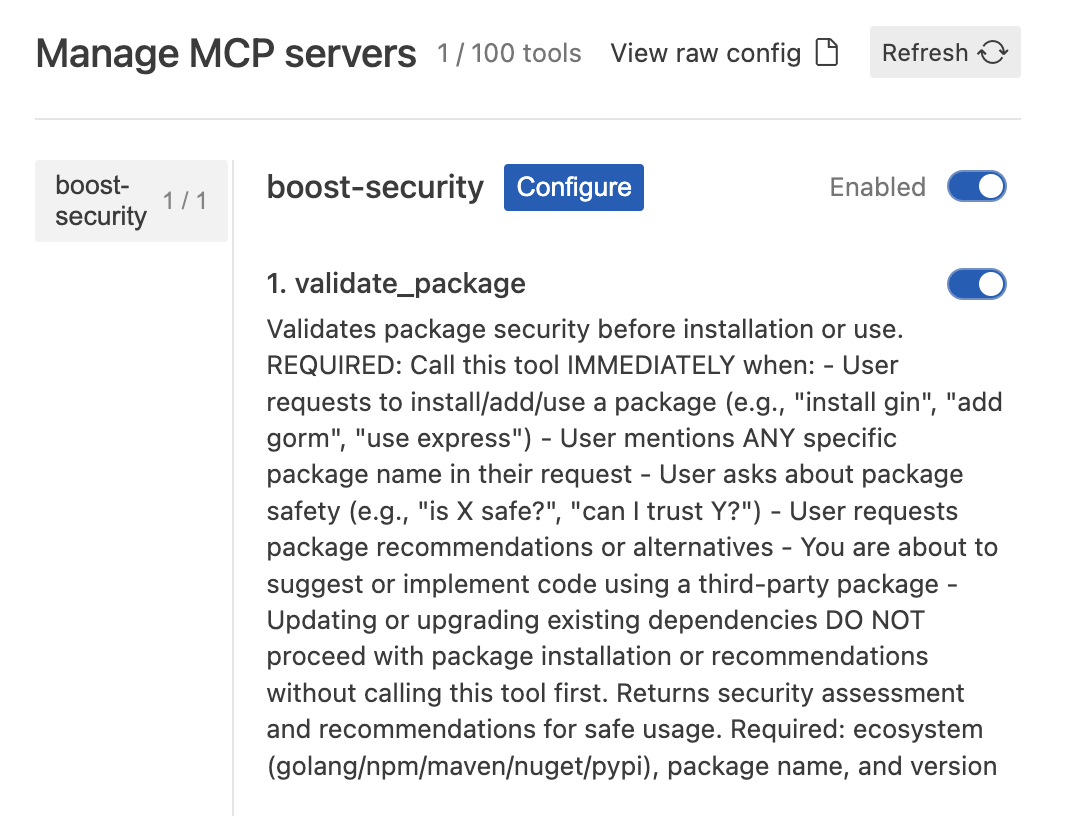
Once configured, go to Windsurg Settings -> Manage MCPs, the BoostSecurity MCP connection should appear as enabled with the validate_package tool.
Navigate to View -> Command Palette -> MCP:Open User Configuration
Add the BoostSecurity MCP server configuration:
See VSCode MCP docs for more info.
{
  "servers": {
    "boost-security": {
      "type": "http",
      "url": "https://mcp.boostsecurity.io/mcp"
    }
  }
}
You may need to relaunch VS Code for the new MCP server configuration to take effect.
Once added, enable the MCP connection by select Start on the MCP configuration.
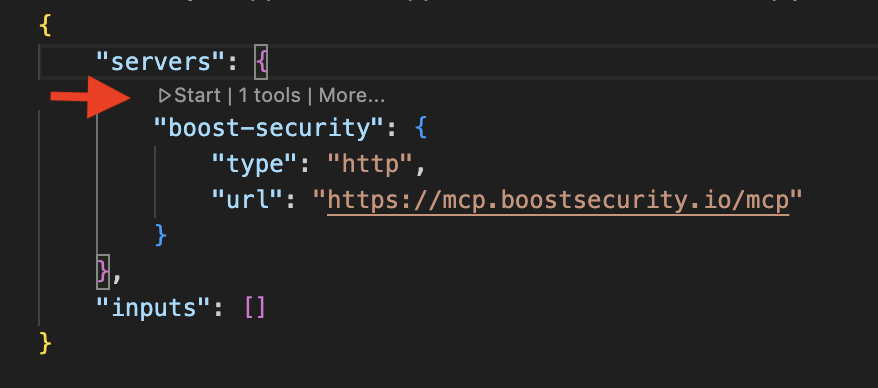
When enabled, the state changes to Running.
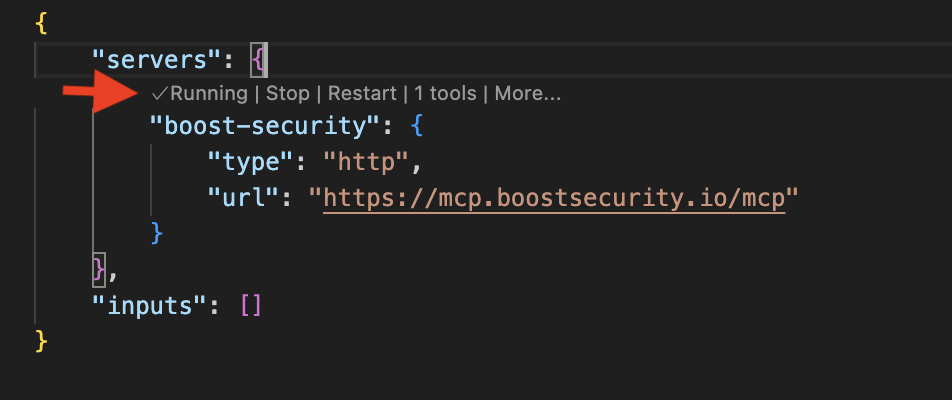
The BoostSecurity MCP server can be used by any MCP-compliant client, as long as the client supports:
httphttps://mcp.boostsecurity.io/mcpRefer to your MCP client’s documentation for instructions on configuring remote MCP servers.
BoostSecurity MCP provides the following tools:
validate_package: Validates whether a package is safe to use. If the package is unsafe, a recommended alternative is provided.The BoostSecurity MCP server provides strong instructions and descriptions during connection initialization, encouraging agents to always validate packages before adding to a project.
To ensure best results, add a rule in your AI agent instructing it to validate packages with BoostSecurity MCP. For example:
Always use the BoostSecurity MCP tool `validate_package` to ensure a package is safe before adding it to a project.
Use the package versions recommended by BoostSecurity.
Claim this server with your GitHub account to request manual ownership verification.
Link to the catalog listing for BoostSecurity MCP from your README. This badge does not certify ownership, compatibility or security.
[](https://awesome-mcp.com/servers/boost-mcp)Public repository statistics could not be verified. Check the configured source address; unavailable counts are not zero.
Separate sources, scopes and periods. Never combined or treated as installations, active users or security reviews.
No reviewed package or image identity; download statistics are not listed yet.
Alternative and complementary servers in the same category
A modular FastMCP server for interacting with Microsoft Graph API, supporting advanced queries for users, sign-in logs, MFA status, and privileged users.

A Model Context Protocol (MCP) server that provides programmatic access to Keycloak administration functionality.

An MCP server for LLM-driven penetration testing that wraps Kali tools and adds scope enforcement, engagement tracking, and structured output.