
A directory listing describing a cancellation-letter and mailing-address service. The configured public GitHub repository returned 404 during source verification.
Repository stats unavailable
Developer Tools
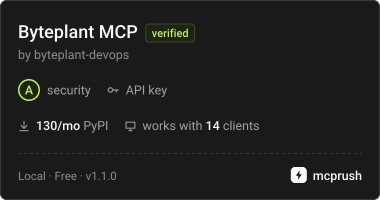
A local stdio MCP server that lets AI assistants validate email addresses, phone numbers and postal addresses through the Byteplant validation APIs.
Byteplant MCP Server is cataloged as an MCP server attributed to byteplant-dev. A local stdio MCP server that lets AI assistants validate email addresses, phone numbers and postal addresses through the Byteplant validation APIs. It is categorized under developer tools. See the capability inspector for recorded interfaces and their independent review status; consult upstream documentation for the current interface.
Installation configuration is not reviewed. No executable setup is offered for this entry; inspect the source repository before proceeding.
Catalog license label: MIT. Check the source repository's current license and terms before using, modifying or distributing this software.
Capability definitions are not reviewed. Unreviewed imports are not exposed as trusted interfaces.
No reviewed records to display. This does not establish that upstream lacks this capability.
No reviewed records to display. This does not establish that upstream lacks this capability.
No reviewed records to display. This does not establish that upstream lacks this capability.
Email delivery is not connected. This page does not collect email addresses or create subscriptions.
Browse the registry for current listings instead.
Reviews for Byteplant MCP Server are not available yet
Review publishing and storage are not connected. This page does not collect or publish ratings or comments, including after sign-in.
Yes, the server runs locally on the user's computer and communicates with the MCP client over stdio.
No, because those services only connect to remote hosted MCP servers, which this local server is not.
README.md · 023a7f955929 · Fetched 2026-11-13 13:38:05 UTC
Original upstream text, without AI rewriting. Scripts, forms and unsafe links are filtered for safety.
Showing the last retrieved documentation snapshot; check the source for current changes.

Validate email addresses, phone numbers and postal addresses from any MCP client,
with unparalleled precision in 240+ countries worldwide.


Installation · Tools · Credentials · Usage · Compatibility · Resources
This is an MCP server that connects AI assistants such as Claude, Cursor and VS Code to the Byteplant validation APIs. Ask your assistant to check an email address, phone number or postal address, and it calls the matching Byteplant tool and reads back the result.
The server runs locally on your computer and talks to your MCP client over stdio.
The easiest way to run the server is with uv. uvx downloads the package and a suitable Python version automatically, so there is nothing else to install.
Add the server to your MCP client with one of the configurations below, and replace the placeholders with your API keys. You only need the keys for the services you use.
In Claude Desktop, go to Settings → Developer → Edit Config. This opens claude_desktop_config.json:
~/Library/Application Support/Claude/claude_desktop_config.json%APPDATA%\Claude\claude_desktop_config.jsonAdd the Byteplant server:
{
  "mcpServers": {
    "byteplant": {
      "command": "uvx",
      "args": ["byteplant-mcp@latest"],
      "env": {
        "EV_TOKEN": "<EMAIL VALIDATOR API KEY>",
        "PV_TOKEN": "<PHONE VALIDATOR API KEY>",
        "AV_TOKEN": "<ADDRESS VALIDATOR API KEY>"
      }
    }
  }
}
Restart Claude Desktop.
claude mcp add \
  --env EV_TOKEN=<EMAIL VALIDATOR API KEY> \
  --env PV_TOKEN=<PHONE VALIDATOR API KEY> \
  --env AV_TOKEN=<ADDRESS VALIDATOR API KEY> \
  --transport stdio byteplant -- uvx byteplant-mcp@latest
Add the same mcpServers entry as for Claude Desktop to ~/.cursor/mcp.json (all projects) or .cursor/mcp.json (one project).
Add the server to .vscode/mcp.json in your project:
{
  "servers": {
    "byteplant": {
      "type": "stdio",
      "command": "uvx",
      "args": ["byteplant-mcp@latest"],
      "env": {
        "EV_TOKEN": "<EMAIL VALIDATOR API KEY>",
        "PV_TOKEN": "<PHONE VALIDATOR API KEY>",
        "AV_TOKEN": "<ADDRESS VALIDATOR API KEY>"
      }
    }
  }
}
pip install byteplant-mcp
This installs a byteplant-mcp command. Use its full path as the command, because desktop apps often don't see your shell's PATH (find it with which byteplant-mcp on macOS/Linux or where byteplant-mcp on Windows):
"command": "/full/path/to/byteplant-mcp"
Alternatively, run the module with the Python installation you installed it into:
"command": "/path/to/python",
"args": ["-m", "byteplant_mcp"]
| Tool | What it does |
|---|---|
validate_email | Checks whether an email address is deliverable and detects freemail providers |
validate_phone | Validates a phone number and returns its line type, carrier codes, location and formats |
validate_address | Validates and standardizes a postal address, with optional geocoding |
Each tool uses its own API key, passed to the server as an environment variable. Sign up for the service you need to get one:
| Environment variable | Used by | Get an API key |
|---|---|---|
EV_TOKEN | validate_email | Email Validator |
PV_TOKEN | validate_phone | Phone Validator |
AV_TOKEN | validate_address | Address Validator |
You can manage your keys in your Byteplant account. If a key is missing, the matching tool tells the assistant which variable to set instead of calling the API.
Just ask your assistant in plain language, for example:
The assistant fills in the tool parameters below. Every tool also has a timeout parameter, which sets how long the API may take to respond: 5–300 seconds, 10 by default.
validate_email - API Docs| Parameter | Required | Description |
|---|---|---|
email | ✅ | The email address to validate |
| Field | Description |
|---|---|
status | Numeric result code, e.g. 200 for a valid address. See the full list of result codes. |
category | Added by the server: VALID, SUSPECT, INVALID or INDETERMINATE, based on status (UNKNOWN for unlisted codes) |
status_description | Added by the server: what the status code means |
info | Short status description |
details | Full status description |
freemail | true if the address belongs to a freemail provider (Gmail, Yahoo, Outlook/Hotmail/Live, AOL, …) |
validate_phone - API Docs| Parameter | Required | Description |
|---|---|---|
phone | ✅ | The phone number to validate, in national format or in international format with a leading + |
code | Two-letter ISO 3166-1 country code. Optional if the phone number is in international format. | |
locale | IETF language tag for geocoding results. Defaults to en-US. | |
mode | extensive (default) runs full validation. express runs static checks only and is faster. |
| Field | Description |
|---|---|
status | VALID_CONFIRMED, VALID_UNCONFIRMED, INVALID, DELAYED, RATE_LIMIT_EXCEEDED or API_KEY_INVALID_OR_DEPLETED |
linetype | FIXED_LINE, MOBILE, VOIP, TOLL_FREE, PREMIUM_RATE, SHARED_COST, PERSONAL_NUMBER, PAGER, UAN or VOICEMAIL |
location | Geographical location (city, county, state) |
countrycode | Two-letter ISO 3166-1 country code |
formatnational | Phone number in national format |
formatinternational | Phone number in international format |
mcc | Mobile country code, which identifies the mobile network operator (carrier) |
mnc | Mobile network code, which identifies the mobile network operator (carrier) |
validate_address - API Docs| Parameter | Required | Description |
|---|---|---|
code | ✅ | Two-letter ISO 3166-1 country code. Use XX for international addresses. |
street_adr | ✅ | Street, house number and building. May include the unit or apartment, or even the complete address. |
street_num | House or building number, if it isn't part of street_adr | |
additional_info | Building, unit, apartment or floor | |
city | City or locality | |
postal_code | ZIP or postal code | |
state | State or province | |
geocoding | Whether to return coordinates for the address. Off by default. | |
locale | Output language for countries with more than one postal language. Use it only to translate addresses, and leave it empty for address validation. | |
charset | utf-8 (default) or us-ascii |
| Field | Description |
|---|---|
status | VALID: the address is correct and deliverable. SUSPECT: the address needs corrections to be deliverable, and a suggested correction is provided. INVALID: the address is not deliverable and can't be corrected automatically. Other values: DELAYED, NO_COUNTRY, RATE_LIMIT_EXCEEDED, API_KEY_INVALID_OR_DEPLETED, RESTRICTED, INTERNAL_ERROR |
formattedaddress | Full address in standardized format |
supplement | Additional address details (building, unit, apartment, suite) |
street | Street in standardized format |
streetnumber | Street number in standardized format |
postalcode | ZIP or postal code in standardized format |
city | City in standardized format |
district | District in standardized format |
county | County in standardized format |
state | State or province in standardized format |
country | Two-letter ISO 3166-1 country code |
type | Address type: S for a street address, P for a P.O. box, pick-up or other delivery service |
rdi | Residential Delivery Indicator: commercial or residential |
diagnostics | Hints about errors in the address input. See the full list of diagnostic hints. |
corrections | Hints about which parts of the address input were fixed. See the full list of correction hints. |
latitude, longitude | Coordinates. Only returned for valid addresses when geocoding is on. |
| Requirement | Version |
|---|---|
| Python | 3.10 or later (installed automatically by uvx) |
| MCP client | Any client that runs local stdio servers, e.g. Claude Desktop, Claude Code, Cursor, VS Code, Windsurf or OpenAI Codex |
ChatGPT and Claude on the web or mobile only connect to remote (hosted) MCP servers, so they can't use this server yet.
Claim this server with your GitHub account to request manual ownership verification.
Link to the catalog listing for Byteplant MCP Server from your README. This badge does not certify ownership, compatibility or security.
[](https://awesome-mcp.com/servers/byteplant-mcp)Public repository statistics could not be verified. Check the configured source address; unavailable counts are not zero.
Separate sources, scopes and periods. Never combined or treated as installations, active users or security reviews.
No reviewed package or image identity; download statistics are not listed yet.
Alternative and complementary servers in the same category
A directory listing describing a cancellation-letter and mailing-address service. The configured public GitHub repository returned 404 during source verification.

A hosted MCP service for browsing and searching through Singapore mobile-network proxies.

A directory listing describing a Markdown-to-PDF service. The configured public GitHub repository returned 404 during source verification.