Catalyst Center MCP Server
A Python-based MCP (Model Context Protocol) server for Cisco Catalyst Center (formerly DNA Center) that provides tools for device management, client information retrieval, and network monitoring.
Features
- Secure authentication with Cisco Catalyst Center.
- Device discovery, listing, and detailed information retrieval.
- Site information retrieval, including hierarchy and details.
- Network interface information for specific devices.
- Client listing with comprehensive filtering options.
- Detailed client information retrieval by MAC address.
- Client count retrieval with filtering.
- Helper tool for API-compatible time range conversion.
- Implemented using FastMCP for a robust and extensible MCP server.
- Configuration via
.env file for easy setup.
Installation
- Clone the repository:
git clone https://github.com/richbibby/catalyst-center-mcp.git
cd catalyst-center-mcp
- Create a virtual environment and activate it:
python -m venv venv
source venv/bin/activate  # On Windows: venv\Scripts\activate
- Install dependencies:
pip install -r requirements.txt
Configuration
- Copy the example environment file:
cp .env.example .env
- Update the
.env file with your Catalyst Center credentials:
CCC_HOST=your-catalyst-center-host
CCC_USER=your-username
CCC_PWD=your-password
Usage With Claude Desktop Client
- Configure Claude Desktop to use this MCP server:
- Open Claude Desktop
- Go to Settings > Developer > Edit Config
- Add the following configuration (adjust paths as needed, see
claude_desktop_config.json for an example structure):
{
  "mcpServers": {
    "catalyst-center-mcp": {
      "command": "/path/to/your/venv/bin/fastmcp",
      "args": [
        "run",
        "/path/to/your/catalyst-center-mcp/catalyst-center-mcp.py"
      ],
      "env": {
        "PYTHONUNBUFFERED": "1"
      }
    }
  }
}
- Replace
/path/to/your/... with the absolute paths relevant to your local environment.
- The
PYTHONUNBUFFERED environment variable is recommended for Stdio transport.
-
Restart Claude Desktop
-
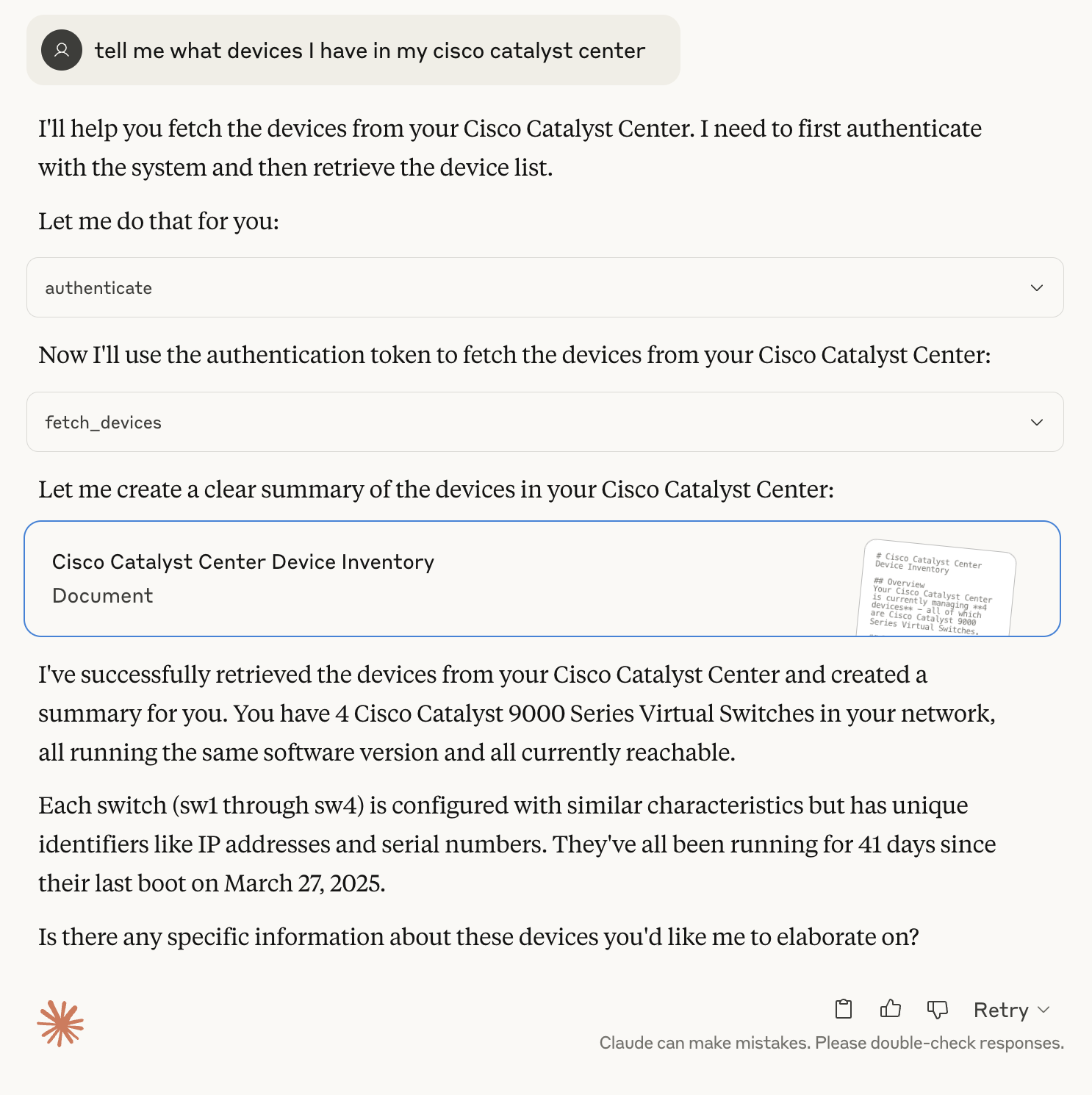
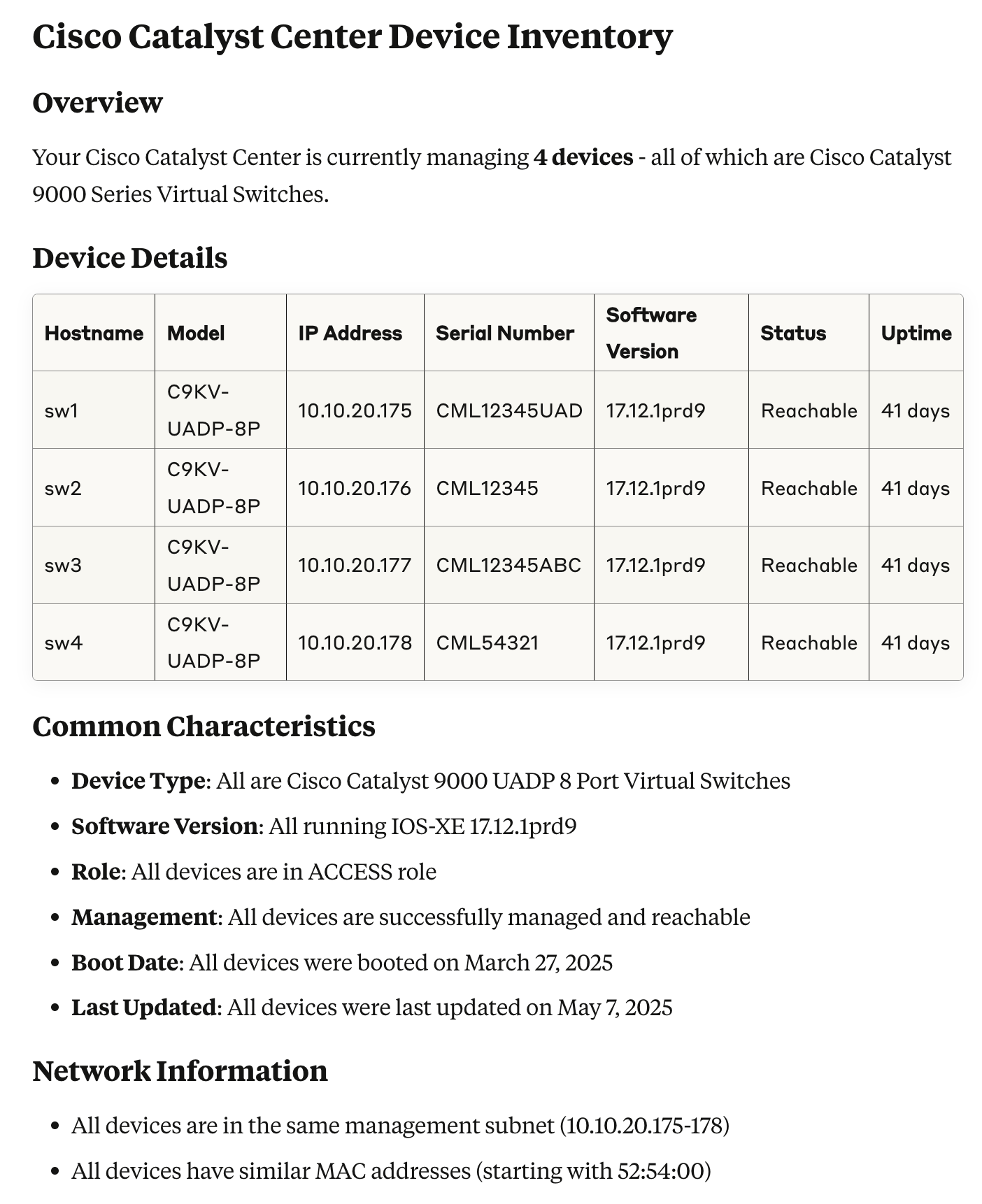
Interact with Claude Desktop:
- Ask Claude to perform actions like "Show me the devices in my Cisco Catalyst Center"
- Claude will use the MCP server to authenticate and fetch device information
Usage With VScode
- Configure VSCode to use this MCP server:
- Open VScode
- Open the command pallet : Command + Shift + P in Visual Studio Code on macOS (or Ctrl + Shift + P on Windows and Linux)
- Type: MCP: Open User Configuration
- Add the following configuration (adjust paths as needed, see
claude_desktop_config.json for an example structure):
{
  "servers": {
    "catalyst-center-mcp": {
      "type": "stdio",
      "command": "/path/to/your/venv/bin/fastmcp",
      "args": [
        "run",
        "/path/to/your/catalyst-center-mcp/catalyst-center-mcp.py"
      ],
      "env": {
        "PYTHONUNBUFFERED": "1"
      }
    }
  }
}
- Replace
/path/to/your/... with the absolute paths relevant to your local environment.
- The
PYTHONUNBUFFERED environment variable is recommended for Stdio transport.
- Restart VSCode
You can also
- open the command pallet : Command + Shift + P in Visual Studio Code on macOS (or Ctrl + Shift + P on Windows and Linux)
- Execute Developer: Reload Window
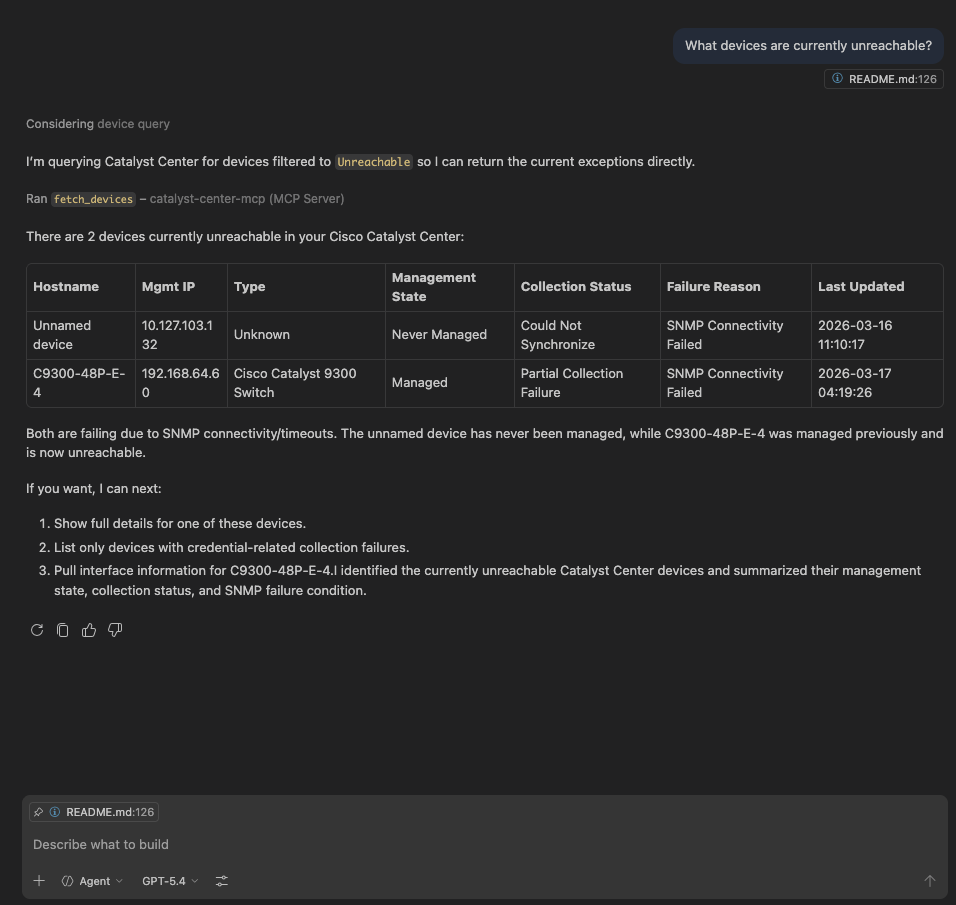
- Interact in Chat window:
- Ask questions like "Show me the devices in my Cisco Catalyst Center"
- VSCode will use the MCP server to authenticate and fetch device information
Example Questions
Here are some example questions you can ask Claude to interact with your Catalyst Center:
- "Show me all devices in my network"
- "List all switches in my network"
- "What devices are currently unreachable?"
- "Show me devices with hostname containing 'switch'"
- "What's the status of device with IP 10.1.1.1?"
- "Show me all interfaces for device X"
- "What interfaces are down on device Y?"
- "List all Gigabit interfaces on device Z"
- "Show me interfaces with IP addresses"
- "What's the status of interface GigabitEthernet1/0/1 on device X?"
- "Show me all sites in my network"
- "What devices are in site X?"
- "List all buildings in my network"
- "Show me the site hierarchy"
- "What's the address of site Y?"
- "How many clients are currently connected?"
- "List all wireless clients."
- "Show me clients connected to SSID 'Corporate-WiFi'."
- "What are the details for client with MAC address aa:bb:cc:dd:ee:ff?"
- "Are there any clients with an OS type of 'macOS'?"
- "List clients active in the last hour."
Combined Queries
- "Show me all devices in site X and their interfaces"
- "List all down interfaces across all devices"
- "What devices in building Y have unreachable interfaces?"
- "Show me the network topology for site Z"
- "What's the status of all devices in area A?"
fetch_devices: Fetches a list of devices from Cisco Catalyst Center, with filtering options.fetch_sites: Fetches a list of sites from Cisco Catalyst Center, returning a compact JSON structure.fetch_interfaces: Fetches interface information for a specific device ID.get_api_compatible_time_range: Converts natural language time inputs (e.g., "last 24 hours", "yesterday") or specific timestamps into API-compatible epoch millisecond start and end times.get_clients_list: Retrieves a list of clients from Cisco Catalyst Center with comprehensive filtering options (e.g., by client type, OS, site, MAC/IP address, SSID). Returns a maximum of 100 clients per call.get_client_details_by_mac: Fetches detailed information for a specific client by their MAC address.get_clients_count: Retrieves the total count of clients matching specified filters.
Contributing
- Fork the repository
- Create your feature branch (
git checkout -b feature/amazing-feature)
- Commit your changes (
git commit -m 'Add some amazing feature')
- Push to the branch (
git push origin feature/amazing-feature)
- Open a Pull Request


