

A directory listing describing a cancellation-letter and mailing-address service. The configured public GitHub repository returned 404 during source verification.
Repository stats unavailable
Developer Tools
A local-first AI personal knowledge management app that turns AI coding conversations into structured notes, semantic search, a tag knowledge graph, and MCP memory agents can reuse.
ChatCrystal is cataloged as an MCP server attributed to zengliangyi. A local-first AI personal knowledge management app that turns AI coding conversations into structured notes, semantic search, a tag knowledge graph, and MCP memory agents can reuse. It is categorized under developer tools. See the capability inspector for recorded interfaces and their independent review status; consult upstream documentation for the current interface.
Installation configuration is not reviewed. No executable setup is offered for this entry; inspect the source repository before proceeding.
Catalog license label: Apache License 2.0. Check the source repository's current license and terms before using, modifying or distributing this software.
Capability definitions are not reviewed. Unreviewed imports are not exposed as trusted interfaces.
No reviewed records to display. This does not establish that upstream lacks this capability.
No reviewed records to display. This does not establish that upstream lacks this capability.
No reviewed records to display. This does not establish that upstream lacks this capability.
Email delivery is not connected. This page does not collect email addresses or create subscriptions.
Browse the registry for current listings instead.
Reviews for ChatCrystal are not available yet
Review publishing and storage are not connected. This page does not collect or publish ratings or comments, including after sign-in.
Through CLI and MCP tools, and by starting the MCP stdio server with the crystal mcp command.
It runs locally, with configurable LLM and embedding providers; a Docker cloud deployment is also available for self-hosting across devices.
README.md · 842e44aac140 · Fetched 2026-11-13 11:50:08 UTC
Original upstream text, without AI rewriting. Scripts, forms and unsafe links are filtered for safety.
Showing the last retrieved documentation snapshot; check the source for current changes.

Local-first AI PKM for coding conversations




Website · Author & Blog · Download Desktop · npm · Docs · 简体中文

ChatCrystal is a local-first AI PKM app for developers who solve real problems with AI coding agents: Claude Code, Claude Desktop, Codex CLI, Cursor, Trae, GitHub Copilot Chat and CLI, Gemini CLI, Qwen Code, OpenCode, Cline, Roo Code, Kilo Code, Continue, DeepSeek Harness, WorkBuddy, CodeBuddy, Antigravity, Droid, Goose, Pi, omp, Raft, Cindy, Qoder/Qoder CN, ZCode, Hermes, Alma, Grok Build, Kimi Code, and MiniMax Code — 32 agent harnesses in total.
It turns scattered AI coding conversations into structured notes, semantic search, a tag knowledge graph, Markdown exports, and MCP memory your agents can reuse. If this fits your workflow, a star helps more builders find a private, local-first way to keep their AI work memory.
Download the latest Windows installer from GitHub Releases. After installing, launch ChatCrystal and configure your LLM and embedding providers in Settings. Conversation history is synced automatically in the background on startup and when agent session files change — there is no import step to wait for. The sidebar shows the sync state and lets you trigger or cancel a pass. Rows that are still parsing appear immediately with an Indexing marker and load their transcript when opened.
npm install -g chatcrystal
crystal serve -d
crystal import
Then open http://localhost:3721 in your browser.
Prefer self-hosting ChatCrystal for multiple devices? See Docker Cloud Deployment after the product overview.
| Conversations | Notes |
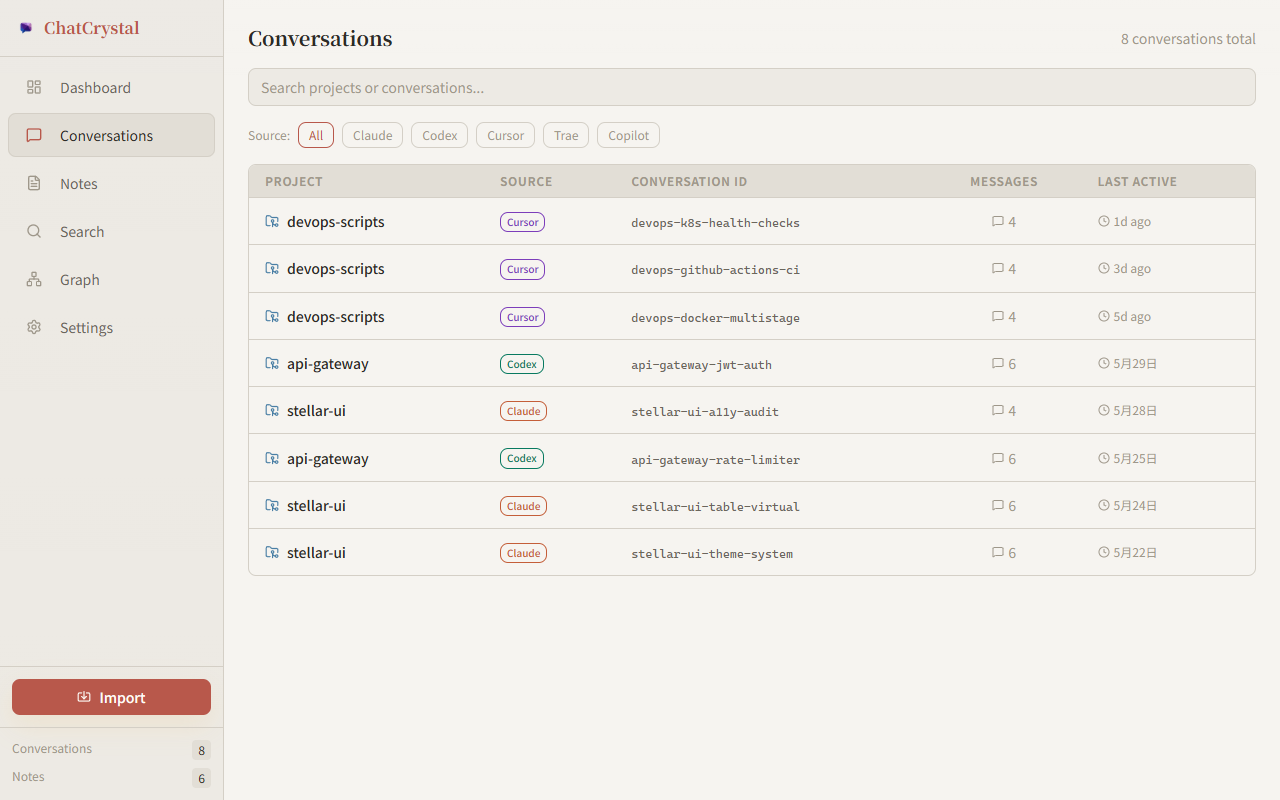 | 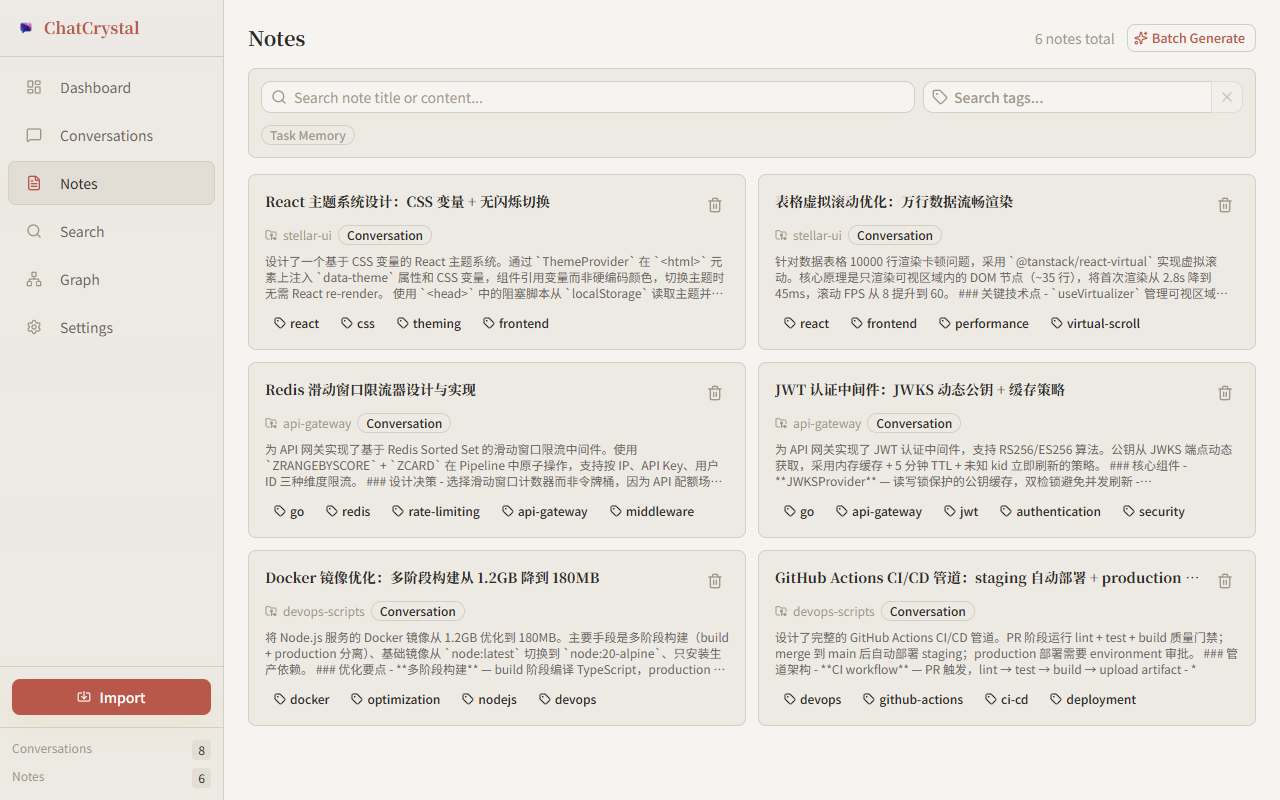 |
| Semantic Search | Knowledge Graph |
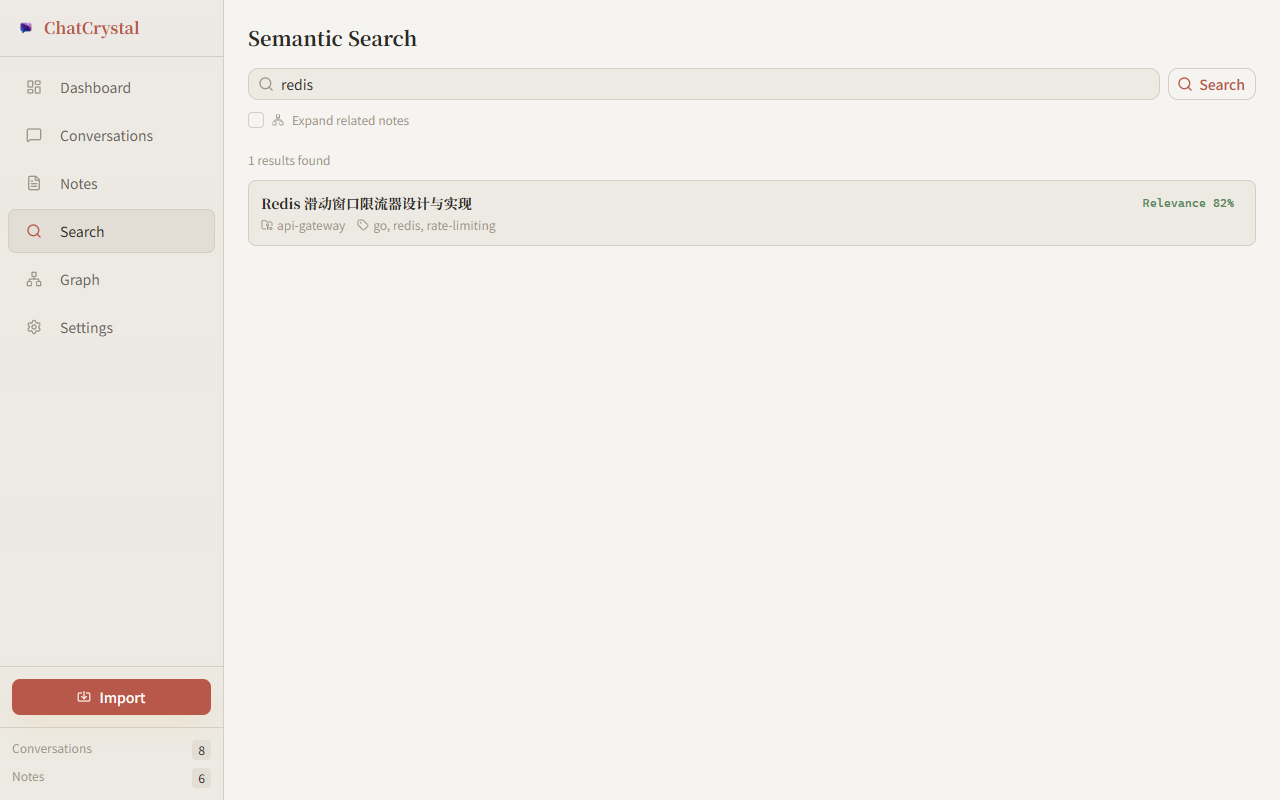 | 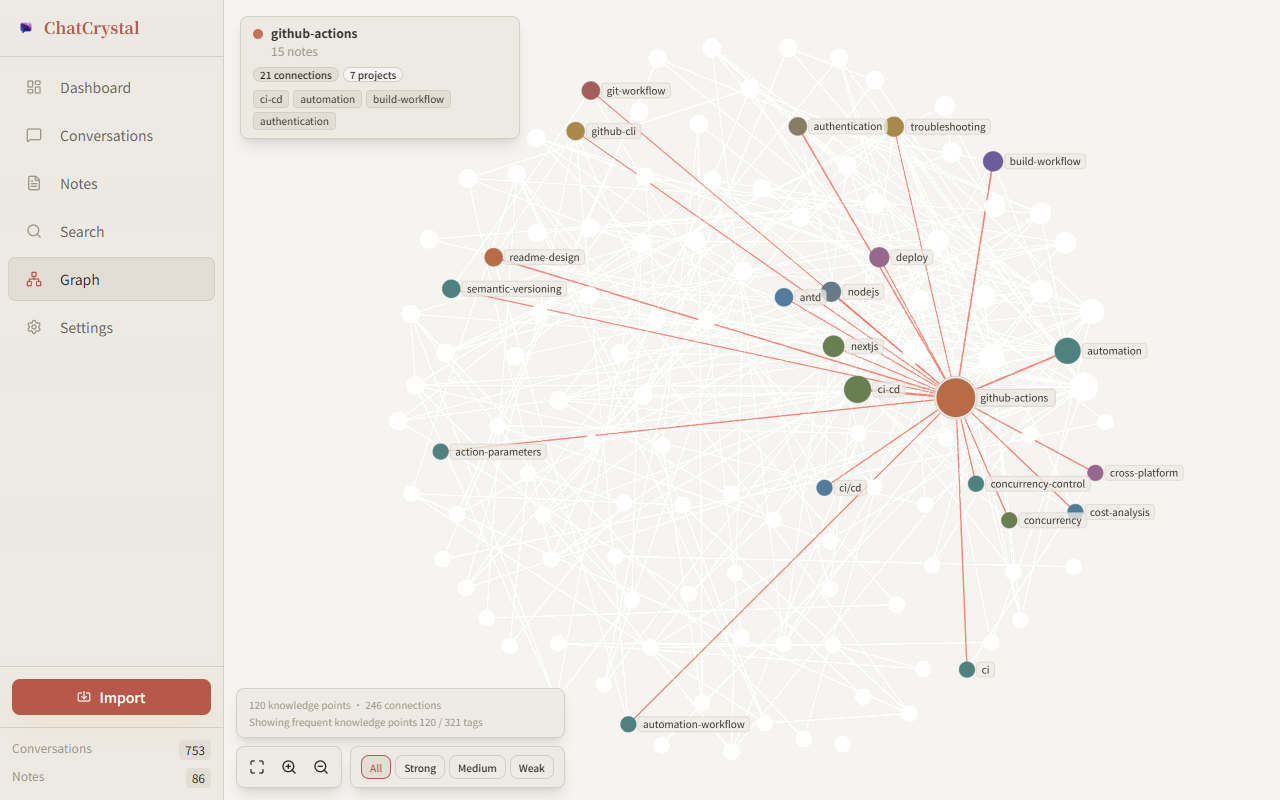 |
crystal status                          # Server status and DB stats
crystal import [--source claude-code]   # Scan and import conversations
crystal search "query" [--limit 10]     # Semantic search
crystal notes list [--tag X]            # Browse notes
crystal notes get <id>                  # View note detail
crystal summarize --all                 # Batch summarize
crystal config get                      # View config
crystal serve -d                        # Start server in background
crystal serve stop                      # Stop background server
crystal mcp                             # Start MCP stdio server
| Topic | English | 简体中文 |
|---|---|---|
| User guide | docs/USER_GUIDE.md | docs/USER_GUIDE.zh-CN.md |
| Development | docs/DEVELOPMENT.md | docs/DEVELOPMENT.zh-CN.md |
| MCP and agents | docs/MCP.md | docs/MCP.zh-CN.md |
| Experience quality gate | docs/EXPERIENCE_GATE.md | docs/EXPERIENCE_GATE.zh-CN.md |
| Agent skills | docs/agent-skills.md | docs/agent-skills.zh-CN.md |
For engineering discussions, data privacy boundaries, and design decisions behind ChatCrystal, see the following articles:
LLM and embedding providers are configured separately. Large language models such as Claude, GPT, and Qwen are not embedding models. See the user guide for provider examples.
ChatCrystal includes first-class OrcaRouter support for LLM generation. OrcaRouter is OpenAI-compatible; its Base URL is built in, so enter only your API Key and use Settings to fetch and select an available model.
git clone https://github.com/ZengLiangYi/ChatCrystal.git
cd ChatCrystal
corepack enable
pnpm install
pnpm dev
Development server ports:
See docs/DEVELOPMENT.md for architecture, testing, build, and release details. Release history lives in CHANGELOG.md.
The default Compose deployment runs only the ChatCrystal service. It stores data in the chatcrystal-data volume mounted at /data inside the container.
git clone https://github.com/ZengLiangYi/ChatCrystal.git
cd ChatCrystal
docker compose up -d
The default docker-compose.yml pulls ghcr.io/zengliangyi/chatcrystal:latest from GitHub Container Registry. Set CHATCRYSTAL_IMAGE_TAG to pin a published version. To build from source instead, run docker compose -f docker-compose.yml -f docker-compose.build.yml up -d --build.
To update an existing Docker deployment, run docker compose pull && docker compose up -d. Maintainers only: after the first GHCR publish, make the ghcr.io/zengliangyi/chatcrystal package public in GitHub Packages; the release workflow verifies anonymous pull access before passing.
Compose binds ChatCrystal to 0.0.0.0:3721 by default so other devices can reach the cloud core through the host IP. Set CHATCRYSTAL_HOST_PORT to change the host port, or set BIND_ADDRESS=127.0.0.1 when a local-only reverse proxy fronts it. For public cloud access, an HTTPS reverse proxy is recommended for safer token transport.
On Windows Docker Desktop, a published port may still need extra host networking configuration before it is reachable through the host LAN IP. For cloud-mode testing, verify http://<host-ip>:<host-port>/api/health from the client device first; if it cannot connect, configure Windows port forwarding/firewall rules or deploy the cloud core on a real remote host.
On first start without CHATCRYSTAL_API_TOKEN, open the Web UI and enter the setup code printed in container logs or stored at /data/setup-code, then choose one shared API token for your devices.
To rotate or reset the Docker cloud token:
# If you still know the current token, rotate it online.
crystal --base-url https://chatcrystal.example.com token rotate "new-long-token-at-least-16-chars" --current "old-token"
crystal connect https://chatcrystal.example.com --token "new-long-token-at-least-16-chars"

# If you forgot the token and did not set CHATCRYSTAL_API_TOKEN, reset stored auth in the container.
docker compose exec chatcrystal crystal token reset --yes
docker compose logs chatcrystal --tail=80
docker compose exec chatcrystal cat /data/setup-code
If your deployment sets CHATCRYSTAL_API_TOKEN, that environment variable is the active token source. Change it in your .env or Compose environment and recreate the container with docker compose up -d --force-recreate.
To use an existing Ollama or external API, configure provider URLs in the Web UI or environment. In Docker, localhost means inside the container; use CHATCRYSTAL_DOCKER_LLM_BASE_URL and CHATCRYSTAL_DOCKER_EMBEDDING_BASE_URL for Compose-time provider URL overrides. Docker Desktop can reach host Ollama at http://host.docker.internal:11434, or you can use a remote HTTPS/OpenAI-compatible API.
Install or run the CLI on the device that has AI coding agent history (Claude Code, Codex CLI, Gemini CLI, OpenCode, Cline, and 27 more supported sources):
crystal connect https://chatcrystal.example.com --token "your-long-token"
crystal import --yes
The CLI scans local histories, parses them locally, and uploads normalized conversations to the cloud. The cloud never scans your local filesystem. Imported conversations are not summarized automatically; use the Web UI or crystal summarize --all when you are ready. HTTPS is recommended for cloud access, but HTTP works when that is the deployment you choose.
Claim this server with your GitHub account to request manual ownership verification.
Link to the catalog listing for ChatCrystal from your README. This badge does not certify ownership, compatibility or security.
[](https://awesome-mcp.com/servers/chatcrystal)Public repository statistics could not be verified. Check the configured source address; unavailable counts are not zero.
Separate sources, scopes and periods. Never combined or treated as installations, active users or security reviews.
No reviewed package or image identity; download statistics are not listed yet.
Alternative and complementary servers in the same category
A directory listing describing a cancellation-letter and mailing-address service. The configured public GitHub repository returned 404 during source verification.

A hosted MCP service for browsing and searching through Singapore mobile-network proxies.

A directory listing describing a Markdown-to-PDF service. The configured public GitHub repository returned 404 during source verification.