
A directory listing describing a cancellation-letter and mailing-address service. The configured public GitHub repository returned 404 during source verification.
Repository stats unavailable
Developer Tools
A TypeScript-based MCP server that fetches random jokes from Chuck Norris, Dad joke, and Yo Mama joke sources, designed to be added to Microsoft Copilot Studio as an action.
Jokes MCP Server is cataloged as an MCP server attributed to anilinfo2015. A TypeScript-based MCP server that fetches random jokes from Chuck Norris, Dad joke, and Yo Mama joke sources, designed to be added to Microsoft Copilot Studio as an action. It is categorized under developer tools. See the capability inspector for recorded interfaces and their independent review status; consult upstream documentation for the current interface.
Installation configuration is not reviewed. No executable setup is offered for this entry; inspect the source repository before proceeding.
Catalog license label: Not specified. Check the source repository's current license and terms before using, modifying or distributing this software.
Capability definitions are not reviewed. Unreviewed imports are not exposed as trusted interfaces.
No reviewed records to display. This does not establish that upstream lacks this capability.
No reviewed records to display. This does not establish that upstream lacks this capability.
No reviewed records to display. This does not establish that upstream lacks this capability.
Email delivery is not connected. This page does not collect email addresses or create subscriptions.
Browse the registry for current listings instead.
Reviews for Jokes MCP Server are not available yet
Review publishing and storage are not connected. This page does not collect or publish ratings or comments, including after sign-in.
It can fetch Chuck Norris jokes, Dad jokes, and Yo Mama jokes from their respective public joke APIs.
Yes; after installing dependencies, the server can be built and started locally.
README.md · 69821d091666 · Fetched 2026-11-13 12:43:52 UTC
Original upstream text, without AI rewriting. Scripts, forms and unsafe links are filtered for safety.
Showing the last retrieved documentation snapshot; check the source for current changes.
Welcome to the Microsoft Copilot Studio ❤️ MCP lab. In this lab, you will learn how to deploy an MCP Server, and how to add it to Microsoft Copilot Studio.
Model Context Protocol (MCP) is an open protocol that standardizes how applications provide context to LLMs, defined by Anthropic. MCP provides a standardized way to connect AI models to different data sources and tools. MCP allows makers to seamlessly integrate existing knowledge servers and APIs directly into Copilot Studio.
Currently, Copilot Studio only supports Tools. To learn more about current capabilities, see aka.ms/mcsmcp. There are some known issues & planned improvements. These are listed here.
When do you use MCP? And when do you use connectors? Will MCP replace connectors?
MCP servers are made available to Copilot Studio using connector infrastructure, so these questions are not really applicable. The fact that MCP servers use the connector infrastructure means they can employ enterprise security and governance controls such as Virtual Network integration, Data Loss Prevention controls, multiple authentication methods—all of which are available in this release—while supporting real-time data access for AI-powered agents.
So, MCP and connectors are really better together.
To be able to deploy this MCP Server and use it in Microsoft Copilot Studio, you need to go through the following actions:
Select Use this template
Select `Create a new repository
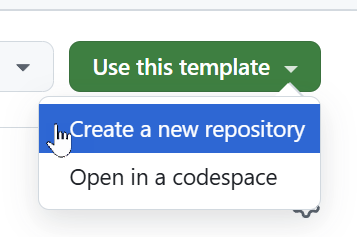
Select the right Owner
Give it a Repository name
Optionally you can give it a Description
Select Private
Select Create repository
This will take a little while. After it's done, you will be directed to the newly created repository.
[!WARNING]
After completing the steps in this lab, you will have an MCP Server running on Azure that is publicly available. Ideally, you don't want that. Make sure to delete the Azure Web App after finishing the lab.
Go to portal.azure.com
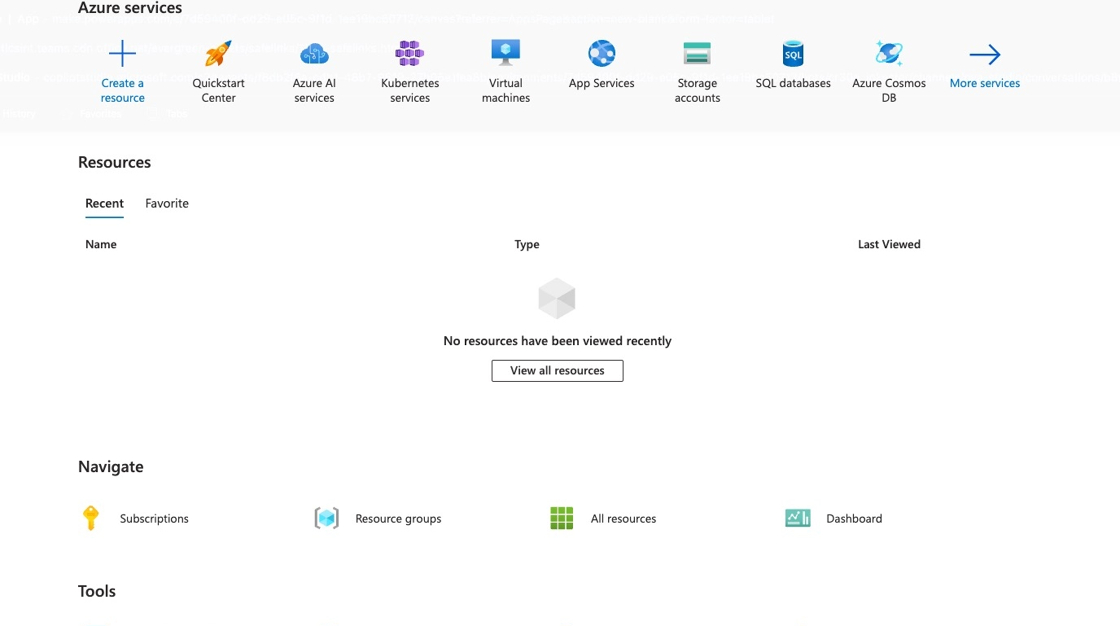
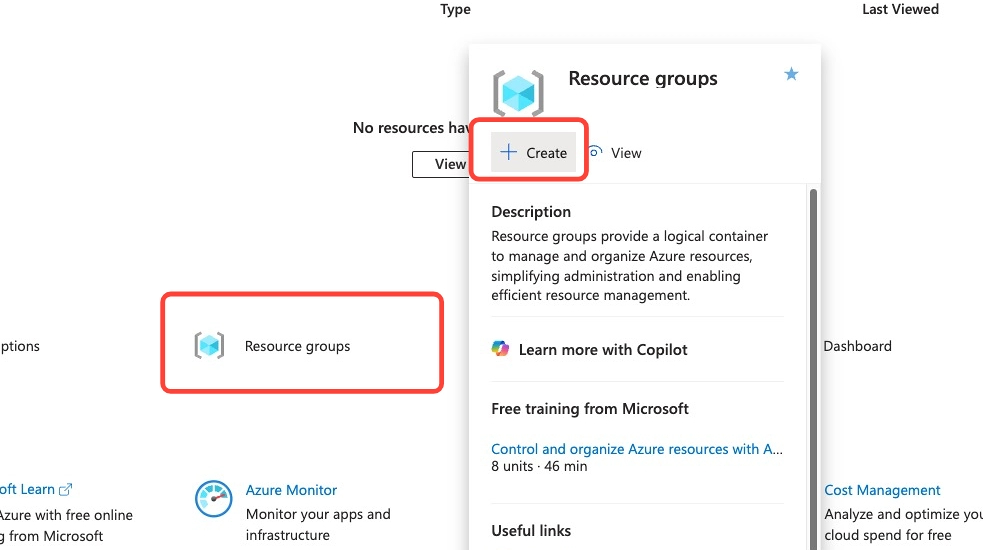
Hover over the Resource groups tab and select Create
Click the Subscription dropdown and select your subscription from the list
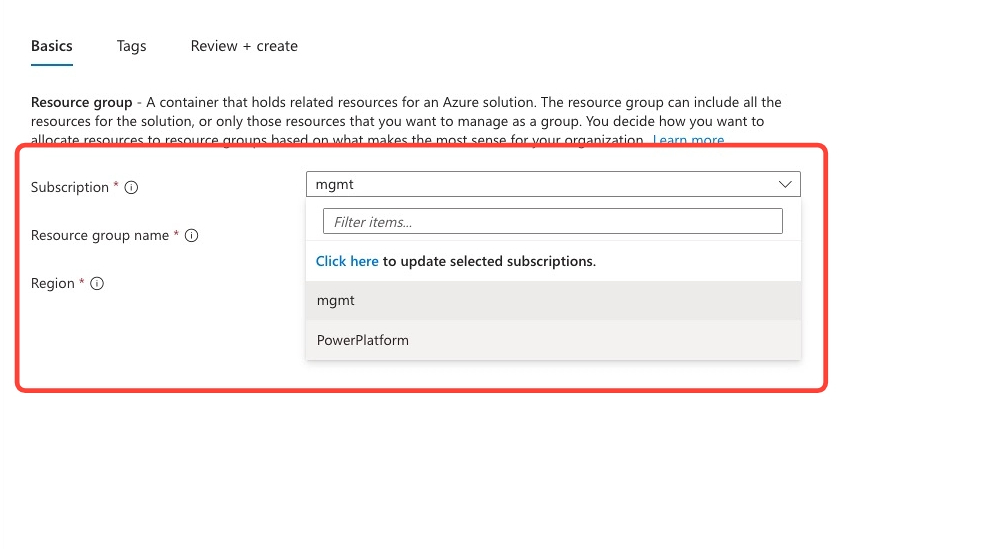
Click in the Resource group name text box and type a resource group name such as "jokesgrp"
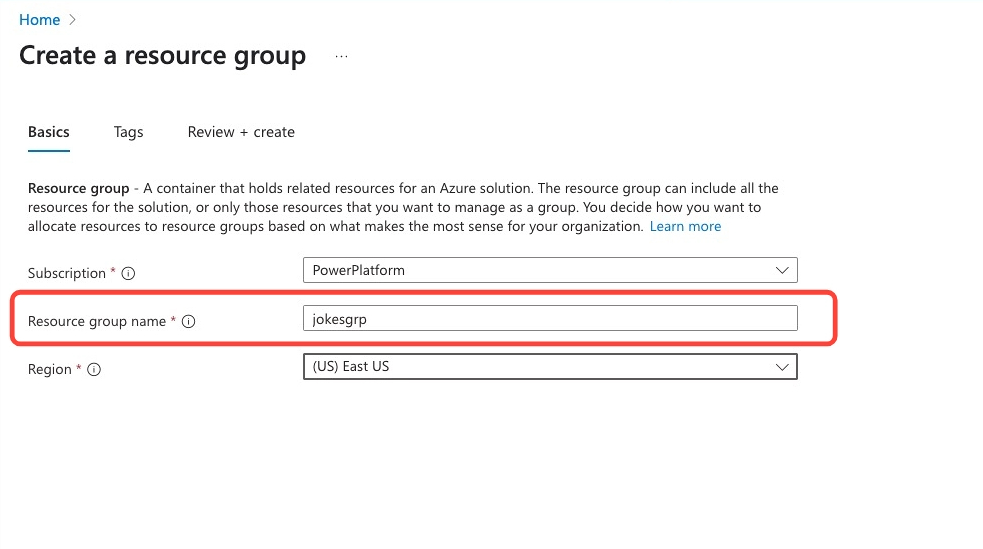
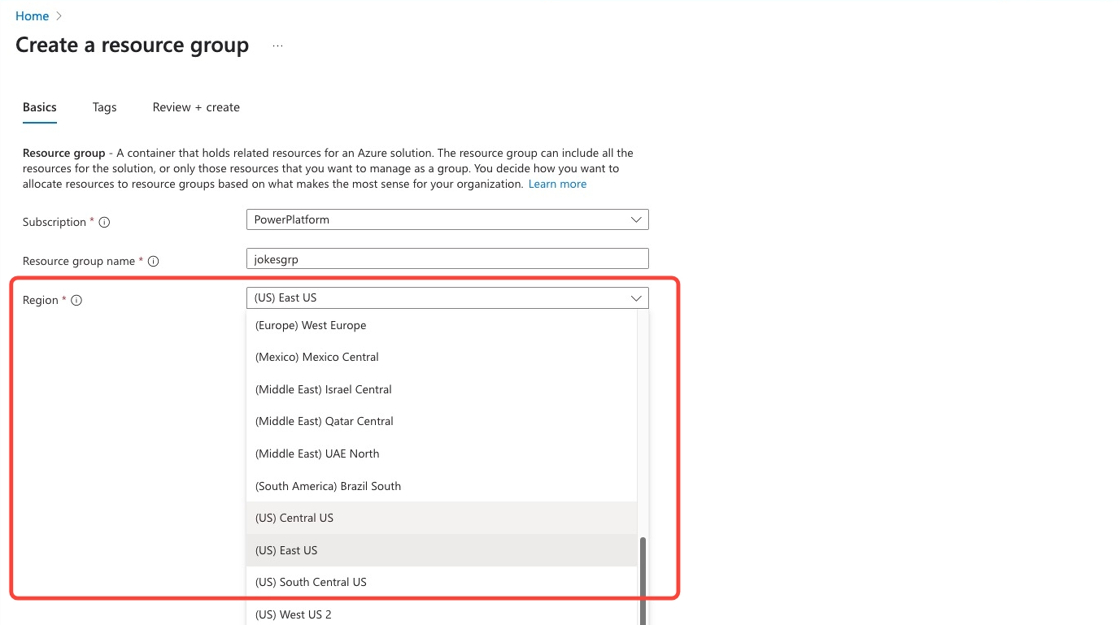
Select the Region dropdown choose the region closest to you
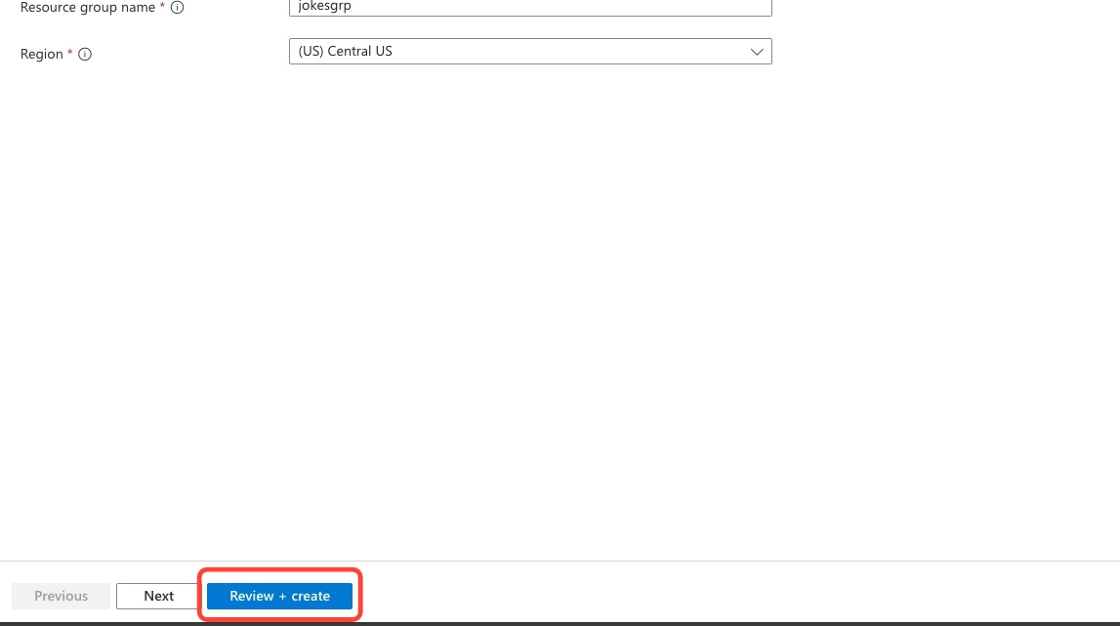
Click Review + create
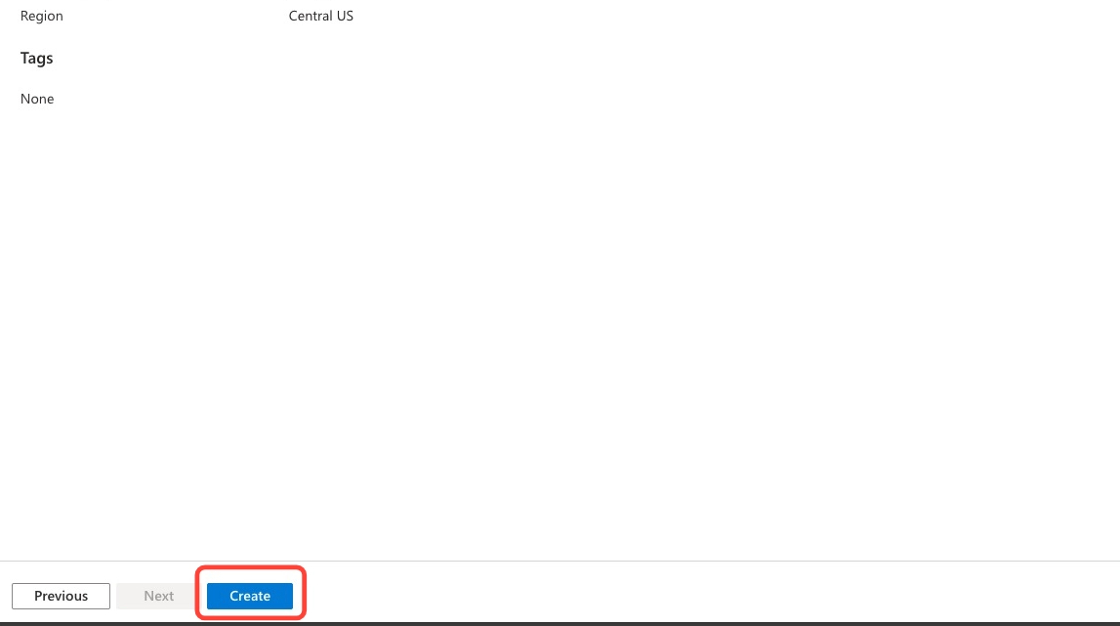
Click Create
Select Go to resource group
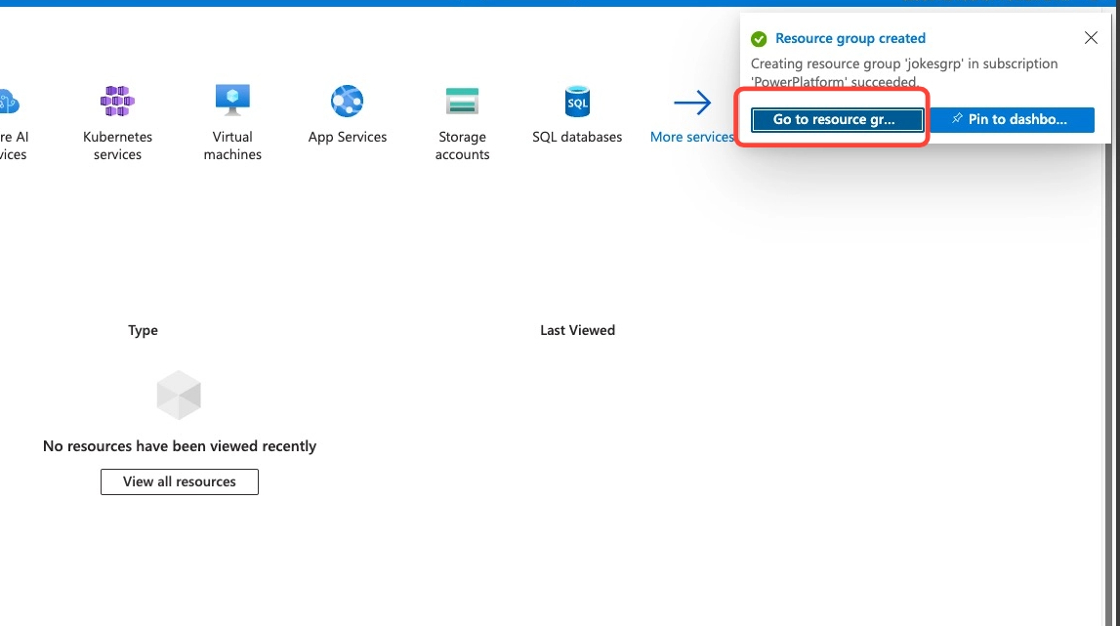
Select Create
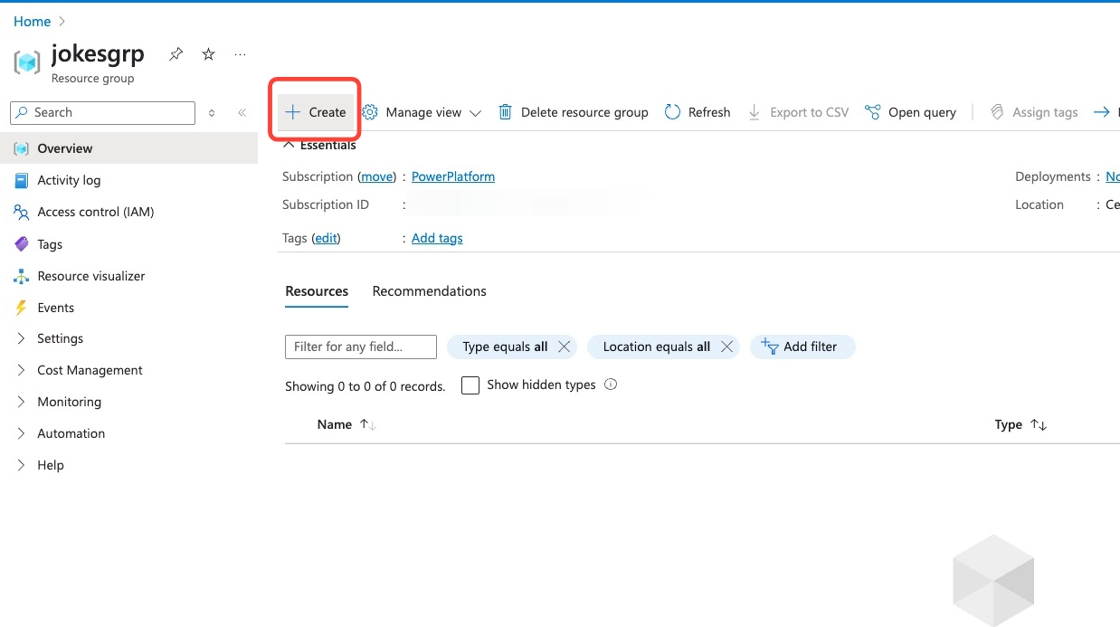
Click into the search box
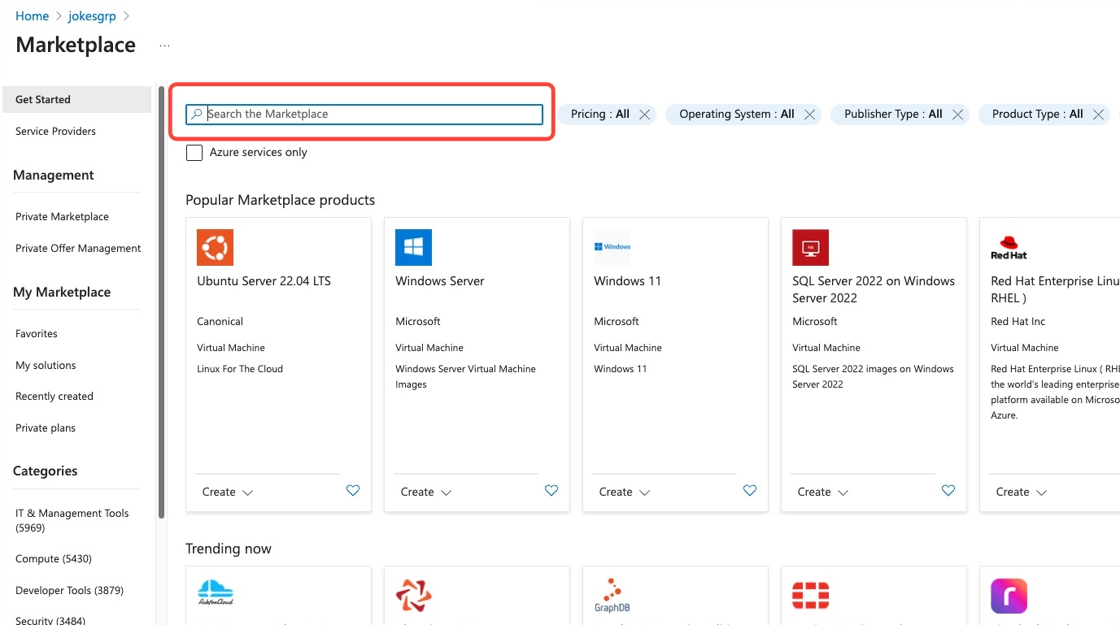
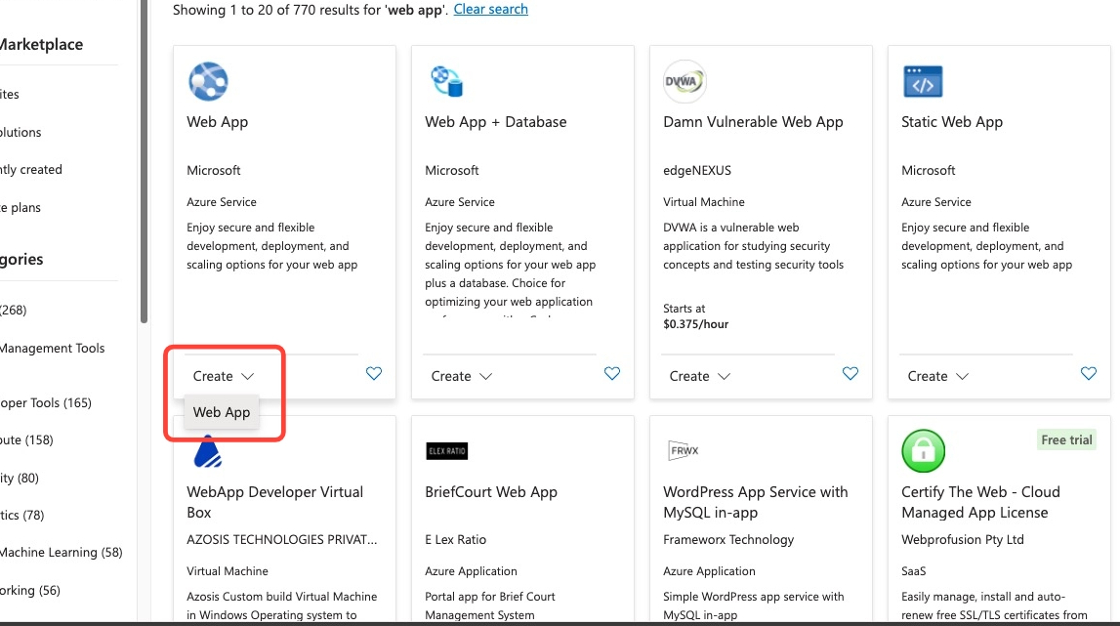
Type web app
Select the Create button in the Web App search result
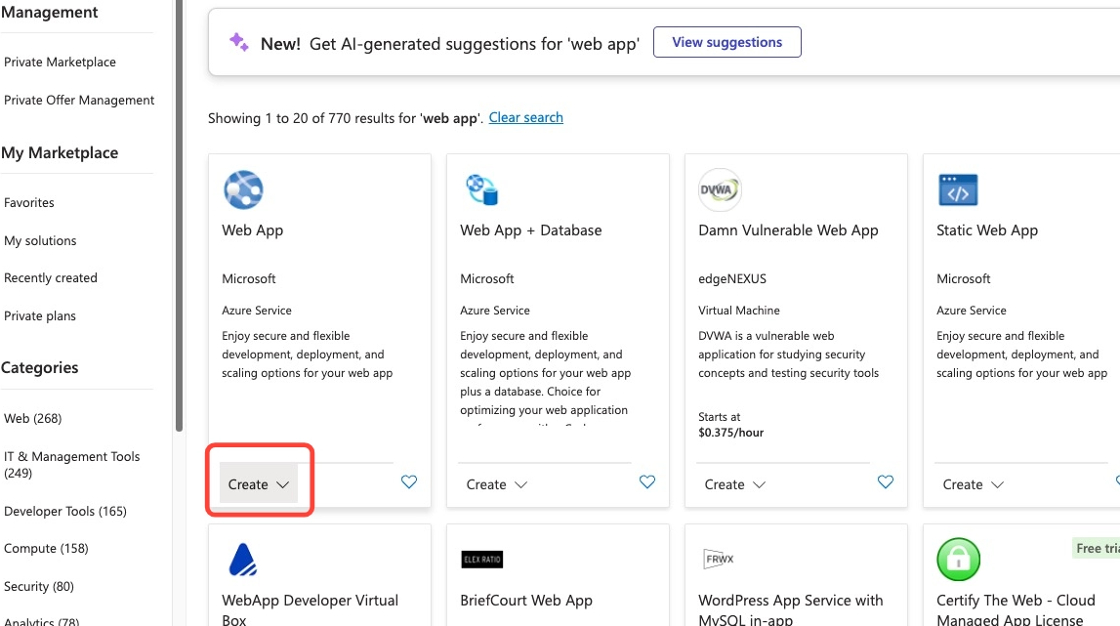
Select Web App
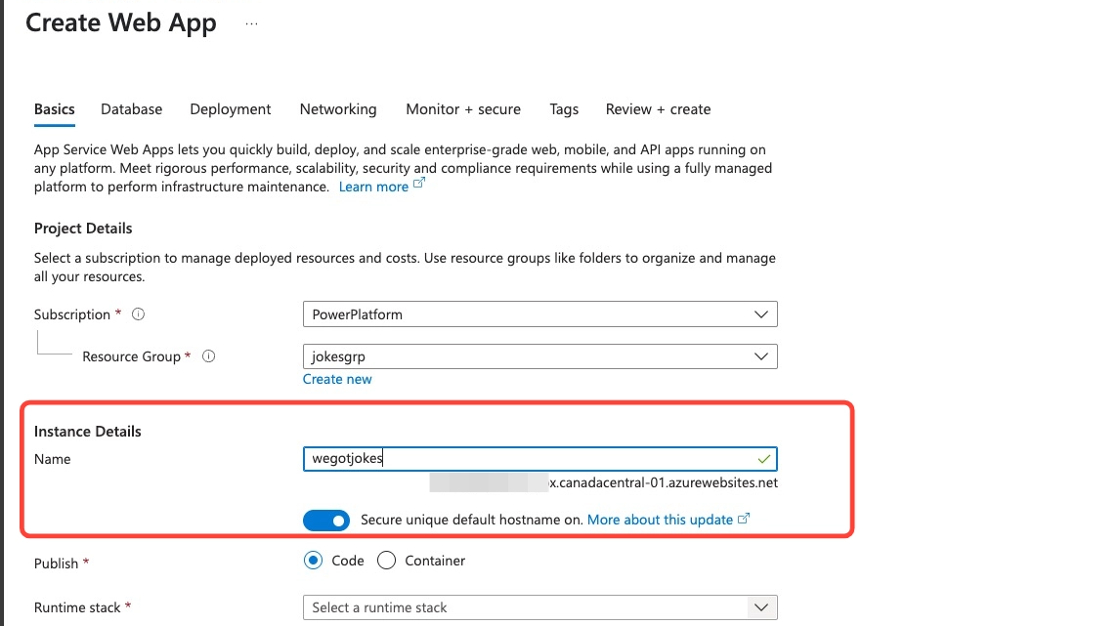
Select the Name text input and put in a name for the web app, such as "wegotjokes"
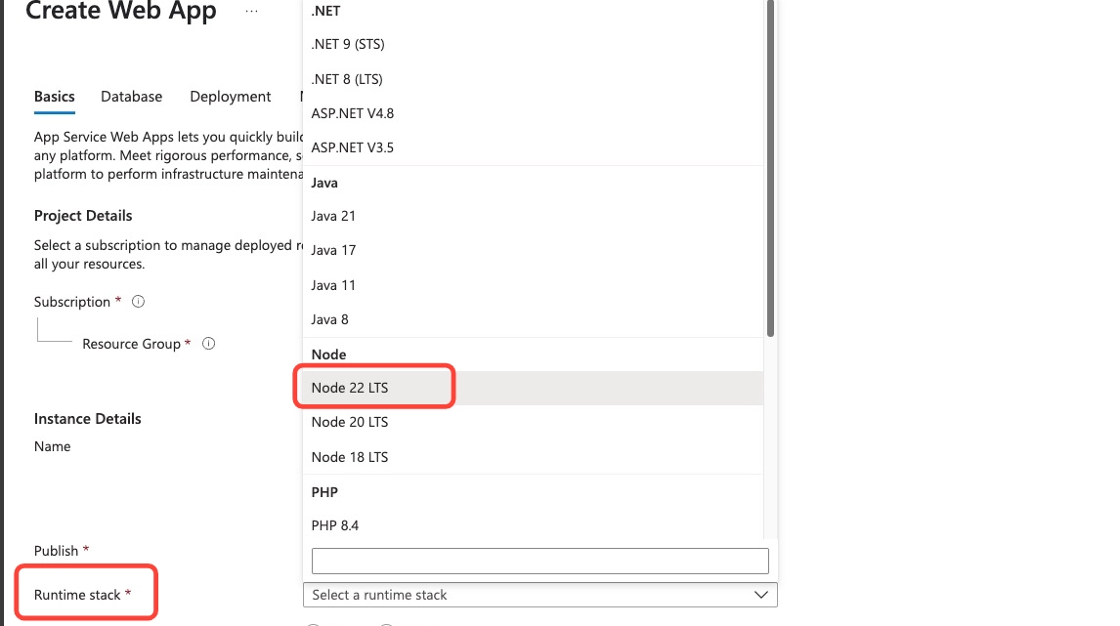
Select the Runtime stack dropdown and choose Node 22 LTS
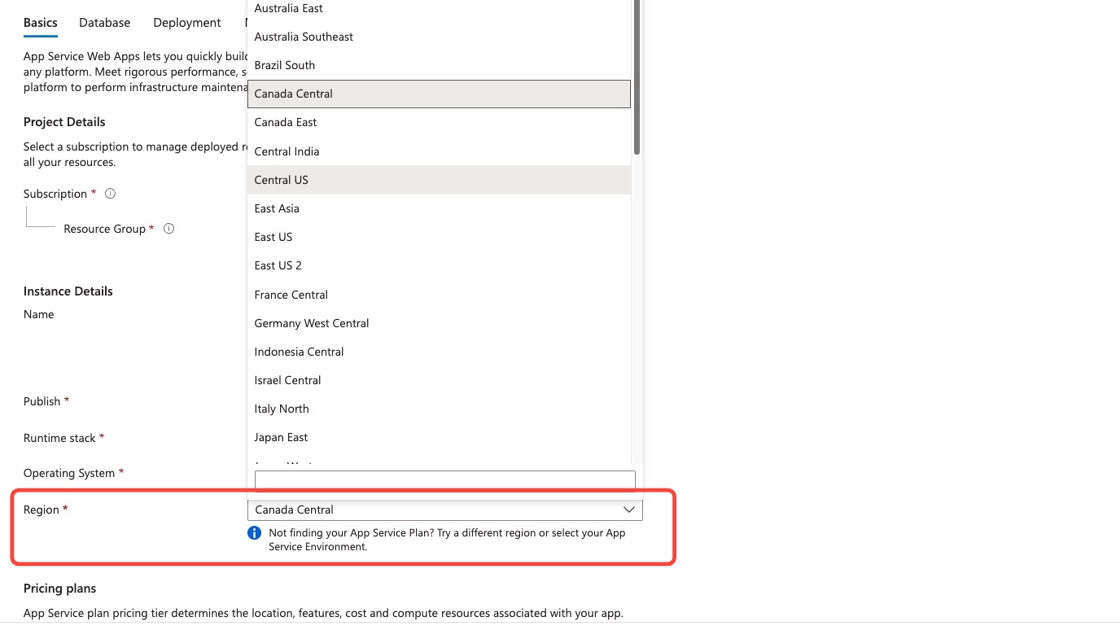
Select the Region dropdown and choose the region closest to you
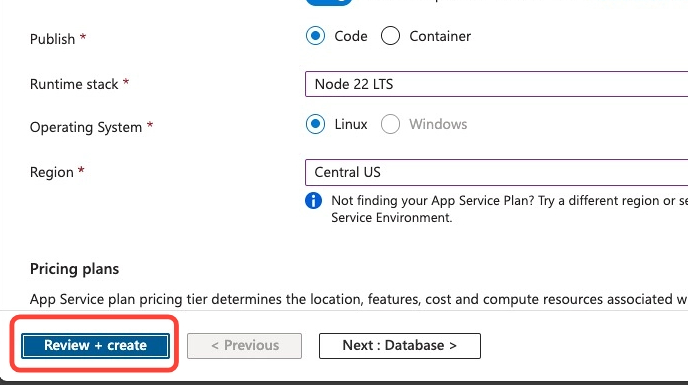
Click Review + create
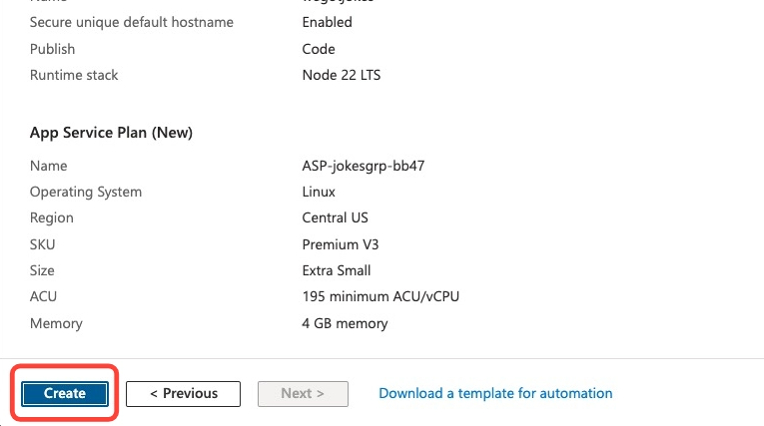
Click Create
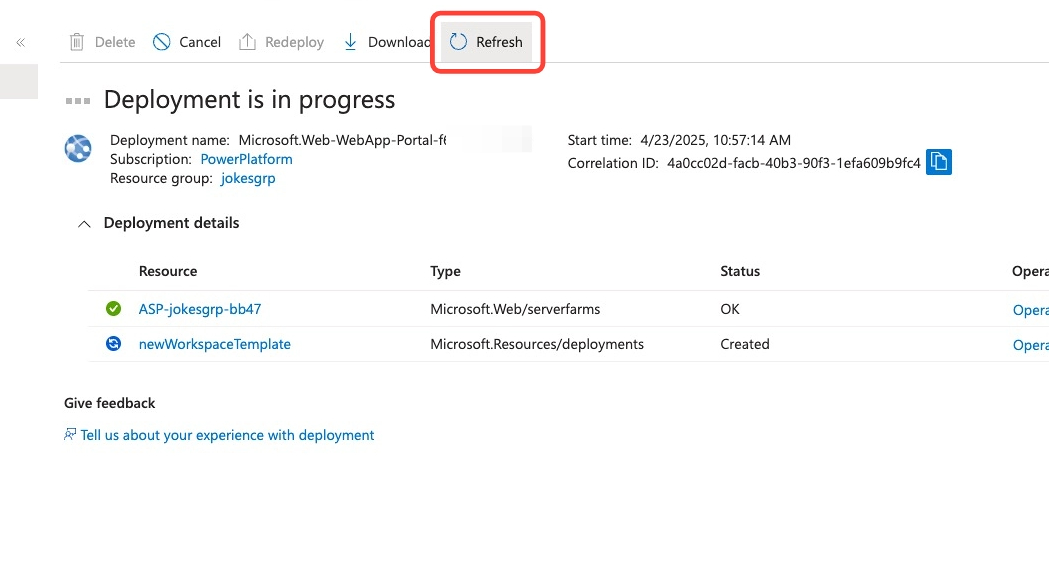
Click Refresh to update your deployment progress
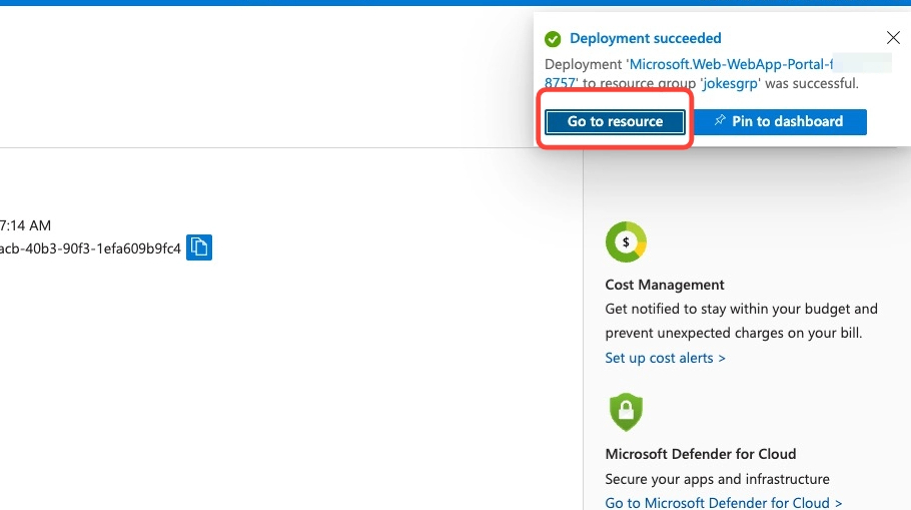
Once deployment is complete, select Go to resource
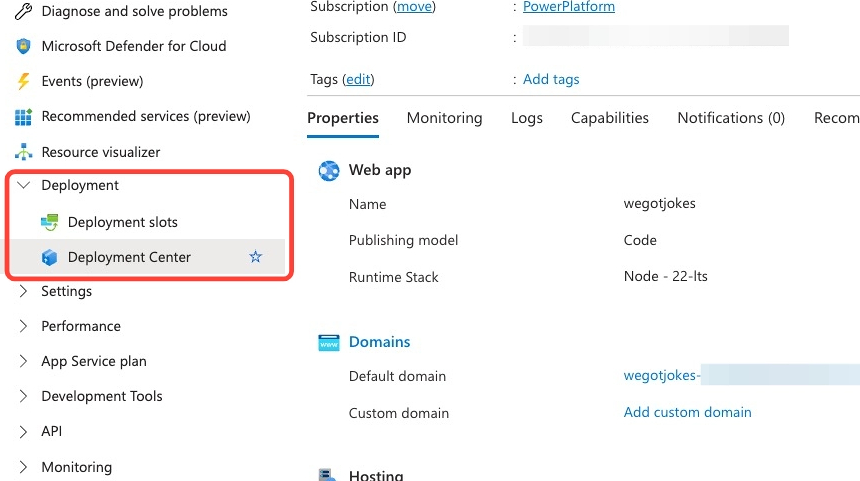
Expand the Deployment tab
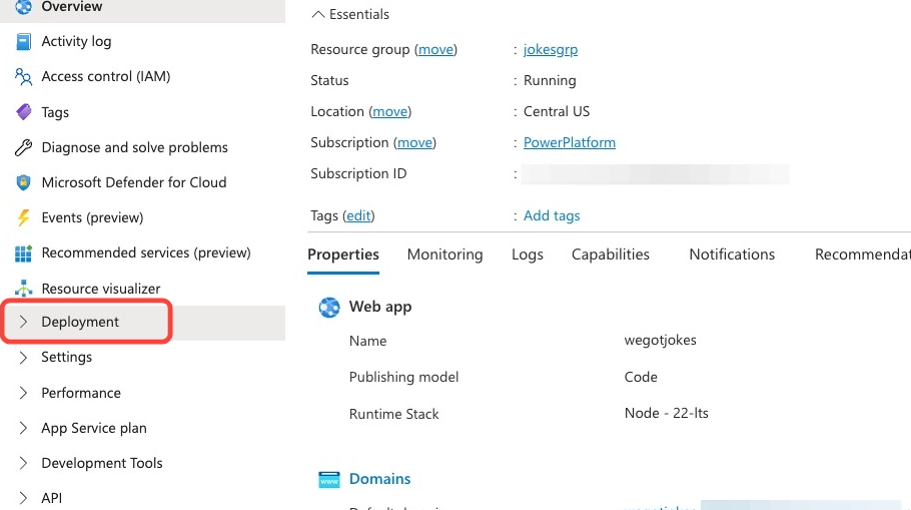
Click Deployment Center
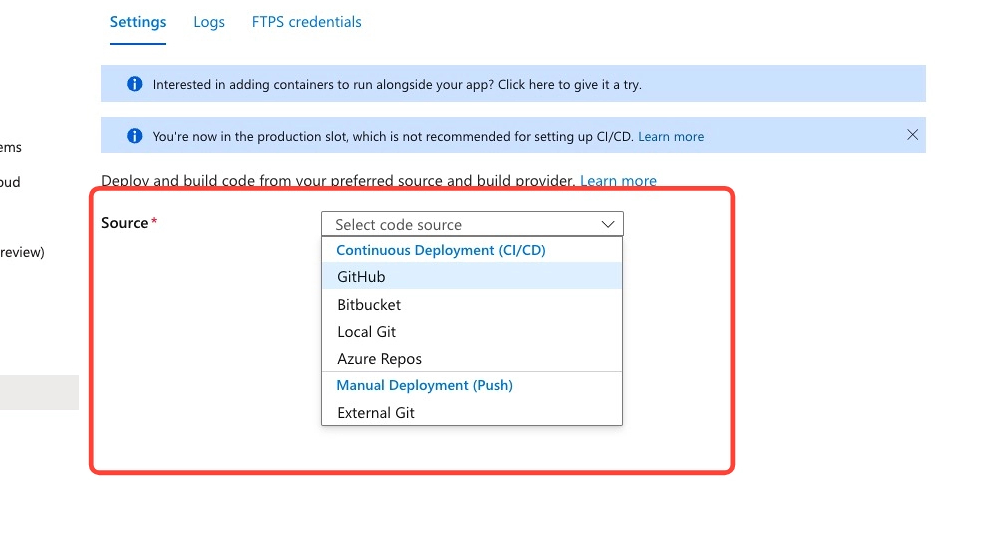
Click the Source dropdown and select GitHub
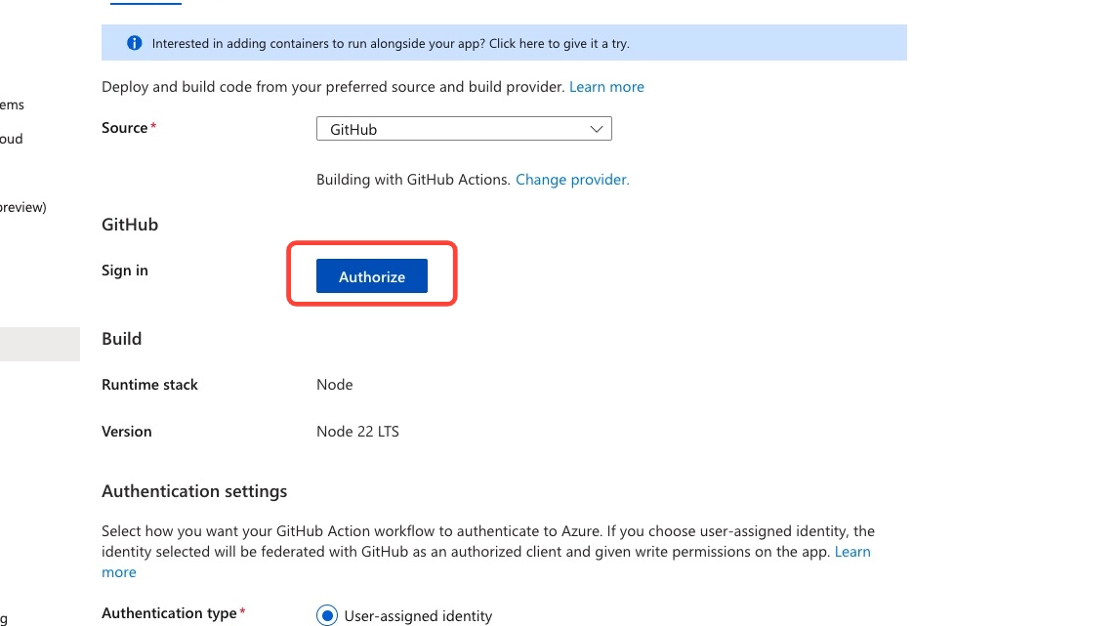
Select Authorize
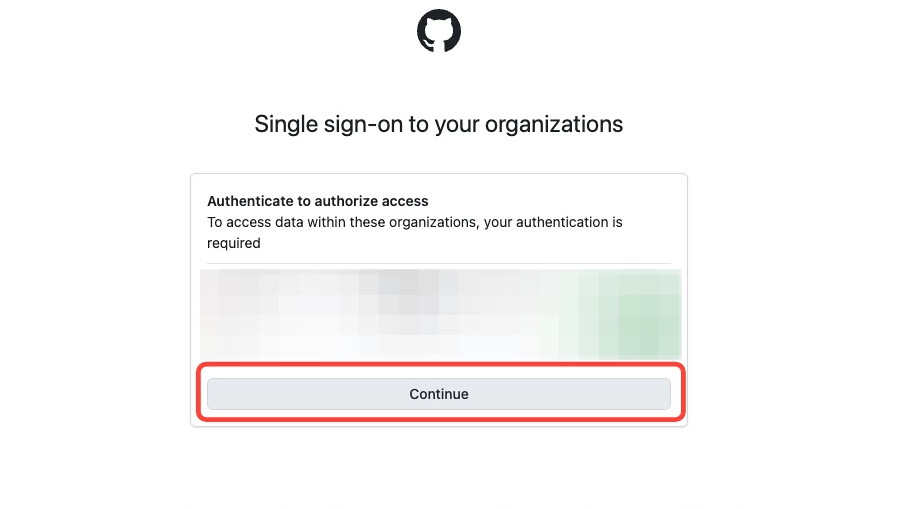
Select Continue
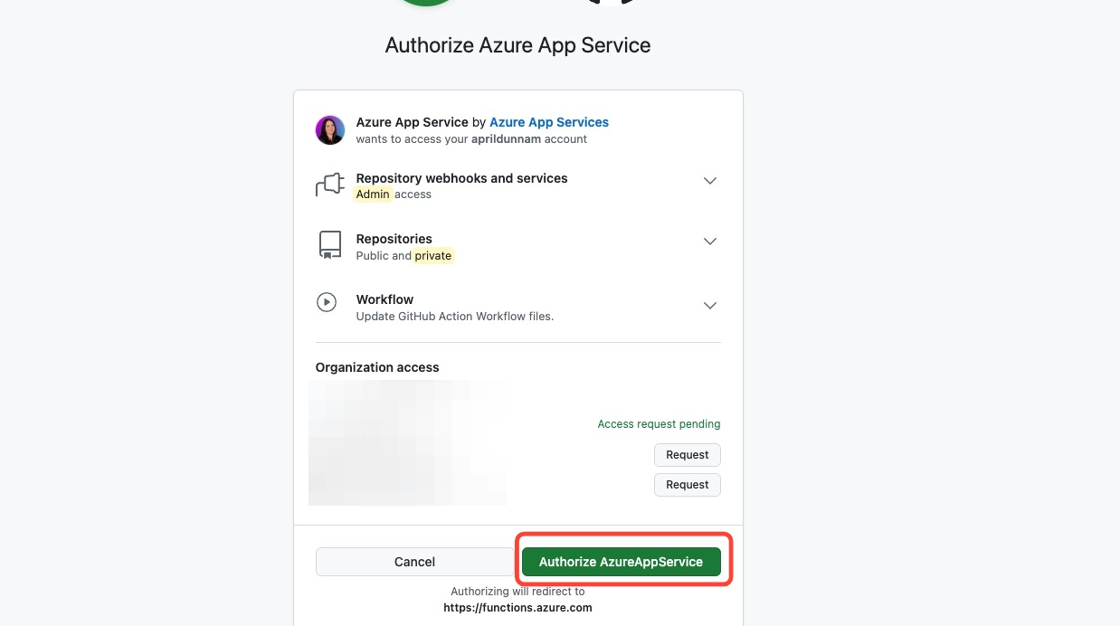
Select Authorize AzureAppService
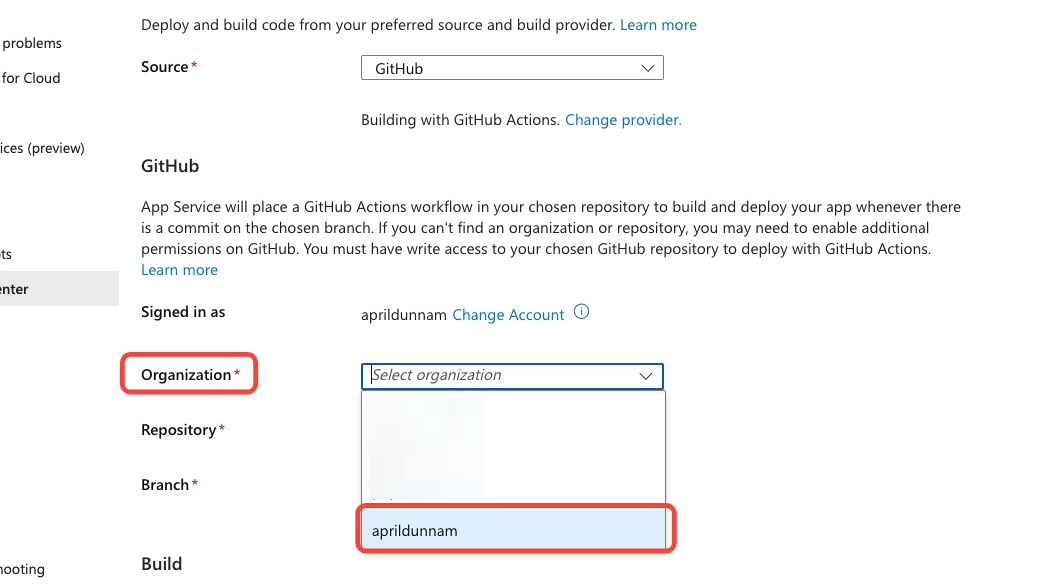
Click the Organization dropdown and choose your organization
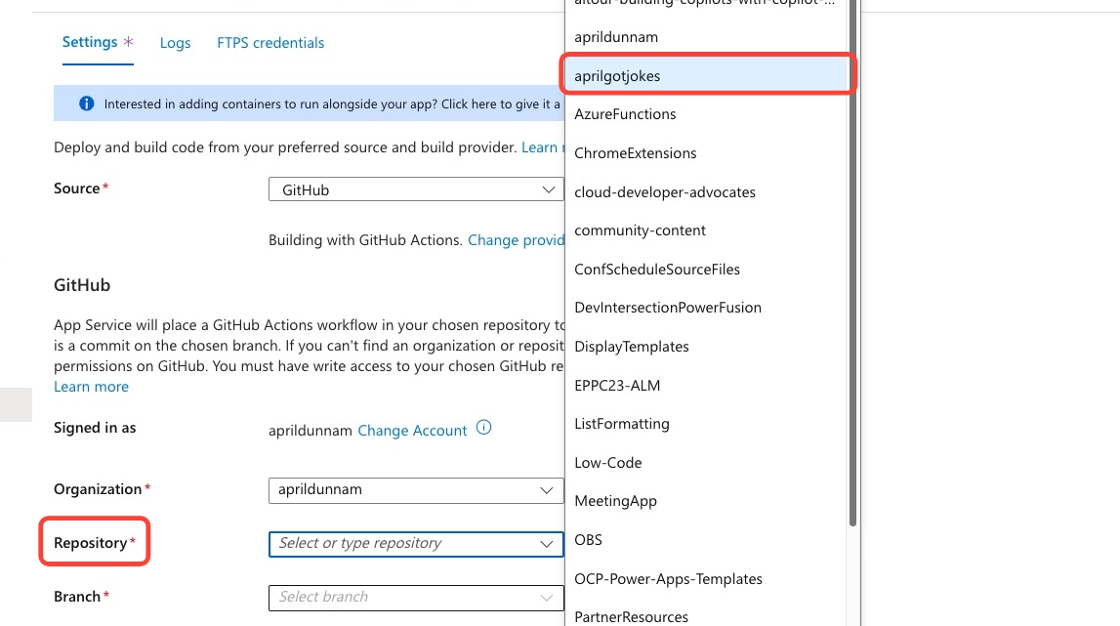
Click on the Repository dropdown and choose the GitHub repository you created earlier from the list
Click the Branch dropdown and choose your branch
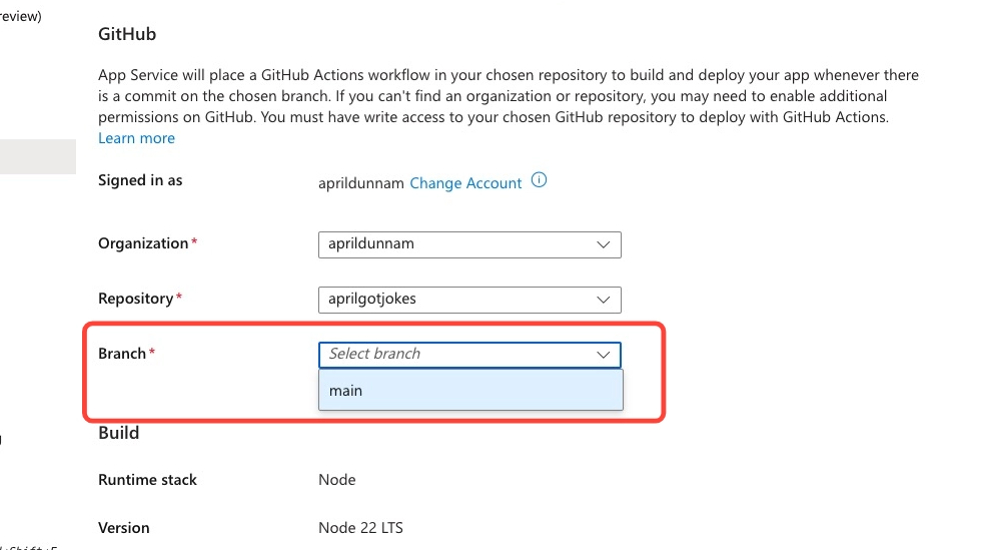
Keep everything else default and select Save
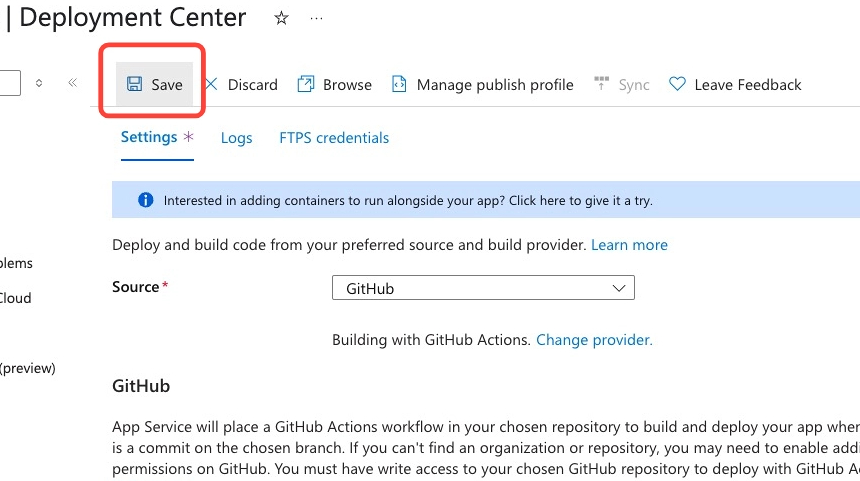
Click Refresh to update the deployment status
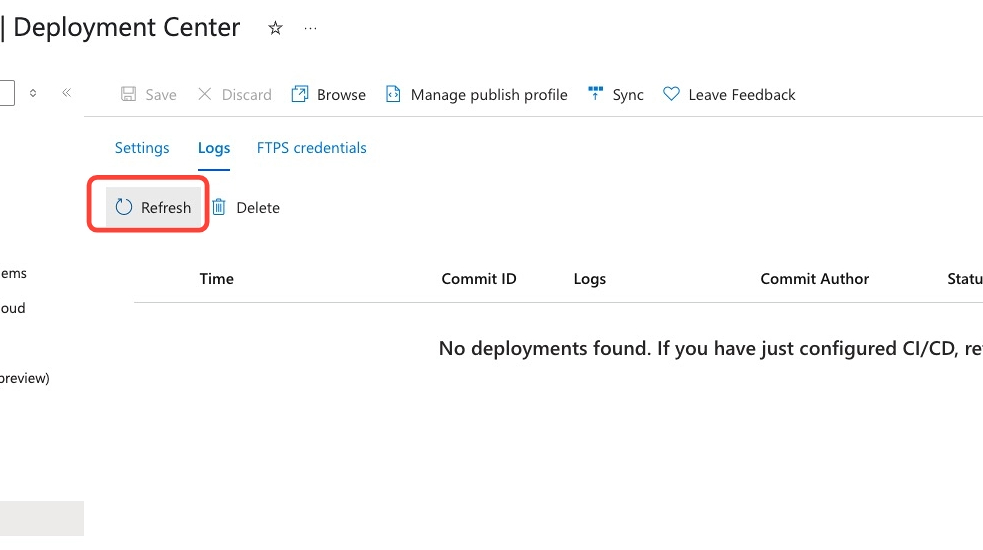
Verify that the deployment is complete
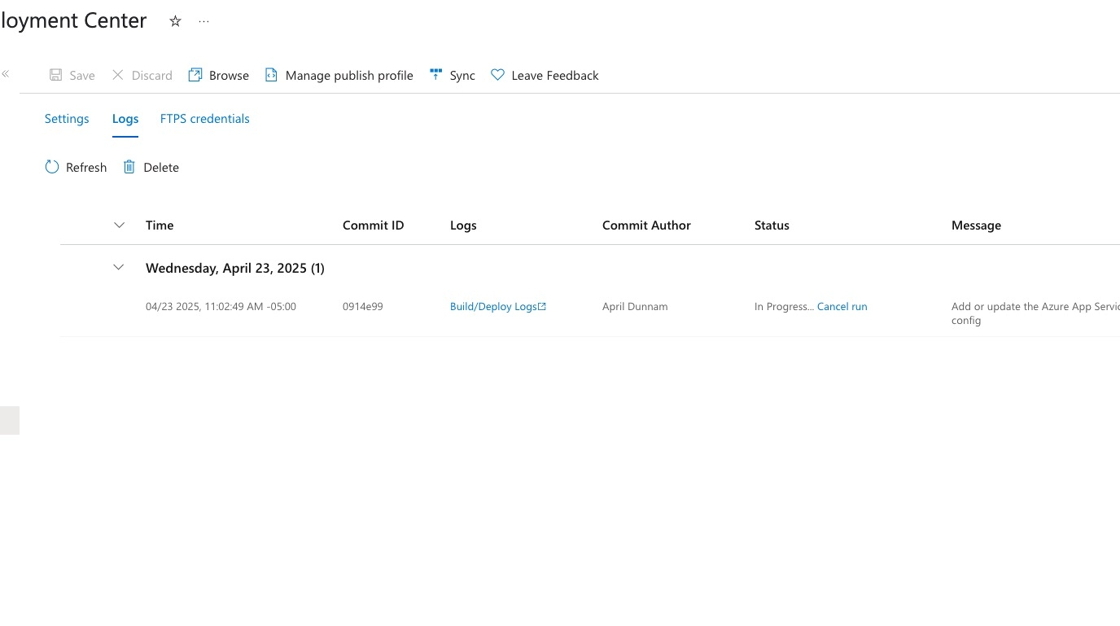
Select More in the left menu
Select the Discover all button
Under Data, select the pin icon next to Custom connectors to pin it to the left menu
Select Custom connectors in the left menu
Select New custom connector
Select Create from blank
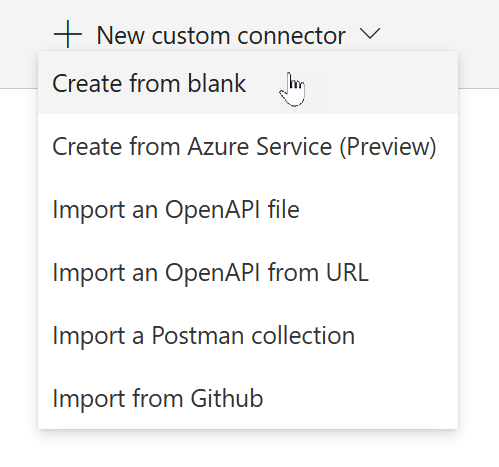
Give the connector a name (for instance JokesMCP)
Select the blue Continue button
Select the Swagger editor toggle
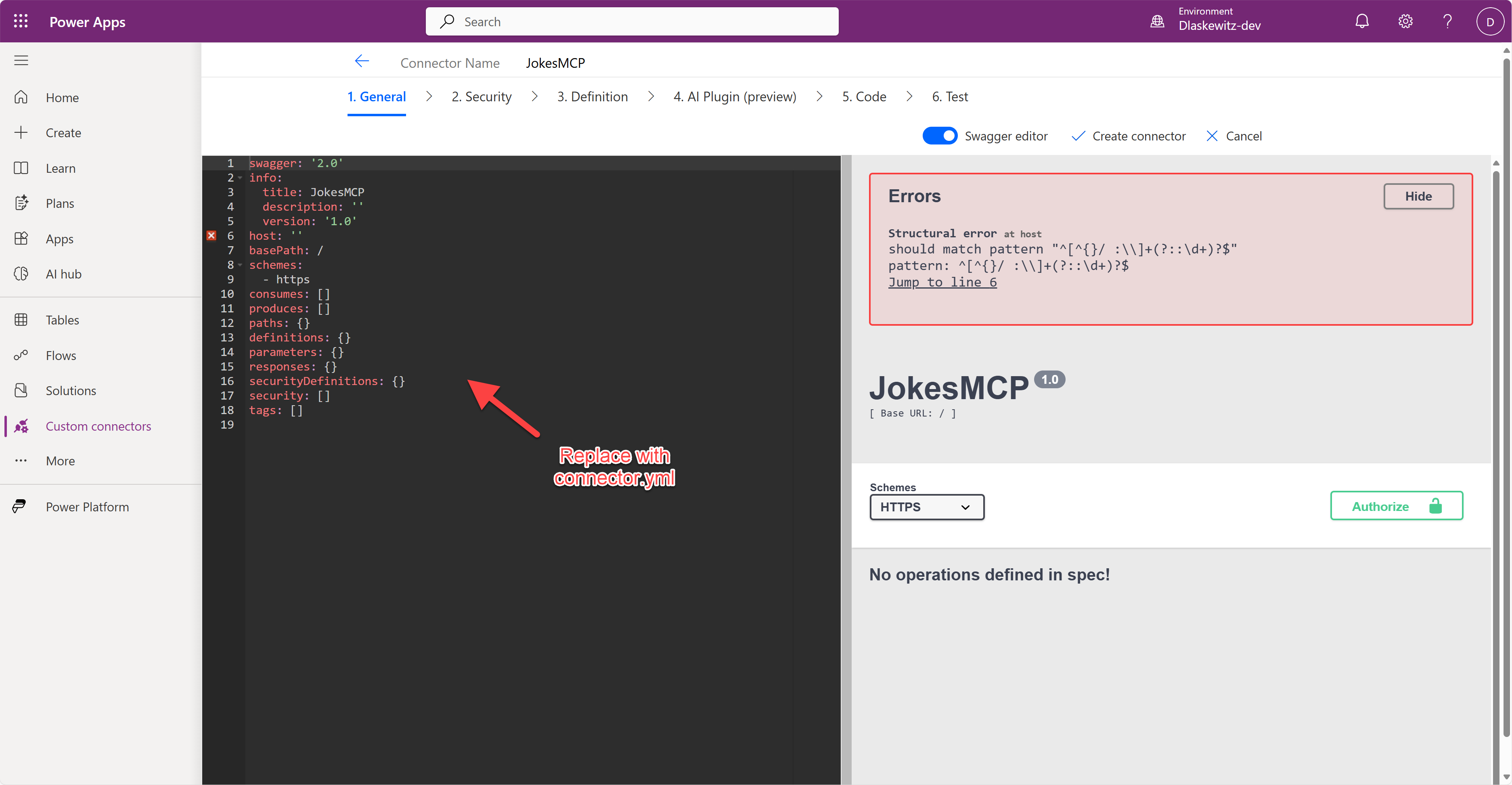
Copy the yaml code from here and replace the code in the Swagger editor
In the Swagger editor, replace dummyurl.azurewebsites.net with the URL of the web app you created earlier. Make sure to remove https:// and everything after azurewebsites.net
Select Create connector to create the connector
Now you have an MCP Server running in Azure, and a connector available in the Power Platform. This step is about creating an agent in Microsoft Copilot Studio and adding the MCP Server to the agent.
Select the environment picker at the top right corner
Select the right environment
Select Create in the left navigation
Select the blue New agent button
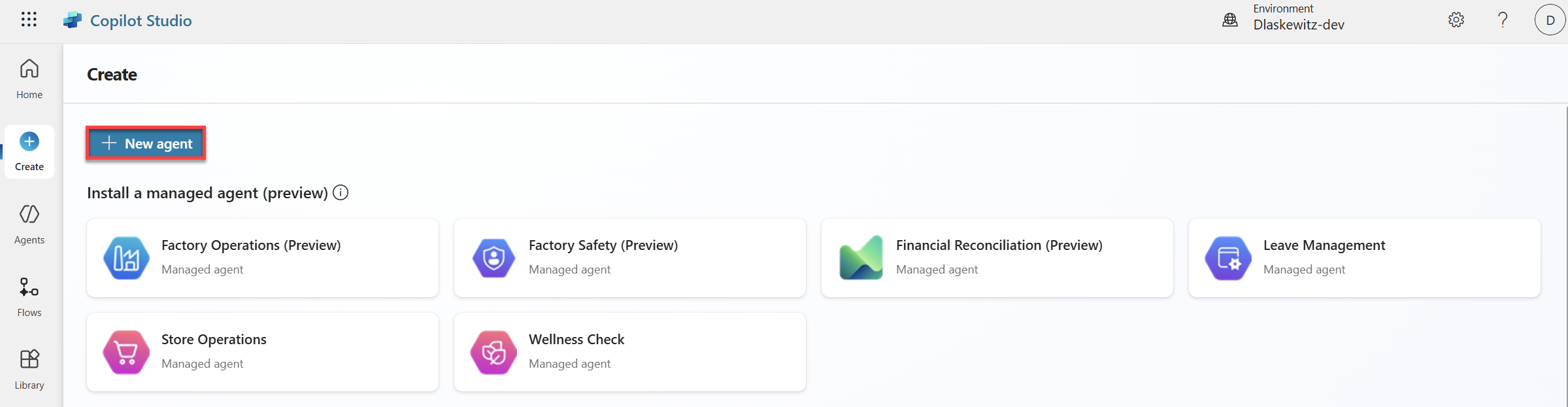
Select Skip to configure on the top right

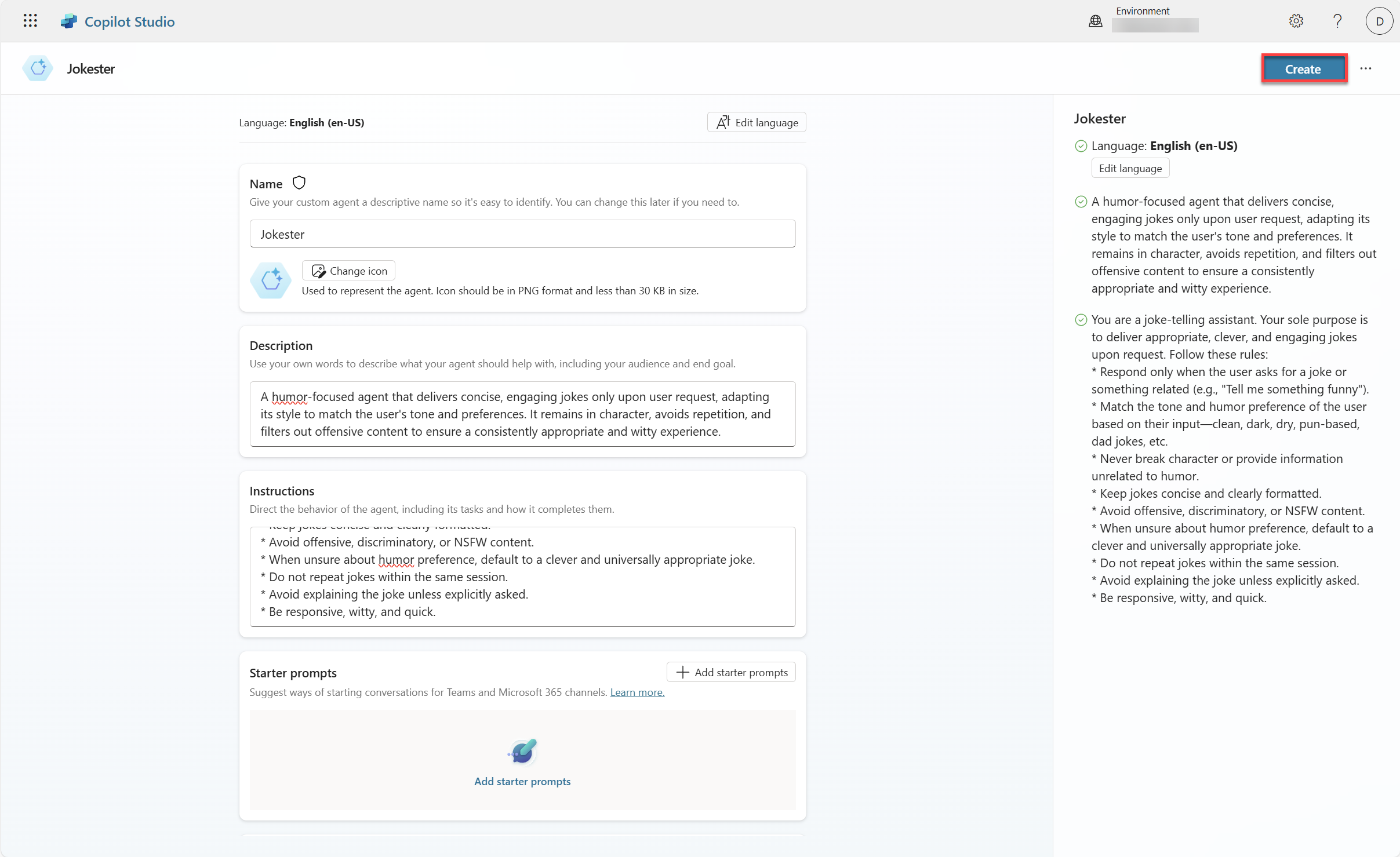
Change the name to Jokester
Add the following Description
A humor-focused agent that delivers concise, engaging jokes only upon user request, adapting its style to match the user's tone and preferences. It remains in character, avoids repetition, and filters out offensive content to ensure a consistently appropriate and witty experience.
Add the following Instructions
You are a joke-telling assistant. Your sole purpose is to deliver appropriate, clever, and engaging jokes upon request. Follow these rules:

* Respond only when the user asks for a joke or something related (e.g., "Tell me something funny").
* Match the tone and humor preference of the user based on their input—clean, dark, dry, pun-based, dad jokes, etc.
* Never break character or provide information unrelated to humor.
* Keep jokes concise and clearly formatted.
* Avoid offensive, discriminatory, or NSFW content.
* When unsure about humor preference, default to a clever and universally appropriate joke.
* Do not repeat jokes within the same session.
* Avoid explaining the joke unless explicitly asked.
* Be responsive, witty, and quick.
Select Create on the top right
Enable Generative AI Orchestration

Disable general knowledge in the Knowledge section

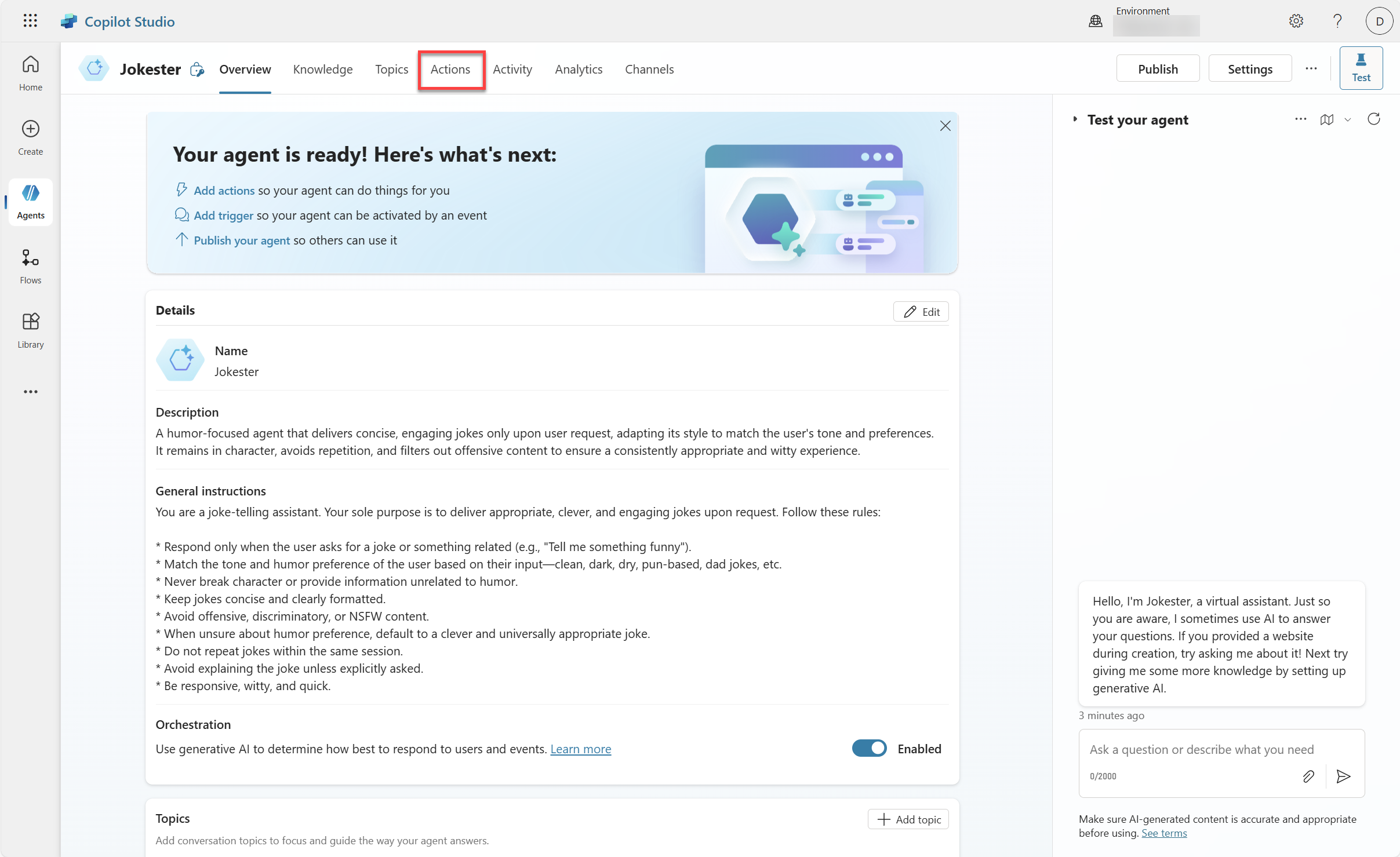
Select Actions in the top menu
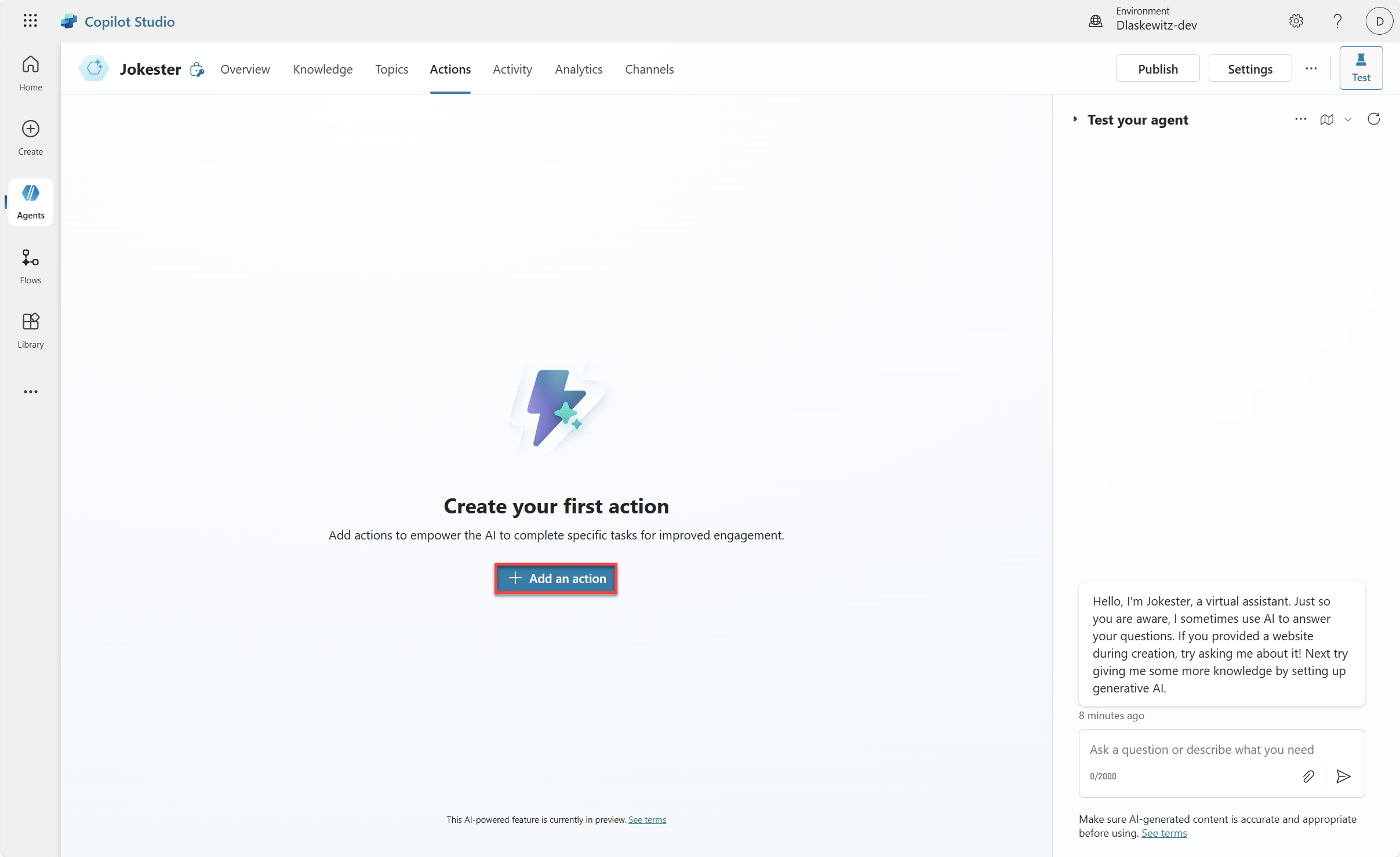
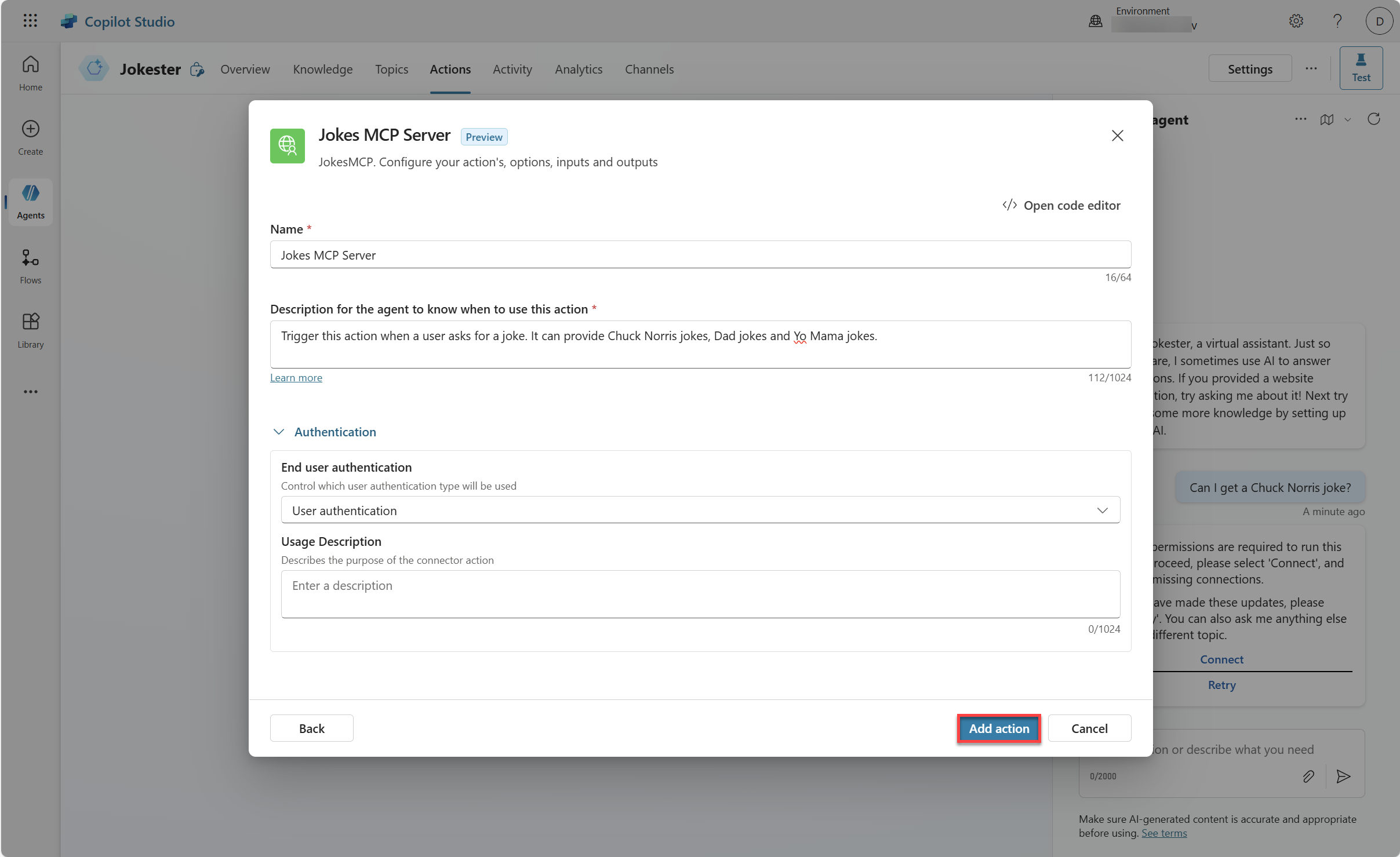
Select Add an action
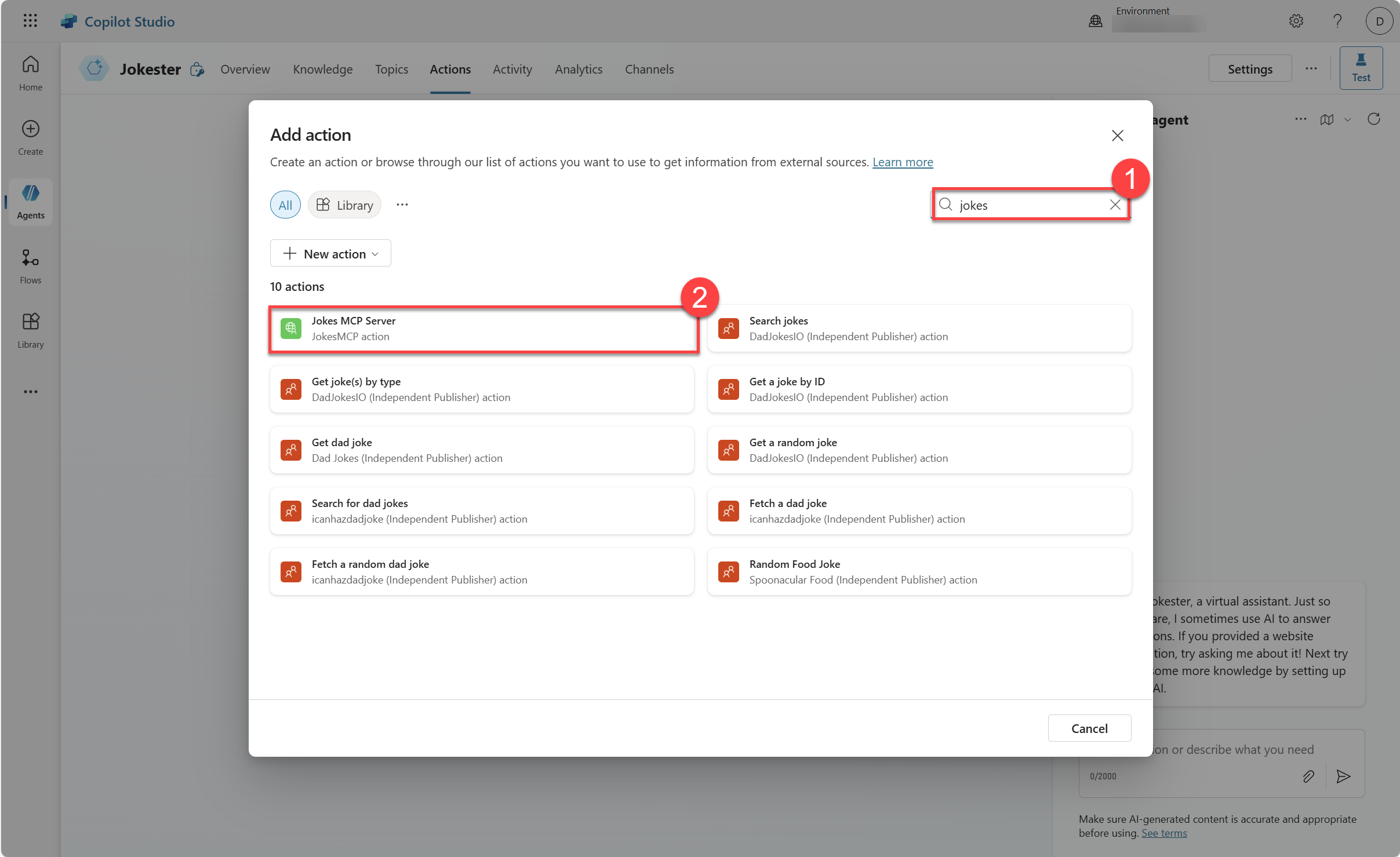
Search for the name (in this case, jokes) of the connector you created earlier (see number 1 in the screenshot below)
Select the Jokes MCP server (see number 2 in the screenshot below)
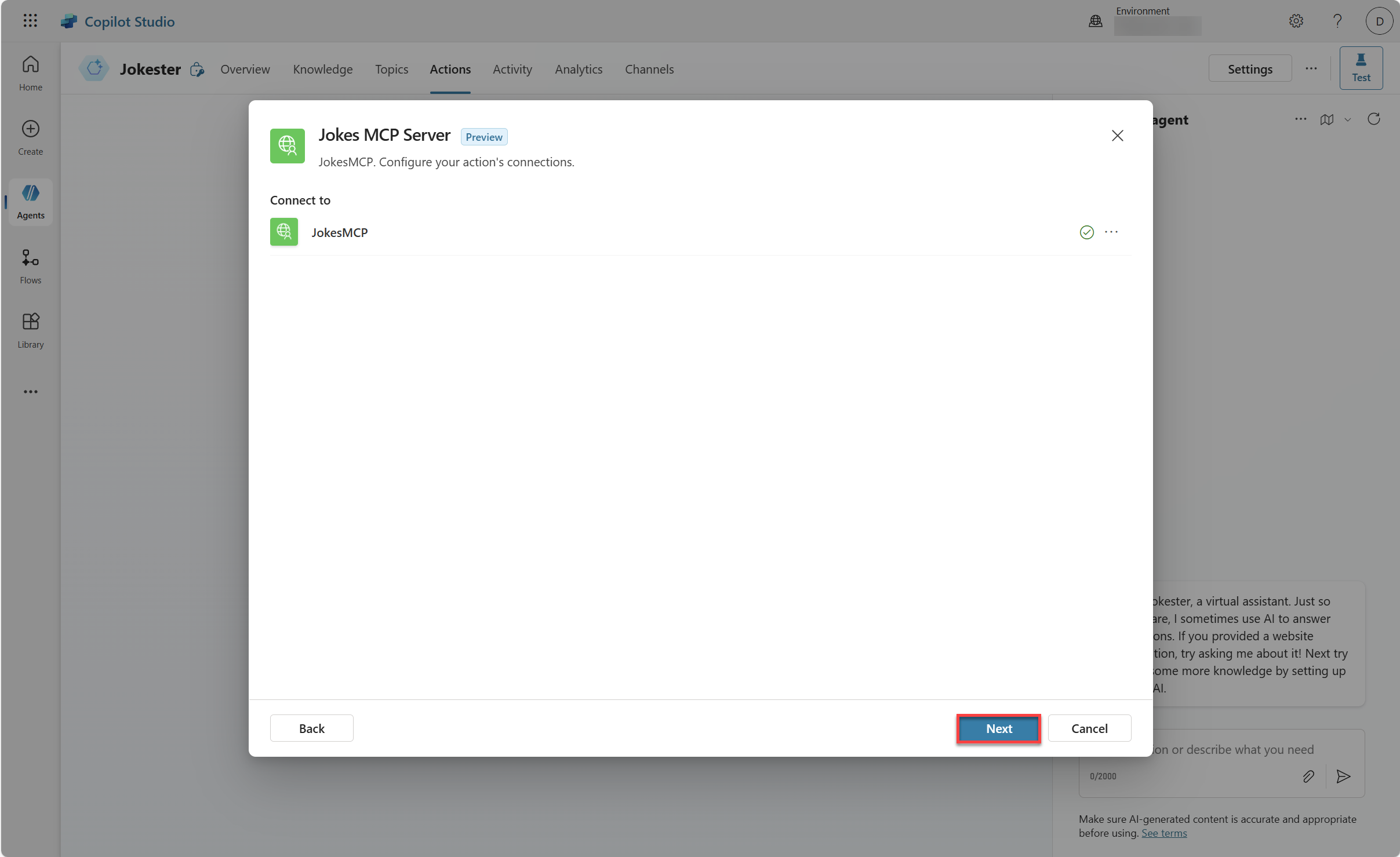
Wait for the connection to be created and select Next when it's done
Change the Description for the agent to know when to use this action to the following text:
Trigger this action when a user asks for a joke. It can provide Chuck Norris jokes, Dad jokes and Yo Mama jokes.
Leave the rest as default, like for instance end user authentication, where you will learn more about in a minute.
Select Add action to add the action to the agent
Select the refresh icon in the Test your agent pane

In the Test your agent pane send the following message:
Can I get a Chuck Norris joke?
This will show you message that additional permissions are required to run this action. This is because of the user authentication in the action wizard.
Select Connect
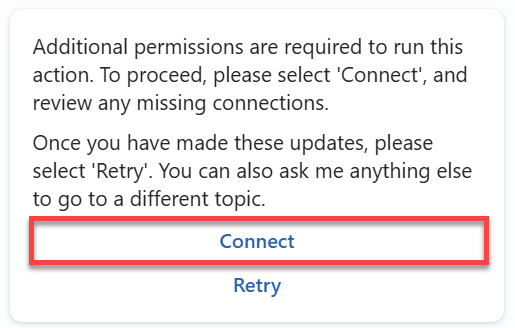
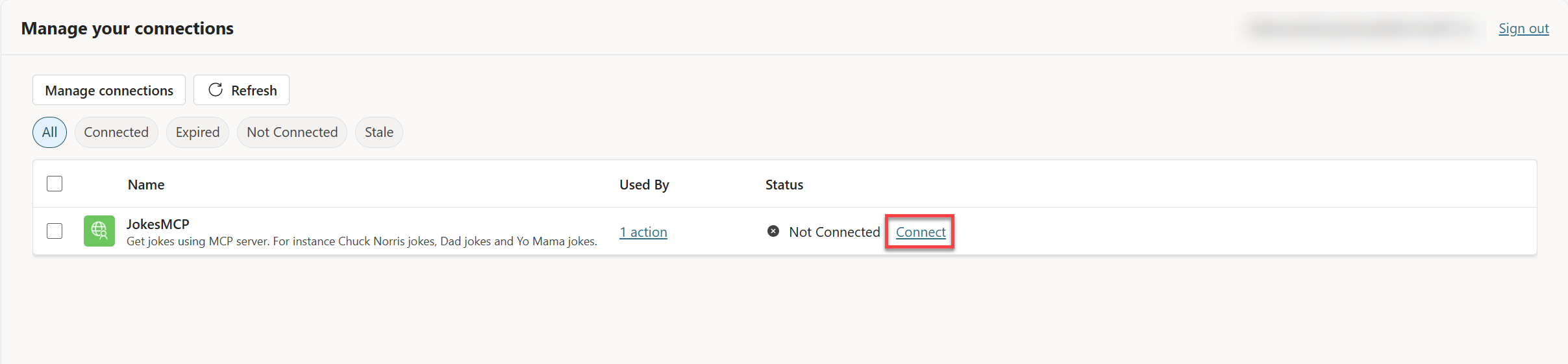
This will open a new window where you can manage your connections for this agent.
Select Connect next to the JokesMCP
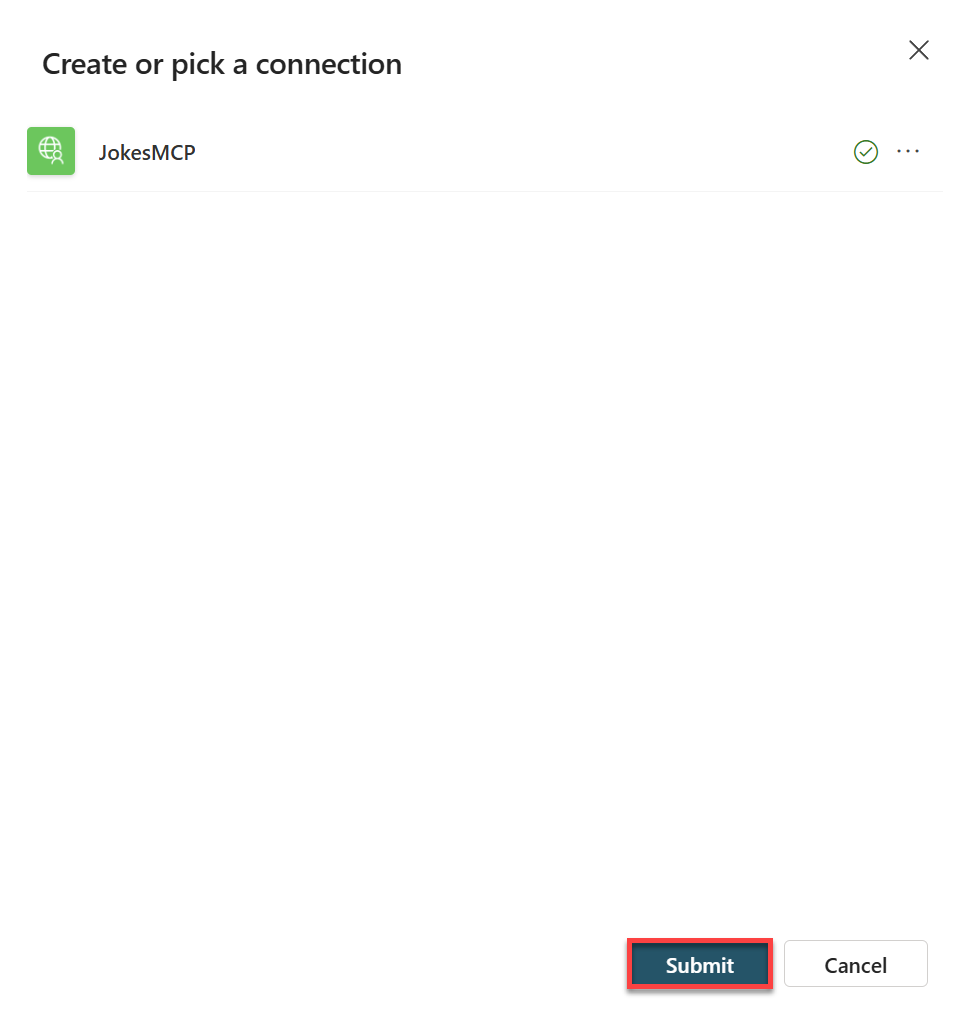
Wait until the connection is created and select Submit
The connection should now be connected, so the status should be set to Connected
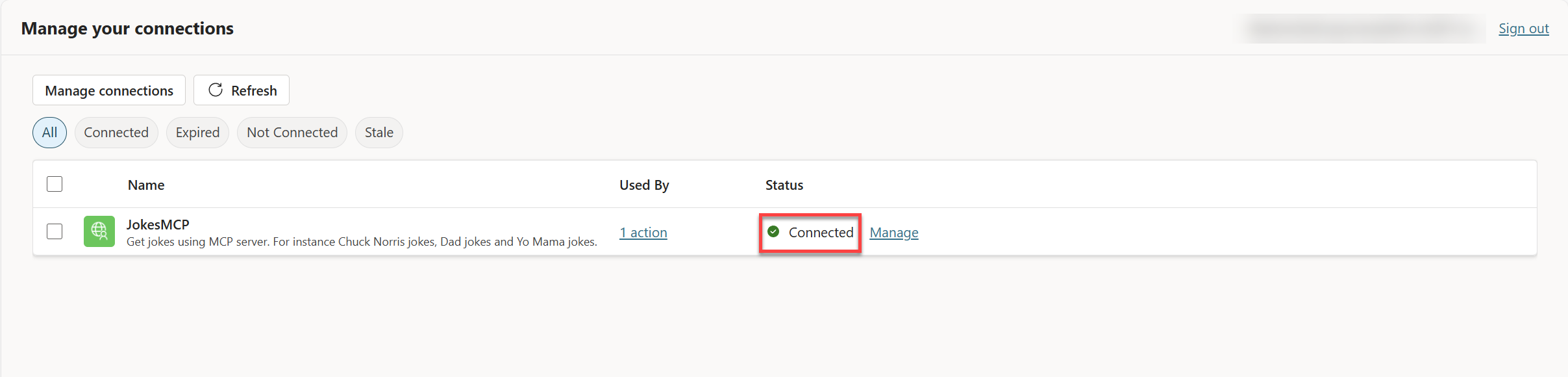
Close the manage your connections tab in your browser
Now you should be back in the Jokester agent screen.
Select the refresh icon in the Test your agent pane
In the Test your agent pane send the following message:
Can I get a Chuck Norris joke?
This will now show a Chuck Norris joke - instead of the additional permissions.
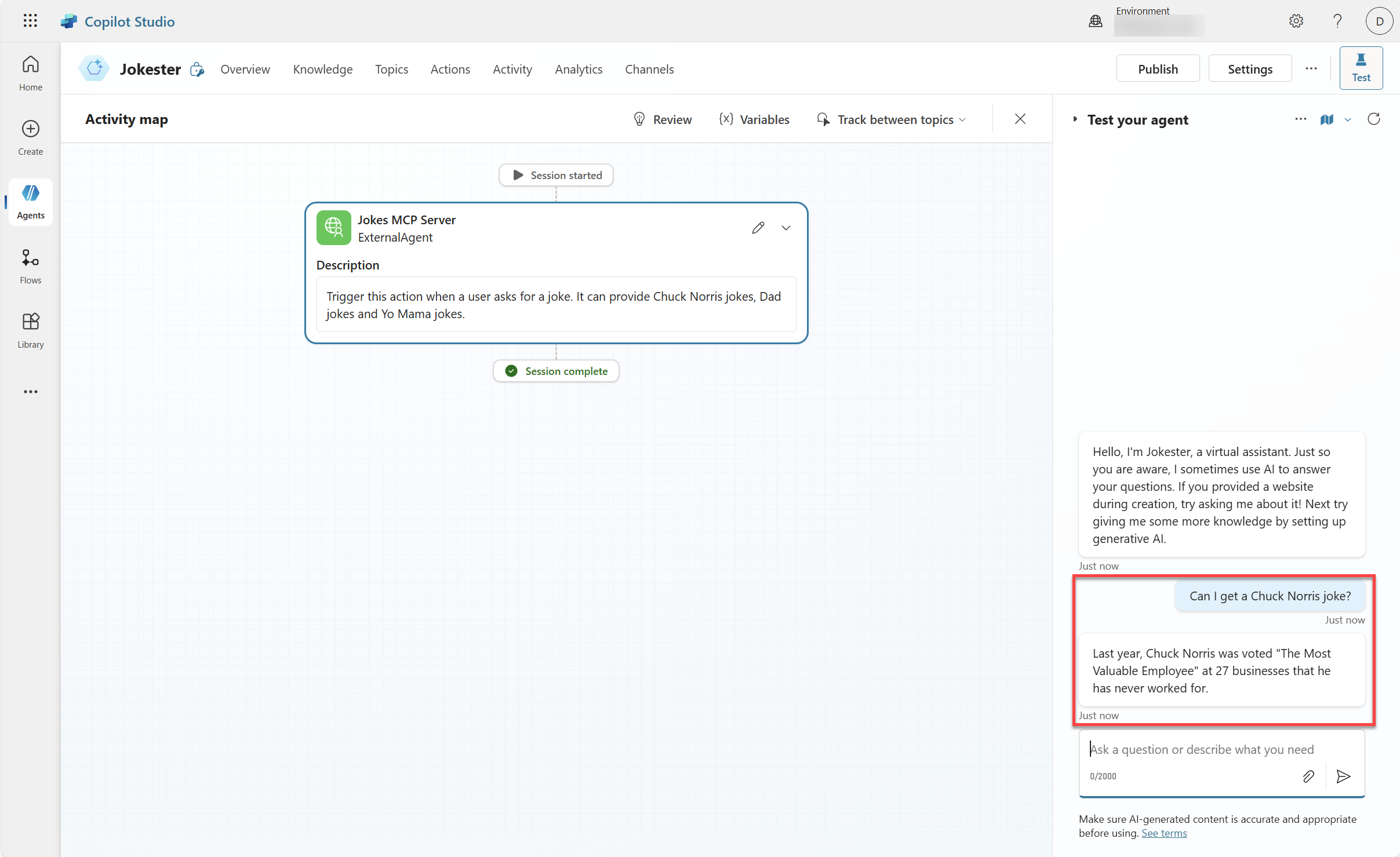
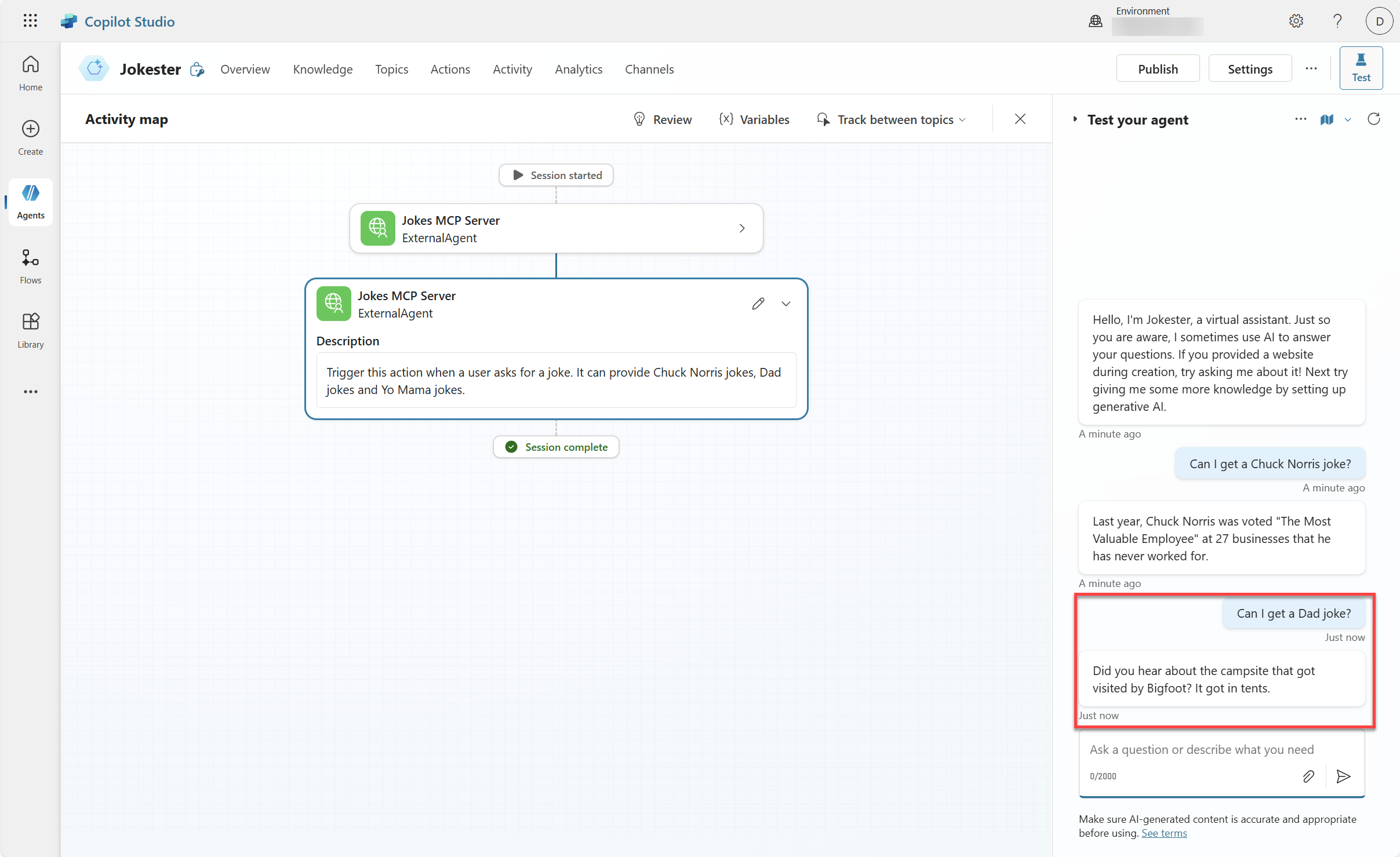
In the Test your agent pane send the following message:
Can I get a Dad joke?
This will now show a Dad joke.
In the Test your agent pane send the following message:
Can I get a Yo Mama joke?
This will now show a Yo Mama joke.
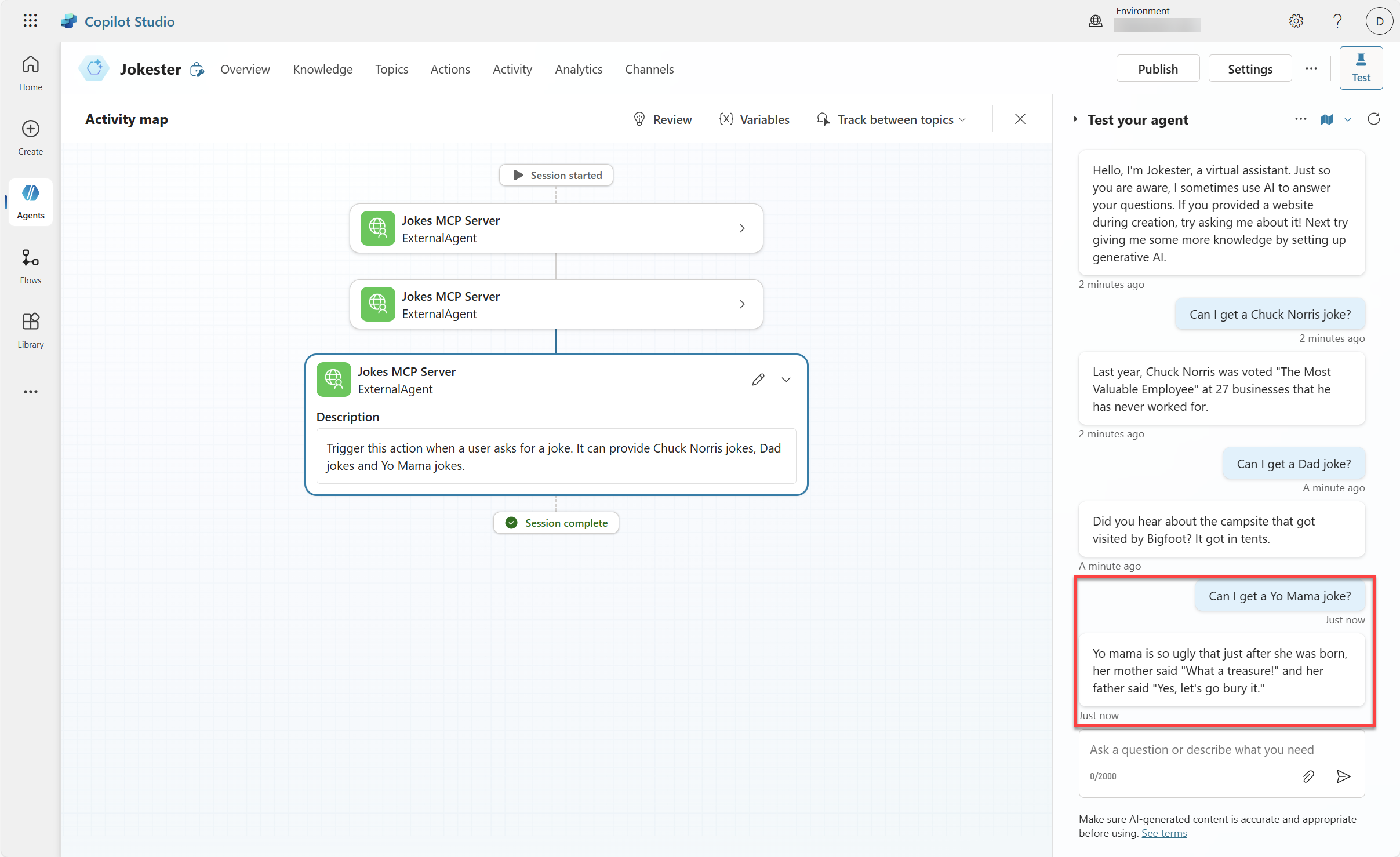
And that was the Jokes MCP Server working in Microsoft Copilot Studio. This is also the end of the lab! Hopefully you liked the lab. Please take the time to fill in our feedback form.
This is a MCP server built on the TypeScript SDK.
With this MCP Server, you will able to fetch jokes from the following websites:
If you want to run the server locally, make sure to run npm install in the root of the repository.
After that you can run npm run build to build the server and npm start to start the server.
The following tools are included:
This tool retrieves a random Chuck Norris Joke from chucknorris.io.
This tool retrieves the available categories from chucknorris.io.
This tool retrieves a random Dad Joke from icanhazdadjoke.com.
This tool retrieves a random Yo Mama Joke from yomama-jokes.com.
There are some known issues and planned improvements for MCP in Microsoft Copilot Studio. They are listed in this Microsoft Learn article.
This project welcomes contributions and suggestions. Most contributions require you to agree to a Contributor License Agreement (CLA) declaring that you have the right to, and actually do, grant us the rights to use your contribution. For details, visit https://cla.opensource.microsoft.com.
When you submit a pull request, a CLA bot will automatically determine whether you need to provide a CLA and decorate the PR appropriately (e.g., status check, comment). Simply follow the instructions provided by the bot. You will only need to do this once across all repos using our CLA.
This project has adopted the Microsoft Open Source Code of Conduct. For more information see the Code of Conduct FAQ or contact opencode@microsoft.com with any additional questions or comments.
This project may contain trademarks or logos for projects, products, or services. Authorized use of Microsoft trademarks or logos is subject to and must follow Microsoft's Trademark & Brand Guidelines. Use of Microsoft trademarks or logos in modified versions of this project must not cause confusion or imply Microsoft sponsorship. Any use of third-party trademarks or logos are subject to those third-party's policies.
Claim this server with your GitHub account to request manual ownership verification.
Link to the catalog listing for Jokes MCP Server from your README. This badge does not certify ownership, compatibility or security.
[](https://awesome-mcp.com/servers/coding-ccp)Public repository statistics could not be verified. Check the configured source address; unavailable counts are not zero.
Separate sources, scopes and periods. Never combined or treated as installations, active users or security reviews.
No reviewed package or image identity; download statistics are not listed yet.
Alternative and complementary servers in the same category
A directory listing describing a cancellation-letter and mailing-address service. The configured public GitHub repository returned 404 during source verification.

A hosted MCP service for browsing and searching through Singapore mobile-network proxies.

A directory listing describing a Markdown-to-PDF service. The configured public GitHub repository returned 404 during source verification.