
A directory listing describing a cancellation-letter and mailing-address service. The configured public GitHub repository returned 404 during source verification.
Repository stats unavailable
Developer Tools
A model-neutral coding runtime MCP server providing file, search, patch, command execution, and git tools to any MCP client.
Coding Tools MCP is cataloged as an MCP server attributed to xytom. A model-neutral coding runtime MCP server providing file, search, patch, command execution, and git tools to any MCP client. It is categorized under developer tools. See the capability inspector for recorded interfaces and their independent review status; consult upstream documentation for the current interface.
Installation configuration is not reviewed. No executable setup is offered for this entry; inspect the source repository before proceeding.
Catalog license label: Apache License 2.0. Check the source repository's current license and terms before using, modifying or distributing this software.
Capability definitions are not reviewed. Unreviewed imports are not exposed as trusted interfaces.
No reviewed records to display. This does not establish that upstream lacks this capability.
No reviewed records to display. This does not establish that upstream lacks this capability.
No reviewed records to display. This does not establish that upstream lacks this capability.
Email delivery is not connected. This page does not collect email addresses or create subscriptions.
Browse the registry for current listings instead.
Reviews for Coding Tools MCP are not available yet
Review publishing and storage are not connected. This page does not collect or publish ratings or comments, including after sign-in.
It offers safe (default), trusted, and dangerous modes, which differ in what commands and shell features are allowed.
Yes, it supports authenticated HTTPS tunnels with bearer tokens and OAuth 2.1 plus PKCE.
README.md · 9f37c8313344 · Fetched 2026-11-13 13:52:04 UTC
Original upstream text, without AI rewriting. Scripts, forms and unsafe links are filtered for safety.
Showing the last retrieved documentation snapshot; check the source for current changes.
English | 简体中文
Give any AI chat or agent a safe pair of hands on your codebase.






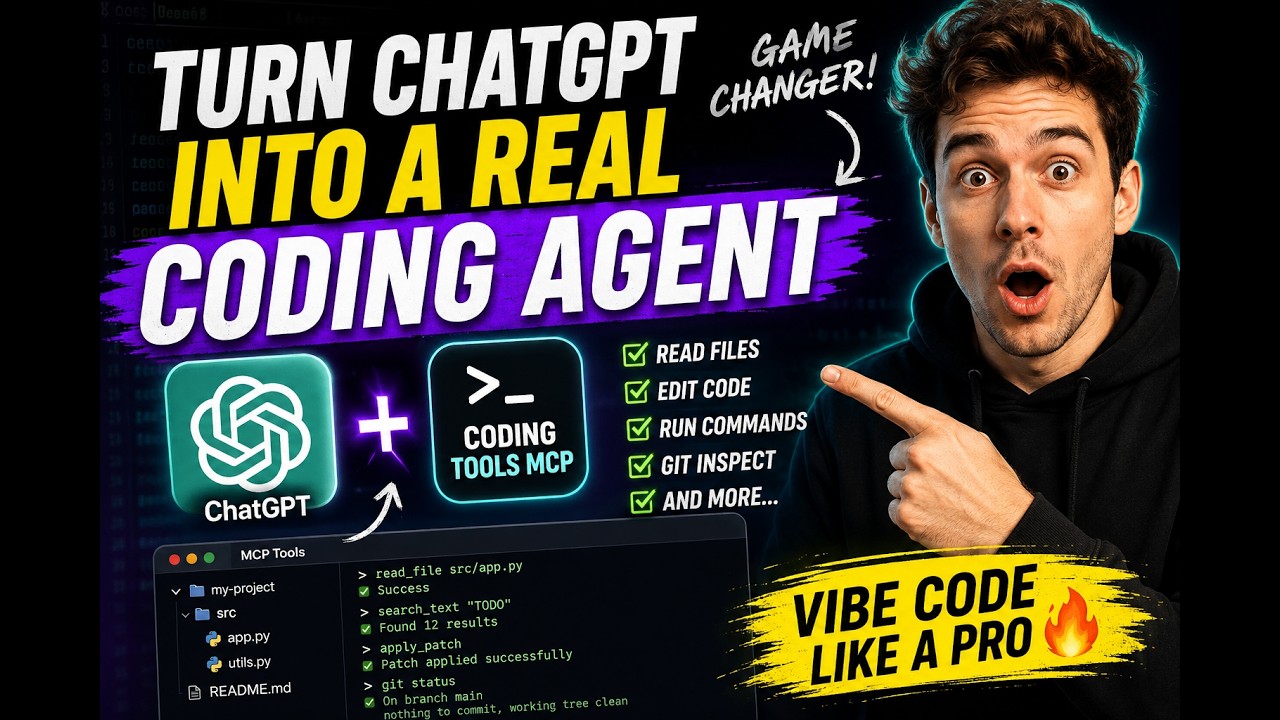
Coding Tools MCP is a model-neutral coding runtime served over the Model Context Protocol: file reading and search, structured multi-file patches, command execution, interactive sessions, and git — one server that any MCP client can drive. Claude Desktop, Claude Code, Codex, Cursor, Cline, VS Code, Windsurf, Gemini CLI, or an agent you build yourself gets the default catalog of 18 battle-tested tools, confined to one workspace and gated by permission modes.
.. traversal, and symlink escapes are rejected.
Permission modes gate network access, shell expansion, inline scripts, and
destructive commands. On Linux, Landlock adds
kernel-level filesystem confinement.Run it with whichever toolchain you already have (the server is Python ≥ 3.11
from PyPI; the npm package is a thin launcher that starts it via uv or
pipx):
uvx coding-tools-mcp --stdio --workspace /path/to/repo   # Python toolchain
npx coding-tools-mcp --stdio --workspace /path/to/repo   # Node toolchain
Wire it into Claude Desktop, Claude Code, Codex, Cursor, VS Code, Windsurf,
Gemini CLI, or Cline — the JSON is the same everywhere (swap uvx for npx
if you prefer Node):
{
  "mcpServers": {
    "coding-tools": {
      "command": "uvx",
      "args": ["coding-tools-mcp", "--stdio", "--workspace", "/path/to/repo"]
    }
  }
}
Then ask your client: "run the test suite and fix the first failure."
Prefer HTTP? Drop --stdio and the server speaks Streamable HTTP on
http://127.0.0.1:8765/mcp. Both protocol eras are served on either
transport: MCP 2026-07-28 in full, with tools as the only advertised
capability, and the handshake era 2025-11-25 with 2025-06-18
compatibility. Neither has sessions. A one-line installer, per-client
walkthroughs, and troubleshooting live in
docs/quickstart.md and
docs/mcp-client-config.md.
1. Make Claude Desktop your coding agent. The config above is all it takes — the chat window you already pay for can now read, patch, test, and commit-review a real repository.
2. Code on your own machine from anywhere.
CODING_TOOLS_MCP_AUTH_MODE=bearer ./integrations/tunnels/tunnel.sh cloudflared /path/to/repo
Loopback bind + authenticated HTTPS tunnel (cloudflared, ngrok, or
Microsoft Dev Tunnel). Point claude.ai on your phone at
https://<tunnel-host>/mcp and drive your home workstation from anywhere.
ChatGPT and Grok connect through their connector settings the same way.
Bearer tokens and OAuth 2.1 + PKCE (with RFC 7591 dynamic registration) are
built in. → docs/remote-mcp.md
3. Let an agent loose on untrusted code — inside a disposable sandbox.
docker build -t coding-tools-mcp-sandbox:local .
docker run --rm --init -it -p 8765:8765 -v "$PWD:/workspace" coding-tools-mcp-sandbox:local
A containerized server with toolchains and caches preconfigured, safe to point at a sketchy PR and destroy afterwards. → docs/docker.md
4. Spin up a cloud sandbox with one MCP call. The bundled
Cloudflare Worker control plane exposes
start_coding_tools_sandbox as an MCP tool: one call dispatches a GitHub
Actions runner that boots the Docker sandbox and publishes it behind an
authenticated Cloudflare Tunnel. Ephemeral compute, no server of your own.
5. Drive it from a GUI.
python -m pip install "coding-tools-mcp[desktop]"
coding-tools-mcp-desktop
Per-workspace profiles, server and tunnel start/stop, credential setup with clipboard helpers, live health checks. English and 简体中文.
6. Keep an interactive command alive. exec_command starts a REPL or
debugger under a real PTY; write_stdin feeds it across turns; read_output
pages long output; kill_command cleans up. Long-running processes are
first-class, with deadline watchdogs and bounded buffers.
7. Give your own agent production-grade hands. Building an agent loop with the Anthropic SDK or anything else? Don't hand-roll file and exec tools — speak MCP to this server and inherit the whole safety boundary. → docs/embedding.md
The registry contains 19 truthfully annotated tools. The default safe and
trusted modes advertise 18; dangerous also advertises
request_permissions, the only mode in which that tool can grant anything.
apply_patch and apply_changes are the file-mutation primitives: both are
staged, baseline-checked, atomic across files, and support rollback.
| Group | Tools |
|---|---|
| Files & search | read_file · list_dir · list_files · search_text · apply_patch · apply_changes · view_image |
| Execution | exec_command · write_stdin · read_output · kill_command · request_permissions (dangerous only) |
| Git | git_status · git_diff · git_log · git_show · git_blame |
| Runtime | server_info · check_exec_environment |
Root AGENTS.md/CLAUDE.md files load automatically and come back in the
instructions of initialize, or of server/discover for a client that
never handshakes. Tool content is concise agent-facing text;
structuredContent carries the complete machine result. Schemas and result
envelopes: docs/tools-and-schemas.md ·
docs/runtime-contract-v0.3.md.
| Mode | Meant for | What it allows |
|---|---|---|
safe (default) | day-to-day agent work | file tools and vetted commands; network-looking commands, shell expansion, inline scripts, and destructive commands all require explicit permission |
trusted | local development | opens network, shell expansion, and inline scripts; keeps secret filtering and destructive-command checks |
dangerous | isolated containers/VMs only | disables exec_command permission gates; workspace path boundaries still apply |
Recursive listing and search exclude .git, node_modules, build outputs,
virtualenvs, and caches. Commands run with workspace-bound cwd, scrubbed
environment, timeouts, and output caps. Linux hosts with Landlock get
kernel-enforced filesystem confinement; other platforms get an explicit
warning — this is still not a complete OS sandbox, so use the Docker image or
a VM for genuinely untrusted work. Details:
SECURITY.md · docs/security-boundary.md ·
docs/permission-modes.md
The server sends anonymous usage telemetry (per-tool success/latency counters
and version/platform dimensions — never paths, arguments, commands, or file
contents) to help prioritize fixes. Disable it with
CODING_TOOLS_MCP_TELEMETRY=off or DO_NOT_TRACK=1; it is automatically off
in CI. CODING_TOOLS_MCP_TELEMETRY=debug prints every event to stderr instead
of sending. The full event list and guarantees are in
docs/telemetry.md.
Every release ships through a tag-triggered pipeline in which the compliance
suite, real-workload benchmark, and SWE-bench harness run from the same commit
that publishes to PyPI and npm — both via trusted publishing, npm with
provenance. Dogfood efficiency metrics are reproducible (make dogfood-smoke)
and checked in under reports/. This repository does not claim a
model-generated SWE-bench leaderboard result — see
docs/swe-bench.md for exactly what is and is not
measured. More: COMPLIANCE.md · BENCHMARK.md ·
docs/dogfood.md
| Documentation map | Browse docs by topic |
| Getting started | Quickstart · Client configuration · Troubleshooting |
| Remote & sandboxed | Remote MCP · Docker sandbox · Cloud sandbox worker |
| Tools & contract | Tools and schemas · Runtime contract · Migrating to 0.3 · Permission modes |
| Execution | Exec recipes · Exec troubleshooting |
| Integration | Embedding · npm launcher |
| Security & quality | Security policy · Security boundary · CI and tests · Limitations · Competitive analysis |
python -m pip install -e ".[dev]"
make ci        # lint, typecheck, tests, protocol/integration suites, gates
The full gate matrix is in docs/ci-and-tests.md.
This project is licensed under the Apache License 2.0.
If you use code, documentation, substantial implementation details, or derivative work from this project, preserve the copyright notice, license notice, and NOTICE file, and clearly attribute the original project.
Project: Coding Tools MCP
Author: Coding Tools MCP Contributors
Source: https://github.com/xyTom/coding-tools-mcp
Citation metadata is available in CITATION.cff.
Claim this server with your GitHub account to request manual ownership verification.
Link to the catalog listing for Coding Tools MCP from your README. This badge does not certify ownership, compatibility or security.
[](https://awesome-mcp.com/servers/coding-tools-mcp)Public repository statistics could not be verified. Check the configured source address; unavailable counts are not zero.
Separate sources, scopes and periods. Never combined or treated as installations, active users or security reviews.
No reviewed package or image identity; download statistics are not listed yet.
Alternative and complementary servers in the same category
A directory listing describing a cancellation-letter and mailing-address service. The configured public GitHub repository returned 404 during source verification.

A hosted MCP service for browsing and searching through Singapore mobile-network proxies.

A directory listing describing a Markdown-to-PDF service. The configured public GitHub repository returned 404 during source verification.