
A directory listing describing a cancellation-letter and mailing-address service. The configured public GitHub repository returned 404 during source verification.
Repository stats unavailable
Developer Tools
A Go tool that distills command output and retrieves code context before it reaches a paid LLM, available as a Skill, standalone CLI, and MCP server.
context-distill is cataloged as an MCP server attributed to jcastilloa. A Go tool that distills command output and retrieves code context before it reaches a paid LLM, available as a Skill, standalone CLI, and MCP server. It is categorized under developer tools. See the capability inspector for recorded interfaces and their independent review status; consult upstream documentation for the current interface.
Installation configuration is not reviewed. No executable setup is offered for this entry; inspect the source repository before proceeding.
Catalog license label: Not specified. Check the source repository's current license and terms before using, modifying or distributing this software.
Capability definitions are not reviewed. Unreviewed imports are not exposed as trusted interfaces.
No reviewed records to display. This does not establish that upstream lacks this capability.
No reviewed records to display. This does not establish that upstream lacks this capability.
No reviewed records to display. This does not establish that upstream lacks this capability.
Email delivery is not connected. This page does not collect email addresses or create subscriptions.
Browse the registry for current listings instead.
Reviews for context-distill are not available yet
Review publishing and storage are not connected. This page does not collect or publish ratings or comments, including after sign-in.
It runs as an MCP server over `stdio` transport.
It supports Ollama and any OpenAI-compatible provider.
README.md · cae446a995e7 · Fetched 2026-11-13 08:18:59 UTC
Original upstream text, without AI rewriting. Scripts, forms and unsafe links are filtered for safety.
Showing the last retrieved documentation snapshot; check the source for current changes.
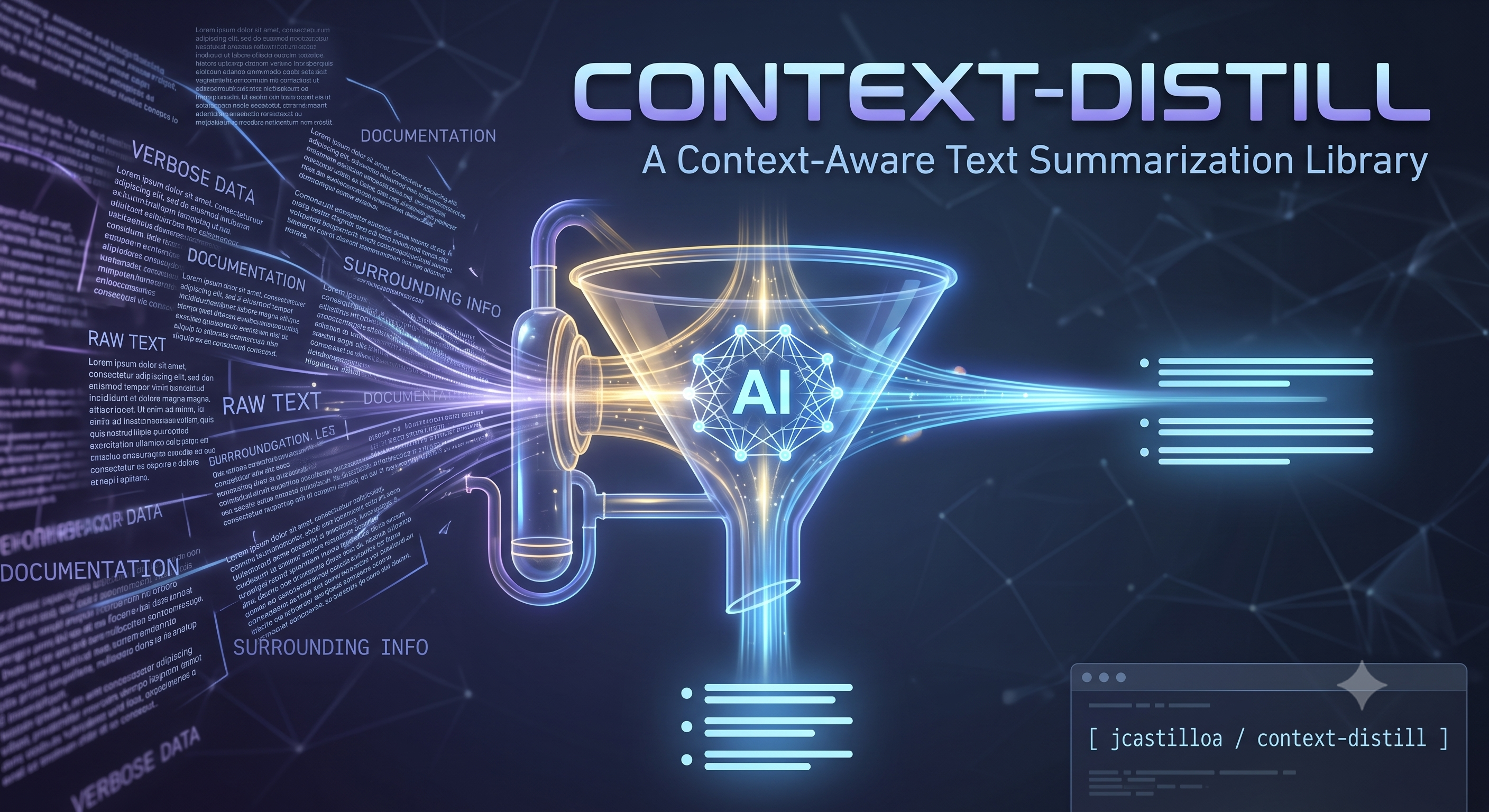
A Go tool that distills command output and retrieves code context before it reaches a paid LLM. Available as a Skill (recommended), a standalone CLI, and an MCP server. Inspired by the distill CLI and built with hexagonal architecture, dependency injection, and TDD.
context-distill exposes four operations accessible in three ways:
| Mode | Best for | How it works |
|---|---|---|
| Skill ⭐ (recommended) | Any agent that can read markdown and run shell commands | The agent reads a SKILL.md file from its own skills directory and learns when and how to invoke the CLI. Zero config on the agent side. |
| CLI | Local scripts, CI pipelines, shell-capable agents | Direct subcommands: context-distill distill_batch, context-distill distill_mcp_output, context-distill distill_watch, context-distill search_code. |
| MCP | Agents/clients with native MCP support (Claude Desktop, Cursor, Codex…) | Runs as an MCP server over stdio transport. |
| Operation | Purpose |
|---|---|
distill_batch | Compresses full command output to answer a single, explicit question. |
distill_mcp_output | Distills raw MCP payloads, or calls an MCP tool and distills its result in one step. |
distill_watch | Compares two consecutive snapshots and returns only the relevant delta. |
search_code | Locates relevant repository code and returns compact matches for the next reasoning step. |
All three modes share the same underlying use cases, validation rules, and output behavior. Only the invocation method differs.
It also provides:
--config-ui).| Skill | CLI | MCP | |
|---|---|---|---|
| Agent config required | None — just drop SKILL.md in the agent's skills directory | Agent must know how to run shell commands | Register server in client config |
| Works across agents | ✅ Any agent that reads markdown | ✅ Any agent that runs shell | ⚠️ Only MCP-compatible clients |
| Setup complexity | Copy one file per agent | Install binary | Install binary + register transport |
| Portability | Works in any repo | Works in any shell | Tied to MCP client config |
Skill mode works because modern coding agents (Codex, Claude Code, Cursor, Aider, OpenCode…) already know how to read project documentation and execute shell commands. A SKILL.md file teaches the agent when to distill or retrieve code context and how to call the CLI — no protocol integration needed.
distill_batch, distill_mcp_output, distill_watch, and search_code.distill/domain, distill/application, platform/*.sarulabs/di.viper + .env.--config-ui).If you prefer not to compile, you can install a prebuilt binary from GitHub Releases (see below).
make build
The binary is placed at ./bin/context-distill.
To install it into your PATH:
make install
# installs to ~/.local/bin/context-distill
Linux / macOS:
# Latest release
curl -fsSL https://raw.githubusercontent.com/jcastilloa/context-distill/master/scripts/install.sh | sh

# Specific version
curl -fsSL https://raw.githubusercontent.com/jcastilloa/context-distill/master/scripts/install.sh | VERSION=vX.Y.Z sh
Windows (PowerShell):
# Latest release
iwr https://raw.githubusercontent.com/jcastilloa/context-distill/master/scripts/install.ps1 -UseBasicParsing | iex

# Specific version
$env:VERSION='vX.Y.Z'; iwr https://raw.githubusercontent.com/jcastilloa/context-distill/master/scripts/install.ps1 -UseBasicParsing | iex
Installer environment variables:
| Variable | Default |
|---|---|
REPO | jcastilloa/context-distill |
SERVICE_NAME | context-distill |
INSTALL_DIR | ~/.local/bin (Linux/macOS) · %LOCALAPPDATA%\context-distill\bin (Windows) |
VERSION | Latest release tag |
make help
| Target | Description |
|---|---|
make build | Build the binary to ./bin/context-distill |
make install | Install binary to ~/.local/bin/context-distill |
make clean | Remove ./bin |
context-distill --config-ui
echo "PASS: TestA, PASS: TestB, FAIL: TestC - expected 4 got 5" | context-distill distill_batch --question "Did tests pass? Return only PASS or FAIL. If FAIL, list failing test names."
context-distill distill_watch --question "What changed? Return one short sentence." --previous-cycle "services: api=OK, db=OK, cache=OK" --current-cycle "services: api=OK, db=FAIL, cache=OK"
context-distill distill_mcp_output \
  --tool-name "list_items" \
  --question "Return only item names, one per line." \
  --output '[{"type":"text","text":"[{\"id\":\"a1\",\"name\":\"Alpha\"},{\"id\":\"b2\",\"name\":\"Beta\"}]"}]'
context-distill distill_mcp_output \
  --server-command "/absolute/path/to/mcp-server" \
  --server-arg "--transport" \
  --server-arg "stdio" \
  --tool-name "get_status" \
  --tool-arguments '{"scope":"production"}' \
  --question "Return only status and version as JSON."
context-distill search_code --query "provider_name" --mode text --question "Return only file:line, one per line."
If commands return expected compact answers, setup is ready.
Copy SKILL.md into the appropriate agent skills directory (see Skill Setup). Your agent will read it automatically and start distilling.
Use the subcommands directly in scripts or agent shell calls:
# Pipe (preferred)
echo "data" | context-distill distill_batch --question "..."

# Explicit flag
context-distill distill_batch --question "..." --input "data"

# Explicit stdin marker
echo "data" | context-distill distill_batch --question "..." --input -

# MCP payload distillation
context-distill distill_mcp_output --tool-name "list_items" --question "Return only item names." --output '<mcp payload>'

# MCP call + distillation in one step
context-distill distill_mcp_output --server-command "/absolute/path/to/mcp-server" --server-arg "--transport" --server-arg "stdio" --tool-name "get_status" --tool-arguments '{"scope":"production"}' --question "Return only status and version as JSON."

# Code retrieval
context-distill search_code --query "LoadDistillConfig" --mode symbol --question "Return likely definitions first as file:line, one per line."
context-distill --transport stdio
Then register the server in your MCP client (see MCP Client Registration).
The canonical installable skill now lives in SKILL.md.
That file is the clearest place to learn the behavior and the easiest file to copy into an agent skills directory.
The skill now covers four concrete workflows:
distill_batch.distill_mcp_output --output.distill_mcp_output --server-command.search_code.Additional ready-to-copy templates live here:
Install SKILL.md at project level, global level, or both:
| Agent | Project-level path | Global path |
|---|---|---|
| Claude Code | .claude/skills/context-distill/SKILL.md | ~/.claude/skills/context-distill/SKILL.md |
| Codex | .codex/skills/context-distill/SKILL.md | ~/.codex/skills/context-distill/SKILL.md |
| OpenCode | .opencode/skills/context-distill/SKILL.md | ~/.opencode/skills/context-distill/SKILL.md |
| Cursor | .cursor/skills/context-distill/SKILL.md | ~/.cursor/skills/context-distill/SKILL.md |
Project-level (recommended for teams): every agent working on the repo picks it up automatically.
Global (recommended for personal use): available in every project without per-repo setup.
mkdir -p .claude/skills/context-distill
cp SKILL.md .claude/skills/context-distill/SKILL.md
for agent in .claude .codex .opencode .cursor; do
  mkdir -p ~/"$agent"/skills/context-distill
  cp SKILL.md ~/"$agent"/skills/context-distill/SKILL.md
done
The CLI commands provide the same capabilities as the MCP tools (distillation + code retrieval) but are invoked directly from the shell. Use them in local scripts, CI pipelines, or with agent runtimes that execute shell commands instead of MCP tools.
# 1. Pipe (preferred)
echo "data" | context-distill distill_batch --question "..."

# 2. Explicit flag
context-distill distill_batch --question "..." --input "data"

# 3. Explicit stdin marker
echo "data" | context-distill distill_batch --question "..." --input -
distill_batchDistills one raw output payload using an explicit question contract.
go test ./... 2>&1 | context-distill distill_batch --question "Did all tests pass? Return only PASS or FAIL."
Flags:
| Flag | Required | Description |
|---|---|---|
--question | yes | Exact question to answer from the command output. |
--input | no | Raw command output to distill. If omitted, reads from stdin. |
distill_mcp_outputDistills MCP results in either of these modes:
--output.context-distill to call an MCP tool first and then distill the result.context-distill distill_mcp_output \
--tool-name "list_items" \
--question "Return only item names, one per line." \
--output '<mcp payload>'
context-distill distill_mcp_output \
  --server-command "/absolute/path/to/mcp-server" \
  --server-arg "--transport" \
  --server-arg "stdio" \
  --tool-name "get_status" \
  --tool-arguments '{"scope":"production"}' \
  --question "Return only status and version as JSON."
Flags:
| Flag | Required | Description |
|---|---|---|
--question | yes | Exact question to answer from the MCP result. |
--tool-name | no* | Helpful context when using --output; required when invoking a server. |
--output | no* | Raw MCP payload to distill directly. |
--server-command | no* | MCP server binary to invoke when --output is omitted. |
--server-arg | no | MCP server argument. Repeat for multiple values. |
--tool-arguments | no | JSON object passed to the target MCP tool. |
* You must provide either --output or a server invocation (--server-command + --tool-name).
distill_watchDistills only the relevant delta between two snapshots.
context-distill distill_watch \
  --question "Return only newly failing services, one per line." \
  --previous-cycle "$(cat /tmp/health.prev)" \
  --current-cycle "$(cat /tmp/health.curr)"
Flags:
| Flag | Required | Description |
|---|---|---|
--question | yes | Exact question to answer from cycle changes. |
--previous-cycle | yes | Previous watch cycle output snapshot. |
--current-cycle | yes | Current watch cycle output snapshot. |
search_codeSearches repository code locally and distills compact matches according to --question.
context-distill search_code \
  --query "distill_watch" \
  --mode symbol \
  --question "Return definitions first, then usages, as file:line."
Important:
--query, --mode, --question, --max-results, --context-lines.search_code mode=text query="..." max_results=5 (that format is not valid CLI syntax).--mode path, treat --query as a path fragment (for example, .go), and use --scope for glob filters.Flags:
| Flag | Required | Description |
|---|---|---|
--query | yes | Search query for text, regex, symbol name, or path fragment. |
--mode | yes | Search mode: text, regex, symbol, or path. |
--question | yes | Output contract for final compact result. |
--scope | no | Optional glob filters (repeat flag or comma-separated). |
--max-results | no | Hard limit for returned candidates (default 20). |
--context-lines | no | Context lines around each match (default 2). |
context-distill --transport stdio
# or without building:
go run ./cmd/server --transport stdio
go run ./cmd/server version
| Flag | Description | Default |
|---|---|---|
--transport | MCP transport mode (stdio) | service.transport |
--config-ui | Open setup UI and exit | false |
After building or installing the binary, register it in your MCP client to use the tool interface.
{
  "mcpServers": {
    "context-distill": {
      "command": "/absolute/path/to/context-distill",
      "args": ["--transport", "stdio"]
    }
  }
}
Add to ~/.codex/config.toml:
[mcp_servers.context-distill]
command = "/absolute/path/to/context-distill"
args = ["--transport", "stdio"]
startup_timeout_sec = 20.0
If you used make install:
[mcp_servers.context-distill]
command = "/home/<your-user>/.local/bin/context-distill"
args = ["--transport", "stdio"]
startup_timeout_sec = 20.0
codex mcp add context-distill -- /absolute/path/to/context-distill --transport stdio
Verify:
codex mcp list
codex mcp get context-distill
Restart your Codex session so it picks up the new server.
opencode mcp add
Follow the prompts:
Current project or Global.context-distill.local./absolute/path/to/context-distill --transport stdio.Verify:
opencode mcp list
If the server is not connected yet, restart your OpenCode session.
opencode.json){
"$schema": "https://opencode.ai/config.json",
"mcp": {
"context-distill": {
"type": "local",
"command": ["/absolute/path/to/context-distill", "--transport", "stdio"],
"enabled": true
}
}
}
stdio transport.codex mcp list --json to inspect the resolved config.The MCP tools expose the same capabilities as the CLI commands (distillation + code retrieval), but are consumed by MCP-compatible clients over the stdio transport.
distill_batch| Parameter | Type | Required | Description |
|---|---|---|---|
question | string | yes | What to extract from the input. Must include an output contract. |
input | string | yes | Raw command output to distill. |
Returns a short, focused answer to question.
distill_watch| Parameter | Type | Required | Description |
|---|---|---|---|
question | string | yes | What delta to report. Must include an output contract. |
previous_cycle | string | yes | Snapshot from the previous cycle. |
current_cycle | string | yes | Snapshot from the current cycle. |
Returns a short summary of relevant changes, or a no-change message when nothing meaningful differs.
search_code| Parameter | Type | Required | Description |
|---|---|---|---|
query | string | yes | Search query for text, regex, symbol, or path. |
mode | string | yes | Search mode: text, regex, symbol, path. |
question | string | yes | Output contract for distilled response. |
scope | array[string] | no | Optional glob scope filters. |
max_results | number | no | Hard match limit (default 20). |
context_lines | number | no | Context lines per match (default 2). |
Returns compact output controlled by question, after local repository retrieval.
Notes:
snake_case), not shell flags.--query, --mode, --question, --scope, --max-results, --context-lines.context-distill --config-ui
# or without building:
go run ./cmd/server --config-ui
Editable fields:
| Field | Notes |
|---|---|
provider_name | Dropdown list of supported providers. |
base_url | Required for OpenAI-compatible providers. |
api_key | Masked input. Required for openai, openrouter, jan. |
Validation rules:
base_url.OpenAI Compatible → openai-compatible, dmr → docker-model-runner).Persisted config path: ~/.config/context-distill/config.yaml
Save preserves existing YAML sections (service, openai, etc.) and updates only the relevant distill fields.
You can also edit the config file directly.
Lookup order:
~/.config/<service>/config.yaml./config.yamlExample config.yaml:
service:
  transport: stdio

openai:
  provider_name: openai
  api_key: sk-xxxx
  base_url: https://api.openai.com/v1
  model: gpt-4o-mini
  timeout: 30s
  max_retries: 3
  supports_system_role: true
  supports_json_mode: true

distill:
  provider_name: ollama
  base_url: http://127.0.0.1:11434
  model: qwen3.5:2b
  timeout: 90s
  max_retries: 0
  thinking: false
Note:
service.versionis injected at build time from binary metadata and does not need to be set manually.
| Provider | Transport | API Key Required | Default Base URL |
|---|---|---|---|
ollama | native ollama | No | http://127.0.0.1:11434 |
openai | openai-compatible | Yes | https://api.openai.com/v1 |
openrouter | openai-compatible | Yes | https://openrouter.ai/api/v1 |
openai-compatible | openai-compatible | No (backend-dependent) | — |
lmstudio | openai-compatible | No | http://127.0.0.1:1234/v1 |
jan | openai-compatible | Yes | http://127.0.0.1:1337/v1 |
localai | openai-compatible | No | http://127.0.0.1:8080/v1 |
vllm | openai-compatible | No | http://127.0.0.1:8000/v1 |
sglang | openai-compatible | No | — |
llama.cpp | openai-compatible | No | — |
mlx-lm | openai-compatible | No | — |
docker-model-runner | openai-compatible | No | http://127.0.0.1:12434/engines/v1 |
The quality of distillation/search output depends on the question contract — whether invoked via Skill, CLI, or MCP. Be explicit about what you want and in what format.
"What happened?""Summarize this""Did tests pass? Return only PASS or FAIL. If FAIL, list failing test names, one per line.""List only changed file paths, one per line.""Return valid JSON only with keys: severity, file, message."distill_batch examples| Source | Question |
|---|---|
go test ./... | "Did tests pass? Return only PASS or FAIL." |
git diff | "List changed files and one short reason per file. Max 10 lines." |
| CI logs | "Return only blocking errors with file and line if available." |
distill_watch examples| Snapshots | Question |
|---|---|
| Test watcher output at T−1 / T | "What changed in failure count? Return one short sentence." |
| Deployment status at T−1 / T | "Return only newly failing services, one per line." |
search_code examples| Mode | Question |
|---|---|
text | "Return only file:line, one per line." |
symbol | "Return likely definitions first, then usages, as file:line." |
path | "Return matching file paths only, one per line." |
If you prefer to embed instructions directly in your project's AGENTS.md, use the standalone files instead of copying big blocks out of this README:
Drop this into your project docs for a quick reference:
Default policy: use `context-distill` (via Skill, CLI, or MCP) to distill command output and run `search_code` for repository localization before sending data to an LLM, unless raw output is explicitly required.
context-distill/
├── cmd/
│   └── server/
│       ├── main.go
│       ├── bootstrap.go
│       └── openai_distill_config.go
├── distill/
│   ├── application/
│   │   └── distillation/
│   └── domain/
├── mcp/
│   ├── application/
│   └── domain/
├── platform/
│   ├── config/
│   ├── configui/
│   ├── di/
│   ├── mcp/
│   │   ├── commands/
│   │   ├── server/
│   │   └── tools/
│   ├── ollama/
│   └── openai/
├── shared/
│   ├── ai/domain/
│   └── config/domain/
├── SKILL.md
├── config.sample.yaml
├── config.yaml
├── Makefile
└── AGENTS.md
Dependency rule:
platform  →  shared + distill/application + distill/domain
distill/application  →  distill/domain
cmd  →  platform + shared
Constraint: shared and distill/domain must never import platform.
go test ./...
go vet ./...
go test ./...context-distill --config-uiecho "hello world" | context-distill distill_batch --question "Return the input verbatim."
context-distill search_code --query "provider_name" --mode text --question "Return only file:line, one per line."
context-distill --transport stdioDISTILL_LIVE_TEST=1 OPENAI_BASE_URL=https://openrouter.ai/api/v1 \
go test -tags=live ./platform/di -run TestLiveDistillBatchWithOpenAICompatibleProvider -v
| Problem | Fix |
|---|---|
provider unauthorized | Verify distill.api_key (or the fallback openai.api_key, depending on the provider). |
requires base_url | Set distill.base_url. The fastest path is --config-ui. |
| MCP client does not detect the server | Confirm the binary path is absolute, has execute permissions, and transport is stdio. |
| Server fails on config validation | Run --config-ui for initial setup, then start normally. |
| CLI command returns non-zero exit code | Check required flags are present and non-empty (distill_batch: --question; distill_mcp_output: --question plus either --output or --server-command + --tool-name; distill_watch: --question, --previous-cycle, --current-cycle; search_code: --query, --mode, --question). |
distill_mcp_output fails before tool execution | Check that --tool-arguments is valid JSON and that the MCP server command path is absolute and executable. |
search_code fails with query is required despite passing values | You likely used MCP-style args (mode=text query=...) in shell. Use CLI flags: context-distill search_code --mode text --query "..." --question "...". |
Agent ignores SKILL.md | Ensure the file is placed inside the correct agent skills directory (e.g. .claude/skills/context-distill/SKILL.md). See the Skill Setup table for all paths. |
Copyright © 2026 jcastilloa. All rights reserved.
Redistribution and use in source and binary forms, with or without modification, are permitted provided that the following conditions are met:
THIS SOFTWARE IS PROVIDED BY THE COPYRIGHT HOLDERS AND CONTRIBUTORS "AS IS" AND ANY EXPRESS OR IMPLIED WARRANTIES, INCLUDING, BUT NOT LIMITED TO, THE IMPLIED WARRANTIES OF MERCHANTABILITY AND FITNESS FOR A PARTICULAR PURPOSE ARE DISCLAIMED. IN NO EVENT SHALL THE COPYRIGHT HOLDER OR CONTRIBUTORS BE LIABLE FOR ANY DIRECT, INDIRECT, INCIDENTAL, SPECIAL, EXEMPLARY, OR CONSEQUENTIAL DAMAGES (INCLUDING, BUT NOT LIMITED TO, PROCUREMENT OF SUBSTITUTE GOODS OR SERVICES; LOSS OF USE, DATA, OR PROFITS; OR BUSINESS INTERRUPTION) HOWEVER CAUSED AND ON ANY THEORY OF LIABILITY, WHETHER IN CONTRACT, STRICT LIABILITY, OR TORT (INCLUDING NEGLIGENCE OR OTHERWISE) ARISING IN ANY WAY OUT OF THE USE OF THIS SOFTWARE, EVEN IF ADVISED OF THE POSSIBILITY OF SUCH DAMAGE.
Claim this server with your GitHub account to request manual ownership verification.
Link to the catalog listing for context-distill from your README. This badge does not certify ownership, compatibility or security.
[](https://awesome-mcp.com/servers/context-distill)Public repository statistics could not be verified. Check the configured source address; unavailable counts are not zero.
Separate sources, scopes and periods. Never combined or treated as installations, active users or security reviews.
No reviewed package or image identity; download statistics are not listed yet.
Alternative and complementary servers in the same category
A directory listing describing a cancellation-letter and mailing-address service. The configured public GitHub repository returned 404 during source verification.

A hosted MCP service for browsing and searching through Singapore mobile-network proxies.

A directory listing describing a Markdown-to-PDF service. The configured public GitHub repository returned 404 during source verification.