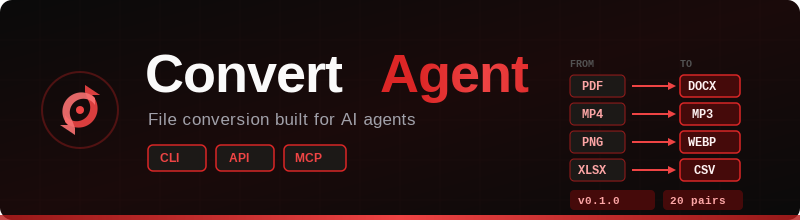
File conversion built for AI agents. CLI, REST API, and MCP server — all sharing one engine.





Quick Start ·
API Reference ·
MCP Server ·
Formats ·
Architecture ·
Roadmap
ConvertAgent is a self-hosted, open-source file conversion toolkit designed for AI agents. Your files never leave your infrastructure — no cloud uploads, no API keys, no per-conversion fees, no usage limits. Just install, run, and convert. CLI for local agents, REST API for remote access, and MCP for the agent ecosystem.
Self-hosted. Open source. Zero cost per conversion. Your agent converts files locally — no cloud, no limits, no vendor lock-in.
✨ Features
- 🖥️ CLI-first —
convertagent convert file.pdf --to docx — the native interface for agents
- 🌐 REST API —
POST /v1/convert for remote agents and web services
- 🔌 MCP Server — Discoverable by any MCP-compatible AI client (Claude, ChatGPT, Cursor, etc.)
- ⚡ One dispatcher — All three interfaces share the same conversion engine
- 📦 20 conversion pairs across documents, images, audio/video, and text
- 🔧 Open-source engines — FFmpeg, LibreOffice, ImageMagick, Pandoc under the hood
- 🚀 Self-hosted — Your files never leave your infrastructure
📋 Supported Conversions
🚀 Quick Start
Prerequisites
# Install conversion engines (Ubuntu/Debian)
sudo apt-get update && sudo apt-get install -y ffmpeg libreoffice imagemagick pandoc
Install & Run
git clone https://github.com/vid-factory/convertagent.git
cd convertagent
npm install
npm run build
CLI Usage
# Convert a PDF to Word
convertagent convert report.pdf --to docx

# Convert with custom output path
convertagent convert photo.png --to webp --output ./compressed.webp

# Extract audio from video
convertagent convert video.mp4 --to mp3

# List all supported formats
convertagent formats

# Check engine health
convertagent health
Start the API Server
# Start on default port 3001
node dist/api/server.js

# Or with custom port
PORT=8080 node dist/api/server.js
📡 API Reference
POST /v1/convert
Convert a file from one format to another.
Request:
{
  "action": "pdf-to-docx",
  "source": "/path/to/file.pdf",
  "options": {}
}
With URL source:
{
  "action": "html-to-pdf",
  "source_url": "https://example.com/page.html",
  "options": {}
}
With base64 source:
{
  "action": "jpg-to-png",
  "source_base64": "data:image/jpeg;base64,/9j/4AAQ...",
  "options": {}
}
Response:
{
  "success": true,
  "job_id": "a1b2c3d4",
  "artifact": {
    "path": "/output/a1b2c3d4.docx",
    "url": "/v1/artifacts/a1b2c3d4",
    "format": "docx",
    "size": 45231,
    "duration_ms": 1200
  }
}
List all supported conversion pairs.
GET /health
Check engine availability.
{
  "ok": true,
  "service": "convertagent",
  "engines": {
    "ffmpeg": true,
    "libreoffice": true,
    "imagemagick": true,
    "pandoc": true
  }
}
🔌 MCP Server
ConvertAgent exposes an MCP server for integration with any MCP-compatible AI client.
Connect via MCP
{
  "mcpServers": {
    "convertagent": {
      "url": "http://localhost:3001/mcp"
    }
  }
}
Example: Claude Desktop
Add to your Claude Desktop MCP config:
{
  "mcpServers": {
    "convertagent": {
      "command": "node",
      "args": ["/path/to/convertagent/dist/mcp/server.js"]
    }
  }
}
🏗️ Architecture
┌─────────────────────────────────────────────────────┐
│                    ConvertAgent                       │
│                                                       │
│  ┌─────────┐  ┌─────────┐  ┌─────────┐              │
│  │   CLI   │  │   API   │  │   MCP   │  ← Interfaces│
│  └────┬────┘  └────┬────┘  └────┬────┘              │
│       │            │            │                     │
│       └────────────┼────────────┘                     │
│                    │                                  │
│           ┌────────▼────────┐                         │
│           │   Dispatcher    │  ← Shared routing core  │
│           └────────┬────────┘                         │
│                    │                                  │
│    ┌───────┬───────┼───────┬────────┐                │
│    │       │       │       │        │                │
│  ┌─▼──┐ ┌─▼──┐ ┌──▼──┐ ┌─▼────┐   │                │
│  │ FF │ │ LO │ │ IM  │ │ Pan  │   │  ← Engines     │
│  │mpeg│ │    │ │     │ │ doc  │   │                 │
│  └────┘ └────┘ └─────┘ └──────┘   │                │
│                                     │                │
│  FF = FFmpeg    LO = LibreOffice    │                │
│  IM = ImageMagick  Pan = Pandoc     │                │
└─────────────────────────────────────────────────────┘
🐳 Docker (Coming Soon)
docker run -p 3001:3001 vid-factory/convertagent
🛠️ Development
# Clone
git clone https://github.com/vid-factory/convertagent.git
cd convertagent

# Install dependencies
npm install

# Build
npm run build

# Run tests
npm test

# Run the full 20-pair conversion test matrix
node scripts/run-tea-20.mjs
Project Structure
convertagent/
├── src/
│   ├── cli/              # CLI commands (convert, formats, health)
│   ├── api/              # REST API server (Fastify)
│   ├── mcp/              # MCP server (Streamable HTTP)
│   ├── core/             # Shared dispatcher + format registry
│   ├── engines/          # Engine adapters
│   │   ├── ffmpeg.ts     # Audio/video conversions
│   │   ├── libreoffice.ts# Document conversions
│   │   ├── imagemagick.ts# Image conversions
│   │   ├── pandoc.ts     # Text/markup conversions
│   │   └── shell.ts      # Shared shell runner with timeouts
│   └── tests/            # Unit + integration tests
├── scripts/              # TEA matrix runner, utilities
├── test-assets/          # Real input files for testing
├── test-artifacts/       # TEA results + parity evidence
├── deploy/               # systemd service file
├── package.json
├── tsconfig.json
└── README.md
📊 Test Results
ConvertAgent ships with a full real-file test matrix — no mocks.
20/20 passing — verified across CLI, API, and MCP interfaces with binary parity checks.
🗺️ Roadmap
🤝 Contributing
Contributions are welcome! Please follow these guidelines:
- Fork the repository
- Create a feature branch (
git checkout -b feat/new-format-pair)
- Write tests for new conversions (use real files, not mocks)
- Run the full TEA matrix (
node scripts/run-tea-20.mjs)
- Commit with conventional commits (
feat:, fix:, docs:, test:)
- Open a Pull Request
Adding a New Conversion Pair
- Add the format pair to
src/core/formats.ts
- Implement or extend the appropriate engine adapter in
src/engines/
- Add a real test input file to
test-assets/input/
- Add the pair to the TEA matrix in
scripts/run-tea-20.mjs
- Run tests and verify output
📄 License
MIT License — see LICENSE for details.
🙏 Acknowledgments
Built by vid-factory — Agent infrastructure for the AI era.


