View this exact version on GitHubREADME.md · c7344e57143f · Fetched 2026-11-13 10:12:35 UTC
Original upstream text, without AI rewriting. Scripts, forms and unsafe links are filtered for safety.
Showing the last retrieved documentation snapshot; check the source for current changes.
CS2 RCON MCP


A Model Context Protocol server for CS2 RCON management.
Description
This project provides a Model Context Protocol (MCP) server interface for managing CS2 game servers via RCON. It allows remote control and monitoring of CS2 servers through a standardized protocol.
Features
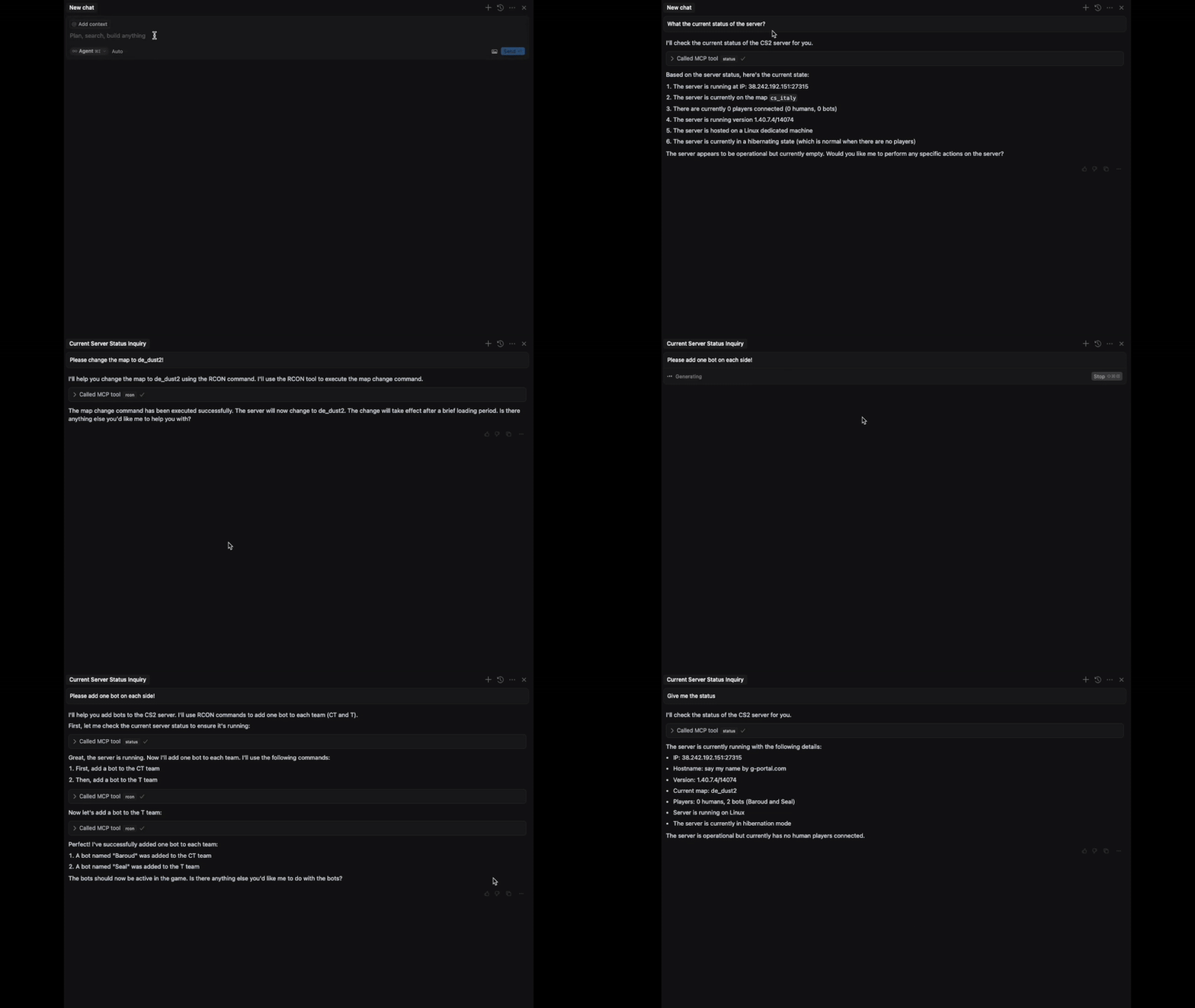
- Manage your CS2 server in natural language
- RCON command execution
- Manage workshop maps (host, list, change) - Explore Workshop Maps
- SSE-based communication
- Docker support
Installation
Environment Variables
HOST: CS2 server IPSERVER_PORT: CS2 server portRCON_PASSWORD: RCON password
Docker (recommended)
Pull the Docker image from GitHub Container Registry:
docker pull ghcr.io/v9rt3x/cs2-rcon-mcp:latest
Docker Environment Variables
When running with Docker, you can set the environment variables in two ways:
-
Directly in the command:
docker run -p 8080:8080 \
  -e HOST=your_server_ip \
  -e SERVER_PORT=your_server_port \
  -e RCON_PASSWORD=your_password \
  ghcr.io/v9rt3x/cs2-rcon-mcp:latest
-
Using a .server-env file:
Create a file named .server-env with the following content:
HOST=your_server_ip
SERVER_PORT=your_server_port
RCON_PASSWORD=your_password
Then run the container like this:
docker run -p 8080:8080 --env-file .server-env ghcr.io/v9rt3x/cs2-rcon-mcp:latest
This provides users with an alternative method to set environment variables, making it easier to manage sensitive information like passwords.
Connecting from Visual Studio Code (GitHub Copilot)
To configure Visual Studio Code to work with the MCP server, follow these steps:
-
Start the MCP Server: Ensure that your MCP server is running before attempting to connect from VS Code.
-
Open Visual Studio Code: Launch VS Code and ensure that you have the GitHub Copilot extension installed and configured.
-
Configure GitHub Copilot:
- Change the mode from "Ask" to "Agent" mode.
-
Add MCP Server Configuration:
- Click on the toolbox icon in the upper left corner of the Copilot prompt.
- Select "Add MCP Server" and choose the option for HTTP - server-sent events.
-
Enter the Server URL:
- For the URL, input:
http://localhost:8080/cs2server/sse. This is the endpoint for the MCP server's SSE connection.
Alternative: Connecting from Cursor (or any other MCP-Client)
- Start the MCP server
- Configure Cursor's MCP settings by creating or updating
~/.cursor/mcp.json:
{
  "mcpServers": {
    "cs2server": {
      "url": "http://localhost:8080/cs2server/sse"
    }
  }
}
- In Cursor, open the MCP panel (usually in the sidebar)
- The server should automatically connect using the configured URL
Once connected, you can manage your server in natural language.
Example prompts:
- "Add 5 bots to the server and start a competitive match on de_dust2"
- "What's the current server status? How many players are connected and what map are we on?"
Happy fragging! 😊


