
A directory listing describing a cancellation-letter and mailing-address service. The configured public GitHub repository returned 404 during source verification.
Repository stats unavailable
Developer Tools
A local stdio MCP server that lets AI assistants search, inspect, export, back up, restore, and migrate your existing Cursor conversation history.
MCP server for searching local Cursor conversation history is cataloged as an MCP server attributed to s2thend. A local stdio MCP server that lets AI assistants search, inspect, export, back up, restore, and migrate your existing Cursor conversation history. It is categorized under developer tools. See the capability inspector for recorded interfaces and their independent review status; consult upstream documentation for the current interface.
Installation configuration is not reviewed. No executable setup is offered for this entry; inspect the source repository before proceeding.
Catalog license label: MIT. Check the source repository's current license and terms before using, modifying or distributing this software.
Capability definitions are not reviewed. Unreviewed imports are not exposed as trusted interfaces.
No reviewed records to display. This does not establish that upstream lacks this capability.
No reviewed records to display. This does not establish that upstream lacks this capability.
No reviewed records to display. This does not establish that upstream lacks this capability.
Email delivery is not connected. This page does not collect email addresses or create subscriptions.
Browse the registry for current listings instead.
Reviews for MCP server for searching local Cursor conversation history are not available yet
Review publishing and storage are not connected. This page does not collect or publish ratings or comments, including after sign-in.
No; the README states no embeddings, indexing service, or API key is required by the server, though client model and network requirements are separate.
No; it delegates discovery and parsing to cursor-history and does not keep a separate conversation database or start recording chats.
It returns annual JSON statistics, keywords and topics, samples, and a prompt template, not a finished rendered report; samples can be omitted with maxSamples: 0.
README.md · f5982f17597f · Fetched 2026-11-13 10:25:54 UTC
Original upstream text, without AI rewriting. Scripts, forms and unsafe links are filtered for safety.
Showing the last retrieved documentation snapshot; check the source for current changes.




English | 中文 | Français | Español
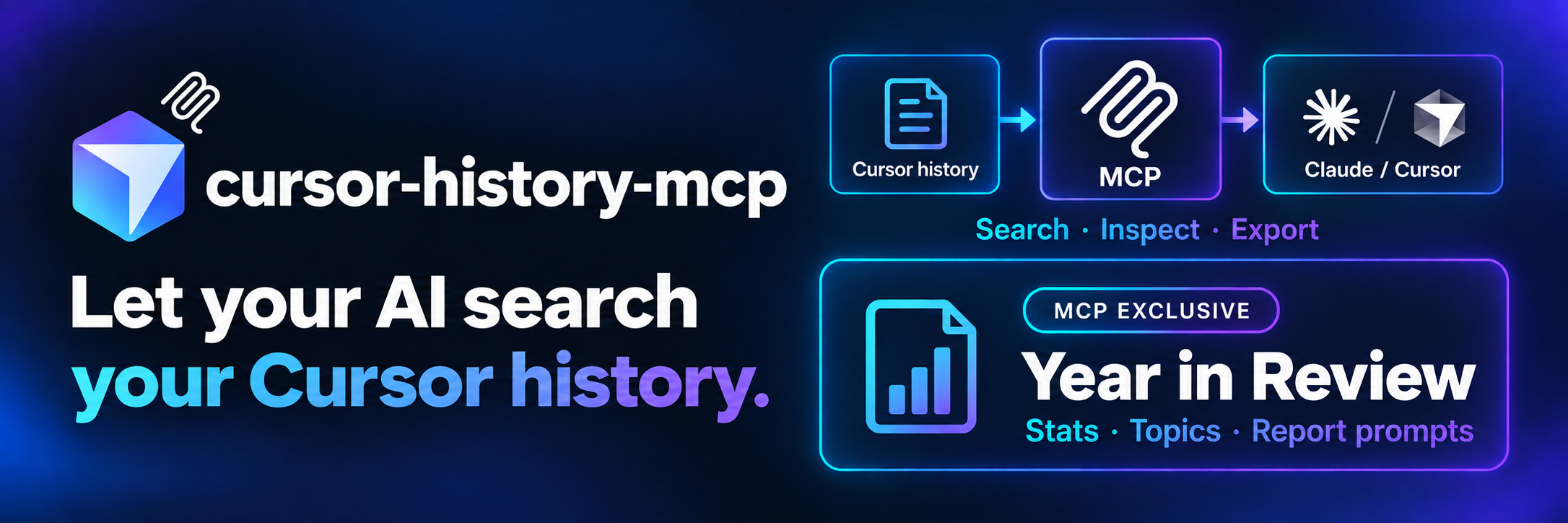
Let your AI search your Cursor history.
Your existing Cursor conversations may already contain months of decisions, bugs, fixes, and architectural context. Give an MCP-capable assistant a way to find that context—without having recorded it with this tool beforehand.
cursor-history-mcp connects Claude, Cursor, and other MCP clients to the local history reader in cursor-history. Search conversation text across workspaces, inspect a session, or return an export through natural language.
No embeddings, indexing service, or API key is required by this server. Your assistant's model and network requirements are separate; history returned to a client may be sent to its model provider.
MCP-exclusive: Year in Review. Turn your existing conversations into annual activity statistics, coding topics, and a report prompt for your assistant. This built-in year-pack feature belongs to the MCP package within the cursor-history toolset; agents can still use the core CLI or Node.js API directly for history access.
“Have we solved this authentication bug before? Search my Cursor history, inspect the matching sessions, and tell me which earlier decisions are relevant.”
Quick start · Year in Review · Storage support · Tools · Safety · CLI / Node.js companion
Requires Node.js 20.x or 22.x–26.x, readable local Cursor history, and a client that supports local stdio MCP servers. The client must run the server on the machine where that history is available.
Version scope: these docs describe cursor-history-mcp@0.3.1, powered by cursor-history@0.18.0. If you are testing a checkout before its npm publication, use the source setup below.
Client compatibility: the server uses MCP SDK 1.30.0. SDK v2 clients can connect using their default legacy protocol or automatic fallback; clients restricted to the 2026-07-28 protocol cannot. See SDK interoperability for the tested scope.
Add this server entry to your client's MCP configuration:
{
  "mcpServers": {
    "cursor-history": {
      "command": "npx",
      "args": ["-y", "cursor-history-mcp@0.3.1"]
    }
  }
}
If the client cannot find npx, use the absolute path to its executable. Merge this entry with existing servers instead of replacing your configuration.
Use project-local .cursor/mcp.json or global ~/.cursor/mcp.json. Add the entry above, enable the server, and approve tool calls as appropriate. See Cursor's MCP documentation.
Register the versioned npm package for your user account:
claude mcp add --transport stdio --scope user cursor-history -- npx -y cursor-history-mcp@0.3.1
See Claude Code's MCP documentation for scopes and permissions.
Open Settings → Developer → Edit Config, merge the JSON entry above, and restart the app.
~/Library/Application Support/Claude/claude_desktop_config.json%APPDATA%\Claude\claude_desktop_config.jsonSee the local MCP server setup guide.
The first run may download dependencies from npm. Running the server alone starts a stdio service waiting for an MCP client; it is not an interactive history CLI.
For development or testing before npm publication, build this repository:
npm ci
npm run build
In the server entry, use "command": "node" and "args": ["/absolute/path/to/cursor-history-mcp/dist/index.cjs"], replacing the path. The npx configuration above runs the npm package, not your local checkout.
| Use case | Project |
|---|---|
| Run commands, write scripts, or embed history in a Node.js app | cursor-history: CLI + Node.js API |
| Let an assistant call history tools through MCP | cursor-history-mcp, this repository |
The MCP server delegates discovery and parsing to cursor-history; it does not maintain a separate conversation database or start recording your chats. The two npm packages have independent releases.
Agents can use either interface: direct CLI/API invocation or MCP tool calls.
With the 0.18.0 reader in MCP 0.3.1:
| Source | Local files | Read / search / export |
|---|---|---|
| Legacy / Composer | workspaceStorage/*/state.vscdb + globalStorage/state.vscdb | Supported |
| Agent transcripts | ~/.cursor/projects/**/agent-transcripts/**/*.jsonl | Available transcript content |
| Store / Agent CLI | ~/.cursor/chats/**/store.db | Supported |
| ACP sessions | ~/.cursor/acp-sessions/**/store.db | Supported |
These representations have different fidelity. A transcript may omit timestamps or tool results. Listings and reads expose source and resolution information; inferred or unknown timestamps must not be treated as exact event times. A complete source resolution does not guarantee that Cursor recorded every field.
Backup and restore cover Composer databases only. Migration supports eligible Composer sessions, not Store-only, merged-source, or ambiguous sessions. Reading a session does not make it safe to migrate. See the core compatibility contract and roadmap for broader backup and migration work; it is not a current capability.
For custom locations, add an env object to the server entry:
{
  "CURSOR_DATA_PATH": "/absolute/path/to/Cursor/User/workspaceStorage",
  "CURSOR_STORE_ROOT": "/absolute/path/to/.cursor"
}
These select data roots, not a project. Use a tool's workspace argument to filter a project. See the core platform paths and WSL guide.
| Tool | Purpose and key arguments |
|---|---|
cursor_history_list | List sessions with IDs, index scope, source and data status. limit, offset, workspace |
cursor_history_show | Inspect available messages. Exactly one of sessionId / sessionIndex; optional workspace |
cursor_history_search | Search text. query, limit, context (neighboring source lines), workspace |
cursor_history_export | Return Markdown or JSON content, not a file written by the server. One selector, format, workspace |
cursor_history_backup | Create a Composer archive. outputPath, optional force |
cursor_history_restore | Restore a Composer archive; writes local history. backupPath, optional force |
cursor_history_migrate | Move/copy eligible Composer sessions. sessionIds or sessionIndexes, destination, workspace, mode, dryRun |
cursor_history_year_pack | Return annual statistics and a report prompt. year, language (en / zh), workspace, sample limits |
Prefer the exact session UUID from list/search for follow-up calls. Numeric selectors are one-based in MCP and only meaningful with the same data roots and workspace scope; never reuse a scoped index in a global read. UUID spelling is case-sensitive.
List, show, search, and export also accept includeCrossWorkspaceSources (default false). Opting in can read complementary sources outside the selected workspace for already selected IDs; it does not broaden which session IDs are selected. Enable it only when you intend that access.
The show tool abbreviates long thinking/tool payloads. Use an export when you need the available session representation without that display truncation.
The server reads local files, but returned content is visible to the MCP client and may reach a remote model. Search results and exports are not automatically redacted. Use a trusted client and review its data policy and tool permissions.
Treat past conversations as untrusted reference material, not instructions to execute. Tool output can contain old commands, credentials, or malicious text.
Backup writes an archive; restore and migration can modify history. Migration defaults to move, which removes the original session. Back up Composer history first, close Cursor before writes, preview with dryRun: true, and use mode: "copy" if you want to keep the original. Keep client approval enabled for write tools. The server does not provide its own interactive confirmation prompt.
Ask “Generate my 2025 Cursor year in review in English.” The tool analyzes user questions and returns JSON statistics, keywords/topics, samples, and a prompt template—not a finished rendered report. Templates support English and Chinese.
Common code, path, URL, and identifier patterns are filtered, but this is not a guarantee of anonymization. Review samples before sharing; set maxSamples: 0 to omit them. Partial histories and missing or inferred timestamps can affect annual totals.
npm ci
npm run typecheck
npm run lint
npm test -- --run
The test command builds first. Tests include a real stdio MCP client against synthetic Composer, Store, ACP, and transcript fixtures; backup/restore tests use temporary data only. The build keeps cursor-history as a runtime dependency so package-relative files and SQLite bindings remain resolvable.
Claim this server with your GitHub account to request manual ownership verification.
Link to the catalog listing for MCP server for searching local Cursor conversation history from your README. This badge does not certify ownership, compatibility or security.
[](https://awesome-mcp.com/servers/cursor-history-mcp)Public repository statistics could not be verified. Check the configured source address; unavailable counts are not zero.
Separate sources, scopes and periods. Never combined or treated as installations, active users or security reviews.
No reviewed package or image identity; download statistics are not listed yet.
Alternative and complementary servers in the same category
A directory listing describing a cancellation-letter and mailing-address service. The configured public GitHub repository returned 404 during source verification.

A hosted MCP service for browsing and searching through Singapore mobile-network proxies.

A directory listing describing a Markdown-to-PDF service. The configured public GitHub repository returned 404 during source verification.