
A directory listing describing a cancellation-letter and mailing-address service. The configured public GitHub repository returned 404 during source verification.
Repository stats unavailable
Developer Tools
A toolkit providing an MCP server that gives AI assistants direct access to Android devices for screen, network, and interaction inspection.
Development Tools for Android (DTA) is cataloged as an MCP server attributed to yamsergey. A toolkit providing an MCP server that gives AI assistants direct access to Android devices for screen, network, and interaction inspection. It is categorized under developer tools. See the capability inspector for recorded interfaces and their independent review status; consult upstream documentation for the current interface.
Installation configuration is not reviewed. No executable setup is offered for this entry; inspect the source repository before proceeding.
Catalog license label: Apache License 2.0. Check the source repository's current license and terms before using, modifying or distributing this software.
Capability definitions are not reviewed. Unreviewed imports are not exposed as trusted interfaces.
No reviewed records to display. This does not establish that upstream lacks this capability.
No reviewed records to display. This does not establish that upstream lacks this capability.
No reviewed records to display. This does not establish that upstream lacks this capability.
Email delivery is not connected. This page does not collect email addresses or create subscriptions.
Browse the registry for current listings instead.
Reviews for Development Tools for Android (DTA) are not available yet
Review publishing and storage are not connected. This page does not collect or publish ratings or comments, including after sign-in.
DTA supports stdio via dta-cli mcp, HTTP via dta-cli mcp serve --http, and an HTTP server embedded in the Android Studio plugin.
Yes, DTA lets you create mock rules for HTTP and WebSocket from captured data or from scratch, including custom adapters.
README.md · f02f0b0dc589 · Fetched 2026-11-13 11:19:21 UTC
Original upstream text, without AI rewriting. Scripts, forms and unsafe links are filtered for safety.
Showing the last retrieved documentation snapshot; check the source for current changes.



A toolkit that gives AI assistants direct access to Android devices through the Model Context Protocol. Your coding agent can see the screen, read network traffic, inspect layout trees, mock responses, and interact with the app — from Android Studio, the terminal, or any MCP client.
Article: Debugging Android Apps with AI

Or: Settings → Plugins → Marketplace → search "DTA"
The plugin embeds the daemon, auto-injects sidekick into debug builds, and provides a 4-tab inspector (Layout, Network, WebSocket, MCP) — no CLI or manual setup needed.
brew tap yamsergey/packages
brew install dta-cli
Requirements: Java 21+
No project changes needed. Use the CLI or the MCP run_app tool to build and launch your app with sidekick injected automatically:
dta-cli run --project /path/to/your/android/project
This runs Gradle with an init script that adds dta-sidekick as a debugImplementation dependency, builds the APK, installs it on the device, and launches the main activity. Your AI assistant can do the same via the run_app MCP tool.
If you prefer to add sidekick to your build files directly:
dependencies {
    debugImplementation 'io.github.yamsergey:dta-sidekick:0.9.36'
}
Sidekick auto-initializes via AndroidX Startup — no code changes beyond the dependency.
With the AS plugin: open the MCP tab, enable the server, pick your agent from the dropdown — it shows the exact config snippet to copy-paste. Works with Claude Code, Cursor, Android Studio Gemini, Claude Desktop, VS Code, and others.
Without the plugin (CLI only):
claude mcp add dta -- dta-cli mcp

Add to ~/Library/Application Support/Claude/claude_desktop_config.json
{
  "mcpServers": {
    "dta": {
      "command": "dta-cli",
      "args": ["mcp"]
    }
  }
}
DTA returns the real UI hierarchy — view classes, bounds, positions, layout parameters, Compose-specific data (composable names, recomposition counts), and DOM trees from WebViews and Chrome Custom Tabs. Unlike adb shell uiautomator dump which gives a semantic accessibility tree, your agent gets the full picture.
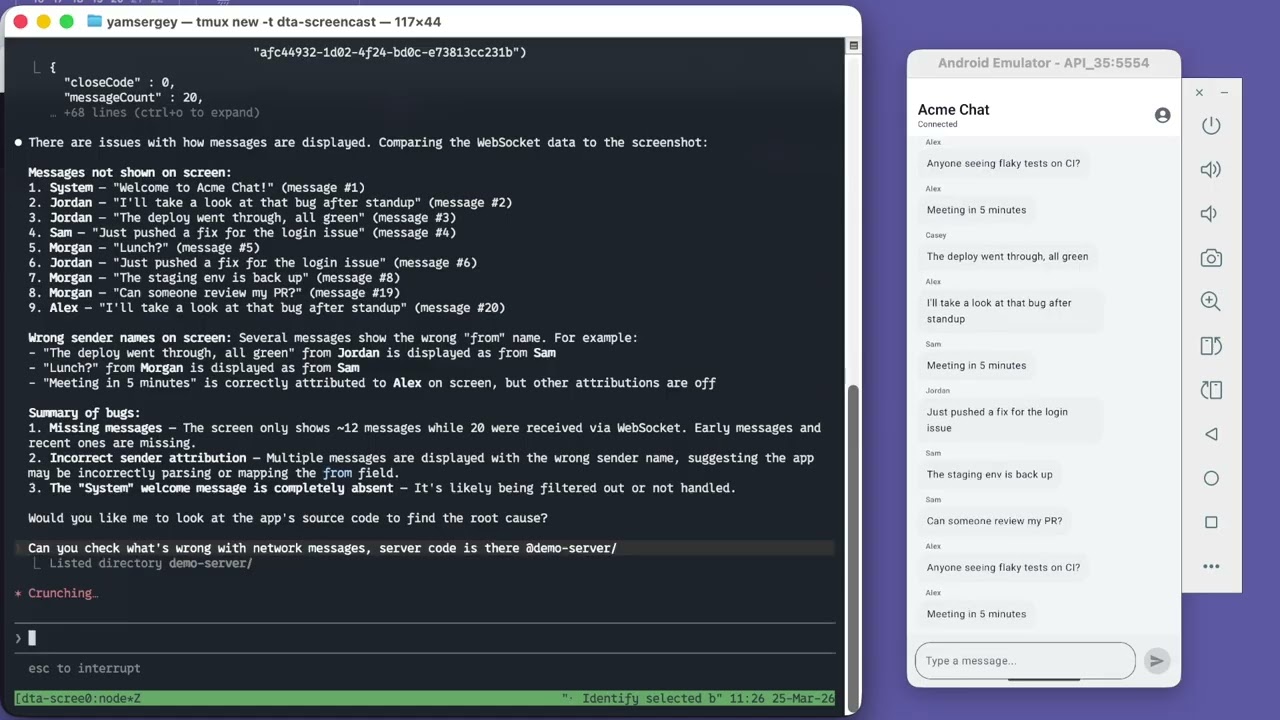
Sidekick auto-records from app launch — HTTP requests (OkHttp), WebSocket connections, Chrome Custom Tab traffic. (A WebView's own network requests are not captured yet — its DOM, cookies and storage are.) No "start recording" button, no missed requests. Your agent can query the full history at any point.
Create mock rules for HTTP and WebSocket from captured data or from scratch. Plug in custom adapters for programmatic control:
Sidekick.configure(
    SidekickConfig.builder()
        .httpMockAdapter { transaction, proposedResponse ->
            proposedResponse.withBody("""{"message": "mocked"}""")
        }
        .build()
)
The run_app tool builds an APK with sidekick auto-injected, installs it, and launches the main activity — all from a single MCP call. No manual Gradle setup. If the tool is blocked by your environment's sandbox, it returns the exact shell commands as a fallback.
The agent can tap, swipe, input text, and press keys — then check the screen state and network traffic to confirm behavior. A full inspect-mock-interact-verify loop without leaving the conversation.
The DTA Inspector tool window provides four tabs:
| Tab | Features |
|---|---|
| Layout | UI tree + device screenshot with hover highlighting, click-to-select, bidirectional selection sync |
| Network | HTTP request table with headers, bodies, timing; Custom Tab + WebView traffic |
| WebSocket | Connection list → message list → message detail |
| MCP | Enable HTTP server, pick port, per-agent config snippets with copy-to-clipboard |
The plugin auto-injects dta-sidekick into debug builds via a Gradle init script — no changes to your project files.
dta-cli inspector-web
Open http://localhost:8080 for visual inspection with the same capabilities — layout tree, network, WebSocket, mock rule editor.
The web inspector enables bidirectional communication between developer and agent — select elements with a click instead of describing them in words.
| Transport | Command | Use case |
|---|---|---|
| stdio | dta-cli mcp | Claude Desktop, Cursor, any stdio MCP client |
| HTTP | dta-cli mcp serve --http --port 12321 | AS Gemini, Claude Code HTTP, any Streamable HTTP client |
| Plugin | Enable in MCP tab | HTTP server embedded in AS, no CLI needed |
| Module | Description |
|---|---|
| dta-plugin | Android Studio plugin (4-tab inspector + embedded daemon + MCP server) |
| dta-cli | CLI interface (mcp, inspector-web, run, inspect commands) |
| dta-mcp | MCP server (stdio + HTTP transport, tool definitions) |
| dta-daemon | Javalin HTTP daemon (sidekick connection, CDP watcher, layout enrichment) |
| dta-sidekick | In-app inspection library (Android AAR, auto-init via AndroidX Startup) |
| tools-android | Core Gradle Tooling API integration |
| workspace-kotlin | workspace.json converter for Kotlin Language Server |
dta-cli --help
dta-cli <command> --help
Apache License 2.0 — see LICENSE.txt
Claim this server with your GitHub account to request manual ownership verification.
Link to the catalog listing for Development Tools for Android (DTA) from your README. This badge does not certify ownership, compatibility or security.
[](https://awesome-mcp.com/servers/dta)Public repository statistics could not be verified. Check the configured source address; unavailable counts are not zero.
Separate sources, scopes and periods. Never combined or treated as installations, active users or security reviews.
No reviewed package or image identity; download statistics are not listed yet.
Alternative and complementary servers in the same category
A directory listing describing a cancellation-letter and mailing-address service. The configured public GitHub repository returned 404 during source verification.

A hosted MCP service for browsing and searching through Singapore mobile-network proxies.

A directory listing describing a Markdown-to-PDF service. The configured public GitHub repository returned 404 during source verification.