
A Model Context Protocol server for global law with read-only tools to find and read provisions by date, trace the law behind each word, search text and changes, and check cases or briefs against law in force.

An unofficial Model Context Protocol server that connects MCP clients to the Eagle app and exposes tools for managing its libraries, folders, and items.
Unofficial MCP server for Eagle is cataloged as an MCP server attributed to tuki0918. An unofficial Model Context Protocol server that connects MCP clients to the Eagle app and exposes tools for managing its libraries, folders, and items. It is categorized under file systems-docs. See the capability inspector for recorded interfaces and their independent review status; consult upstream documentation for the current interface.
Installation configuration is not reviewed. No executable setup is offered for this entry; inspect the source repository before proceeding.
Catalog license label: Not specified. Check the source repository's current license and terms before using, modifying or distributing this software.
Capability definitions are not reviewed. Unreviewed imports are not exposed as trusted interfaces.
No reviewed records to display. This does not establish that upstream lacks this capability.
Email delivery is not connected. This page does not collect email addresses or create subscriptions.
Browse the registry for current listings instead.
Reviews for Unofficial MCP server for Eagle are not available yet
Review publishing and storage are not connected. This page does not collect or publish ratings or comments, including after sign-in.
Clients connect via Streamable HTTP at the server's MCP endpoint, and an alternative stdio transport is also documented.
Certain tools are disabled by default and must be enabled by removing the Disabled tag from their definition in the source code and restarting the server.
README.md · 297b9f1dab35 · Fetched 2026-11-13 10:02:29 UTC
Original upstream text, without AI rewriting. Scripts, forms and unsafe links are filtered for safety.
Showing the last retrieved documentation snapshot; check the source for current changes.
[!NOTE] Official MCP support is planned for Eagle v5 (public beta in Q1 2026)
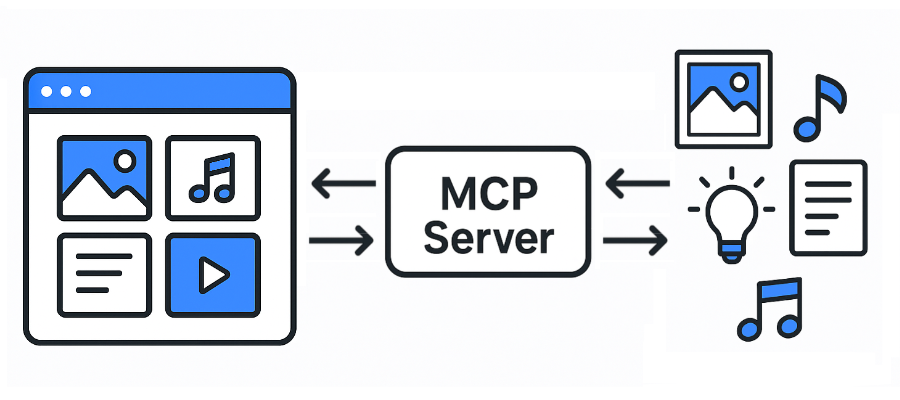
A Model Context Protocol (MCP) server for Eagle.
JPG / JPEGPNGPDFSVGMP4MP3FBXOBJEPSTIF / TIFFWebPBMPICORAWInstall the required dependencies:
uv sync
uv run main.py
MCP config:
{
"mcpServers": {
"eagle-mcp-server": {
"url": "http://localhost:8000/mcp"
}
}
}
{
"mcpServers": {
"eagle-mcp-server": {
"command": "uvx",
"args": [
"--from", "git+https://github.com/tuki0918/eagle-mcp-server@fastmcp-stdio",
"eagle-mcp-server"
]
}
}
}
See #17 for more details.
| Supported | Eagle API endpoint | Operation ID | Enabled (default) | Category |
|---|---|---|---|---|
| ✅ | - | connect | MCP | |
| ✅ | /api/application/info | get_application_info | ⚫︎ | Application |
| ✅ | /api/folder/create | create_folder | ⚫︎ | Folder |
| ✅ | /api/folder/rename | rename_folder | Folder | |
| ✅ | /api/folder/update | update_folder | ⚫︎ | Folder |
| ✅ | /api/folder/list | get_folder_list | ⚫︎ | Folder |
| ✅ | /api/folder/listRecent | get_folder_list_recent | Folder | |
| ✅ | /api/item/addFromURL | add_item_from_url | Item | |
| ✅ | /api/item/addFromURLs | add_items_from_urls | Item | |
| ✅ | /api/item/addFromPath | add_item_from_path | ⚫︎ | Item |
| ✅ | /api/item/addFromPaths | add_items_from_paths | Item | |
| ✅ | /api/item/addBookmark | add_bookmark | Item | |
| ✅ | /api/item/info | get_item_info | ⚫︎ | Item |
| ✅ | - | get_item_source | ⚫︎ | Item |
| ✅ | /api/item/thumbnail | get_item_thumbnail | Item | |
| ✅ | /api/item/list | get_item_list | ⚫︎ | Item |
| ✅ | /api/item/moveToTrash | move_item_to_trash | ⚫︎ | Item |
| ✅ | /api/item/refreshPalette | refresh_item_palette | Item | |
| ✅ | /api/item/refreshThumbnail | refresh_item_thumbnail | Item | |
| ✅ | /api/item/update | update_item | ⚫︎ | Item |
| ✅ | /api/library/info | get_library_info | ⚫︎ | Library |
| ✅ | /api/library/history | get_library_history | Library | |
| ✅ | /api/library/switch | switch_library | Library | |
| ✅ | /api/library/icon | get_library_icon | Library |
MCP Server API docs:
Some tools are disabled by default (shown as empty cells in the "Enabled (default)" column above). To enable these disabled tools:
tags=["Disabled"] line from the tool configurationThis will make the previously disabled tools available for use.
flowchart LR
subgraph 192.168.1.100
direction LR
subgraph FileSystem [File System]
end
subgraph EagleApp [Eagle App<br/>localhost:41595]
end
subgraph MCPServer [MCP Server<br/>localhost:8000]
end
subgraph MCPClient [MCP Client]
end
end
EagleApp ==> MCPServer e1@==> MCPClient
MCPClient e2@==> MCPServer ==> EagleApp
EagleApp ==> FileSystem
FileSystem ==> EagleApp
e1@{ animate: true }
e2@{ animate: true }
[!TIP] You have direct access to the filesystem.
flowchart LR
subgraph 192.168.1.100
subgraph FileSystem [File System]
end
subgraph EagleApp [Eagle App<br/>localhost:41595]
end
subgraph MCPServer [MCP Server<br/>localhost:8000]
end
end
subgraph 192.168.1.xxx
subgraph MCPClient [MCP Client]
end
end
EagleApp ==> MCPServer e1@==> MCPClient
MCPClient e2@==> MCPServer ==> EagleApp
EagleApp ==> FileSystem
FileSystem ==> EagleApp
e1@{ animate: true }
e2@{ animate: true }
[!WARNING] You don't have access to the filesystem.
flowchart LR
subgraph 192.168.1.100
subgraph FileSystem [File System]
end
subgraph EagleApp [Eagle App<br/>localhost:41595]
end
end
subgraph 192.168.1.101
subgraph MCPServer [MCP Server<br/>localhost:8000]
end
end
subgraph 192.168.1.xxx
subgraph MCPClient [MCP Client]
end
end
EagleApp ==> MCPServer e1@==> MCPClient
MCPClient e2@==> MCPServer ==> EagleApp
EagleApp ==> FileSystem
FileSystem ==> EagleApp
e1@{ animate: true }
e2@{ animate: true }
[!WARNING] You don't have access to the filesystem.
Claim this server with your GitHub account to request manual ownership verification.
Link to the catalog listing for Unofficial MCP server for Eagle from your README. This badge does not certify ownership, compatibility or security.
[](https://awesome-mcp.com/servers/eagle-mcp-server)Public repository statistics could not be verified. Check the configured source address; unavailable counts are not zero.
Separate sources, scopes and periods. Never combined or treated as installations, active users or security reviews.
No reviewed package or image identity; download statistics are not listed yet.
Alternative and complementary servers in the same category

A Model Context Protocol server for global law with read-only tools to find and read provisions by date, trace the law behind each word, search text and changes, and check cases or briefs against law in force.

Hosted MCP server for tabletop RPG worlds that organizes messy notes and documents into a private store and lets MCP apps search lore, read documents, find characters, and optionally generate character or world pictures.

An MCP server that gives AI assistants scoped file system operations inside a project directory, with read-only reference projects plus git and GitHub tools.