
A directory listing describing a cancellation-letter and mailing-address service. The configured public GitHub repository returned 404 during source verification.
Repository stats unavailable
Developer Tools
A proof-of-concept MCP server that exposes ESP-IDF project commands to LLM chatbots for setup, build, flash, and test workflows.
ESP-IDF MCP server is cataloged as an MCP server attributed to horw. A proof-of-concept MCP server that exposes ESP-IDF project commands to LLM chatbots for setup, build, flash, and test workflows. It is categorized under developer tools. See the capability inspector for recorded interfaces and their independent review status; consult upstream documentation for the current interface.
Installation configuration is not reviewed. No executable setup is offered for this entry; inspect the source repository before proceeding.
Catalog license label: Not specified. Check the source repository's current license and terms before using, modifying or distributing this software.
Capability definitions are not reviewed. Unreviewed imports are not exposed as trusted interfaces.
No reviewed records to display. This does not establish that upstream lacks this capability.
No reviewed records to display. This does not establish that upstream lacks this capability.
No reviewed records to display. This does not establish that upstream lacks this capability.
Email delivery is not connected. This page does not collect email addresses or create subscriptions.
Browse the registry for current listings instead.
Reviews for ESP-IDF MCP server are not available yet
Review publishing and storage are not connected. This page does not collect or publish ratings or comments, including after sign-in.
Yes, tools support an idf_path parameter so different ESP-IDF versions can be used per project without setting the environment variable.
Yes, it supports custom sdkconfig_defaults files for build configuration, including multiple files separated by semicolons.
README.md · 28afddf9ff41 · Fetched 2026-11-13 09:32:24 UTC
Original upstream text, without AI rewriting. Scripts, forms and unsafe links are filtered for safety.
Showing the last retrieved documentation snapshot; check the source for current changes.
The goal of this MCP is to:
Simply find a command that is missing from this MCP and create a PR for it!
If you want someone to help you with this implementation, just open an issue.
This project is currently a Proof of Concept (PoC) for an MCP server tailored for ESP-IDF workflows.
Current Capabilities:
Core Features:
run_esp_idf_install: Install ESP-IDF dependencies and toolchain via install.sh.create_esp_project: Create a new ESP-IDF project.setup_project_esp_target: Set target chip for ESP-IDF projects (esp32, esp32c3, esp32s3, etc.).build_esp_project: Build ESP-IDF projects with incremental build support.list_esp_serial_ports: List available serial ports for ESP devices.flash_esp_project: Flash built firmware to connected ESP devices.run_pytest: Run pytest tests with pytest-embedded support for ESP-IDF projects.Additional Features:
idf_path parameter.sdkconfig_defaults files for build configuration (multiple files can be specified separated by semicolons).Vision & Future Work: The long-term vision is to expand this MCP into a comprehensive toolkit for interacting with embedded devices, potentially integrating with home assistant platforms, and streamlining documentation access for ESP-IDF and related technologies.
We envision features such as:
monitor, menuconfig interaction if feasible).Your ideas and contributions are welcome! Please feel free to discuss them by opening an issue.
First, clone this MCP repository:
git clone git@github.com:horw/esp-mcp.git
Then, configure it in your chatbot.
The JSON snippet below is an example of how you might configure this esp-mcp server within a chatbot or an agent system that supports the Model Context Protocol (MCP). The exact configuration steps and format may vary depending on the specific chatbot system you are using. Refer to your chatbot's documentation for details on how to integrate MCP servers.
{
    "mcpServers": {
        "esp-run": { // "esp-run" is an arbitrary name you can assign to this server configuration.
            "command": "<path_to_uv_or_python_executable>",
            "args": [
                "--directory",
                "<path_to_cloned_esp-mcp_repository>", // e.g., /path/to/your/cloned/esp-mcp
                "run",
                "main.py" // If using python directly, this might be just "main.py" and `command` would be your python interpreter
            ],
            "env": {
                "IDF_PATH": "<path_to_your_esp-idf_directory>" // e.g., ~/esp/esp-idf or C:\\Espressif\\frameworks\\esp-idf
            }
        }
    }
}
A few notes on the configuration:
command: This should be the full path to your uv executable if you are using it, or your Python interpreter (e.g., /usr/bin/python3 or C:\\Python39\\python.exe) if you plan to run main.py directly.args:
--directory should be the absolute path to where you cloned the esp-mcp repository.uv, the arguments run main.py are appropriate. If you're using Python directly, you might only need main.py in the args list, and ensure your command points to the Python executable.IDF_PATH: (Optional) This environment variable can point to the root directory of your ESP-IDF installation. ESP-IDF is Espressif's official IoT Development Framework. If you haven't installed it, please refer to the official ESP-IDF documentation for installation instructions. Note: All tools support an idf_path parameter that can be manually specified when calling the tool, allowing you to use different ESP-IDF versions for different projects without setting the environment variable. If idf_path is not provided, the tool will use the IDF_PATH environment variable if available.Once the esp-mcp server is configured and running, your LLM or chatbot can interact with it using the tools defined in this MCP. For example, you could ask your chatbot to:
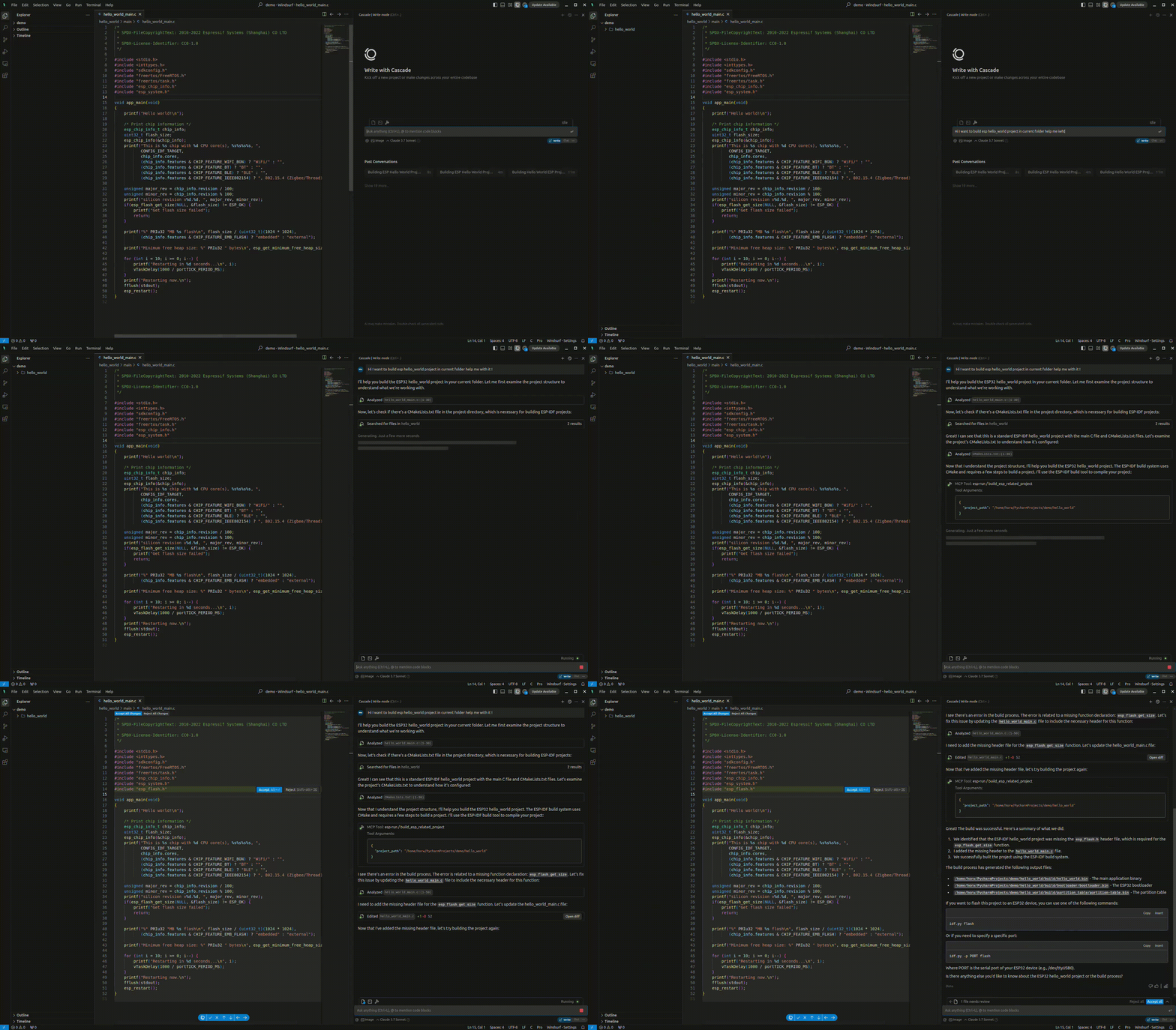
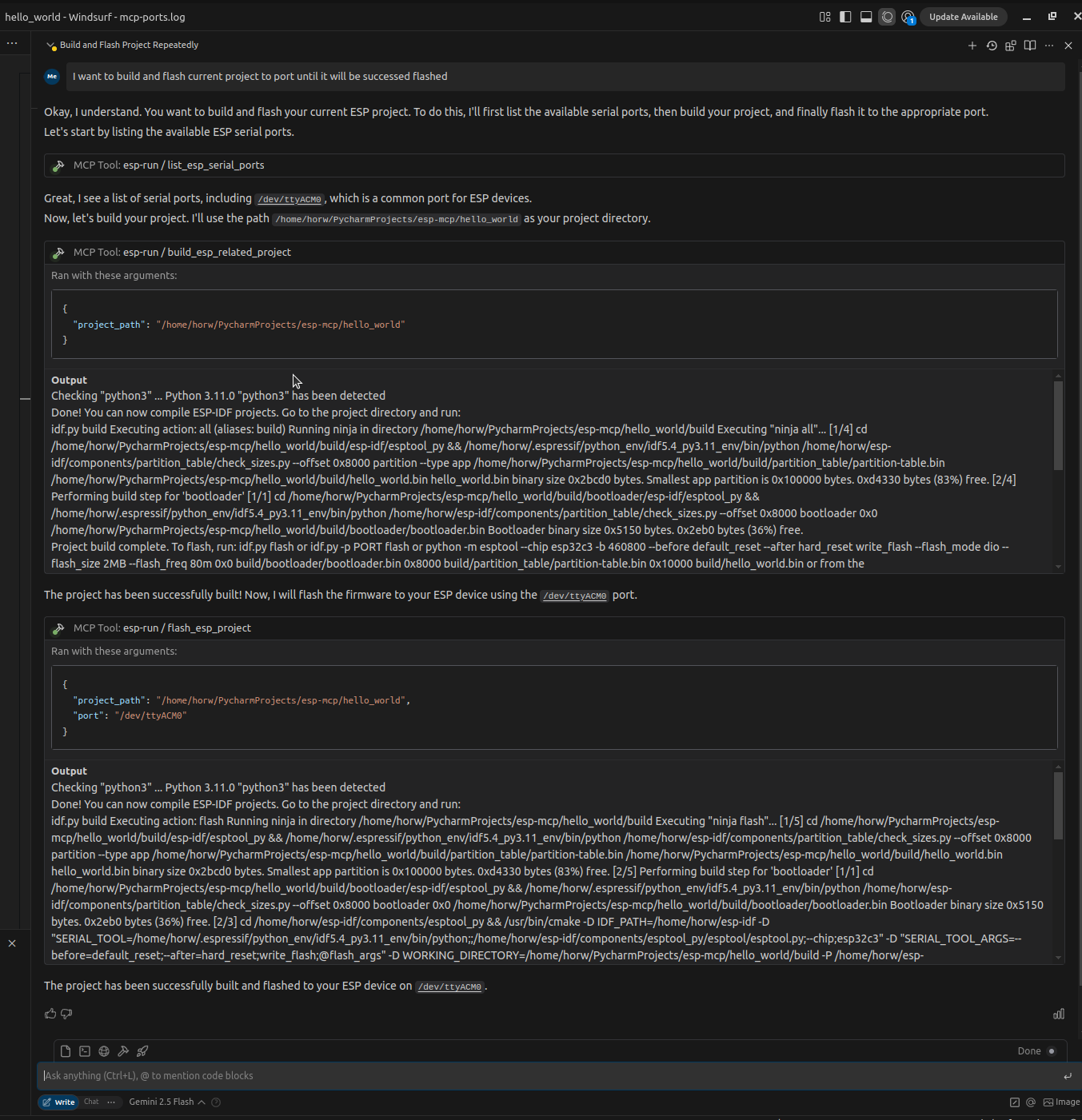
/path/to/esp-idf."/path/to/my/esp-project."/path/to/my/esp-project using the esp-mcp."sdkconfig.defaults;sdkconfig.ci.release."/path/to/my/esp-project targeting esp32c3."my_app."The MCP server will then execute the corresponding ESP-IDF commands (like idf.py build, idf.py set-target, idf.py flash, pytest) based on the tools implemented in main.py.
The result.gif below shows an example interaction:
Claim this server with your GitHub account to request manual ownership verification.
Link to the catalog listing for ESP-IDF MCP server from your README. This badge does not certify ownership, compatibility or security.
[](https://awesome-mcp.com/servers/esp-mcp)Public repository statistics could not be verified. Check the configured source address; unavailable counts are not zero.
Separate sources, scopes and periods. Never combined or treated as installations, active users or security reviews.
No reviewed package or image identity; download statistics are not listed yet.
Alternative and complementary servers in the same category
A directory listing describing a cancellation-letter and mailing-address service. The configured public GitHub repository returned 404 during source verification.

A hosted MCP service for browsing and searching through Singapore mobile-network proxies.

A directory listing describing a Markdown-to-PDF service. The configured public GitHub repository returned 404 during source verification.