

A directory listing describing a cancellation-letter and mailing-address service. The configured public GitHub repository returned 404 during source verification.
Repository stats unavailable
Developer Tools
An MCP server that lets local coding agents read and edit the open Figma Desktop file through a running plugin, covering nodes, components, variables, styles, and prototypes.
MCP server for Figma Desktop automation is cataloged as an MCP server attributed to sunhome243. An MCP server that lets local coding agents read and edit the open Figma Desktop file through a running plugin, covering nodes, components, variables, styles, and prototypes. It is categorized under developer tools. See the capability inspector for recorded interfaces and their independent review status; consult upstream documentation for the current interface.
Installation configuration is not reviewed. No executable setup is offered for this entry; inspect the source repository before proceeding.
Catalog license label: MIT. Check the source repository's current license and terms before using, modifying or distributing this software.
Capability definitions are not reviewed. Unreviewed imports are not exposed as trusted interfaces.
No reviewed records to display. This does not establish that upstream lacks this capability.
No reviewed records to display. This does not establish that upstream lacks this capability.
No reviewed records to display. This does not establish that upstream lacks this capability.
Email delivery is not connected. This page does not collect email addresses or create subscriptions.
Browse the registry for current listings instead.
Reviews for MCP server for Figma Desktop automation are not available yet
Review publishing and storage are not connected. This page does not collect or publish ratings or comments, including after sign-in.
Yes; most live tools require the target file to be open in Figma Desktop with the plugin running.
A token is needed only for REST-backed library catalog lookups such as fetch_library_catalog; most workflows do not need one.
No; plugin execution remains single-threaded per file, so one file is not fully parallel.
README.md · a1ec892c8593 · Fetched 2026-11-13 11:53:02 UTC
Original upstream text, without AI rewriting. Scripts, forms and unsafe links are filtered for safety.
Showing the last retrieved documentation snapshot; check the source for current changes.



Fast, quota-free, stable Figma automation for coding agents. figma-mcp-express lets Claude Code, Codex, and other local agents read, edit, migrate, audit, screenshot, and prototype inside the real Figma Desktop file. It is built for serious design-system work: batch edits, multi-file routing, large-file reads, visible multi-agent activity, and prototype wiring without burning through official Figma MCP tool-call quotas.
Use it when screenshots and comments are not enough. The agent can inspect actual nodes, components, variables, styles, frames, prototype reactions, and connected files, then make targeted changes in the file designers already use.
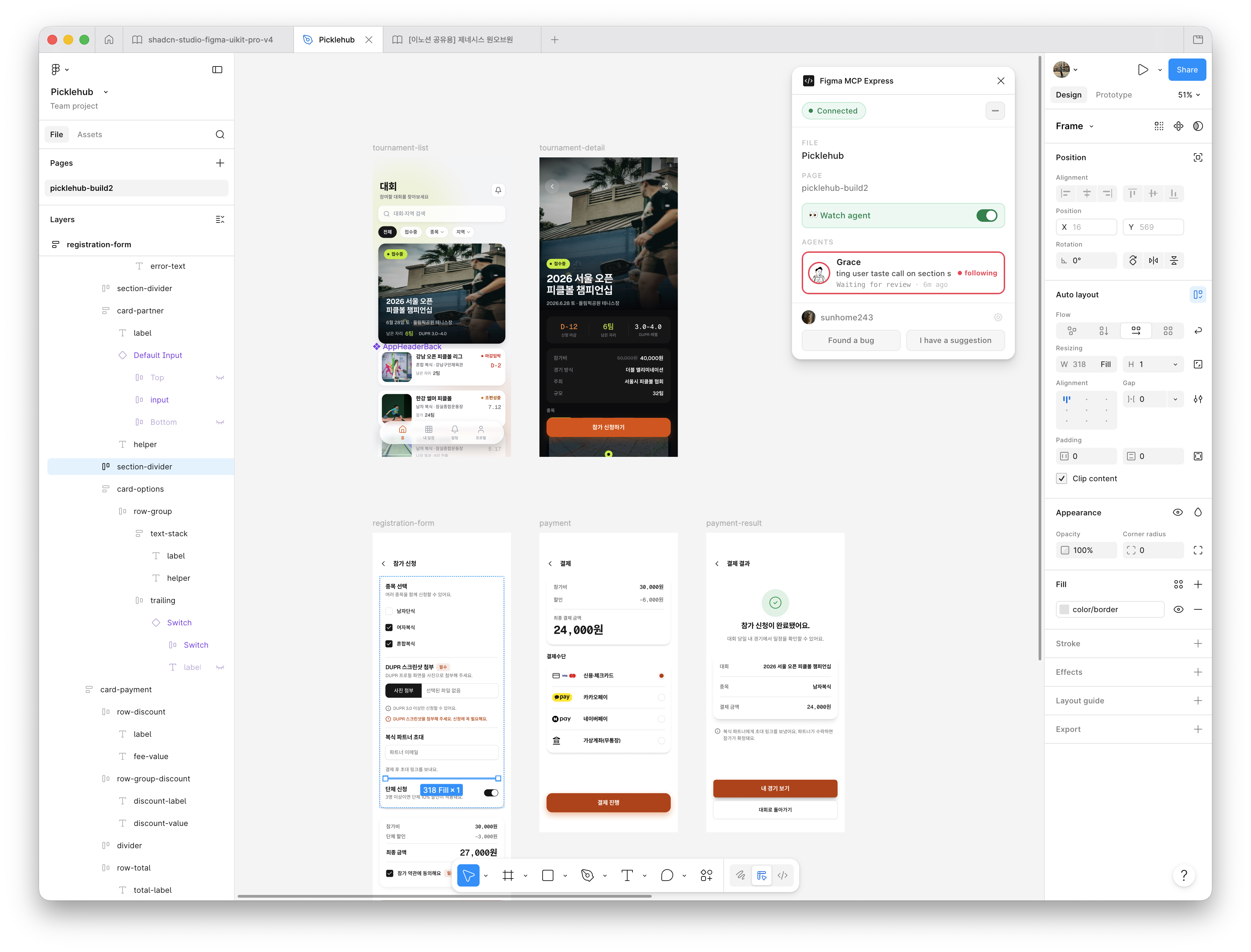
Follow AI agents live as they fix issues, edit layouts, and design screens directly in Figma.
vkhanhqui/figma-mcp-go@fe6cd768 (the intermediate fork baseline used for this measurement), the default tools/list drops from 73 tools / 12,214 o200k_base tokens to 21 tools / 3,283 tokens (73.1% smaller) — less context burned before the agent does any work.Plugin install is the shortest path.
Claude Code
claude plugin marketplace add sunhome243/figma-mcp-express
claude plugin install figma-mcp-express@figma-mcp-express
Codex
codex plugin marketplace add sunhome243/figma-mcp-express
codex plugin add figma-mcp-express@figma-mcp-express
plugin.zip or build from source.Plugins -> Development -> Import plugin from manifest....manifest.json from the unzipped plugin folder or from this repo's plugin/ directory.Plugins -> Development -> Figma MCP Express.fetch_library_catalog is the main REST-only exception and requires FIGMA_TOKEN.import_component_by_key can use them./mcp. See DEV-SETUP.md.For other MCP clients, or if you want to modify the server:
git clone https://github.com/sunhome243/figma-mcp-express.git
cd figma-mcp-express
make build
This produces bin/figma-mcp-express and plugin/dist/.
Add it to your .mcp.json:
{
  "mcpServers": {
    "figma-mcp-express": {
      "command": "/absolute/path/to/bin/figma-mcp-express",
      "args": ["--port", "1994"]
    }
  }
}
Restart your MCP client after building.
FIGMA_TOKENMost workflows do not need a token. Live read/write tools talk directly to Figma Desktop through the plugin.
You only need FIGMA_TOKEN for REST-backed library catalog lookups such as fetch_library_catalog.
Account Settings -> Personal access tokensIf you installed from the marketplace, set it in your shell profile:
echo 'export FIGMA_TOKEN=your_token_here' >> ~/.zshrc
source ~/.zshrc
If you built from source, you can either export it in your shell or place it in a local .env file:
cat <<'EOF' > .env
FIGMA_TOKEN=your_token_here
EOF
Shell environment variables take precedence over .env.
| Variable | Default | Description |
|---|---|---|
FIGMA_TOKEN | - | Required only for fetch_library_catalog. |
FIGMA_MCP_TOOL_PROFILE | core | core keeps the compact default tool surface. full restores the legacy compatibility/debugging surface. |
FIGMA_MCP_TOOL_SCHEMA_MODE | compact | compact trims tools/list descriptions to reduce MCP context tokens. Use verbose for full in-schema guidance. |
FIGMA_MCP_BATCH_MAX_OPS | 200 | Maximum top-level batch.ops entries accepted before plugin execution. |
FIGMA_MCP_BATCH_MAX_BYTES | 2097152 | Maximum encoded batch.ops payload size in bytes before plugin execution. |
FIGMA_MCP_STDIO_WORKERS | 16 | Number of stdio tool-call workers. Server-local tools can run concurrently; plugin-facing calls still serialize per Figma file. |
FIGMA_MCP_STDIO_QUEUE | 1000 | Buffered stdio tool-call queue size before mcp-go falls back to synchronous handling. |
FIGMA_MCP_SPILL_BYTES | 25000 | Response size threshold. Larger responses spill to .figma-mcp-cache/. |
FIGMA_MCP_TIMEOUT | 120 | Inactivity ceiling in seconds for lightweight ops. Resets on each progress heartbeat. |
FIGMA_MCP_READ_TIMEOUT | 600 | Inactivity ceiling in seconds for heavy reads and batch. Resets on each progress heartbeat. |
FIGMA_MCP_STALL_THRESHOLD | 45 | Seconds an op may hold a channel's serial slot with no progress before a new call on that channel is fast-rejected. |
The original bridge architecture and implementation underlying this project were created by GETHOPP LTD in gethopp/figma-mcp-bridge@82b28bc and released under the MIT License.
figma-mcp-express was initially created from an intermediate fork without knowing this earlier provenance. After learning the full lineage, we restored GETHOPP LTD's copyright notice and now credit the original project directly. We value a healthy, transparent open-source ecosystem and aim to make authorship and derivation explicit.
Required third-party copyright notices are preserved in LICENSE. figma-mcp-express is MIT-licensed and permits commercial use.
Claim this server with your GitHub account to request manual ownership verification.
Link to the catalog listing for MCP server for Figma Desktop automation from your README. This badge does not certify ownership, compatibility or security.
[](https://awesome-mcp.com/servers/figma-mcp-express)Public repository statistics could not be verified. Check the configured source address; unavailable counts are not zero.
Separate sources, scopes and periods. Never combined or treated as installations, active users or security reviews.
No reviewed package or image identity; download statistics are not listed yet.
Alternative and complementary servers in the same category
A directory listing describing a cancellation-letter and mailing-address service. The configured public GitHub repository returned 404 during source verification.

A hosted MCP service for browsing and searching through Singapore mobile-network proxies.

A directory listing describing a Markdown-to-PDF service. The configured public GitHub repository returned 404 during source verification.