
A directory listing describing a cancellation-letter and mailing-address service. The configured public GitHub repository returned 404 during source verification.
Repository stats unavailable
Developer Tools
An MCP server that lets AI dev tools run and create AO code and blueprints using natural language.
Flux MCP server for AO code generation and execution is cataloged as an MCP server attributed to asrvd. An MCP server that lets AI dev tools run and create AO code and blueprints using natural language. It is categorized under developer tools. See the capability inspector for recorded interfaces and their independent review status; consult upstream documentation for the current interface.
Installation configuration is not reviewed. No executable setup is offered for this entry; inspect the source repository before proceeding.
Catalog license label: Not specified. Check the source repository's current license and terms before using, modifying or distributing this software.
Capability definitions are not reviewed. Unreviewed imports are not exposed as trusted interfaces.
No reviewed records to display. This does not establish that upstream lacks this capability.
No reviewed records to display. This does not establish that upstream lacks this capability.
No reviewed records to display. This does not establish that upstream lacks this capability.
Email delivery is not connected. This page does not collect email addresses or create subscriptions.
Browse the registry for current listings instead.
Reviews for Flux MCP server for AO code generation and execution are not available yet
Review publishing and storage are not connected. This page does not collect or publish ratings or comments, including after sign-in.
Yes, a remote setup is available for users who want to use Flux without installing anything locally.
README.md · e10d9949b6da · Fetched 2026-11-13 09:08:58 UTC
Original upstream text, without AI rewriting. Scripts, forms and unsafe links are filtered for safety.
Showing the last retrieved documentation snapshot; check the source for current changes.
AI based AO tool calling on steroids that integrates with your existing tools and editor using a MCP server.
https://github.com/user-attachments/assets/3484e2db-e7cb-479a-84a2-0b399e1149ac
There are currently two ways to install and use Flux, right now it has been tested significantly only on Cursor so we will be showing how to install FLux in Cursor -
Local Setup - For users who want everything to be present locally, no remote servers involved
"mcpServers": {
    "flux": {
        "command": "npx",
        "args": ["-y", "flux-ao@latest"],
    }
}
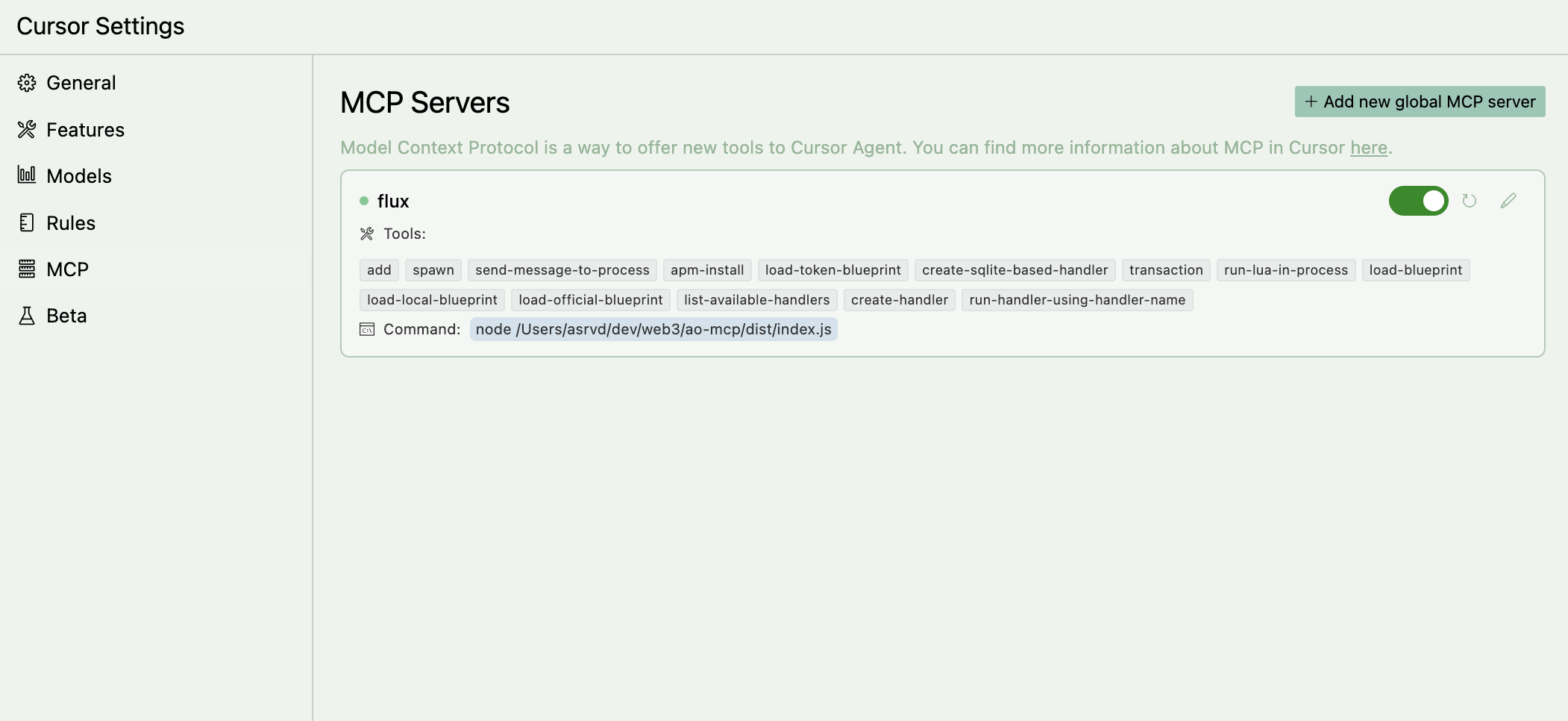
Remote Setup - For users who want to use Flux without installing anything locally
"mcpServers": {
    "flux": {
        "url": "https://flux-2esw.onrender.com/sse",
    }
}
We would suggest you add the llms.txt for AO docs in cursor first and use it as a context before you start using the MCP server. If you don't know how to do it, checkoout this documentation on how to add docs to cursor.
The more context you give to cursor, the more acurate the responses will be.
Now add these custom rules in your Cursor project to make sure Cursor doesn't hallucinate or give wrong responses. You can add these rules in the Settings > Cursor Settings > Rules > Add new rule.
For adding json capabilities ONLY IF NEEDED, you need to add a line "local json = require("json")" on top of file. BUT DONT USE IT UNLESS NEEDED. SIMPLE THINGS CAN BE DONE USING AO PROCESS STATE

Always use Send instead of msg.reply

Always make sure a handler is sending out a response/reply (using Send) and send it as data as well instaed of just returning using tags

Never add any tags by yourself, always add tags when needed or instructed by user, also {"Action":"Eval"} tag is for running lua in an ao process and {"Action" : "action_name"} is for running a handler

Never add the "Type" tag to anything, thats reserved for internal ao specifications

Always use Handler.utils whever possible when creating a handler, for example --
    Handlers.add(
        "pingpong",
        Handlers.utils.hasMatchingTag("Action", "Ping"),
        function (msg)
            Handlers.utils.reply("Pong")(msg) -- or use Send() here
        end
    )
Now you can start using the Flux MCP server in Cursor Agents.
If you find any issues with the Server or encounter any bugs, please let us know by opening an issue or mailing us @ flux.mcp@gmail.com
Claim this server with your GitHub account to request manual ownership verification.
Link to the catalog listing for Flux MCP server for AO code generation and execution from your README. This badge does not certify ownership, compatibility or security.
[](https://awesome-mcp.com/servers/flux-ao-arweave)Public repository statistics could not be verified. Check the configured source address; unavailable counts are not zero.
Separate sources, scopes and periods. Never combined or treated as installations, active users or security reviews.
No reviewed package or image identity; download statistics are not listed yet.
Alternative and complementary servers in the same category
A directory listing describing a cancellation-letter and mailing-address service. The configured public GitHub repository returned 404 during source verification.

A hosted MCP service for browsing and searching through Singapore mobile-network proxies.

A directory listing describing a Markdown-to-PDF service. The configured public GitHub repository returned 404 during source verification.