
A Rust CAD application with an MCP server for creating, inspecting and rendering drawings, either headlessly or through a connection to the desktop app.
8K
Media & Design
A hosted remote MCP server that lets MCP-compatible clients generate, edit, vary, and browse FLUX images and videos.
FLUX MCP server by Black Forest Labs is cataloged as an MCP server attributed to black-forest-labs. A hosted remote MCP server that lets MCP-compatible clients generate, edit, vary, and browse FLUX images and videos. It is categorized under media design. See the capability inspector for recorded interfaces and their independent review status; consult upstream documentation for the current interface.
Installation configuration is not reviewed. No executable setup is offered for this entry; inspect the source repository before proceeding.
Catalog license label: MIT. Check the source repository's current license and terms before using, modifying or distributing this software.
Capability definitions are not reviewed. Unreviewed imports are not exposed as trusted interfaces.
No reviewed records to display. This does not establish that upstream lacks this capability.
No reviewed records to display. This does not establish that upstream lacks this capability.
No reviewed records to display. This does not establish that upstream lacks this capability.
Email delivery is not connected. This page does not collect email addresses or create subscriptions.
Browse the registry for current listings instead.
Reviews for FLUX MCP server by Black Forest Labs are not available yet
Review publishing and storage are not connected. This page does not collect or publish ratings or comments, including after sign-in.
No; it is hosted and OAuth-only, and users sign in with their BFL account and choose the organization to bill.
Users pay Black Forest Labs directly, with no middleman or shared quotas, at current published rates.
It serves official BFL prompting guides covering image best practices, video direction, audio and dialogue, keyframes, product ads, and more, through tools, resources, and prompts.
README.md · bb5585c16cb8 · Fetched 2026-11-13 11:04:28 UTC
Original upstream text, without AI rewriting. Scripts, forms and unsafe links are filtered for safety.
Showing the last retrieved documentation snapshot; check the source for current changes.

Bring FLUX into the tools you already use.
Generate, edit, vary, and browse FLUX and videos from any MCP-compatible client.



Install · Showcase · Tools · Skills · Examples · Troubleshooting
The FLUX MCP server exposes the full FLUX toolkit — text-to-image, image editing, multi-reference composition, virtual try-on, FLUX 3 video, variations, and history — to any client that speaks the Model Context Protocol. Generate options in parallel, edit attached images through prompts, try garments on a photo, animate stills into clips with audio, and branch into variations from any result you like. No API code, no keys pasted into the conversation.
https://mcp.bfl.ai. Sign in with your BFL account, pick the org to bill, done.aspect_ratio and resolution.seed, steps and output_format.FLUX, URL https://mcp.bfl.ai.claude mcp add --transport http FLUX https://mcp.bfl.ai
A browser opens on first use for OAuth. Tokens refresh automatically.
One-click: Add to Cursor — opens Cursor with the FLUX server pre-filled.
Manual — add to .cursor/mcp.json:
{
  "mcpServers": {
    "FLUX": {
      "url": "https://mcp.bfl.ai"
    }
  }
}
codex mcp add flux --url https://mcp.bfl.ai
codex mcp login flux
Or append to ~/.codex/config.toml:
[mcp_servers.flux]
url = "https://mcp.bfl.ai"
Edit ~/.codeium/windsurf/mcp_config.json (note Windsurf uses serverUrl, not url):
{
  "mcpServers": {
    "FLUX": {
      "serverUrl": "https://mcp.bfl.ai"
    }
  }
}
Reload plugins from the Cascade panel. The first FLUX call opens a browser for sign-in.
mcp-remote)For clients that support stdio MCP but don't handle the OAuth flow themselves — for example Hermes (Nous Research) and similar tools that only accept static bearer tokens:
{
  "mcpServers": {
    "FLUX": {
      "command": "npx",
      "args": ["-y", "mcp-remote", "https://mcp.bfl.ai"]
    }
  }
}
mcp-remote opens a browser for OAuth, caches tokens to ~/.mcp-auth/, and refreshes them automatically.
"Generate 4 editorial portrait variants — varied lighting, palette, and mood."
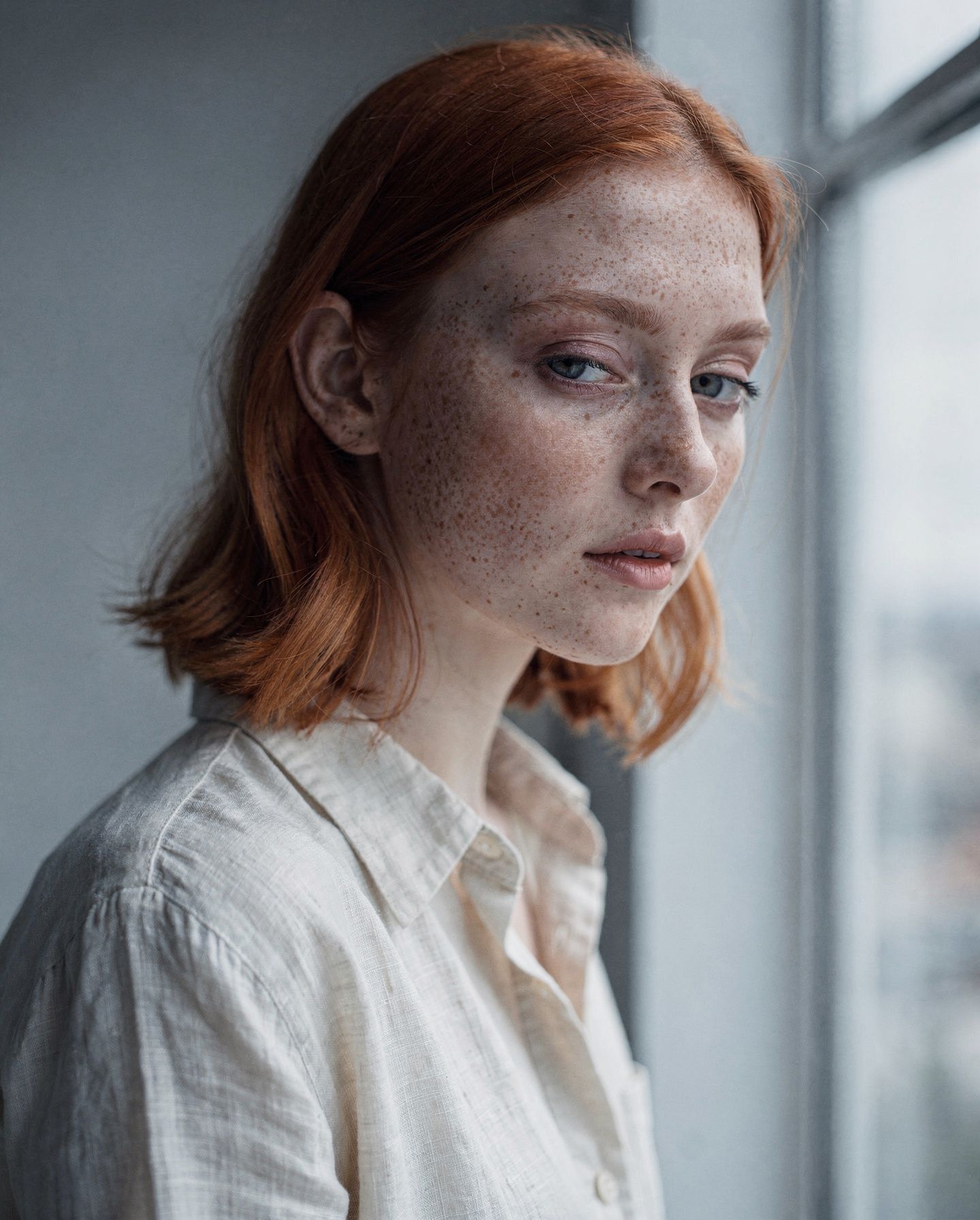
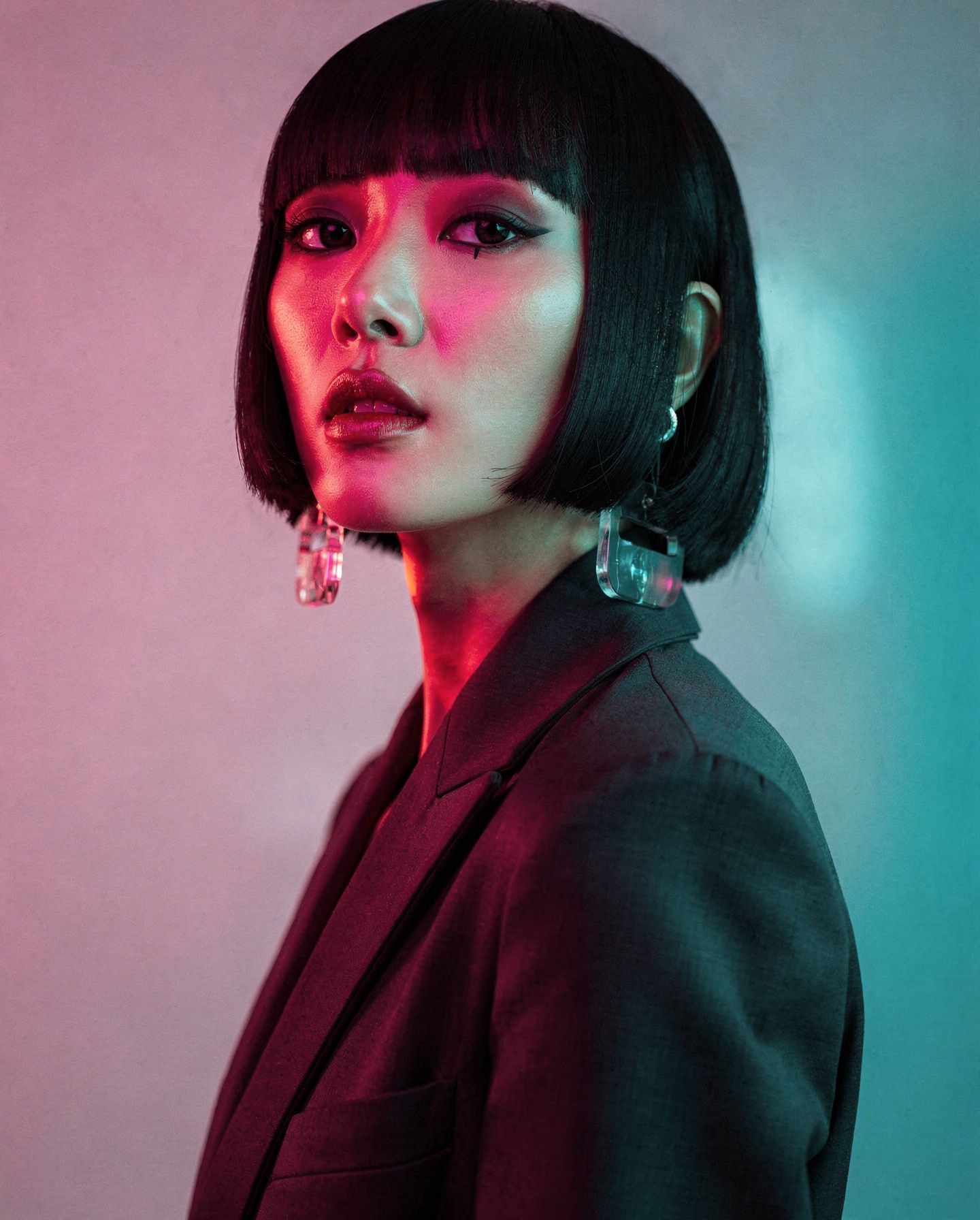
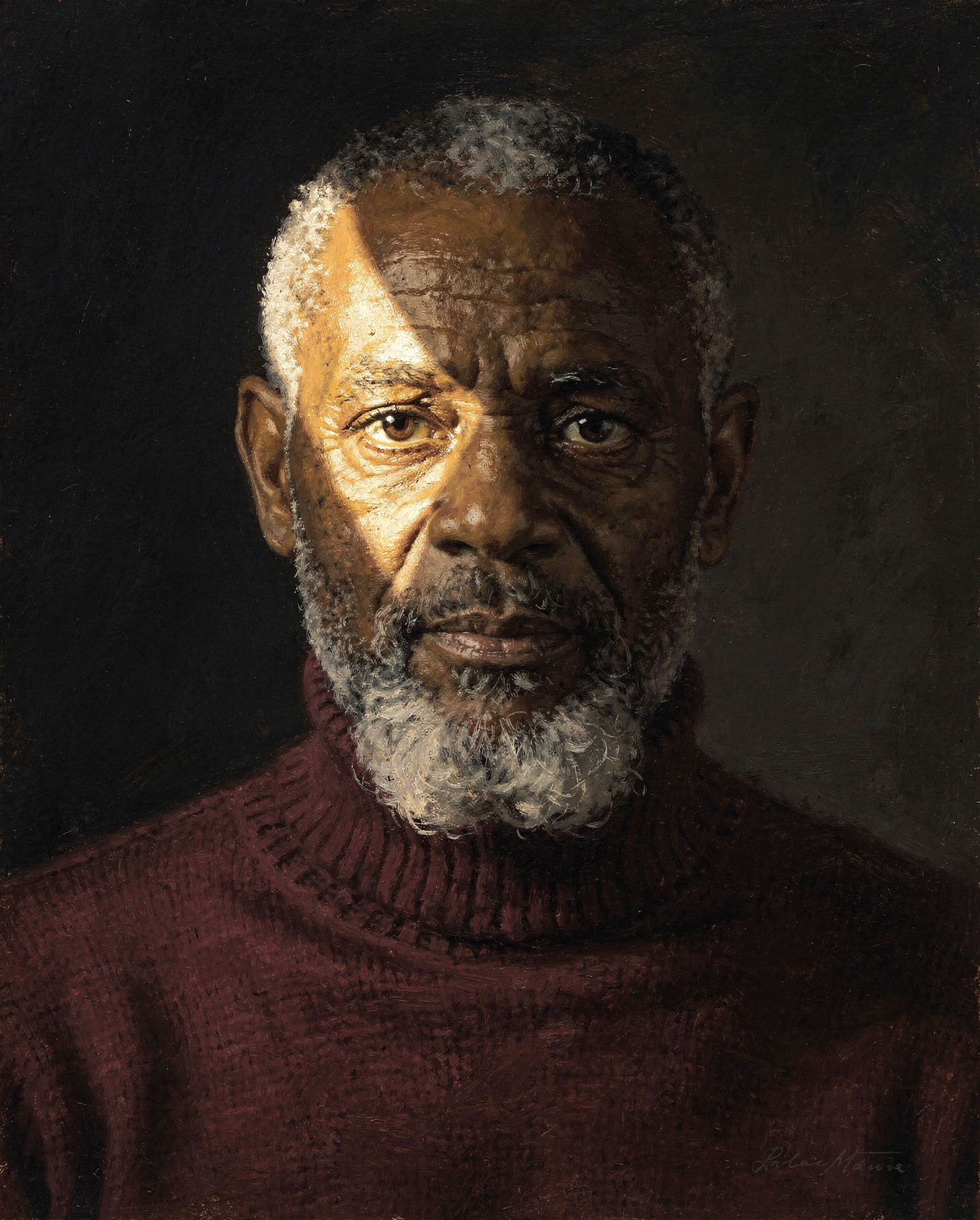
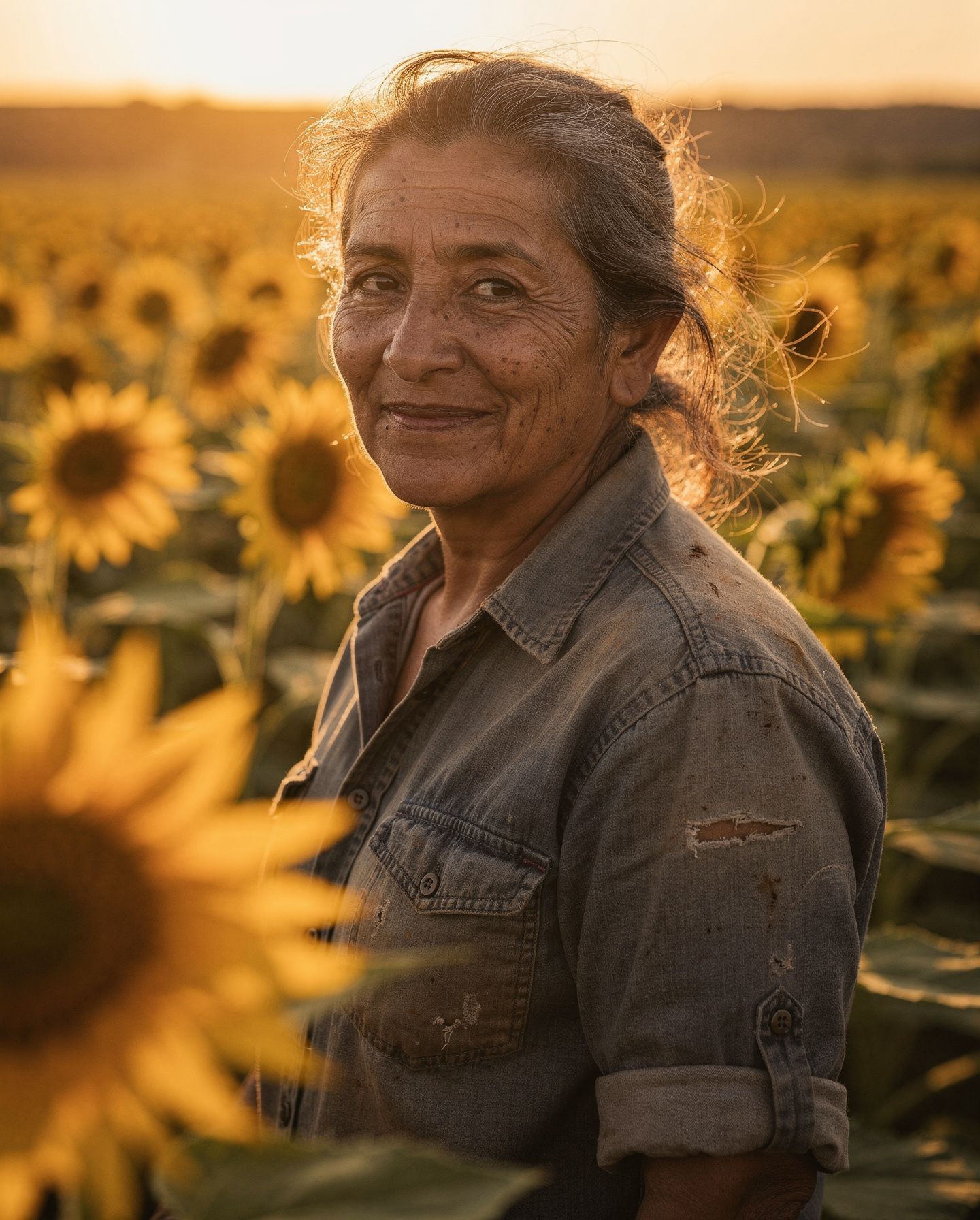
"A top-down aerial photograph of shallow desert salt pools, intense direct sunlight."
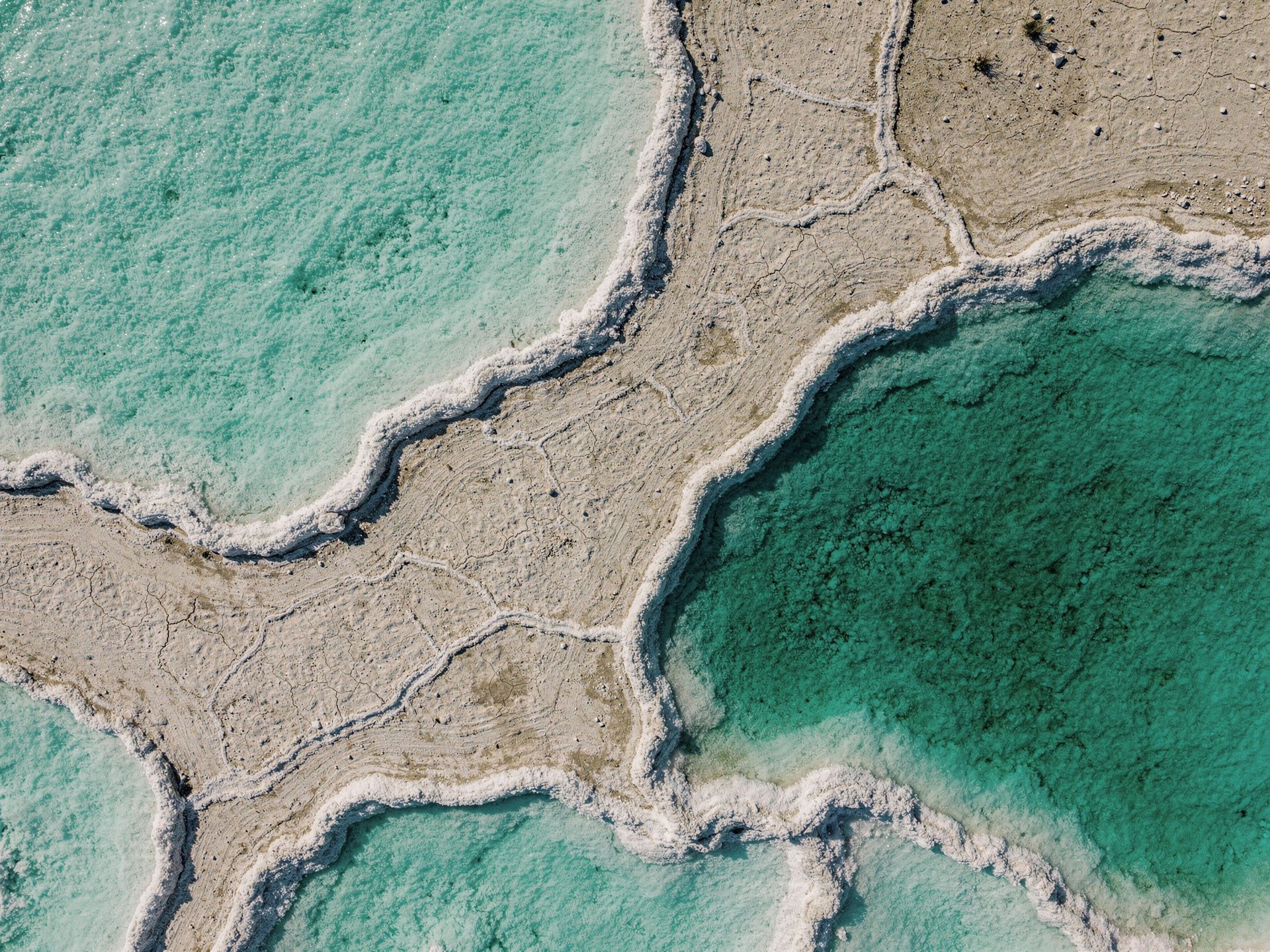
"Add a camel on the sand."
| Before | After |
| 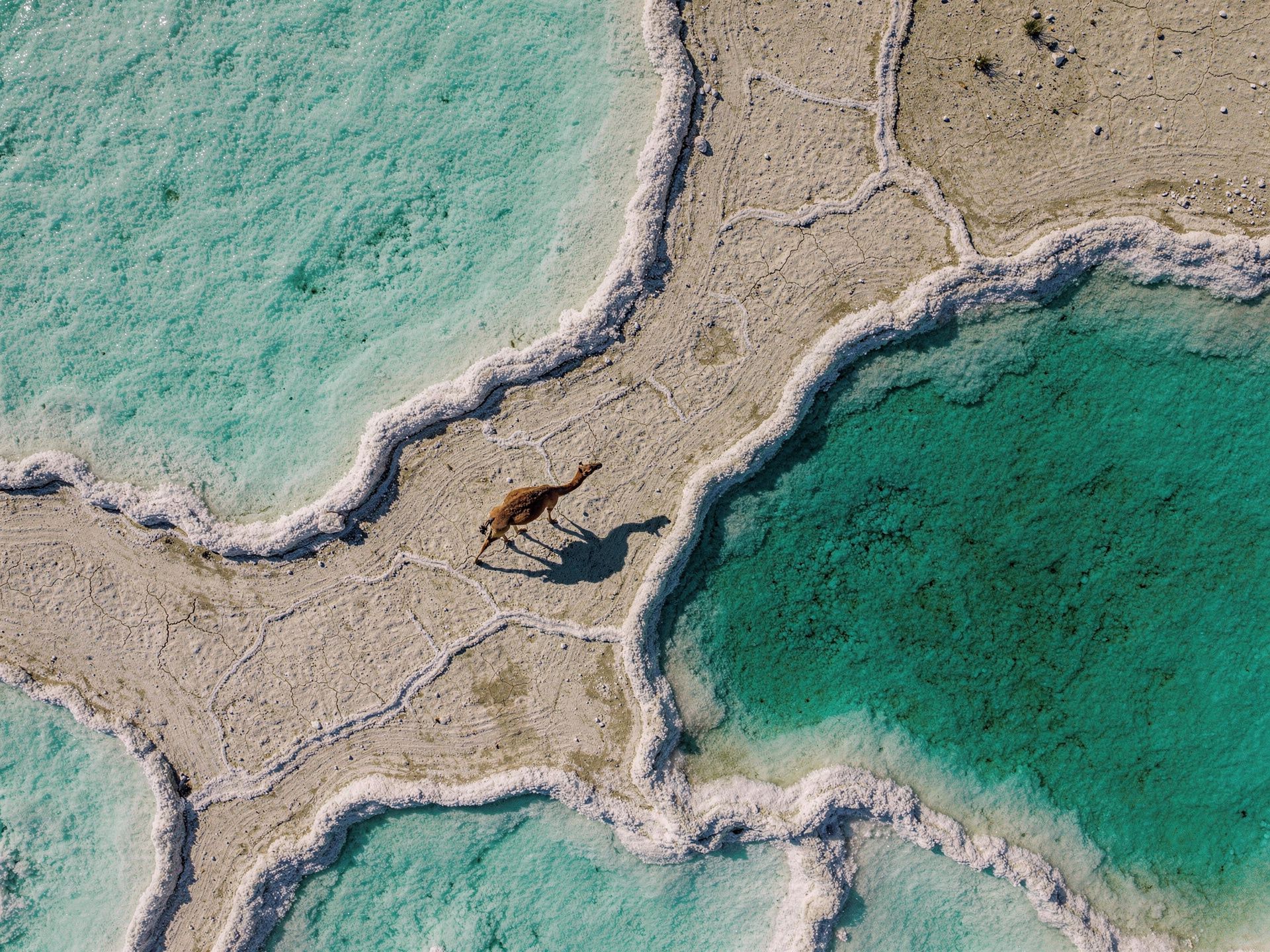 |
"Show me my recent FLUX generations."
Every generation is saved. Tap any tile to edit, vary, or download. Variations branch off any past image in one click.
Your client picks which tool to call based on your prompt — you don't need to invoke them by name.
| Tool | What it does |
|---|---|
generate_image | Generate 1–8 images in parallel. Covers text-to-image, edits, multi-reference composition, style transfer, and inpainting-style edits through prompts. |
vto | Virtual try-on — dress a person (or pet) in a garment, hat, sunglasses, shoes, bag, or any wearable from a reference image. Designed to preserve the subject's face, hair, and pose while changing the wearable. |
generate_video | Generate 1–4 videos in parallel with FLUX 3 — text-to-video, image-to-video from keyframes, or continuation of an existing video. 5–20 seconds, synchronized audio. |
enhance_video | Re-render a draft video at full quality — the same composition, seed, and prompt plan as the draft you picked. |
upscale_video | Increase the resolution of a finished clip by 1.5 to 3 times. Precise mode is the default; this works on finished clips, not only drafts. |
edit_video | Edit an MP4 clip with a prompt. Sources must be at most 15.05 seconds and at least 160 pixels on each side; output follows the source within a 720p budget. |
generate_variations | Produce N more images in the same direction as a previous generation (identified by request_id). Defaults to 4, max 8. |
get_history | List recent generations as a thumbnail grid with per-tile Variations / Edit / copy / download actions. Keyset pagination, date filters. |
get_credits | Return your remaining BFL credit balance. |
list_skills | List the official BFL prompting guides — image best practices, video direction, audio and dialogue, keyframes, product ads, archival looks, API integration. |
get_skill | Fetch one guide by name. Long guides return an intro plus a section index; fetch the sections the task needs. |
generate_image defaults to flux3_image. Pass model to pick another one:
| Model | Use it for |
|---|---|
flux3_image (default) | FLUX 3 Image. Text-to-image, edits, multi-reference composition. resolution: 768sq, 1k (default), 1.5k, 2k, 4k. aspect_ratio: auto or one of 15 fixed ratios. Up to 10 reference images. |
flux3_image_klein | FLUX 3 Image Klein. Fast and cheap at the same sizes and reference limit, with seed (0 to 4294967295), steps (1 to 16, 16 is the default) and output_format (jpeg or png). |
flux2_pro_preview | FLUX.2 [pro], previous generation. Everyday work |
flux2_max | FLUX.2 [max], previous generation. Hero shots, final assets |
flux2_klein_9b_preview | FLUX.2 [klein] 9B, previous generation. Up to 4 input images |
flux2_klein_4b | FLUX.2 [klein] 4B, previous generation. Fastest option |
flux2_flex | FLUX.2 [flex], previous generation. Typography and readable text |
All image models use aspect_ratio and resolution; the MCP interface has no pixel width or height fields. FLUX.2 tops out at 2k. Flex accepts guidance from 1.5 to 10 and steps from 1 to 50. For edits without a resolution, FLUX 3 chooses the nearest tier for bucket-hosted references and falls back to 1k for external URLs.
The full catalog, per-model reference-image limits, the FLUX Tools (vto), and FLUX 3 video are also exposed as the bfl://models MCP resource.
generate_video renders 24fps MP4 clips of 5–20 seconds with synchronized audio, up to 4 in parallel per call. Every request uses one of three modes:
| Mode | Input | What you get |
|---|---|---|
t2v | Prompt only | A clip generated from your description |
i2v | Prompt + 1–10 keyframe images | One keyframe animates a still from its exact opening frame; two bridge an opening and a closing frame; 3–10 form a storyboard spread evenly across the clip (explicit duration required) |
v2v | Prompt + a source video | A continuation of the source's final seconds, audio included |
request_id), an uploaded image, or a public URL. Optional per-keyframe timestamps (in seconds, ascending — set on all keyframes or none) pin exact positions in the clip; with duration set to auto, the clip runs to the last timestamp (20 seconds max).v2v are a prior generate_video result, an attached MP4 up to 50 MB, or a public MP4 URL.duration: 5–20 seconds or auto (default). aspect_ratio: auto (default), 21:9, 2:1, 16:9, 4:3, 1:1, 3:4, or 9:16. resolution: hd (default, 704p-class) or fhd (finished by a video upsampler on a 1080p-class canvas). generate_audio: on by default.draft: true renders a fast low-step preview of the exact planned generation (hd only). Batch cheap drafts, pick the winner, and enhance_video re-renders it at full quality from its request_id.request_id; results survive closing the chat and resume automatically.r2v mode follows later.The server ships specialist prompting guides from black-forest-labs/skills and serves them three ways, so every client gets at least one. These guides cover focused workflows; a general FLUX 3 prompting guide is not included yet:
list_skills and get_skill(name). Works everywhere, including ChatGPT.bfl://skills/<name> for clients with resource pickers (Claude, Cursor).skill_<name_with_underscores> slash-prompts where the client supports them (e.g. skill_flux_image_best_practices).Ask "what FLUX skills do you have?", or just request something specialized like a product ad, Super 8 footage, dialogue direction. The generation tools point your client at the matching guide before it writes the prompt.
Try these in your client once FLUX is connected:
Generate 4 editorial portrait variants — varied lighting, palette, and mood.
Use FLUX.2 [pro] at 1440×1792.
A top-down aerial photograph of shallow desert salt pools at golden hour,
intense direct sunlight, #FF6B6B and #F5E6D3 mineral deposits, FLUX.2 [max].
[attach an image]
Add a camel on the sand. Preserve the rest of the composition exactly.
Generate a movie poster with the title "MIRAGE" in 1970s grindhouse type,
high-contrast cyan and orange. Use FLUX.2 [flex].
[attach a selfie]
Try this on me — a red Nike Tech Fleece hoodie, oversized fit.
[attach an image]
Animate this into a 10-second clip — slow push-in, wind through the palms,
distant surf.
Generate 3 draft videos of a paper lantern rising over a night market,
each with a different camera move. I'll enhance the best one.
Show me my recent FLUX generations.
[click Variations on a past image]
4 more like this one, vary the lighting.
#FF6B6B (coral pink) is more precise than "pinkish red".The server exposes specialist guides for focused workflows. A general FLUX 3 prompting guide is not included yet.
claude mcp list should show the server.codex mcp list should show flux. Start a new Codex session after adding./mcp shows status and reauth. Full rebuild:
claude mcp remove FLUX
claude mcp add --transport http FLUX https://mcp.bfl.ai
codex mcp login flux. Full rebuild:
codex mcp remove flux
codex mcp add flux --url https://mcp.bfl.ai
rm -rf ~/.mcp-auth and restart the client to force a fresh OAuth.Large batches, FLUX.2 [max], or complex edits take longer than smaller generations. Visual MCP clients update the image view automatically.
Video renders take minutes — long clips up to about an hour. They return a pending request immediately and resume automatically, even if you close the chat and come back later.
Your MCP client needs permission to upload attached media to BFL. If your client blocks outbound HTTPS from its sandbox, allow *.bfl.ai or pass a public URL instead. Video uploads are MP4 only, up to 50 MB.
Disconnect the FLUX connector in your client and reconnect it. The OAuth flow will prompt you to select an organization again.
MCP and Agent Skills solve different problems:
| MCP (this repo) | Agent Skills | |
|---|---|---|
| What it does | Generates, edits, varies, and browses images directly in chat | Teaches your coding agent how to write FLUX API code |
| Best for | Creative work inside Claude or another MCP client | Building applications that call the FLUX API |
Use both. They complement each other and the skills repo's prompting guides are served directly over MCP too (see Prompting skills).
MIT © Black Forest Labs
Claim this server with your GitHub account to request manual ownership verification.
Link to the catalog listing for FLUX MCP server by Black Forest Labs from your README. This badge does not certify ownership, compatibility or security.
[](https://awesome-mcp.com/servers/flux-mcp)Public repository statistics could not be verified. Check the configured source address; unavailable counts are not zero.
Separate sources, scopes and periods. Never combined or treated as installations, active users or security reviews.
No reviewed package or image identity; download statistics are not listed yet.
Alternative and complementary servers in the same category
A Rust CAD application with an MCP server for creating, inspecting and rendering drawings, either headlessly or through a connection to the desktop app.

Liquid Composer is a browser-based Liquid Glass icon design tool that offers a local MCP server for agent-driven icon workflows.

agent-media makes short drama series and other short vertical videos from Claude, ChatGPT or Codex through one MCP connection, with OAuth sign-in and no API keys.