

This is a Model Context Protocol (MCP) server for interacting with AIStor object stores.
Repository stats unavailable
Databases & Storage
An MCP server that lets AI assistants initialize a table model and convert natural language into SQL statements.
focus_mcp_sql MCP server is cataloged as an MCP server attributed to focussearch. An MCP server that lets AI assistants initialize a table model and convert natural language into SQL statements. It is categorized under databases storage. See the capability inspector for recorded interfaces and their independent review status; consult upstream documentation for the current interface.
Installation configuration is not reviewed. No executable setup is offered for this entry; inspect the source repository before proceeding.
Catalog license label: Not specified. Check the source repository's current license and terms before using, modifying or distributing this software.
Capability definitions are not reviewed. Unreviewed imports are not exposed as trusted interfaces.
No reviewed records to display. This does not establish that upstream lacks this capability.
No reviewed records to display. This does not establish that upstream lacks this capability.
No reviewed records to display. This does not establish that upstream lacks this capability.
Email delivery is not connected. This page does not collect email addresses or create subscriptions.
Browse the registry for current listings instead.
Reviews for focus_mcp_sql MCP server are not available yet
Review publishing and storage are not connected. This page does not collect or publish ratings or comments, including after sign-in.
It uses a transparent two-step process of keywords plus SQL, with keyword verification making hallucination risk low and controllable.
README.md · 6a7f1ef61ded · Fetched 2026-11-13 09:44:32 UTC
Original upstream text, without AI rewriting. Scripts, forms and unsafe links are filtered for safety.
Showing the last retrieved documentation snapshot; check the source for current changes.
A Model Context Protocol (MCP) server enables artificial intelligence assistants to convert natural language into SQL statements.
In simple terms, focus_mcp_sql adopts a two-step SQL generation solution, which enables control over the hallucinations of LLM and truly builds the trust of non-technical users in the generated SQL results.
Below is the comparison table between focus_mcp_sql and others:
Here’s a side-by-side comparison of focus_mcp_sql with other LLM-based frameworks:
| Feature | Traditional LLM Frameworks | focus_mcp_sql |
|---|---|---|
| Generation Process | Black box, direct SQL generation | Transparent, two-step (keywords + SQL) |
| Hallucination Risk | High, depends on model quality | Low, controllable (keyword verification) |
| Speed | Slow, relies on large model inference | Fast, deterministic keyword-to-SQL |
| Cost | High, requires advanced models | Low, reduces reliance on large models |
| Non-Technical User Friendliness | Low, hard to verify results | High, easy keyword checking |
-Initialize the model -Convert natural language to SQL statements
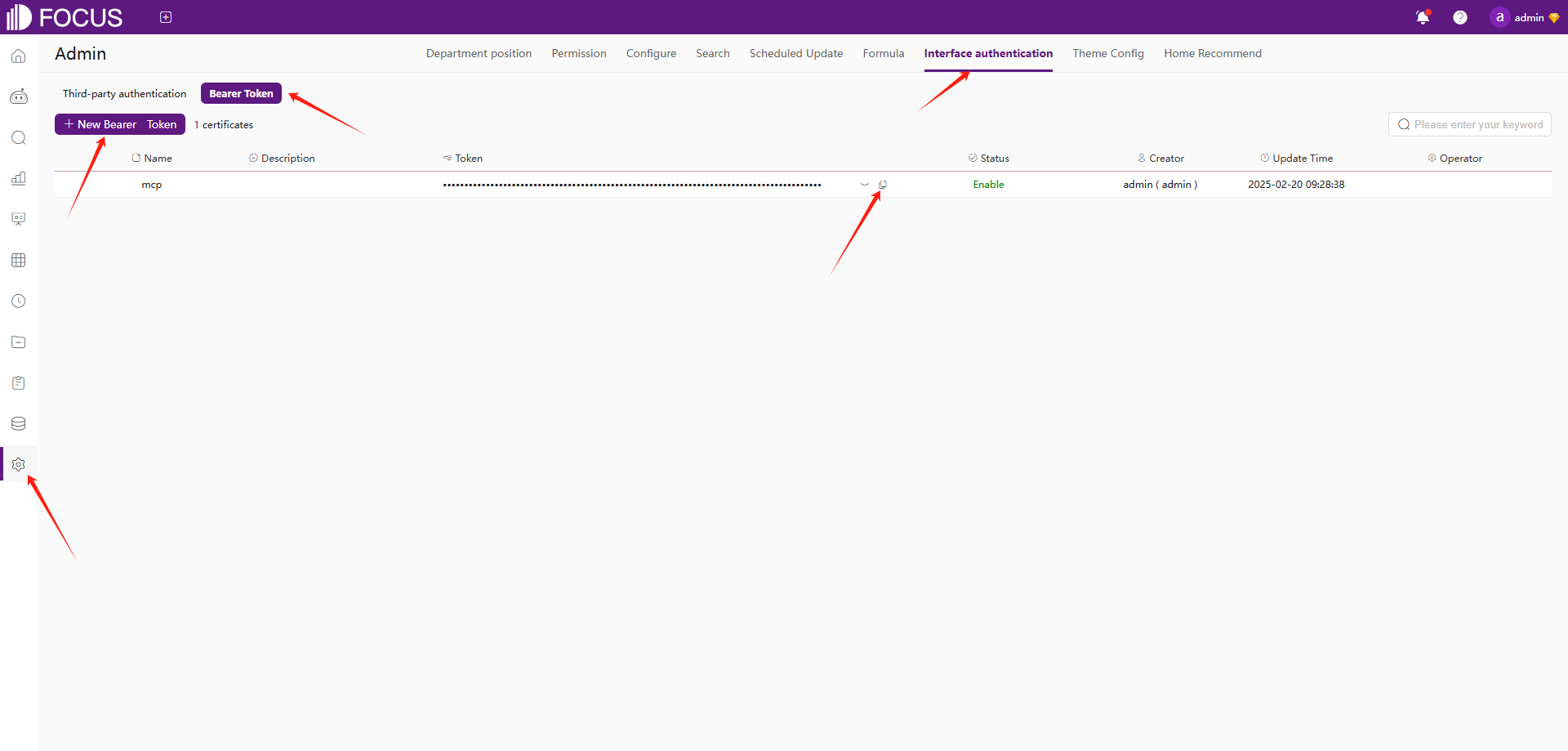
git clone https://github.com/FocusSearch/focus_mcp_sql.git
cd focus_mcp_sql
gradle clean
gradle bootJar

The jar path: build/libs/focus_mcp_sql.jar
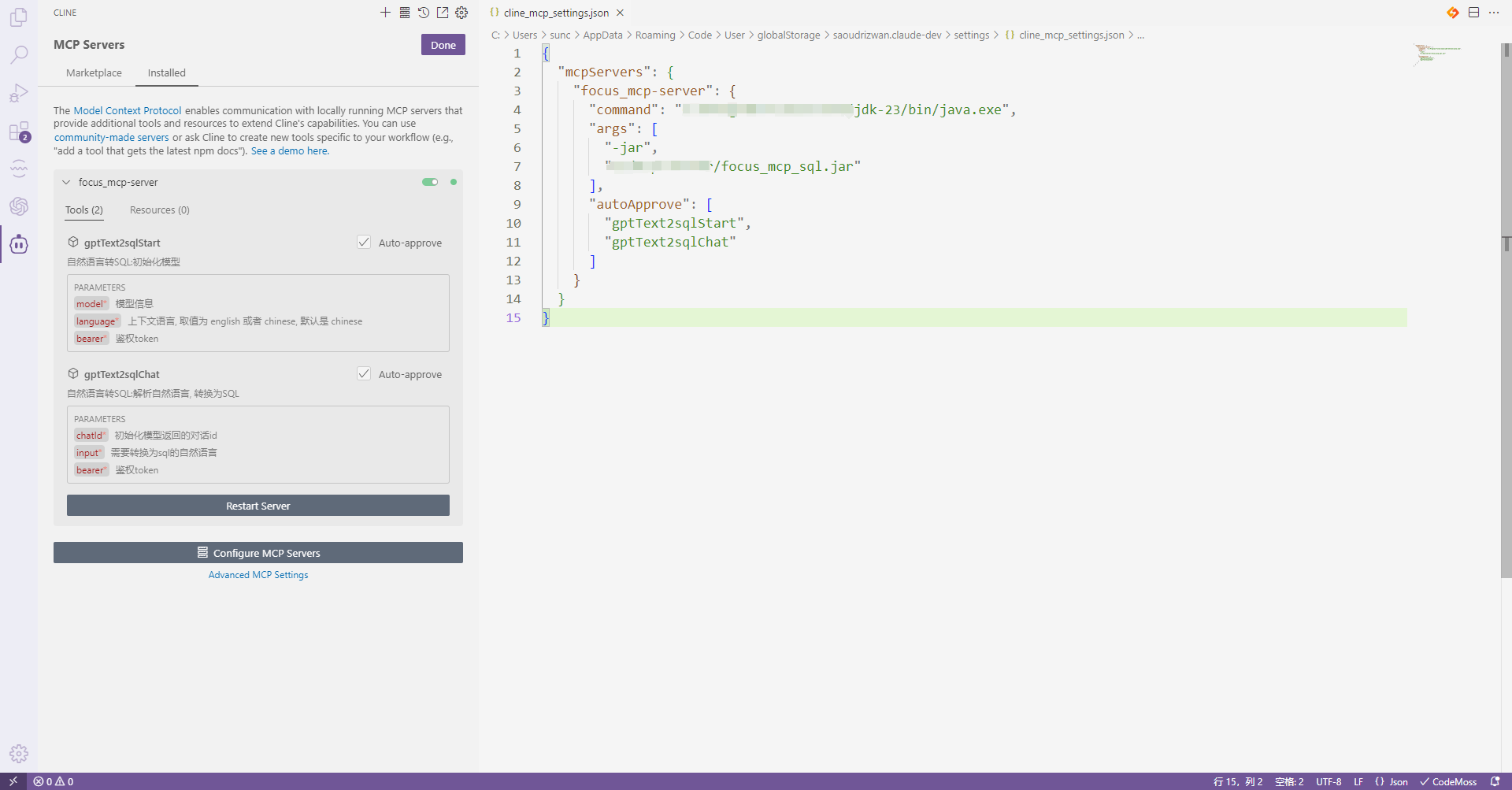
Add the server to your MCP settings file:
{
  "mcpServers": {
    "focus_mcp_data": {
      "command": "java",
      "args": [
        "-jar",
        "path/to/focus_mcp_sql/focus_mcp_sql.jar"
      ],
      "autoApprove": [
        "gptText2sqlStart",
        "gptText2sqlChat"
      ]
    }
  }
}
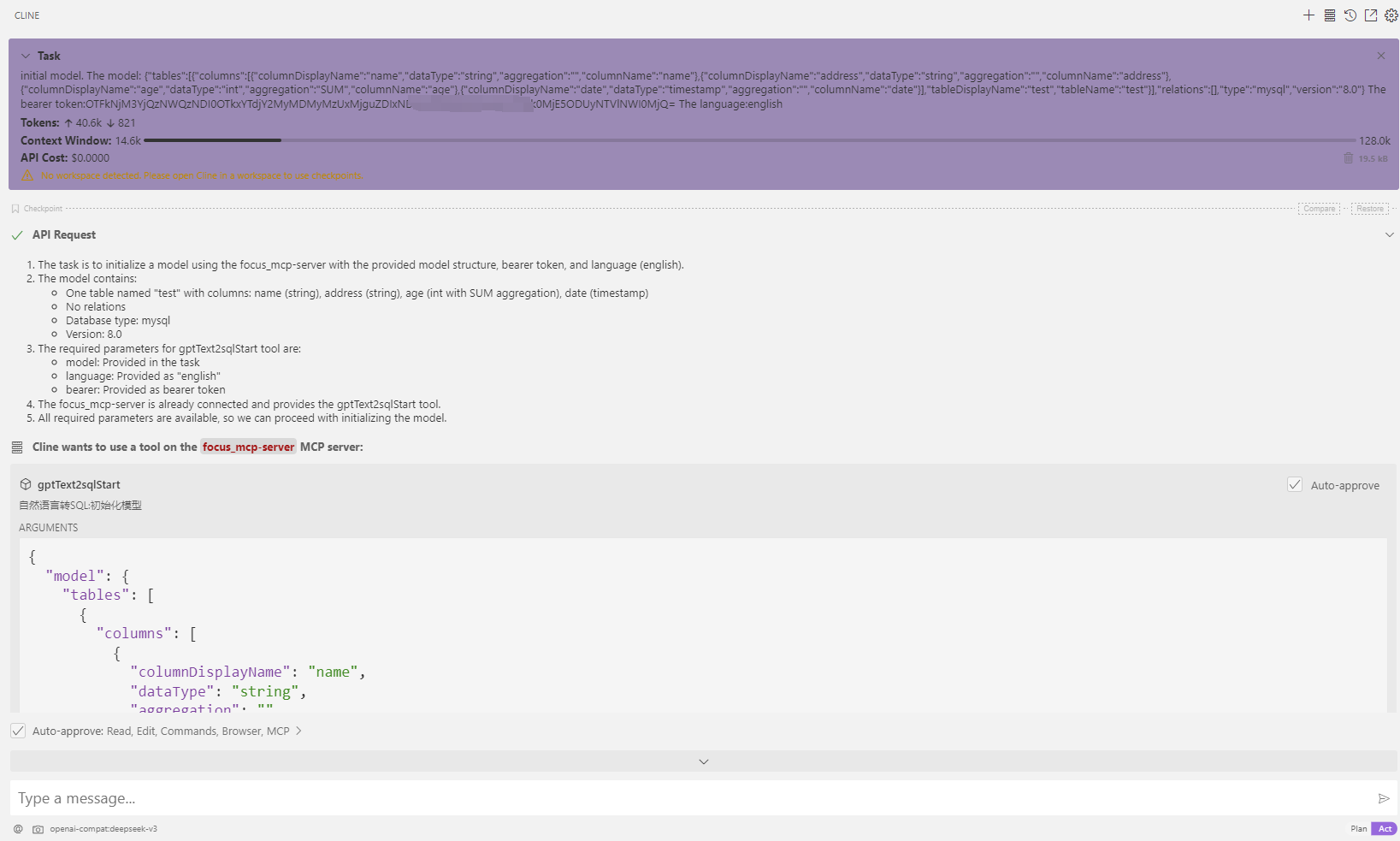
initial model.
Parameters:
model (required): table modelbearer (required): bearer tokenlanguage (optional): language ['english','chinese']Example:
{
  "model": {
    "tables": [
      {
        "columns": [
          {
            "columnDisplayName": "name",
            "dataType": "string",
            "aggregation": "",
            "columnName": "name"
          },
          {
            "columnDisplayName": "address",
            "dataType": "string",
            "aggregation": "",
            "columnName": "address"
          },
          {
            "columnDisplayName": "age",
            "dataType": "int",
            "aggregation": "SUM",
            "columnName": "age"
          },
          {
            "columnDisplayName": "date",
            "dataType": "timestamp",
            "aggregation": "",
            "columnName": "date"
          }
        ],
        "tableDisplayName": "test",
        "tableName": "test"
      }
    ],
    "relations": [

    ],
    "type": "mysql",
    "version": "8.0"
  },
  "bearer": "ZTllYzAzZjM2YzA3NDA0ZGE3ZjguNDJhNDjNGU4NzkyYjY1OTY0YzUxYWU5NmU="
}
model 参数说明:
| 名称 | 位置 | 类型 | 必选 | 说明 |
|---|---|---|---|---|
| model | body | object | 是 | none |
| » type | body | string | 是 | 数据库类型 |
| » version | body | string | 是 | 数据库版本 |
| » tables | body | [object] | 是 | 表结构列表 |
| »» tableDisplayName | body | string | 否 | 表显示名 |
| »» tableName | body | string | 否 | 表原始名 |
| »» columns | body | [object] | 否 | 表列列表 |
| »»» columnDisplayName | body | string | 是 | 列显示名 |
| »»» columnName | body | string | 是 | 列原始名 |
| »»» dataType | body | string | 是 | 列数据类型 |
| »»» aggregation | body | string | 是 | 列聚合方式 |
| » relations | body | [object] | 是 | 表关联关系列表 |
| »» conditions | body | [object] | 否 | 关联条件 |
| »»» dstColName | body | string | 否 | dimension 表关联列原始名 |
| »»» srcColName | body | string | 否 | fact 表关联列原始名 |
| »» dimensionTable | body | string | 否 | dimension 表原始名 |
| »» factTable | body | string | 否 | fact 表原始名 |
| »» joinType | body | string | 否 | 关联类型 |
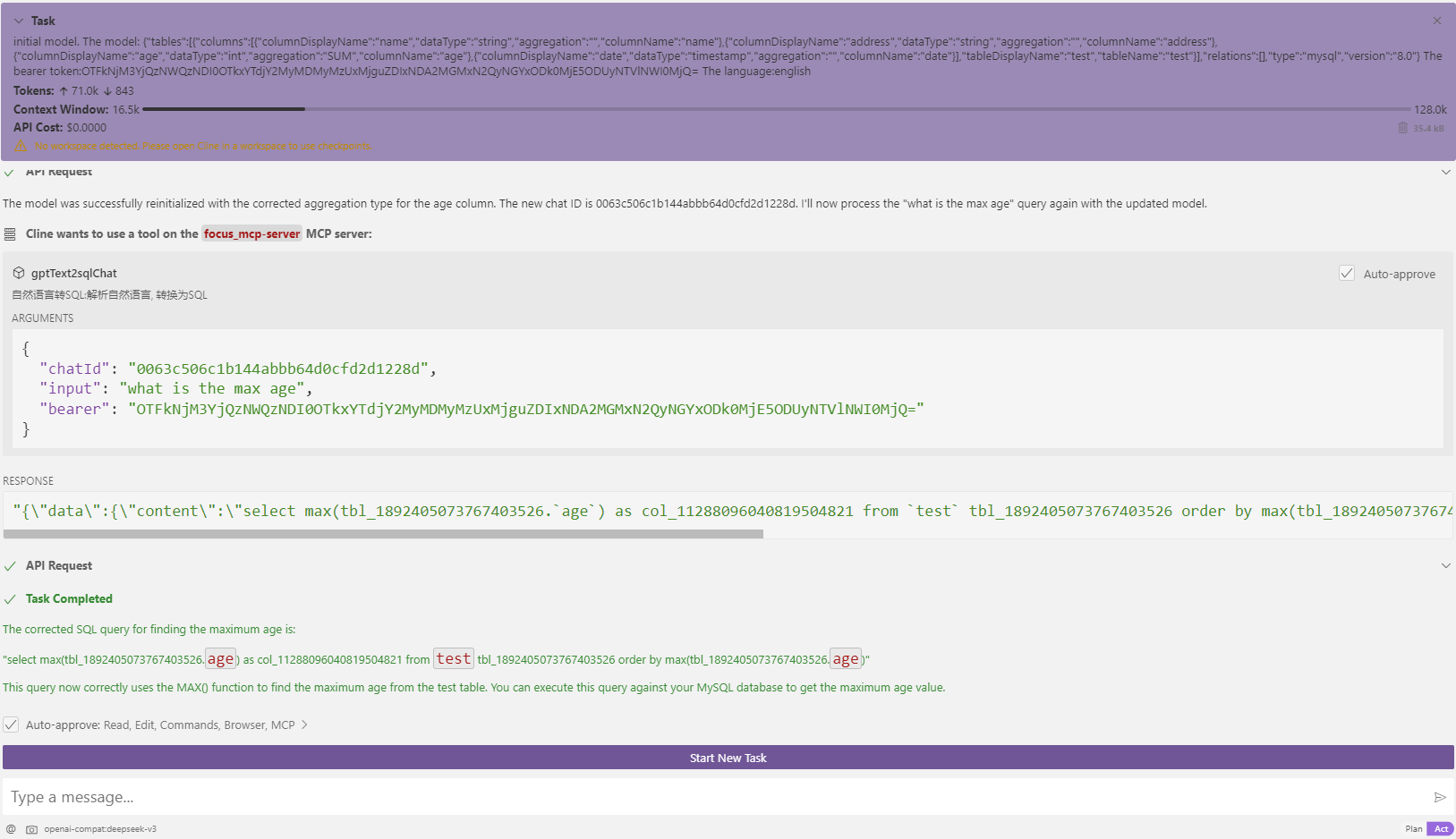
Convert natural language to SQL.
Parameters:
chatId (required): chat idinput (required): Natural languagebearer (required): bearer tokenExample:
{
  "chatId": "03975af5de4b4562938a985403f206d4",
  "input": "what is the max age",
  "bearer": "ZTllYzAzZjM2YzA3NDA0ZGE3ZjguNDJhNDjNGU4NzkyYjY1OTY0YzUxYWU5NmU="
}
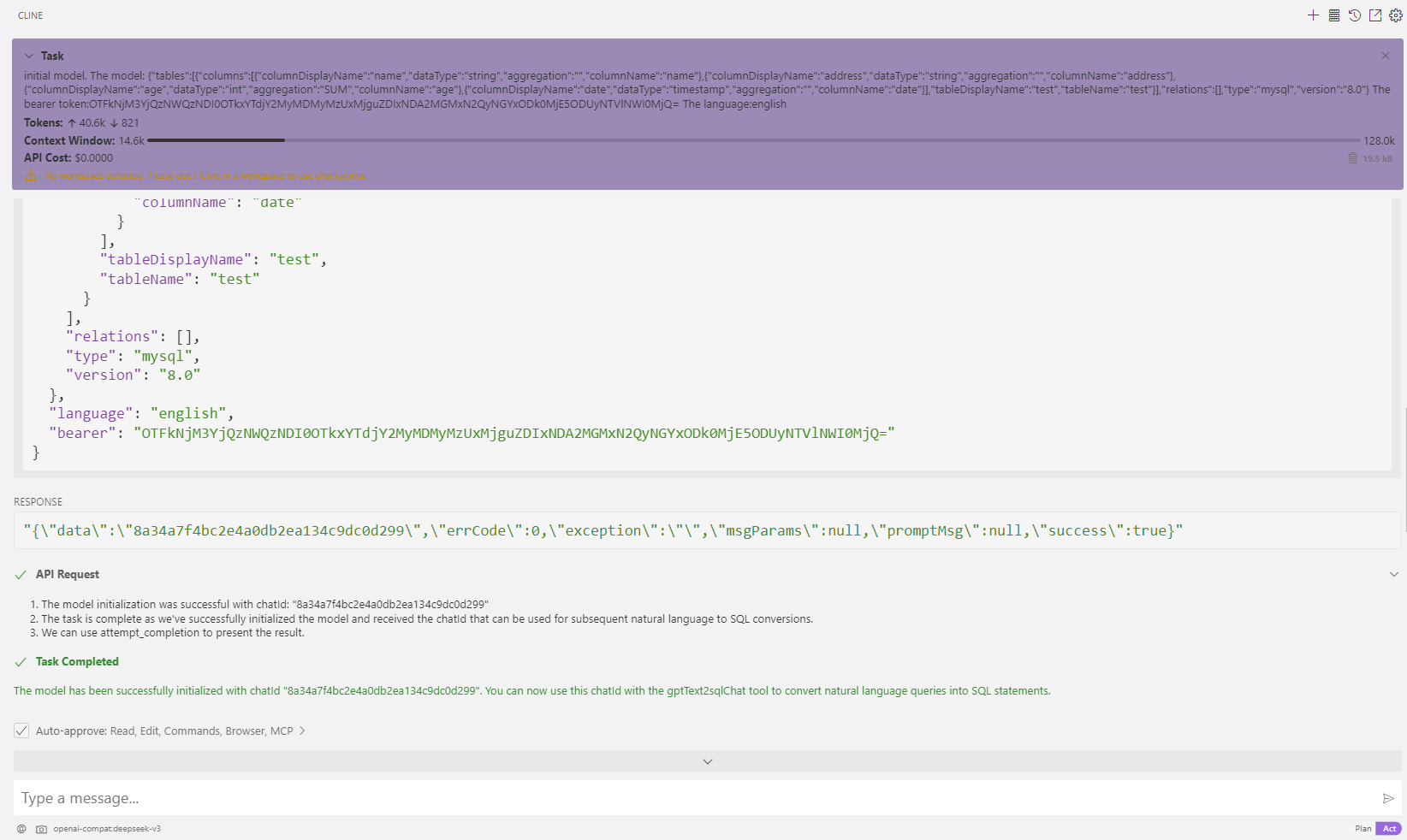
All tools return responses in the following format:
{
  "errCode": 0,
  "exception": "",
  "msgParams": null,
  "promptMsg": null,
  "success": true,
  "data": {
  }
}
Claim this server with your GitHub account to request manual ownership verification.
Link to the catalog listing for focus_mcp_sql MCP server from your README. This badge does not certify ownership, compatibility or security.
[](https://awesome-mcp.com/servers/focus_mcp_sql)Public repository statistics could not be verified. Check the configured source address; unavailable counts are not zero.
Separate sources, scopes and periods. Never combined or treated as installations, active users or security reviews.
No reviewed package or image identity; download statistics are not listed yet.
Alternative and complementary servers in the same category
This is a Model Context Protocol (MCP) server for interacting with AIStor object stores.

A Model Context Protocol server that lets AI assistants run SQL queries against AWS Athena databases and retrieve results.

A Model Context Protocol (MCP) server that exposes access to an InfluxDB v2 instance using the InfluxDB OSS API v2.