Hyperfabric MCP Server
An MCP (Model Context Protocol) server that enables LLMs to interact with Hyperfabric APIs. This server exposes all 79 Hyperfabric OpenAPI endpoints as tools for comprehensive infrastructure management and automation.
🔧 Dynamic Tool Generation: Automatically parses Hyperfabric OpenAPI specs and creates MCP tools
🛡️ Secure Authentication: Handles Hyperfabric API token authentication with proper security
📊 Complete API Coverage: Exposes all 79 available Hyperfabric endpoints for infrastructure management
✨ Clean Tool Names: Tools display with intuitive names like fabricsGetAllFabrics for easy discovery
Prerequisites
- Node.js 18+ installed
- VSCode with GitHub Copilot or Claude Desktop
- Hyperfabric API credentials (API Token)
- Hyperfabric OpenAPI specification file
1. Build the Server
npm install
npm run build
For VSCode with GitHub Copilot
-
Open VSCode Settings: Cmd+Shift+P → "Preferences: Open User Settings (JSON)"
-
Add this configuration to your settings.json:
{
  "github.copilot.chat.mcp.servers": {
    "hyperfabric": {
      "command": "node",
      "args": ["/path/to/hyperfabric-mcp-server/dist/main.js"],
      "env": {
        "HYPERFABRIC_API_TOKEN": "your-api-token",
        "LOG_LEVEL": "info"
      }
    }
  }
}
- Reload VS Code:
Cmd+Shift+P → "Developer: Reload Window"
For Claude Desktop
-
Locate your Claude Desktop configuration file:
- macOS:
~/Library/Application Support/Claude/claude_desktop_config.json
- Windows:
%APPDATA%\Claude\claude_desktop_config.json
- Linux:
~/.config/Claude/claude_desktop_config.json
-
Add this configuration to claude_desktop_config.json:
{
  "mcpServers": {
    "hyperfabric": {
      "command": "node",
      "args": ["/path/to/hyperfabric-mcp-server/dist/main.js"],
      "env": {
        "HYPERFABRIC_API_TOKEN": "your-api-token",
        "LOG_LEVEL": "info"
      }
    }
  }
}
- Restart Claude Desktop application
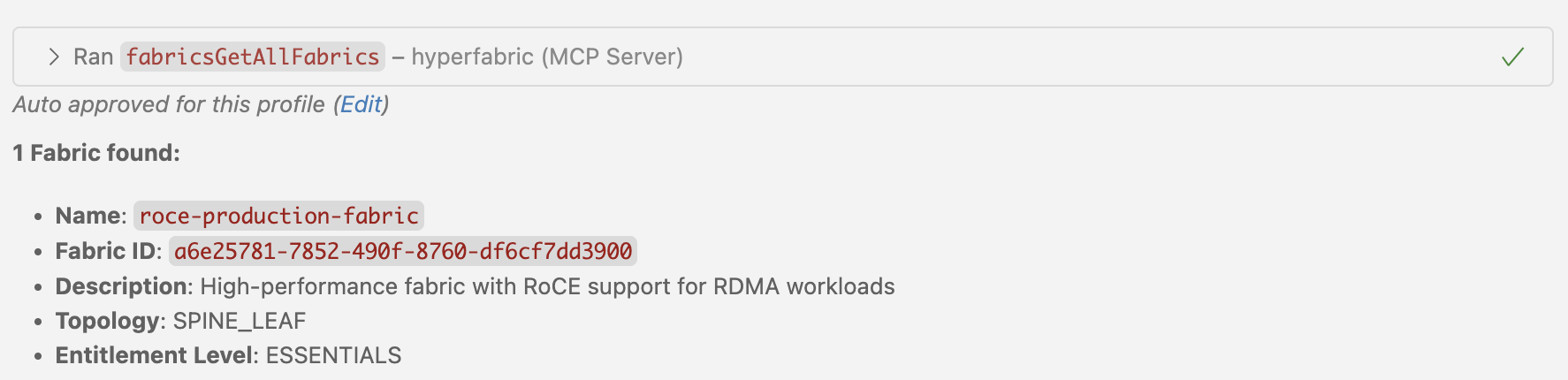

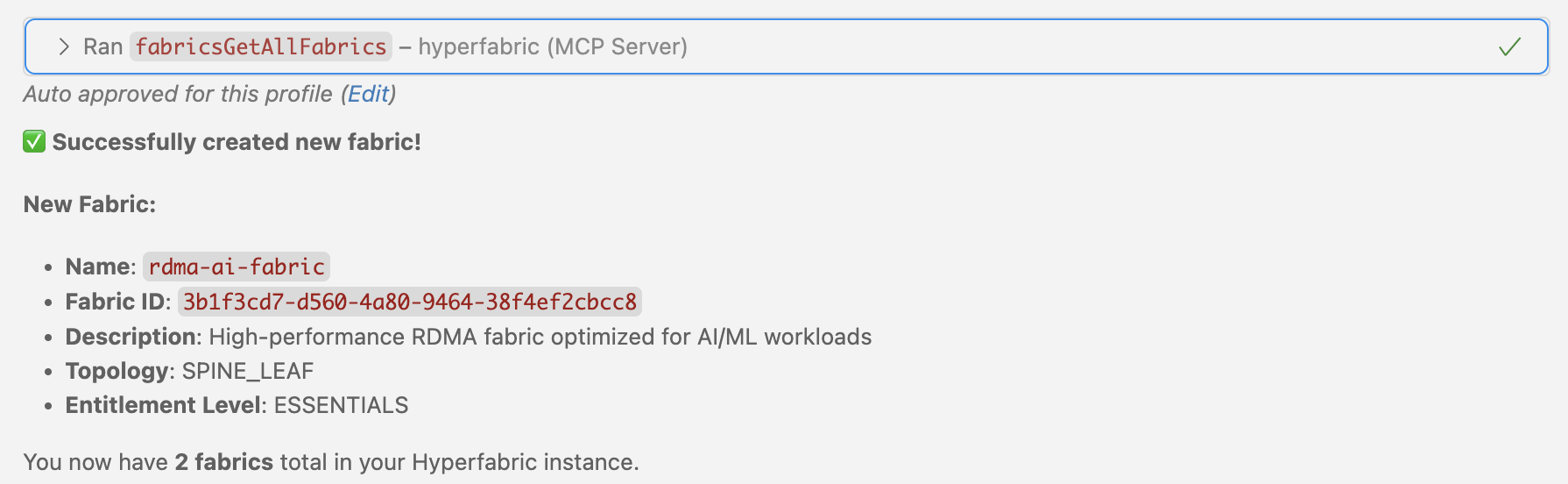
The MCP server automatically generates 79 tools from the complete Nexus Hyperfabric REST API v1.1.0 specification:
- Device Operations: Physical device management and binding
devicesGetDevices - List all devices (bound and unbound)devicesBindDevice - Bind a device to a fabric nodedevicesUnbindDevice - Unbind device from a fabric node
-
Fabric Configuration: Core fabric operations
fabricsGetAllFabrics - List all fabrics in organizationfabricsAddFabrics - Create new fabricsfabricsGetFabric - Get specific fabric detailsfabricsUpdateFabric - Update fabric configurationfabricsDeleteFabric - Delete a fabric
-
Connection Management: Fabric network connections
fabricsGetFabricConnections - List all connections in fabricfabricsAddFabricConnections - Add new connectionsfabricsGetFabricConnection - Get specific connection detailsfabricsSetFabricConnections - Replace all connectionsfabricsDeleteFabricConnections - Delete all connectionsfabricsDeleteFabricConnection - Delete specific connection
-
Configuration Management: Candidate configurations and deployment
fabricsGetFabricCandidates - List candidate configurationsfabricsGetFabricCandidate - Get specific candidate configfabricsCommitFabricCandidate - Deploy candidate to running configfabricsRevertFabricCandidate - Discard candidate configurationfabricsReviewFabricCandidate - Add comments to candidate config
- Spanning Tree Protocol: Global STP settings
networksGetFabricStp - Get fabric STP configurationnetworksUpdateFabricStp - Update STP settingsnetworksResetFabricStp - Reset STP to defaults
-
Node Operations: Fabric node configuration
nodesGetFabricNodes - List all nodes in fabricnodesAddFabricNodes - Add new nodes to fabricnodesGetNamedFabricNode - Get specific node detailsnodesUpdateFabricNode - Update node configurationnodesDeleteFabricNode - Remove node from fabric
-
Port Management: Node port configuration
nodesGetPorts - List all ports for a nodenodesGetPort - Get specific port detailsnodesUpdatePort - Update port configurationnodesSetPorts - Replace all port configurationsnodesResetPort - Reset port to defaults
-
Management Ports: Out-of-band management interfaces
nodesGetManagementPorts - List management portsnodesAddManagementPorts - Add management portsnodesGetManagementPort - Get specific management portnodesUpdateManagementPort - Update management port config
-
Loopback Interfaces: Virtual interfaces for routing
nodesGetNodeLoopbacks - List loopback interfacesnodesAddNodeLoopbacks - Create loopback interfacesnodesGetNodeLoopback - Get specific loopback detailsnodesUpdateNodeLoopback - Update loopback configurationnodesDeleteNodeLoopback - Delete loopback interface
-
Sub-Interfaces: VLAN and sub-interface configuration
nodesGetNodeSubInterfaces - List sub-interfacesnodesAddNodeSubInterfaces - Create sub-interfacesnodesGetNodeSubInterface - Get specific sub-interfacenodesUpdateNodeSubInterface - Update sub-interface confignodesDeleteNodeSubInterface - Delete sub-interface
- Link Aggregation: Port channel operations
portchannelsGetAllPortChannels - List all port channelsportchannelsAddPortChannels - Create port channelsportchannelsGetPortChannel - Get specific port channelportchannelsUpdatePortChannel - Update port channel configportchannelsDeletePortChannel - Delete port channel
Environment Variables
Development Setup
Project Structure
hyperfabric-mcp-server/
├── src/main.ts                                                    # Main server implementation
├── dist/                                                          # Compiled JavaScript
├── .vscode/                                                       # VS Code configuration
├── package.json                                                   # Dependencies & scripts
├── tsconfig.json                                                  # TypeScript config
├── hf_spec_modified.json                                          # Complete Nexus Hyperfabric REST API v1.1.0 spec
├── cisco_nexus_hyperfabric_rest_api_1_1_0_rev_2025_10_29_838_c_8.yaml # Original YAML spec file
└── README.md                                                      # This documentation
Troubleshooting
Common Issues
Missing API Token
# Check environment file
cat .env | grep HYPERFABRIC_API_TOKEN
Missing OpenAPI Spec
# Verify spec file exists
ls -la hf_spec_modified.json
Compilation Errors
# Check compilation
npm run build


