
This is a Model Context Protocol (MCP) server for interacting with AIStor object stores.
Repository stats unavailable
Databases & Storage
A Model Context Protocol server from the open-source event data platform Jitsu, letting AI agents build and operate data pipelines.
Jitsu MCP Server is cataloged as an MCP server attributed to jitsucom. A Model Context Protocol server from the open-source event data platform Jitsu, letting AI agents build and operate data pipelines. It is categorized under databases storage. See the capability inspector for recorded interfaces and their independent review status; consult upstream documentation for the current interface.
Installation configuration is not reviewed. No executable setup is offered for this entry; inspect the source repository before proceeding.
Catalog license label: MIT. Check the source repository's current license and terms before using, modifying or distributing this software.
Capability definitions are not reviewed. Unreviewed imports are not exposed as trusted interfaces.
No reviewed records to display. This does not establish that upstream lacks this capability.
No reviewed records to display. This does not establish that upstream lacks this capability.
No reviewed records to display. This does not establish that upstream lacks this capability.
Email delivery is not connected. This page does not collect email addresses or create subscriptions.
Browse the registry for current listings instead.
Reviews for Jitsu MCP Server are not available yet
Review publishing and storage are not connected. This page does not collect or publish ratings or comments, including after sign-in.
Yes. Headless environments use a personal API key passed as a bearer token instead of OAuth.
Jitsu Cloud serves it at use.jitsu.com/mcp, and self-hosted deployments expose it at the console URL plus /mcp.
The console service, built with Next.js, which also provides the admin UI and Management API.
README.md · 6c0d189a55c9 · Fetched 2026-11-13 12:18:51 UTC
Original upstream text, without AI rewriting. Scripts, forms and unsafe links are filtered for safety.
Showing the last retrieved documentation snapshot; check the source for current changes.

Open-source event data platform. An alternative to Segment.
Website · Docs · MCP Server · Jitsu Cloud · Self-hosting · Slack · MIT License

Jitsu collects event data from your websites, apps and servers, and delivers it to your data warehouse and to whatever other tools you use. It covers the same ground as Segment, but it's MIT-licensed and self-hostable, so the whole pipeline can run inside your own infrastructure — or on Jitsu Cloud, same software, hosted.
Data lands in minutes, not hours: Segment loads warehouses once or twice a day (hourly at best), while Jitsu delivers per destination in batches as frequent as a minute, or row-by-row where that suits the destination. And where Segment bills by Monthly Tracked User, Jitsu Cloud bills by event volume, so the bill tracks data rather than audience size — while self-hosting has no usage billing at all.
A typical Jitsu setup gives you:
jitsu-cli init scaffolds a TypeScript project
with tests, and jitsu-cli deploy ships it to your workspace. Use whatever tooling you like:
TypeScript, npm libraries, your own test suite, and your normal CI.
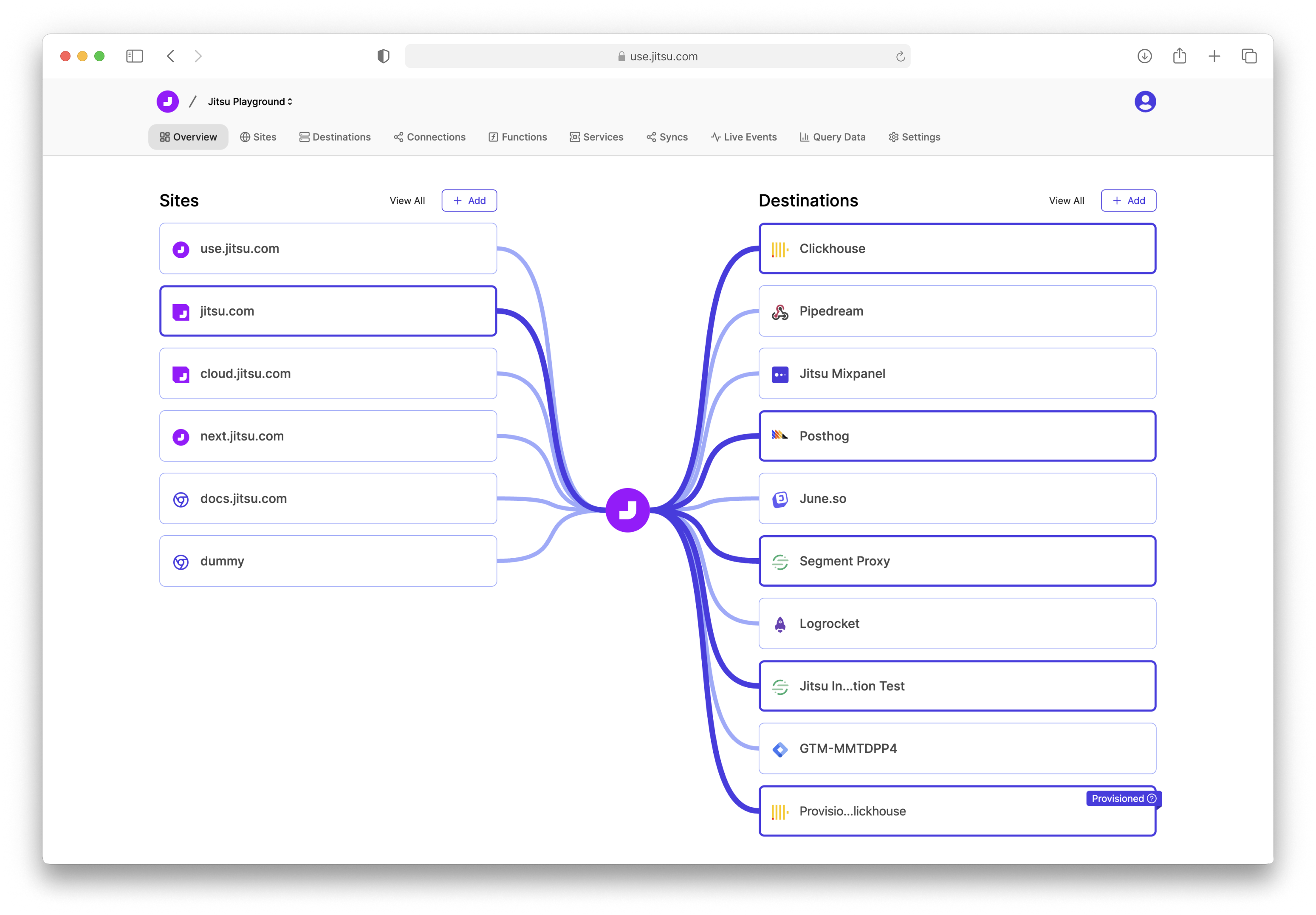
The fastest way to run Jitsu is Jitsu Cloud — we host and scale it for you.
See pricing for the full breakdown, or jump straight into the Quick Start guide.
Once you have a workspace:
| Method | Use it for |
|---|---|
| HTML snippet | Any website, no build step |
@jitsu/js | Isomorphic — works in the browser and in Node.js |
@jitsu/jitsu-react | React and Next.js apps |
| HTTP API | Any language, backend services |
| Segment proxy | Migrating off Segment without touching client code |
Everything the UI does is also available through the Management API and the Jitsu CLI.
Jitsu ships a Model Context Protocol server, so coding agents and AI assistants can build and operate your data pipelines directly — no clicking through the UI.
An agent connected to Jitsu can set up a destination, wire a connection, send a test event, read the resulting Live Events, notice that a function threw, fix the function, and re-run it — the full loop, without a human in the middle.
Endpoint: https://use.jitsu.com/mcp (or <your-console-url>/mcp when self-hosting).
Claude Code
claude mcp add --transport http jitsu https://use.jitsu.com/mcp
Other clients (Claude Desktop, Cursor, VS Code) take the same URL — see jitsu.com/docs/mcp for their setup.
Interactive clients use OAuth 2.1 — no API key to manage. The first tool call opens a browser tab asking you to approve the connection; tokens are scoped, listed, and revocable from your account settings page.
Headless environments (CI, cron, servers) use a personal API key instead — generate one on the user
settings page and pass it as Authorization: Bearer <keyId>:<keySecret>:
claude mcp add --transport http jitsu https://use.jitsu.com/mcp \
  --header "Authorization: Bearer $JITSU_API_KEY"
25 tools, covering everything the console does: read and write workspace configuration (destinations, streams, connections, functions), query Live Events and function logs, run and cancel connector syncs, discover source streams and inspect sync state, execute functions and profile builders against test data, and pull event and sync statistics. Full reference: jitsu.com/docs/mcp.
Jitsu is a handful of independently scalable services:
| Service | Stack | What it does |
|---|---|---|
| ingest | Go | HTTP endpoint that accepts events and writes them to Kafka |
| rotor | TypeScript | Routes events, runs Functions, applies destination-specific transforms |
| bulker | Go | High-throughput warehouse ingestion — batching, schema management, retries |
| sync-controller | Go | Orchestrates connector syncs (pulling data from third-party sources) |
| console | Next.js | Admin UI, Management API, and the MCP server |
Backed by Postgres (configuration), Kafka/Redpanda (event bus), ClickHouse (live events and metrics), and MongoDB (profiles).
Bulker is also usable standalone if you just want a warehouse ingestion engine and are comfortable with low-level APIs.
Jitsu is MIT-licensed and fully self-hostable, with no usage limits and no feature gating. Cloud is the path of least resistance; self-hosting is for when you need the data to stay inside your own infrastructure.
The development Helm chart is the recommended way to get a complete stack running locally. You'll need Minikube (a single-node Kubernetes cluster on your machine) and Helm v3+:
git clone -b newjitsu --single-branch https://github.com/jitsucom/jitsu
cd jitsu/helm

minikube start          # give the VM at least 8GB RAM
./dev-deploy.sh deploy
./dev-deploy.sh tunnel  # in a second terminal
./dev-deploy.sh tunnel runs minikube tunnel, which routes the cluster's LoadBalancer services to
localhost so you can reach them from your browser — console on :3000, ingest on :3049, bulker
on :3042, rotor on :3401, plus Postgres, ClickHouse, MongoDB and Kafka. It asks for sudo (it
binds privileged ports) and has to keep running in its own terminal for the whole session.
The console will be at http://localhost:3000. Full instructions: Self-hosting Quick Start.
For real deployments, read the Production Deployment guide and the Configuration Reference. It covers scaling each service, Kafka sizing, and the environment variables every component reads.
Contributions are welcome. CONTRIBUTING.md covers the repository layout, how to set up a development environment and run the test suites, and the branch, commit and pull request conventions.
Jitsu is licensed under the MIT License.
Claim this server with your GitHub account to request manual ownership verification.
Link to the catalog listing for Jitsu MCP Server from your README. This badge does not certify ownership, compatibility or security.
[](https://awesome-mcp.com/servers/jitsu)Public repository statistics could not be verified. Check the configured source address; unavailable counts are not zero.
Separate sources, scopes and periods. Never combined or treated as installations, active users or security reviews.
No reviewed package or image identity; download statistics are not listed yet.
Alternative and complementary servers in the same category
This is a Model Context Protocol (MCP) server for interacting with AIStor object stores.

A Model Context Protocol server that lets AI assistants run SQL queries against AWS Athena databases and retrieve results.

A Model Context Protocol (MCP) server that exposes access to an InfluxDB v2 instance using the InfluxDB OSS API v2.