
A modular FastMCP server for interacting with Microsoft Graph API, supporting advanced queries for users, sign-in logs, MFA status, and privileged users.
Repository stats unavailable
Security & Secrets
A Model Context Protocol server that translates natural language requests into encapsulated command-line executions of standard Kali Linux security, reconnaissance, and enumeration utilities.
Kali Linux MCP Server is cataloged as an MCP server attributed to cyberillo. A Model Context Protocol server that translates natural language requests into encapsulated command-line executions of standard Kali Linux security, reconnaissance, and enumeration utilities. It is categorized under auth security. See the capability inspector for recorded interfaces and their independent review status; consult upstream documentation for the current interface.
Installation configuration is not reviewed. No executable setup is offered for this entry; inspect the source repository before proceeding.
Catalog license label: Not specified. Check the source repository's current license and terms before using, modifying or distributing this software.
Capability definitions are not reviewed. Unreviewed imports are not exposed as trusted interfaces.
No reviewed records to display. This does not establish that upstream lacks this capability.
No reviewed records to display. This does not establish that upstream lacks this capability.
No reviewed records to display. This does not establish that upstream lacks this capability.
Email delivery is not connected. This page does not collect email addresses or create subscriptions.
Browse the registry for current listings instead.
Reviews for Kali Linux MCP Server are not available yet
Review publishing and storage are not connected. This page does not collect or publish ratings or comments, including after sign-in.
It uses standardized stdio transport for JSON-RPC communication.
The server has safety timeouts in its run_cmd function, defaulting to 300 seconds and extended for heavier tools.
README.md · fb6a4fdd5976 · Fetched 2026-11-13 12:48:52 UTC
Original upstream text, without AI rewriting. Scripts, forms and unsafe links are filtered for safety.
Showing the last retrieved documentation snapshot; check the source for current changes.
The Kali Linux MCP Server is a specialized Model Context Protocol (MCP) implementation designed to connect Large Language Models natively to a comprehensive suite of offensive security, reconnaissance, and enumeration tools. Powered by the FastMCP Python SDK, this server translates natural language requests into safe, encapsulated command-line executions of standard Kali Linux utilities.
By exposing these tools as MCP resources, AI agents can autonomously perform WHOIS lookups, run Nmap scans, fuzz web directories, search exploit databases, and even interface with the Metasploit Framework, all while returning structured standard output and error logs back to the LLM's context window.
DEBIAN_FRONTEND=noninteractive environment variable to suppress manual prompts during Debian package installations, guaranteeing a fully automated build process.mcp Python SDK. The environment is flexible, allowing the SDK to be installed globally within the isolated container (--break-system-packages) or via a localized Python virtual environment.stdio Transport: Utilizes direct standard input/output for JSON-RPC communication, bypassing complex network configurations and ensuring out-of-the-box compatibility with AI IDEs (like Cursor and VS Code) and desktop clients (like Claude Desktop).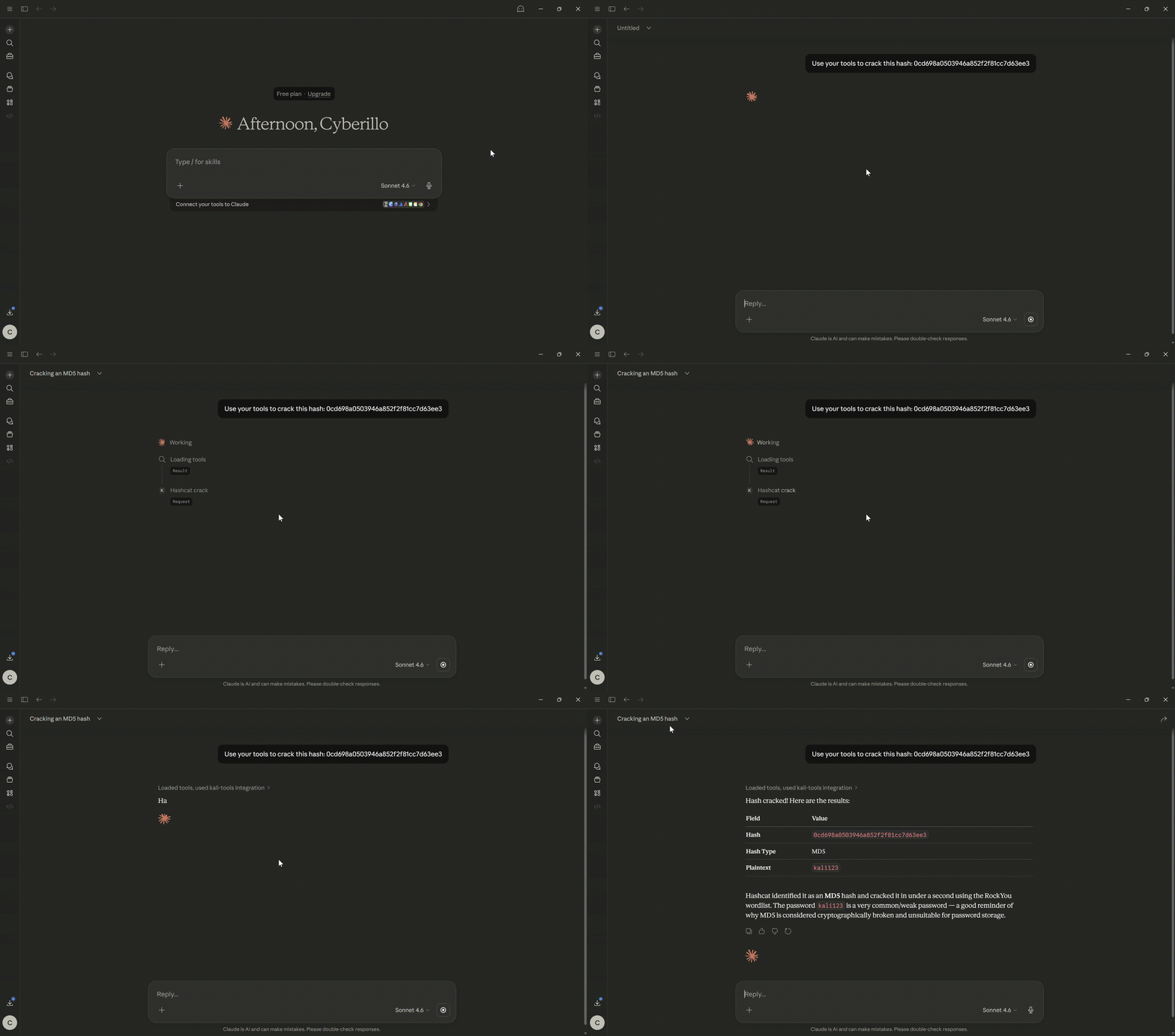
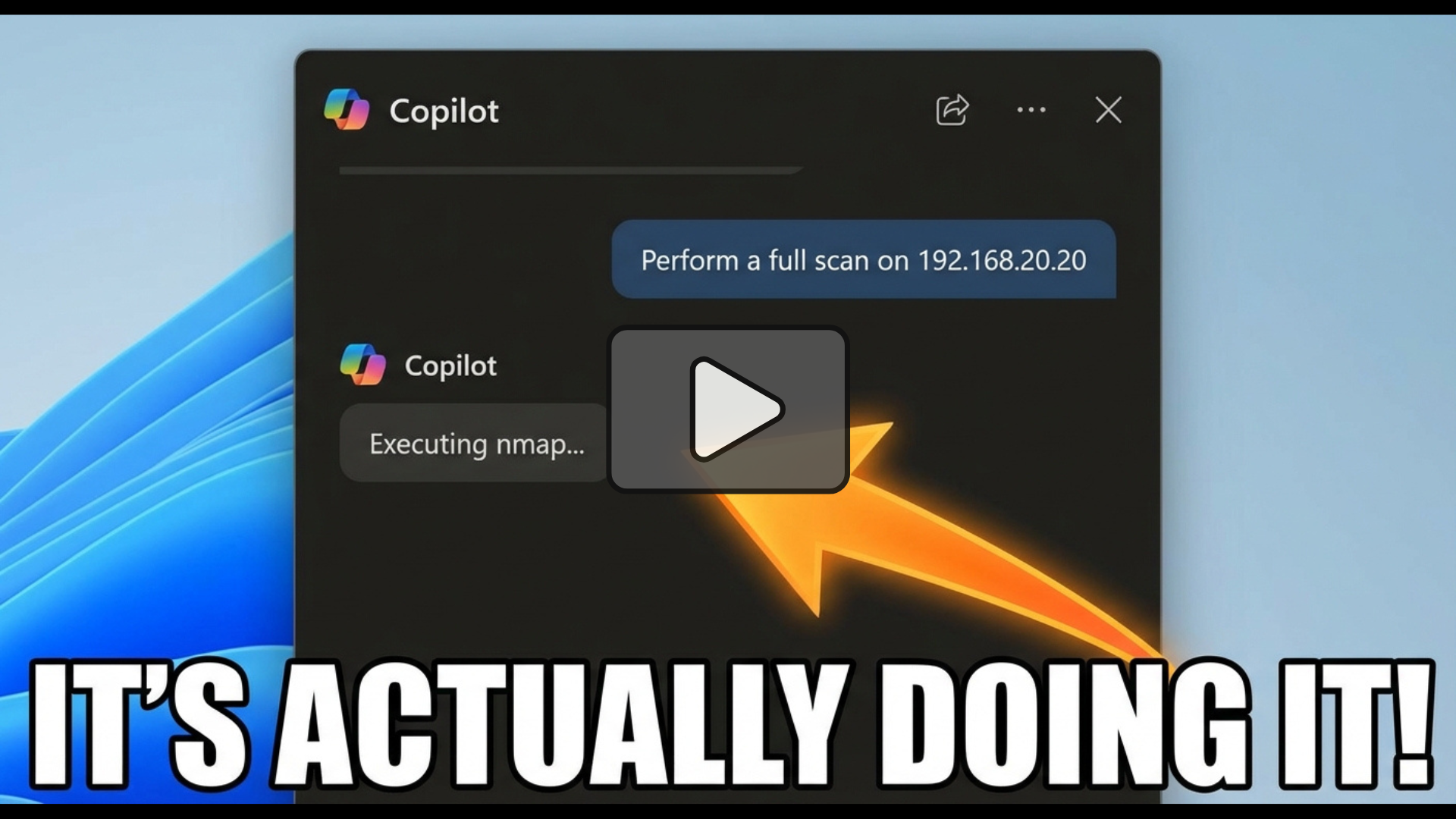
The required dependencies vary entirely based on your chosen execution method.
By using Docker, the server runs in an isolated container that automatically provisions Python 3, pip, and an extensive suite of Kali Linux tools (including nmap, sqlmap, tcpdump, and metasploit-framework).
If you choose to run the script directly on your host machine instead of using Docker, your host must have the tools available natively.
PATH.mcp Python SDK (pip install mcp).tcpdump for packet sniffing, explicitly require root privileges to execute natively.Because this server relies on dozens of specific binary tools, packaging it via Docker is the "Gold Standard" approach.
The fastest way to get started is to pull the official image from Docker Hub.
docker pull cyberillo/kali-mcp-server:latest
To run the container interactively using the stdio transport required by MCP clients:
docker run -i --rm kali-mcp-server
(Note: Some tools like tcpdump or netdiscover require elevated privileges. If you explicitly need these, you may need to append --privileged or specific --cap-add flags to your docker run command, though this is heavily discouraged for general use).
Alternatively, build the docker image yourself by following the below steps.
Dockerfile Breakdown
Base Image: The server is built on top of the official kalilinux/kali-rolling base image.
Toolchain Installation: It updates the system and installs essential tools including nmap, sqlmap, metasploit-framework, gobuster, hydra, and john.
Wordlists: It automatically extracts the rockyou.txt wordlist, as it is zipped by default, making it immediately available for password cracking and fuzzing tools.
Python Environment: It utilizes the PEP 668 --break-system-packages flag to install the mcp Python SDK globally within the isolated container.
git clone https://github.com/cyberillo/kali-mcp-server.git
cd kali-mcp-server
docker build -t kali-mcp-server .
To run the container interactively using the stdio transport required by MCP clients:
docker run -i --rm kali-mcp-server
(Note: Some tools like tcpdump or netdiscover require elevated privileges. If you explicitly need these, you may need to append --privileged or specific --cap-add flags to your docker run command, though this is heavily discouraged for general use).
While Docker is the recommended deployment method, you can run the server directly on a Kali Linux machine for development or debugging.
git clone https://github.com/cyberillo/kali-mcp-server.git
cd kali-mcp-server
python3 -m venv venv
source venv/bin/activate
pip install mcp
nmap, gobuster, sqlmap, and msfconsole are available in your system PATH.python3 kali-mcp-server.py
Add the following to your claude_desktop_config.json file (usually located at ~/Library/Application Support/Claude/claude_desktop_config.json on Mac or %APPDATA%\Claude\claude_desktop_config.json on Windows).
Go to File > Settings > Developer > Edit Config if you don't find it in the above paths.
Using Docker (Recommended):
{
  "mcpServers": {
    "kali-tools": {
      "command": "docker",
      "args": [
        "run",
        "-i",
        "--rm",
        "kali-mcp-server"
      ]
    }
  }
}
Using Local Python:
{
  "mcpServers": {
    "kali-tools": {
      "command": "/path/to/your/venv/bin/python3",
      "args": [
        "/path/to/kali-mcp-server.py"
      ]
    }
  }
}
.vscode in your workspace..vscode/mcp.json as follows.{
"servers": {
"kali-mcp-server": {
"type": "stdio",
"command": "docker",
"args": [
"run",
"-i",
"--rm",
"kali-mcp-server"
]
}
},
"inputs": []
}
For IDEs supporting the Model Context Protocol, configure a new MCP server utilizing the stdio transport type.
stdiodockerrun -i --rm kali-mcp-serverThe server exposes 21 specialized tools categorized by their operational phase.
| Category | Tool Name | Description & Parameters |
|---|---|---|
| Recon | whois_lookup | Performs a WHOIS lookup. Params: domain (str). |
| Recon | dnsenum_scan | Enumerates DNS records. Params: domain (str). |
| Recon | whatweb_scan | Identifies CMS and headers. Params: target_url (str). |
| Recon | amass_enum | Passive subdomain enumeration. Params: domain (str). |
| Recon | netdiscover_scan | Finds active hosts. Params: ip_range (str). |
| Scanning | nmap_scan | Network discovery and port scanning. Params: target (str), flags (str, default: -sV -F). |
| Scanning | enum4linux_scan | Enumerates Windows/Samba systems. Params: target_ip (str). |
| Scanning | smbclient_list | Lists SMB shares. Params: target_ip (str), user (str), password (str). |
| Web Sec | nikto_scan | Web vulnerability scan. Params: target_url (str). |
| Web Sec | gobuster_dir | Directory brute-forcing. Params: target_url (str), wordlist (str). |
| Web Sec | dirb_scan | Web content scanning. Params: target_url (str), wordlist (str). |
| Web Sec | ffuf_scan | Fast web directory fuzzing. Params: target_url (str), wordlist (str). |
| Web Sec | wfuzz_scan | Web parameter/directory fuzzing. Params: target_url (str), wordlist (str). |
| Web Sec | sqlmap_scan | SQL injection detection/exploitation. Params: target_url (str), params (str). |
| Web Sec | wpscan_enum | WordPress vulnerability scanner. Params: target_url (str). |
| Cracking | hydra_bruteforce | Brute force login credentials. Params: target (str), service (str), user (str), wordlist (str). |
| Cracking | john_crack | Cracks password hashes. Params: hash_file (str), wordlist (str). |
| Cracking | hashcat_crack | Resource-intensive hash cracking. Params: hash_file (str), hash_type (str), wordlist (str). |
| Exploit | searchsploit_query | Searches Exploit Database. Params: query (str). |
| Exploit | tcpdump_sniff | Captures network packets. Params: interface (str), packet_count (str). |
| Exploit | metasploit_exploit | Executes an MSF module. Params: module (str), options (str). |
Pro-Tip for LLMs: When asking the LLM to run
metasploit_exploit, format options carefully as comma-separatedKEY=VALUEpairs (e.g.,RHOSTS=192.168.1.5, LHOST=10.0.0.2).
While the Python server script does not enforce custom application-level environment variables, the Docker environment relies on the following standard Linux variable:
DEBIAN_FRONTEND: Set to noninteractive in the Dockerfile to prevent the build process from hanging on interactive prompt requests during apt installations.
run_cmd function (defaulting to 300 seconds, extended to 600+ for heavier tools like Nikto or Metasploit). If a target is completely unresponsive, the tool will cleanly return a timeout error rather than hanging the LLM indefinitely.netdiscover or tcpdump inside the container may silently fail to capture external traffic unless Docker network host routing or privileged modes are enabled.Claim this server with your GitHub account to request manual ownership verification.
Link to the catalog listing for Kali Linux MCP Server from your README. This badge does not certify ownership, compatibility or security.
[](https://awesome-mcp.com/servers/kali-mcp-server)Public repository statistics could not be verified. Check the configured source address; unavailable counts are not zero.
Separate sources, scopes and periods. Never combined or treated as installations, active users or security reviews.
No reviewed package or image identity; download statistics are not listed yet.
Alternative and complementary servers in the same category
A modular FastMCP server for interacting with Microsoft Graph API, supporting advanced queries for users, sign-in logs, MFA status, and privileged users.

A Model Context Protocol (MCP) server that provides programmatic access to Keycloak administration functionality.

An MCP server for LLM-driven penetration testing that wraps Kali tools and adds scope enforcement, engagement tracking, and structured output.