
Store and retrieve entities, relations and observations in a persistent local knowledge graph.
create_entitiescreate_relationsadd_observations+6 more
92K
AI & Multi-Agent
A Docker image and prompt engine that turns Markdown prompts and Dockerized tools into agentic workflows, which can be served as MCP servers.
Docker AI Tools for Developers is cataloged as an MCP server attributed to docker. A Docker image and prompt engine that turns Markdown prompts and Dockerized tools into agentic workflows, which can be served as MCP servers. It is categorized under ai agents-models. See the capability inspector for recorded interfaces and their independent review status; consult upstream documentation for the current interface.
Installation configuration is not reviewed. No executable setup is offered for this entry; inspect the source repository before proceeding.
Catalog license label: Not specified. Check the source repository's current license and terms before using, modifying or distributing this software.
Capability definitions are not reviewed. Unreviewed imports are not exposed as trusted interfaces.
No reviewed records to display. This does not establish that upstream lacks this capability.
No reviewed records to display. This does not establish that upstream lacks this capability.
No reviewed records to display. This does not establish that upstream lacks this capability.
Email delivery is not connected. This page does not collect email addresses or create subscriptions.
Browse the registry for current listings instead.
Reviews for Docker AI Tools for Developers are not available yet
Review publishing and storage are not connected. This page does not collect or publish ratings or comments, including after sign-in.
Run serve mode with the --mcp flag and register prompts by git ref or path using --register.
Yes, each prompt can be configured for different models or model families, enabling multi-agent workflows.
README.md · 3d4bbab19d38 · Fetched 2026-11-13 09:36:57 UTC
Original upstream text, without AI rewriting. Scripts, forms and unsafe links are filtered for safety.
Showing the last retrieved documentation snapshot; check the source for current changes.
This README is an agentic workflow
Agentic AI workflows enabled by Docker containers.
Just Docker. Just Markdown. BYOLLM.
Any prompts you write and their tools can now be used as MCP servers
Use serve mode with --mcp flag. Then, register prompts via git ref or path with --register <ref>
# ...
serve
--mcp
--register github:docker/labs-ai-tools-for-devs?path=prompts/examples/generate_dockerfile.md
--register /Users/ai-overlordz/some/local/prompt.md
# ...
Source for many experiments in our LinkedIn newsletter
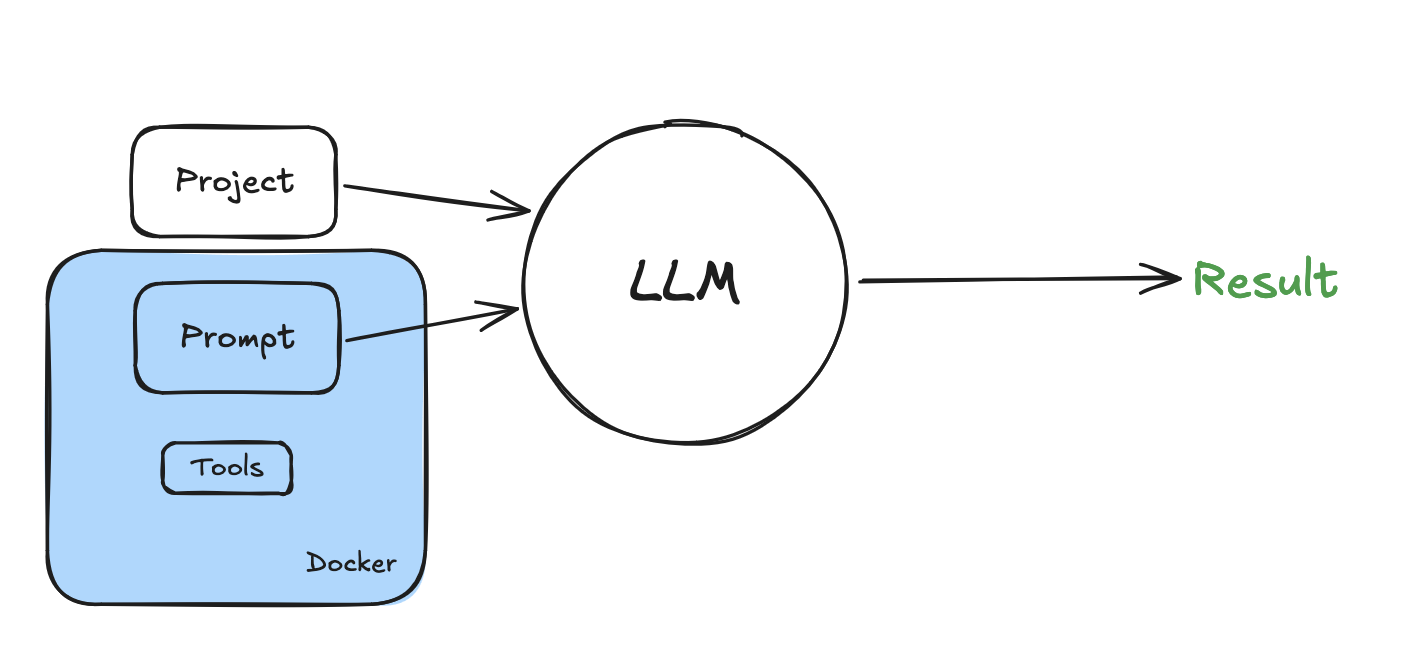
This is a simple Docker image which enables infinite possibilities for novel workflows by combining Dockerized Tools, Markdown, and the LLM of your choice.
Humans already speak it. So do LLM's. This software allows you to write complex workflows in a markdown files, and then run them with your own LLM in your editor or terminal...or any environment, thanks to Docker.
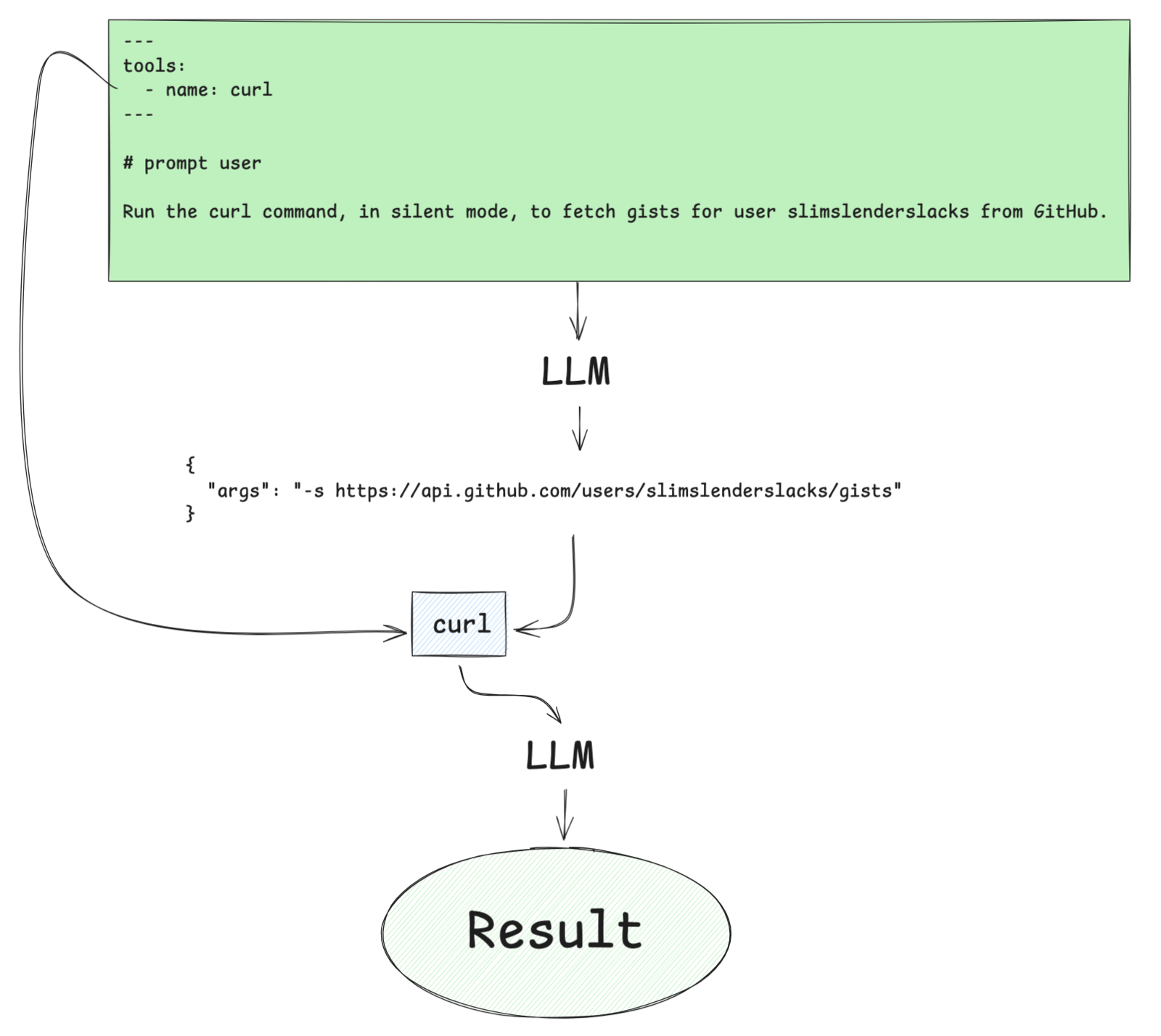
OpenAI API compatiable LLM's already support tool calling. We believe these tools could just be Docker images. Some of the benefits using Docker based on our research are enabling the LLM to:
The conversation loop is the core of each workflow. Tool results, agent responses, and of course, the markdown prompts, are all passed through the loop. If an agent sees an error, it will try running the tool with different parameters, or even different tools until it gets the right result.
Each prompt can be configured to be run with different LLM models, or even different model families. This allows you to use the best tool for the job. When you combine these tools, you can create multi-agent workflows where each agent runs with the model best suited for that task.
With Docker, it is possible to have frontier models plan, while lightweight local models execute.
To get help from an assistant in your software development loop, the only context necessary is the project you are working on.
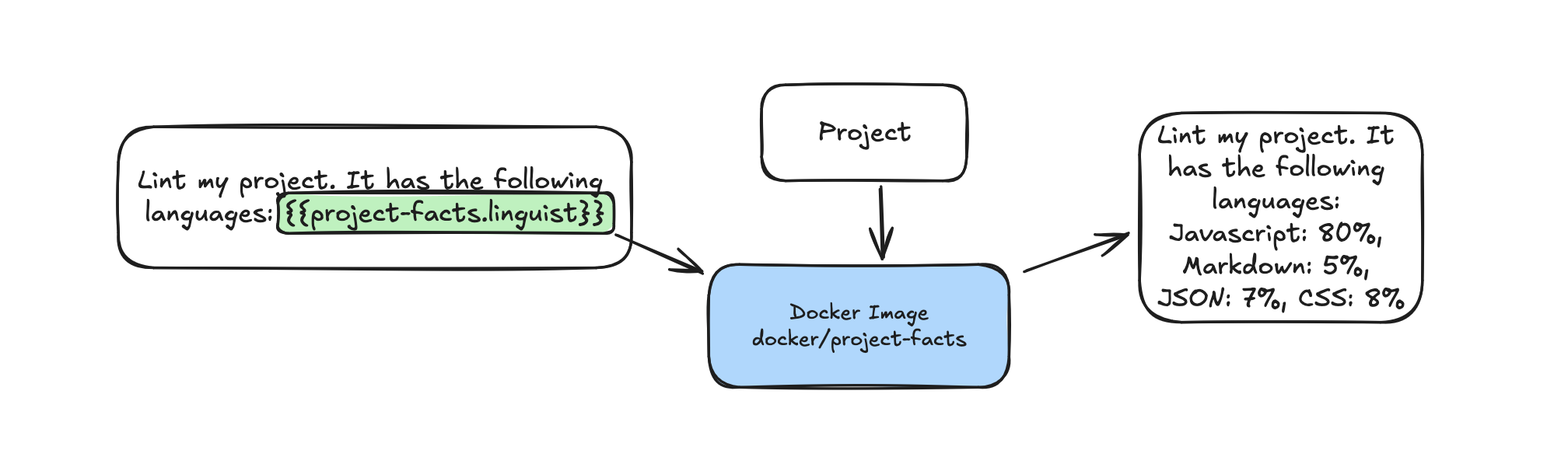
An extractor is a Docker image that runs against a project and extracts information into a JSON context.
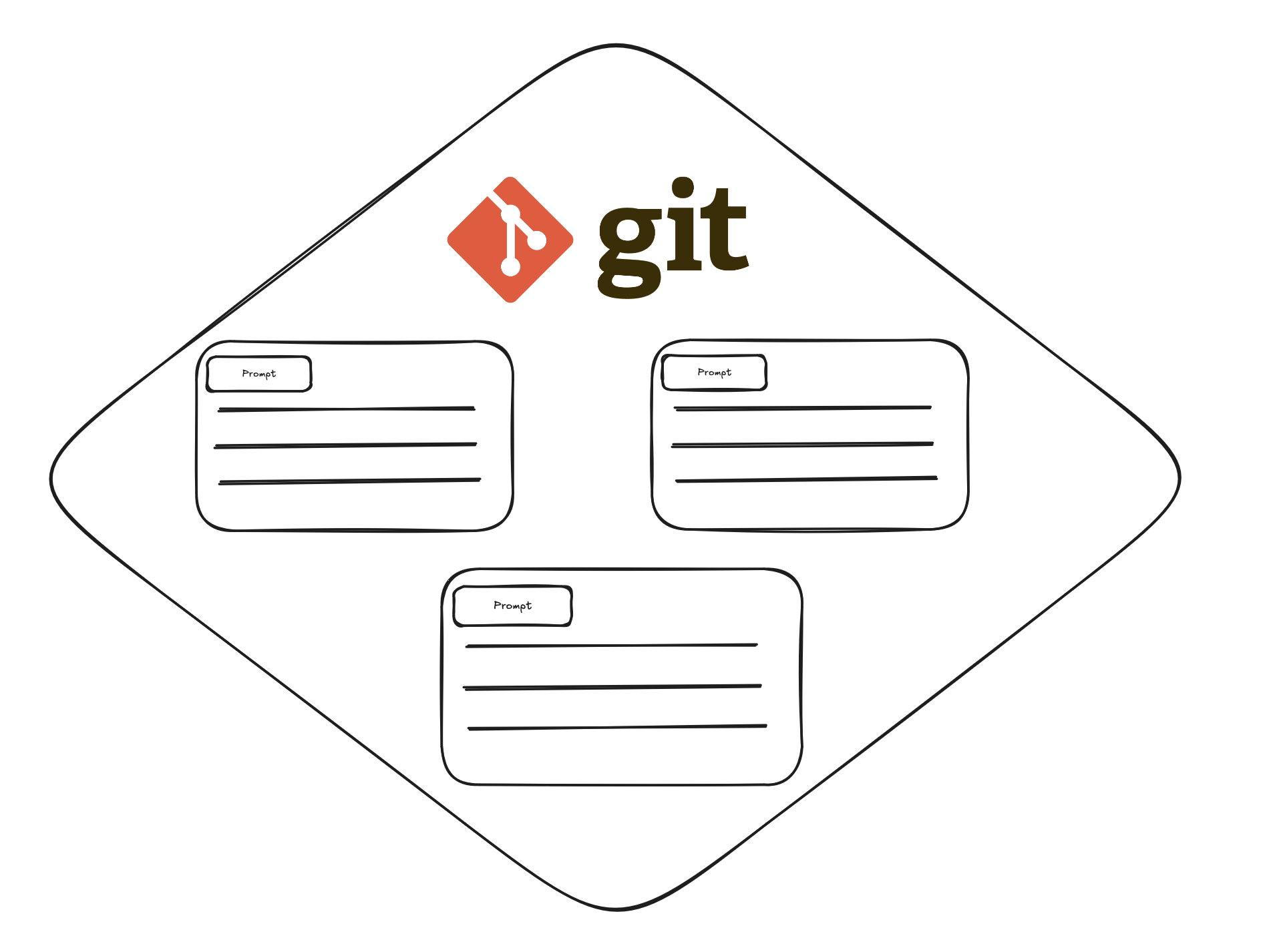
Prompts are stored in a git repo and can be versioned, tracked, and shared for anyone to run in their own environment.
We highly recommend using the VSCode extension to get started. It will help you create prompts, and run them with your own LLM.
Install Extension
Get the latest release and install with
code --install-extension 'labs-ai-tools-vscode-<version>.vsix'
Running:
You can even run this markdown file directly!
Run command >Docker AI: Set OpenAI API Key to set an OpenAI API key, or use a dummy value for local models.
Run command >Docker AI: Select target project to select a project to run the prompt against.
Run command >Docker AI: Run Prompt to start the conversation loop.
Instructions assume you have a terminal open, and Docker Desktop running.
echo $OPENAI_API_KEY > $HOME/.openai-api-key
Note: we assume this file exists, so you must set a dummy value for local models.
docker run
  --rm \
  --pull=always \
  -it \
  -v /var/run/docker.sock:/var/run/docker.sock \
  --mount type=volume,source=docker-prompts,target=/prompts \
  --mount type=bind,source=$HOME/.openai-api-key,target=/root/.openai-api-key \
  vonwig/prompts:latest \
    run \
    --host-dir $PWD \
    --user $USER \
    --platform "$(uname -o)" \
    --prompts "github:docker/labs-githooks?ref=main&path=prompts/git_hooks"
See docs for more details on how to run the conversation loop.
#docker:command=build

docker build -t vonwig/prompts:local -f Dockerfile .
Now, for the agentic workflow...
You are an expert at reading readmes.
Use curl to get the readme for https://github.com/docker/labs-ai-tools-for-devs before answering the following questions.
What is this project?
Claim this server with your GitHub account to request manual ownership verification.
Link to the catalog listing for Docker AI Tools for Developers from your README. This badge does not certify ownership, compatibility or security.
[](https://awesome-mcp.com/servers/labs-ai-tools-for-devs)Approximate reported site interactions from 2026-10-27 through 2026-11-25 UTC; not unique visitors or installations.
Public repository statistics could not be verified. Check the configured source address; unavailable counts are not zero.
Separate sources, scopes and periods. Never combined or treated as installations, active users or security reviews.
No reviewed package or image identity; download statistics are not listed yet.
Alternative and complementary servers in the same category
Store and retrieve entities, relations and observations in a persistent local knowledge graph.
Organize problem solving into revisable, branching thought steps through an MCP tool.

Query-aware context compression with an MCP plugin for coding agents, plus Python and HTTP interfaces for reducing the context sent to a language model.