
A directory listing describing a cancellation-letter and mailing-address service. The configured public GitHub repository returned 404 during source verification.
Repository stats unavailable
Developer Tools
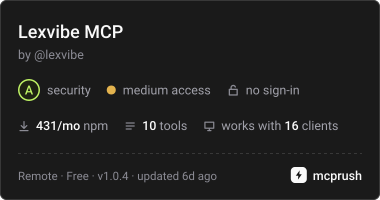
An MCP server that scans a project and generates privacy policies, terms, a cookie consent banner and an EU AI Act risk classification, available as a local stdio package or a hosted remote server.
LexVibe MCP server for legal compliance is cataloged as an MCP server attributed to marcosnovo. An MCP server that scans a project and generates privacy policies, terms, a cookie consent banner and an EU AI Act risk classification, available as a local stdio package or a hosted remote server. It is categorized under developer tools. See the capability inspector for recorded interfaces and their independent review status; consult upstream documentation for the current interface.
Installation configuration is not reviewed. No executable setup is offered for this entry; inspect the source repository before proceeding.
Catalog license label: Not specified. Check the source repository's current license and terms before using, modifying or distributing this software.
Capability definitions are not reviewed. Unreviewed imports are not exposed as trusted interfaces.
No reviewed records to display. This does not establish that upstream lacks this capability.
No reviewed records to display. This does not establish that upstream lacks this capability.
No reviewed records to display. This does not establish that upstream lacks this capability.
Email delivery is not connected. This page does not collect email addresses or create subscriptions.
Browse the registry for current listings instead.
Reviews for LexVibe MCP server for legal compliance are not available yet
Review publishing and storage are not connected. This page does not collect or publish ratings or comments, including after sign-in.
Yes. A hosted remote server (Streamable HTTP, no auth) is available for browser-based agents that cannot run local processes.
Each tool call sends one anonymous mcp_tool_call event with only the tool name, package version and optionally a real app id; telemetry can be disabled.
The agent calls claim_app, which returns a link you open and confirm while signed in; get_claim_status then polls until the claim is confirmed and returns the app id and policy URL.
README.md · ae775680b4a7 · Fetched 2026-11-13 11:49:43 UTC
Original upstream text, without AI rewriting. Scripts, forms and unsafe links are filtered for safety.
Showing the last retrieved documentation snapshot; check the source for current changes.


LexVibe MCP server — one-step legal compliance for vibe-coded apps (Lovable, Bolt, v0, Next.js, plain HTML). Wire it into your AI assistant (Claude Code, Claude Desktop, Cursor…) and it makes your app "legally ready" without you knowing the law: privacy policy, terms of service, cookie consent banner with real script blocking, and an EU AI Act risk check.
Not using an AI coding tool? The same checks run in the browser: paste your URL into the free website checker — no signup.
| Tool | What it does |
|---|---|
make_compliant | One step: scan → generate docs into /legal → install the banner snippet → classify EU AI Act risk. |
check_compliance | Read-only readiness report: what was detected, what could be auto-derived, and which human facts are still missing. Run it again after adding any SDK to catch drift. |
scan_project | Detect analytics, payments, generative AI, email collection, third parties and platforms (web / iOS / Android). |
check_website | Free, no-signup compliance check of a deployed site by URL: per-vendor signals, recommendations and EU AI Act applicability (the same public checker as /check). |
verify_snippet | Fetch a deployed URL and confirm the cookie-banner snippet is actually live in the served HTML (ok / missing / unknown). |
generate_policies | Generate privacy policy / terms / AI disclosure, localized and tailored per market. |
install_snippet | Insert the cookie-banner snippet before </head>; for JSX layouts it returns exact instructions instead. |
check_ai_act | Classify EU AI Act risk and list the applicable obligations with deadlines. |
claim_app | Create a REAL app in the user's LexVibe account: returns a link the user opens to sign in and confirm (valid 7 days). |
get_claim_status | Poll a claim created with claim_app; once confirmed it returns the real app id, install snippet and policy URL. |
"Make my app legally compliant for the EU and the US."
One make_compliant call: the agent scans the project, writes the localized
policies to /legal, installs the cookie-banner snippet in your HTML head and
returns the EU AI Act classification plus next steps. You just review and
approve.
Draft-first flow: start with check_compliance — it reports what the scan
could figure out on its own and returns an agentPrompt your coding agent can
answer by reading the repo (company entity, contact email, target markets), so
there are no forms to fill.
No app id yet? The agent calls claim_app and hands you a link: open it, sign
in and confirm — that creates the real app in your LexVibe account (hosted,
auto-updated policies and consent proof linked to you). The agent then picks up
the real app id via get_claim_status and replaces any YOUR_APP_ID
placeholder automatically.
Legal documents describe your app as it was when they were generated. Every SDK you add afterwards — payments, analytics, auth, AI — is a processing activity your documents don't cover yet. LexVibe calls this drift, and the MCP server is the sensor that lives inside your AI dev loop: the same assistant that adds the SDK can catch the compliance gap before you deploy.
Paste this standing rule into your assistant's project rules — AGENTS.md
(Codex, Gemini CLI and most agents), CLAUDE.md, .cursorrules,
.windsurfrules…:
After adding any SDK, analytics, payments, auth or AI integration to this project, run LexVibe's
check_compliancetool and follow its recommendation.
When check_compliance reports processing activities that were added after
your documents were generated, re-run generate_policies (or
make_compliant) so the documents disclose the new processing. The same
applies to the deployed site: check_website detects the trackers that
actually ship to visitors, so you can catch drift the local scan can't see
(scripts injected by a CMS, a tag manager, a no-code platform…). Claimed apps
are also watched by LexVibe's other drift sensors (periodic site rechecks and
the GitHub integration), and the remote check_website tool additionally
returns a drift section for claimed apps comparing the live site against
the baseline the documents were generated from.
skills/lexvibe-compliance/SKILL.md is
an Agent Skill that tells your coding agent when to
use this server (before a deploy, after adding an SDK) and how to report the
result honestly. Drop the folder into your agent's skills directory — e.g.
.claude/skills/ in Claude Code — next to the MCP server below.
npx -y @lexvibe/mcp # or build from source: npm run build -w packages/mcp
.mcp.json in your project, or claude mcp add){
"mcpServers": {
"lexvibe": {
"command": "npx",
"args": ["-y", "@lexvibe/mcp"],
"env": {
"LEXVIBE_APP_ID": "your-app-id"
}
}
}
}
~/.cursor/mcp.json){
"mcpServers": {
"lexvibe": {
"command": "npx",
"args": ["-y", "@lexvibe/mcp"],
"env": {
"LEXVIBE_APP_ID": "your-app-id"
}
}
}
}
Claude Desktop uses the same mcpServers structure in
claude_desktop_config.json.
~/.codex/config.toml)Codex is the one client that does not use the mcpServers JSON above — its
config is TOML:
codex mcp add lexvibe -- npx -y @lexvibe/mcp
Or by hand:
[mcp_servers.lexvibe]
command = "npx"
args = ["-y", "@lexvibe/mcp"]
env = { LEXVIBE_APP_ID = "YOUR_APP_ID" }
Project-scoped config lives in .codex/config.toml (trusted projects only).
~/.gemini/settings.json)Same mcpServers shape as Cursor. For the remote server use httpUrl, not
url: in Gemini CLI url means SSE, and this endpoint speaks Streamable HTTP
only, so url fails without saying why.
{
  "mcpServers": {
    "lexvibe": { "httpUrl": "https://golexvibe.com/api/mcp" }
  }
}
Browser-based agents that cannot run local processes — claude.ai / Claude Desktop connectors, ChatGPT connectors — can use the hosted remote server instead (Streamable HTTP, no auth):
https://golexvibe.com/api/mcp
The remote server has no filesystem access, so it exposes the remote-safe
subset: check_website, check_store, generate_policies (template-based
drafts, capped for anonymous callers), check_ai_act, get_install_snippet,
plus claim_app / get_claim_status to create a real app in the user's
account. Stdio-only clients can bridge to it with
npx -y mcp-remote https://golexvibe.com/api/mcp.
| Platform | Integration | How |
|---|---|---|
| Claude Code | stdio (or remote) | claude mcp add lexvibe -- npx -y @lexvibe/mcp |
| Cursor / Windsurf / Cline / VS Code | stdio | mcpServers config with npx -y @lexvibe/mcp |
| Codex CLI | stdio (or remote) | codex mcp add lexvibe -- npx -y @lexvibe/mcp |
| Gemini CLI | stdio (or remote) | mcpServers in ~/.gemini/settings.json |
| Zed | stdio (or remote) | context_servers in settings.json |
| Claude Desktop / claude.ai | remote | Settings → Connectors → https://golexvibe.com/api/mcp |
| ChatGPT | remote | Settings → Connectors → https://golexvibe.com/api/mcp |
| Lovable / Bolt / v0 / Base44 / Replit | prompt (no MCP) | Paste the one-liner from https://golexvibe.com/prompt |
Full per-platform setup guide: https://golexvibe.com/docs/integrations
| Variable | Default | Purpose |
|---|---|---|
LEXVIBE_APP_ID | YOUR_APP_ID | Your LexVibe app id (links the snippet to your hosted policies) |
LEXVIBE_API_URL | https://golexvibe.com | LexVibe instance that generates documents and classifies AI risk |
LEXVIBE_CDN_URL | https://golexvibe.com | Host the widget script is served from (self-hosting only) |
LEXVIBE_EVENTS_URL | LexVibe events endpoint | Override where anonymous tool-usage events are sent (self-hosting) |
LEXVIBE_TELEMETRY | 1 | Set to 0 / false / off to disable usage telemetry |
Each tool call sends one anonymous mcp_tool_call event to LexVibe so your MCP
usage shows up alongside your website in the Platform analytics dashboard
(same event the hosted remote server already records, tagged
source: "mcp_stdio" so the two channels are distinguishable).
LEXVIBE_APP_ID is a real app id (a valid UUID) — that app id, so
the events map to your app. Placeholders like your-app-id are ignored. Never
your file paths, file contents, app name, emails or generated documents.LEXVIBE_TELEMETRY=0 (or the de-facto DO_NOT_TRACK=1) to
turn it off completely.Side effects:
scan_project,check_compliance,check_website,verify_snippet,check_ai_actandget_claim_statusare read-only (check_website, the AI Act check and the claim poll call the LexVibe API;verify_snippetfetches the URL you pass it — public http(s) hosts only, with the same anti-SSRF validation the platform uses).generate_policiescalls the API and returns Markdown.install_snippetedits one file on your local filesystem (only when it contains</head>).make_compliantdoes both: it calls the API and writes files (/legal/*.mdplus the snippet in your HTML head).claim_appcreates a pending claim in LexVibe; the app itself is only created when the user confirms the link while signed in.
Claim this server with your GitHub account to request manual ownership verification.
Link to the catalog listing for LexVibe MCP server for legal compliance from your README. This badge does not certify ownership, compatibility or security.
[](https://awesome-mcp.com/servers/lexvibe-mcp)Public repository statistics could not be verified. Check the configured source address; unavailable counts are not zero.
Separate sources, scopes and periods. Never combined or treated as installations, active users or security reviews.
No reviewed package or image identity; download statistics are not listed yet.
Alternative and complementary servers in the same category
A directory listing describing a cancellation-letter and mailing-address service. The configured public GitHub repository returned 404 during source verification.

A hosted MCP service for browsing and searching through Singapore mobile-network proxies.

A directory listing describing a Markdown-to-PDF service. The configured public GitHub repository returned 404 during source verification.