
An AI receptionist platform with an MCP server for accessing business calls, contacts and appointments from AI assistants.
52
Communication
A hosted Model Context Protocol server that connects AI clients to your own LinkedIn account so agents can read conversations, search your network, enrich profiles and draft messages for your review.
TalkToHumans LinkedIn MCP Server is cataloged as an MCP server attributed to coolsapiens. A hosted Model Context Protocol server that connects AI clients to your own LinkedIn account so agents can read conversations, search your network, enrich profiles and draft messages for your review. It is categorized under communication social. See the capability inspector for recorded interfaces and their independent review status; consult upstream documentation for the current interface.
Installation configuration is not reviewed. No executable setup is offered for this entry; inspect the source repository before proceeding.
Catalog license label: Not specified. Check the source repository's current license and terms before using, modifying or distributing this software.
Capability definitions are not reviewed. Unreviewed imports are not exposed as trusted interfaces.
No reviewed records to display. This does not establish that upstream lacks this capability.
No reviewed records to display. This does not establish that upstream lacks this capability.
No reviewed records to display. This does not establish that upstream lacks this capability.
Email delivery is not connected. This page does not collect email addresses or create subscriptions.
Browse the registry for current listings instead.
Reviews for TalkToHumans LinkedIn MCP Server are not available yet
Review publishing and storage are not connected. This page does not collect or publish ratings or comments, including after sign-in.
No. The server can read, sort and draft, including full follow-up sequences, but every message that carries your name still gets your approval before sending.
No. It works through your logged-in browser session; your AI client signs in to TalkToHumans, not to LinkedIn.
MCP, CLI and API access come with every paid plan, with Pro adding sequences, post engagers, analytics and CRM integrations.
README.md · 15fb98c3a5db · Fetched 2026-11-13 10:59:08 UTC
Original upstream text, without AI rewriting. Scripts, forms and unsafe links are filtered for safety.
Showing the last retrieved documentation snapshot; check the source for current changes.
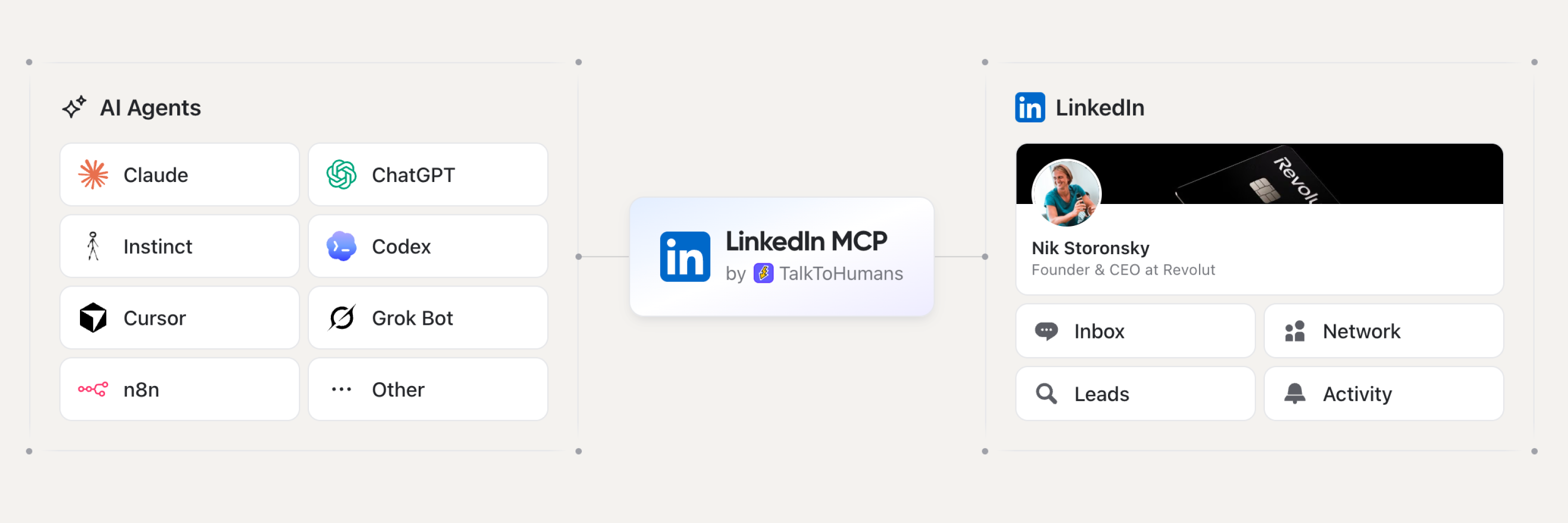
The safest LinkedIn MCP for your Agents.
Connect Claude, ChatGPT, Claude Code, Codex, Cursor, VS Code or any remote MCP client to your own LinkedIn account.
Your agent reads your LinkedIn conversations, searches your network, enriches profiles with email and phone, and drafts the messages. You review them and hit send.





https://api.talktohumans.app/mcp
LinkedIn has no official MCP server, and its public API doesn't give access to your private messages. Every LinkedIn MCP is third-party, and most fall into one of three groups:
| Open-source scrapers | Cloud LinkedIn tools | TalkToHumans | |
|---|---|---|---|
| Pace | Whatever pace your agent sets | Daily caps sized for campaigns | Human pace, enforced: daily limits plus a gap between every action, per LinkedIn account. Nobody can override them |
| What 100 agent calls do | 100 trips to LinkedIn | 100 trips to LinkedIn, from their servers | Read a synced cache, so no more LinkedIn activity than one call |
| Where LinkedIn actions run | A script driving a browser on your machine | Their servers, often behind proxy IPs | The browser you already use. No cloud automation, no proxy IP |
| Where you work | In your agent's chat | In your agent's chat | Wherever suits the task: your agent's chat, the TalkToHumans app, or right inside LinkedIn and Sales Navigator |
| Who presses send | Usually the agent | The agent or a campaign | You. The MCP only drafts |
No LinkedIn tool is completely risk-free. Here is how TalkToHumans keeps the risk down:
Founders, consultants, sales teams and agencies use it for the same handful of jobs:
Your agent also gets work email and mobile phone for the people you talk to, from 20+ providers in a waterfall.
Click this link to add TalkToHumans to Claude
Click Add, then Connect, and sign in to TalkToHumans.
On Team and Enterprise plans, only an owner can add it: add it as an owner.
Members then click Connect in Customize > Connectors.
Not showing in a chat? Click + > Connectors and turn TalkToHumans on.
https://api.talktohumans.app/mcp
https://api.talktohumans.app/mcp
Custom MCP servers depend on your ChatGPT plan. On Business, Enterprise and Edu, an admin may need to allow them.
In a terminal, run:
claude mcp add --transport http --scope user talktohumans https://api.talktohumans.app/mcp
Then run /mcp in Claude Code, pick talktohumans and choose Authenticate.
Already connected Claude? It shows up in Claude Code with the same account.
In a terminal, run:
codex mcp add talktohumans --url https://api.talktohumans.app/mcp
If no browser opened to sign in, run:
codex mcp login talktohumans
The Codex app and IDE extension share this setup. In the ChatGPT desktop app, add it in Settings > MCP servers.
Click this link to add TalkToHumans to Cursor
Add this to ~/.cursor/mcp.json:
{
  "mcpServers": {
    "talktohumans": {
      "url": "https://api.talktohumans.app/mcp"
    }
  }
}
Click this link to add TalkToHumans to VS Code
https://api.talktohumans.app/mcp
talktohumans, choose Global, and sign in when VS Code asksIn a terminal, run:
gemini mcp add --transport http talktohumans https://api.talktohumans.app/mcp
Then run /mcp auth talktohumans in Gemini CLI.
https://api.talktohumans.app/mcp
https://api.talktohumans.app/mcp
Custom connectors need Perplexity Pro, Max or Enterprise.
https://api.talktohumans.app/mcp
Add a custom MCP server (Streamable HTTP, OAuth) with this URL, then sign in:
https://api.talktohumans.app/mcp
| Area | Tools |
|---|---|
| Accounts | list_accounts, get_credit_balance |
| Conversations | list_conversations, list_messages, write_message_draft, upload_file |
| Contacts | list_contacts, search_people, import_contacts, get_import_progress, update_contact, delete_contacts, list_field_definitions, create_field_definition, list_tags, update_tag, delete_tag, create_signals |
| Companies | list_companies |
| Content | list_content, search_posts, find_content, import_content, import_content_engagers, track_content, update_content |
| Enrichment | enrich_profile, find_email, find_phone |
| Views | list_views, create_view, update_view, delete_view |
| Templates & sequences | list_templates, create_template, update_template, update_sequence, delete_sequence |
| Reporting | list_activity, get_activity_summary |
| Skills | load_skill |
| Feedback | send_feedback |
write_message_draft saves a draft, a sequence or a connection request for you to review, or clears one. It never sends. Imports, searches, enrichment and tracking use TalkToHumans credits. list_accounts also gives your agent your own LinkedIn profile, for free, so it knows who you are.
MCP (Model Context Protocol) is the open standard that lets AI assistants like Claude, ChatGPT and Cursor use outside tools. A LinkedIn MCP server connects your agent to your LinkedIn data. It can read your conversations, search your network and prepare messages, instead of you copying everything into a chat.
No. LinkedIn doesn't offer an MCP server, and its public API doesn't cover private messages. Every LinkedIn MCP is third-party.
No, and that's on purpose. Your agent can read, sort and draft, down to a full follow-up sequence. Every message that carries your name still gets your approval.
No. TalkToHumans works through your logged-in browser session. Your AI client signs in to TalkToHumans, not to LinkedIn.
Your workspace syncs while your browser is open with the TalkToHumans extension on, newest conversations first. Older message history loads when you open a conversation in TalkToHumans.
Yes. The LinkedIn CLI (tth) is the same workspace from the terminal, for Claude Code, Codex, scripts and cron jobs. It only drafts too. See the CLI docs.
Yes. Every paid plan also includes a REST API for contacts, companies, conversations, content, drafts, views and activity. See the developer docs.
MCP, CLI and API access come with every paid plan, from Starter. Pro adds sequences, post engagers, analytics and CRM integrations.
This repo holds the MCP Registry entry (server.json) and setup docs for the hosted TalkToHumans server. The server runs at https://api.talktohumans.app/mcp, and its code isn't in this repo.
Found a bug or a missing tool? Open an issue.
Built by TalkToHumans.
Claim this server with your GitHub account to request manual ownership verification.
Link to the catalog listing for TalkToHumans LinkedIn MCP Server from your README. This badge does not certify ownership, compatibility or security.
[](https://awesome-mcp.com/servers/linkedin-mcp-970122)Public repository statistics could not be verified. Check the configured source address; unavailable counts are not zero.
Separate sources, scopes and periods. Never combined or treated as installations, active users or security reviews.
No reviewed package or image identity; download statistics are not listed yet.
Alternative and complementary servers in the same category
An AI receptionist platform with an MCP server for accessing business calls, contacts and appointments from AI assistants.
Pidgeon provides an MCP server and an email inbox API that gives AI agents their own addresses for sending, awaiting, and replying to email.

A Telegram CLI with background sync that can run an optional MCP server for a personal account using MTProto, not the bot API.
