
A Rust CAD application with an MCP server for creating, inspecting and rendering drawings, either headlessly or through a connection to the desktop app.
8K
Media & Design
MapNetwork MCP server that turns places in Japan into styled, illustration-like map images, available as a local server and a remote hosted MCP server.
MCP server for generating styled map images of places in Japan is cataloged as an MCP server attributed to toruproject. MapNetwork MCP server that turns places in Japan into styled, illustration-like map images, available as a local server and a remote hosted MCP server. It is categorized under media design. See the capability inspector for recorded interfaces and their independent review status; consult upstream documentation for the current interface.
Installation configuration is not reviewed. No executable setup is offered for this entry; inspect the source repository before proceeding.
Catalog license label: Not specified. Check the source repository's current license and terms before using, modifying or distributing this software.
Capability definitions are not reviewed. Unreviewed imports are not exposed as trusted interfaces.
No reviewed records to display. This does not establish that upstream lacks this capability.
No reviewed records to display. This does not establish that upstream lacks this capability.
No reviewed records to display. This does not establish that upstream lacks this capability.
Email delivery is not connected. This page does not collect email addresses or create subscriptions.
Browse the registry for current listings instead.
Reviews for MCP server for generating styled map images of places in Japan are not available yet
Review publishing and storage are not connected. This page does not collect or publish ratings or comments, including after sign-in.
Coverage is currently limited to Japan; requests for places outside Japan return an error.
The local server saves the generated image directly to your Downloads folder, while the remote server returns a text response with three links because it cannot save images locally.
README.md · ac5493e05967 · Fetched 2026-11-13 13:08:52 UTC
Original upstream text, without AI rewriting. Scripts, forms and unsafe links are filtered for safety.
Showing the last retrieved documentation snapshot; check the source for current changes.
English | 日本語
MCP server for MapNetwork — turn places in Japan into styled, illustration-like map images (PNG / SVG), directly from Claude or any MCP-compatible AI assistant.
Maps are built from detailed OpenStreetMap data served by MapNetwork's own Overpass API for Japan, so coverage is currently limited to Japan (country code JP) — requests for places outside Japan return an error.
Since MapNetwork is built for Japan, a Japanese version of this README is also available: README.ja.md.
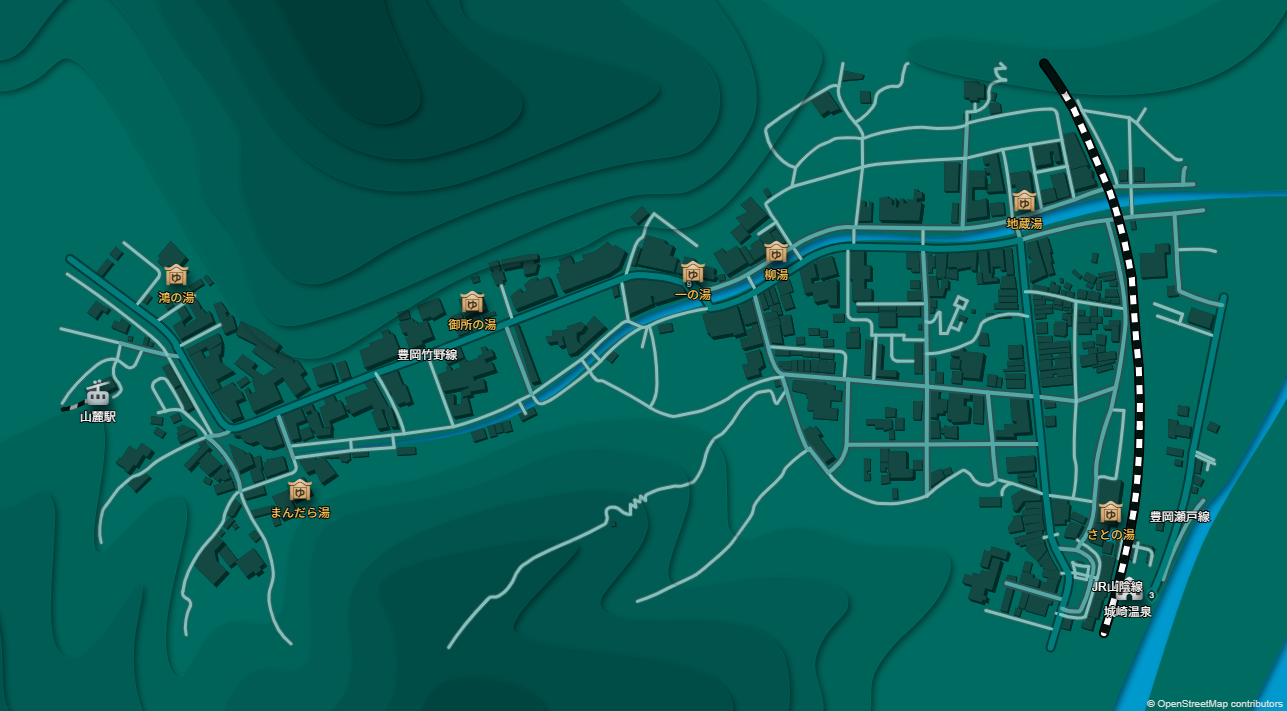
generate_* tools poll internally, and download_map can pick up a job later if neededPrompt: "城崎温泉の外湯を地図にして。" (Make a map of the public bathhouses of Kinosaki Onsen.)
The map it generated, saved to your Downloads folder:
The result also includes three links. Open them in a browser to get more out of the same map — no need to regenerate.
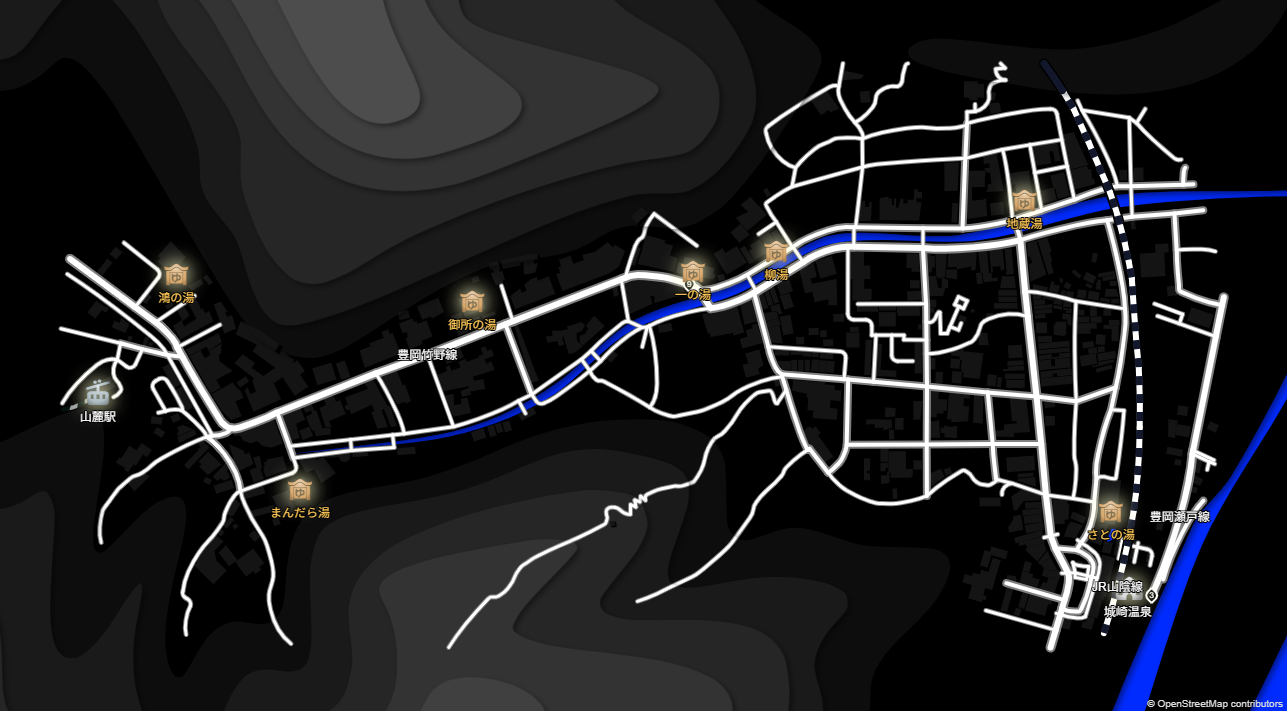
Download link — change the color theme by editing the link's colorSet parameter (here &colorSet=black):
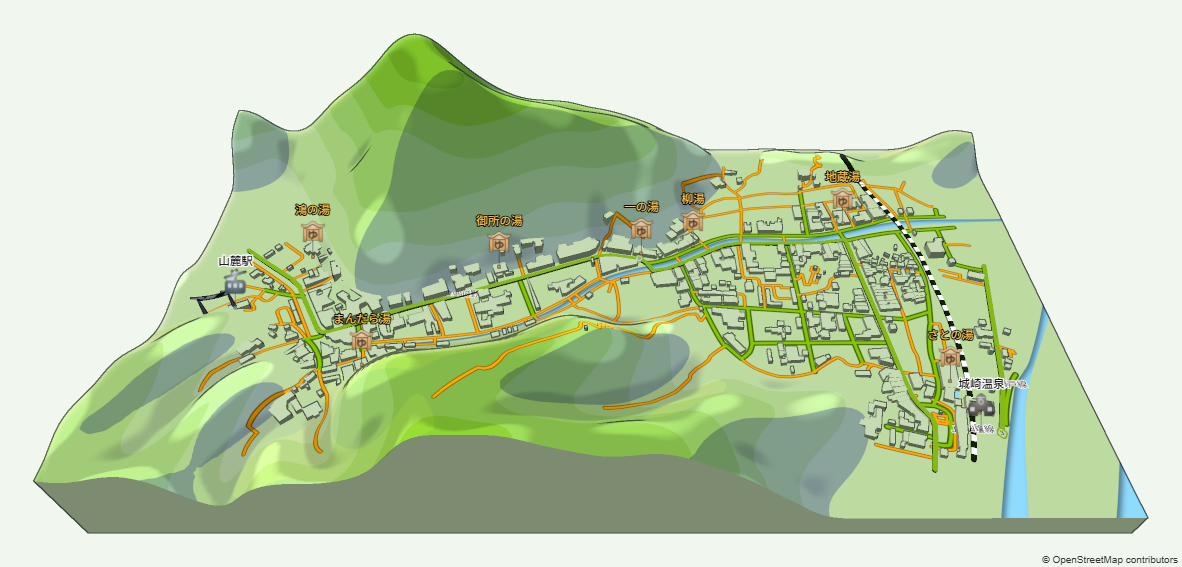
View 3D link — a 3D rendering of the map, drawn in your desktop browser and shown as an image:
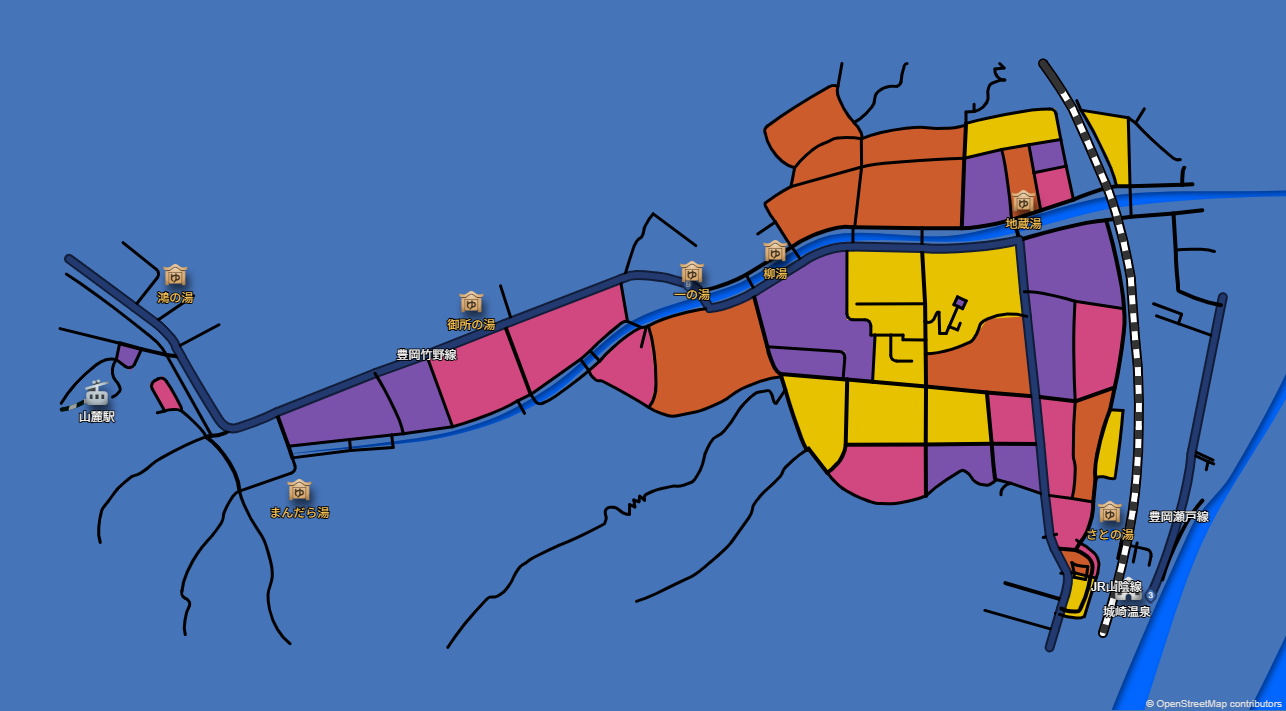
Open in editor link — customize the map by hand in the MapNetwork web editor (here: buildings hidden, patchwork turned on, and the popArt color theme applied):
The easiest way to install is via the .mcpb extension file available on the Releases page.
.mcpb file from the Releases page..mcpb file onto the Extensions panel to install.Add the following to your claude_desktop_config.json:
{
  "mcpServers": {
    "mapnetwork": {
      "command": "uvx",
      "args": ["mapnetwork-mcp"],
      "alwaysAllow": ["generate_map", "generate_markers_map", "generate_route_map", "download_map", "redownload_map"]
    }
  }
}
If you use pip instead of uvx:
pip install mapnetwork-mcp
{
  "mcpServers": {
    "mapnetwork": {
      "command": "mapnetwork-mcp"
    }
  }
}
You can also use MapNetwork through MCP without installing anything, via the remote MCP server:
https://mapnetwork.app/mcp
In Claude, go to Settings → Connectors → Add custom connector and register the URL above.
The key difference from this local server is how you receive the generated map image. Since mapnetwork-mcp runs on your PC, it can save the generated image directly to your Downloads folder. The remote server can't do this — most AI assistants are unable to properly display or save tool-result images within the chat — so instead of image data, it returns a text response with three links at mapnetwork.app: a download link for the PNG, a link to edit the map, and a link to view the map in 3D (the 3D rendering is drawn in your own desktop browser and shown as an image after a few seconds; it is not available on mobile devices). Open the links in a browser to view or save the image, to edit the map, or to see it in 3D. The local server returns the same three links after saving the PNG.
| Tool | Description |
|---|---|
generate_map | Generate a styled map image centered on a single place and save it to Downloads |
generate_markers_map | Generate a map with multiple pinned locations |
generate_route_map | Compute a walking or driving route between two places and generate a map with it overlaid |
download_map | Check a pending generate_* job and download it once ready |
redownload_map | Re-download a previously generated map in a different color theme or format — instant, no regeneration |
Japanese
English
mcp-name: io.github.toruproject/mapnetwork-mcp
Claim this server with your GitHub account to request manual ownership verification.
Link to the catalog listing for MCP server for generating styled map images of places in Japan from your README. This badge does not certify ownership, compatibility or security.
[](https://awesome-mcp.com/servers/mapnetwork-mcp)Public repository statistics could not be verified. Check the configured source address; unavailable counts are not zero.
Separate sources, scopes and periods. Never combined or treated as installations, active users or security reviews.
No reviewed package or image identity; download statistics are not listed yet.
Alternative and complementary servers in the same category
A Rust CAD application with an MCP server for creating, inspecting and rendering drawings, either headlessly or through a connection to the desktop app.

Liquid Composer is a browser-based Liquid Glass icon design tool that offers a local MCP server for agent-driven icon workflows.

agent-media makes short drama series and other short vertical videos from Claude, ChatGPT or Codex through one MCP connection, with OAuth sign-in and no API keys.