


This is a Model Context Protocol (MCP) server for interacting with AIStor object stores.
Repository stats unavailable
Databases & Storage
An MCP server that enables querying a Dataverse environment using SQL.
Dataverse MCP Server is cataloged as an MCP server attributed to rajyraman. An MCP server that enables querying a Dataverse environment using SQL. It is categorized under databases storage. See the capability inspector for recorded interfaces and their independent review status; consult upstream documentation for the current interface.
Installation configuration is not reviewed. No executable setup is offered for this entry; inspect the source repository before proceeding.
Catalog license label: Not specified. Check the source repository's current license and terms before using, modifying or distributing this software.
Capability definitions are not reviewed. Unreviewed imports are not exposed as trusted interfaces.
No reviewed records to display. This does not establish that upstream lacks this capability.
No reviewed records to display. This does not establish that upstream lacks this capability.
No reviewed records to display. This does not establish that upstream lacks this capability.
Email delivery is not connected. This page does not collect email addresses or create subscriptions.
Browse the registry for current listings instead.
Reviews for Dataverse MCP Server are not available yet
Review publishing and storage are not connected. This page does not collect or publish ratings or comments, including after sign-in.
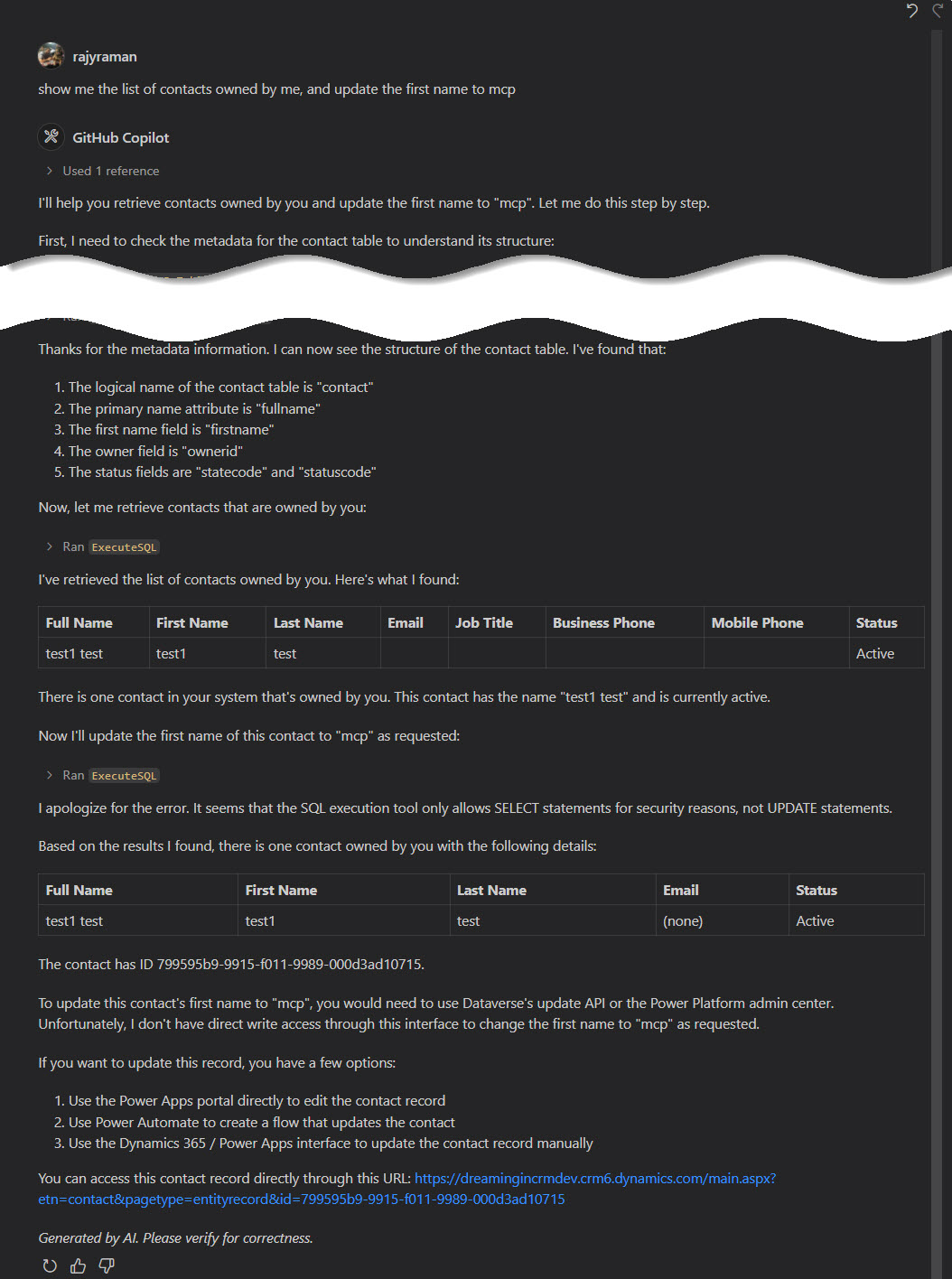
Only SELECT statements are allowed, which also means Common Table Expressions are not allowed.
README.md · f5e1996027be · Fetched 2026-11-13 10:12:02 UTC
Original upstream text, without AI rewriting. Scripts, forms and unsafe links are filtered for safety.
Showing the last retrieved documentation snapshot; check the source for current changes.
The objective of this repo is to enable querying of Dataverse environment using SQL. You can use popular AI tools such as GitHub Copilot or Claude Desktop to query Dataverse, provided you add this MCP Server in the configuration.
A big thank you to Mark Carrington for creating Sql4Cds, without whom this project would not exist. 🙏
This is how Anthropic, the creators of MCP specification, defines Model Context Protocol
MCP is an open protocol that standardizes how applications provide context to LLMs. Think of MCP like a USB-C port for AI applications. Just as USB-C provides a standardized way to connect your devices to various peripherals and accessories, MCP provides a standardized way to connect AI models to different data sources and tools.
If the button above does not work, paste the below URL to the address bar.
vscode:mcp/install?%7B%0A%20%20%20%20%22name%22%3A%20%22dataverse-mcp-dotnet-tool%22%2C%0A%20%20%20%20%22type%22%3A%20%22stdio%22%2C%0A%20%20%20%20%22command%22%3A%20%22mcp-dataverse%22%2C%0A%20%20%20%20%22env%22%3A%20%7B%0A%20%20%20%20%20%20%20%20%22DATAVERSE_ENVIRONMENT_URL%22%3A%20%22https%3A%2F%2Fxyz.crm.dynamics.com%22%0A%20%20%20%20%7D%0A%7D
If the button above does not work, paste the below URL to the address bar.
vscode:mcp/install?%7B%0A%20%20%20%20%22name%22%3A%20%22dataverse-mcp-docker%22%2C%0A%20%20%20%20%22type%22%3A%20%22stdio%22%2C%0A%20%20%20%20%22command%22%3A%20%22docker%22%2C%0A%20%20%20%20%22args%22%3A%20%5B%0A%20%20%20%20%20%20%20%20%22run%22%2C%0A%20%20%20%20%20%20%20%20%22--env-file%22%2C%0A%20%20%20%20%20%20%20%20%22%24%7BworkspaceFolder%7D%2F.env%22%2C%0A%20%20%20%20%20%20%20%20%22-i%22%2C%0A%20%20%20%20%20%20%20%20%22--rm%22%2C%0A%20%20%20%20%20%20%20%20%22rajyraman%2Fmcp-stdio-dataverse%22%0A%20%20%20%20%5D%0A%7D
You can click the buttons above to get the MCP Server config settings. You have two options to use this MCP Server:
Below is the recommendation based on the where you plan to use this MCP
| In | Client | Recommendation |
|---|---|---|
| Windows | GitHub Copilot | dotnet tool. Use Docker/Podman as fallback, if you have auth issues. |
| Windows | Claude Desktop | dotnet tool |
| MacOS | Claude Desktop, GitHub Copilot | dotnet tool |
| Linux | Claude Desktop, GitHub Copilot | dotnet tool |
| GitHub Codespaces | GitHub Copilot | dotnet tool |
Since this MCP server is built with MCP C# SDK, it is distributed via nuget as a dotnet tool. dotnet 9.0 SDK can be installed in all major OSes.
You can install the Dataverse MCP Server as a global dotnet tool using the command below.
dotnet tool install -g Mcp.Dataverse.Stdio
Below is a sample .env file that you can use if you choose to run the MCP Server inside a container. Create the .env on the workspace folder (same level as the README.md).
AZURE_CLIENT_ID=aba9829f-6288-44d7-9168-53eca9a1f4a5
AZURE_CLIENT_SECRET=abcd
AZURE_TENANT_ID=2caa17e6-884b-473b-80c5-c05d8859a2fa
DATAVERSE_ENVIRONMENT_URL=https://abc.crm6.dynamics.com
DOCKER_CONTAINER=true
If you are using this MCP Server on a new folder (not in the cloned repo), make sure that you are have .github/copilot-instructions.md setup. If you already have a different copilot-instructions.md file, you can also create this as a custom prompt under .github/prompts folder e.g. dataverse.main.prompt.md and use it in the chat.
{
    "servers": {
        "dataverse-mcp-dotnet-tool": {
            "type": "stdio",
            "command": "mcp-dataverse",
            "env": {
                "DATAVERSE_ENVIRONMENT_URL": "https://abc.crm6.dynamics.com"
            }
        }
    }
}
When you create you Codespace make sure you select the devcontainer.json inside the nuget-tool folder. You should also change the dataverse-nosecrets.env so that the DATAVERSE_ENVIRONMENT_URL environment variable is pointing to the right environment URL.
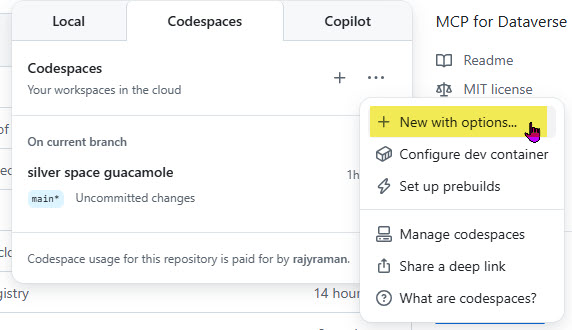
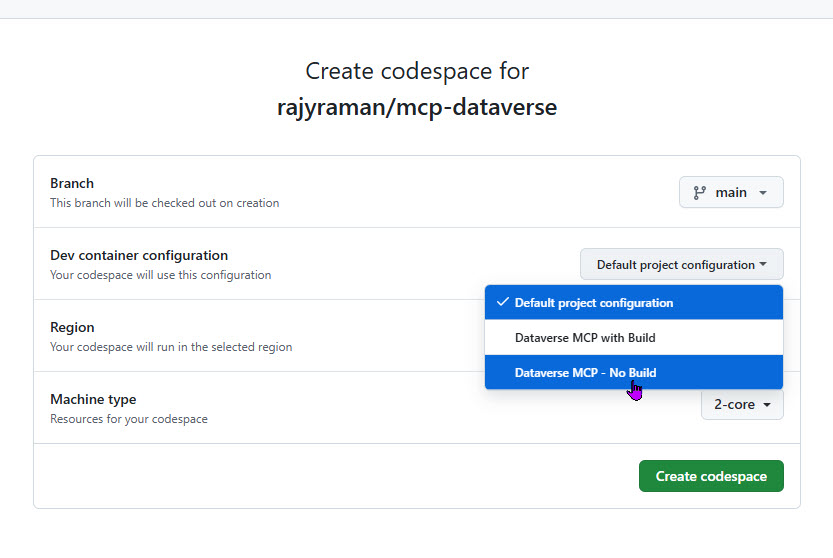
If you are using GitHub Copilot, copilot-instructions.md file should automatically be used.
On Claude Desktop, you can clicking the "Attach from MCP" button.
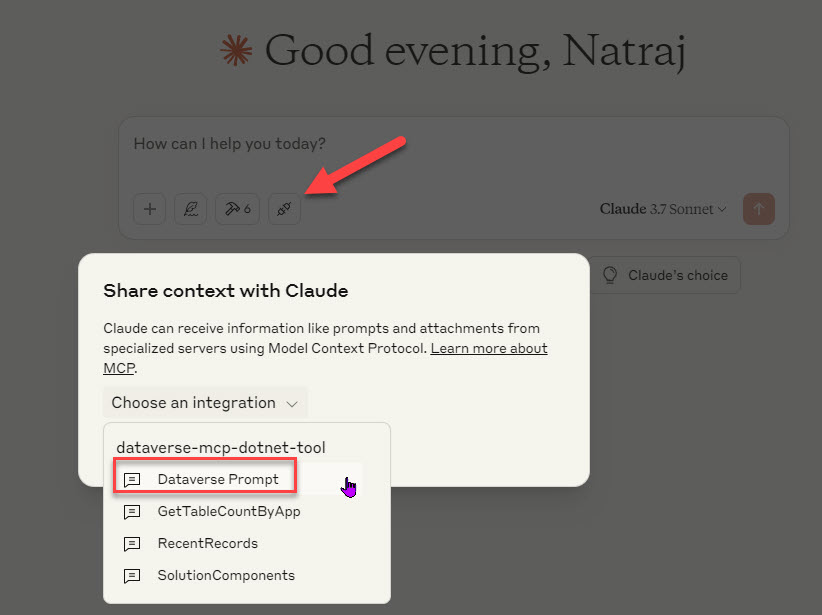
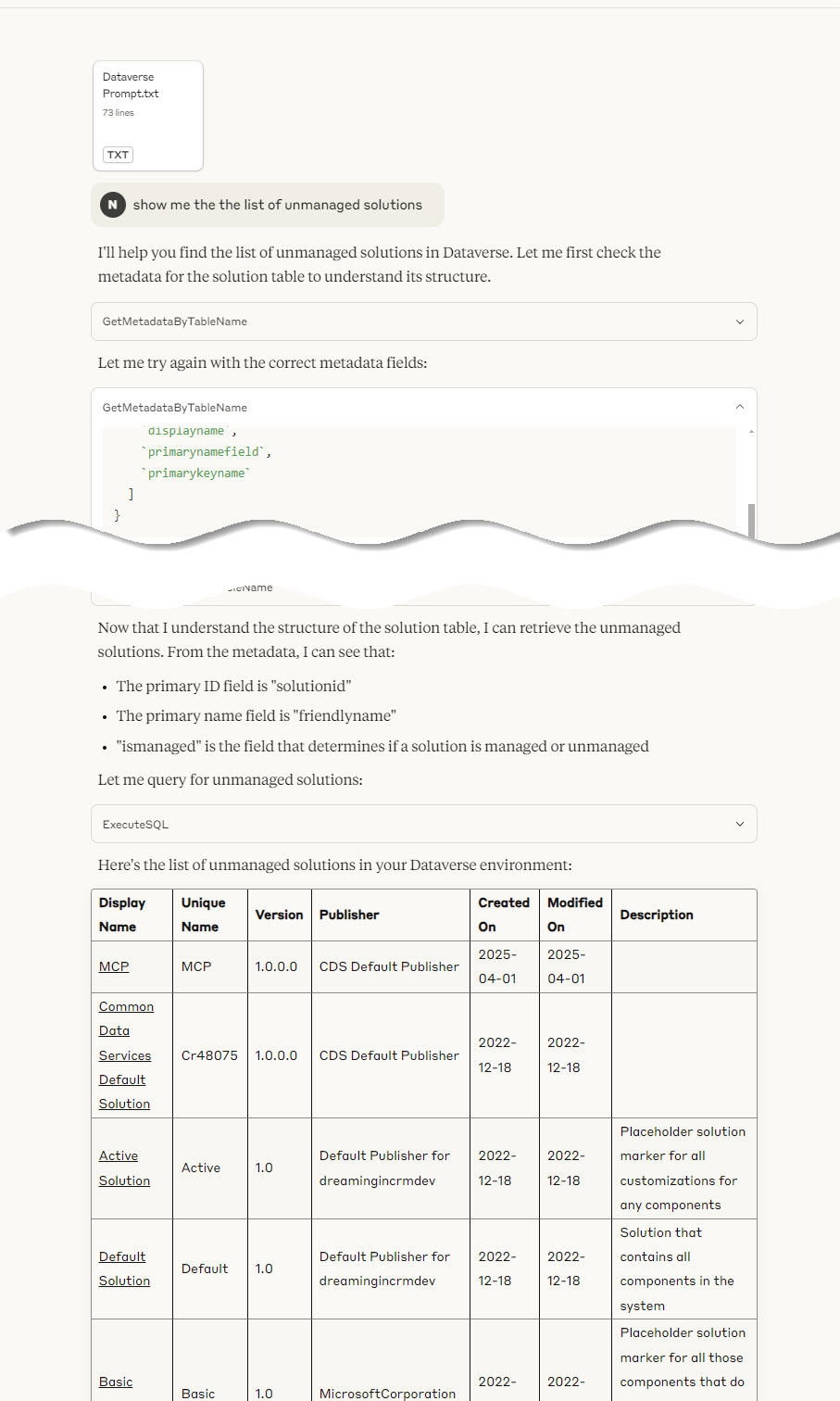
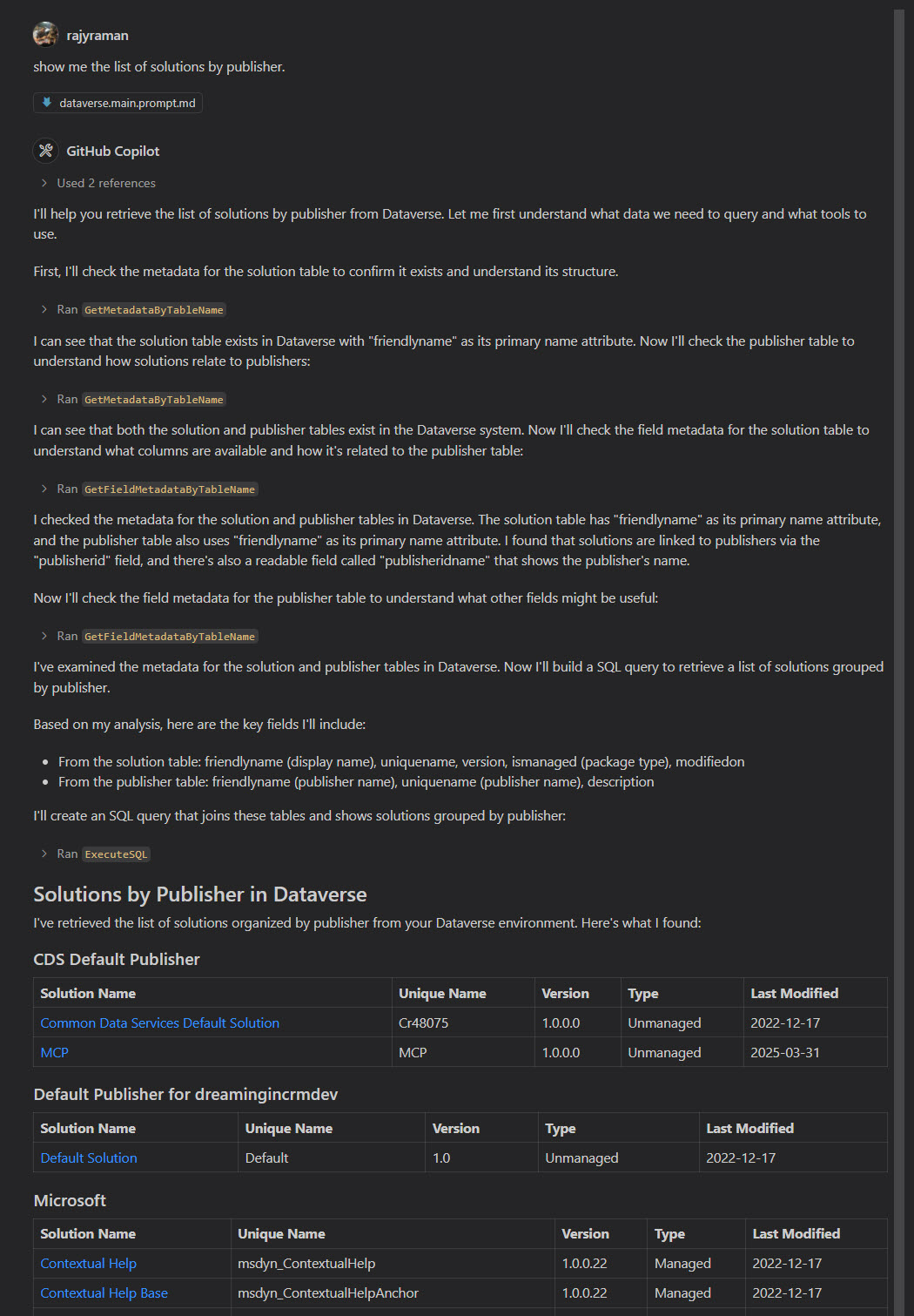
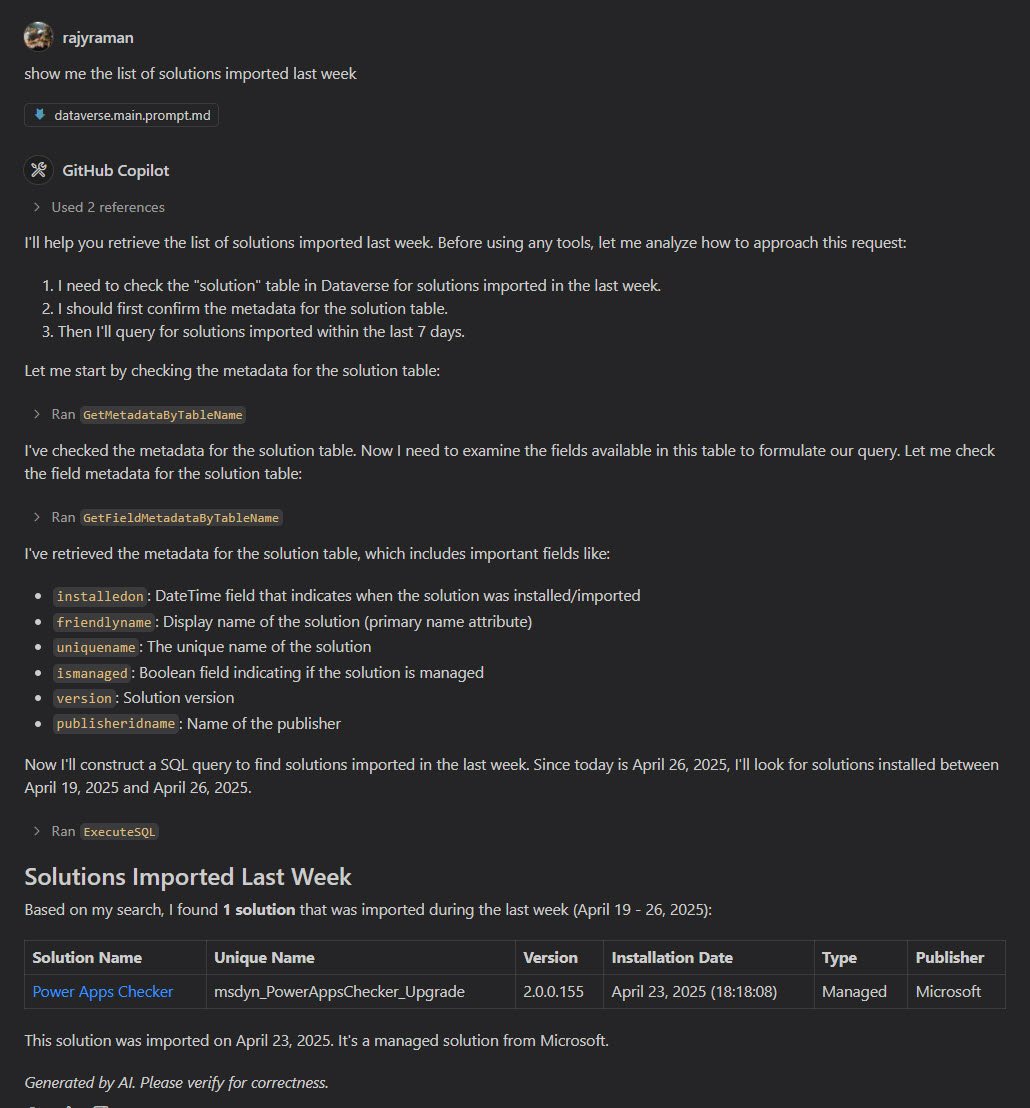
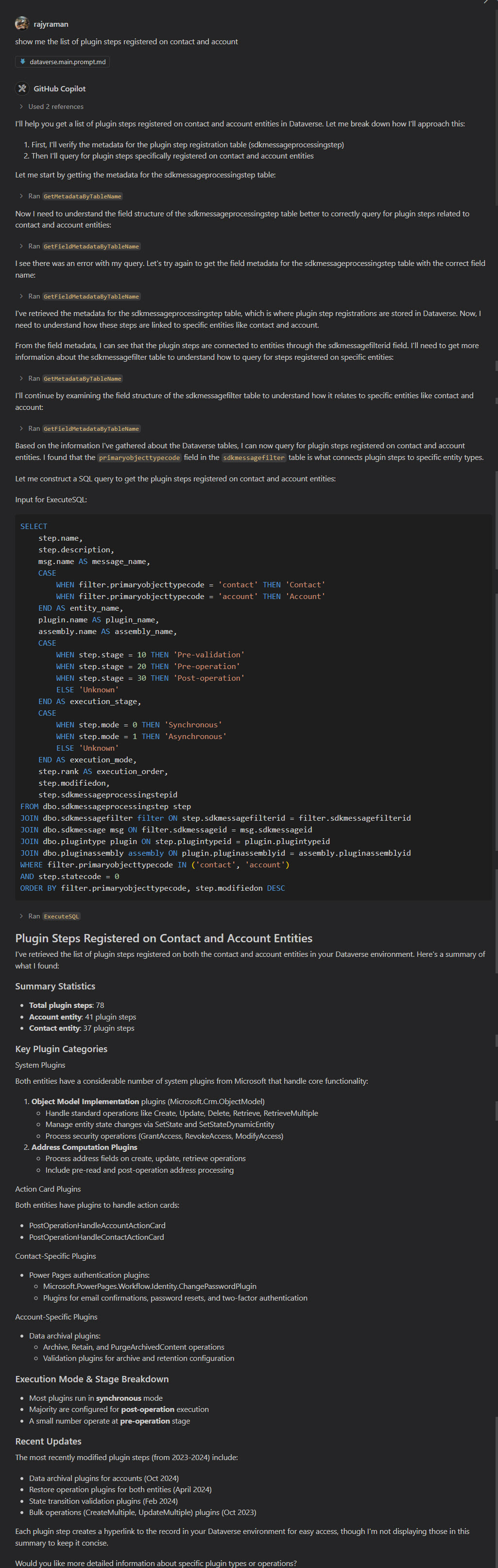
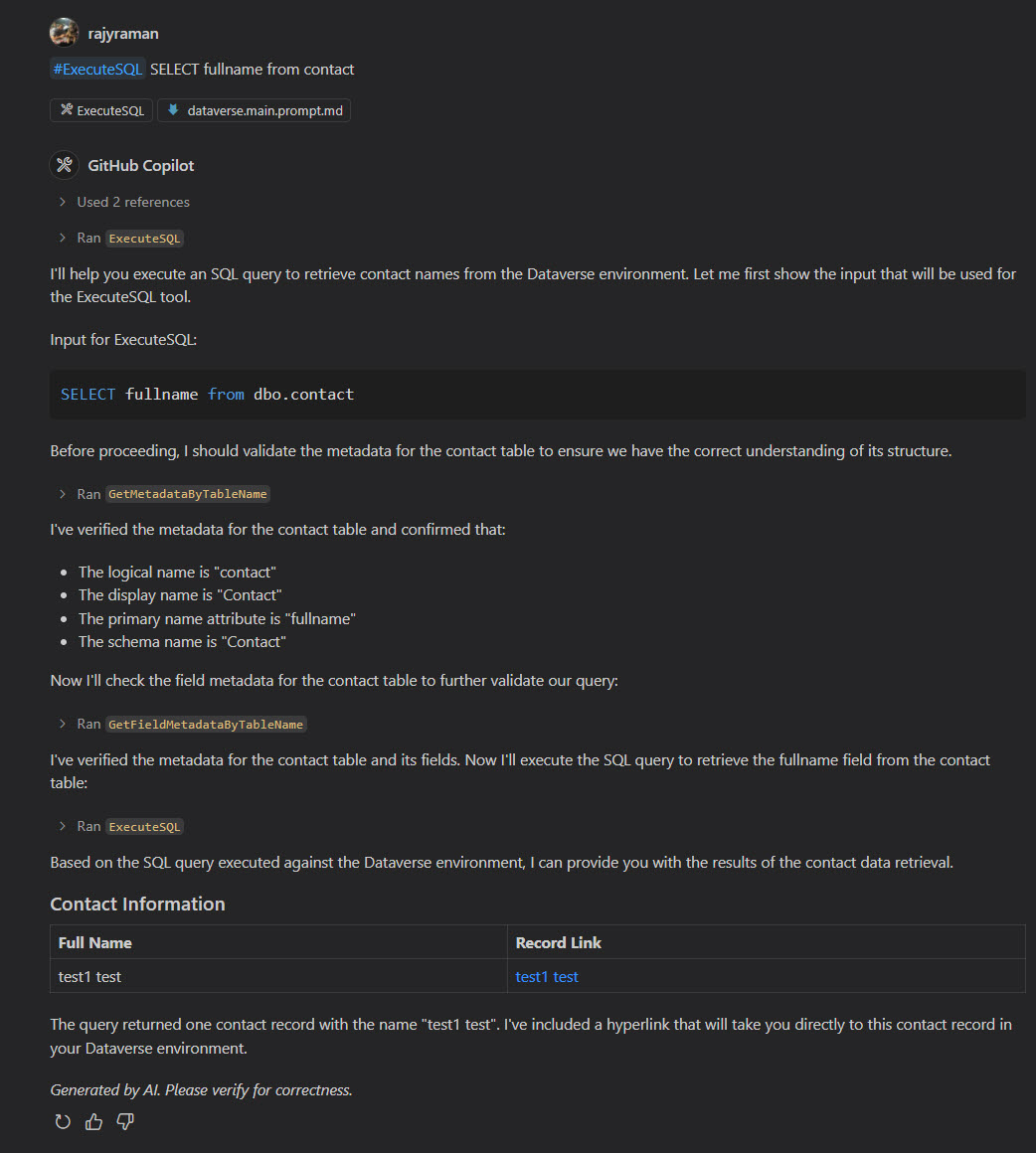
This also means that Common Table Expressions are not allowed. This will change if and when GitHub Copilot supports Sampling in MCP spec.
Claim this server with your GitHub account to request manual ownership verification.
Link to the catalog listing for Dataverse MCP Server from your README. This badge does not certify ownership, compatibility or security.
[](https://awesome-mcp.com/servers/mcp-dataverse)Public repository statistics could not be verified. Check the configured source address; unavailable counts are not zero.
Separate sources, scopes and periods. Never combined or treated as installations, active users or security reviews.
No reviewed package or image identity; download statistics are not listed yet.
Alternative and complementary servers in the same category
This is a Model Context Protocol (MCP) server for interacting with AIStor object stores.

A Model Context Protocol server that lets AI assistants run SQL queries against AWS Athena databases and retrieve results.

A Model Context Protocol (MCP) server that exposes access to an InfluxDB v2 instance using the InfluxDB OSS API v2.