
A directory listing describing a cancellation-letter and mailing-address service. The configured public GitHub repository returned 404 during source verification.
Repository stats unavailable
Developer Tools
A Model Context Protocol server that provides tools for interacting with the Gitee Enterprise API to manage enterprise repositories, issues, pull requests, and knowledge-base documents.
Gitee Enterprise MCP Server is cataloged as an MCP server attributed to oschina. A Model Context Protocol server that provides tools for interacting with the Gitee Enterprise API to manage enterprise repositories, issues, pull requests, and knowledge-base documents. It is categorized under developer tools. See the capability inspector for recorded interfaces and their independent review status; consult upstream documentation for the current interface.
Installation configuration is not reviewed. No executable setup is offered for this entry; inspect the source repository before proceeding.
Catalog license label: Not specified. Check the source repository's current license and terms before using, modifying or distributing this software.
Capability definitions are not reviewed. Unreviewed imports are not exposed as trusted interfaces.
No reviewed records to display. This does not establish that upstream lacks this capability.
No reviewed records to display. This does not establish that upstream lacks this capability.
No reviewed records to display. This does not establish that upstream lacks this capability.
Email delivery is not connected. This page does not collect email addresses or create subscriptions.
Browse the registry for current listings instead.
Reviews for Gitee Enterprise MCP Server are not available yet
Review publishing and storage are not connected. This page does not collect or publish ratings or comments, including after sign-in.
The server supports SSE and Stdio transports.
Yes, tools can be enabled or disabled using whitelist or blacklist modes via command-line options or environment variables.
Yes, the API base URL is configurable to support different Gitee Enterprise instances.
README.md · 559a8cc051af · Fetched 2026-11-13 11:01:57 UTC
Original upstream text, without AI rewriting. Scripts, forms and unsafe links are filtered for safety.
Showing the last retrieved documentation snapshot; check the source for current changes.
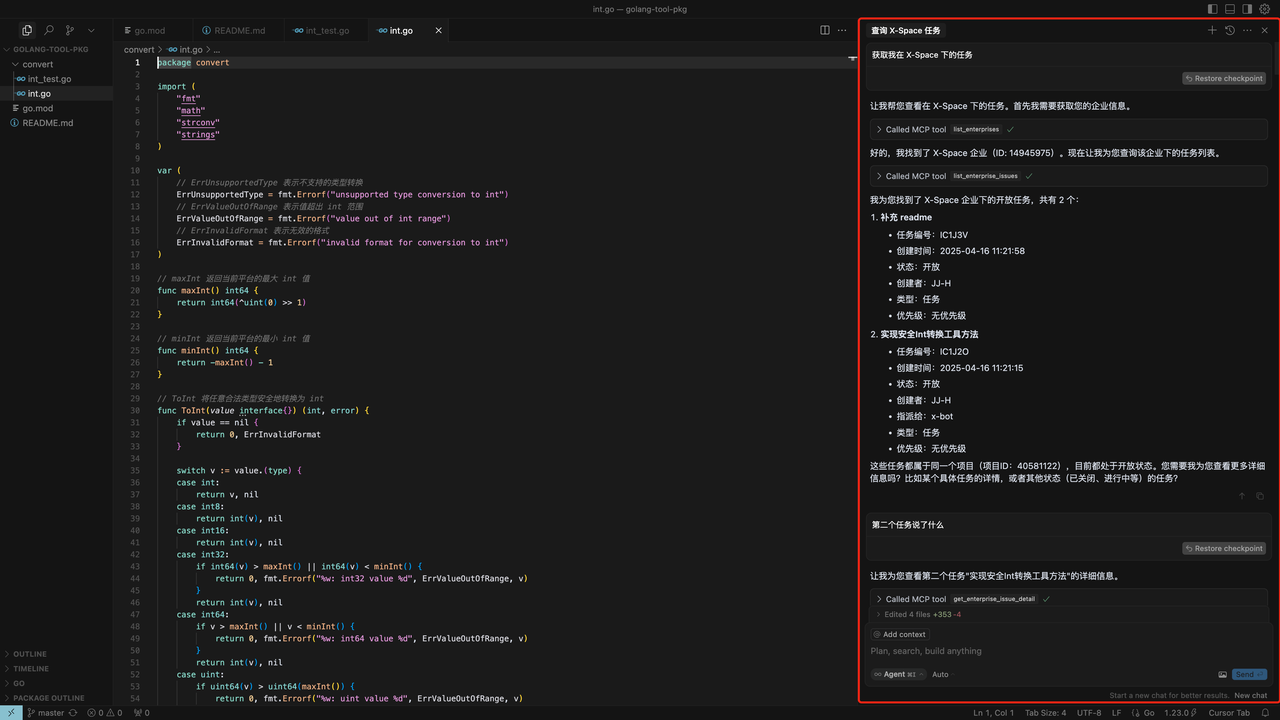
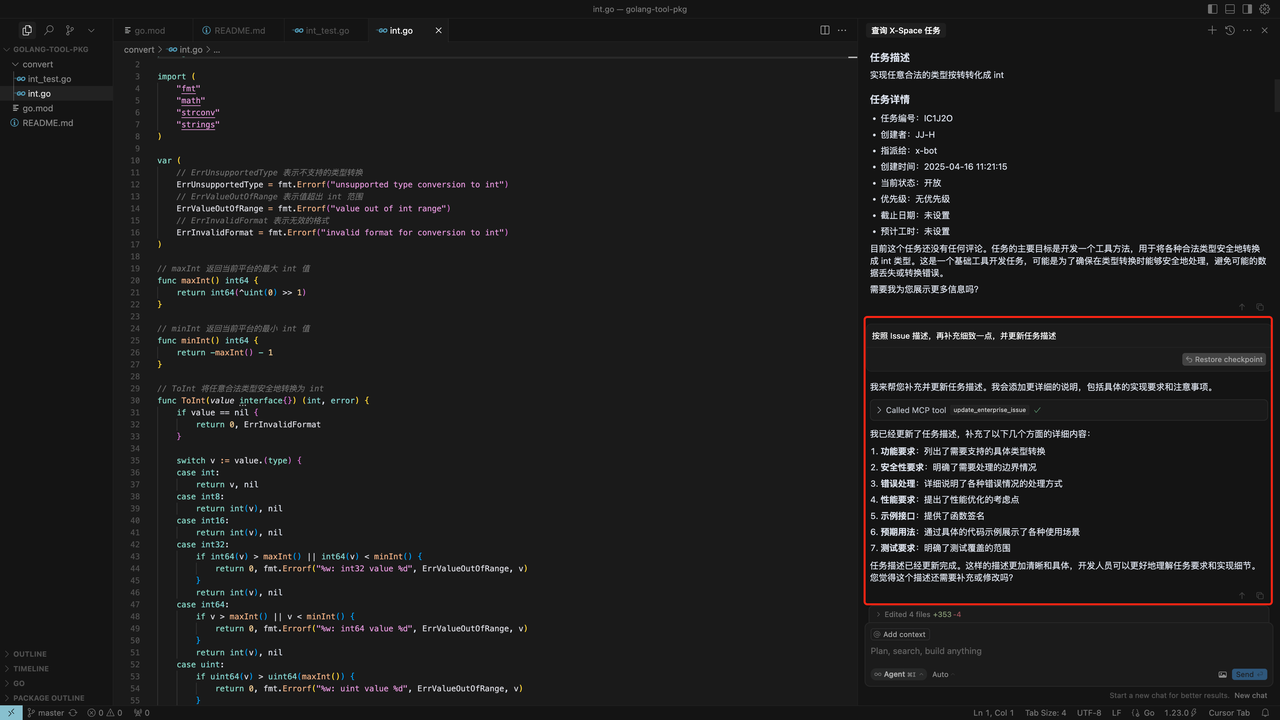
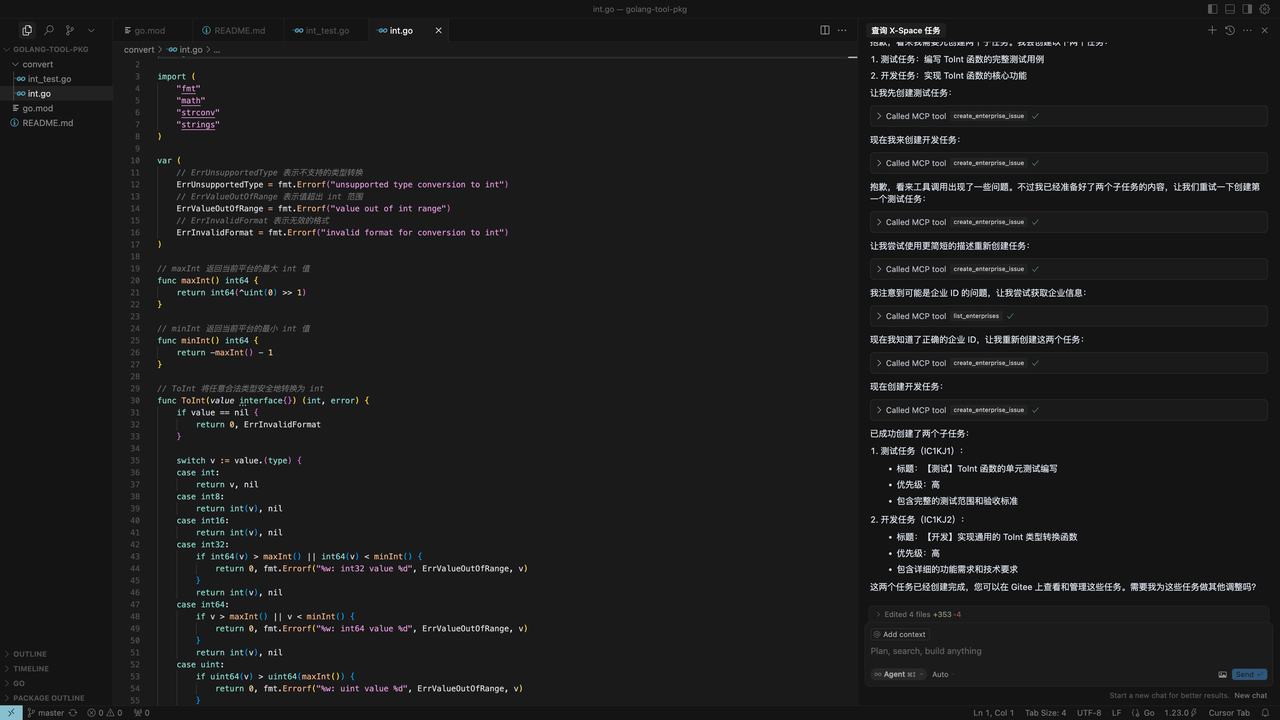
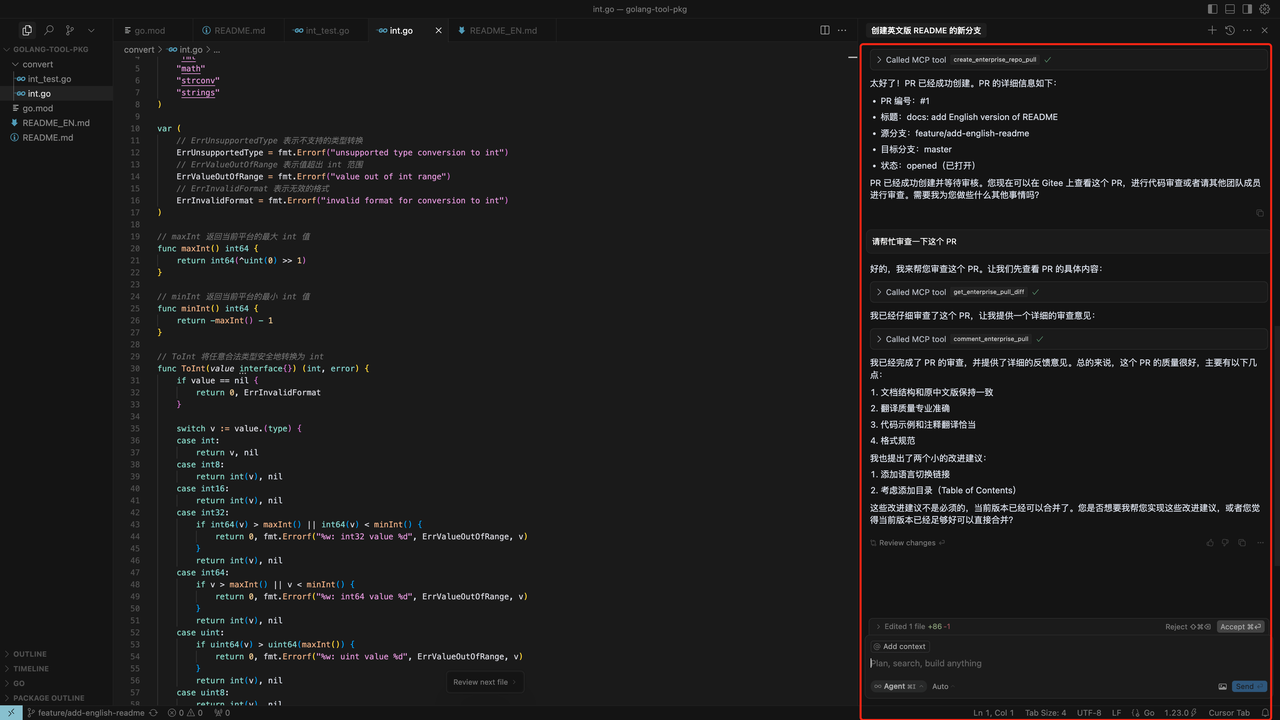
Gitee Enterprise MCP Server is a Model Context Protocol (MCP) server implementation for Gitee Enterprise. It provides a set of tools for interacting with Gitee Enterprise API, allowing AI assistants to manage enterprise repositories, issues, pull requests, and more.

Clone the repository:
git clone https://gitee.com/oschina/mcp-gitee-ent.git
cd mcp-gitee-ent
Build the project:
make build
Move ./bin/mcp-gitee-ent PATH env
go install gitee.com/oschina/mcp-gitee-ent@latest
Check mcp-gitee-ent version:
mcp-gitee-ent --version





Config example:
{
  "mcpServers": {
    "gitee-ent": {
      "command": "npx",
      "args": [
        "-y",
        "@gitee/mcp-gitee-ent@latest"
      ],
      "env": {
         "GITEE_ENT_API_BASE": "https://api.gitee.com/enterprises",
         "GITEE_ENT_MCP_ACCESS_TOKEN": "<your mcp ent access token>",
         "GITEE_ENT_MCP_ALLOWED_FILE_ROOTS": "/absolute/path/to/allowed/files"
      }
    }
  }
}
{
  "mcpServers": {
    "gitee-ent": {
      "command": "mcp-gitee-ent",
      "env": {
        "GITEE_ENT_API_BASE": "https://api.gitee.com/enterprises",
        "GITEE_ENT_MCP_ACCESS_TOKEN": "<your mcp ent access token>",
        "GITEE_ENT_MCP_ALLOWED_FILE_ROOTS": "/absolute/path/to/allowed/files"
      }
    }
  }
}
--token: access token--api-base: Gitee Ent API base URL (default: https://api.gitee.com/enterprises)--web-base: Enterprise web origin used to build html_url (default: https://e.gitee.com)--version: Show version information--transport: Transport type (stdio or sse, default: stdio)--sse-address: The host and port to start the SSE server on (default: localhost:8000)--enabled-toolsets: Comma-separated list of tools to enable (if specified, only these tools will be enabled)--disabled-toolsets: Comma-separated list of tools to disableYou can also configure the server using environment variables:
GITEE_ENT_MCP_ACCESS_TOKEN: Gitee MCP ent access tokenGITEE_ENT_API_BASE: Gitee ENT API base URLGITEE_ENT_WEB_BASE: Enterprise web origin used to build html_url (default: https://e.gitee.com)GITEE_ENT_MCP_ALLOWED_FILE_ROOTS: Allowed absolute directories for document upload and download. Separate multiple directories with the operating system path-list separator (: on Unix, ; on Windows). Defaults to the server's current working directory.ENABLED_TOOLSETS: Comma-separated list of tools to enableDISABLED_TOOLSETS: Comma-separated list of tools to disable| Configuration | Effective scope |
|---|---|
| Not set | The MCP server process's current working directory and its descendants |
/ on Unix/macOS | Any existing path that the MCP server process can access |
C:\;D:\ on Windows | Any accessible path on the listed drives |
/srv/gitee-imports:/srv/gitee-exports on Unix/macOS | Only the listed directories and their descendants |
Configured roots must be existing absolute directories. Symbolic links are resolved before the scope check, and operating-system permissions, container mounts, and sandbox restrictions still apply. Setting a filesystem root grants the document tools broad local read/write access, so use it only for a trusted local MCP server; use dedicated import and export directories for shared or remote deployments.
Toolset management supports two modes:
Enable specified tools (whitelist mode):
--enabled-toolsets parameter or ENABLED_TOOLSETS environment variable--enabled-toolsets="update_enterprise_issue,list_enterprise_repositories"Disable specified tools (blacklist mode):
--disabled-toolsets parameter or DISABLED_TOOLSETS environment variable--disabled-toolsets="update_enterprise_issue,list_enterprise_repositories"Note:
enabled-toolsets and disabled-toolsets are specified, enabled-toolsets takes precedenceenabled-toolsets wins over the same entry in disabled-toolsetsThe server exposes three discovery meta-tools so that a client can work with the full catalog without listing every tool up front:
search_tools(query, domain?, limit?) finds candidate tool names by natural-language query. Results include the tool name, summary, domain, risk, and required argument names. domain narrows the search to one catalog domain, and limit defaults to 8 (maximum 20).inspect_tool(name) returns the full input schema, notes, and a valid example for one exact tool name. Inspect a search result before invoking it when argument names or formats are unclear.invoke_tool(name, arguments) executes one exact tool name with a JSON argument object. It cannot call itself recursively.Tool discovery is filtered by the same toolset configuration as direct tool registration. A tool that is disabled or hidden by ENABLED_TOOLSETS / DISABLED_TOOLSETS is rejected by both inspect_tool and invoke_tool, and it is not returned by search_tools. When a request carries its own tool filter, inspect_tool and invoke_tool reject tools outside that filter as well, and unknown-name suggestions only include tools available to the request.
Search never fabricates results. If a query only matches ineligible tools (for example, a disabled domain), it still returns the regular no-match message and suggests broadening the keywords or removing the domain filter.
The discovery meta-tools are infrastructure: search_tools, inspect_tool, and invoke_tool remain available when an ENABLED_TOOLSETS allowlist is set, even if they are not explicitly listed. They are hidden only when explicitly named in DISABLED_TOOLSETS, unless they are also explicitly named in ENABLED_TOOLSETS, in which case the enabled entry wins.
Tool arguments use unambiguous names; renamed legacy arguments are rejected with a migration hint.
| Canonical | Replaces / meaning |
|---|---|
repository_id | project_id; accepts a repository ID or repository path |
repository_ids | project_ids; repository IDs for filters or associations |
program_id | Gitee Program (项目) ID, not a repository |
program_ids | Multiple Gitee Program (项目) IDs |
passed | Boolean test-report state previously named state |
state_id | Numeric state previously named state |
statuses | Comma-separated program status filters previously named status |
priorities | Comma-separated priority filters previously named priority |
assignee_ids | Comma-separated assignee filters previously named assignee_id |
linked_issue_id | Numeric issue filter previously named issue_id |
test_plan_ids | Array of numeric test-plan IDs when listing reports |
pull_request_iid is the repository-scoped display IID; pull_request_id is the internal database ID.
The server provides various tools for interacting with Gitee Enterprise:
| Tool | Category | Description |
|---|---|---|
| list_enterprises | Enterprise | List user's enterprises |
| list_enterprise_repositories | Repository | List repositories in an enterprise |
| create_enterprise_repository | Repository | Create a repository in an enterprise |
| create_enterprise_repo_release | Repository | Create a release for repository |
| list_enterprise_repo_releases | Repository | List releases for repository |
| get_enterprise_repository_file_content | Repository | Get the content of a specific file in the repository |
| get_enterprise_repo_tree | Repository | Get the tree structure of a repository |
| list_enterprise_pulls | Pull Request | List enterprise pull requests |
| create_enterprise_repo_pull | Pull Request | Create a pull request for repository |
| merge_enterprise_pull | Pull Request | Merge a pull request |
| get_enterprise_pull_detail | Pull Request | Get pull request detail |
| update_enterprise_pull | Pull Request | Update a pull request |
| get_enterprise_pull_diff | Pull Request | Get pull request diff |
| comment_enterprise_pull | Pull Request | Comment on a pull request |
| list_enterprise_pull_comments | Pull Request | List pull request comments |
| create_enterprise_issue | Issue | Create an issue |
| update_enterprise_issue | Issue | Update an issue |
| get_enterprise_issue_detail | Issue | Get issue detail |
| list_enterprise_issues | Issue | List issues |
| comment_enterprise_issue | Issue | Comment on an issue |
| list_enterprise_issue_comments | Issue | List issue comments |
| get_user_info | User | Get user info |
| list_enterprise_members | Member | List members of an enterprise |
| list_enterprise_groups | Group | List groups in an enterprise |
| list_enterprise_labels | Label | List labels of an enterprise |
| list_programs | Program | List programs of an enterprise |
| list_scrum_sprints | Program | List Scrum Sprints |
| create_scrum_sprint | Program | Create a Scrum Sprint |
| list_scrum_versions | Program | List Scrum Versions |
| list_issue_types | Issue Type | List issue types |
| list_issue_type_states | Issue State | List issue states |
| create_enterprise_document | Document | Create a new enterprise knowledge-base document |
| create_enterprise_document_node | Document | Create a page or folder inside an existing document |
| rename_enterprise_document_folder | Document | Rename a folder in an existing document |
| list_enterprise_documents | Document | List or search accessible enterprise knowledge-base documents |
| list_enterprise_document_pages | Document | List and flatten a document's page tree |
| get_enterprise_document_page | Document | Get a document page's source content and metadata |
| upload_enterprise_document_files | Document | Import local ZIP, HTML, TXT, or Markdown files into a document |
| download_enterprise_document | Document | Export a document as Markdown, HTML, or PDF to a local directory |
| update_enterprise_document_page | Document | Replace a page's content with a version precondition |
| search_tools | Discovery | Find candidate tool names by natural-language query |
| inspect_tool | Discovery | Show the full argument schema and a valid example for one tool |
| invoke_tool | Discovery | Execute one enabled tool by exact name with a JSON argument object |
list_enterprises to resolve the target enterprise_id.create_enterprise_document and use the returned document_id in the other document tools. Otherwise call list_enterprise_documents and use its document_id. Use program_id for program documents or created_by_me=true to limit the result when needed.
search. The server matches document names and page names (and page content when full-text search is enabled) and returns page-level hits, each carrying its document_id and page_id; the result is ordered by the sort field descending with a server-fixed page size, so program_id, created_by_me, direction, and per_page cannot be combined with search.list_enterprise_document_pages to resolve a page's page_id, flattened path, content type, and current version. To add structure, call create_enterprise_document_node with type set to page or folder, passing an optional parent_id to nest it under an existing folder. Rename a folder with rename_enterprise_document_folder; rename a page via update_enterprise_document_page's page_name.get_enterprise_document_page immediately before editing. Preserve the returned content representation and pass its version as expected_version to update_enterprise_document_page.document_id is the underlying WikiInfo.id. document_node_id identifies the document's location in the enterprise knowledge-base tree and is returned only as metadata. page_id identifies a page or folder inside the document.
Document permissions are enforced by Gitee Enterprise. A document returned by list_enterprise_documents may still be read-only for the authenticated user.
upload_enterprise_document_files adds pages to an existing document; it does not create a document. It accepts 1 to 20 absolute paths with .zip, .html, .txt, or .md extensions. Each file must be no larger than 6 MiB, and imported content may contain at most 20 pages.GITEE_ENT_MCP_ALLOWED_FILE_ROOTS, and already exist. The download destination must be a directory.list_enterprise_document_pages or get_enterprise_document_page again to obtain the imported page's final version before updating it.download_enterprise_document does not overwrite an existing path unless overwrite=true is explicitly supplied.update_enterprise_document_page performs a complete content replacement, not a patch. An empty content value clears the page. The tool re-reads the page and rejects the update when expected_version is stale.page_name optionally renames the page, and mentioned_user_ids accepts enterprise user IDs returned by list_enterprise_members.The repository provides a repeatable local release workflow that validates and builds tagged source, creates or reuses a Gitee Release, synchronizes its release notes, and uploads missing artifacts. See docs/releasing.md. npm publishing remains a separate resumable step.
We welcome contributions from the open-source community! If you'd like to contribute to this project, please follow these guidelines:
For more information, please refer to the CONTRIBUTING file.
Claim this server with your GitHub account to request manual ownership verification.
Link to the catalog listing for Gitee Enterprise MCP Server from your README. This badge does not certify ownership, compatibility or security.
[](https://awesome-mcp.com/servers/mcp-gitee-ent)Public repository statistics could not be verified. Check the configured source address; unavailable counts are not zero.
Separate sources, scopes and periods. Never combined or treated as installations, active users or security reviews.
No reviewed package or image identity; download statistics are not listed yet.
Alternative and complementary servers in the same category
A directory listing describing a cancellation-letter and mailing-address service. The configured public GitHub repository returned 404 during source verification.

A hosted MCP service for browsing and searching through Singapore mobile-network proxies.

A directory listing describing a Markdown-to-PDF service. The configured public GitHub repository returned 404 during source verification.