

A directory listing describing a cancellation-letter and mailing-address service. The configured public GitHub repository returned 404 during source verification.
Repository stats unavailable
Developer Tools
An offline MCP server exposing the Glin Profanity detection engine as 24 tools for profanity checking, content moderation, and AI guardrail scanning in MCP-compatible assistants.
Glin Profanity MCP server is cataloged as an MCP server attributed to glincker. An offline MCP server exposing the Glin Profanity detection engine as 24 tools for profanity checking, content moderation, and AI guardrail scanning in MCP-compatible assistants. It is categorized under developer tools. See the capability inspector for recorded interfaces and their independent review status; consult upstream documentation for the current interface.
Installation configuration is not reviewed. No executable setup is offered for this entry; inspect the source repository before proceeding.
Catalog license label: MIT License. Check the source repository's current license and terms before using, modifying or distributing this software.
Capability definitions are not reviewed. Unreviewed imports are not exposed as trusted interfaces.
No reviewed records to display. This does not establish that upstream lacks this capability.
No reviewed records to display. This does not establish that upstream lacks this capability.
No reviewed records to display. This does not establish that upstream lacks this capability.
Email delivery is not connected. This page does not collect email addresses or create subscriptions.
Browse the registry for current listings instead.
Reviews for Glin Profanity MCP server are not available yet
Review publishing and storage are not connected. This page does not collect or publish ratings or comments, including after sign-in.
The README states the server works with MCP-compatible tools including Claude Desktop, Cursor, and Windsurf.
The project describes the engine as running entirely offline with no mandatory cloud calls.
The README lists 24 tools, plus 5 workflow prompts and 5 reference resources.
README.md · 17a5f22e3400 · Fetched 2026-11-13 11:35:32 UTC
Original upstream text, without AI rewriting. Scripts, forms and unsafe links are filtered for safety.
Showing the last retrieved documentation snapshot; check the source for current changes.
The Open-Source AI Guardrail. Profanity, PII, Secrets, Soon: Prompt Injection — One Library, One MCP Server, Runs Offline.








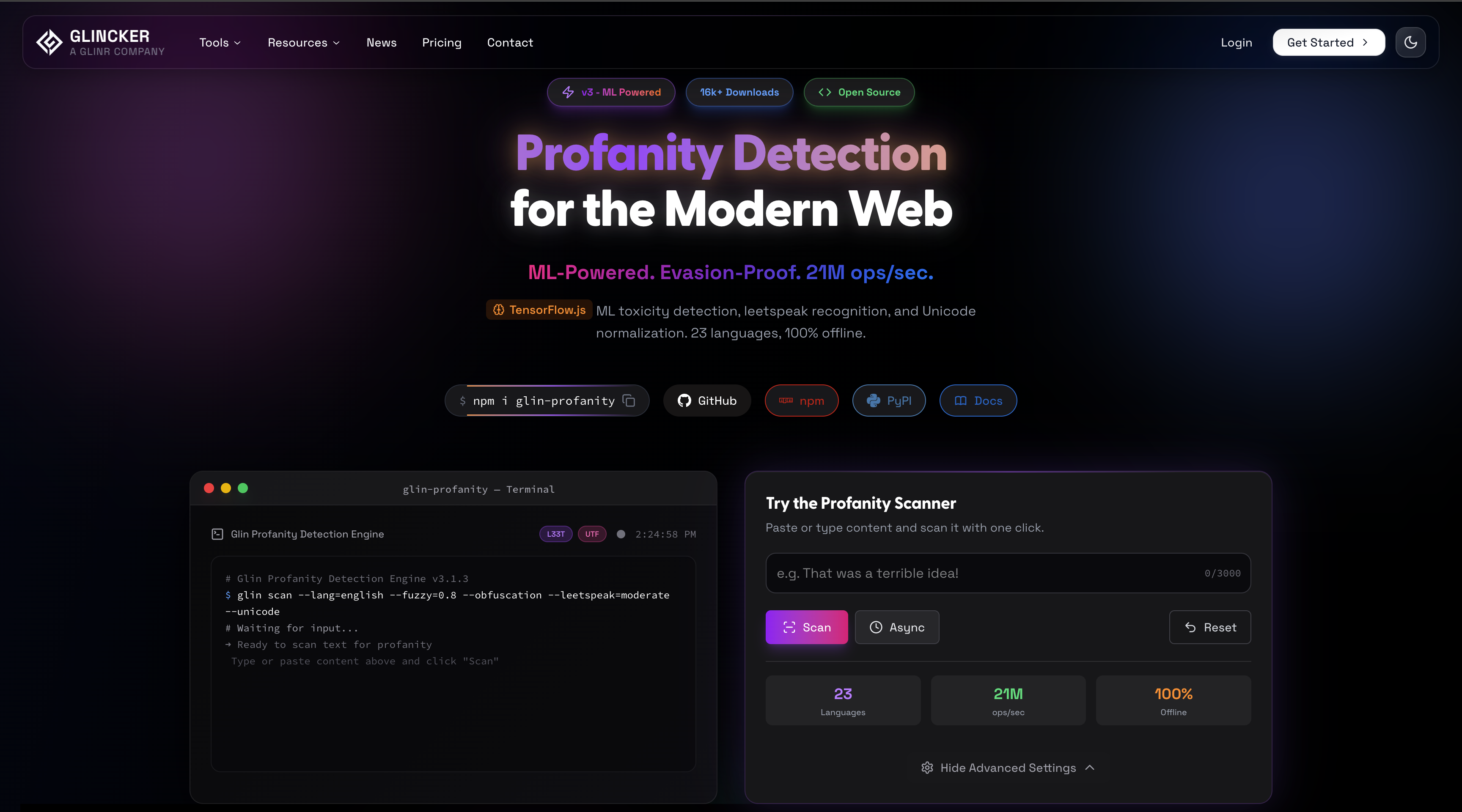

This monorepo maintains the following packages:
| Package | Version | Description |
|---|---|---|
| glin-profanity |  | Core profanity filter for JavaScript/TypeScript |
| glin-profanity |  | Core profanity filter for Python |
| glin-profanity-mcp |  | MCP server for AI assistants (Claude, Cursor, etc.) |
| openclaw-profanity |  | Plugin for OpenClaw/Moltbot AI agents |
Modern AI applications need more than a word list. Users evade filters with f4ck, sh1t, f.u.c.k, and fυck (Greek υ → u). LLM pipelines leak PII and secrets into logs. Prompt injection slips through unguarded inboxes. Today's moderation problem is a guardrail problem — and most solutions leave you choosing between a Python-only library, a Llama-licensed model, or a paid cloud API.
Glin Profanity is the MIT-licensed, Node-native, MCP-first answer. It runs entirely offline, ships a 12 KB core bundle with no mandatory cloud calls, integrates with Claude/Cursor/Windsurf via 24 MCP tools out of the box, and covers 24 languages with leetspeak and Unicode homoglyph evasion detection built in. Prompt-injection, PII, and secrets scanning are all shipped today.
vs. Meta PurpleLlama — Python + Llama Community License, requires downloading weights, no Node support, no MCP server. vs. ProtectAI llm-guard — Python-only, heavy transformer dependencies, no edge/browser runtime. vs. Azure Content Safety — paid cloud API, data leaves your infra, rate-limited.
┌─────────────────────────────────────────────────────────────────────────────┐
│                           GLIN PROFANITY v3                                 │
├─────────────────────────────────────────────────────────────────────────────┤
│                                                                             │
│   Input Text ──►  Unicode       ──►  Leetspeak    ──►  Dictionary  ──► ML  │
│                   Normalization      Detection         Matching        Check│
│                   (homoglyphs)       (f4ck→fuck)       (24 langs)     (opt) │
│                                                                             │
│   "fսck"     ──►  "fuck"        ──►  "fuck"       ──►  MATCH       ──► ✓   │
│                                                                             │
└─────────────────────────────────────────────────────────────────────────────┘
Measured with the reproducible harness in benchmarks/shootout/ (Node 22, Apple Silicon). English torture set: 893 cases, including obfuscation techniques and look-alike traps such as Scunthorpe-style words.
| Library | Precision | Recall | F1 | False-positive rate | Look-alike traps FPR | ops/sec (20-input batch) |
|---|---|---|---|---|---|---|
| glin-profanity | 99.2% | 98.7% | 99.0% | 1.1% | 0.0% | ~7,400 |
| allprofanity | 92.8% | 68.2% | 78.6% | 7.7% | 3.0% | ~41,000 |
| obscenity | 83.9% | 47.5% | 60.7% | 13.2% | 8.4% | ~6,400 |
| bad-words | 76.4% | 17.8% | 28.9% | 7.9% | 1.0% | ~260 |
| leo-profanity | 69.6% | 9.1% | 16.1% | 5.8% | 0.7% | ~396,000 |
| @2toad/profanity | 77.4% | 18.2% | 29.4% | 7.7% | 1.0% | ~884,000 |
isProfane() call on a short string runs about 300,000 ops/sec (about 140,000 with aggressive leetspeak or all 24 languages loaded).checkProfanity() result-cache hit on an identical string reaches about 25M ops/sec. That is the cache path only; profane or obfuscated text through checkProfanity() is about 17,000 to 24,000 ops/sec.benchmarks/shootout/results.md. Reproduce with cd benchmarks/shootout && npm install && node harness.mjs.The torture set (benchmarks/shootout/torture-set.json, generated by generate-torture.mjs) combines clean text, look-alike traps, and profane words disguised with leetspeak, homoglyphs, zero-width characters, separators, HTML and entities, masking, stretched letters, combining marks and mixed techniques, across English and several other languages.
Limits you should know about:
fu ck and sh it, words missing from the dictionary (shi7e), and some Armenian homoglyphs.Found a miss, a false positive, or a word we should add? Open a dictionary request and we will add it to the set.
| Feature | glin-profanity | obscenity | Detoxify | PurpleLlama | llm-guard |
|---|---|---|---|---|---|
| MIT license | Yes | Yes | Apache-2.0 | Llama Community | Apache-2.0 |
| Node-native | Yes | Yes | No | No | No |
| Python package | Yes | No | Yes | Yes | Yes |
| MCP server (24 tools) | Yes | No | No | No | No |
| Runs fully offline | Yes | Yes | Yes | Yes (needs weights) | Yes |
| Leetspeak detection | Yes | Partial | No | No | No |
| Unicode homoglyph detection | Yes | No | No | No | No |
| Multi-language support | 24 languages | English only | 6 languages | English only | English only |
| ML toxicity detection | Yes (TensorFlow.js, opt-in) | No | Yes (PyTorch) | Yes (Llama) | Yes (transformers) |
| Edge / browser runtime | Yes | Yes | No | No | No |
| Bundle size (core, minified) | 12 KB | 6 KB | N/A | N/A | N/A |
| Prompt-injection detection | Yes (shipped) | No | No | Yes | Yes |
| PII / secrets scanning | Yes (shipped) | No | No | No | Yes |
JavaScript/TypeScript
npm install glin-profanity
Python
pip install glin-profanity
JavaScript
import { checkProfanity, Filter } from 'glin-profanity';

// Simple check
const result = checkProfanity("This is f4ck1ng bad", {
  detectLeetspeak: true,
  languages: ['english']
});

result.containsProfanity  // true
result.profaneWords       // ['fucking']

// With replacement
const filter = new Filter({
  replaceWith: '***',
  detectLeetspeak: true
});
filter.checkProfanity("sh1t happens").processedText  // "*** happens"
Python
from glin_profanity import Filter

filter = Filter({"languages": ["english"], "replace_with": "***"})

filter.is_profane("damn this")           # True
filter.check_profanity("damn this")      # Full result object
React
import { useProfanityChecker } from 'glin-profanity';

function ChatInput() {
  const { result, checkText } = useProfanityChecker({
    detectLeetspeak: true
  });

  return (
    <input onChange={(e) => checkText(e.target.value)} />
    {result?.containsProfanity && <span>Clean up your language</span>}
  );
}
flowchart LR
    subgraph Input
        A[Raw Text]
    end

    subgraph Processing
        B[Unicode Normalizer]
        C[Leetspeak Decoder]
        D[Word Tokenizer]
    end

    subgraph Detection
        E[Dictionary Matcher]
        F[Fuzzy Matcher]
        G[ML Toxicity Model]
    end

    subgraph Output
        H[Result Object]
    end

    A --> B --> C --> D
    D --> E --> H
    D --> F --> H
    D -.->|Optional| G -.-> H
Obfuscation handling is on by default (standard). It catches separators (f.u.c.k), masks (f*ck, sh#t), stretched letters (aaaasshole), and HTML or entity-encoded words, in every language, and reports match offsets against your original text.
new Filter();                              // obfuscation: 'standard' (default)
new Filter({ obfuscation: 'off' });        // plain matching, as in earlier versions
new Filter({ obfuscation: 'strict' });     // adds looser joins, more false-positive risk

// Add your own safe phrases; a hit that overlaps one is ignored
const filter = new Filter({ whitelist: ['shit happens'] });
filter.isProfane('well, shit happens');    // false
| Level | What it adds |
|---|---|
off | nothing, plain matching |
basic | HTML and entities, stretched letters, built-in safe words |
standard (default) | basic plus separators, masks, and ` |
strict | standard plus looser joins (spaces inside mixed chains, shorter fragments) |
Details and per-switch options: docs/advanced/obfuscation.md. Upgrading: docs/MIGRATION-4.0.md.
const filter = new Filter({
  detectLeetspeak: true,
  leetspeakLevel: 'aggressive'  // basic | moderate | aggressive
});

filter.isProfane('f4ck');     // true
filter.isProfane('5h1t');     // true
filter.isProfane('@$$');      // true
filter.isProfane('ph.u" "ck'); // true (aggressive mode)
const filter = new Filter({ normalizeUnicode: true });

filter.isProfane('fυck');   // true (Greek 'υ' → 'u')
filter.isProfane('shіt');   // true (Cyrillic 'і' → 'i')
filter.isProfane('ƒuck');   // true (Latin 'ƒ' → 'f')
import { loadToxicityModel, checkToxicity } from 'glin-profanity/ml';

await loadToxicityModel({ threshold: 0.9 });

const result = await checkToxicity("You're the worst player ever");
// { toxic: true, categories: { toxicity: 0.92, insult: 0.87, ... } }
24 languages with curated dictionaries:
| Arabic | Chinese | Czech | Danish |
| Dutch | English | Esperanto | Finnish |
| French | German | Hindi | Hungarian |
| Italian | Japanese | Korean | Norwegian |
| Persian | Polish | Portuguese | Russian |
| Spanish | Swedish | Thai | Turkish |
| Document | Description |
|---|---|
| Getting Started | Installation and basic usage |
| API Reference | Complete API documentation |
| Framework Examples | React, Vue, Angular, Express, Next.js |
| Advanced Features | Leetspeak, Unicode, ML, caching |
| ML Guide | TensorFlow.js integration |
| Changelog | Version history |
Run the interactive playground locally to test profanity detection:
# Clone the repo
git clone https://github.com/GLINCKER/glin-profanity.git
cd glin-profanity/packages/js

# Install dependencies
npm install

# Start the local testing server
npm run dev:playground
Open http://localhost:4000 to access the testing interface with:
| Application | How Glin Profanity Helps |
|---|---|
| Chat platforms | Real-time message filtering with React hook |
| Gaming | Detect obfuscated profanity in player names/chat |
| Social media | Scale moderation with ML-powered detection |
| Education | Maintain safe learning environments |
| Enterprise | Filter internal communications |
| AI/ML pipelines | Clean training data before model ingestion |
Glin Profanity includes an MCP (Model Context Protocol) server that enables AI assistants like Claude Desktop, Cursor, Windsurf, and other MCP-compatible tools to use profanity detection as a native tool.
Claude Desktop (~/Library/Application Support/Claude/claude_desktop_config.json):
{
  "mcpServers": {
    "glin-profanity": {
      "command": "npx",
      "args": ["-y", "glin-profanity-mcp"]
    }
  }
}
Cursor (.cursor/mcp.json):
{
  "mcpServers": {
    "glin-profanity": {
      "command": "npx",
      "args": ["-y", "glin-profanity-mcp"]
    }
  }
}
| Tool | Description |
|---|---|
check_profanity | Check text for profanity with detailed results |
censor_text | Censor profanity with configurable replacement |
analyze_context | Context-aware analysis with domain whitelists |
batch_check | Check multiple texts in one operation |
validate_content | Content validation with safety scoring (0-100) |
detect_obfuscation | Detect leetspeak and Unicode tricks |
get_supported_languages | List all 24 supported languages |
explain_match | Explain why text was flagged with reasoning |
suggest_alternatives | Suggest clean alternatives for profane content |
analyze_corpus | Analyze up to 500 texts for moderation stats |
compare_strictness | Compare results across strictness levels |
create_regex_pattern | Generate regex patterns for custom detection |
track_user_message | Track user messages for repeat offender detection |
get_user_profile | Get moderation profile for a specific user |
get_high_risk_users | List users with high violation rates |
reset_user_profile | Reset a user's moderation history |
stream_check | Real-time streaming profanity check |
stream_batch | Stream multiple texts with live results |
get_stream_stats | Get streaming session statistics |
check_prompt_injection | Scan text for prompt injection attacks (rule-based, 50 patterns) |
scan_secrets | Detect leaked API keys, tokens, and credentials (110 patterns + entropy) |
scan_pii | Detect PII: email, phone, SSN, credit card, IBAN, passport, and more |
redact_pii | Redact PII into reversible vault-backed placeholders |
restore_pii | Restore PII placeholders to original values via vault session |
Plus 5 workflow prompts and 5 reference resources for guided AI interactions.
"Check this user comment for profanity using glin-profanity"
"Validate this blog post content with high strictness"
"Batch check these 50 messages for any inappropriate content"
"Analyze this medical text with the medical domain context"
See the full MCP documentation for setup instructions and examples.
The scanner layer is live. Import from glin-profanity/scanners:
import { PromptInjectionScanner, SecretsScanner, PiiScanner, Vault, scanAll } from 'glin-profanity/scanners';
| Scanner | Coverage |
|---|---|
PromptInjectionScanner | 50 patterns across 6 attack categories |
SecretsScanner | 110 patterns (AWS, GCP, Azure, GitHub, Stripe, OpenAI, Anthropic, …) + Shannon entropy |
PiiScanner | 27 patterns with Luhn + IBAN mod-97 validation |
Vault | Placeholder-based redact/restore with 4 strategies |
scanAll | Composite scanner — runs all of the above in one call |
The following capabilities are on the active roadmap.
| Feature | ETA | Notes |
|---|---|---|
glincker/glin-guard-small on HF Hub | Q3 2026 | Our own distilled toxicity model, MIT weights, designed for edge inference |
| AI-slop detection | Q3 2026 | Pattern-based detector for generic AI-generated prose |
| Bluesky Ozone labeler adapter | Q4 2026 | Drop-in labeler for AT Protocol moderation pipelines |
| Compliance presets | Q4 2026 | Pre-tuned configs for UK OSA, EU DSA, and COPPA requirements |
See ROADMAP.md for the full issue backlog and contribution opportunities.
MIT License - free for personal and commercial use.
Enterprise licensing with SLA and support available from GLINCKER.
Join the GLINR Discord to ask questions, share feedback, or talk with other users of Glin Profanity. This project has its own forum channel there, #glin-profanity.

See CONTRIBUTING.md for guidelines. We welcome:
Claim this server with your GitHub account to request manual ownership verification.
Link to the catalog listing for Glin Profanity MCP server from your README. This badge does not certify ownership, compatibility or security.
[](https://awesome-mcp.com/servers/mcp-glincker)Public repository statistics could not be verified. Check the configured source address; unavailable counts are not zero.
Separate sources, scopes and periods. Never combined or treated as installations, active users or security reviews.
No reviewed package or image identity; download statistics are not listed yet.
Alternative and complementary servers in the same category
A directory listing describing a cancellation-letter and mailing-address service. The configured public GitHub repository returned 404 during source verification.

A hosted MCP service for browsing and searching through Singapore mobile-network proxies.

A directory listing describing a Markdown-to-PDF service. The configured public GitHub repository returned 404 during source verification.