
A Rust CAD application with an MCP server for creating, inspecting and rendering drawings, either headlessly or through a connection to the desktop app.
8K
Media & Design
An MCP server that serves multi-branch visual novel scenarios in English and Japanese, with stories defined in editable YAML files.
MCP Novel Game Server is cataloged as an MCP server attributed to gotalab. An MCP server that serves multi-branch visual novel scenarios in English and Japanese, with stories defined in editable YAML files. It is categorized under media design. See the capability inspector for recorded interfaces and their independent review status; consult upstream documentation for the current interface.
Installation configuration is not reviewed. No executable setup is offered for this entry; inspect the source repository before proceeding.
Catalog license label: Not specified. Check the source repository's current license and terms before using, modifying or distributing this software.
Capability definitions are not reviewed. Unreviewed imports are not exposed as trusted interfaces.
No reviewed records to display. This does not establish that upstream lacks this capability.
No reviewed records to display. This does not establish that upstream lacks this capability.
No reviewed records to display. This does not establish that upstream lacks this capability.
Email delivery is not connected. This page does not collect email addresses or create subscriptions.
Browse the registry for current listings instead.
Reviews for MCP Novel Game Server are not available yet
Review publishing and storage are not connected. This page does not collect or publish ratings or comments, including after sign-in.
Scenarios are created as YAML files within scenario directories under src/stories, accompanied by a meta.yaml describing the scenario.
Scenarios can be written in either English or Japanese.
README.md · ece95ae883ee · Fetched 2026-11-13 10:27:56 UTC
Original upstream text, without AI rewriting. Scripts, forms and unsafe links are filtered for safety.
Showing the last retrieved documentation snapshot; check the source for current changes.
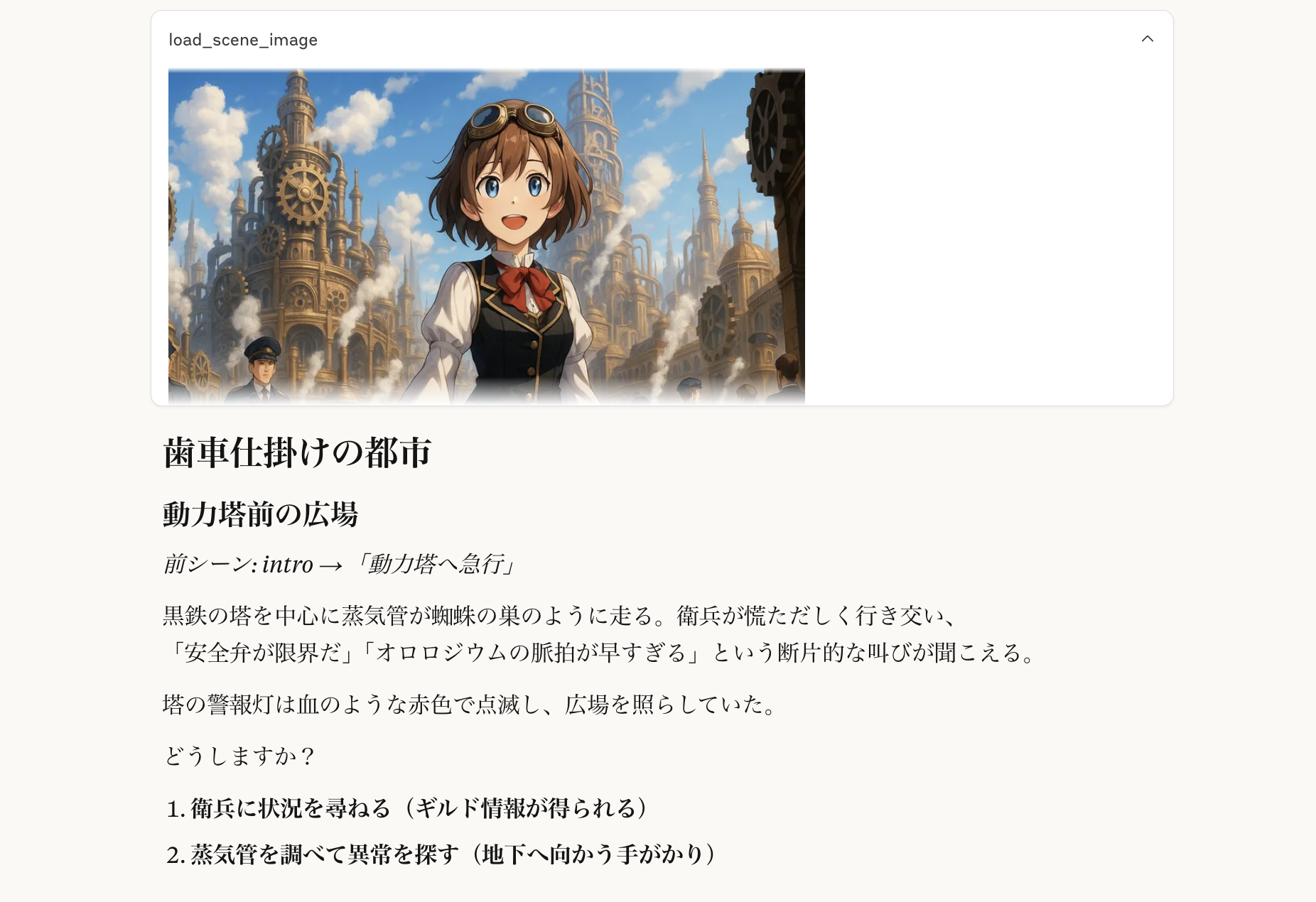
This repository is a novel game server that supports multi-branch scenario stories (visual novels) in both English and Japanese.
This repository is designed as a resource to help you better understand MCP (Model Context Protocol) Resources.
You can run, edit, and add new scenarios easily. The server supports scenario files written in YAML and can be extended with your own stories.
Note: On Cline, everything works out-of-the-box. On other environments like Claude Desktop and Cursor, please use
server_tool.pyto launch and manage the server properly.
uv sync
{
    "novel-game-server": {
            "command": "uv",
            "args": [
                "--directory",
                "/Users/username/Documents/projects/mcp-novel-game-server", ## Replace with your project root
                "run",
                "src/server.py"
            ]
        }
}
src/stories/<your_story>/src/stories/ (e.g. villainess_rose or villainess_rose_ja)meta.yaml describing the scenarioproject-root/
├── src/
│ ├── server.py
│ └── stories/
│ ├── villainess_rose/
│ ├── villainess_rose_ja/
│ └── ...
├── mcp_example.json
├── pyproject.toml
└── README.md
uv as the package manager and runner.src/stories/README.md for scenario tree and details.このリポジトリは、分岐型ノベルゲーム(ビジュアルノベル)サーバーです。英語・日本語両対応。
MCP(Model Context Protocol)のリソースを理解するためのリソースとして設計されています。
YAML形式でシナリオを追加・編集できます。
注意: Cline環境ではそのまま動作しますが、それ以外の環境(例えばClaude DesktopやCursor)では
server_tool.pyを使ってサーバーの起動・管理を行ってください。
uv sync
{
    "novel-game-server": {
            "command": "uv",
            "args": [
                "--directory",
                "/Users/username/Documents/projects/mcp-novel-game-server", ## ご自身のプロジェクトルートに変更してください
                "run",
                "src/server.py"
            ]
        }
}
src/stories/<your_story>/ にシナリオファイルを配置src/stories/ 配下に新しいディレクトリを作成(例: villainess_rose や villainess_rose_ja)meta.yaml も追加project-root/
├── src/
│ ├── server.py
│ └── stories/
│ ├── villainess_rose/
│ ├── villainess_rose_ja/
│ └── ...
├── mcp_example.json
├── pyproject.toml
└── README.md
uv を利用してください。src/stories/README.md を参照してください。Claim this server with your GitHub account to request manual ownership verification.
Link to the catalog listing for MCP Novel Game Server from your README. This badge does not certify ownership, compatibility or security.
[](https://awesome-mcp.com/servers/mcp-novel-game-server)Public repository statistics could not be verified. Check the configured source address; unavailable counts are not zero.
Separate sources, scopes and periods. Never combined or treated as installations, active users or security reviews.
No reviewed package or image identity; download statistics are not listed yet.
Alternative and complementary servers in the same category
A Rust CAD application with an MCP server for creating, inspecting and rendering drawings, either headlessly or through a connection to the desktop app.

Liquid Composer is a browser-based Liquid Glass icon design tool that offers a local MCP server for agent-driven icon workflows.

agent-media makes short drama series and other short vertical videos from Claude, ChatGPT or Codex through one MCP connection, with OAuth sign-in and no API keys.