

A Model Context Protocol (MCP) server for controlling Chrome with debugging capabilities, userscript injection, and extension support.
Repository stats unavailable
Browser & Scraping
A Model Context Protocol server that gives LLMs Playwright-based browser automation for interacting with web pages, taking screenshots, generating test code, scraping and executing JavaScript.
Playwright MCP Server is cataloged as an MCP server attributed to executeautomation. A Model Context Protocol server that gives LLMs Playwright-based browser automation for interacting with web pages, taking screenshots, generating test code, scraping and executing JavaScript. It is categorized under browser automation. See the capability inspector for recorded interfaces and their independent review status; consult upstream documentation for the current interface.
Installation configuration is not reviewed. No executable setup is offered for this entry; inspect the source repository before proceeding.
Catalog license label: Not specified. Check the source repository's current license and terms before using, modifying or distributing this software.
Capability definitions are not reviewed. Unreviewed imports are not exposed as trusted interfaces.
No reviewed records to display. This does not establish that upstream lacks this capability.
No reviewed records to display. This does not establish that upstream lacks this capability.
No reviewed records to display. This does not establish that upstream lacks this capability.
Email delivery is not connected. This page does not collect email addresses or create subscriptions.
Browse the registry for current listings instead.
Reviews for Playwright MCP Server are not available yet
Review publishing and storage are not connected. This page does not collect or publish ratings or comments, including after sign-in.
It can automatically download and install Chromium, Firefox, or WebKit.
Yes, it can run as a standalone HTTP server, which is recommended for VS Code, custom clients, and remote deployments.
README.md · 2349c2891e7c · Fetched 2026-11-13 09:42:52 UTC
Original upstream text, without AI rewriting. Scripts, forms and unsafe links are filtered for safety.
Showing the last retrieved documentation snapshot; check the source for current changes.
|
| MseeP.ai Security Assessment |
A Model Context Protocol server that provides browser automation capabilities using Playwright. This server enables LLMs to interact with web pages, take screenshots, generate test code, web scrapes the page and execute JavaScript in a real browser environment.
Test your web applications on real device profiles with a simple command:
// Test on iPhone 13 with automatic user-agent, touch support, and device pixel ratio
await playwright_resize({ device: "iPhone 13" });

// Switch to iPad with landscape orientation
await playwright_resize({ device: "iPad Pro 11", orientation: "landscape" });

// Test desktop view
await playwright_resize({ device: "Desktop Chrome" });
Natural Language Support for AI Assistants:
Supports 143 devices: iPhone, iPad, Pixel, Galaxy, and Desktop browsers with proper emulation of viewport, user-agent, touch events, and device pixel ratios.
📚 View Device Quick Reference | Prompt Guide
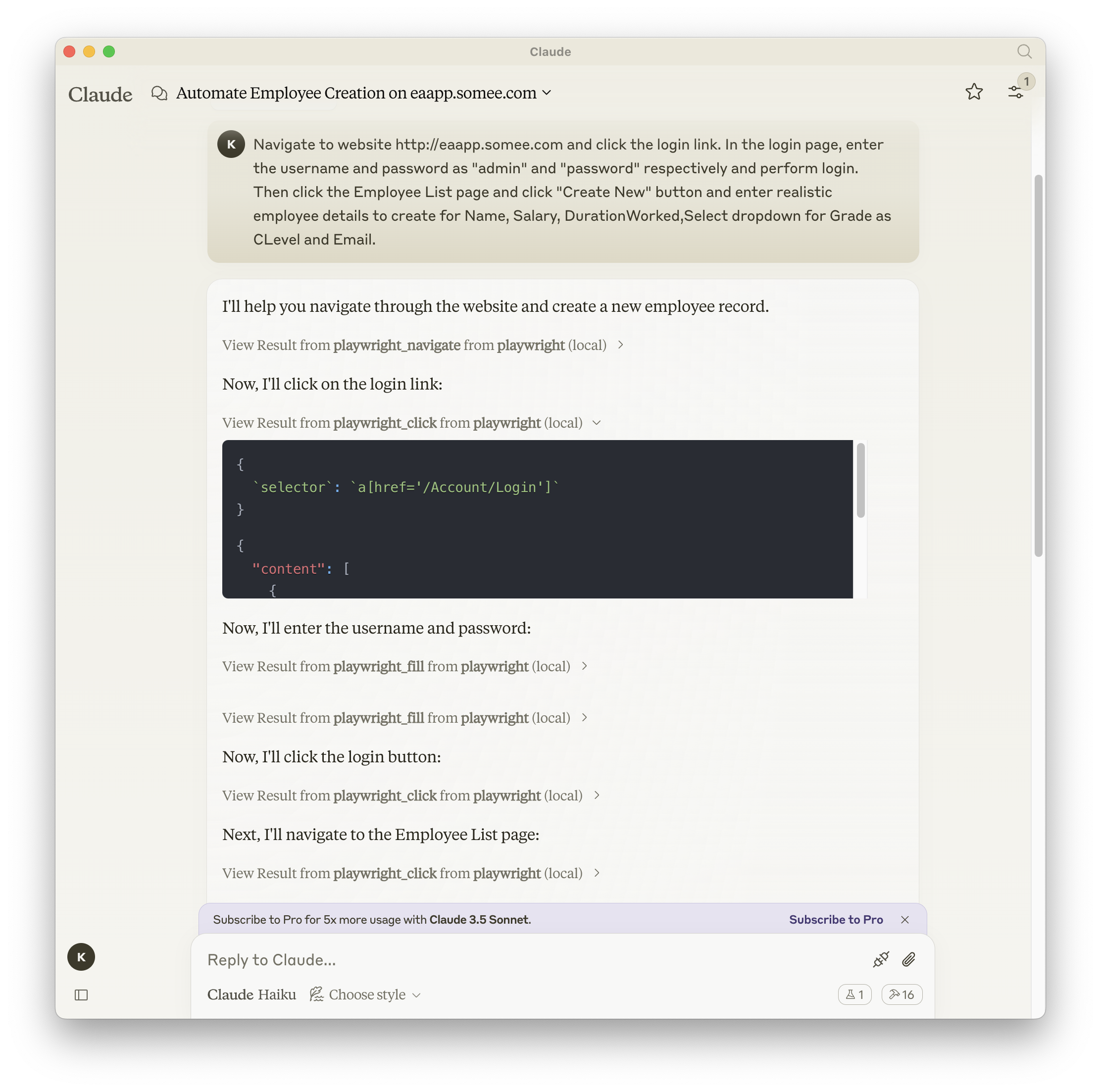
You can install the package using either npm, mcp-get, or Smithery:
Using npm:
npm install -g @executeautomation/playwright-mcp-server
Using mcp-get:
npx @michaellatman/mcp-get@latest install @executeautomation/playwright-mcp-server
Using Smithery
To install Playwright MCP for Claude Desktop automatically via Smithery:
npx @smithery/cli install @executeautomation/playwright-mcp-server --client claude
Using Claude Code:
claude mcp add --transport stdio playwright npx @executeautomation/playwright-mcp-server
Install the Playwright MCP server in VS Code using one of these buttons:

Alternatively, you can install the Playwright MCP server using the VS Code CLI:
# For VS Code
code --add-mcp '{"name":"playwright","command":"npx","args":["@executeautomation/playwright-mcp-server"]}'
# For VS Code Insiders
code-insiders --add-mcp '{"name":"playwright","command":"npx","args":["@executeautomation/playwright-mcp-server"]}'
After installation, the ExecuteAutomation Playwright MCP server will be available for use with your GitHub Copilot agent in VS Code.
The Playwright MCP Server automatically installs browser binaries when you first use it. When the server detects that a browser is missing, it will:
No manual setup required! Just start using the server, and it handles browser installation for you.
If you prefer to install browsers manually or encounter any issues with automatic installation:
# Install all browsers
npx playwright install

# Or install specific browsers
npx playwright install chromium
npx playwright install firefox
npx playwright install webkit
Browsers are installed to:
%USERPROFILE%\AppData\Local\ms-playwright~/Library/Caches/ms-playwright~/.cache/ms-playwrightThis is the recommended mode for Claude Desktop.
{
  "mcpServers": {
    "playwright": {
      "command": "npx",
      "args": ["-y", "@executeautomation/playwright-mcp-server"]
    }
  }
}
Note: In stdio mode, logging is automatically directed to files only (not console) to maintain clean JSON-RPC communication. Logs are written to ~/playwright-mcp-server.log.
When running headed browser on systems without display or from worker processes of IDEs, you can run the MCP server as a standalone HTTP server:
Note for Claude Desktop Users: Claude Desktop currently requires stdio mode (command/args configuration). HTTP mode is recommended for VS Code, custom clients, and remote deployments. See CLAUDE_DESKTOP_CONFIG.md for details.
# Using npx
npx @executeautomation/playwright-mcp-server --port 8931

# Or after global installation
playwright-mcp-server --port 8931
The server will start and display available endpoints:
==============================================
Playwright MCP Server (HTTP Mode)
==============================================
Port: 8931

ENDPOINTS:
- SSE Stream:     GET  http://localhost:8931/sse
- Messages:       POST http://localhost:8931/messages?sessionId=<id>
- MCP (unified):  GET  http://localhost:8931/mcp
- MCP (unified):  POST http://localhost:8931/mcp?sessionId=<id>
- Health Check:   GET  http://localhost:8931/health
==============================================
⚠️ CRITICAL: The
"type": "http"field is REQUIRED for HTTP/SSE transport!
For VS Code GitHub Copilot:
{
  "github.copilot.chat.mcp.servers": {
    "playwright": {
      "url": "http://localhost:8931/mcp",
      "type": "http"
    }
  }
}
For Custom MCP Clients:
{
  "mcpServers": {
    "playwright": {
      "url": "http://localhost:8931/mcp",
      "type": "http"
    }
  }
}
Important: Without "type": "http", the connection will fail.
For Claude Desktop: Use stdio mode instead (see Standard Mode above)
/health endpointMonitoring: The server includes a monitoring system that starts on a dynamically allocated port (avoiding conflicts). Check the console output for the actual port.
Note: For Claude Desktop, continue using stdio mode (Standard Mode above) for now.
Symptom: 400 error with message "Bad Request: No transport found for sessionId"
Solution:
Check configuration includes "type": "http"
{
  "url": "http://localhost:8931/mcp",
  "type": "http"  // ← This is REQUIRED!
}
Verify server logs show connection:
# Should see these in order:
# 1. "Incoming request" - GET /mcp
# 2. "Transport registered" - with sessionId
# 3. "POST message received" - with same sessionId
Restart both server and client
ssh -L 8931:localhost:8931 user@remote-server
This project uses Jest for testing. The tests are located in the src/__tests__ directory.
You can run the tests using one of the following commands:
# Run tests using the custom script (with coverage)
node run-tests.cjs

# Run tests using npm scripts
npm test           # Run tests without coverage
npm run test:coverage  # Run tests with coverage
npm run test:custom    # Run tests with custom script (same as node run-tests.cjs)
The test coverage report will be generated in the coverage directory.
The evals package loads an mcp client that then runs the index.ts file, so there is no need to rebuild between tests. You can load environment variables by prefixing the npx command. Full documentation can be found here.
OPENAI_API_KEY=your-key npx mcp-eval src/evals/evals.ts src/tools/codegen/index.ts
When adding new tools, please be mindful of the tool name length. Some clients, like Cursor, have a 60-character limit for the combined server and tool name (server_name:tool_name).
Our server name is playwright-mcp. Please ensure your tool names are short enough to not exceed this limit.
Claim this server with your GitHub account to request manual ownership verification.
Link to the catalog listing for Playwright MCP Server from your README. This badge does not certify ownership, compatibility or security.
[](https://awesome-mcp.com/servers/mcp-playwright)Public repository statistics could not be verified. Check the configured source address; unavailable counts are not zero.
Separate sources, scopes and periods. Never combined or treated as installations, active users or security reviews.
No reviewed package or image identity; download statistics are not listed yet.
Alternative and complementary servers in the same category
A Model Context Protocol (MCP) server for controlling Chrome with debugging capabilities, userscript injection, and extension support.

An MCP server that lets AI assistants browse websites and extract content using optional CSS selectors.

An MCP server that reads pages, fills forms, takes screenshots, and hands the browser to a person for logins or CAPTCHAs.