
A directory listing describing a cancellation-letter and mailing-address service. The configured public GitHub repository returned 404 during source verification.
Repository stats unavailable
Developer Tools
A tool that automatically converts JavaScript modules into sandboxed MCP servers, making JavaScript functions accessible to AI systems.
MCP Sandbox is cataloged as an MCP server attributed to danstarns. A tool that automatically converts JavaScript modules into sandboxed MCP servers, making JavaScript functions accessible to AI systems. It is categorized under developer tools. See the capability inspector for recorded interfaces and their independent review status; consult upstream documentation for the current interface.
Installation configuration is not reviewed. No executable setup is offered for this entry; inspect the source repository before proceeding.
Catalog license label: MIT License. Check the source repository's current license and terms before using, modifying or distributing this software.
Capability definitions are not reviewed. Unreviewed imports are not exposed as trusted interfaces.
No reviewed records to display. This does not establish that upstream lacks this capability.
No reviewed records to display. This does not establish that upstream lacks this capability.
No reviewed records to display. This does not establish that upstream lacks this capability.
Email delivery is not connected. This page does not collect email addresses or create subscriptions.
Browse the registry for current listings instead.
Reviews for MCP Sandbox are not available yet
Review publishing and storage are not connected. This page does not collect or publish ratings or comments, including after sign-in.
It runs code in separate V8 VM contexts with configurable execution timeouts, memory limits, controlled module requires, and input validation.
You can configure port, host, execution timeout, and maximum memory via CLI options or programmatic options.
Yes, the core library exposes an MCPSandbox class that can load modules, start the server, and execute tools directly.
README.md · 6cf124bd6dc9 · Fetched 2026-11-13 10:31:27 UTC
Original upstream text, without AI rewriting. Scripts, forms and unsafe links are filtered for safety.
Showing the last retrieved documentation snapshot; check the source for current changes.


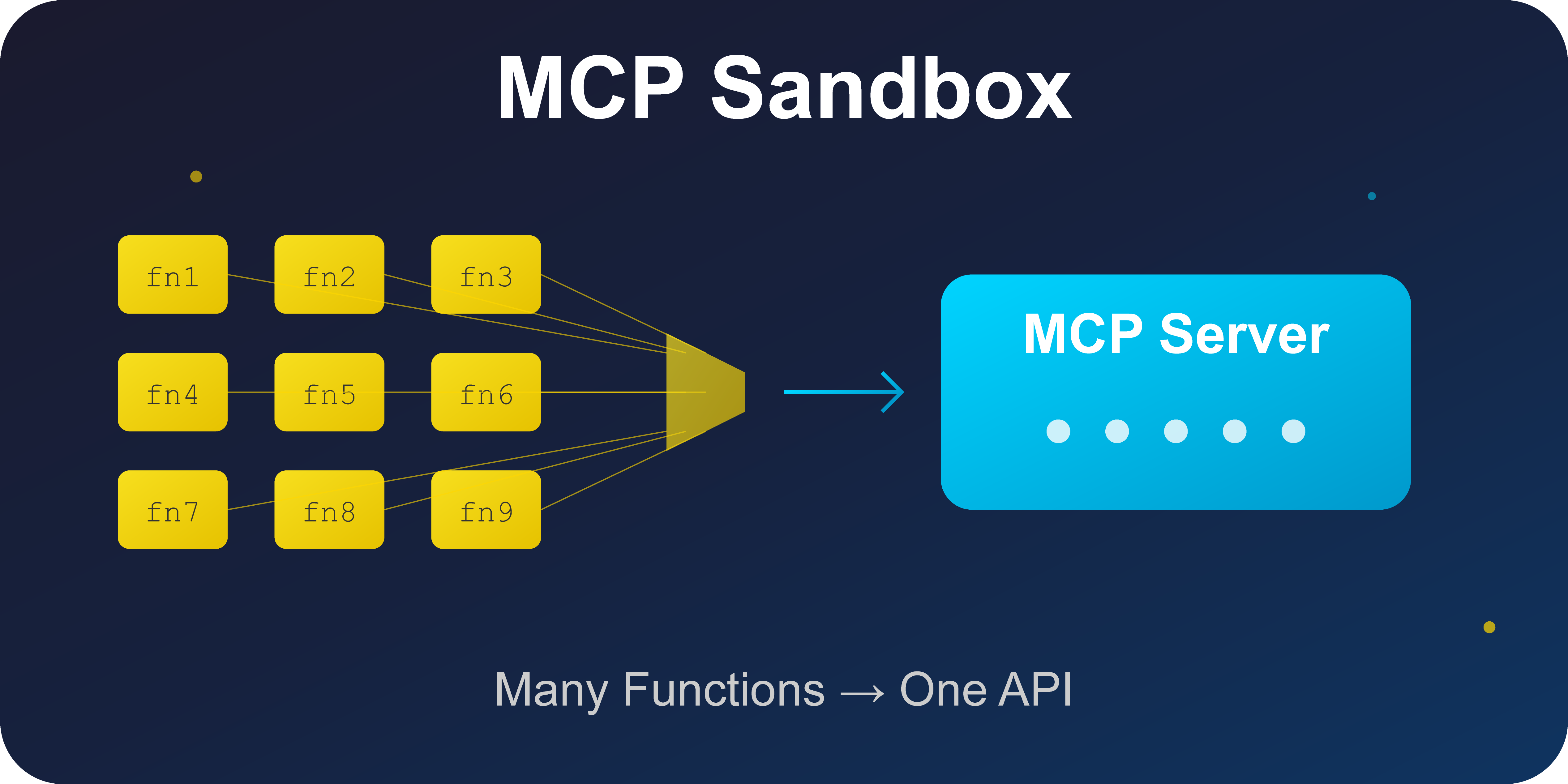
Turn any JavaScript module into a sandboxed MCP (Model Context Protocol) server with automatic reflection and type inference.
MCP Sandbox automatically converts JavaScript modules into MCP (Model Context Protocol) compatible servers, making any JavaScript function accessible to AI systems. It uses VM sandboxing for security, automatic type inference, and generates proper MCP configurations.
# Install globally for CLI usage
npm install -g @mcp-sandbox/cli

# Or use in a project
npm install @mcp-sandbox/core @mcp-sandbox/cli
# Start MCP server for a JavaScript module
$ mcp-sandbox start ./math-utils.js

🏗️  Initializing MCP Sandbox...
🔍 Reflecting module
📊 Discovered 2 tools:
  - circleArea: Calculate area of a circle
  - fibonacci: Generate Fibonacci sequence
🚀 MCP Sandbox server running at http://localhost:3000
📋 MCP Tools: http://localhost:3000/mcp/tools
⚡ MCP Execute: http://localhost:3000/mcp/execute
🔄 MCP SSE: http://localhost:3000/sse
📡 MCP JSON-RPC: http://localhost:3000/mcp/jsonrpc
⚙️  MCP Config: http://localhost:3000/mcp-config
💡 For MCP Inspector, use: http://localhost:3000/sse
/**
 * Calculate the area of a circle
 * @param radius The radius of the circle
 */
function circleArea(radius = 1) {
  return Math.PI * radius * radius;
}

/**
 * Generate fibonacci sequence
 * @param count Number of fibonacci numbers to generate
 */
function fibonacci(count = 10) {
  const seq = [0, 1];
  for (let i = 2; i < count; i++) {
    seq[i] = seq[i - 1] + seq[i - 2];
  }
  return seq.slice(0, count);
}

module.exports = { circleArea, fibonacci };
Running mcp-sandbox start math-utils.js automatically:
http://localhost:3000mcp-config.json for MCP clientsThe server exposes both MCP and REST endpoints:
POST /mcp/jsonrpc - Main MCP endpointGET /sse - Server-Sent Events for real-time updatesGET /tools - List available toolsPOST /execute/:toolName - Execute a specific toolGET /mcp-config - Get MCP server configurationGET /health - Health check# List tools
curl http://localhost:3000/tools
# Execute function via REST
curl -X POST http://localhost:3000/execute/circleArea \
-H "Content-Type: application/json" \
-d '{"args": {"radius": 5}}'
# MCP JSON-RPC call
curl -X POST http://localhost:3000/mcp/jsonrpc \
-H "Content-Type: application/json" \
-d '{"jsonrpc": "2.0", "id": 1, "method": "tools/call", "params": {"name": "fibonacci", "arguments": {"count": 8}}}'
import { MCPSandbox } from '@mcp-sandbox/core';

const sandbox = new MCPSandbox({
  port: 3000,
  timeout: 5000,
});

// Load and analyze module
await sandbox.loadModule('./my-module.js');

// Start MCP server
await sandbox.start();

// Execute tools directly
const result = await sandbox.executeTool('myFunction', {
  param1: 'value1',
});
The repository includes several example modules demonstrating different use cases:
examples/math-utils.js)examples/string-utils.js)examples/array-utils.js)examples/filesystem-utils.js)# Clone repository
git clone https://github.com/danstarns/mcp-sandbox.git
cd mcp-sandbox
# Install dependencies
pnpm install
# Build all packages
pnpm build
# Run examples
pnpm example:math # Math utilities
pnpm example:filesystem # File operations
pnpm example:string # String manipulation
# Lint and format
pnpm lint && pnpm format
mcp-sandbox start <module> [options]

Options:
  -p, --port <port>      Server port (default: 3000)
  -h, --host <host>      Server host (default: localhost)
  -t, --timeout <ms>     Execution timeout (default: 5000ms)
  -o, --output <file>    Output MCP configuration to file
interface SandboxOptions {
  port?: number; // Server port (default: 3000)
  host?: string; // Server host (default: 'localhost')
  timeout?: number; // Execution timeout (default: 5000ms)
  maxMemory?: number; // Memory limit (default: 64MB)
}
mcp-sandbox start examples/math-utils.jshttp://localhost:3000/mcp/jsonrpcThis is a monorepo containing multiple packages:
@mcp-sandbox/cli - Command-line interface@mcp-sandbox/core - Core library@mcp-sandbox/utils - Shared utilitiesContributions are welcome! Please read our Contributing Guide and check out the open issues.
MIT License - see LICENSE for details.
Claim this server with your GitHub account to request manual ownership verification.
Link to the catalog listing for MCP Sandbox from your README. This badge does not certify ownership, compatibility or security.
[](https://awesome-mcp.com/servers/mcp-sandbox-danstarns)Public repository statistics could not be verified. Check the configured source address; unavailable counts are not zero.
Separate sources, scopes and periods. Never combined or treated as installations, active users or security reviews.
No reviewed package or image identity; download statistics are not listed yet.
Alternative and complementary servers in the same category
A directory listing describing a cancellation-letter and mailing-address service. The configured public GitHub repository returned 404 during source verification.

A hosted MCP service for browsing and searching through Singapore mobile-network proxies.

A directory listing describing a Markdown-to-PDF service. The configured public GitHub repository returned 404 during source verification.