AWS MCP Server for S3 and DynamoDB operations

AWS MCP Server for S3 and DynamoDB operations

mcp-server-aws•byrishikavikondala

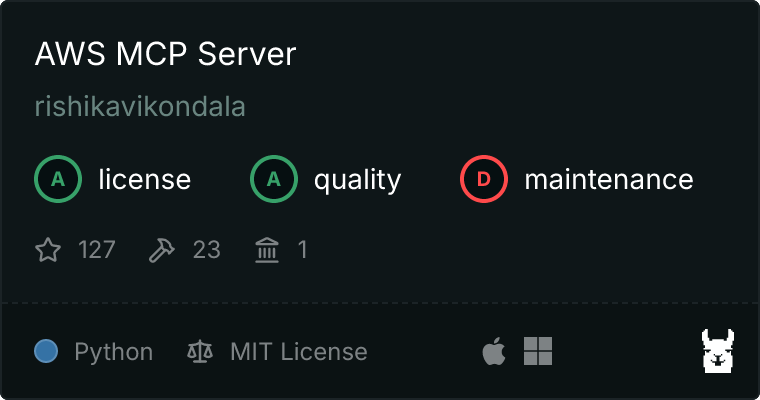
A Model Context Protocol server that exposes AWS S3 and DynamoDB operations as tools, with automatic audit logging.

License: Not specified•Runtime: Awaiting documentation review•Category: cloud devops

WHAT IT DOES

  • •Provides S3 tools to create, list, and delete buckets and to upload, delete, list, and read objects.
  • •Provides DynamoDB table tools to create, describe, delete, and update tables.
  • •Provides DynamoDB item tools for put, get, update, delete, query, and scan operations, plus batch operations.
  • •Logs all operations automatically and makes them accessible through an audit resource endpoint.

BEST FOR

  • •Managing S3 buckets and objects through a conversational MCP client.
  • •Performing DynamoDB table and item operations, including batch and TTL management, via an MCP client.

ABOUT MCP-SERVER-AWS

AWS MCP Server for S3 and DynamoDB operations is cataloged as an MCP server attributed to rishikavikondala. A Model Context Protocol server that exposes AWS S3 and DynamoDB operations as tools, with automatic audit logging. It is categorized under cloud devops. See the capability inspector for recorded interfaces and their independent review status; consult upstream documentation for the current interface.

HOW TO INSTALL

Installation configuration is not reviewed. No executable setup is offered for this entry; inspect the source repository before proceeding.

LICENSE

Catalog license label: Not specified. Check the source repository's current license and terms before using, modifying or distributing this software.

Capability inspector

Capability definitions are not reviewed. Unreviewed imports are not exposed as trusted interfaces.

Tools (0)

No reviewed records to display. This does not establish that upstream lacks this capability.

Resources (0)

No reviewed records to display. This does not establish that upstream lacks this capability.

Prompts (0)

No reviewed records to display. This does not establish that upstream lacks this capability.

NEWSLETTER - COMING LATER

Newsletter subscriptions are not open yet

Email delivery is not connected. This page does not collect email addresses or create subscriptions.

Browse the registry for current listings instead.

Community Reviews

Coming later

Reviews for AWS MCP Server for S3 and DynamoDB operations are not available yet

Review publishing and storage are not connected. This page does not collect or publish ratings or comments, including after sign-in.

FREQUENTLY ASKED QUESTIONS

What AWS credentials does the server require?

It requires an IAM user with read/write permissions for S3 and DynamoDB, supplied through environment variables or the default AWS credential chain.

Which AWS services does the server currently support?

It currently supports S3 and DynamoDB services.

Upstream README

View this exact version on GitHub

README.md · ecc72d251134 · Fetched 2026-11-13 09:31:24 UTC

Original upstream text, without AI rewriting. Scripts, forms and unsafe links are filtered for safety.

Showing the last retrieved documentation snapshot; check the source for current changes.

AWS MCP Server

smithery badge

A Model Context Protocol server implementation for AWS operations that currently supports S3 and DynamoDB services. All operations are automatically logged and can be accessed through the audit://aws-operations resource endpoint.
AWS Server MCP server

See a demo video here.

Listed as a Community Server within the MCP servers repository.

Running locally with the Claude desktop app

Installing via Smithery

To install AWS MCP Server for Claude Desktop automatically via Smithery:

npx -y @smithery/cli install mcp-server-aws --client claude

Manual Installation

  1. Clone this repository.
  2. Set up your AWS credentials via one of the two methods below. Note that this server requires an IAM user with RW permissions for your AWS account for S3 and DynamoDB.
  • Environment variables: AWS_ACCESS_KEY_ID, AWS_SECRET_ACCESS_KEY, AWS_REGION (defaults to us-east-1)
  • Default AWS credential chain (set up via AWS CLI with aws configure)
  1. Add the following to your claude_desktop_config.json file:
  • On MacOS: ~/Library/Application\ Support/Claude/claude_desktop_config.json
  • On Windows: %APPDATA%/Claude/claude_desktop_config.json
"mcpServers": {
  "mcp-server-aws": {
    "command": "uv",
    "args": [
      "--directory",
      "/path/to/repo/mcp-server-aws",
      "run",
      "mcp-server-aws"
    ]
  }
}
  1. Install and open the Claude desktop app.
  2. Try asking Claude to do a read/write operation of some sort to confirm the setup (e.g. create an S3 bucket and give it a random name). If there are issues, use the Debugging tools provided in the MCP documentation here.

Available Tools

S3 Operations

  • s3_bucket_create: Create a new S3 bucket
  • s3_bucket_list: List all S3 buckets
  • s3_bucket_delete: Delete an S3 bucket
  • s3_object_upload: Upload an object to S3
  • s3_object_delete: Delete an object from S3
  • s3_object_list: List objects in an S3 bucket
  • s3_object_read: Read an object's content from S3

DynamoDB Operations

Table Operations

  • dynamodb_table_create: Create a new DynamoDB table
  • dynamodb_table_describe: Get details about a DynamoDB table
  • dynamodb_table_delete: Delete a DynamoDB table
  • dynamodb_table_update: Update a DynamoDB table

Item Operations

  • dynamodb_item_put: Put an item into a DynamoDB table
  • dynamodb_item_get: Get an item from a DynamoDB table
  • dynamodb_item_update: Update an item in a DynamoDB table
  • dynamodb_item_delete: Delete an item from a DynamoDB table
  • dynamodb_item_query: Query items in a DynamoDB table
  • dynamodb_item_scan: Scan items in a DynamoDB table

Batch Operations

  • dynamodb_batch_get: Batch get multiple items from DynamoDB tables
  • dynamodb_item_batch_write: Batch write operations (put/delete) for DynamoDB items
  • dynamodb_batch_execute: Execute multiple PartiQL statements in a batch

TTL Operations

  • dynamodb_describe_ttl: Get the TTL settings for a table
  • dynamodb_update_ttl: Update the TTL settings for a table

Install configuration

Are you the maintainer?

Claim this server with your GitHub account to request manual ownership verification.

README Embed Badge
Markdown

Link to the catalog listing for AWS MCP Server for S3 and DynamoDB operations from your README. This badge does not certify ownership, compatibility or security.

[![MCP catalog listing](https://img.shields.io/badge/MCP-awesome--mcp-orange?style=flat-square)](https://awesome-mcp.com/servers/mcp-server-aws)

REPOSITORY STATS

GitHub StarsUnavailable
ForksUnavailable

Public repository statistics could not be verified. Check the configured source address; unavailable counts are not zero.

Downloads and pulls

Separate sources, scopes and periods. Never combined or treated as installations, active users or security reviews.

No reviewed package or image identity; download statistics are not listed yet.

Related cloud devops MCP Servers

Alternative and complementary servers in the same category

View all in cloud devops →
Huawei MCP Server
mcp-server-huaweiclouddeveloper•huaweiclouddeveloper

A Model Context Protocol server built on Huawei Cloud services that enables AI assistants to operate Huawei Cloud resources within conversational workflows, supporting ECS, OBS, GaussDB, and other cloud products.

Repository stats unavailable
Cloud & DevOps
Coolify MCP Server
coolify-mcp-server•wrediam

An MCP server that exposes the Coolify v4.3.1 REST API so AI clients can manage applications, databases, services, servers, deployments, and more.

Repository stats unavailable
Cloud & DevOps

A deprecated Model Context Protocol server for interacting with Kong Konnect APIs, enabling AI assistants to query and analyze Kong Gateway configurations, traffic, and analytics.

Repository stats unavailable
Cloud & DevOps