View this exact version on GitHubREADME.md · 23237f091ec2 · Fetched 2026-11-13 12:05:51 UTC
Original upstream text, without AI rewriting. Scripts, forms and unsafe links are filtered for safety.
Showing the last retrieved documentation snapshot; check the source for current changes.
Azure AI Agent Service + Azure AI Search MCP Server
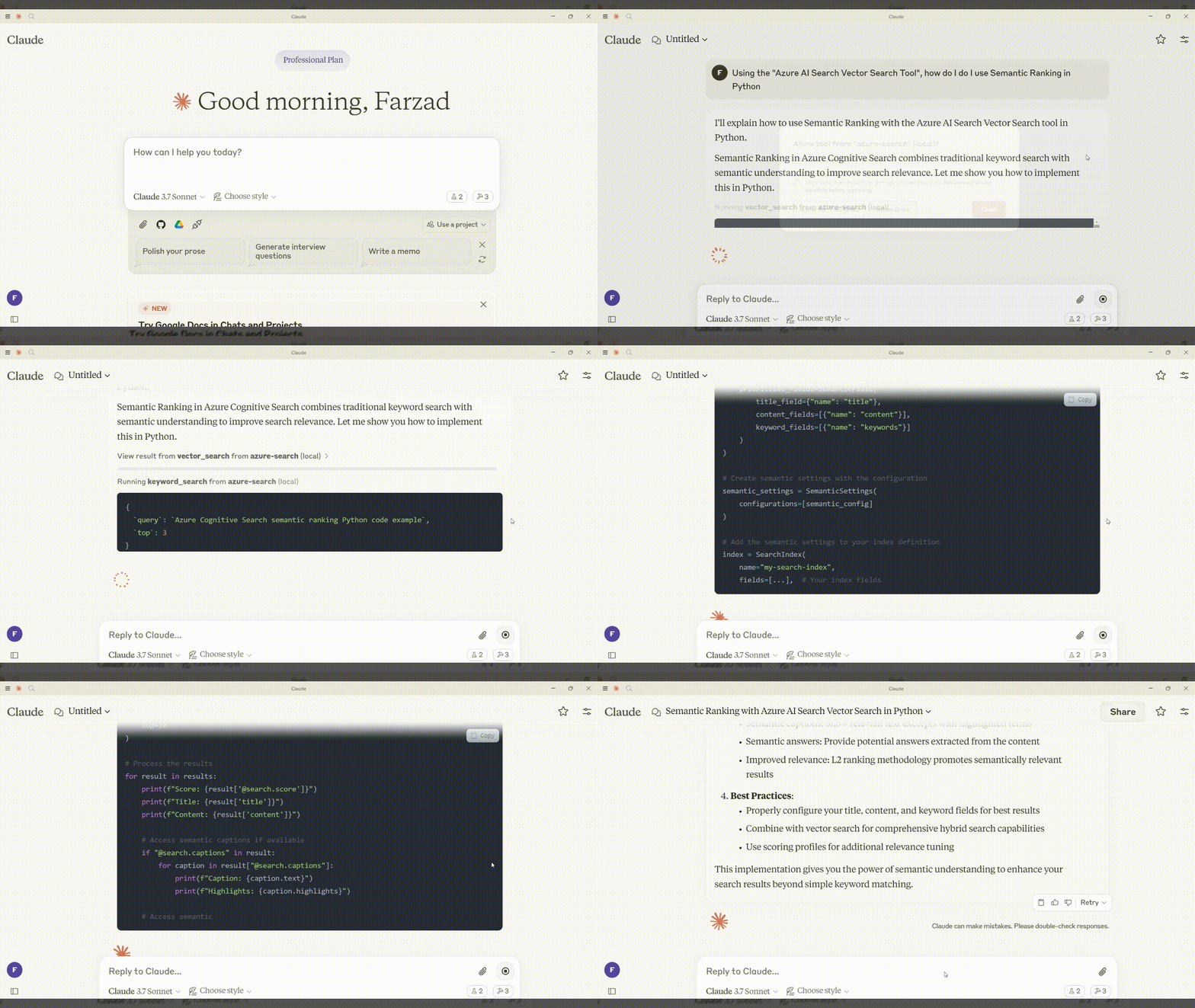
A Model Context Protocol (MCP) server that enables Claude Desktop to search your content using Azure AI services. Choose between Azure AI Agent Service (with both document search and web search) or direct Azure AI Search integration.
Overview
This project provides two MCP server implementations to connect Claude Desktop with Azure search capabilities:
-
Azure AI Agent Service Implementation (Recommended) - Uses the powerful Azure AI Agent Service to provide:
- Azure AI Search Tool - Search your indexed documents with AI-enhanced results
- Bing Web Grounding Tool - Search the web with source citations
-
Direct Azure AI Search Implementation - Connects directly to Azure AI Search with three methods:
- Keyword Search - Exact lexical matches
- Vector Search - Semantic similarity using embeddings
- Hybrid Search - Combination of keyword and vector searches
Features
- AI-Enhanced Search - Azure AI Agent Service optimizes search results with intelligent processing
- Multiple Data Sources - Search both your private documents and the public web
- Source Citations - Web search results include citations to original sources
- Flexible Implementation - Choose between Azure AI Agent Service or direct Azure AI Search integration
- Seamless Claude Integration - All search capabilities accessible through Claude Desktop's interface
- Customizable - Easy to extend or modify search behavior
Quick Links
Requirements
- Python: Version 3.10 or higher
- Claude Desktop: Latest version
- Azure Resources:
- Azure AI Search service with an index containing vectorized text data
- For Agent Service: Azure AI Project with Azure AI Search and Bing connections
- Operating System: Windows or macOS (instructions provided for Windows, but adaptable)
Azure AI Agent Service Implementation (Recommended)
Setup Guide
-
Project Directory:
mkdir mcp-server-azure-ai-search
cd mcp-server-azure-ai-search
-
Create a .env File:
echo "PROJECT_CONNECTION_STRING=your-project-connection-string" > .env
echo "MODEL_DEPLOYMENT_NAME=your-model-deployment-name" >> .env
echo "AI_SEARCH_CONNECTION_NAME=your-search-connection-name" >> .env
echo "BING_CONNECTION_NAME=your-bing-connection-name" >> .env
echo "AI_SEARCH_INDEX_NAME=your-index-name" >> .env
-
Set Up Virtual Environment:
uv venv
.venv\Scripts\activate
uv pip install "mcp[cli]" azure-identity python-dotenv azure-ai-projects
-
Use the azure_ai_agent_service_server.py script for integration with Azure AI Agent Service.
Azure AI Agent Service Setup
Before using the implementation, you need to:
-
Create an Azure AI Project:
- Go to the Azure Portal and create a new Azure AI Project
- Note the project connection string and model deployment name
-
Create an Azure AI Search Connection:
- In your Azure AI Project, add a connection to your Azure AI Search service
- Note the connection name and index name
-
Create a Bing Web Search Connection:
- In your Azure AI Project, add a connection to Bing Search service
- Note the connection name
-
Authenticate with Azure:
az login
Configuring Claude Desktop
{
  "mcpServers": {
    "azure-ai-agent": {
      "command": "C:\\path\\to\\.venv\\Scripts\\python.exe",
      "args": ["C:\\path\\to\\azure_ai_agent_service_server.py"],
      "env": {
        "PROJECT_CONNECTION_STRING": "your-project-connection-string",
        "MODEL_DEPLOYMENT_NAME": "your-model-deployment-name",
        "AI_SEARCH_CONNECTION_NAME": "your-search-connection-name",
        "BING_CONNECTION_NAME": "your-bing-connection-name",
        "AI_SEARCH_INDEX_NAME": "your-index-name"
      }
    }
  }
}
Note: Replace path placeholders with your actual project paths.
Direct Azure AI Search Implementation
For those who prefer direct Azure AI Search integration without the Agent Service:
-
Create a different .env File:
echo "AZURE_SEARCH_SERVICE_ENDPOINT=https://your-service-name.search.windows.net" > .env
echo "AZURE_SEARCH_INDEX_NAME=your-index-name" >> .env
echo "AZURE_SEARCH_API_KEY=your-api-key" >> .env
-
Install Dependencies:
uv pip install "mcp[cli]" azure-search-documents==11.5.2 azure-identity python-dotenv
-
Use the azure_search_server.py script for direct integration with Azure AI Search.
-
Configure Claude Desktop:
{
  "mcpServers": {
    "azure-search": {
      "command": "C:\\path\\to\\.venv\\Scripts\\python.exe",
      "args": ["C:\\path\\to\\azure_search_server.py"],
      "env": {
        "AZURE_SEARCH_SERVICE_ENDPOINT": "https://your-service-name.search.windows.net",
        "AZURE_SEARCH_INDEX_NAME": "your-index-name",
        "AZURE_SEARCH_API_KEY": "your-api-key"
      }
    }
  }
}
Testing the Server
- Restart Claude Desktop to load the new configuration
- Look for the MCP tools icon (hammer icon) in the bottom-right of the input field
- Try queries such as:
- "Search for information about AI in my Azure Search index"
- "Search the web for the latest developments in LLMs"
- "Find information about neural networks using hybrid search"
Troubleshooting
Customizing Your Server
- Modify Tool Instructions: Adjust the instructions provided to each agent to change how they process queries
- Add New Tools: Use the
@mcp.tool() decorator to integrate additional tools
- Customize Response Formatting: Edit how responses are formatted and returned to Claude Desktop
- Adjust Web Search Parameters: Modify the web search tool to focus on specific domains
License
This project is licensed under the MIT License.



