
A directory listing describing a cancellation-letter and mailing-address service. The configured public GitHub repository returned 404 during source verification.
Repository stats unavailable
Developer Tools
An MCP server providing a run_process tool that lets LLMs execute host commands and receive STDOUT and STDERR as text.
MCP server for running commands on the host machine is cataloged as an MCP server attributed to g0t4. An MCP server providing a run_process tool that lets LLMs execute host commands and receive STDOUT and STDERR as text. It is categorized under developer tools. See the capability inspector for recorded interfaces and their independent review status; consult upstream documentation for the current interface.
Installation configuration is not reviewed. No executable setup is offered for this entry; inspect the source repository before proceeding.
Catalog license label: Not specified. Check the source repository's current license and terms before using, modifying or distributing this software.
Capability definitions are not reviewed. Unreviewed imports are not exposed as trusted interfaces.
No reviewed records to display. This does not establish that upstream lacks this capability.
No reviewed records to display. This does not establish that upstream lacks this capability.
No reviewed records to display. This does not establish that upstream lacks this capability.
Email delivery is not connected. This page does not collect email addresses or create subscriptions.
Browse the registry for current listings instead.
Reviews for MCP server for running commands on the host machine are not available yet
Review publishing and storage are not connected. This page does not collect or publish ratings or comments, including after sign-in.
The README notes Claude Sonnet 3.5 intelligently uses run_process, and initial testing shows promising results with Groq Desktop with MCP and llama4 models.
The README warns to be careful what you ask the server to run, notes permissions are dictated by the user that runs the server, and says not to run with sudo.
README.md · bc62283f43f8 · Fetched 2026-11-13 09:34:44 UTC
Original upstream text, without AI rewriting. Scripts, forms and unsafe links are filtered for safety.
Showing the last retrieved documentation snapshot; check the source for current changes.
runProcess toolThe runProcess tool runs processes on the host machine. There are two mutually exclusive ways to invoke it:
command_line (string) — Executed via the system's default shell (just like typing into bash/fish/pwsh/etc). Shell features like pipes, redirects, and variable expansion all work.argv (string array) — Direct executable invocation. argv[0] is the executable, the rest are arguments. No shell interpretation.You cannot pass both. The tool infers whether to use a shell from which parameter you provide.
If you want your model to use specific shell(s) on a system, I would list them in your system prompt. Or, maybe in your tool instructions, though models tend to pay better attention to examples in a system prompt.
Let me know if you encounter problems!
Tools are for LLMs to request. Claude Sonnet 3.5 intelligently uses run_process. And, initial testing shows promising results with Groq Desktop with MCP and llama4 models.
Currently, just one command to rule them all!
run_process - run a command, i.e. hostname or ls -al or echo "hello world" etc
STDOUT and STDERR as textstdin parameter means your LLM can
STDIN to commands like fish, bash, zsh, pythoncat >> foo/bar.txt from the text in stdin[!WARNING] Be careful what you ask this server to run! In Claude Desktop app, use
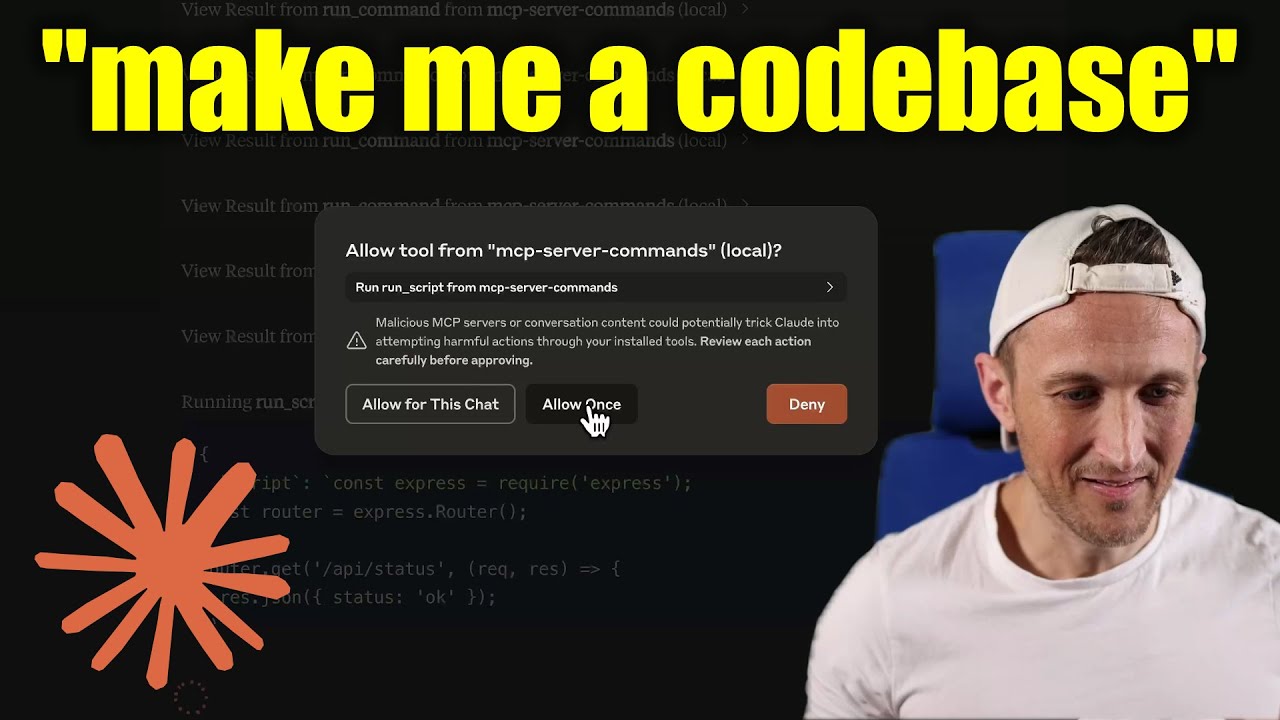
Approve Once(notAllow for This Chat) so you can review each command, useDenyif you don't trust the command. Permissions are dictated by the user that runs the server. DO NOT run withsudo.
Prompts are for users to include in chat history, i.e. via Zed's slash commands (in its AI Chat panel)
run_process - generate a prompt message with the command outputInstall dependencies:
npm install
Build the server:
npm run build
For development with auto-rebuild:
npm run watch
To use with Claude Desktop, add the server config:
On MacOS: ~/Library/Application Support/Claude/claude_desktop_config.json
On Windows: %APPDATA%/Claude/claude_desktop_config.json
Groq Desktop (beta, macOS) uses ~/Library/Application Support/groq-desktop-app/settings.json
Published to npm as mcp-server-commands using this workflow
{
  "mcpServers": {
    "mcp-server-commands": {
      "command": "npx",
      "args": ["mcp-server-commands"]
    }
  }
}
Make sure to run npm run build
{
  "mcpServers": {
    "mcp-server-commands": {
      // works b/c of shebang in index.js
      "command": "/path/to/mcp-server-commands/build/index.js"
    }
  }
}
run_processs without double checking.# NOTE: make sure to review variants and sizes, so the model fits in your VRAM to perform well!
# Probably the best so far is [OpenHands LM](https://www.all-hands.dev/blog/introducing-openhands-lm-32b----a-strong-open-coding-agent-model)
ollama pull https://huggingface.co/lmstudio-community/openhands-lm-32b-v0.1-GGUF
# https://ollama.com/library/devstral
ollama pull devstral
# Qwen2.5-Coder has tool use but you have to coax it
ollama pull qwen2.5-coder
The server is implemented with the STDIO transport.
For HTTP, use mcpo for an OpenAPI compatible web server interface.
This works with Open-WebUI
uvx mcpo --port 3010 --api-key "supersecret" -- npx mcp-server-commands

# uvx runs mcpo => mcpo run npx => npx runs mcp-server-commands
# then, mcpo bridges STDIO <=> HTTP
[!WARNING] I briefly used
mcpowithopen-webui, make sure to vet it for security concerns.
Claude Desktop app writes logs to ~/Library/Logs/Claude/mcp-server-mcp-server-commands.log
By default, only important messages are logged (i.e. errors).
If you want to see more messages, add --verbose to the args when configuring the server.
By the way, logs are written to STDERR because that is what Claude Desktop routes to the log files.
In the future, I expect well formatted log messages to be written over the STDIO transport to the MCP client (note: not Claude Desktop app).
Since MCP servers communicate over stdio, debugging can be challenging. We recommend using the MCP Inspector, which is available as a package script:
npm run inspector
The Inspector will provide a URL to access debugging tools in your browser.
Claim this server with your GitHub account to request manual ownership verification.
Link to the catalog listing for MCP server for running commands on the host machine from your README. This badge does not certify ownership, compatibility or security.
[](https://awesome-mcp.com/servers/mcp-server-commands)Public repository statistics could not be verified. Check the configured source address; unavailable counts are not zero.
Separate sources, scopes and periods. Never combined or treated as installations, active users or security reviews.
No reviewed package or image identity; download statistics are not listed yet.
Alternative and complementary servers in the same category
A directory listing describing a cancellation-letter and mailing-address service. The configured public GitHub repository returned 404 during source verification.

A hosted MCP service for browsing and searching through Singapore mobile-network proxies.

A directory listing describing a Markdown-to-PDF service. The configured public GitHub repository returned 404 during source verification.