
A directory listing describing a cancellation-letter and mailing-address service. The configured public GitHub repository returned 404 during source verification.
Repository stats unavailable
Developer Tools
An MCP server that provides intelligent task management for AI-powered development, breaking complex projects into manageable tasks and preserving context across sessions.
MCP Shrimp Task Manager is cataloged as an MCP server attributed to cjo4m06. An MCP server that provides intelligent task management for AI-powered development, breaking complex projects into manageable tasks and preserving context across sessions. It is categorized under developer tools. See the capability inspector for recorded interfaces and their independent review status; consult upstream documentation for the current interface.
Installation configuration is not reviewed. No executable setup is offered for this entry; inspect the source repository before proceeding.
Catalog license label: MIT License. Check the source repository's current license and terms before using, modifying or distributing this software.
Capability definitions are not reviewed. Unreviewed imports are not exposed as trusted interfaces.
No reviewed records to display. This does not establish that upstream lacks this capability.
No reviewed records to display. This does not establish that upstream lacks this capability.
No reviewed records to display. This does not establish that upstream lacks this capability.
Email delivery is not connected. This page does not collect email addresses or create subscriptions.
Browse the registry for current listings instead.
Reviews for MCP Shrimp Task Manager are not available yet
Review publishing and storage are not connected. This page does not collect or publish ratings or comments, including after sign-in.
Yes, tasks and progress persist across sessions, preserving context even with token limits.
Yes, it offers a React-based Task Viewer with drag-and-drop, real-time search, and multi-profile support, plus an optional lightweight web GUI.
README.md · 8a3be6bced31 · Fetched 2026-11-13 09:42:25 UTC
Original upstream text, without AI rewriting. Scripts, forms and unsafe links are filtered for safety.
Showing the last retrieved documentation snapshot; check the source for current changes.
🇺🇸 English | 🇩🇪 Deutsch | 🇪🇸 Español | 🇫🇷 Français | 🇮🇹 Italiano | 🇮🇳 हिन्दी | 🇰🇷 한국어 | 🇧🇷 Português | 🇷🇺 Русский | 🇨🇳 中文
🦐 Intelligent task management for AI-powered development - Break down complex projects into manageable tasks, maintain context across sessions, and accelerate your development workflow.
Windows 11 (with WSL2):
# First, ensure WSL2 is installed (in PowerShell as Administrator)
wsl --install

# Enter Ubuntu/WSL environment
wsl -d Ubuntu

# Install Claude Code globally
npm install -g @anthropic-ai/claude-code

# Start Claude Code
claude
macOS/Linux:
# Install Claude Code globally
npm install -g @anthropic-ai/claude-code

# Start Claude Code
claude
# Clone the repository
git clone https://github.com/cjo4m06/mcp-shrimp-task-manager.git
cd mcp-shrimp-task-manager

# Install dependencies
npm install

# Build the project
npm run build
Create a .mcp.json file in your project directory:
{
  "mcpServers": {
    "shrimp-task-manager": {
      "command": "node",
      "args": ["/path/to/mcp-shrimp-task-manager/dist/index.js"],
      "env": {
        "DATA_DIR": "/path/to/your/shrimp_data",
        "TEMPLATES_USE": "en",
        "ENABLE_GUI": "false"
      }
    }
  }
}
Example configuration:
{
  "mcpServers": {
    "shrimp-task-manager": {
      "command": "node",
      "args": ["/home/fire/claude/mcp-shrimp-task-manager/dist/index.js"],
      "env": {
        "DATA_DIR": "/home/fire/claude/project/shrimp_data",
        "TEMPLATES_USE": "en",
        "ENABLE_GUI": "false"
      }
    }
  }
}
Then start Claude Code with your custom MCP configuration:
claude --dangerously-skip-permissions --mcp-config .mcp.json
Cline (VS Code Extension): A VS Code extension for AI-assisted coding. Add to VS Code settings.json under cline.mcpServers
Claude Desktop: Add to ~/Library/Application Support/Claude/claude_desktop_config.json (macOS) or %APPDATA%\Claude\claude_desktop_config.json (Windows)
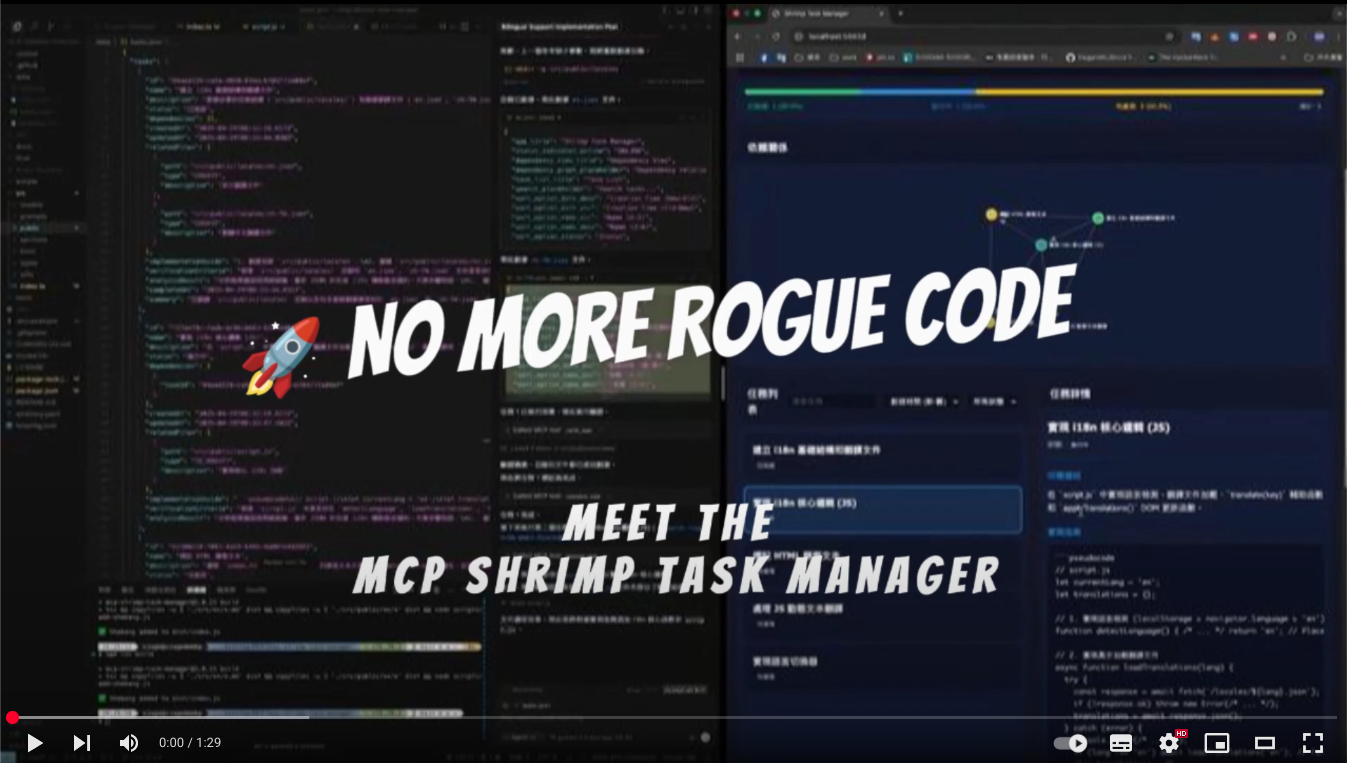
"init project rules""plan task: implement user authentication""execute task" or "continuous mode"Shrimp Task Manager is an MCP (Model Context Protocol) server that transforms how AI agents approach software development. Instead of losing context or repeating work, Shrimp provides:
Modern React interface for visual task management with drag-and-drop, real-time search, and multi-profile support.
Quick Setup:
cd tools/task-viewer
npm install
npm run start:all
# Access at http://localhost:5173
📖 Full Task Viewer Documentation
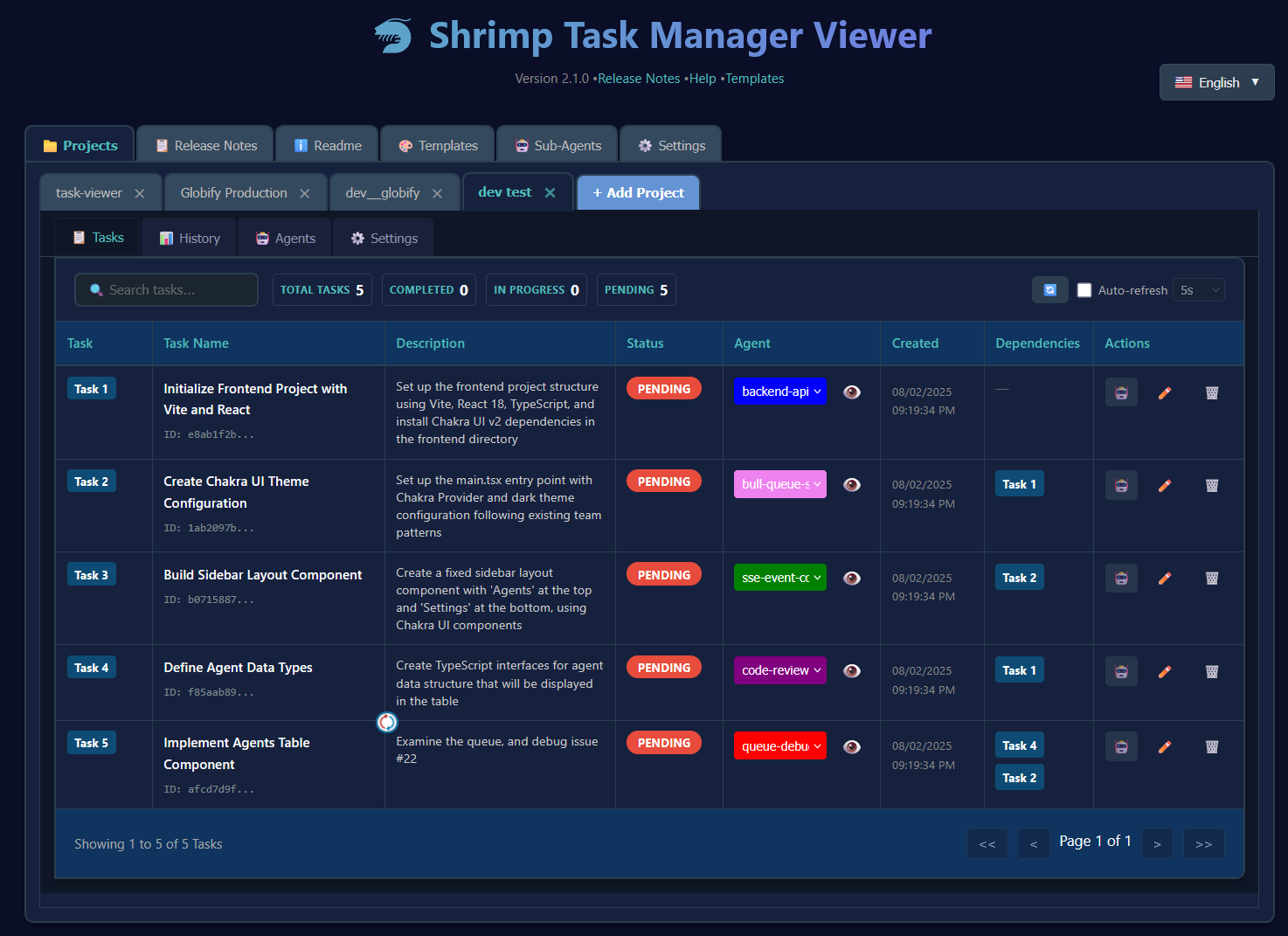
Optional lightweight web interface for quick task overview.
Enable in .env: ENABLE_GUI=true
Agent: "plan task: add user authentication with JWT"
# Agent analyzes codebase, creates subtasks

Agent: "execute task"
# Implements authentication step by step
Agent: "plan task: fix memory leak in data processing"
# Agent researches issue, creates fix plan

Agent: "continuous mode"
# Executes all fix tasks automatically
Agent: "research: compare React vs Vue for this project"
# Systematic analysis with pros/cons

Agent: "plan task: migrate component to chosen framework"
# Creates migration plan based on research
Create a .env file:
# Required
DATA_DIR=/path/to/data/storage

# Optional
ENABLE_GUI=true          # Enable web GUI
WEB_PORT=3000           # Custom web port
PROMPT_LANGUAGE=en      # Prompt language (en, zh, etc.)
| Command | Description |
|---|---|
init project rules | Initialize project standards |
plan task [description] | Create a task plan |
execute task [id] | Execute specific task |
continuous mode | Execute all tasks sequentially |
list tasks | Show all tasks |
research [topic] | Enter research mode |
reflect task [id] | Review and improve task |
We welcome contributions! Please see our Contributing Guide for details.
This project is licensed under the MIT License - see the LICENSE file for details.
Created by cjo4m06 and maintained by the community.
GitHub • Issues • Discussions
Claim this server with your GitHub account to request manual ownership verification.
Link to the catalog listing for MCP Shrimp Task Manager from your README. This badge does not certify ownership, compatibility or security.
[](https://awesome-mcp.com/servers/mcp-shrimp-task-manager)Public repository statistics could not be verified. Check the configured source address; unavailable counts are not zero.
Separate sources, scopes and periods. Never combined or treated as installations, active users or security reviews.
No reviewed package or image identity; download statistics are not listed yet.
Alternative and complementary servers in the same category
A directory listing describing a cancellation-letter and mailing-address service. The configured public GitHub repository returned 404 during source verification.

A hosted MCP service for browsing and searching through Singapore mobile-network proxies.

A directory listing describing a Markdown-to-PDF service. The configured public GitHub repository returned 404 during source verification.