
A directory listing describing a cancellation-letter and mailing-address service. The configured public GitHub repository returned 404 during source verification.
Repository stats unavailable
Developer Tools
A tutorial sample project that builds a Python FastMCP "hello-mcp-server" exposing a greeting tool and shows testing it with MCP Inspector and CherryStudio.
hello-mcp-server example FastMCP server is cataloged as an MCP server attributed to andym129. A tutorial sample project that builds a Python FastMCP "hello-mcp-server" exposing a greeting tool and shows testing it with MCP Inspector and CherryStudio. It is categorized under developer tools. See the capability inspector for recorded interfaces and their independent review status; consult upstream documentation for the current interface.
Installation configuration is not reviewed. No executable setup is offered for this entry; inspect the source repository before proceeding.
Catalog license label: Not specified. Check the source repository's current license and terms before using, modifying or distributing this software.
Capability definitions are not reviewed. Unreviewed imports are not exposed as trusted interfaces.
No reviewed records to display. This does not establish that upstream lacks this capability.
No reviewed records to display. This does not establish that upstream lacks this capability.
No reviewed records to display. This does not establish that upstream lacks this capability.
Email delivery is not connected. This page does not collect email addresses or create subscriptions.
Browse the registry for current listings instead.
Reviews for hello-mcp-server example FastMCP server are not available yet
Review publishing and storage are not connected. This page does not collect or publish ratings or comments, including after sign-in.
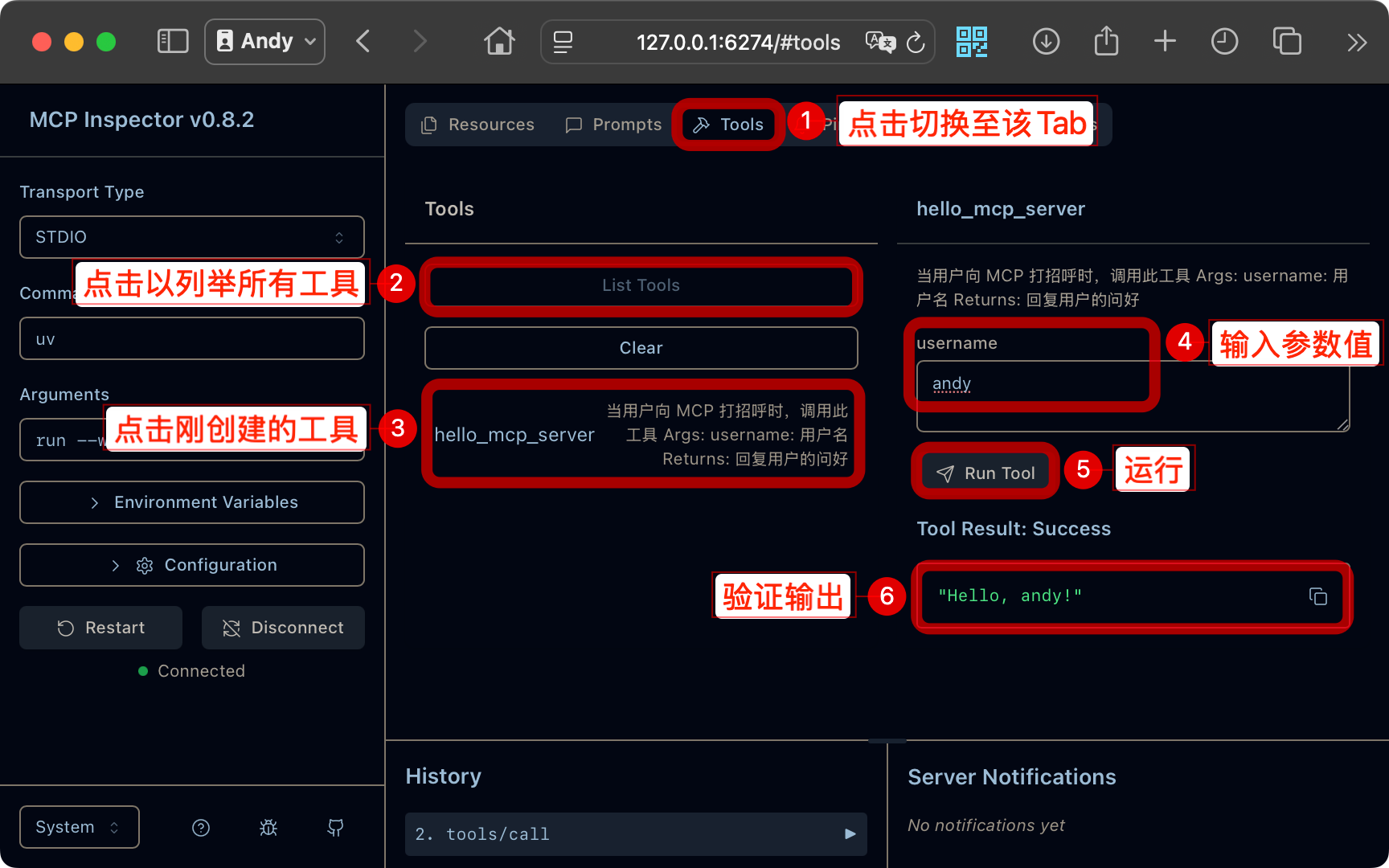
It exposes a hello_mcp_server tool that takes a username and returns a greeting in response.
README.md · 7b356eee12dc · Fetched 2026-11-13 10:59:09 UTC
Original upstream text, without AI rewriting. Scripts, forms and unsafe links are filtered for safety.
Showing the last retrieved documentation snapshot; check the source for current changes.

详见原文,以获得最新的内容:【AI入门】MCP 初探 - 掘金
大模型火了一阵子了,最近又火了一个技术 —— MCP
在看了一些介绍后,恰巧之前通过 Ollama 也部署了本地大模型,正好可以试试本地 MCP,兴许可以「以后 自己开发些 MCP,然后通过本地大模型调用」,这样就能摆脱 UI、Terminal 来执行特定的操作了~~
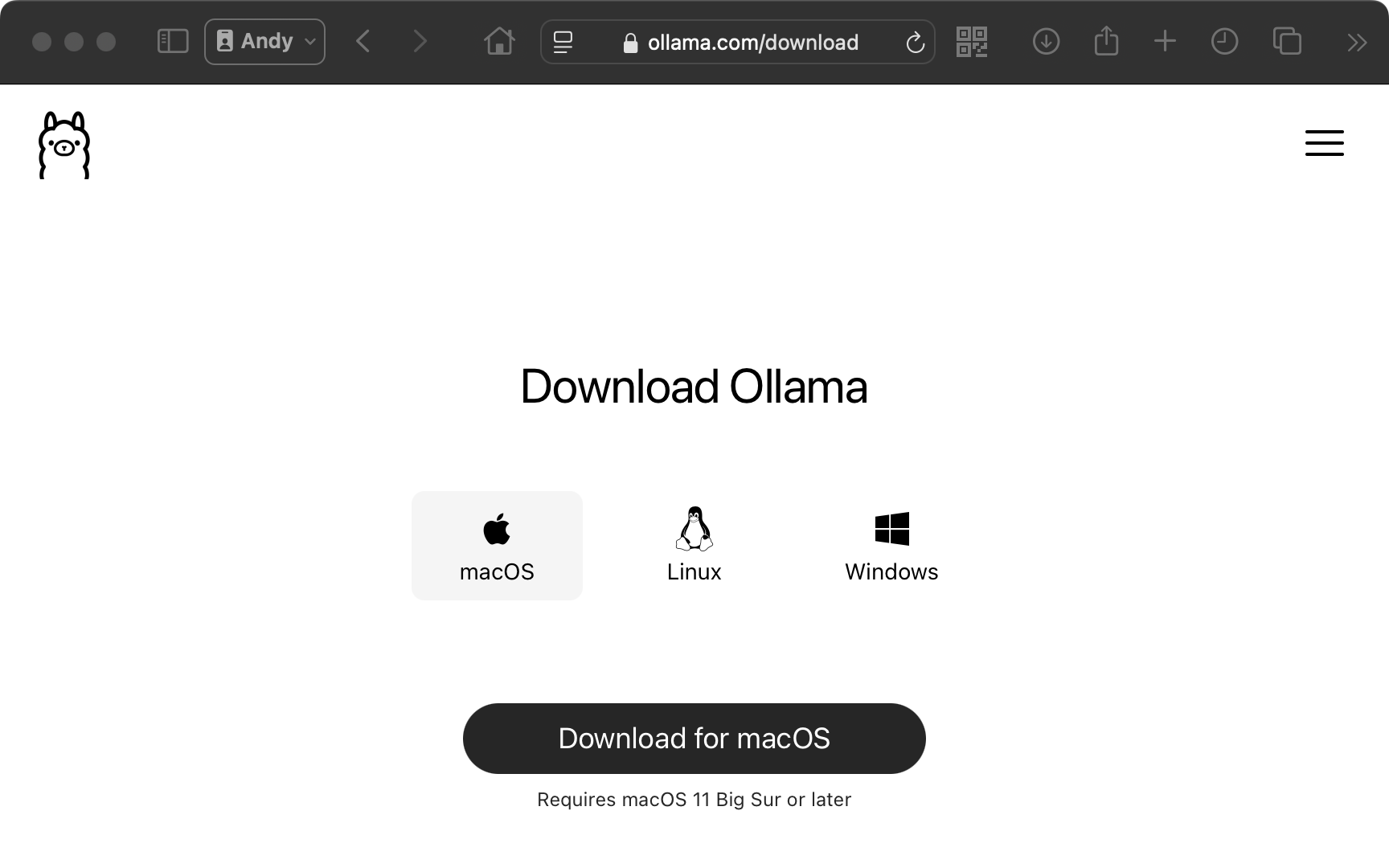
访问 Ollama 官网: https://ollama.com/download ,下载需要的版本,并安装:
安装指定的大模型:
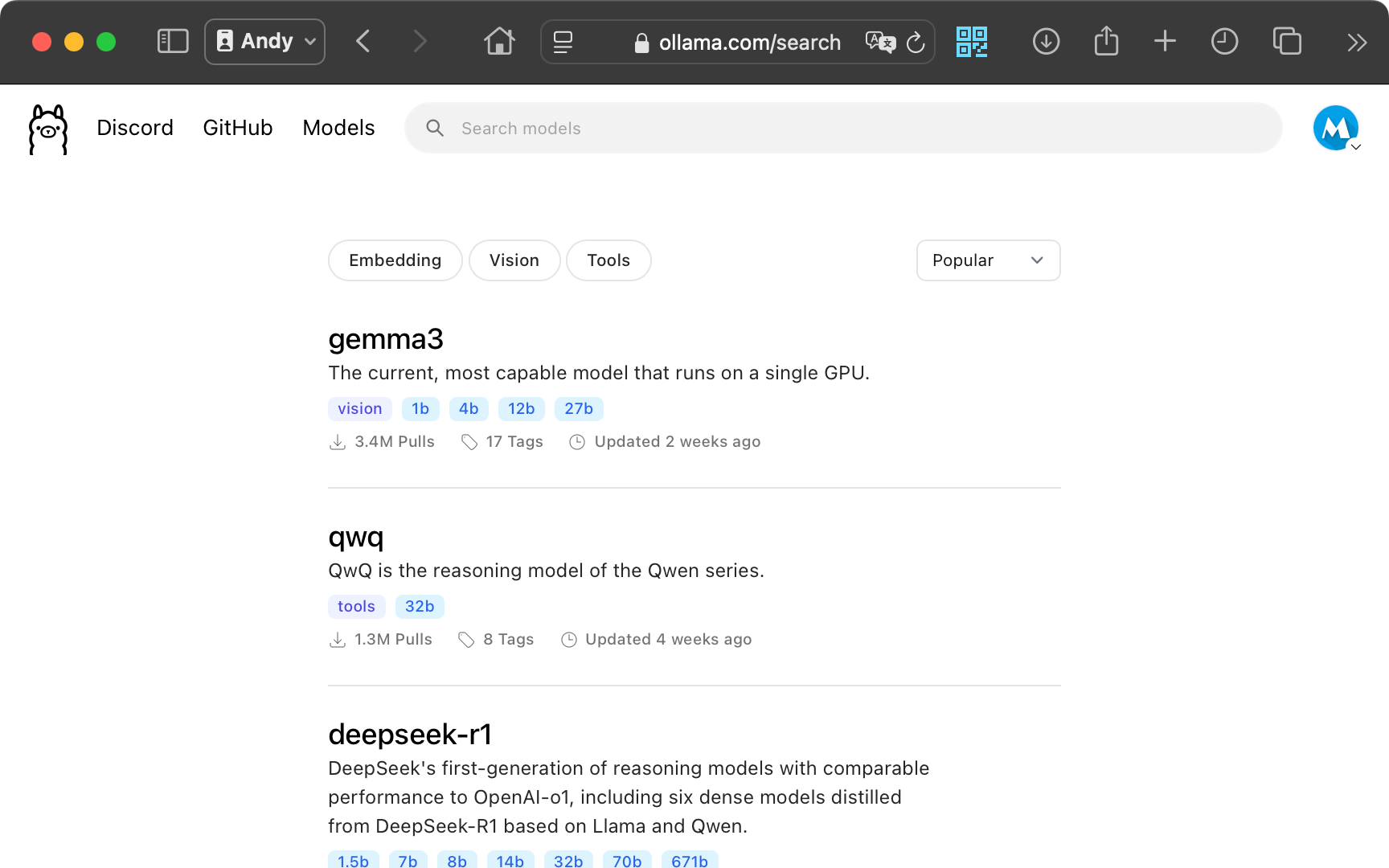
【PS】我目前在本地安装了以下几个大模型:
$ ollama list
NAME                       ID              SIZE      MODIFIED
mistral-small3.1:latest    b9aaf0c2586a    15 GB     12 minutes ago
phi4:latest                ac896e5b8b34    9.1 GB    7 weeks ago
deepseek-r1:14b            ea35dfe18182    9.0 GB    8 weeks ago
bge-m3:latest              790764642607    1.2 GB    8 weeks ago
deepseek-r1:32b            38056bbcbb2d    19 GB     8 weeks ago
llama3.2:latest            a80c4f17acd5    2.0 GB    8 weeks ago
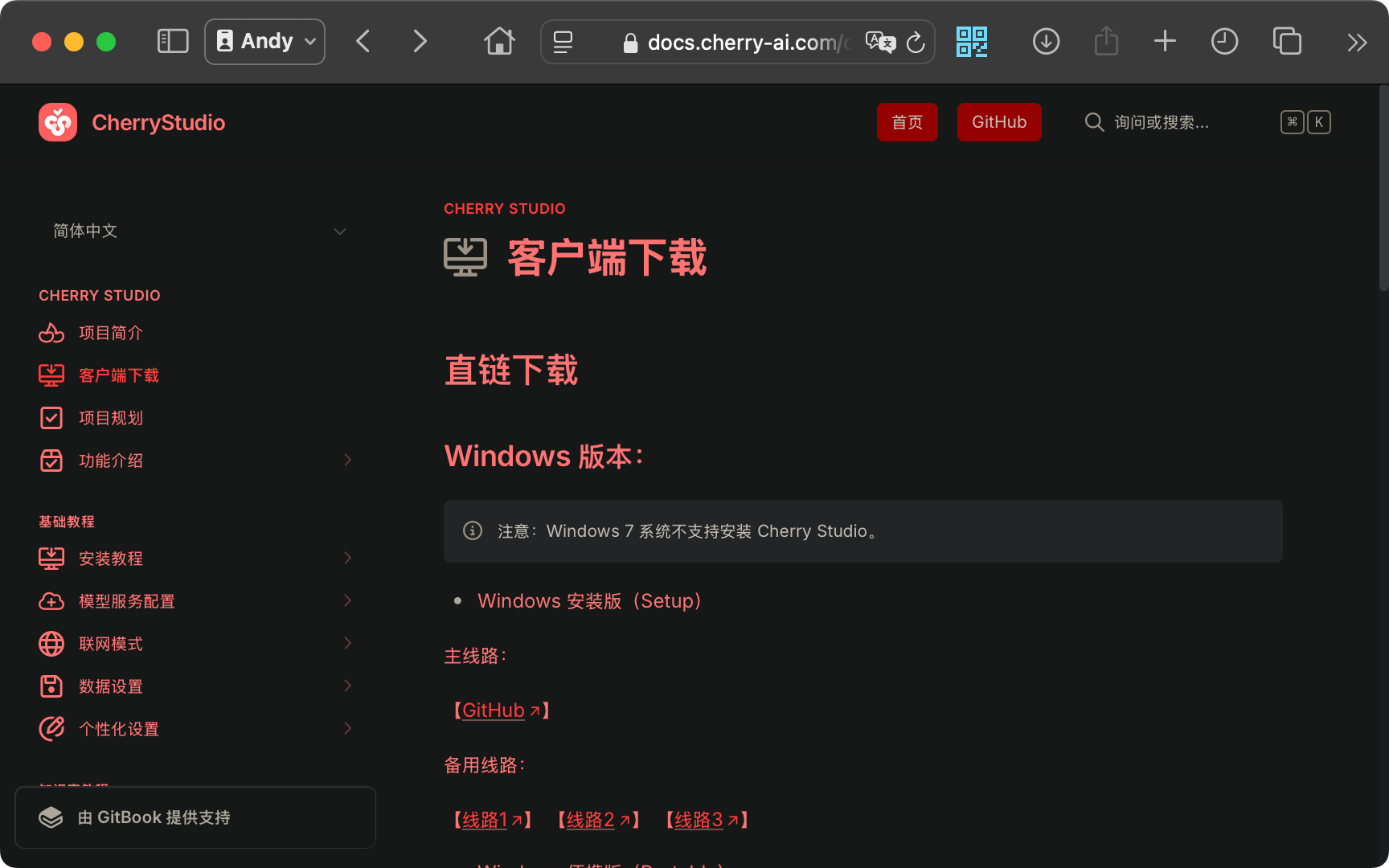
这是一个本地大模型的客户端,以便配合 Ollama 来使用本地大模型
访问官网 https://docs.cherry-ai.com/cherry-studio/download ,下载需要的版本,并安装:
以下内容,以通过 Python 开发为例进行介绍。
uv 是一个 MCP 推荐的 Python 包管理工具,可以参考其官网 进行安装: https://docs.astral.sh/uv/getting-started/installation/#installation-methods
我的安装方式&过程如下:
$ wget -qO- https://astral.sh/uv/install.sh | sh
downloading uv 0.6.14 aarch64-apple-darwin
no checksums to verify
installing to /Users/mengxinxin/.local/bin
  uv
  uvx
everything\'s installed!

To add $HOME/.local/bin to your PATH, either restart your shell or run:

    source $HOME/.local/bin/env (sh, bash, zsh)
    source $HOME/.local/bin/env.fish (fish)
WARNING: The following commands are shadowed by other commands in your PATH: uv uvx


$ uv version
uv 0.6.14 (a4cec56dc 2025-04-09)
# 初始化项目
$ uv init hello_mcp_server

# 进入项目目录
$ cd hello_mcp_server

# 创建环境
$ uv venv

# 激活环境
$ source .venv/bin/activate

# 安装依赖
$ uv add "mcp[cli]"
示例代码如下:
from mcp.server.fastmcp import FastMCP
from pydantic import Field


# Initialize FastMCP server
mcp = FastMCP("hello-mcp-server", log_level="ERROR")


# 注册工具的装饰器,可以很方便的把一个函数注册为工具
@mcp.tool()
async def hello_mcp_server(username: str = Field(description="用户名")) -> str:
    """当用户向 MCP 打招呼时,调用此工具

    Args:
        username: 用户名

    Returns:
        回复用户的问好
    """
    return f"Hello, {username},我是 MCP 示例!"


def main():
    print("Hello from hello-mcp-server!")


if __name__ == "__main__":
    main()
执行如下名,可获得调试地址:
$ mcp dev hello_mcp_server.py
Starting MCP inspector...
⚙️ Proxy server listening on port 6277
🔍 MCP Inspector is up and running at http://127.0.0.1:6274 🚀
在浏览器中访问该调试地址: http://127.0.0.1:6274 ,并点击 Connect:
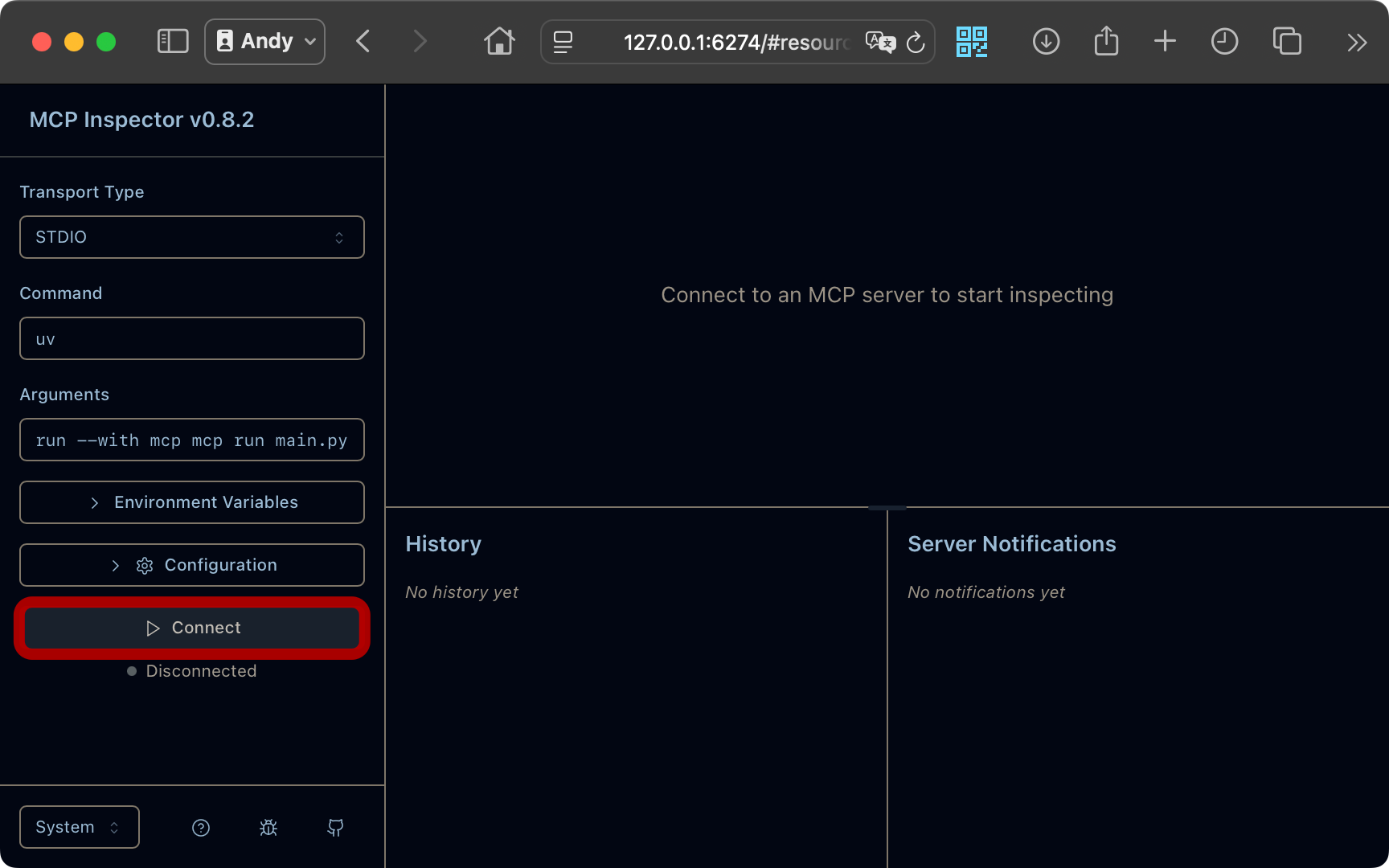
然后如图操作、验证工具:
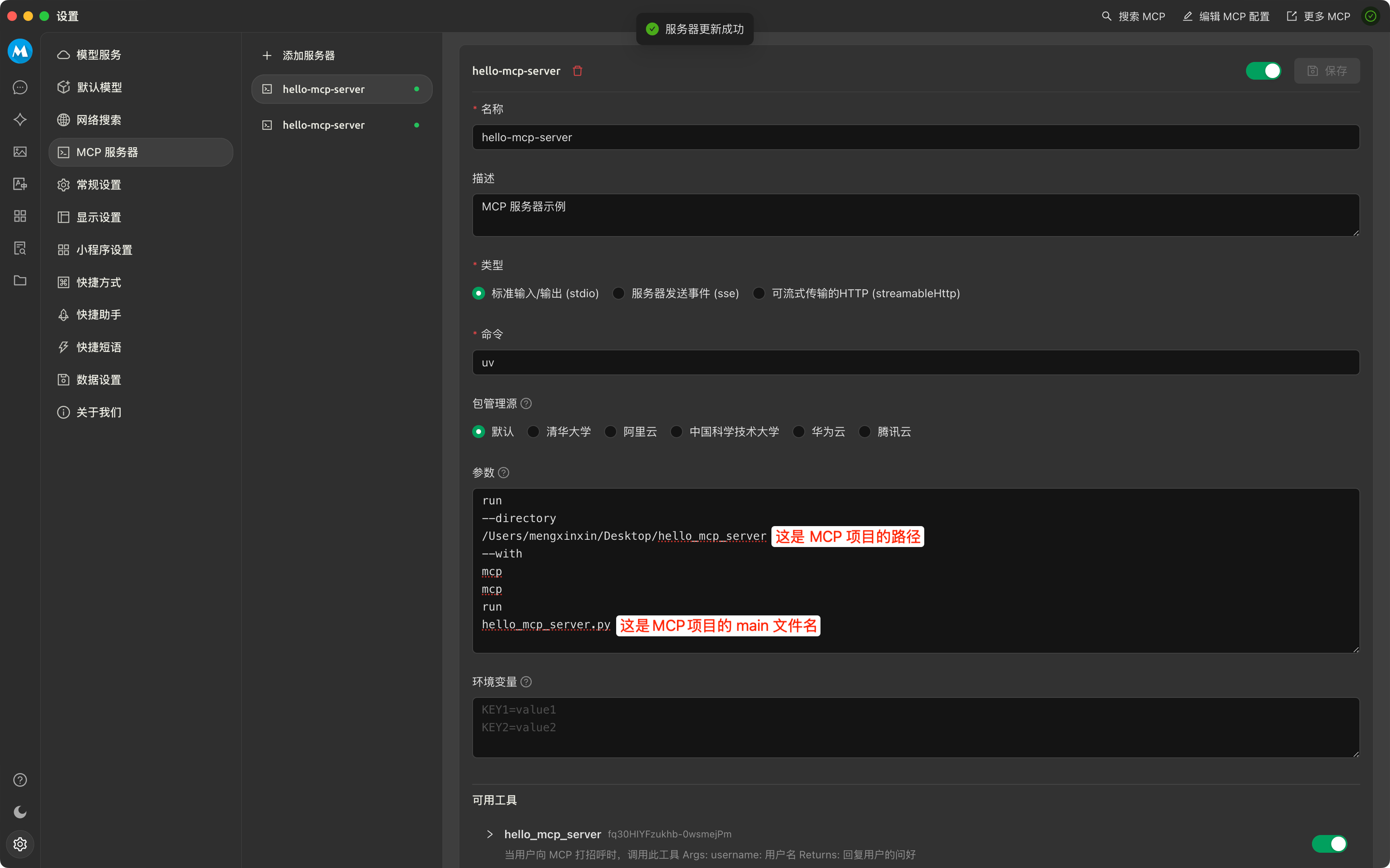
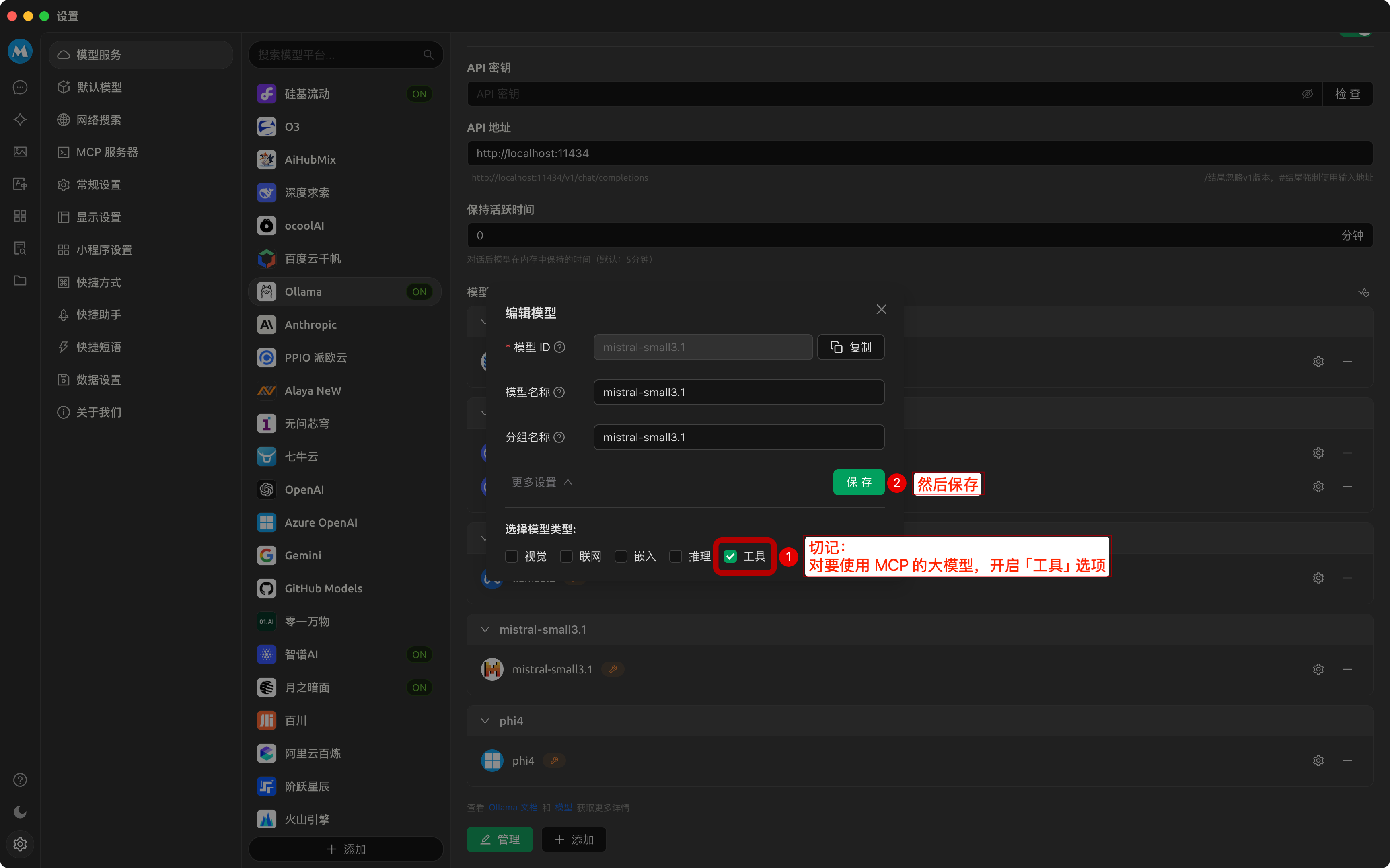
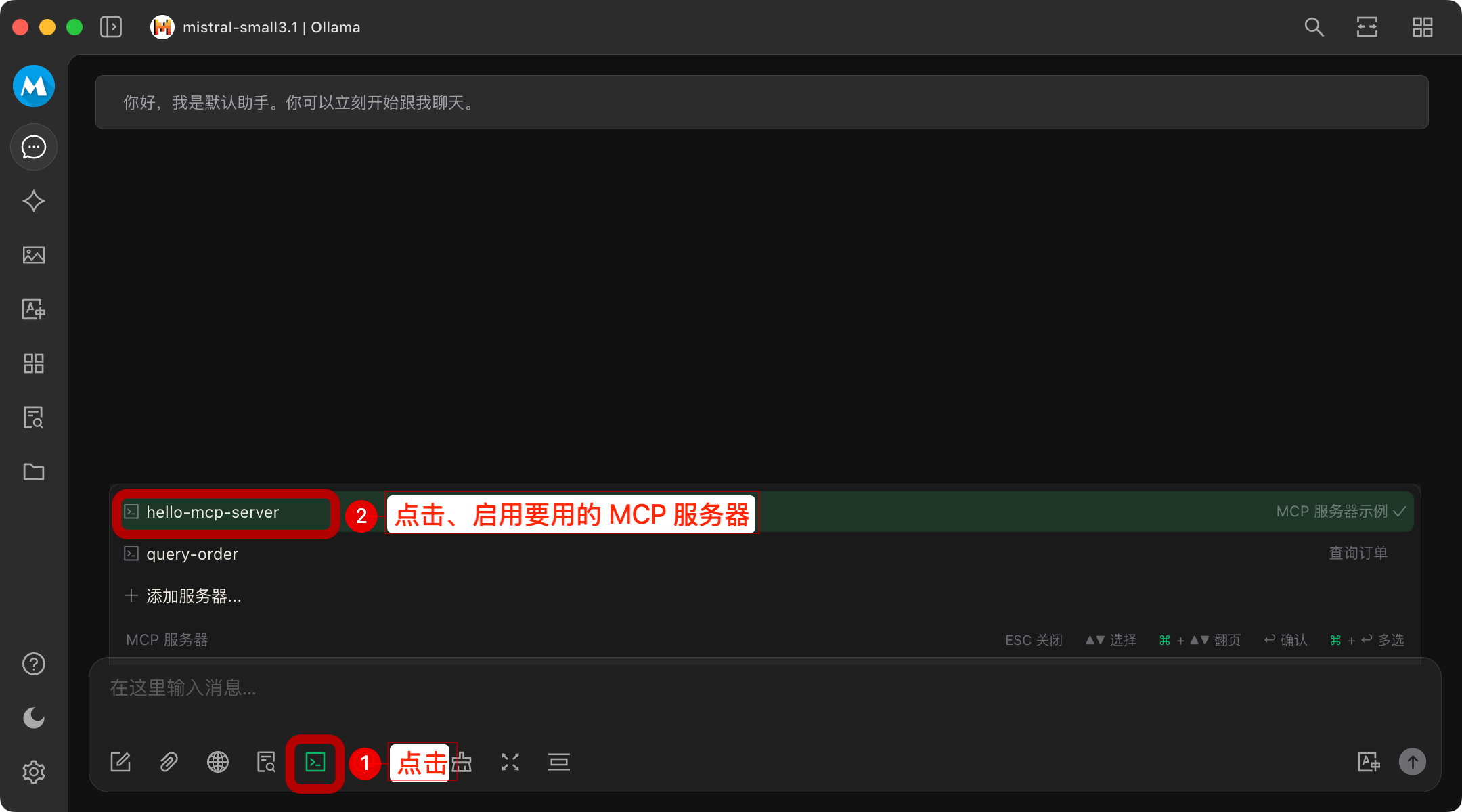
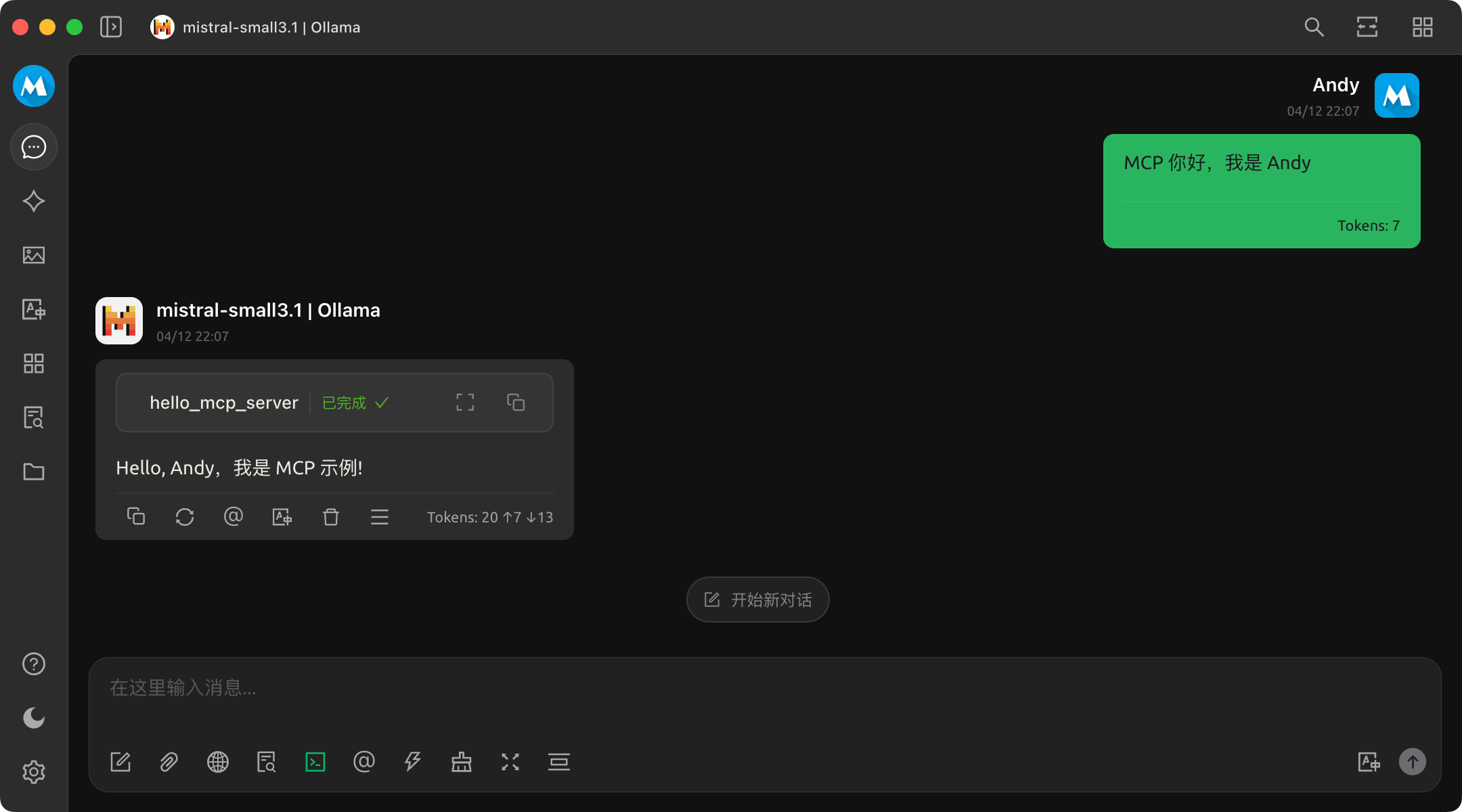
以上,搞定,收工~ ✌🏻
Claim this server with your GitHub account to request manual ownership verification.
Link to the catalog listing for hello-mcp-server example FastMCP server from your README. This badge does not certify ownership, compatibility or security.
[](https://awesome-mcp.com/servers/mcp_playground)Public repository statistics could not be verified. Check the configured source address; unavailable counts are not zero.
Separate sources, scopes and periods. Never combined or treated as installations, active users or security reviews.
No reviewed package or image identity; download statistics are not listed yet.
Alternative and complementary servers in the same category
A directory listing describing a cancellation-letter and mailing-address service. The configured public GitHub repository returned 404 during source verification.

A hosted MCP service for browsing and searching through Singapore mobile-network proxies.

A directory listing describing a Markdown-to-PDF service. The configured public GitHub repository returned 404 during source verification.