
A directory listing describing a cancellation-letter and mailing-address service. The configured public GitHub repository returned 404 during source verification.
Repository stats unavailable
Developer Tools
MCPunk is an MCP server that splits project files into logical chunks and gives an LLM tools to search and read those chunks, using exact matching instead of embeddings.
MCP server for chunk-based codebase search without embeddings is cataloged as an MCP server attributed to jurasofish. MCPunk is an MCP server that splits project files into logical chunks and gives an LLM tools to search and read those chunks, using exact matching instead of embeddings. It is categorized under developer tools. See the capability inspector for recorded interfaces and their independent review status; consult upstream documentation for the current interface.
Installation configuration is not reviewed. No executable setup is offered for this entry; inspect the source repository before proceeding.
Catalog license label: Not specified. Check the source repository's current license and terms before using, modifying or distributing this software.
Capability definitions are not reviewed. Unreviewed imports are not exposed as trusted interfaces.
No reviewed records to display. This does not establish that upstream lacks this capability.
No reviewed records to display. This does not establish that upstream lacks this capability.
No reviewed records to display. This does not establish that upstream lacks this capability.
Email delivery is not connected. This page does not collect email addresses or create subscriptions.
Browse the registry for current listings instead.
Reviews for MCP server for chunk-based codebase search without embeddings are not available yet
Review publishing and storage are not connected. This page does not collect or publish ratings or comments, including after sign-in.
No. MCPunk uses exact text matching rather than embeddings or fuzzy search, relying on the LLM to drill down through chunks.
Yes, an LLM can be asked to set up multiple projects and query freely across them.
README.md · 0c87c99615c6 · Fetched 2026-11-13 08:49:59 UTC
Original upstream text, without AI rewriting. Scripts, forms and unsafe links are filtered for safety.
Showing the last retrieved documentation snapshot; check the source for current changes.
Chat with your codebase without embeddings by giving the LLM tools to search your code intelligently.
MCPunk lets you explore and understand codebases through conversation. It works by:
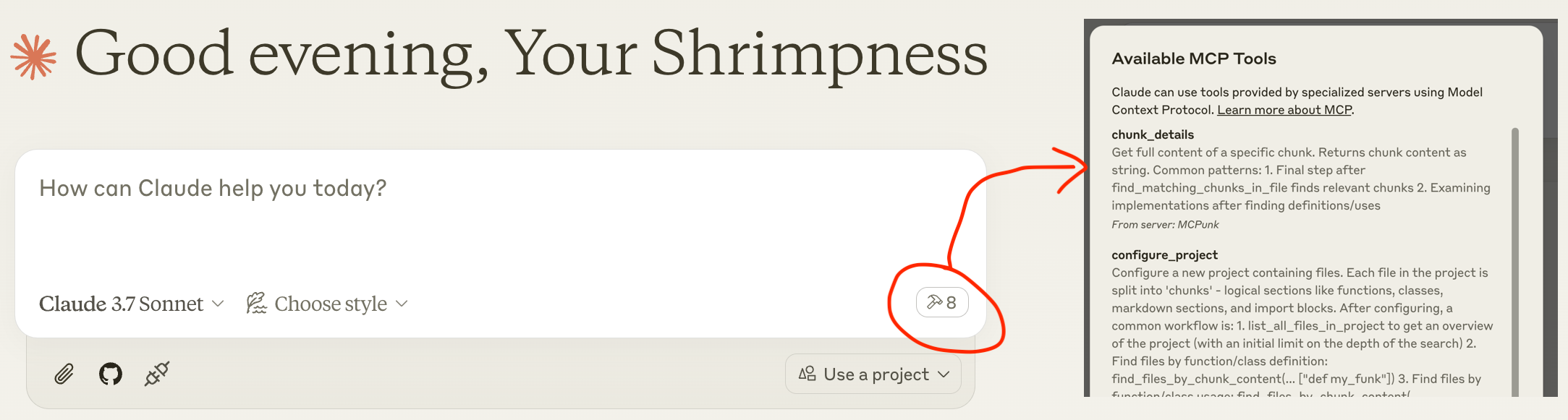
No embeddings, no complex configuration - just clear, auditable searching that you can see and guide. It works great with Claude Desktop, or any other MCP client.
Built with the following in mind
These are instructions for Claude Desktop, but MCPunk can be used anywhere MCP is used.
claude_desktop_config.json
(Details about claude_desktop_config.json including location)("command": "uvx", might not work, and you may need to use e.g. "command": "/Users/michael/.local/bin/uvx",)
{
  "mcpServers": {
    "MCPunk": {
      "command": "uvx",
      "args": ["mcpunk"]
    }
  }
}
configure_projectlist_all_files_in_projectfind_files_by_chunk_contentscratch/1.5diff_with_ref for ref scratch/1.5tests/test_git_analysis.py...split("to ")[-1] in _branches_from_reflog looks fragileYou can just ask your LLM to set up multiple projects, and it can freely query across them. Handy if one depends on the other, and they're in different repos. In this case the LLM should recognise this via imports.
MCPunk is an MCP server that provides tools to
Along with this, it provides a few chunkers built in. The most mature is the Python chunker.
MCPunk doesn't have to be used for conversation. It can be used as part of code review in a CI pipeline, for example. It's really general RAG.
sequenceDiagram
    participant User
    participant Claude as Claude Desktop
    participant MCPunk as MCPunk Server
    participant Files as File System

    Note over User,Files: Setup Phase
    User->>Claude: Ask question about codebase
    Claude->>MCPunk: configure_project(root_path, project_name)
    MCPunk->>Files: Scan files in root directory

    Note over MCPunk,Files: Chunking Process
    MCPunk->>MCPunk: For each file, apply appropriate chunker:
    MCPunk->>MCPunk: - PythonChunker: functions, classes, imports
    MCPunk->>MCPunk: - MarkdownChunker: sections by headings
    MCPunk->>MCPunk: - VueChunker: template/script/style sections
    MCPunk->>MCPunk: - WholeFileChunker: fallback
    MCPunk->>MCPunk: Split chunks >10K chars into parts

    MCPunk-->>Claude: Project configured with N files

    Note over User,Files: Navigation Phase<br>(LLM freely uses all these tools repeatedly to drill in)
    Claude->>MCPunk: list_all_files_in_project(project_name)
    MCPunk-->>Claude: File tree structure

    Claude->>MCPunk: find_files_by_chunk_content(project_name, "search term")
    MCPunk-->>Claude: Files containing matching chunks

    Claude->>MCPunk: find_matching_chunks_in_file(project_name, file_path, "search term")
    MCPunk-->>Claude: List of matching chunk IDs in file

    Claude->>MCPunk: chunk_details(chunk_id)
    MCPunk-->>Claude: Full content of specific chunk

    Claude->>User: Answer based on relevant code chunks

    Note over User,Files: Optional Git Analysis
    Claude->>MCPunk: list_most_recently_checked_out_branches(project_name)
    MCPunk->>Files: Parse git reflog
    MCPunk-->>Claude: List of recent branches

    Claude->>MCPunk: diff_with_ref(project_name, "main")
    MCPunk->>Files: Generate git diff
    MCPunk-->>Claude: Diff between HEAD and reference
See
The gist of roaming RAG is
Compared to more traditional "vector search" RAG:
A chunk is a subsection of a file. For example,
Chunks are created from a file by chunkers, and MCPunk comes with a handful built in.
When a project is set up in MCPunk, it goes through all files and applies the first applicable chunker to it. The LLM can then use tools to (1) query for files containing chunks with specific text in them, (2) query all chunks in a specific file, and (3) fetch the full contents of a chunk.
This basic foundation enables claude to effectively navigate relatively large codebases by starting with a broad search for relevant files and narrowing in on relevant areas.
Built-in chunkers:
PythonChunker chunks things into classes, functions, file-level imports,
and file-level statements (e.g. globals). Applicable to files ending in .pyVueChunker chunks into 'template', 'script', 'style' chunks - or whatever
top-level <blah>....</blah> items exist. Applicable to files ending in .vueMarkdownChunker chunks things into markdown sections (by heading).
Applicable to files ending in .mdWholeFileChunker fallback chunker that creates a single chunk for the entire file.
Applicable to any file.Any chunk over 10k characters long (configurable) is automatically split into
multiple chunks, with names suffixed with part1, part2, etc. This helps
avoid blowing out context while still allowing reasonable navigation of chunks.
Each type of file (e.g. Python vs C) needs a custom chunker. MCPunk comes with some built in. If no specific chunker matches a file, a default chunker that just slaps the whole file into one chunk is used.
The current suggested way to add chunks is to fork this project and add them, and run MCPunk per Development. To add a chunker
BaseChunkerALL_CHUNKERS in file_breakdown.pyIt would be possible to implement some kind of plugin system for modules to advertise that they have custom chunkers for MCPunk to use, like pytest's plugin system, but there are currently no plans to implement this (unless someone wants to do it).
Various things can be configured via environment variables prefixed with MCPUNK_.
For available options, see settings.py - these are loaded
from env vars via Pydantic Settings.
For example, to configure the include_chars_in_response option:
{
  "mcpServers": {
    "MCPunk": {
      "command": "uvx",
      "args": ["mcpunk"],
      "env": {
        "MCPUNK_INCLUDE_CHARS_IN_RESPONSE": "false"
      }
    }
  }
}
MCPunk is considered near feature complete. It has not had broad use, and as a user it is likely you will run into bugs or rough edges. Bug reports welcomed at https://github.com/jurasofish/mcpunk/issues
Roadmap Ideas
file://... / http[s]:// / gitdiff:// / etc arbitrary URIsadd_diff_to_project
and it puts files under the gitdiff:// URI or under some fake pathsee run_mcp_server.py.
If you set up claude desktop like below then you can restart it to see latest changes as you work on MCPunk from your local version of the repo.
{
  "mcpServers": {
    "MCPunk": {
      "command": "/Users/michael/.local/bin/uvx",
      "args": [
        "--from",
        "/Users/michael/git/mcpunk",
        "--no-cache",
        "mcpunk"
      ]
    }
  }
}
See the Makefile and github actions workflows.
Claim this server with your GitHub account to request manual ownership verification.
Link to the catalog listing for MCP server for chunk-based codebase search without embeddings from your README. This badge does not certify ownership, compatibility or security.
[](https://awesome-mcp.com/servers/mcpunk-roaming-rag)Public repository statistics could not be verified. Check the configured source address; unavailable counts are not zero.
Separate sources, scopes and periods. Never combined or treated as installations, active users or security reviews.
No reviewed package or image identity; download statistics are not listed yet.
Alternative and complementary servers in the same category
A directory listing describing a cancellation-letter and mailing-address service. The configured public GitHub repository returned 404 during source verification.

A hosted MCP service for browsing and searching through Singapore mobile-network proxies.

A directory listing describing a Markdown-to-PDF service. The configured public GitHub repository returned 404 during source verification.