
A Rust CAD application with an MCP server for creating, inspecting and rendering drawings, either headlessly or through a connection to the desktop app.
8K
Media & Design
A JavaScript/TypeScript implementation of a MiniMax MCP server providing image generation, video generation, text-to-speech, voice cloning and voice design tools.
MiniMax MCP JS is cataloged as an MCP server attributed to minimax-ai. A JavaScript/TypeScript implementation of a MiniMax MCP server providing image generation, video generation, text-to-speech, voice cloning and voice design tools. It is categorized under media design. See the capability inspector for recorded interfaces and their independent review status; consult upstream documentation for the current interface.
Installation configuration is not reviewed. No executable setup is offered for this entry; inspect the source repository before proceeding.
Catalog license label: MIT. Check the source repository's current license and terms before using, modifying or distributing this software.
Capability definitions are not reviewed. Unreviewed imports are not exposed as trusted interfaces.
No reviewed records to display. This does not establish that upstream lacks this capability.
No reviewed records to display. This does not establish that upstream lacks this capability.
No reviewed records to display. This does not establish that upstream lacks this capability.
Email delivery is not connected. This page does not collect email addresses or create subscriptions.
Browse the registry for current listings instead.
Reviews for MiniMax MCP JS are not available yet
Review publishing and storage are not connected. This page does not collect or publish ratings or comments, including after sign-in.
It supports three transport modes: stdio (the default, for local use), REST and SSE, with REST and SSE suitable for local or cloud deployment.
Yes. The resource mode can be set to 'url' to return URLs or 'local' to save files locally, with 'url' as the default.
README.md · 8032f830203a · Fetched 2026-11-13 09:31:14 UTC
Original upstream text, without AI rewriting. Scripts, forms and unsafe links are filtered for safety.
Showing the last retrieved documentation snapshot; check the source for current changes.

JavaScript/TypeScript implementation of MiniMax MCP, providing image generation, video generation, text-to-speech, and more.








languageBoost and subtitleEnable in the text_to_audio toolvoice_design tool - create custom voices from descriptive prompts with preview audioMiniMax-Hailuo-02 model with ultra-clear quality and duration/resolution controlsvoice_design - Generate personalized voices from text descriptionsgenerate_video - Now supports MiniMax-Hailuo-02 with 6s/10s duration and 768P/1080P resolution optionsTo install MiniMax MCP JS for Claude Desktop automatically via Smithery:
npx -y @smithery/cli install @MiniMax-AI/MiniMax-MCP-JS --client claude
# Install with pnpm (recommended)
pnpm add minimax-mcp-js
MiniMax MCP JS implements the Model Context Protocol (MCP) specification and can be used as a server to interact with MCP-compatible clients (such as Claude AI).
Invalid API key error.| Region | Global | Mainland |
|---|---|---|
| MINIMAX_API_KEY | go get from MiniMax Global | go get from MiniMax |
| MINIMAX_API_HOST | https://api.minimaxi.chat (note the extra "i") | https://api.minimax.chat |
Configure your MCP client:
Go to Claude > Settings > Developer > Edit Config > claude_desktop_config.json to include:
{
  "mcpServers": {
    "minimax-mcp-js": {
      "command": "npx",
      "args": [
        "-y",
        "minimax-mcp-js"
      ],
      "env": {
        "MINIMAX_API_HOST": "<https://api.minimaxi.chat|https://api.minimax.chat>",
        "MINIMAX_API_KEY": "<your-api-key-here>",
        "MINIMAX_MCP_BASE_PATH": "<local-output-dir-path, such as /User/xxx/Desktop>",
        "MINIMAX_RESOURCE_MODE": "<optional, [url|local], url is default, audio/image/video are downloaded locally or provided in URL format>"
      }
    }
  }
}
Go to Cursor → Preferences → Cursor Settings → MCP → Add new global MCP Server to add the above config.
⚠️ Note: If you encounter a "No tools found" error when using MiniMax MCP JS with Cursor, please update your Cursor to the latest version. For more information, see this discussion thread.
That's it. Your MCP client can now interact with MiniMax through these tools.
For local development:
When developing locally, you can use npm link to test your changes:
# In your project directory
npm link
Then configure Claude Desktop or Cursor to use npx as shown above. This will automatically use your linked version.
⚠️ Note: The API key needs to match the host address. Different hosts are used for global and mainland China versions:
https://api.minimaxi.chat (note the extra "i")https://api.minimaxi.chatMiniMax MCP JS supports three transport modes:
| Feature | stdio (default) | REST | SSE |
|---|---|---|---|
| Environment | Local only | Local or cloud deployment | Local or cloud deployment |
| Communication | Via standard I/O | Via HTTP requests | Via server-sent events |
| Use Cases | Local MCP client integration | API services, cross-language calls | Applications requiring server push |
| Input Restrictions | Supports local files or URL resources | When deployed in cloud, URL input recommended | When deployed in cloud, URL input recommended |
MiniMax-MCP-JS provides multiple flexible configuration methods to adapt to different use cases. The configuration priority from highest to lowest is as follows:
In platform hosting environments (like ModelScope or other MCP platforms), you can provide an independent configuration for each request via the meta.auth object in the request parameters:
{
  "params": {
    "meta": {
      "auth": {
        "api_key": "your_api_key_here",
        "api_host": "<https://api.minimaxi.chat|https://api.minimaxi.chat>",
        "base_path": "/path/to/output",
        "resource_mode": "url"
      }
    }
  }
}
This method enables multi-tenant usage, where each request can use different API keys and configurations.
When used as a module in other projects, you can pass configuration through the startMiniMaxMCP function:
import { startMiniMaxMCP } from 'minimax-mcp-js';

await startMiniMaxMCP({
  apiKey: 'your_api_key_here',
  apiHost: 'https://api.minimaxi.chat', // Global Host - https://api.minimaxi.chat, Mainland Host - https://api.minimax.chat
  basePath: '/path/to/output',
  resourceMode: 'url'
});
# Install globally
pnpm install -g minimax-mcp-js
minimax-mcp-js --api-key your_api_key_here --api-host https://api.minimaxi.chat --base-path /path/to/output --resource-mode url
The most basic configuration method is through environment variables:
# MiniMax API Key (required)
MINIMAX_API_KEY=your_api_key_here

# Base path for output files (optional, defaults to user's desktop)
MINIMAX_MCP_BASE_PATH=~/Desktop

# MiniMax API Host (optional, defaults to https://api.minimaxi.chat, Global Host - https://api.minimaxi.chat, Mainland Host - https://api.minimax.chat)
MINIMAX_API_HOST=https://api.minimaxi.chat

# Resource mode (optional, defaults to 'url')
# Options: 'url' (return URLs), 'local' (save files locally)
MINIMAX_RESOURCE_MODE=url
When multiple configuration methods are used, the following priority order applies (from highest to lowest):
meta.auth in each API request)This prioritization ensures flexibility across different deployment scenarios while maintaining per-request configuration capabilities for multi-tenant environments.
| Parameter | Description | Default Value |
|---|---|---|
| apiKey | MiniMax API Key | None (Required) |
| apiHost | MiniMax API Host | Global Host - https://api.minimaxi.chat, Mainland Host - https://api.minimax.chat |
| basePath | Base path for output files | User's desktop |
| resourceMode | Resource handling mode, 'url' or 'local' | url |
⚠️ Note: The API key needs to match the host address. Different hosts are used for global and mainland China versions:
https://api.minimaxi.chat (note the extra "i")https://api.minimax.chat⚠️ Warning: Using these tools may incur costs.
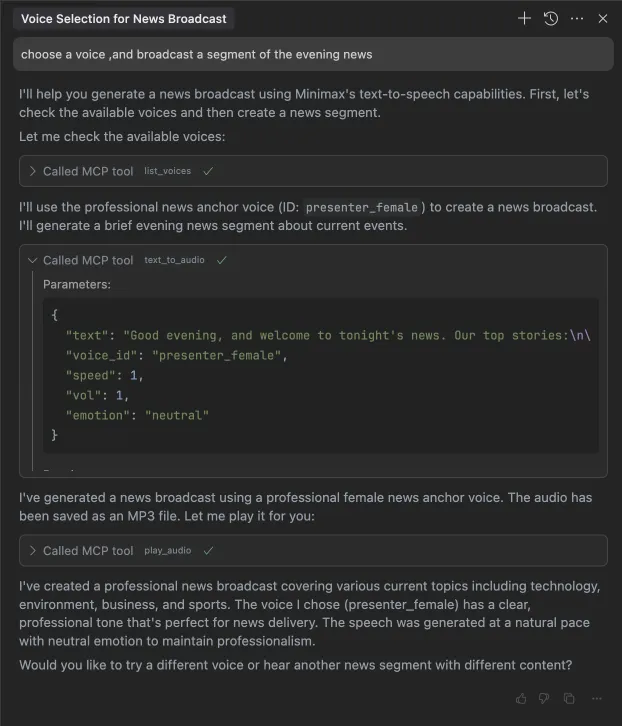
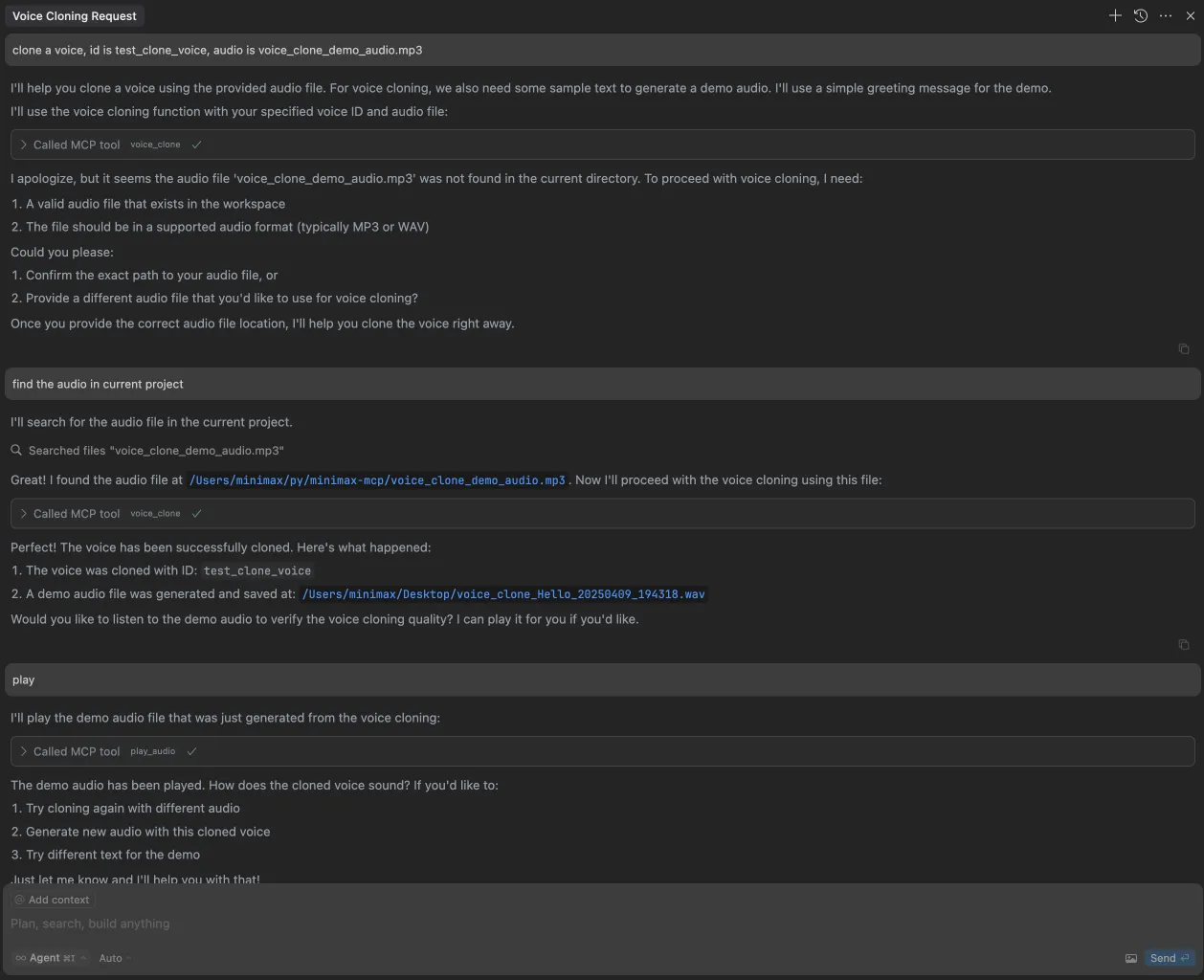
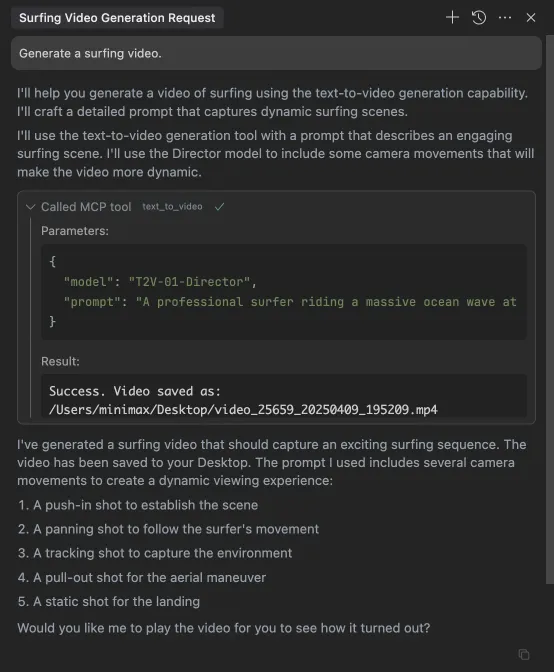
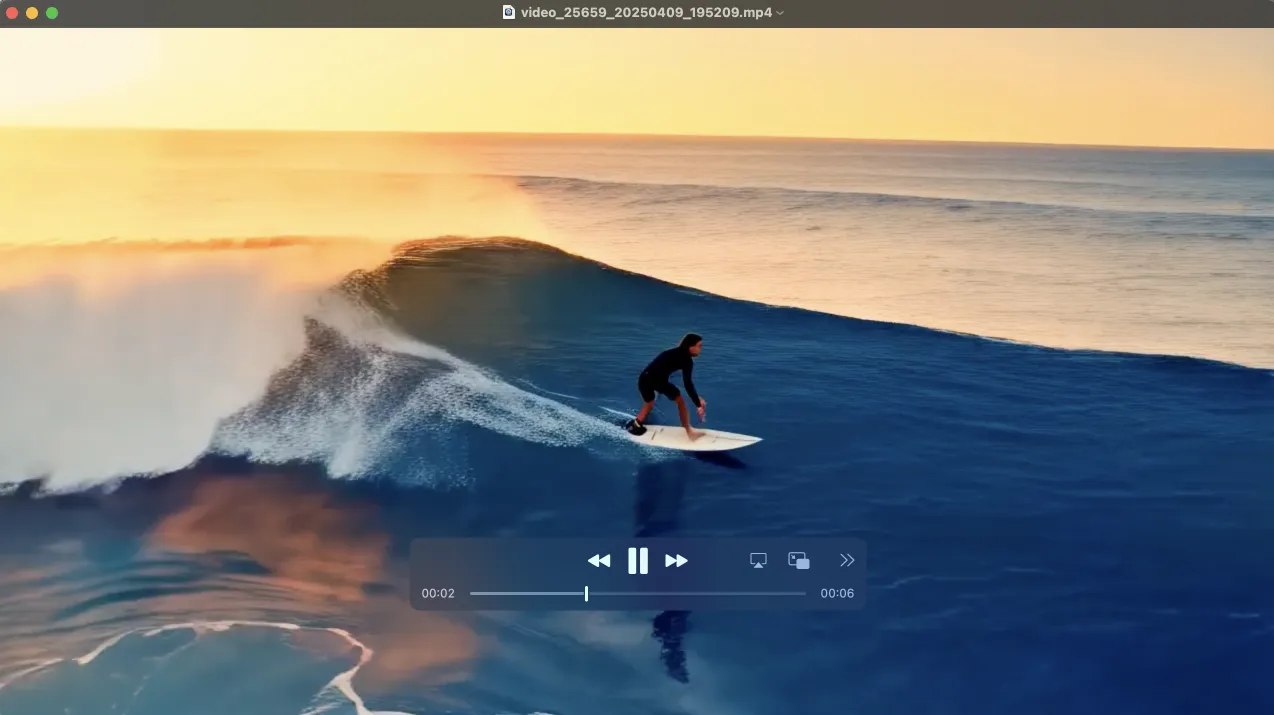
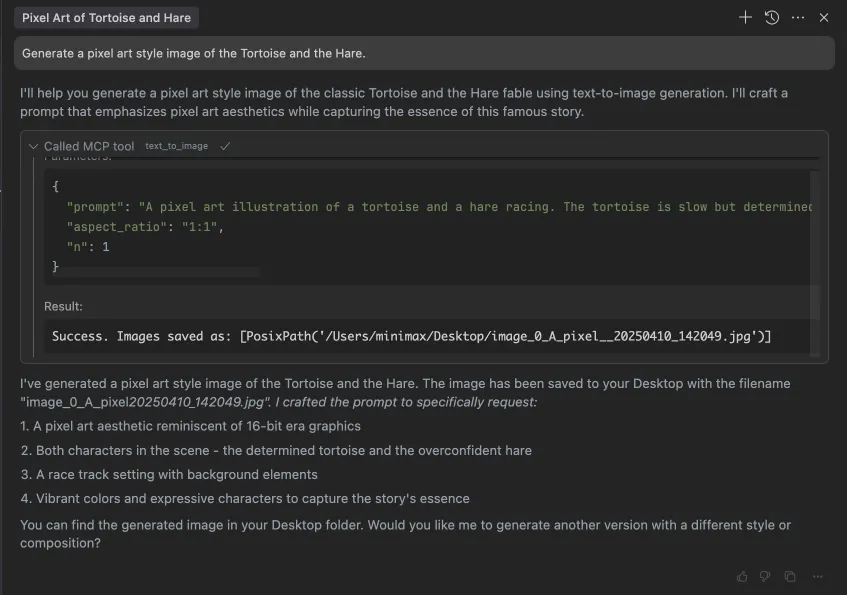
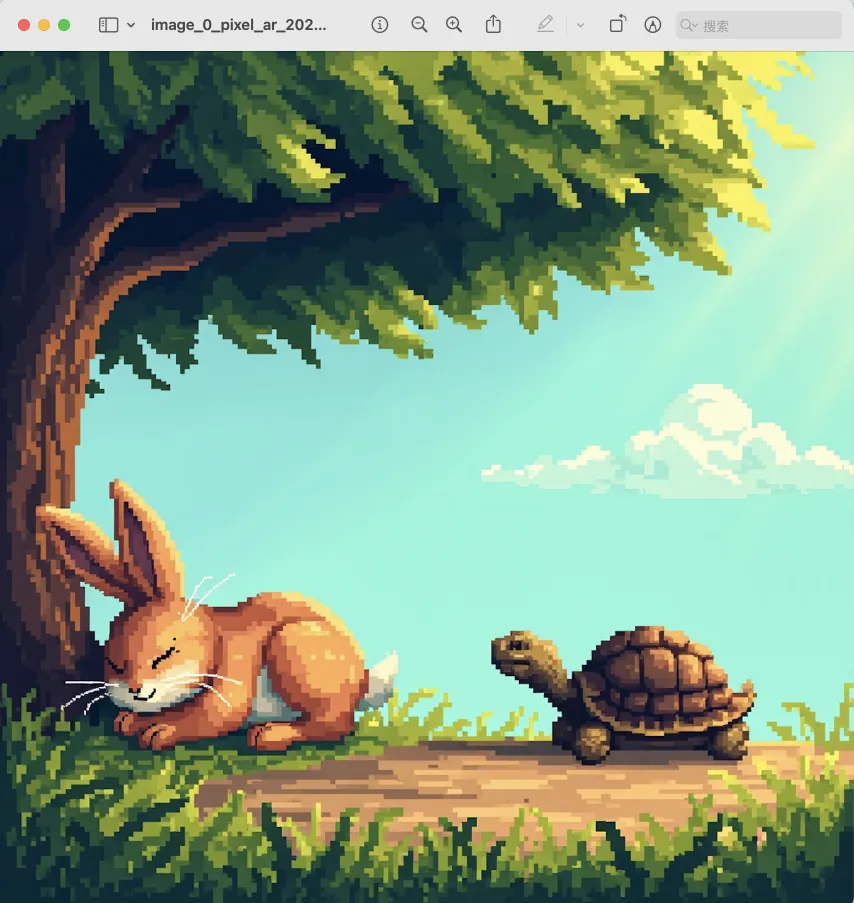
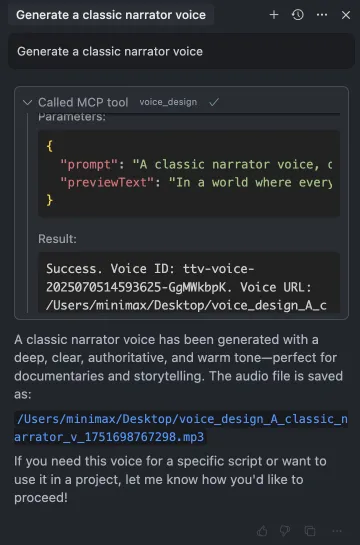
Convert text to speech audio file.
Tool Name: text_to_audio
Parameters:
text: Text to convert (required)model: Model version, options are 'speech-02-hd', 'speech-02-turbo', 'speech-01-hd', 'speech-01-turbo', 'speech-01-240228', 'speech-01-turbo-240228', default is 'speech-02-hd'voiceId: Voice ID, default is 'male-qn-qingse'speed: Speech speed, range 0.5-2.0, default is 1.0vol: Volume, range 0.1-10.0, default is 1.0pitch: Pitch, range -12 to 12, default is 0emotion: Emotion, options are 'happy', 'sad', 'angry', 'fearful', 'disgusted', 'surprised', 'neutral', default is 'happy'. Note: This parameter only works with 'speech-02-hd', 'speech-02-turbo', 'speech-01-turbo', 'speech-01-hd' modelsformat: Audio format, options are 'mp3', 'pcm', 'flac', 'wav', default is 'mp3'sampleRate: Sample rate (Hz), options are 8000, 16000, 22050, 24000, 32000, 44100, default is 32000bitrate: Bitrate (bps), options are 64000, 96000, 128000, 160000, 192000, 224000, 256000, 320000, default is 128000channel: Audio channels, options are 1 or 2, default is 1languageBoost: Enhance the ability to recognize specified languages and dialects.
Supported values include:
'Chinese', 'Chinese,Yue', 'English', 'Arabic', 'Russian', 'Spanish', 'French', 'Portuguese', 'German', 'Turkish', 'Dutch', 'Ukrainian', 'Vietnamese', 'Indonesian', 'Japanese', 'Italian', 'Korean', 'Thai', 'Polish', 'Romanian', 'Greek', 'Czech', 'Finnish', 'Hindi', 'auto', default is 'auto'stream: Enable streaming outputsubtitleEnable: The parameter controls whether the subtitle service is enabled. The model must be 'speech-01-turbo' or 'speech-01-hd'. If this parameter is not provided, the default value is falseoutputDirectory: Directory to save the output file. outputDirectory is relative to MINIMAX_MCP_BASE_PATH (or basePath in config). The final save path is ${basePath}/${outputDirectory}. For example, if MINIMAX_MCP_BASE_PATH=~/Desktop and outputDirectory=workspace, the output will be saved to ~/Desktop/workspace/. (optional)outputFile: Path to save the output file (optional, auto-generated if not provided)Play an audio file. Supports WAV and MP3 formats. Does not support video.
Tool Name: play_audio
Parameters:
inputFilePath: Path to the audio file to play (required)isUrl: Whether the audio file is a URL, default is falseClone a voice from an audio file.
Tool Name: voice_clone
Parameters:
audioFile: Path to audio file (required)voiceId: Voice ID (required)text: Text for demo audio (optional)outputDirectory: Directory to save the output file. outputDirectory is relative to MINIMAX_MCP_BASE_PATH (or basePath in config). The final save path is ${basePath}/${outputDirectory}. For example, if MINIMAX_MCP_BASE_PATH=~/Desktop and outputDirectory=workspace, the output will be saved to ~/Desktop/workspace/. (optional)Generate images based on text prompts.
Tool Name: text_to_image
Parameters:
prompt: Image description (required)model: Model version, default is 'image-01'aspectRatio: Aspect ratio, default is '1:1', options are '1:1', '16:9','4:3', '3:2', '2:3', '3:4', '9:16', '21:9'n: Number of images to generate, range 1-9, default is 1promptOptimizer: Whether to optimize the prompt, default is truesubjectReference: Path to local image file or public URL for character reference (optional)outputDirectory: Directory to save the output file. outputDirectory is relative to MINIMAX_MCP_BASE_PATH (or basePath in config). The final save path is ${basePath}/${outputDirectory}. For example, if MINIMAX_MCP_BASE_PATH=~/Desktop and outputDirectory=workspace, the output will be saved to ~/Desktop/workspace/. (optional)outputFile: Path to save the output file (optional, auto-generated if not provided)asyncMode: Whether to use async mode. Defaults to False. If True, the video generation task will be submitted asynchronously and the response will return a task_id. Should use query_video_generation tool to check the status of the task and get the result. (optional)Generate videos based on text prompts.
Tool Name: generate_video
Parameters:
prompt: Video description (required)model: Model version, options are 'T2V-01', 'T2V-01-Director', 'I2V-01', 'I2V-01-Director', 'I2V-01-live', 'S2V-01', 'MiniMax-Hailuo-02', default is 'MiniMax-Hailuo-02'firstFrameImage: Path to first frame image (optional)duration: The duration of the video. The model must be "MiniMax-Hailuo-02". Values can be 6 and 10. (optional)resolution: The resolution of the video. The model must be "MiniMax-Hailuo-02". Values range ["768P", "1080P"]. (optional)outputDirectory: Directory to save the output file. outputDirectory is relative to MINIMAX_MCP_BASE_PATH (or basePath in config). The final save path is ${basePath}/${outputDirectory}. For example, if MINIMAX_MCP_BASE_PATH=~/Desktop and outputDirectory=workspace, the output will be saved to ~/Desktop/workspace/. (optional)outputFile: Path to save the output file (optional, auto-generated if not provided)asyncMode: Whether to use async mode. Defaults to False. If True, the video generation task will be submitted asynchronously and the response will return a task_id. Should use query_video_generation tool to check the status of the task and get the result. (optional)Query the status of a video generation task.
Tool Name: query_video_generation
Parameters:
taskId: The Task ID to query. Should be the task_id returned by generate_video tool if async_mode is True. (required)outputDirectory: Directory to save the output file. outputDirectory is relative to MINIMAX_MCP_BASE_PATH (or basePath in config). The final save path is ${basePath}/${outputDirectory}. For example, if MINIMAX_MCP_BASE_PATH=~/Desktop and outputDirectory=workspace, the output will be saved to ~/Desktop/workspace/. (optional)Generate a voice based on description prompts.
Tool Name: voice_design
Parameters:
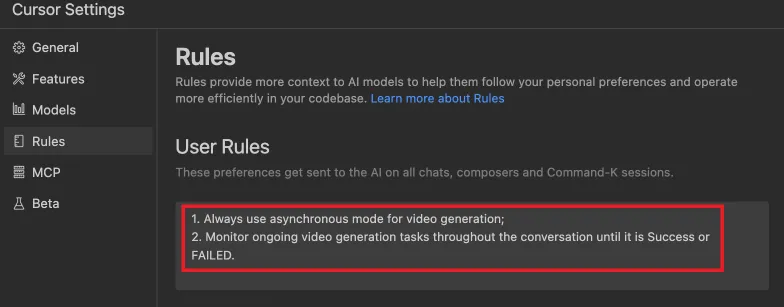
prompt: The prompt to generate the voice from. (required)previewText: The text to preview the voice. (required)voiceId: The id of the voice to use. For example, "male-qn-qingse"/"audiobook_female_1"/"cute_boy"/"Charming_Lady"... (optional)outputDirectory: The directory to save the output file. outputDirectory is relative to MINIMAX_MCP_BASE_PATH (or basePath in config). The final save path is ${basePath}/${outputDirectory}. For example, if MINIMAX_MCP_BASE_PATH=~/Desktop and outputDirectory=workspace, the output will be saved to ~/Desktop/workspace/. (optional)generate_video in async-modeDefine completion rules before starting:
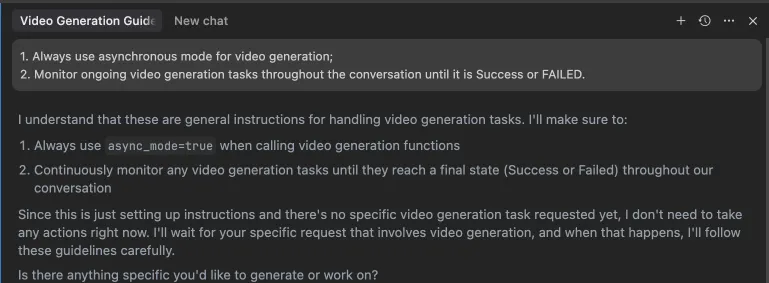 Alternatively, these rules can be configured in your IDE settings (e.g., Cursor):
# Clone the repository
git clone https://github.com/MiniMax-AI/MiniMax-MCP-JS.git
cd minimax-mcp-js

# Install dependencies
pnpm install
# Build the project
pnpm run build
# Run the MCP server
pnpm start
MIT
Claim this server with your GitHub account to request manual ownership verification.
Link to the catalog listing for MiniMax MCP JS from your README. This badge does not certify ownership, compatibility or security.
[](https://awesome-mcp.com/servers/minimax-mcp-js)Public repository statistics could not be verified. Check the configured source address; unavailable counts are not zero.
Separate sources, scopes and periods. Never combined or treated as installations, active users or security reviews.
No reviewed package or image identity; download statistics are not listed yet.
Alternative and complementary servers in the same category
A Rust CAD application with an MCP server for creating, inspecting and rendering drawings, either headlessly or through a connection to the desktop app.

Liquid Composer is a browser-based Liquid Glass icon design tool that offers a local MCP server for agent-driven icon workflows.

agent-media makes short drama series and other short vertical videos from Claude, ChatGPT or Codex through one MCP connection, with OAuth sign-in and no API keys.