
A directory listing describing a cancellation-letter and mailing-address service. The configured public GitHub repository returned 404 during source verification.
Repository stats unavailable
Developer Tools
A front-end development middleware for proxying requests and mocking data that also offers an MCP service for AI editors to retrieve mock or recent request data.
mocxykit is cataloged as an MCP server attributed to shunseven. A front-end development middleware for proxying requests and mocking data that also offers an MCP service for AI editors to retrieve mock or recent request data. It is categorized under developer tools. See the capability inspector for recorded interfaces and their independent review status; consult upstream documentation for the current interface.
Installation configuration is not reviewed. No executable setup is offered for this entry; inspect the source repository before proceeding.
Catalog license label: MIT. Check the source repository's current license and terms before using, modifying or distributing this software.
Capability definitions are not reviewed. Unreviewed imports are not exposed as trusted interfaces.
No reviewed records to display. This does not establish that upstream lacks this capability.
No reviewed records to display. This does not establish that upstream lacks this capability.
No reviewed records to display. This does not establish that upstream lacks this capability.
Email delivery is not connected. This page does not collect email addresses or create subscriptions.
Browse the registry for current listings instead.
Reviews for mocxykit are not available yet
Review publishing and storage are not connected. This page does not collect or publish ratings or comments, including after sign-in.
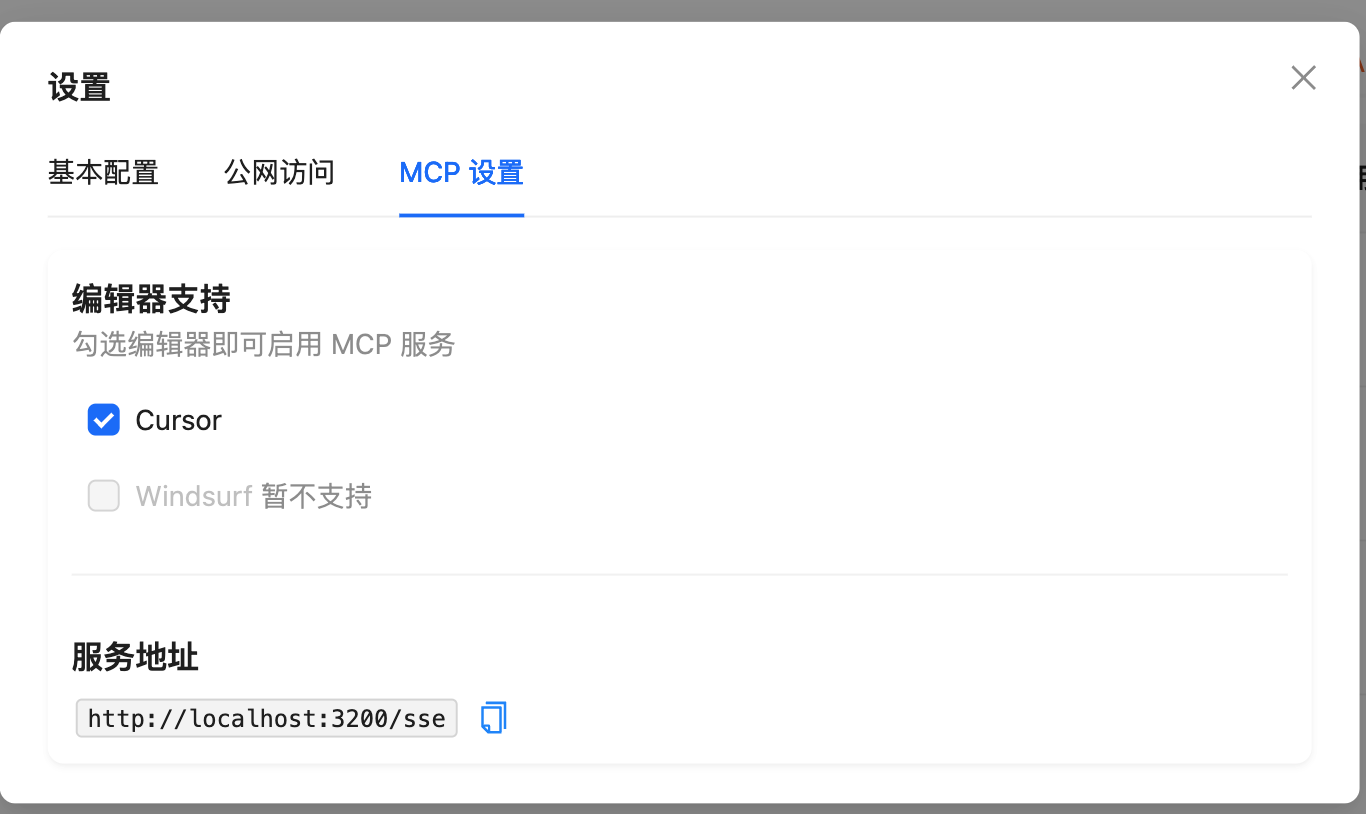
When using an MCP-enabled AI editor like cursor, the AI can request data through the MCP protocol by referring to the interface path; the mocxykit configuration interface's settings allow enabling the MCP service for the editor.
It depends on the configured data target: if set to mock, data comes from mock data; if set to proxy, or if the URL is only covered by the global proxy rule, it comes from the browser's recent request data.
README.md · bacc897399ef · Fetched 2026-11-13 09:43:38 UTC
Original upstream text, without AI rewriting. Scripts, forms and unsafe links are filtered for safety.
Showing the last retrieved documentation snapshot; check the source for current changes.
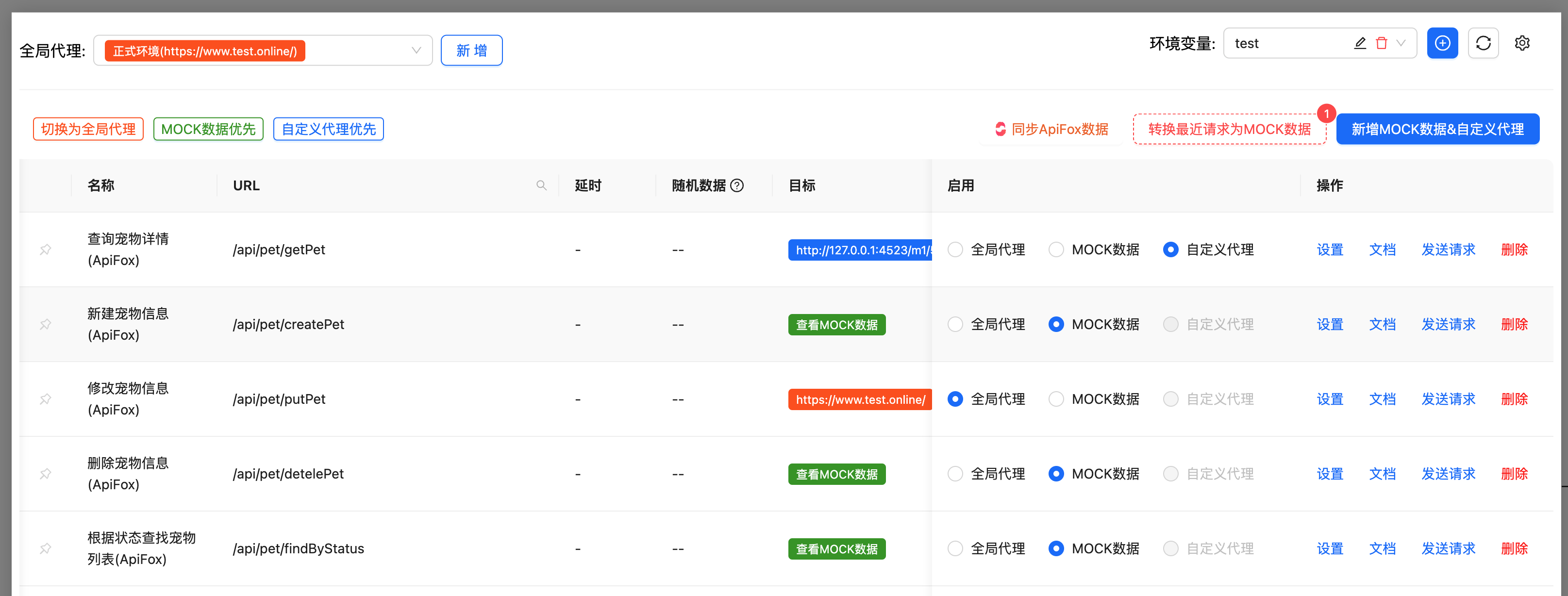
前端开发服务的中间件,主要用于代理请求和 MOCK 数据,可用于所有 webpack,vite和其它所有前端开发服务启动服务的开发项目, 此中间件应仅用于开发。
首先,安装模块:
npm install mocxykit --save-dev
修改 webpack.config.js
const { WebpackProxyMockPlugin } = require('mocxykit')
module.exports = {
  //...
  devServer: {
    ...
  },
  plugins: [
      // 在 wepback 中会在插件里获取 devServer 并注入代理,devServer 不需要再配制
      new WebpackProxyMockPlugin({
        apiRule: '/api/*',
        lang: 'zh'
      })
  ]
};
// vue.config.js 或者其它 webpack config 文件
const { proxyMockMiddleware } = require('mocxykit')

module.exports = {
  //...
   devServer: {
     before(app) {
      app.use(proxyMockMiddleware({
        apiRule: '/api/*',
        lang: 'en'
      }))
    }
   }
};
// vite.config.js
import { defineConfig } from 'vite'
import { viteProxyMockPlugin } from 'mocxykit'

export default defineConfig({
  plugins: [
    viteProxyMockPlugin({
      apiRule: '/api/*',
      lang: 'zh',
      buttonPosition: 'bottom', // 可选:'top'(顶部)、'middle'(中间)、'bottom'(底部) 或坐标格式如 '100,100'
    })
  ]
})
const proxyMockPlugin = new WebpackProxyMockPlugin({
        apiRule: '/api/*',
        lang: 'zh'
      })
module.exports = {
  //...
  devServer: {
    setupMiddlewares: (middlewares, devServer) => {
      // 在vue中,因 vue-cli在webpack 编译完成后,才注入 devServer,插件中获取不到 devServer配制,需要手动注入代理中间件
      proxyMockPlugin.setupDevServer(devServer.app);
      return middlewares;
    }
  },
  plugins: [
      proxyMockPlugin
  ]
};
const { proxyMockMiddleware } = require("mocxykit");
const express = require("express");
const app = express();

app.use(
  proxyMockMiddleware({
    // express-proxy-mock options
  }),
);

app.listen(3000, () => console.log("Example app listening on port 3000!"));
// rsbuild.config.js
import { defineConfig } from '@rsbuild/core';
import { rsbuildProxyMockPlugin } from 'mocxykit';

export default defineConfig({
  // Rsbuild 配置
  plugins: [
    rsbuildProxyMockPlugin({
      apiRule: '/api/*',
      lang: 'zh',
      buttonPosition: 'bottom', // 可选:'top'(顶部)、'middle'(中间)、'bottom'(底部) 或坐标格式如 '100,100'
    }),
  ],
});
浏览器打开 http://localhost:3000/config 就可以看到代理与 MOCK 数据的配制界面 vite, Rsbuild 项目会在页面右下角显示一个按钮,点击按钮即可打开配置页面
请参阅下文以获取 vite, 与 webpack, 及 vueConfig 使用示例。
| 名称 | 类型 | 默认值 | 描述 |
|---|---|---|---|
apiRule | string | 空值 | 全局代理的匹配规则如“/api/*“为代理api开头的请求, 有多个规则用','隔开如'/api/*,/test/*, 当空值时代理所有的 Accept 头是否包含 application/json 或 text/xml 及 Ajax 请求' |
https | boolean | true | 是否代理 https 请求 |
configPath | string | /config | 打开配制页面的地址,默认为http://localhost:3000/config |
cacheRequestHistoryMaxLen | number | 30 | 缓存请求数据的最大条数 |
lang | string | zh | 语言 |
buttonPosition | 'top' | 'middle' | 'bottom' | string | bottom | 配置按钮位置(仅在Vite中生效)。可选值:'top'(顶部)、'middle'(中间)、'bottom'(底部)或坐标格式如'100,100' |
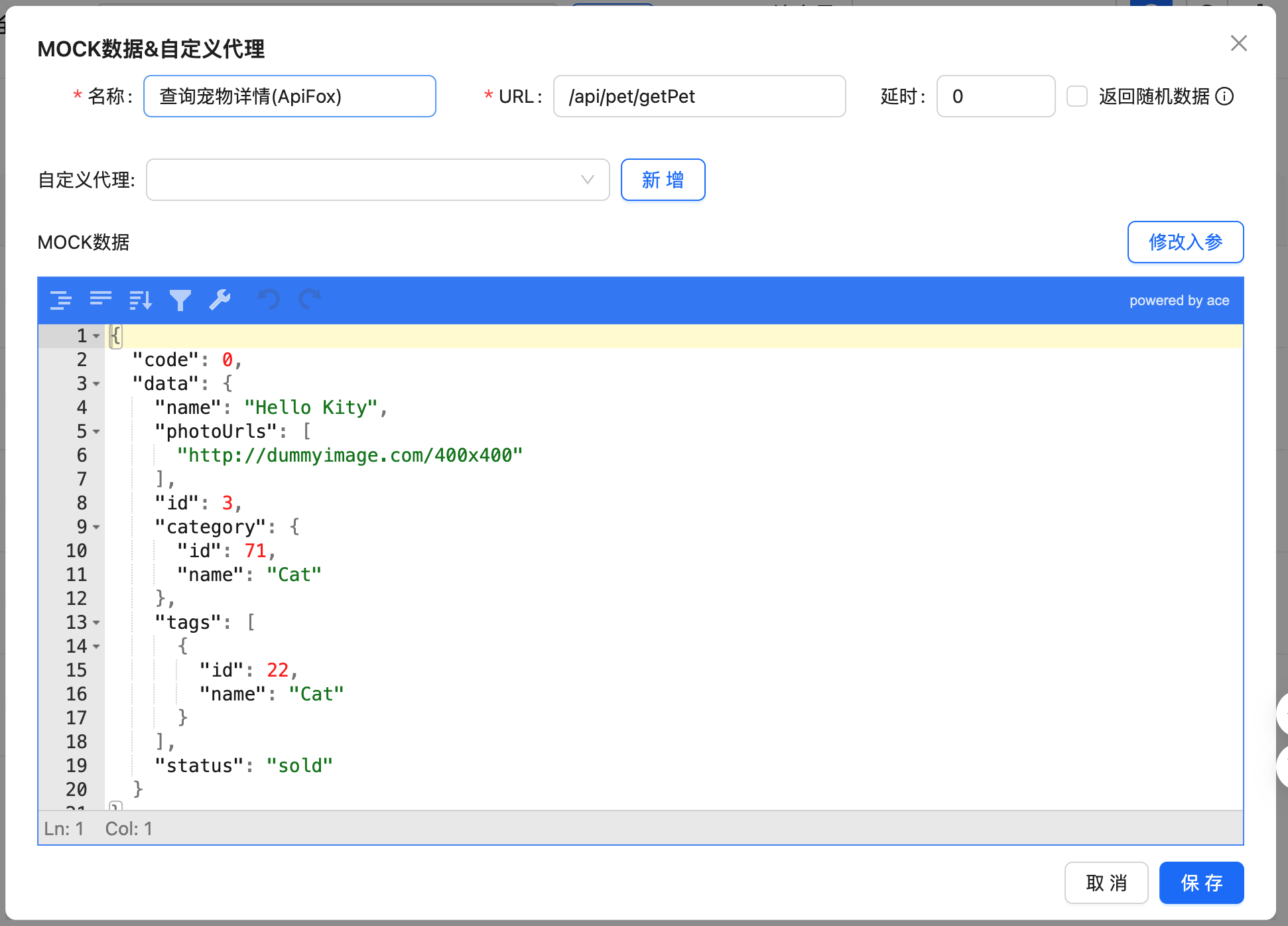
mocxykit 内置了强大的API请求发送工具,让您可以直接在配置界面中测试和调试API接口,无需切换到其他工具。
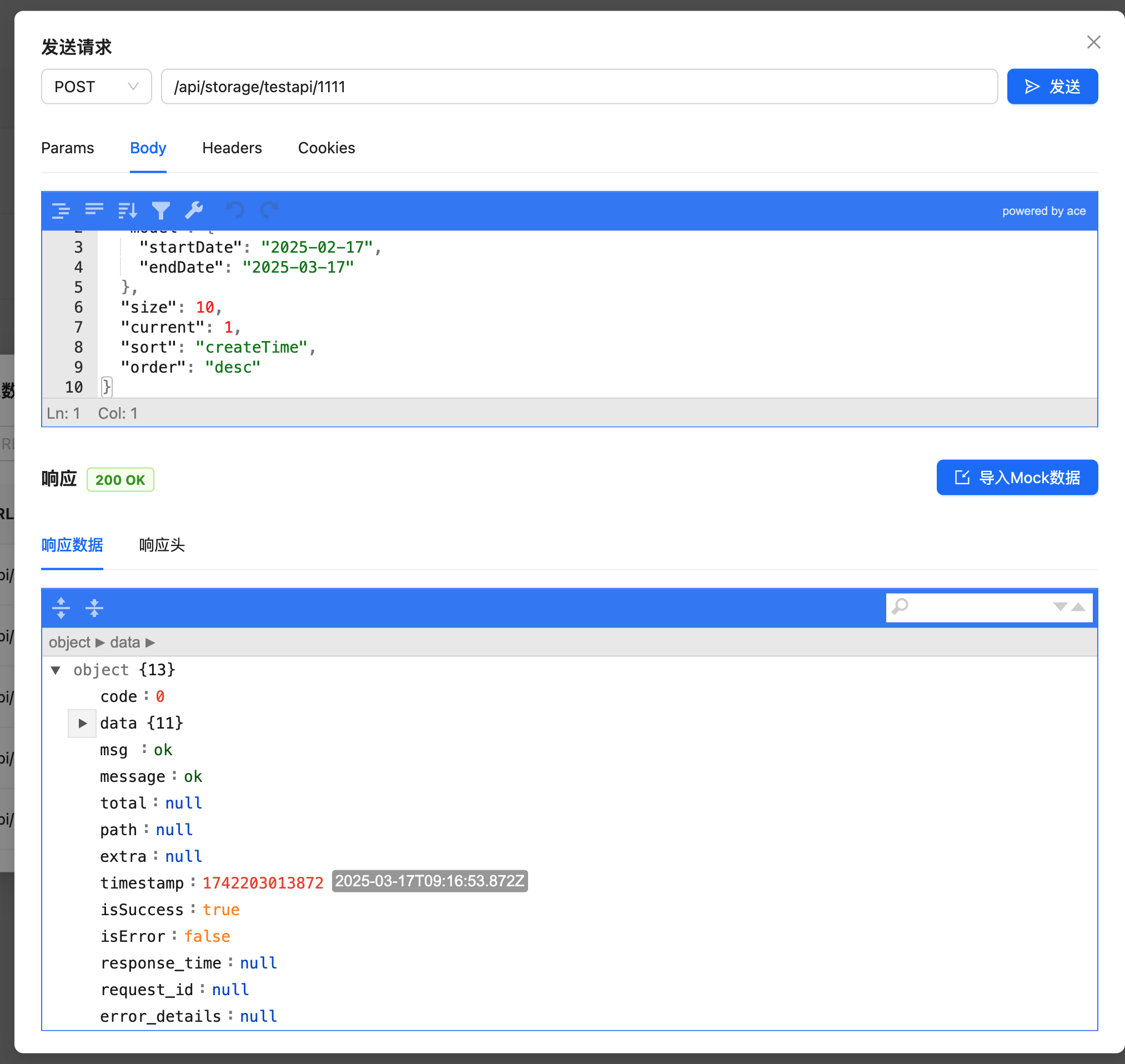
mocxykit 支持与 ApiFox 平台集成,让您可以轻松同步 ApiFox 中的 API 数据到本地开发环境,包括MOCK数据及文档。
启用自动同步功能后,mocxykit 将在每次页面加载时自动从 ApiFox 获取最新的 API 数据,确保您的本地开发环境始终使用最新的 API 定义。
同步 ApiFox 数据后,您可以在 mocxykit 界面中查看详细的 API 文档,包括:
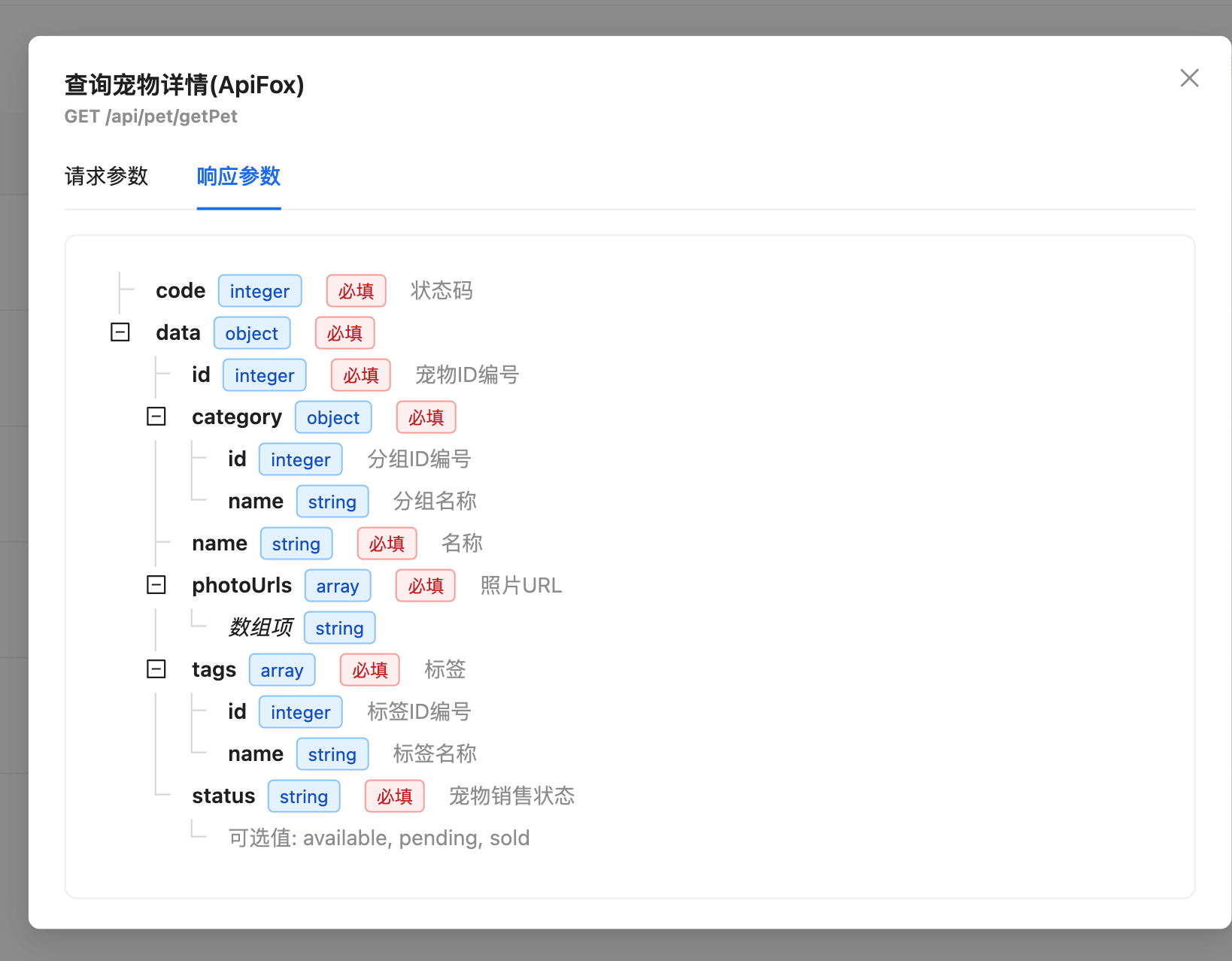
MCP是一个基于SSE(Server-Sent Events)的实时数据通信协议实现,它提供了以下功能:
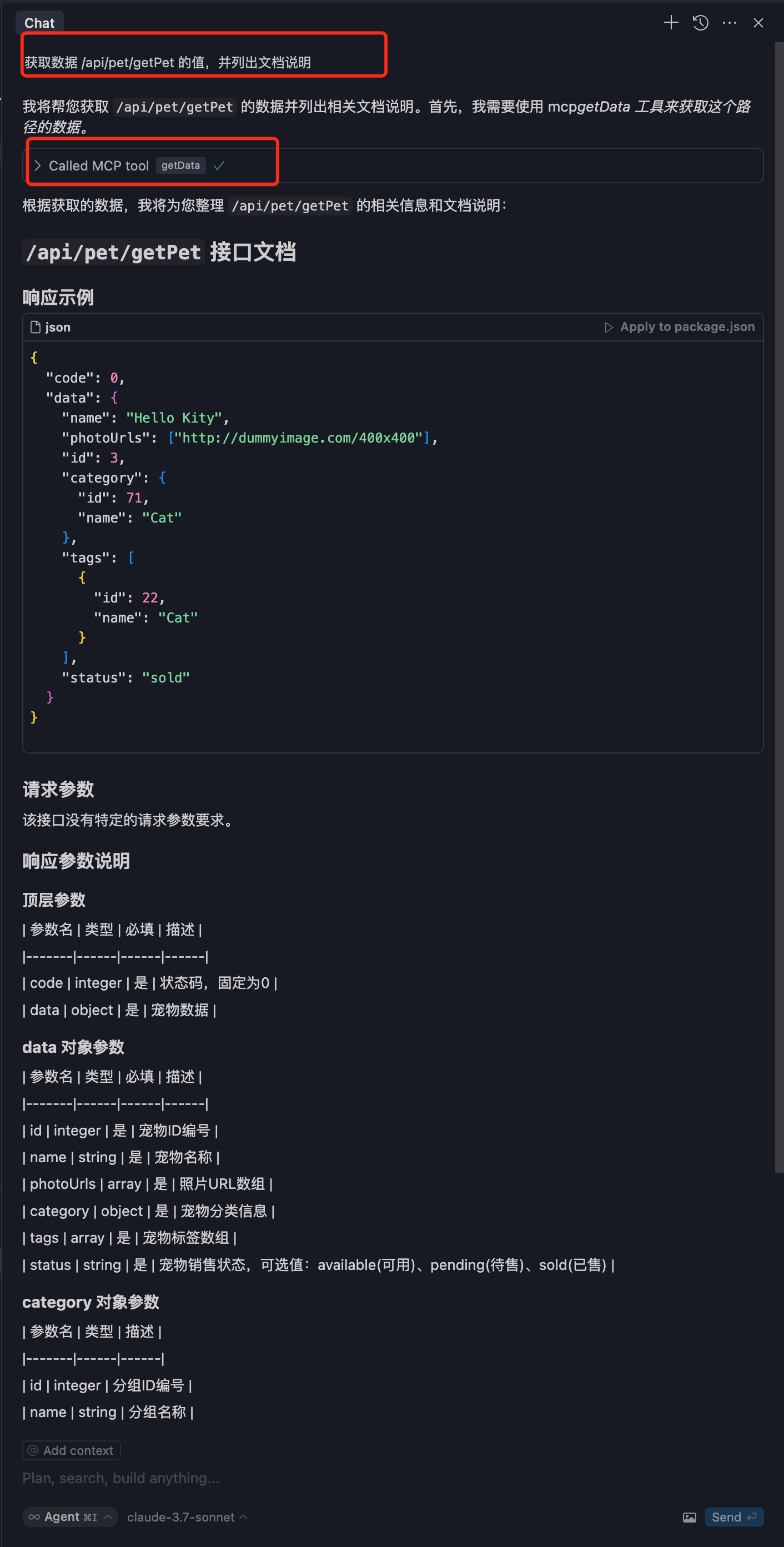
在 cursor 等,支持 MCP 的 AI 编辑器,通过MCP协议,实现了在 AI 编程的时候,只要告诉 AI 对应的接口路径,AI就可以自动获取到对应的 MOCK 数据或浏览最近请求过的数据,无需人工干预。具体是MOCK 数据或浏览最近请求过的数据,根据你的数据目标设定,如果设定 mock 就会从MOCK 数据中获取,如果是代理就会比浏览器最近请求的数据中获取。如果是没有配制的URL,但符合全局代理也会从浏览器最近请求的数据中获取。
点击 mocxykit 配制界面的右上角的设置ICON,切换到 MCP设置,启用 MCP 服务勾选对于的编辑器就可以了,最后还需要在cursor的设置中,在 MCP的设置项中的右边是否显示 disabled(默认是不开启),如果是,则点一下开启这个服务。
在AI 编程中要让 AI 主动请求数据,需要写关键词 mcpData
在@todoList.tsx一个文件中实现一个 todoList 的功能,有展示列表及增加列表的功能,请求 mcpData api/todo-list获取列表数据结构,请求 mcpData api/todo-list/add 增加列表数据。
这样 AI 就会主动请求数据,然后根据数据结构生成代码。
在 @todoList.tsx 文件中,请求 mcpData api/todo-list 获取数据,根据返回的错误数据,弹层显示错误信息。
这样 AI 就会主动获取到错误数据,分析结构然后弹层显示错误信息。
data.list<100> 生成100条随机数据data.list,page.totaldata - 随机化整个data对象data.list - 只随机化list字段data.list<100> - 生成100条随机数据data,page.total - 多个字段随机化代理支持环境变量管理功能,您可以:
要启用环境变量功能,您需要:
本中间件支持使用 Ngrok 进行公网访问,让您的本地开发环境可以:
http://localhost:3000/config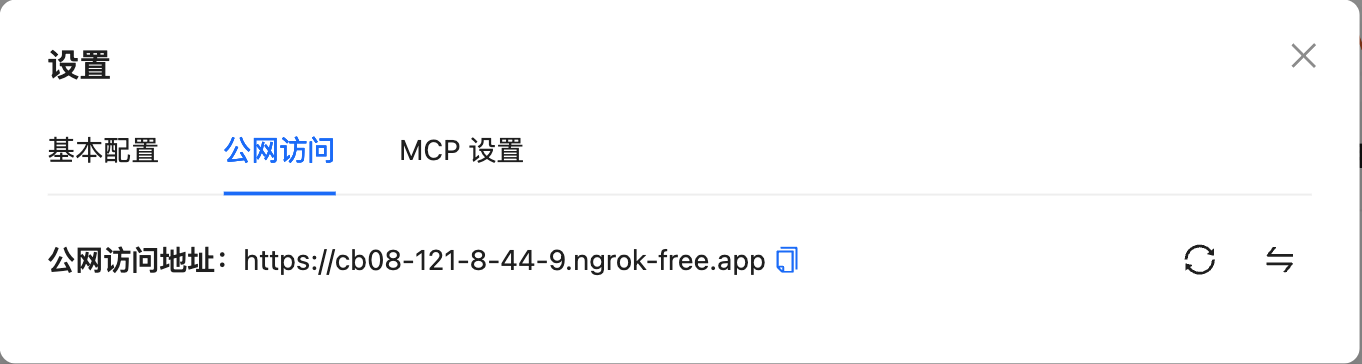
QQ群:930832439
Claim this server with your GitHub account to request manual ownership verification.
Link to the catalog listing for mocxykit from your README. This badge does not certify ownership, compatibility or security.
[](https://awesome-mcp.com/servers/mocxykit)Public repository statistics could not be verified. Check the configured source address; unavailable counts are not zero.
Separate sources, scopes and periods. Never combined or treated as installations, active users or security reviews.
No reviewed package or image identity; download statistics are not listed yet.
Alternative and complementary servers in the same category
A directory listing describing a cancellation-letter and mailing-address service. The configured public GitHub repository returned 404 during source verification.

A hosted MCP service for browsing and searching through Singapore mobile-network proxies.

A directory listing describing a Markdown-to-PDF service. The configured public GitHub repository returned 404 during source verification.