
A directory listing describing a cancellation-letter and mailing-address service. The configured public GitHub repository returned 404 during source verification.
Repository stats unavailable
Developer Tools
A Model Context Protocol server for OpenDigger that offers repository analytics tools and prompts.
OpenDigger MCP Server is cataloged as an MCP server attributed to x-lab2017. A Model Context Protocol server for OpenDigger that offers repository analytics tools and prompts. It is categorized under developer tools. See the capability inspector for recorded interfaces and their independent review status; consult upstream documentation for the current interface.
Installation configuration is not reviewed. No executable setup is offered for this entry; inspect the source repository before proceeding.
Catalog license label: Apache-2.0 License. Check the source repository's current license and terms before using, modifying or distributing this software.
Capability definitions are not reviewed. Unreviewed imports are not exposed as trusted interfaces.
No reviewed records to display. This does not establish that upstream lacks this capability.
No reviewed records to display. This does not establish that upstream lacks this capability.
No reviewed records to display. This does not establish that upstream lacks this capability.
Email delivery is not connected. This page does not collect email addresses or create subscriptions.
Browse the registry for current listings instead.
Reviews for OpenDigger MCP Server are not available yet
Review publishing and storage are not connected. This page does not collect or publish ratings or comments, including after sign-in.
The server covers core metrics such as openrank, stars, forks, contributors and activity, plus extended metrics including bus_factor, releases, maintainer_count and several additional commit, issue and pull request metrics.
The server offers six tools and three prompts.
README.md · b06069f8b324 · Fetched 2026-11-13 10:17:54 UTC
Original upstream text, without AI rewriting. Scripts, forms and unsafe links are filtered for safety.
Showing the last retrieved documentation snapshot; check the source for current changes.
A Model Context Protocol (MCP) server for OpenDigger enabling advanced repository analytics and insights through tools and prompts.
# Setup
git clone https://github.com/X-lab2017/open-digger-mcp-server.git

# (Optional) Ensure you're on the master branch
git checkout master

cd open-digger-mcp-server && cd mcp-server
npm install
npm run build

# Start server
npm start
[!IMPORTANT]
Don't forget to configure Cursor (update path in .cursor/mcp.json)
Expected output:
OpenDigger MCP Server running (on stdio)...
[!IMPORTANT]
If you are using Cursor AI IDE, you should see the MCP server (open-digger-mcp) toast in the bottom-left corner. You should enable it, & now you can start using the tools and prompts provided by the MCP server. To verify, open Cursor Settings and check the MCP Servers section → you should seeopen-digger-mcplisted there.
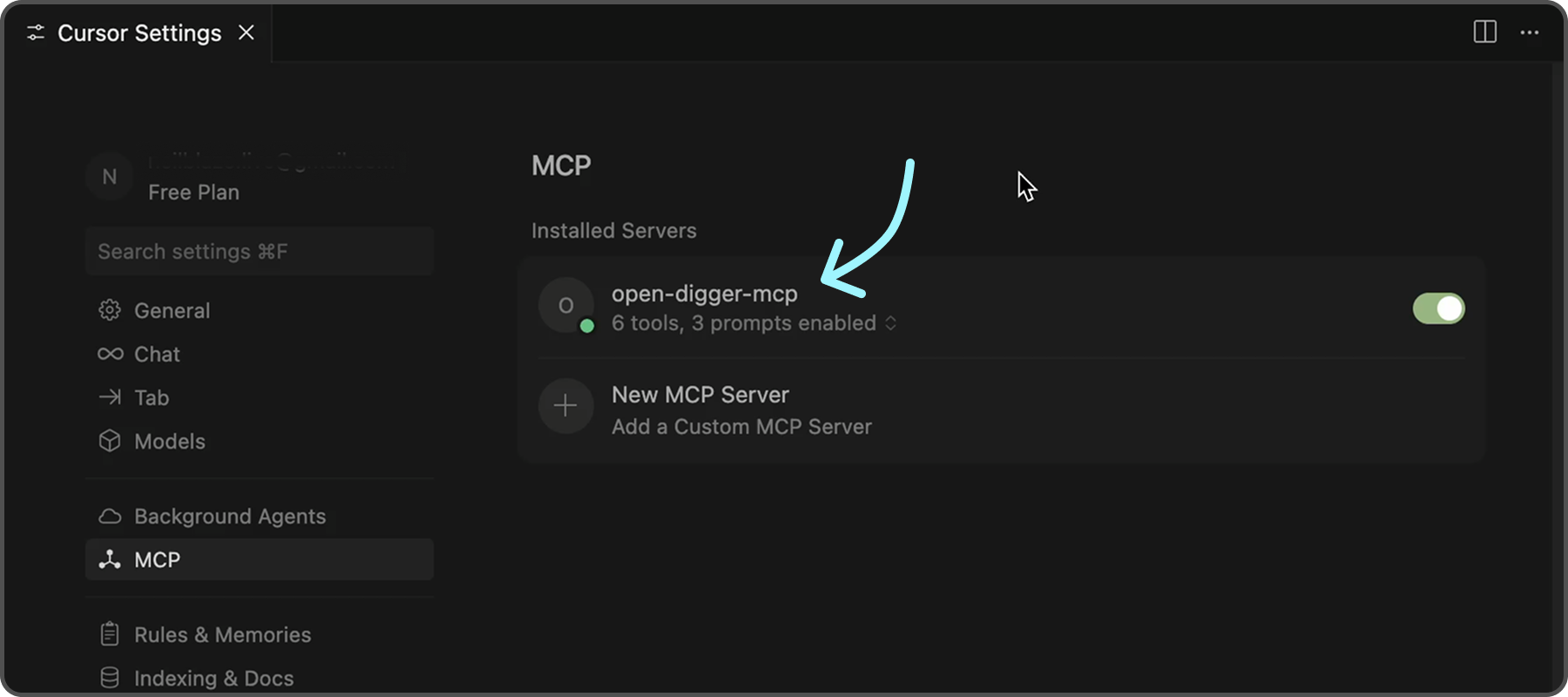
To further confirm that the server is functioning correctly, you can check the following indicators in Cursor:
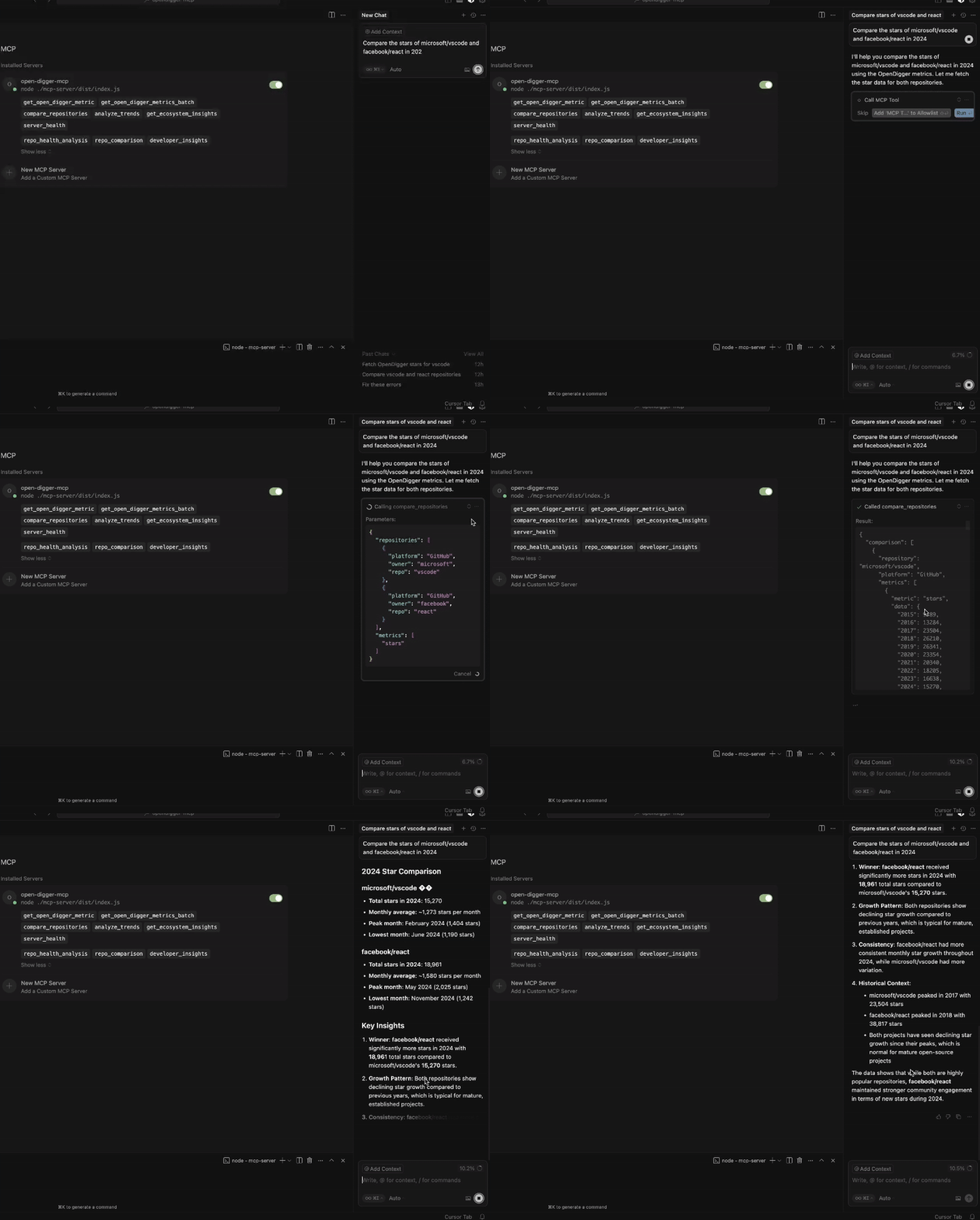
[!TIP] Please refer to
Installation.mdfor detailed installation instructions and configuration options for different IDEs.
| No. | Tool | Description |
|---|---|---|
| 1 | get_open_digger_metric | Fetch single repository metrics |
| 2 | get_open_digger_metrics_batch | Batch operations for multiple metrics |
| 3 | compare_repositories | Multi-repository comparative analysis |
| 4 | analyze_trends | Growth trend analysis over time periods |
| 5 | get_ecosystem_insights | Ecosystem analytics & insights |
| 6 | server_health | System diagnostics and health monitoring (Beta) |
repo_health_analysis - Comprehensive repository health reportsrepo_comparison - Competitive repository analysisdeveloper_insights - Developer activity and contribution analysisCore Metrics: openrank, stars, forks, contributors, participants, issues_new, issues_closed, pull_requests, commits, activity
Extended Metrics: technical_fork, bus_factor, releases, inactive_contributors, maintainer_count, community_activity
Additional Metrics: change_requests, pull_requests_accepted, pull_requests_merged, issue_comments, issue_response_time, code_change_lines, developer_network
Compare microsoft/vscode and facebook/react using the compare_repositories tool
Generate a health report for microsoft/vscode using the repo_health_analysis prompt
Analyze the growth trends for contributors in microsoft/vscode over 2 years
After starting the server, verify it's working:
# In a new terminal
echo '{"jsonrpc":"2.0","id":1,"method":"tools/list","params":{}}' | node dist/index.js
Expected response should list all 6 tools.
# Cache configuration (recommended)
CACHE_TTL_SECONDS=300

# Optional SSE server
SSE_PORT=3001
SSE_HOST=127.0.0.1
{
  "mcpServers": {
    "open-digger": {
      "command": "node",
      "args": ["/full/path/to/dist/index.js"],
      "cwd": "/full/path/to/project",
      "env": {
        "CACHE_TTL_SECONDS": "300"
      }
    }
  }
}
[!TIP] Replace
/full/path/to/open-digger-mcp-serverwith your actual project directory path. Usepwdto get the current directory path.
npm run watch           # Development mode
npm run build           # Compile TypeScript
npm run clean           # Clean build files
npm run sse:test        # Test SSE server
[!TIP] Beside Cursor, you can also use other MCP clients like VS Code, Claude Chat, or the official MCP Inspector.
Server not appearing in Cursor:
.cursor/mcp.jsonPermission errors:
chmod +x dist/index.js
Build errors:
npm run clean
npm install
npm run build
Cache issues:
# Clear npm cache
npm cache clean --force

# Rebuild
npm run clean && npm run build
git checkout -b feature/amazing-feature)git commit -m 'Add amazing feature')git push origin feature/amazing-feature)Apache-2.0 License - see LICENSE file for details.
Claim this server with your GitHub account to request manual ownership verification.
Link to the catalog listing for OpenDigger MCP Server from your README. This badge does not certify ownership, compatibility or security.
[](https://awesome-mcp.com/servers/open-digger-mcp-server)Public repository statistics could not be verified. Check the configured source address; unavailable counts are not zero.
Separate sources, scopes and periods. Never combined or treated as installations, active users or security reviews.
No reviewed package or image identity; download statistics are not listed yet.
Alternative and complementary servers in the same category
A directory listing describing a cancellation-letter and mailing-address service. The configured public GitHub repository returned 404 during source verification.

A hosted MCP service for browsing and searching through Singapore mobile-network proxies.

A directory listing describing a Markdown-to-PDF service. The configured public GitHub repository returned 404 during source verification.