OpenStreetMap (OSM) MCP Server
An OpenStreetMap MCP server implementation that enhances LLM capabilities with location-based services and geospatial data.
Demo
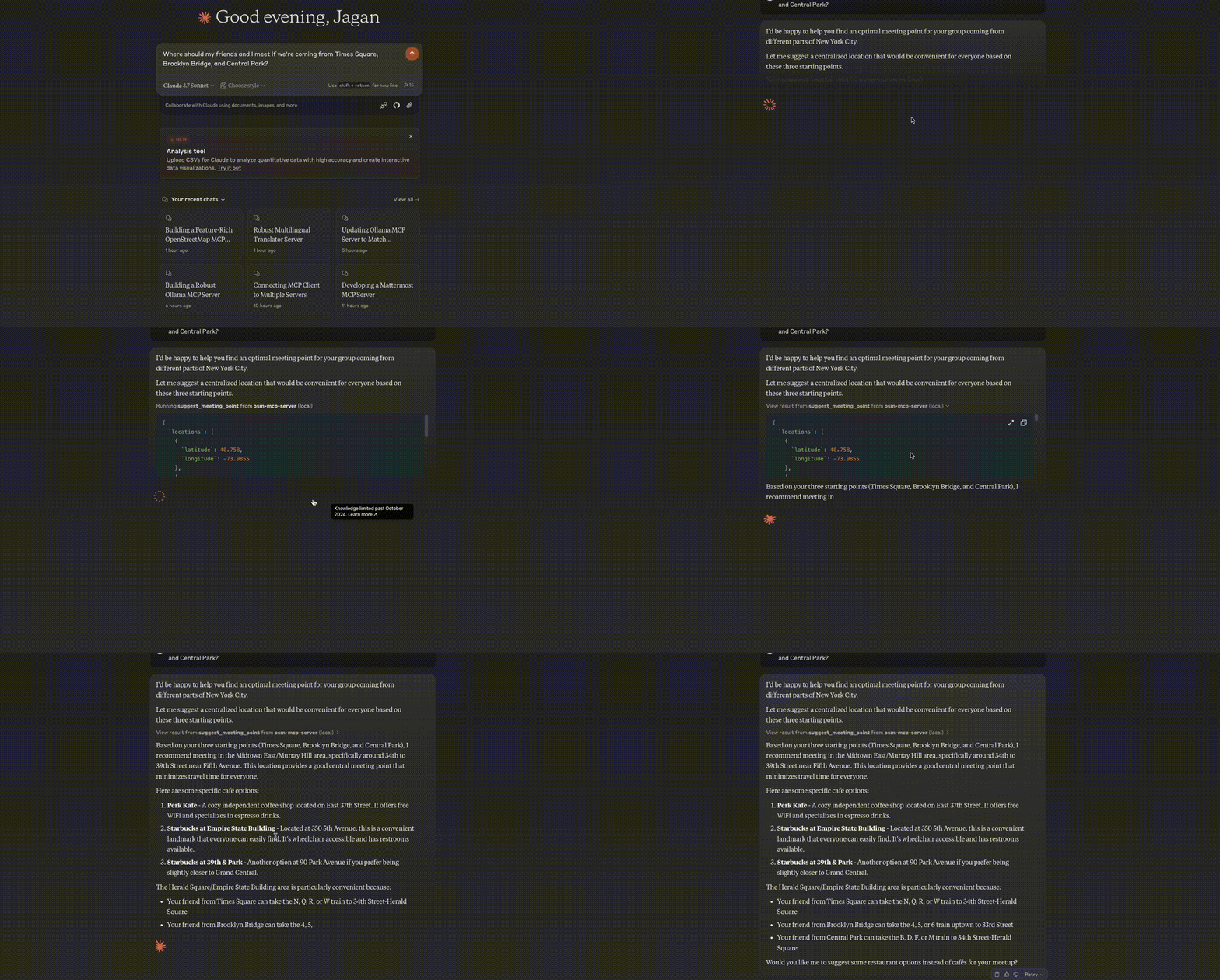
Meeting Point Optimization
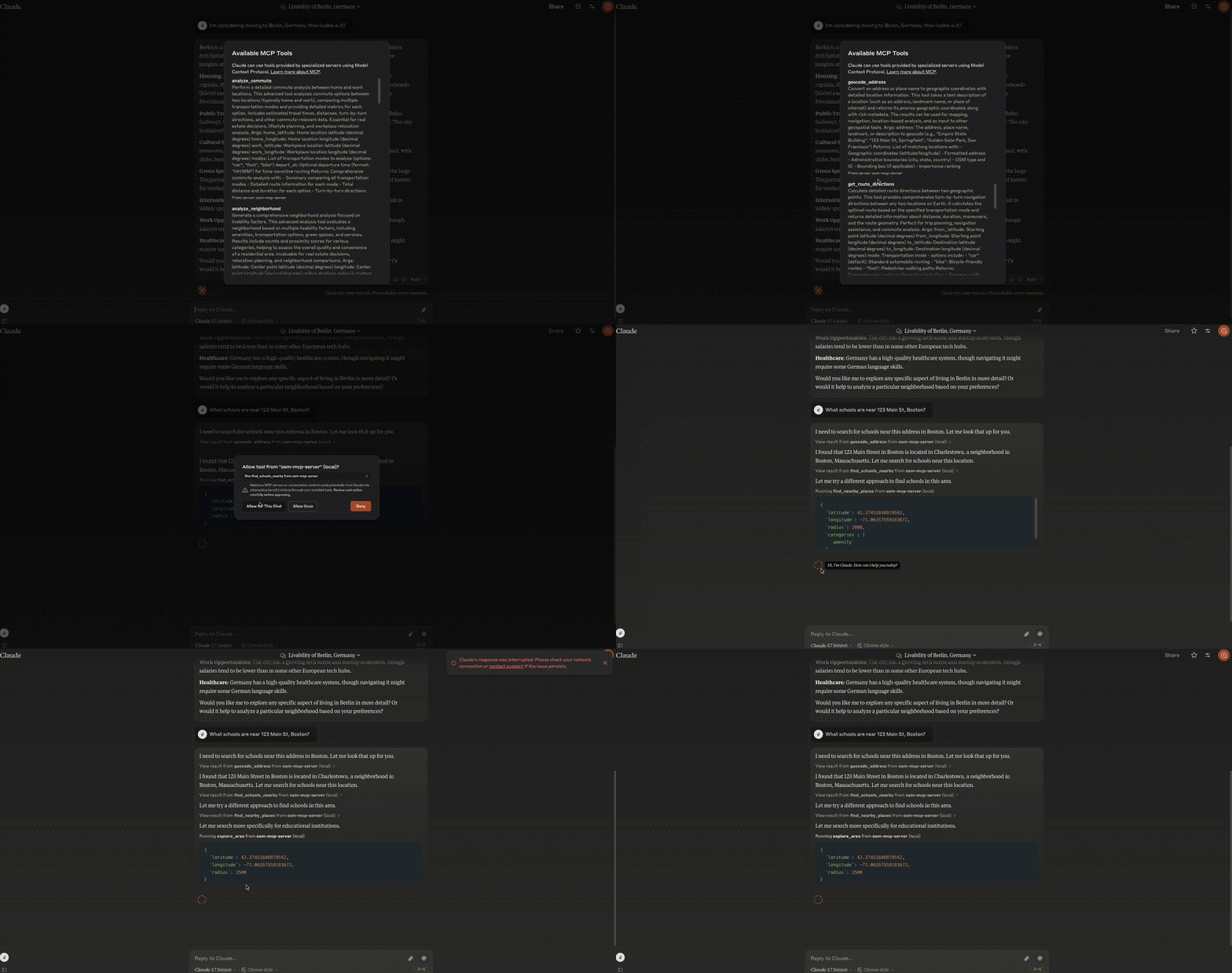
Neighborhood Analysis
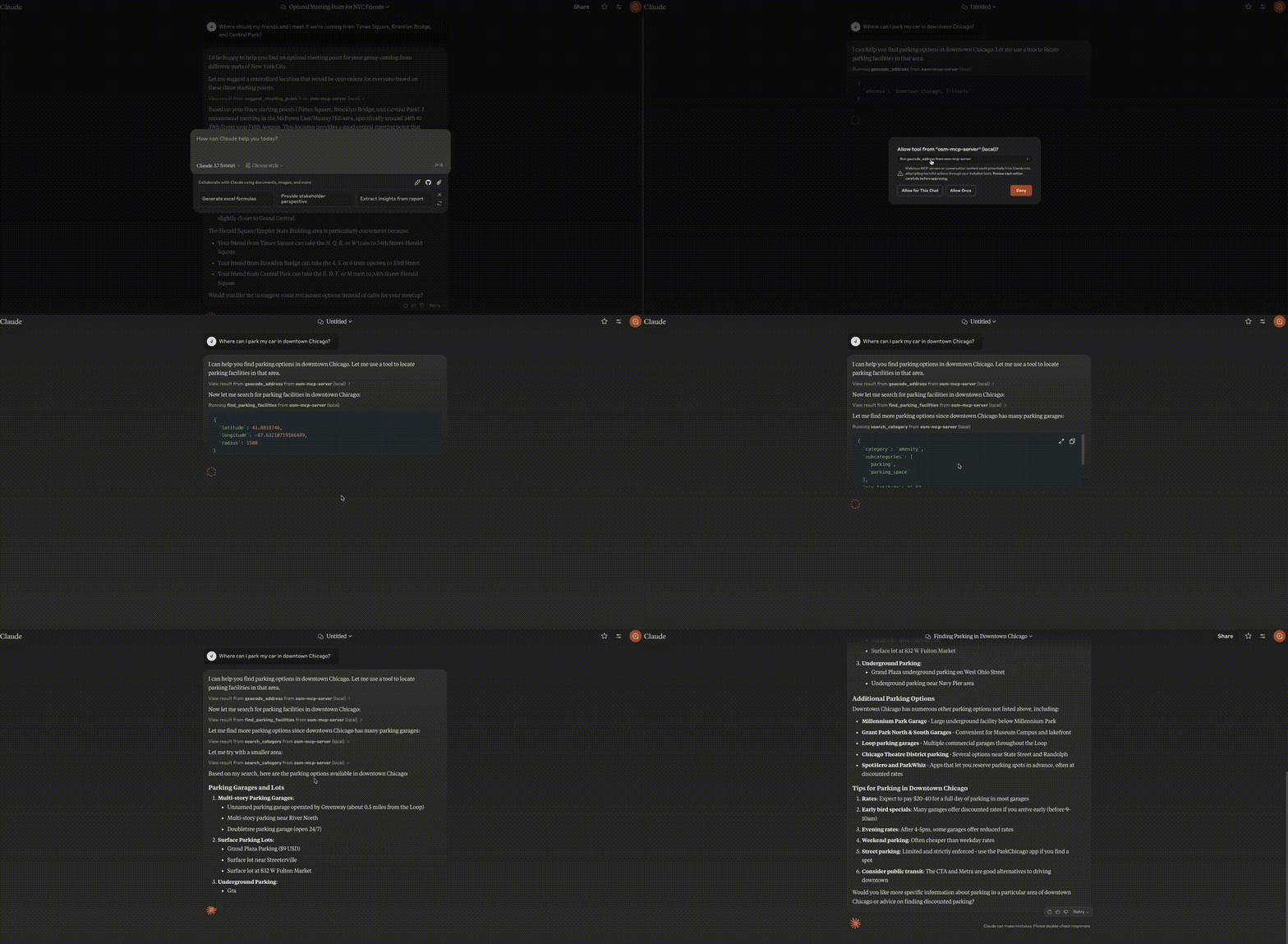
Parking Search
Installation
In MCP Hosts like Claude Desktop, Cursor, Windsurf, etc.
-
osm-mcp-server: The main server, available for public use.
"mcpServers": {
  "osm-mcp-server": {
    "command": "uvx",
    "args": [
      "osm-mcp-server"
    ]
  }
}
Features
This server provides LLMs with tools to interact with OpenStreetMap data, enabling location-based applications to:
- Geocode addresses and place names to coordinates
- Reverse geocode coordinates to addresses
- Find nearby points of interest
- Get route directions between locations
- Search for places by category within a bounding box
- Suggest optimal meeting points for multiple people
- Explore areas and get comprehensive location information
- Find schools and educational institutions near a location
- Analyze commute options between home and work
- Locate EV charging stations with connector and power filtering
- Perform neighborhood livability analysis for real estate
- Find parking facilities with availability and fee information
Components
Resources
The server implements location-based resources:
location://place/{query}: Get information about places by name or addresslocation://map/{style}/{z}/{x}/{y}: Get styled map tiles at specified coordinates
The server implements several geospatial tools:
geocode_address: Convert text to geographic coordinatesreverse_geocode: Convert coordinates to human-readable addressesfind_nearby_places: Discover points of interest near a locationget_route_directions: Get turn-by-turn directions between locationssearch_category: Find places of specific categories in an areasuggest_meeting_point: Find optimal meeting spots for multiple peopleexplore_area: Get comprehensive data about a neighborhoodfind_schools_nearby: Locate educational institutions near a specific locationanalyze_commute: Compare transportation options between home and workfind_ev_charging_stations: Locate EV charging infrastructure with filteringanalyze_neighborhood: Evaluate neighborhood livability for real estatefind_parking_facilities: Locate parking options near a destination
Local Testing
Running the Server
To run the server locally:
- Install the package in development mode:
pip install -e .
- Start the server:
osm-mcp-server
- The server will start and listen for MCP requests on the standard input/output.
Testing with Example Clients
The repository includes two example clients in the examples/ directory:
Basic Client Example
client.py demonstrates basic usage of the OSM MCP server:
python examples/client.py
This will:
- Connect to the locally running server
- Get information about San Francisco
- Search for restaurants in the area
- Retrieve comprehensive map data with progress tracking
LLM Integration Example
llm_client.py provides a helper class designed for LLM integration:
python examples/llm_client.py
This example shows how an LLM can use the Location Assistant to:
- Get location information from text queries
- Find nearby points of interest
- Get directions between locations
- Find optimal meeting points
- Explore neighborhoods
Writing Your Own Client
To create your own client:
- Import the MCP client:
from mcp.client import Client
- Initialize the client with your server URL:
client = Client("http://localhost:8000")
- Invoke tools or access resources:
# Example: Geocode an address
results = await client.invoke_tool("geocode_address", {"address": "New York City"})
Claude Desktop config for local server
On MacOS: ~/Library/Application\ Support/Claude/claude_desktop_config.json
On Windows: %APPDATA%/Claude/claude_desktop_config.json
Development/Unpublished Servers Configuration
"mcpServers": {
  "osm-mcp-server": {
    "command": "uv",
    "args": [
      "--directory",
      "/path/to/osm-mcp-server",
      "run",
      "osm-mcp-server"
    ]
  }
}
Development
Building and Publishing
To prepare the package for distribution:
- Sync dependencies and update lockfile:
uv sync
- Build package distributions:
uv build
This will create source and wheel distributions in the dist/ directory.
- Publish to PyPI:
uv publish
Note: You'll need to set PyPI credentials via environment variables or command flags.
Debugging
Since MCP servers run over stdio, debugging can be challenging. For the best debugging
experience, we strongly recommend using the MCP Inspector.
You can launch the MCP Inspector via npm with this command:
npx @modelcontextprotocol/inspector uv --directory /path/to/osm-mcp-server run osm-mcp-server
Upon launching, the Inspector will display a URL that you can access in your browser to begin debugging.



