
A directory listing describing a cancellation-letter and mailing-address service. The configured public GitHub repository returned 404 during source verification.
Repository stats unavailable
Developer Tools
An MCP server that connects AI assistants to OpenROAD and OpenROAD-flow-scripts layout tools for physical design work.
OpenROAD MCP Server is cataloged as an MCP server attributed to luarss. An MCP server that connects AI assistants to OpenROAD and OpenROAD-flow-scripts layout tools for physical design work. It is categorized under developer tools. See the capability inspector for recorded interfaces and their independent review status; consult upstream documentation for the current interface.
Installation configuration is not reviewed. No executable setup is offered for this entry; inspect the source repository before proceeding.
Catalog license label: BSD 3-Clause License. Check the source repository's current license and terms before using, modifying or distributing this software.
Capability definitions are not reviewed. Unreviewed imports are not exposed as trusted interfaces.
No reviewed records to display. This does not establish that upstream lacks this capability.
No reviewed records to display. This does not establish that upstream lacks this capability.
No reviewed records to display. This does not establish that upstream lacks this capability.
Email delivery is not connected. This page does not collect email addresses or create subscriptions.
Browse the registry for current listings instead.
Reviews for OpenROAD MCP Server are not available yet
Review publishing and storage are not connected. This page does not collect or publish ratings or comments, including after sign-in.
Yes, OpenROAD must be installed and available in the PATH; ORFS is optional but recommended for full flows and report visualization.
State-modifying commands sent to interactive_openroad_query are rejected and should be sent to interactive_openroad_exec instead.
README.md · a603885a8b51 · Fetched 2026-11-13 11:55:18 UTC
Original upstream text, without AI rewriting. Scripts, forms and unsafe links are filtered for safety.
Showing the last retrieved documentation snapshot; check the source for current changes.
A Model Context Protocol (MCP) server that provides tools for interacting with OpenROAD and ORFS.
New here? Check out the Quick Start Guide to get your AI assistant analyzing designs in 5 minutes.
OpenROAD MCP eliminates the barrier between your AI assistant and physical design by connecting Claude, Cursor, and other MCP-compatible clients directly to the OpenROAD layout tools.
OpenROAD is the leading open-source, foundational application for semiconductor digital design, delivering an Autonomous, No-Human-In-Loop (NHIL) flow from RTL-GDSII. OpenROAD-flow-scripts (ORFS) is the fully autonomous flow built around it.
With this MCP server, your AI assistant can:
To use this MCP server, you need the server runtime, plus the underlying OpenROAD layout tools.
npx distribution.OpenROAD must be installed and available in your PATH.
ORFS is optional but highly recommended for complete RTL-to-GDS flows and report visualization.
For platform-specific Node.js and C++ toolchain setup instructions, see the Cross-Platform Build Guide.
You do not need to clone this repo or pass path environment variables in the common case. The published npx package does not read a .env file.
On startup the server inherits the MCP client's environment, then fills PATH the same way which openroad would: current PATH, then your login-shell PATH, then common install locations (/opt/homebrew/bin, conda, local OpenROAD builds). ORFS_FLOW_PATH defaults to ~/OpenROAD-flow-scripts/flow, and is also detected when ORFS sits next to the openroad binary.
Here is the standard base configuration used across most clients:
{
  "command": "npx",
  "args": ["-y", "openroad-mcp"]
}
Find your specific client below for the exact configuration snippet and file location.
claude mcp add --transport stdio openroad-mcp -- npx -y openroad-mcp
Or add the standard config to .mcp.json / .claude/settings.json.
If a GUI-launched client still cannot find openroad, pass an override. Use command -v so you do not hard-code paths:
claude mcp add \
  --env PATH="$(dirname "$(command -v openroad)"):${PATH}" \
  --env ORFS_FLOW_PATH="${HOME}/OpenROAD-flow-scripts/flow" \
  --transport stdio openroad-mcp \
  -- npx -y openroad-mcp
Put --transport between --env and the server name so the CLI does not treat the name as another KEY=value pair.
Add the standard config to:
~/Library/Application Support/Claude/claude_desktop_config.json%APPDATA%\Claude\claude_desktop_config.jsonAdd the standard config to .cursor/mcp.json.
Add to .vscode/mcp.json. Requires "type": "stdio":
{
  "servers": {
    "openroad-mcp": {
      "type": "stdio",
      "command": "npx",
      "args": ["-y", "openroad-mcp"]
    }
  }
}
Add the standard config to ~/.codeium/windsurf/mcp_config.json.
Add the standard config to cline_mcp_settings.json (Cline) or .roo/mcp.json (Roo Code).
Add to your respective config.json under modelContextProtocolServers:
{
  "transport": {
    "type": "stdio",
    "command": "npx",
    "args": ["-y", "openroad-mcp"]
  }
}
Add to ~/.config/zed/settings.json:
{
  "context_servers": {
    "openroad-mcp": {
      "command": {
        "path": "npx",
        "args": ["-y", "openroad-mcp"]
      }
    }
  }
}
The server is available on the MCP Registry and via Docker:
docker run --rm -i ghcr.io/the-openroad-project/openroad-mcp:latest
Most other standard STDIO clients are fully supported. Refer to your tool's MCP setup guide.
Once configured, your AI assistant will have access to the following tools. For detailed parameters, schemas, and return formats, see the API Reference.
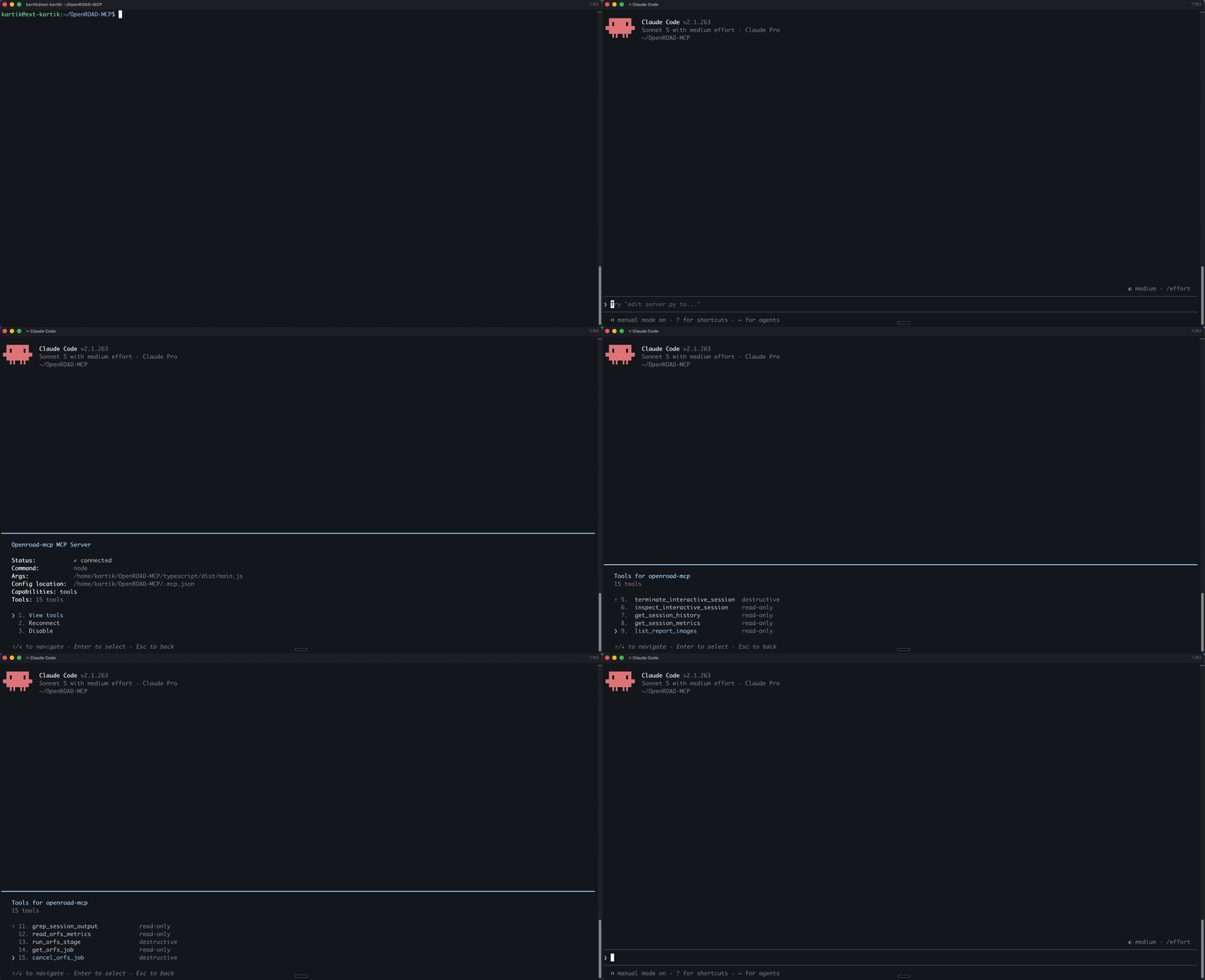
interactive_openroad_queryinteractive_openroad_execcreate_interactive_sessionlist_interactive_sessionsterminate_interactive_sessioninspect_interactive_sessionget_session_historyget_session_metricslist_report_imagesread_report_imagecommand -v openroad works in a terminal. The server inherits PATH and searches common install locations; if your prefix is unusual, pass PATH with --env as shown in the Claude Code section.interactive_openroad_query. Use interactive_openroad_exec instead.~/OpenROAD-flow-scripts/flow. If ORFS lives elsewhere, set ORFS_FLOW_PATH in the MCP client's env block (not a .env file).To get more detail, set LOG_LEVEL=DEBUG in the server's environment.
Clone the repository. .env.example is a local-dev reference only; copy it to .env if you use direnv or similar. The server still reads process.env (the MCP client's env block), not the file.
Then run:
cd typescript
npm install
npm run build
Testing:
npm run test             # unit tests
npm run test:integration # integration tests
npm run test:performance # performance benchmarks
Linting & type checking:
npm run typecheck
npm run lint
We welcome contributions! Please see CONTRIBUTING.md for detailed instructions on our development workflow and code standards.
BSD 3-Clause License. See LICENSE file.
Built with ❤️ by Precision Innovations
Claim this server with your GitHub account to request manual ownership verification.
Link to the catalog listing for OpenROAD MCP Server from your README. This badge does not certify ownership, compatibility or security.
[](https://awesome-mcp.com/servers/openroad-mcp)Public repository statistics could not be verified. Check the configured source address; unavailable counts are not zero.
Separate sources, scopes and periods. Never combined or treated as installations, active users or security reviews.
No reviewed package or image identity; download statistics are not listed yet.
Alternative and complementary servers in the same category
A directory listing describing a cancellation-letter and mailing-address service. The configured public GitHub repository returned 404 during source verification.

A hosted MCP service for browsing and searching through Singapore mobile-network proxies.

A directory listing describing a Markdown-to-PDF service. The configured public GitHub repository returned 404 during source verification.