
A directory listing describing a cancellation-letter and mailing-address service. The configured public GitHub repository returned 404 during source verification.
Repository stats unavailable
Developer Tools
A hosted MCP server that lets AI assistants read live ad accounts and preview-and-confirm campaign changes across Google Ads and other ad platforms.
Hosted Google Ads MCP server is cataloged as an MCP server attributed to opusgrowth. A hosted MCP server that lets AI assistants read live ad accounts and preview-and-confirm campaign changes across Google Ads and other ad platforms. It is categorized under developer tools. See the capability inspector for recorded interfaces and their independent review status; consult upstream documentation for the current interface.
Installation configuration is not reviewed. No executable setup is offered for this entry; inspect the source repository before proceeding.
Catalog license label: Not specified. Check the source repository's current license and terms before using, modifying or distributing this software.
Capability definitions are not reviewed. Unreviewed imports are not exposed as trusted interfaces.
No reviewed records to display. This does not establish that upstream lacks this capability.
No reviewed records to display. This does not establish that upstream lacks this capability.
No reviewed records to display. This does not establish that upstream lacks this capability.
Email delivery is not connected. This page does not collect email addresses or create subscriptions.
Browse the registry for current listings instead.
Reviews for Hosted Google Ads MCP server are not available yet
Review publishing and storage are not connected. This page does not collect or publish ratings or comments, including after sign-in.
No. It requires one connector URL and one sign-in, with no terminal, API keys or developer token needed.
No. Every write runs as a dry-run preview and is applied only after you approve it, with budget increases capped per change and a full audit log.
ChatGPT via the published plugin, plus Claude, Grok, Claude Code, Cursor, Codex and any other MCP-compatible app.
README.md · 415f44d4a9ba · Fetched 2026-11-13 11:41:03 UTC
Original upstream text, without AI rewriting. Scripts, forms and unsafe links are filtered for safety.
Showing the last retrieved documentation snapshot; check the source for current changes.

Hosted Google Ads MCP server. ChatGPT, Claude, Grok and other AI apps read a live account and change campaigns only after you approve a preview. No developer token.
The same connection also runs Meta, Microsoft, TikTok, LinkedIn and ChatGPT Ads.
Install the ChatGPT plugin or paste one URL. No terminal, no API keys.




What · Quickstart · How it works · Platforms · Pricing · Security · FAQ
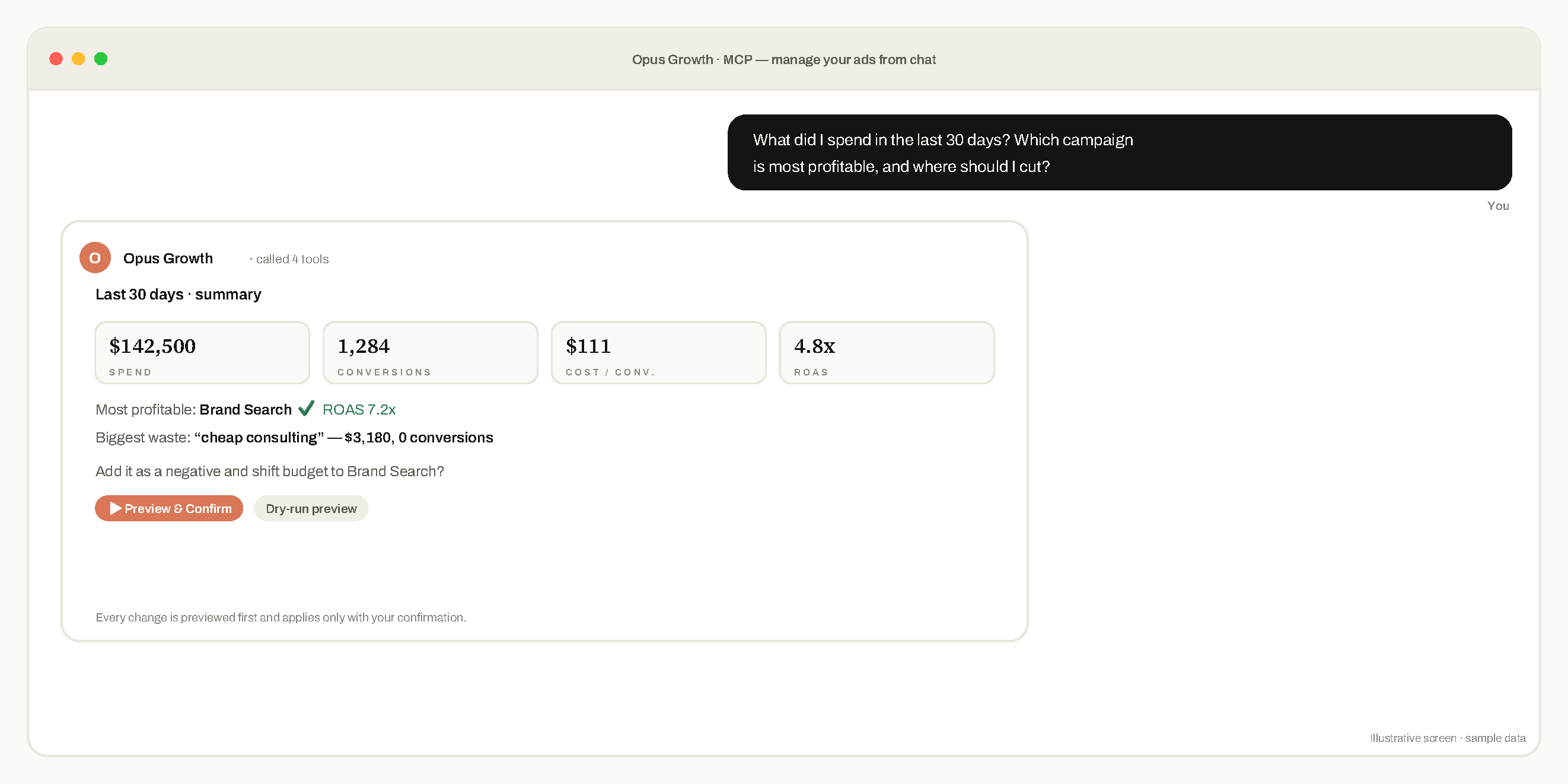
Opus Growth is a hosted Google Ads MCP server. Google's official server is read-only and you host it yourself. Opus Growth runs on our side, needs no developer token, and previews every write before it applies. The same MCP connection also manages Meta Ads, Microsoft Advertising, TikTok Ads and LinkedIn Ads, plus Search Console, GA4, Tag Manager, Business Profile and YouTube, from ChatGPT, Claude, Grok and any MCP-compatible assistant. Connect once, then manage everything in plain language:
“How much did I spend in the last 30 days, and which campaign is profitable?” “Find the search terms burning budget and add them as negatives.” “Increase the budget of my best-converting campaign by 20%.”
In one line: a hosted Google Ads MCP server for ChatGPT, Claude, Grok and other AI apps. It reads the live account and changes campaigns only after a preview you approve. No developer token. Meta, Microsoft, TikTok and LinkedIn Ads use the same connection.
The AI reads your reports, finds waste, and even builds campaigns, but never changes anything without showing you a preview and asking for your confirmation first.
In ChatGPT: open the published Opus Growth plugin at opus-growth.com/chatgpt, install it, approve the Opus Growth sign-in, then start a chat with @Opus Growth.
In Claude or Grok: add https://mcp.opus-growth.com/mcp as a custom connector (Claude: Settings → Connectors → Add custom connector; Grok: grok.com/connectors → New Connector → Custom), then sign in with Google.
As a Claude plugin: this repository is also a Claude plugin (.claude-plugin/plugin.json). It contains one skill (skills/opus-growth) and one remote MCP server, https://mcp.opus-growth.com/mcp/claude (.mcp.json), the same server as the Opus Growth connector in Claude's directory. The plugin runs no local code, hooks or scripts. Requests go only to that server, after the user signs in to Opus Growth with OAuth, and the server calls the official APIs of the ad and analytics accounts the user connects.
As a Cursor plugin: this repository is a Cursor plugin (.cursor-plugin/plugin.json). It adds the connector and a skill that explains how to read reports and apply changes safely.
In config-based clients (Cursor, Claude Code):
{
  "mcpServers": {
    "opus-growth": {
      "url": "https://mcp.opus-growth.com/mcp"
    }
  }
}
Your connector URL is https://mcp.opus-growth.com/mcp, setup takes about 60 seconds.
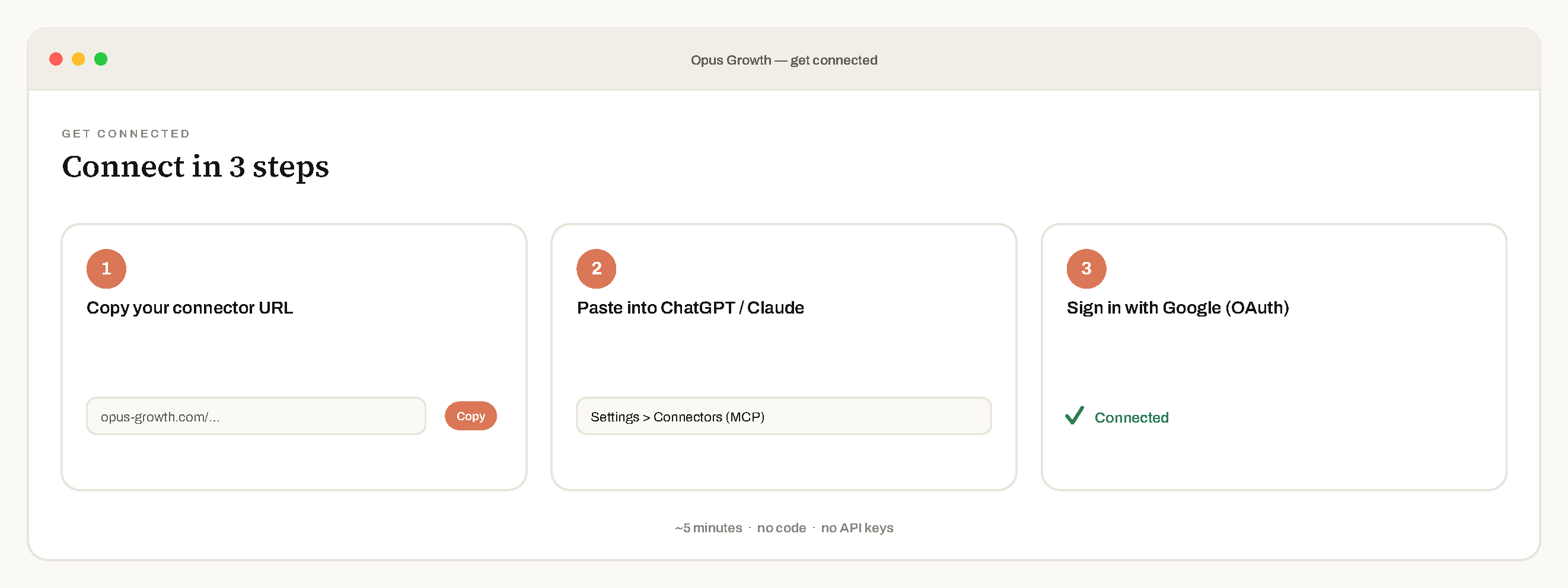
https://mcp.opus-growth.com/mcp as a custom connector (Claude: Settings → Connectors; Grok: grok.com/connectors)No code. No Google Cloud project. No developer token.
| Platform | Status |
|---|---|
| Google Ads | ✅ Live |
| Meta Ads (Facebook / Instagram) | ✅ Live |
| Microsoft Advertising (Bing) | ✅ Live |
| TikTok Ads | ✅ Live |
| LinkedIn Ads | ✅ Live |
Connected Google data sources (live): Search Console · Analytics (GA4) · Tag Manager · YouTube · Business Profile.
Opus Growth exposes MCP tools across:
Every write tool runs as a dry-run preview first and is applied only after you approve it.
Google Ads, Meta Ads, Microsoft Advertising, TikTok Ads and LinkedIn Ads, plus the Google data sources: every connected surface and operation in one connector. Every write action is preview-and-confirm.
Opus Growth isn't only for ads. The same connector also handles the work around your campaigns, so the whole loop stays in one conversation:
Because it's one connector, you can research the keywords, build the landing page, check its Core Web Vitals and launch the Google Ads campaign that points to it, all in the same chat, without switching tools.
| Plan | Price | For | What you get |
|---|---|---|---|
| Pro | $49 / month | One business running its own ads | One ad account per platform · Data Studio (Looker Studio) reports under your own brand · priority support from a person |
| Agency | $99 / month | Agencies and freelancers managing several clients | Every client account through your manager account (MCC) · 1,000 SEO/GEO credits every month · a dedicated account manager and priority support |
| All-in-One | $149 / month | Running ads, websites and SEO/GEO on one subscription | Everything in Agency · an AI Server with 30 GB for your websites · 15,000 SEO/GEO credits every month · one WordPress site managed from the chat |
| Enterprise | Contact us | Teams with several members | Seats, roles and central billing, priced for your team. Contact us or write to support@opus-growth.com |
What the credits mean: 1,000 SEO/GEO credits are about 25 keyword research runs or 5 full SEO/GEO analyses; 15,000 are about 375 keyword research runs. Unused SEO/GEO credits do not carry over to the next month.
Yearly billing: Pro $490, Agency $990, All-in-One $1,490 (two months free). Billed in USD via Paddle (merchant of record), cancel in one click. Choose your plan and get started.
| Managing ads the old way | With Opus Growth |
|---|---|
| Log into the Google Ads UI + Editor + spreadsheets | Ask one question in your AI chat |
| Export to spreadsheets for reports | Instant, formatted reports |
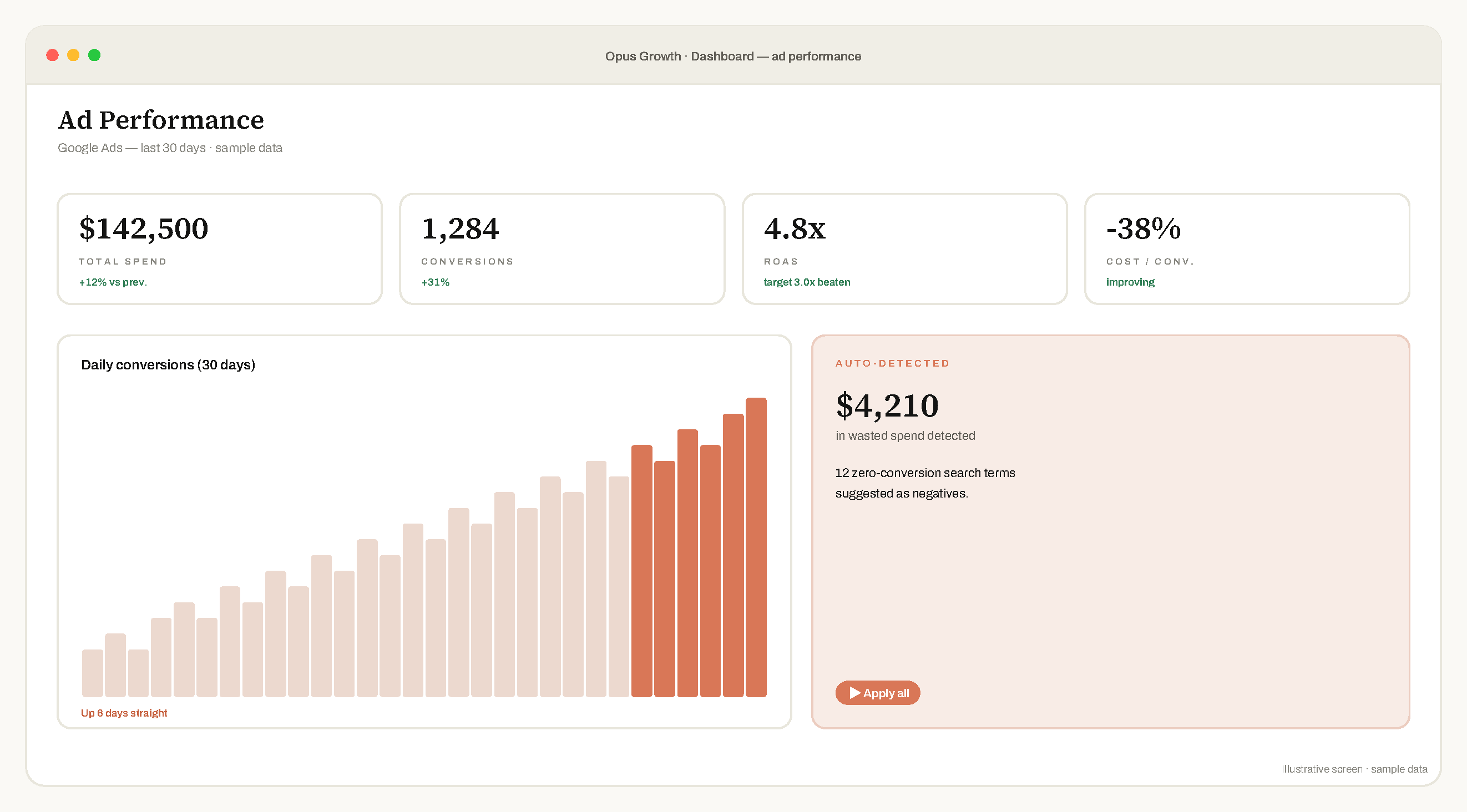
| Hunt for wasted spend by hand | Waste flagged automatically |
| Risky bulk edits | Preview + one-tap confirm on every change |
| A terminal, API keys, a dev token | One URL, one login, ~60 seconds |
Manage multiple client accounts (Google MCC and Meta ad accounts) from one AI chat. The Agency plan ($99/mo) adds multi-account switching and unlimited AI actions.
See SECURITY.md for our full security posture and disclosure policy.
ChatGPT · Claude · Grok · Claude Code · Cursor · Codex · and any other MCP-compatible app.
Choose your plan and get started.
No. One URL and one login. No terminal, no API keys, no developer token.
Open the published Opus Growth plugin at opus-growth.com/chatgpt, install it, approve the Opus Growth sign-in, then start a chat with @Opus Growth and connect Google Ads with one Google sign-in. It takes about 5 minutes.
Yes. Access is via official OAuth (we never see your password), tokens are encrypted at rest, every change is preview-and-confirm, and you can revoke access anytime.
ChatGPT (published plugin), Claude, Grok, Claude Code, Cursor, Codex, and any other MCP-compatible app.
Pro $49/month, Agency $99/month for multi-client teams, or All-in-One $149/month with websites and SEO/GEO included. Enterprise pricing is on request. See Pricing.
Yes, the interface and support are fully available in Turkish. Evet, arayüz ve destek tamamen Türkçe. Details / Detaylar →
Google Ads MCP ·
Microsoft Ads MCP ·
TikTok Ads MCP ·
LinkedIn Ads MCP ·
Meta Ads MCP ·
Best MCP for ads ·
Windsor.ai alternative
Made with ☕ in Türkiye · opus-growth.com · Privacy · Security · Changelog
Claim this server with your GitHub account to request manual ownership verification.
Link to the catalog listing for Hosted Google Ads MCP server from your README. This badge does not certify ownership, compatibility or security.
[](https://awesome-mcp.com/servers/opus-growth-the-mcp-connector-for-ad-platforms)Public repository statistics could not be verified. Check the configured source address; unavailable counts are not zero.
Separate sources, scopes and periods. Never combined or treated as installations, active users or security reviews.
No reviewed package or image identity; download statistics are not listed yet.
Alternative and complementary servers in the same category
A directory listing describing a cancellation-letter and mailing-address service. The configured public GitHub repository returned 404 during source verification.

A hosted MCP service for browsing and searching through Singapore mobile-network proxies.

A directory listing describing a Markdown-to-PDF service. The configured public GitHub repository returned 404 during source verification.