OpenStreetMap MCP server for geospatial and location-based tools

OpenStreetMap MCP server for geospatial and location-based tools

osm-mcp-server•byjagan-shanmugam

An OpenStreetMap MCP server that gives LLMs tools and resources for geocoding, routing, nearby place discovery, and location analysis.

License: Not specified•Runtime: Awaiting documentation review•Category: search web

WHAT IT DOES

  • •Geocodes addresses and place names to coordinates and reverse geocodes coordinates to addresses.
  • •Finds nearby points of interest, searches places by category within a bounding box, and gets route directions.
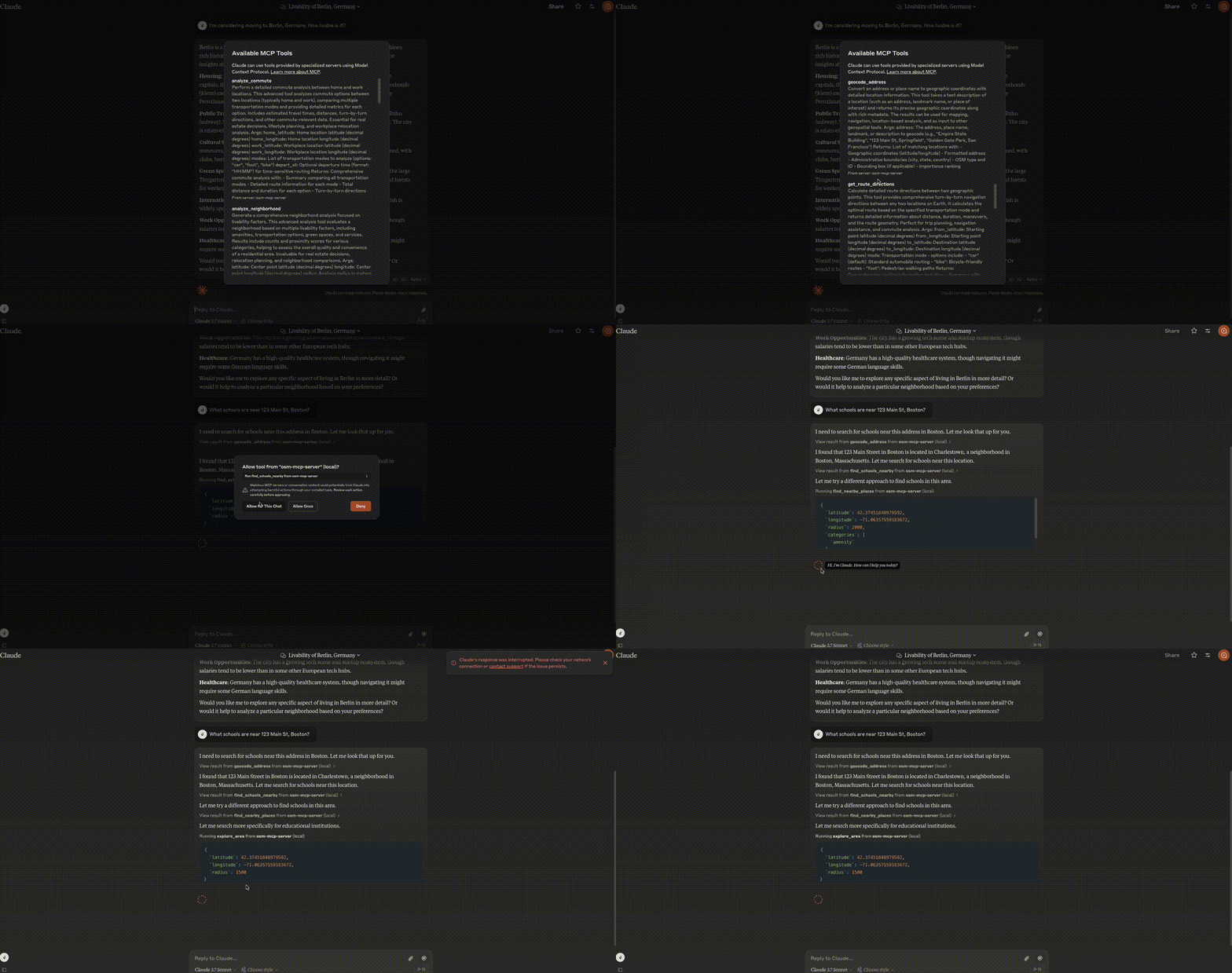
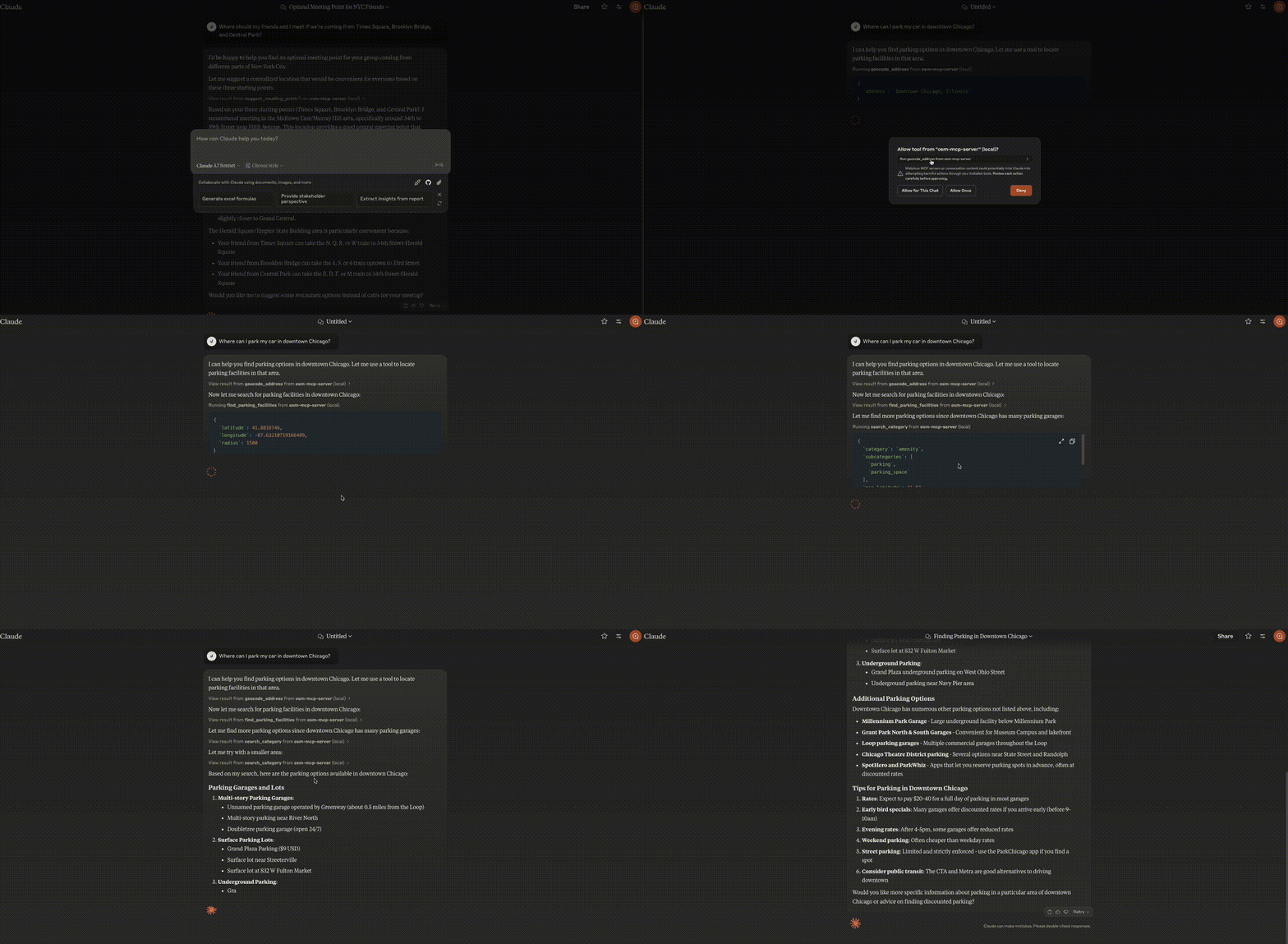
  • •Provides specialized tools for meeting points, schools, commute analysis, EV charging, neighborhood livability, and parking.
  • •Exposes location-based resources for place information and styled map tiles.

BEST FOR

  • •Applications that need address and place geocoding through an LLM.
  • •Planning routes and comparing commute options between locations.
  • •Real estate and neighborhood exploration, including livability and nearby parking or schools.

ABOUT OSM-MCP-SERVER

OpenStreetMap MCP server for geospatial and location-based tools is cataloged as an MCP server attributed to jagan-shanmugam. An OpenStreetMap MCP server that gives LLMs tools and resources for geocoding, routing, nearby place discovery, and location analysis. It is categorized under search web. See the capability inspector for recorded interfaces and their independent review status; consult upstream documentation for the current interface.

HOW TO INSTALL

Installation configuration is not reviewed. No executable setup is offered for this entry; inspect the source repository before proceeding.

LICENSE

Catalog license label: Not specified. Check the source repository's current license and terms before using, modifying or distributing this software.

Capability inspector

Capability definitions are not reviewed. Unreviewed imports are not exposed as trusted interfaces.

Tools (0)

No reviewed records to display. This does not establish that upstream lacks this capability.

Resources (0)

No reviewed records to display. This does not establish that upstream lacks this capability.

Prompts (0)

No reviewed records to display. This does not establish that upstream lacks this capability.

NEWSLETTER - COMING LATER

Newsletter subscriptions are not open yet

Email delivery is not connected. This page does not collect email addresses or create subscriptions.

Browse the registry for current listings instead.

Community Reviews

Coming later

Reviews for OpenStreetMap MCP server for geospatial and location-based tools are not available yet

Review publishing and storage are not connected. This page does not collect or publish ratings or comments, including after sign-in.

Upstream README

View this exact version on GitHub

README.md · 4319f9f0744f · Fetched 2026-11-13 09:34:15 UTC

Original upstream text, without AI rewriting. Scripts, forms and unsafe links are filtered for safety.

Showing the last retrieved documentation snapshot; check the source for current changes.

OpenStreetMap (OSM) MCP Server

An OpenStreetMap MCP server implementation that enhances LLM capabilities with location-based services and geospatial data.

Demo

Meeting Point Optimization
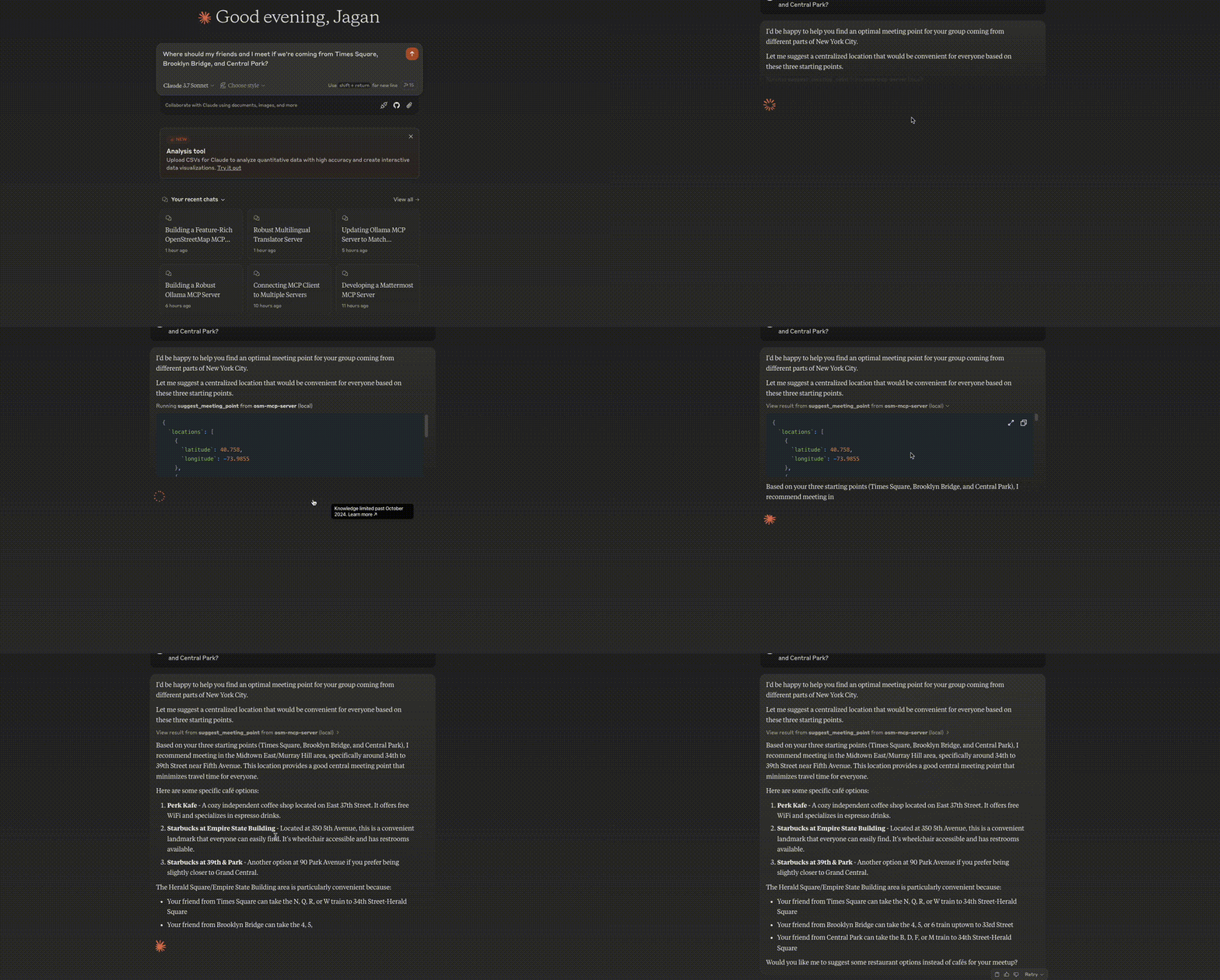
Meeting Point Use Case

Neighborhood Analysis

Neighborhood Analysis Use Case

Parking Search Use Case

Installation

In MCP Hosts like Claude Desktop, Cursor, Windsurf, etc.

  • osm-mcp-server: The main server, available for public use.

    "mcpServers": {
      "osm-mcp-server": {
        "command": "uvx",
        "args": [
          "osm-mcp-server"
        ]
      }
    }
    

Features

This server provides LLMs with tools to interact with OpenStreetMap data, enabling location-based applications to:

  • Geocode addresses and place names to coordinates
  • Reverse geocode coordinates to addresses
  • Find nearby points of interest
  • Get route directions between locations
  • Search for places by category within a bounding box
  • Suggest optimal meeting points for multiple people
  • Explore areas and get comprehensive location information
  • Find schools and educational institutions near a location
  • Analyze commute options between home and work
  • Locate EV charging stations with connector and power filtering
  • Perform neighborhood livability analysis for real estate
  • Find parking facilities with availability and fee information

Components

Resources

The server implements location-based resources:

  • location://place/{query}: Get information about places by name or address
  • location://map/{style}/{z}/{x}/{y}: Get styled map tiles at specified coordinates

Tools

The server implements several geospatial tools:

  • geocode_address: Convert text to geographic coordinates
  • reverse_geocode: Convert coordinates to human-readable addresses
  • find_nearby_places: Discover points of interest near a location
  • get_route_directions: Get turn-by-turn directions between locations
  • search_category: Find places of specific categories in an area
  • suggest_meeting_point: Find optimal meeting spots for multiple people
  • explore_area: Get comprehensive data about a neighborhood
  • find_schools_nearby: Locate educational institutions near a specific location
  • analyze_commute: Compare transportation options between home and work
  • find_ev_charging_stations: Locate EV charging infrastructure with filtering
  • analyze_neighborhood: Evaluate neighborhood livability for real estate
  • find_parking_facilities: Locate parking options near a destination

Local Testing

Running the Server

To run the server locally:

  1. Install the package in development mode:
pip install -e .
  1. Start the server:
osm-mcp-server
  1. The server will start and listen for MCP requests on the standard input/output.

Testing with Example Clients

The repository includes two example clients in the examples/ directory:

Basic Client Example

client.py demonstrates basic usage of the OSM MCP server:

python examples/client.py

This will:

  • Connect to the locally running server
  • Get information about San Francisco
  • Search for restaurants in the area
  • Retrieve comprehensive map data with progress tracking

LLM Integration Example

llm_client.py provides a helper class designed for LLM integration:

python examples/llm_client.py

This example shows how an LLM can use the Location Assistant to:

  • Get location information from text queries
  • Find nearby points of interest
  • Get directions between locations
  • Find optimal meeting points
  • Explore neighborhoods

Writing Your Own Client

To create your own client:

  1. Import the MCP client:
from mcp.client import Client
  1. Initialize the client with your server URL:
client = Client("http://localhost:8000")
  1. Invoke tools or access resources:
# Example: Geocode an address
results = await client.invoke_tool("geocode_address", {"address": "New York City"})

Claude Desktop config for local server

On MacOS: ~/Library/Application\ Support/Claude/claude_desktop_config.json On Windows: %APPDATA%/Claude/claude_desktop_config.json

Development/Unpublished Servers Configuration
"mcpServers": {
  "osm-mcp-server": {
    "command": "uv",
    "args": [
      "--directory",
      "/path/to/osm-mcp-server",
      "run",
      "osm-mcp-server"
    ]
  }
}

Development

Building and Publishing

To prepare the package for distribution:

  1. Sync dependencies and update lockfile:
uv sync
  1. Build package distributions:
uv build

This will create source and wheel distributions in the dist/ directory.

  1. Publish to PyPI:
uv publish

Note: You'll need to set PyPI credentials via environment variables or command flags.

Debugging

Since MCP servers run over stdio, debugging can be challenging. For the best debugging experience, we strongly recommend using the MCP Inspector.

You can launch the MCP Inspector via npm with this command:

npx @modelcontextprotocol/inspector uv --directory /path/to/osm-mcp-server run osm-mcp-server

Upon launching, the Inspector will display a URL that you can access in your browser to begin debugging.


Install configuration

Are you the maintainer?

Claim this server with your GitHub account to request manual ownership verification.

README Embed Badge
Markdown

Link to the catalog listing for OpenStreetMap MCP server for geospatial and location-based tools from your README. This badge does not certify ownership, compatibility or security.

[![MCP catalog listing](https://img.shields.io/badge/MCP-awesome--mcp-orange?style=flat-square)](https://awesome-mcp.com/servers/osm-mcp-server)

REPOSITORY STATS

GitHub StarsUnavailable
ForksUnavailable

Public repository statistics could not be verified. Check the configured source address; unavailable counts are not zero.

Downloads and pulls

Separate sources, scopes and periods. Never combined or treated as installations, active users or security reviews.

No reviewed package or image identity; download statistics are not listed yet.

Related search web MCP Servers

Alternative and complementary servers in the same category

View all in search web →

An MCP server that merges Google Search Console history with a live first-party crawl of your site to produce a prioritised, evidence-backed technical SEO audit inside Claude, complete with paste-ready fixes.

Repository stats unavailable
Search & Web Research

An MCP server that offers intelligent web search using OpenAI reasoning models, with support for fast iterations and deep research.

94
Search & Web Research